


 TL;DR:
AI prompt generators eliminate trial and error by transforming basic concepts into the structured, highly detailed instructions required by specific video, image, and text AI models to produce accurate outputs.
● For visual media, GeneratePromptAI provides scene structuring optimized for Veo 3 with a 500-character limit, while Feedough automatically formats the specific syntax, style weights, and parameters strictly required by Midjourney.
● When directing conversational AI like ChatGPT or Gemini, Prompt Cowboy AI offers a free built-in library with deep research modes, whereas Originality.ai limits free users to 20 daily generations tailored primarily for writing tasks.
● To bypass testing prompts across multiple standalone websites, Wondershare Filmora provides a unified workspace to input text prompts, generate media, and immediately edit outputs using integrated models like Sora 2, Veo 3.1, and Nano Banana Pro.
Ask AI for a summary
 ChatGPT
 Perplexity
 Gemini
 Claude
 Grok
Grok
What really shapes the result you get from any AI tool is how you write the prompt. But most people don’t know how to write effective prompts that work to get the result they really want.
If that’s what you have been struggling with, the tool that can save you is a prompt generator. An AI prompt generator helps you generate prompts for almost anything. You can use it when trying to write better content, generate images, build stories, or come up with ideas when you feel stuck.
To recommend you with the best options available, we have shortlisted some reliable AI prompt generators you can use for different platforms and use cases.
Part 1. What is an AI Prompt Generator?
AI prompts generator is a tool that helps you write better instructions for AI models, be it a text generator, a text-to-image generator, or a text-to-video generator. It comes as a solution to solve a simple yet common struggle many users face: writing an effective prompt.
Although AI tools are smart, you still need to be clear and specific with your prompts to get a good result. An AI prompt maker is the tool that can help you turn your ideas into more detailed instructions and prevent you from giving vague directions like “write a blog intro” or “create an image of an elephant."
Part 2. Why Use an AI Prompt Generator?
Using AI tools and guiding them with a prompt is already easy on its own. But using a prompt generator brings a lot of practical benefits that you might not expect at first, such as:
- Turning rough ideas into detailed prompts
- Helping beginners get good results faster
- Saving time by cutting down trial and error
- Providing a fresh source of inspiration when experiencing writer’s block
- Making it easier to match the AI output with your original idea
If you’re ready to give it a try, you can start with the prompt makers we’ve listed here.
For our recommendations, we shortlisted popular AI prompt generators across different use cases and platforms, so that you can narrow them down more easily depending on your needs. During testing, we:
- Checked the quality, clarity, and detail of the prompts generated
- Compared how consistent results are across different AI models
- Evaluated pricing structures and free plans to see how much value you get
- Assessed how much manual editing is still needed after generating a prompt
From there, we reviewed each tool based on overall usefulness and how reliably it helped produce better AI outputs.
Part 3. Top AI Prompt Generators by Platform
AI tools come in different forms, and not every prompt works the same way. When you need to generate a video, an image, or work with text-based AI tools, you need prompts that are tailored to each task.
For Video Generation (Sora, Runway, Veo 3, Kling AI)
1. Quillbot
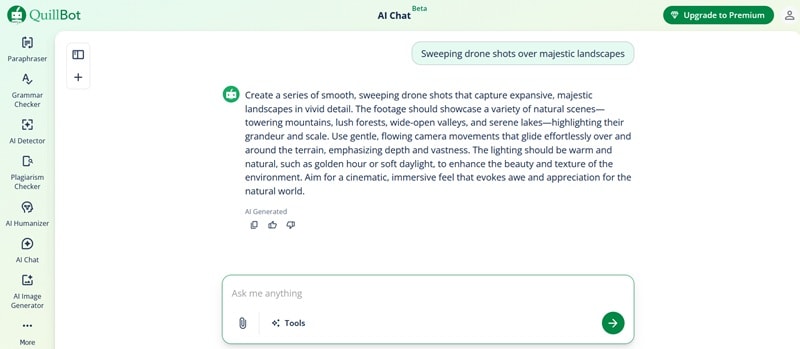
QuillBot’s free prompt generator works for video generation, alongside image and text-based use cases. You just pick the type of content you want to create (e.g., video), and it expands your idea by adding details like camera movement, lighting, and other essential elements.
It doesn’t lock you into a specific AI model, but the prompts it generates generally work well across most popular AI tools.
- No sign-in required
- Conversational chat-based interface
- Allows image attachments to help generate more context-aware prompts
2. GeneratePromptAI
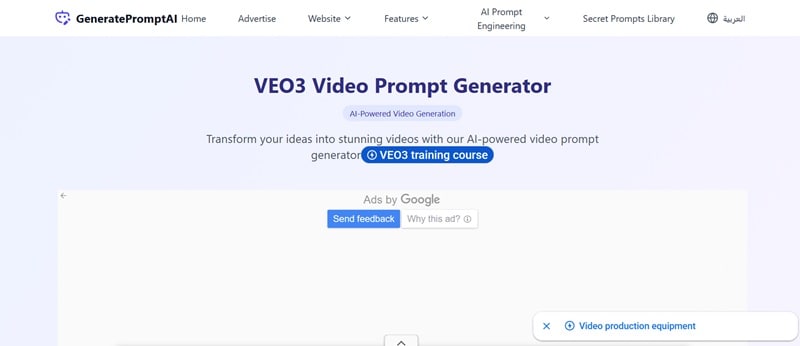
In one of its features, GeneratePromptAI includes a prompt generator designed to help you create structured prompts for video generation. It expands your short idea into a more structured prompt that covers the scene, your goal, and the visual style, which would be helpful for the AI to understand what kind of result you’re aiming for.
- Optimized for the Veo 3 video generation model
- Supports prompt inputs up to 500 characters
For Image Generation (DALL·E, Midjourney, Nano Banana Pro)
1. Feedough
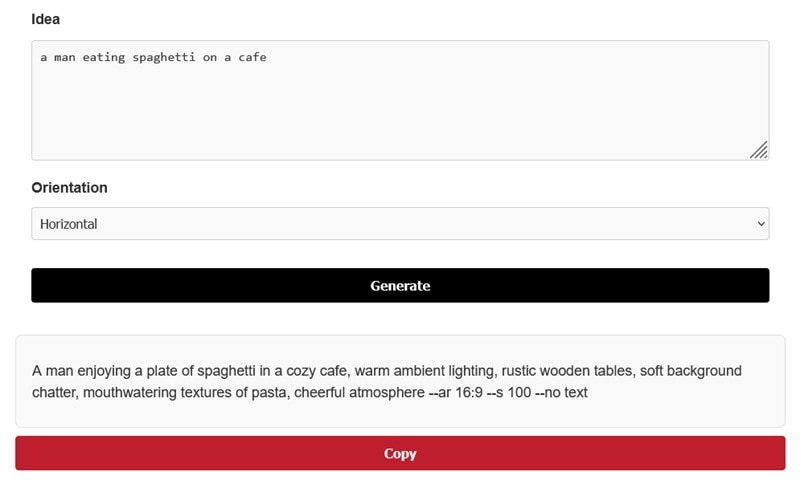
Prompting in Midjourney is a bit different from most AI image generators, since it works through commands and prompt weighting. To simplify things, you can use Feedough Midjourney prompts generator to turn your ideas into the right wording, parameters, and formatting without having to learn all the technical details.
- No sign-in required
- Select orientation between horizontal or vertical
- Includes a negative prompt
2. ImagePrompt.org
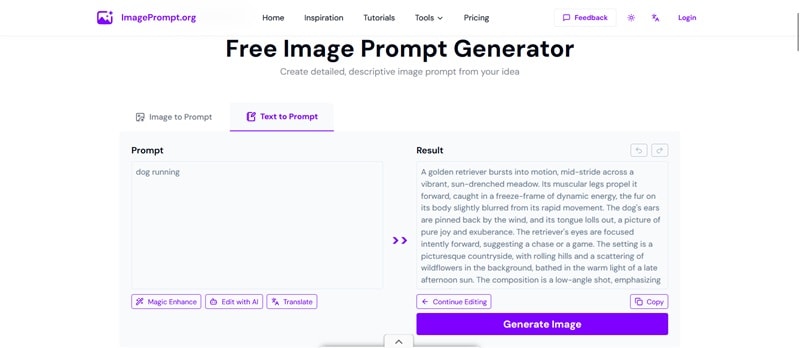
As the name suggests, ImagePrompt is an image prompt generator designed to help you create detailed prompts from either a reference image or a simple text idea. When using its AI image-to-prompt feature, you can tailor the prompt to match the AI model you plan to use.
- Supports multiple languages beyond English
- Allows direct image URL uploads for its image prompt generator AI
- Includes built-in tools to edit prompts with AI or translate them instantly
For Conversational AI (ChatGPT, Gemini, Claude)
1. Prompt Cowboy AI
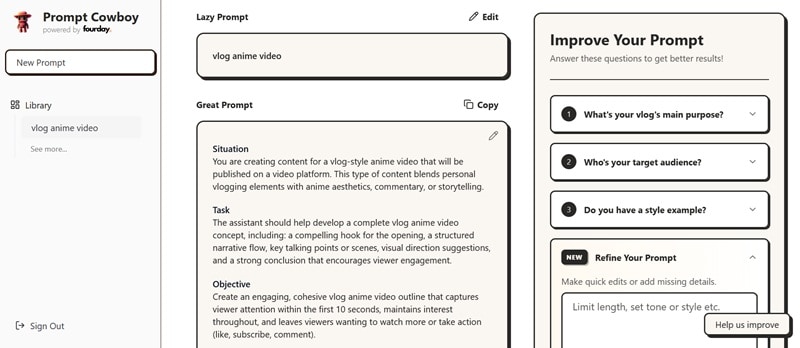
Prompt Cowboy is a free writing prompt generator you can use to turn rough ideas into structured prompts for popular AI platforms. To get started, you’ll need to sign in with an account. Then, enter a basic “lazy prompt” for the tool to expand it into a more detailed version. It then guides you through a few follow-up questions to refine the prompt further.
- One-click copy to use prompts directly in your chosen AI platform
- Built-in library to save and access your past prompts anytime
- Multiple use-case modes to choose from (standard, reasoning, deep research, and more)
2. GeneratePromptAI
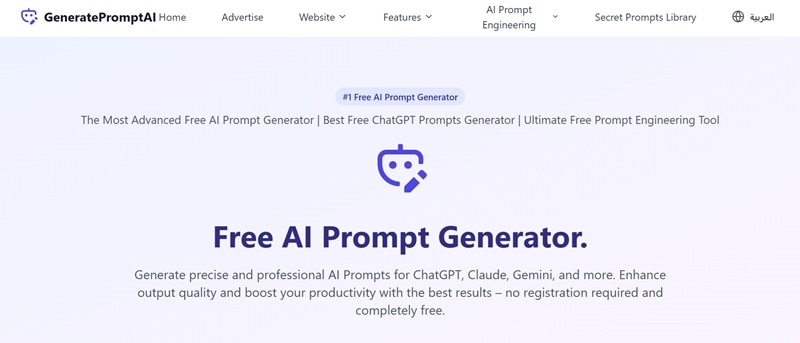
Besides generating prompt for video, GeneratePromptAI can also work as an AI prompt builder for most conversational AI models, including ChatGPT, Claude, and Gemini. It offers different prompt modes to choose from, with a simple and advanced option available for free, while the expert mode is reserved for Pro users.
- Allows voice recording to capture your ideas
- Select from three prompt modes based on the level of detail you need
3. Originality.ai
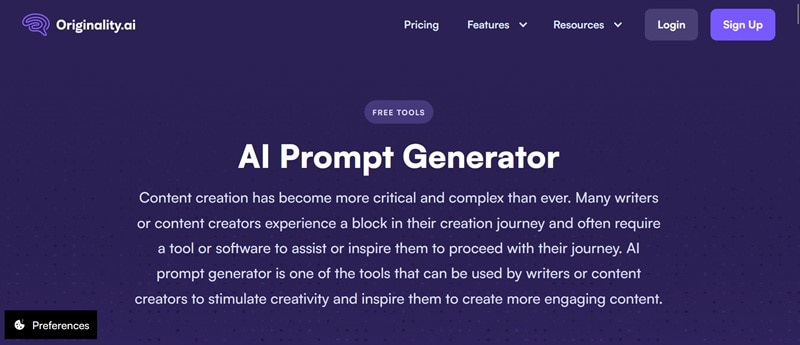
Originality.ai includes a built-in prompt generator AI as one of its tools, alongside its well-known AI detection and plagiarism checking features. Its prompt AI generator is useful for shaping clearer instructions when working with ChatGPT, especially for writing and research-focused tasks. If the first result doesn’t feel quite right, you can quickly regenerate the prompt.
- No sign-in required
- Includes other features, such as AI checker and plagiarism checker
Part 4. How to Use an AI Prompt Generator Effectively
Have you decided on which prompt generator you are going to use? Since an AI prompt generator works as a text-to-text, word-based tool, the process stays largely the same no matter what you’re creating.
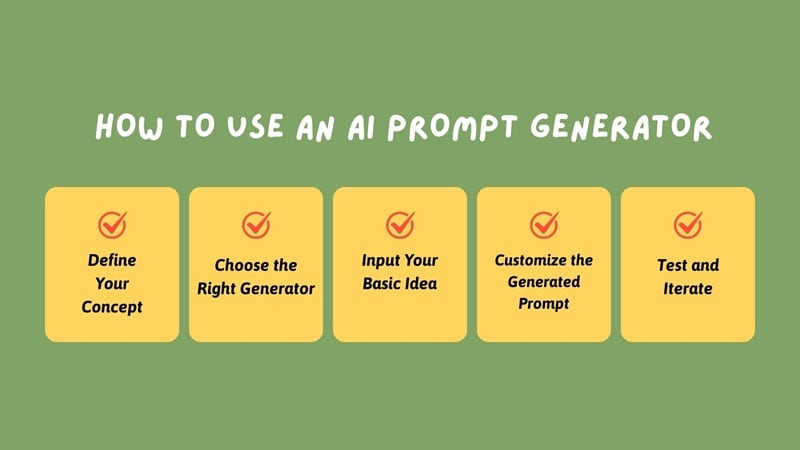
Just enter your idea, and the tool will refine and expand it into a well-structured prompt you can use right away. For more details, you can check out the step-by-step guide below.
Step 1: Define Your Concept
Start with an idea of what you want to create. It could be a goal, a theme, or the type of output you’re aiming for.
Step 2: Choose the Right Generator
Select a prompt generator that fits your task, whether you’re creating text, images, or video, and works with the AI tool you plan to use.
Step 3: Input Your Basic Idea
Based on your concept, enter it into the prompt generator. It doesn’t have to be detailed yet; just enough to point the AI in the right direction by including:
- A short description of the idea or topic
- The type of content you want to create
- The mood or style you’re aiming for
- The main subject or focus of the output
- Any details you already have in mind
Step 4: Customize the Generated Prompt
Review the prompt and adjust details to better match your intent.
Step 5: Test and Iterate
Run and generate the prompt through your AI tool and review the results. If it doesn’t quite match what you’re looking for, you may want to refine the wording or adjust constraints and try again.
Part 5. Platform-Specific Prompt Guidelines
Now that we understand how an AI prompt generator works, how do we tell whether the prompt it provides is actually a good fit for the AI model we’re using? Each AI model may interpret prompts a little differently, depending on what it’s built for.
For Sora, Runway, Veo 3, Kling AI
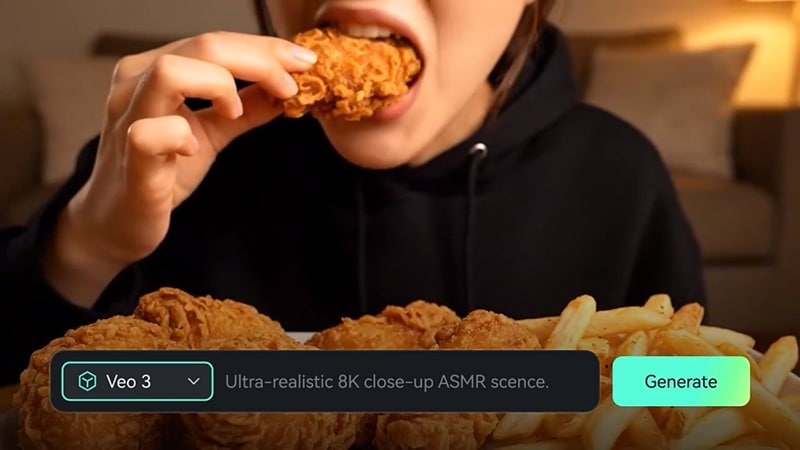
Video generation models like Sora, Veo 3, Runway, and others respond best when you give them clear, descriptive, and structured direction. It will help them understand how the scene should unfold.
What to Focus On in Your Prompts
- Describe the Scene Clearly: Don’t just say what you want. Add context by asking yourself: Where is it happening? What objects or subjects are moving? What’s the main action?
- Include Camera and Motion Details: The AI will produce more controlled and intentional results if the prompt includes how you want the camera moves, the shot types (wide shot, close-up, tracking shot), and the action or what’s happening.
- Set Style, Mood, and Lighting: Mention visual style and mood early, such as cinematic look, high contrast lighting, soft pastel tones. The prompt should set the overall atmosphere so the AI understands the look and feel you’re aiming for.
For DALL-E, Midjourney, Nano Banana Pro
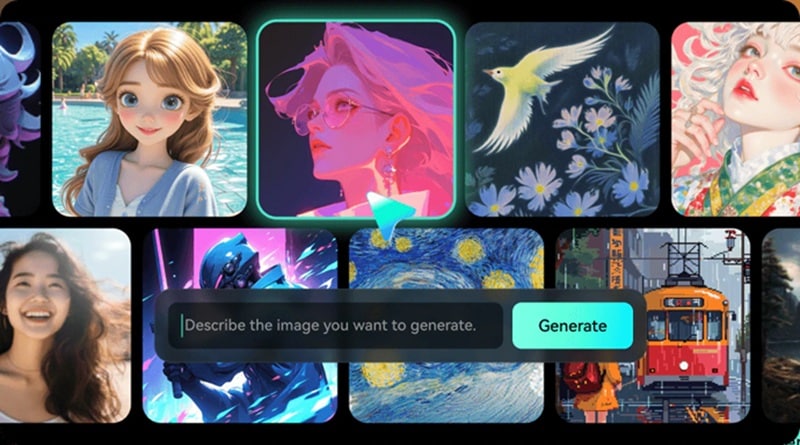
For image generators like DALL-E, Midjourney, and Nano Banana Pro, prompt behavior can vary quite a bit from one model to another.
- DALL-E: DALL-E tends to respond better with prompts that are specific and descriptive, rather than vague or short ones. If you need consistent branding, repeat key terms in each prompt, since the model doesn’t retain context from previous images or prompts.
- Midjourney: Midjourney relies heavily on specific syntax, parameters, and prompt weighting. Because of this, you may want to use a prompt generator that supports Midjourney so it can handle things like style weights, aspect ratios, and negative prompts correctly.
- Nano Banana Pro: Nano Banana Pro is generally more forgiving and can produce solid visual results even with simpler prompts. Yet, adding details about style, lighting, and composition will still give you more control and more consistent outputs.
Nonetheless, you still need to ensure the AI image prompt generator results include clear visual details, such as the intended style (photorealistic, illustration, or any specific style), the main subject, and how you want the scene to be composed.
For ChatGPT, Gemini, and Claude
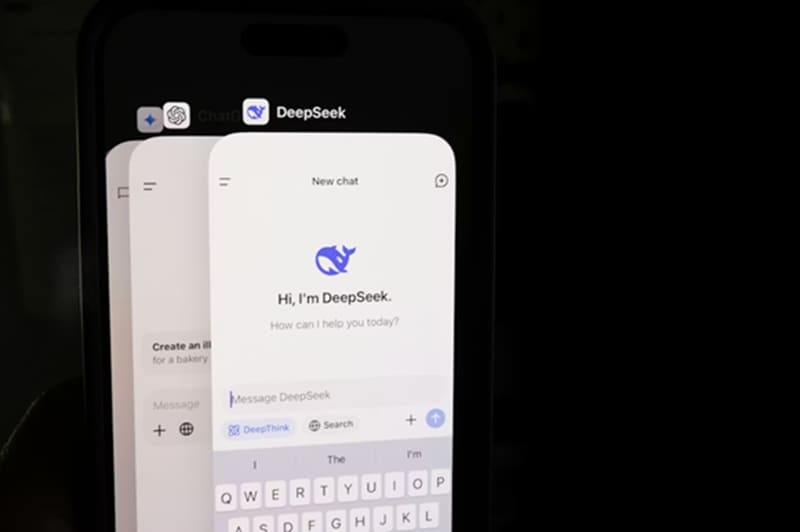
Text generators like ChatGPT, Gemini, and Claude tend to excel at slightly different types of tasks. For ChatGPT, Gemini, and most text models, you’ll usually get better results by:
- Defining the role you want the AI to take, such as a writer, editor, researcher, or marketer.
- Specifying the output format, like a list, outline, article, or table.
- Setting the tone and audience, whether it’s casual, professional, beginner-friendly, or technical.
- Providing examples, if you want the response to follow a particular style or structure.
For Claude, you can add a brief background or purpose to help the model understand why you want something. Tools like XML tags or labeled sections can help separate instructions, examples, and output formatting expectations.
Part 6. Common Prompt Mistakes and How Generators Fix Them
It’s more often than not that the AI results you get feel off, too generic, or not even close to what you had in mind. In most cases, this happens because of some common mistakes in how the prompt is written, and using a prompt generator usually helps fix those issues.
Mistake 1: Too Vague
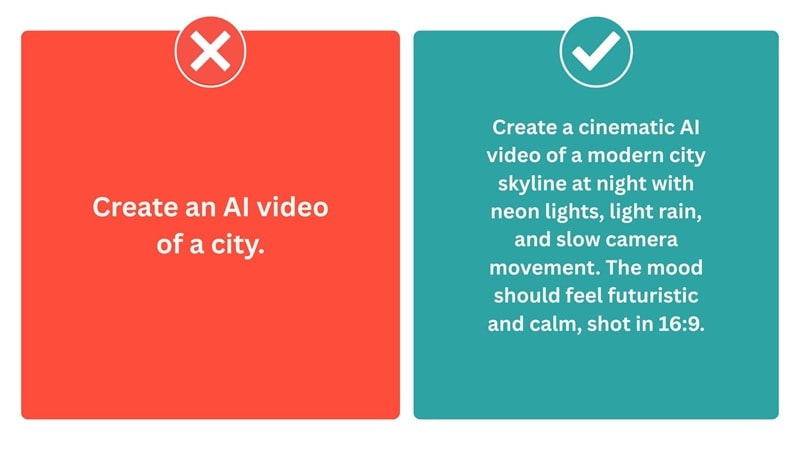
AI is not mind readers. If your instructions are too vague, the model will fill in the gaps on its own, which often leads to generic results that are far from what you had in mind. Prompt generators like Prompt Cowboy AI can help narrow things down by asking follow-up questions and turning your ideas into more specific prompts.
Mistake 2: Conflicting Instructions
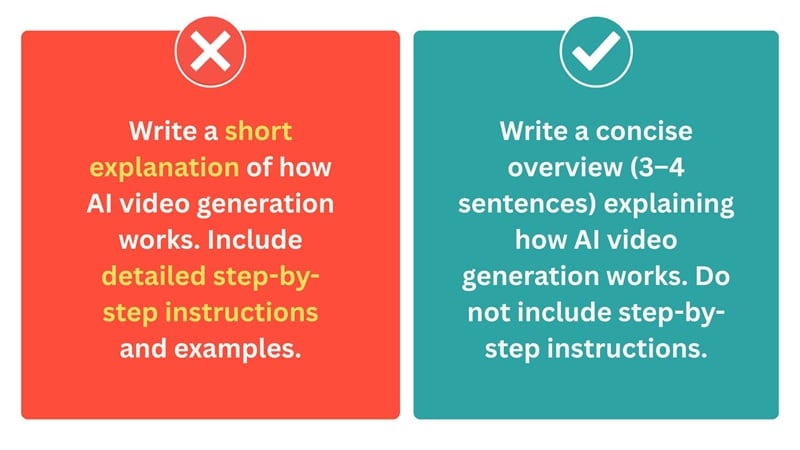
If you tell the AI to keep the output short, but also ask for detailed explanations, how could it know which instruction to follow? You can either rewrite the prompt to keep the instructions aligned, or use an AI prompt creator to resolve them for you.
Mistake 3: Missing Technical Details
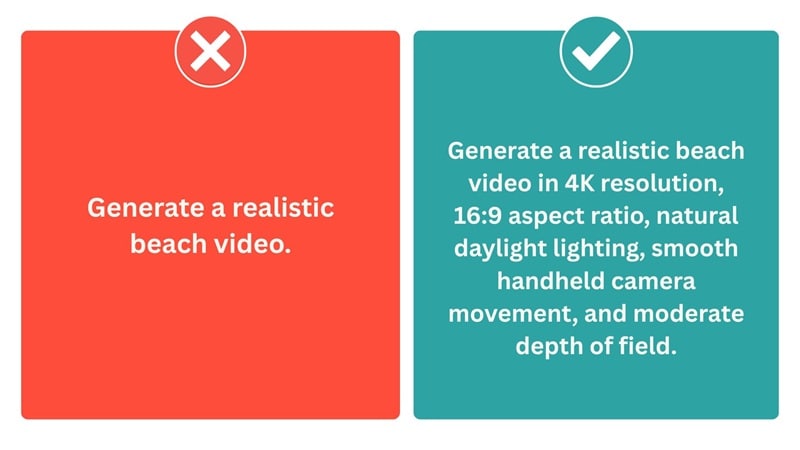
As you already know, technical details play a big role in how AI interprets a prompt. And yet, beginners, especially in AI video and image tools, often miss them. Using a prompt generator is a shortcut way to add those details without needing deep technical knowledge.
Mistake 4: Wrong Platform Format
Each tool has its own way of interpreting and responding to a prompt. You need to understand how each tool handles prompts and tailor your input accordingly if you don’t want to end up with results that look off. Or, let a prompt generator handle them for you.
Part 7. Real-World Prompt Examples
Let’s see how using a prompt generator can really improve the quality of prompts and lead to more accurate results instead of being generic.
For Video Generation (Sora, Runway, Veo 3, Kling AI)
Before:
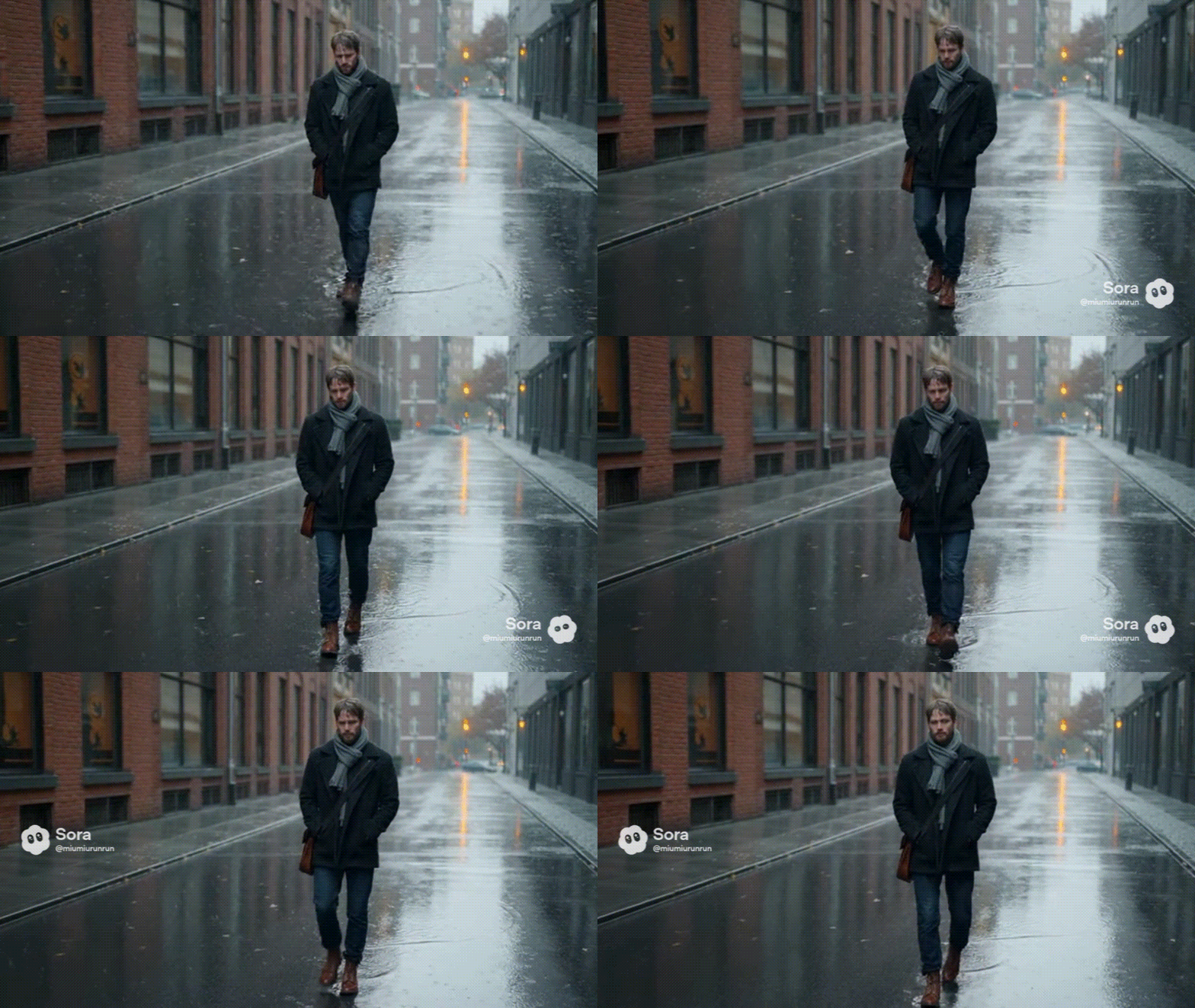
“A man walking in the rain.”
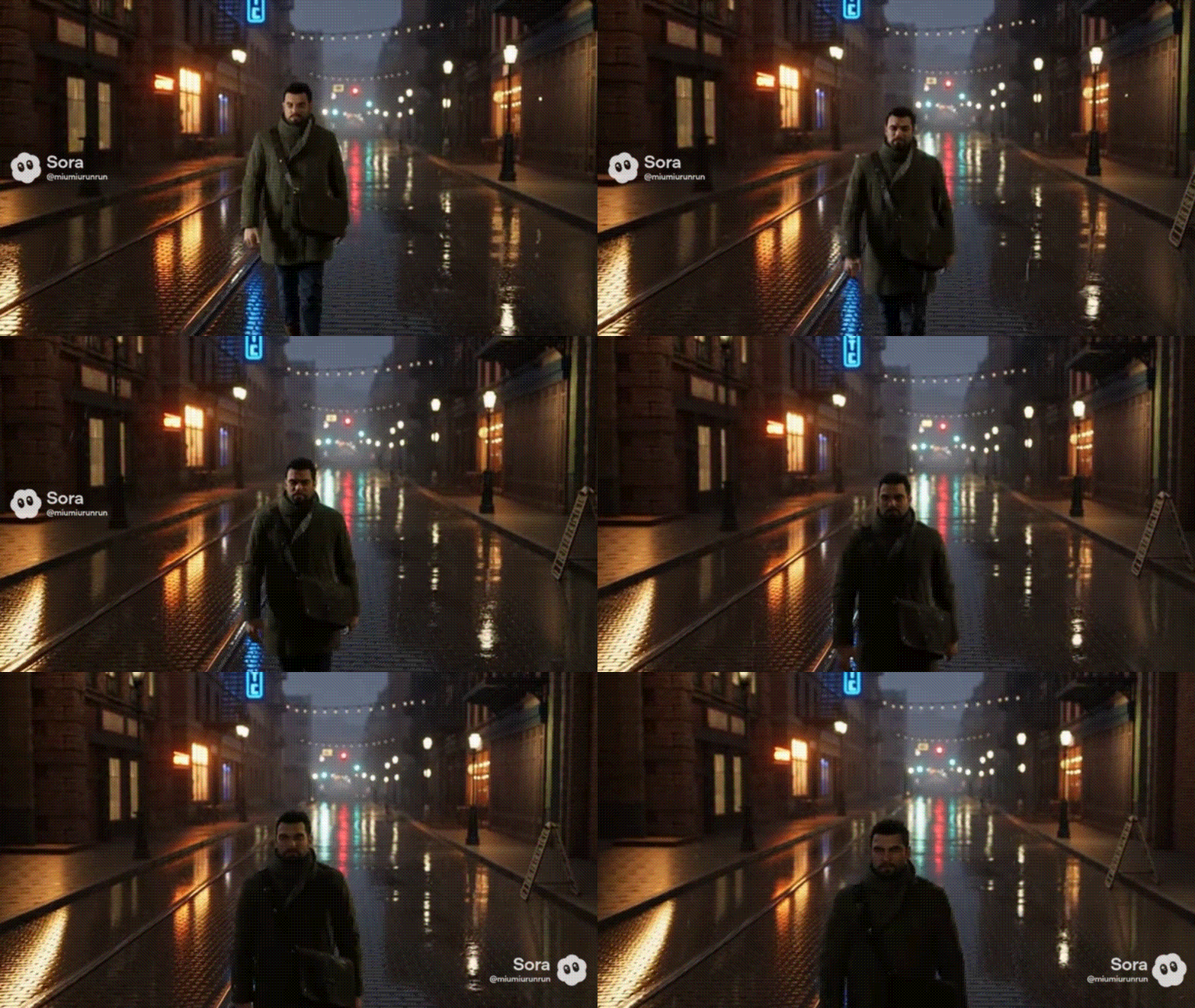
After:
“Create a short video scene featuring a man walking alone in the rain. Focus on capturing the mood of a rainy day—include visible raindrops falling, wet streets reflecting light, and the man’s slow, thoughtful pace. Show subtle details like raindrops hitting his coat and puddles splashing under his footsteps. Use natural lighting with a slightly overcast, gray sky to enhance the atmosphere. The overall tone should feel contemplative and quiet, evoking a sense of solitude and introspection. Keep the shot steady or gently moving to maintain an immersive, realistic feel.”
For Image Generation (DALL-E, Midjourney, Nano Banana Pro)
Before:
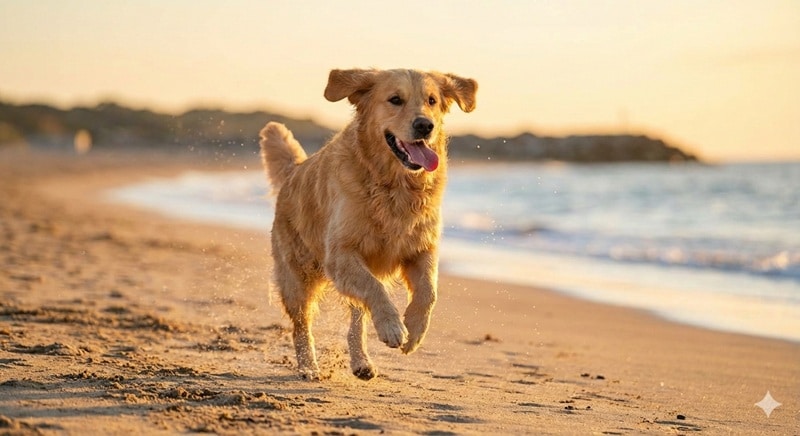
“Dog running.”
After:
“A hyper-realistic 16:9 aspect ratio of a spirited golden retriever, mid-stride, races across a vibrant, sun-drenched meadow. Its fur, the color of polished gold, catches the light, creating a halo effect around its body, highlighting its muscular build and energetic stance. The dog's ears flap playfully in the wind as it bounds forward, tongue lolling out, radiating pure joy and freedom. The surrounding meadow is a tapestry of wildflowers: delicate purple lupines and bright yellow buttercups, all swaying gently in the summer breeze. The scene is illuminated by a warm, golden sunlight, casting long, dancing shadows. The background features a distant, rolling green hill beneath a clear, azure sky dotted with fluffy white clouds. The perspective is a dynamic, low-angle shot, enhancing the dog's speed and energy.”

It may not look like anything is wrong at first, but if you don’t specify key details in your prompt, AI models like Nano Banana Pro will often fall back on generic defaults such as a beach setting.
For Conversational AI (ChatGPT, Gemini, Claude)
Before:
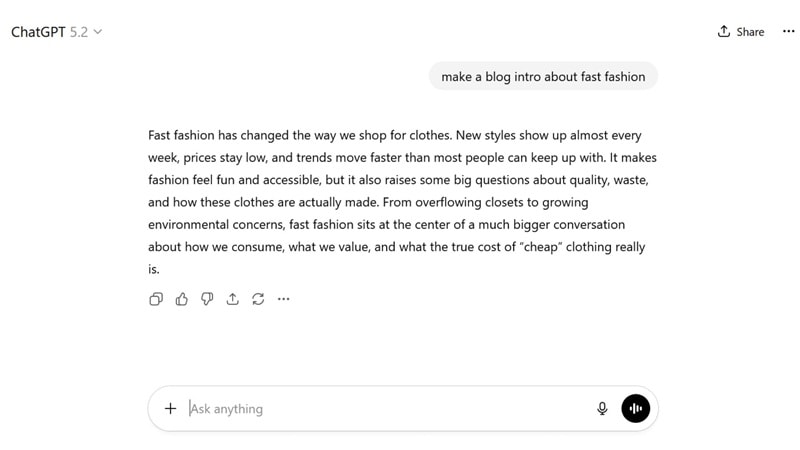
After:
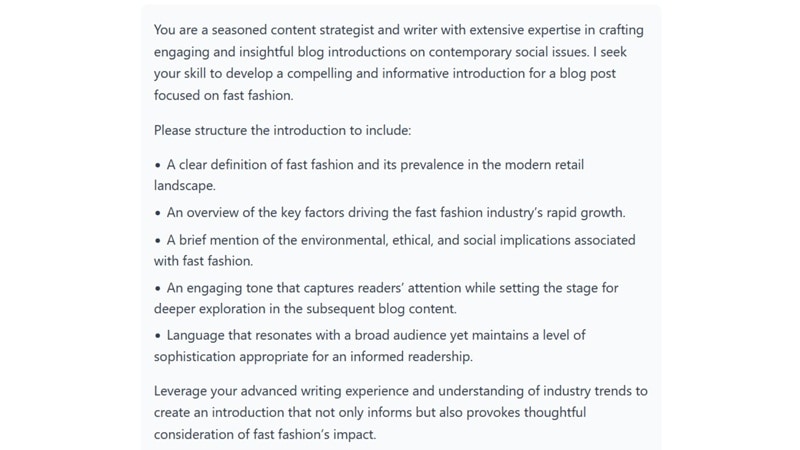
Result after using prompt builder:
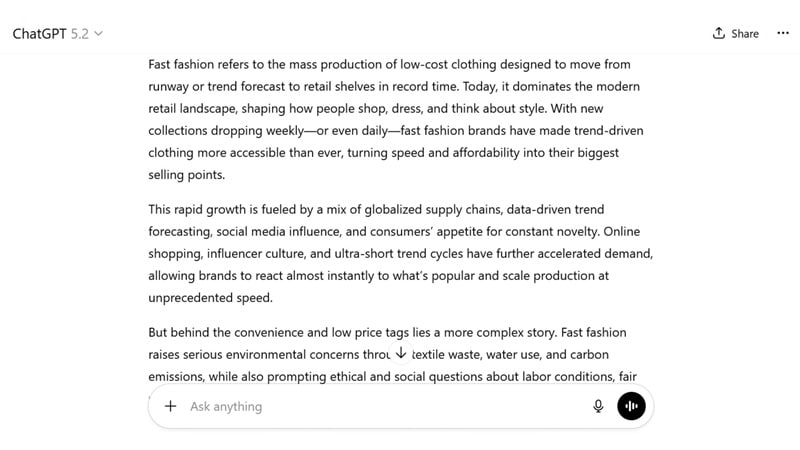
Bonus: Turn Your Prompts into Professional Images/Videos with Filmora
While most AI tools focus on a single task, like generating images or videos, on its own platform, you’ll usually have to jump between different tools just to test your prompts. However, there is a more efficient way to do everything in one place, which is using Wondershare Filmora.

 Secure Download
With Filmora, you can:
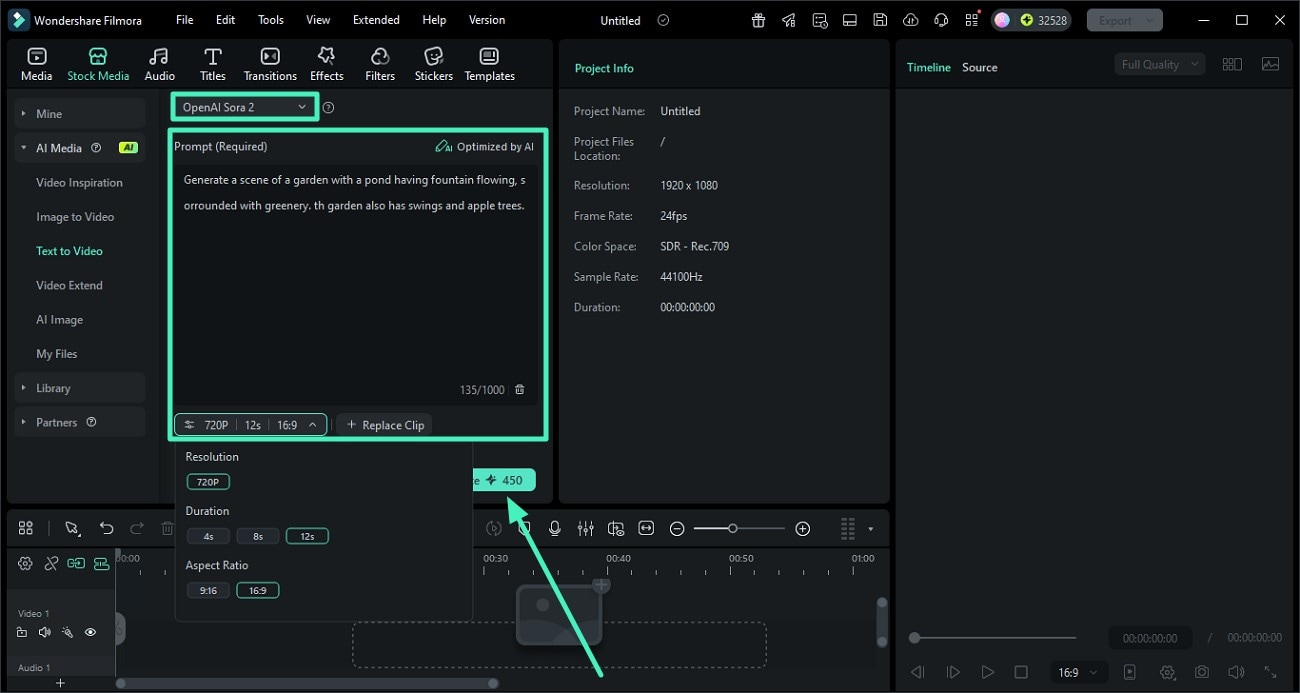
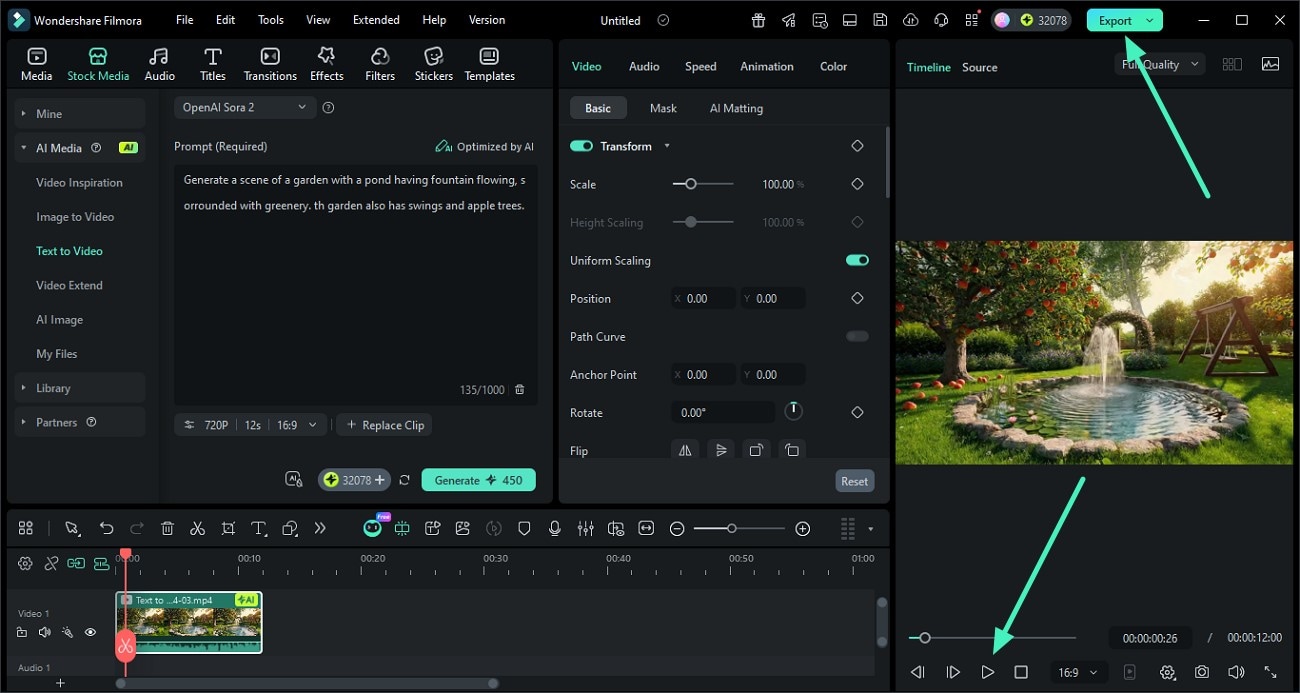
- Generate videos from text prompts powered by Sora 2 or Veo 3.1
- Create images directly from your prompts using Nano Banana Pro
- Edit the generated videos and images right away on the timeline
Compared to using standalone tools like Nano Banana Pro, Sora 2, or Veo 3.1 on their own platforms, Filmora gives you more freedom to experiment, iterate, and refine everything in a single workspace. You also have the option to remove the watermark.
Prepare your prompt using your chosen AI prompt generator, then follow the steps below to turn it into actual images or videos.
Generate Images from Text Prompt
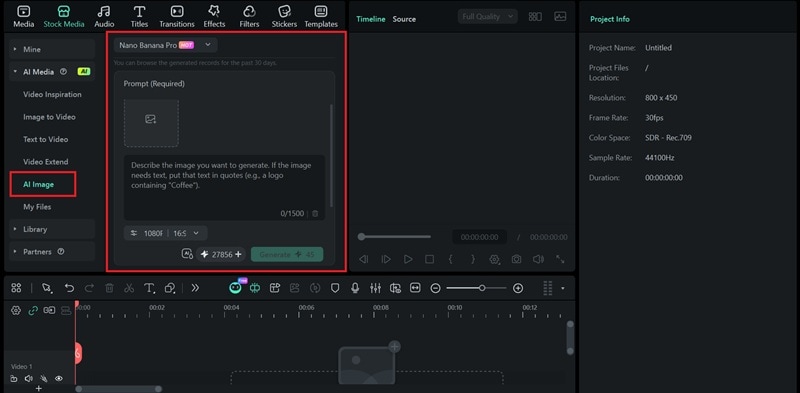
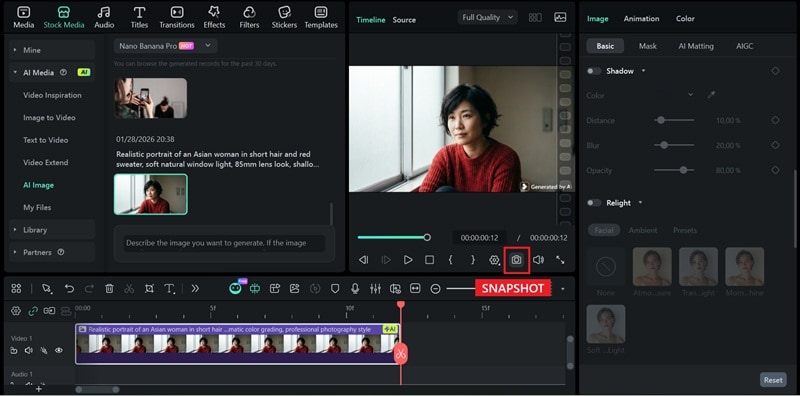 Secure Download
Turn Prompt into a Video for Your Stories
 Secure Download
Conclusion
Anyone can write a prompt, but not everyone knows how to write a good one. To help you make more effective instructions, you can generate prompts using the tools we’ve listed above and apply them based on the platform and task you’re working on.
Using a prompt generator can save time, spark new ideas when you feel stuck, and help you get results that stay closer to your original intent. Once you have a solid prompt, use Filmora to turn those prompts into images or videos and refine the output in a single workspace.
FAQs
-
Q1: Are AI prompt generators free to use?
Many AI prompt generators offer free versions with basic features, while some include ads or usage limits. More advanced options may require a paid plan for extra controls or any specialized formats. -
Q2: Do I need to know technical terminology?
No, but it’s still helpful to understand the basics of what you want to create. Most prompt generators are designed for beginners and can add technical details for you. When you have a general understanding, it’s easier to refine the prompt if the result doesn’t match what you’re aiming for. -
Q3: Can I use the same prompt across different AI platforms?
Not always. Each AI platform may interpret prompts differently. A prompt generator can help adapt your instructions, but it’s still best to adjust prompts based on the tool you’re using. -
Q4: How do I know if my generated prompt is good?
A good prompt produces results that closely match your intent with minimal rework. If the output still feels too generic or inconsistent, the prompt likely needs more detail or clearer constraints. -
Q5: Should I use AI generators or write prompts manually?
There’s nothing wrong with either approach. Writing prompts manually gives you full control, while prompt generators AI help speed up the process and reduce trial and error. Many users combine both by using a generator to build a strong starting point, then refining the prompt to better match their goals.
