Flicker Removal:
Eliminate Video Flicker with AI
Don't let poor lighting or artificial frequencies ruin your perfect shot. Filmora’s AI Video Flicker Removal effortlessly removes flicker from video, automatically fixing distracting LED pulses, rolling bands, and screen refresh glitches. Instantly restore your footage to a stable, professional, and pristine look in just seconds.
 4.7
(15746 reviews)
4.7
(15746 reviews)
Win 11 /Win 10 / Win 8 / Win7 (64 bit OS) | System Requirements
macOS 10.15 or later (Using macOS 10.14 or earlier? Click here) | Compatible with Apple silicon
Don't let poor lighting or artificial frequencies ruin your perfect shot. Filmora’s AI Video Flicker Removal effortlessly removes flicker from video, automatically fixing distracting LED pulses, rolling bands, and screen refresh glitches. Instantly restore your footage to a stable, professional, and pristine look in just seconds.
Remove Video Flicker Across Every Scenario
AI-powered flicker removal that automatically fixes light flicker and banding across all shooting scenarios.
Before
After
Eliminate Flicker from Artificial Light Sources
Are you shooting tutorials or interviews under LED panels or fluorescent lights? These lights flicker at frequencies your camera picks up—even when your eyes don't notice. Filmora’s AI instantly detects and removes light flicker, delivering smooth, professional, and evenly-lit video every time.
Before
After
Erase Rolling Bands from Screen Captures
Filming a monitor often creates "rolling bands" or refresh-rate flicker that ruins tech reviews and presentations. Our Flicker Removal tool eliminates these artifacts in one click, keeping your UI, text, and visuals crystal clear without the need for a re-shoot.
Before
After
Fix Flicker in iPhone, GoPro & Drone Footage
Mobile devices and drones are prone to exposure jumps and LED banding in mixed lighting. Whether it’s an iPhone concert clip or an indoor drone shot, Filmora smooths out brightness shifts while preserving every fine detail of your adventure.
Before
After
Perfect Your Slow-Motion & Time-lapse Clips
High-speed filming amplifies light pulsing, while time-lapses often suffer from frame-to-frame exposure jumps. Filmora’s AI analyzes these variations to deliver buttery-smooth transitions, making your creative shots look like high-end cinematic productions.
Restore Visual Stability with AI Flicker Removal
Stop distracting flashes and rolling bands. Filmora’s AI automatically removes flicker from video to deliver stable, pristine results without the need for manual keyframing.
One-Click AI Flicker Detection & Removal
Stop wasting hours on manual adjustments. Filmora’s AI analyzes your footage and removes flickering automatically, giving you a smooth, high-quality look with just one click.
- Intelligent Auto-Detection: Identifies light pulses and brightness shifts instantly.
- One-Click Smart Processing: Eliminates flicker patterns without complex settings.
- Real-Time Visual Preview: View the stabilized results instantly within the player.


Handle Every Type of Video Flicker
From indoor LED strobing to computer screen lines, Filmora provides comprehensive coverage. Whether it’s a night vlog or a professional time-lapse, we’ve got you covered.
- LED & Fluorescent Fix: Removes 50Hz/60Hz pulses from artificial lights.
- Screen Banding Removal: Erases distracting rolling bands from monitor captures.
- Creative Motion Smoothing: Stabilizes exposure jumps in Time-lapse and Slow-Mo.

Pro-Quality Lossless Video Results
Unlike cloud tools that degrade files during upload, Filmora processes everything locally. Refine audio tracks alongside music and effects, ensuring theater-worthy balance - right in your timeline.
- Zero Quality Loss: Preserves every fine detail from import to final export.
- Adjustable Intensity Levels: Match the fix to your specific needs (Weak, Normal, Strong).
- Seamless Proxy Support: Edit high-res footage smoothly with full workflow support.
Note: Supports video clips up to 3 minutes. Audio-only and compound clips are currently not supported.
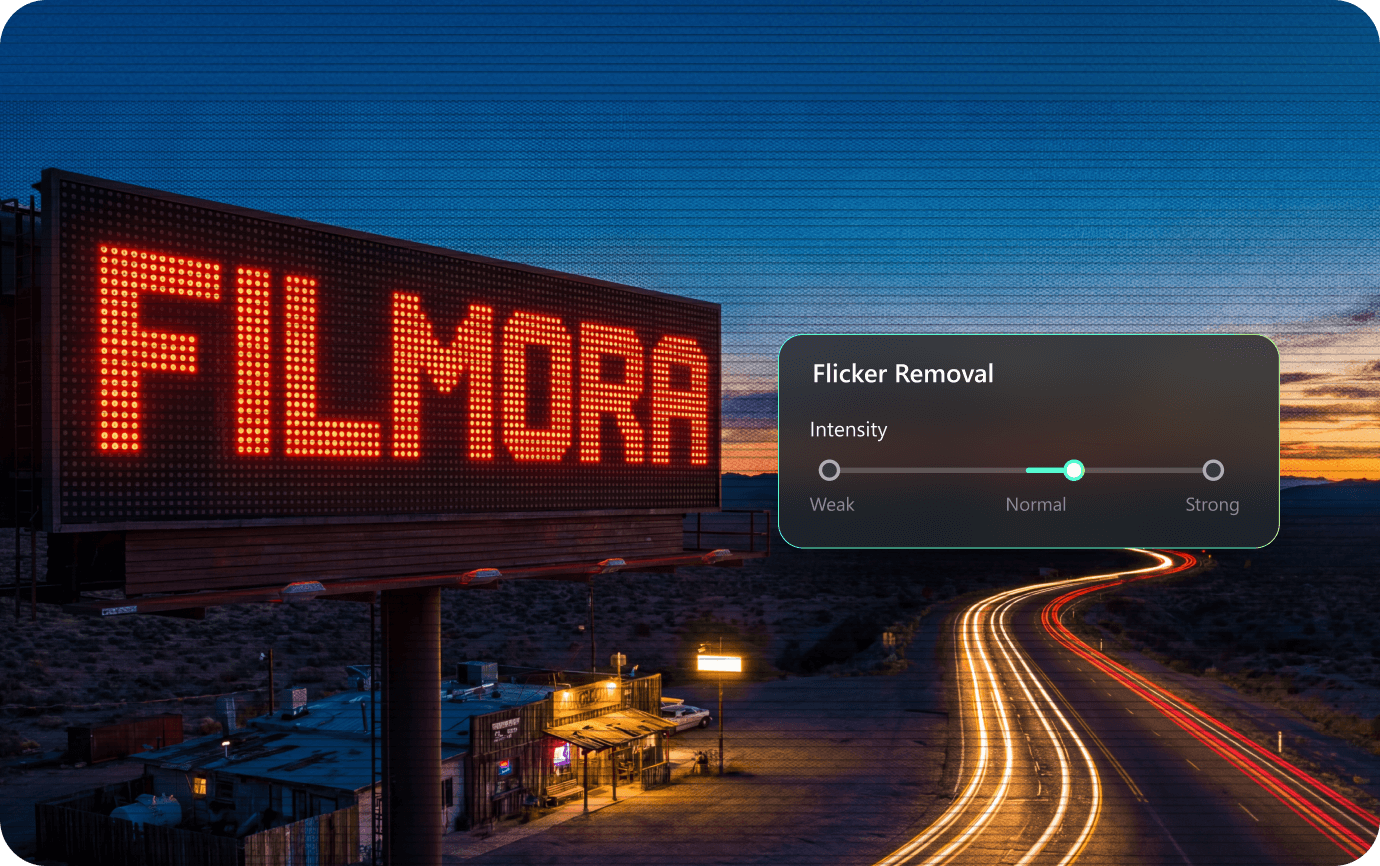
How to Remove Flicker From Video in Filmora?
Fix video flicker in Filmora with built-in AI—simple steps, professional results.
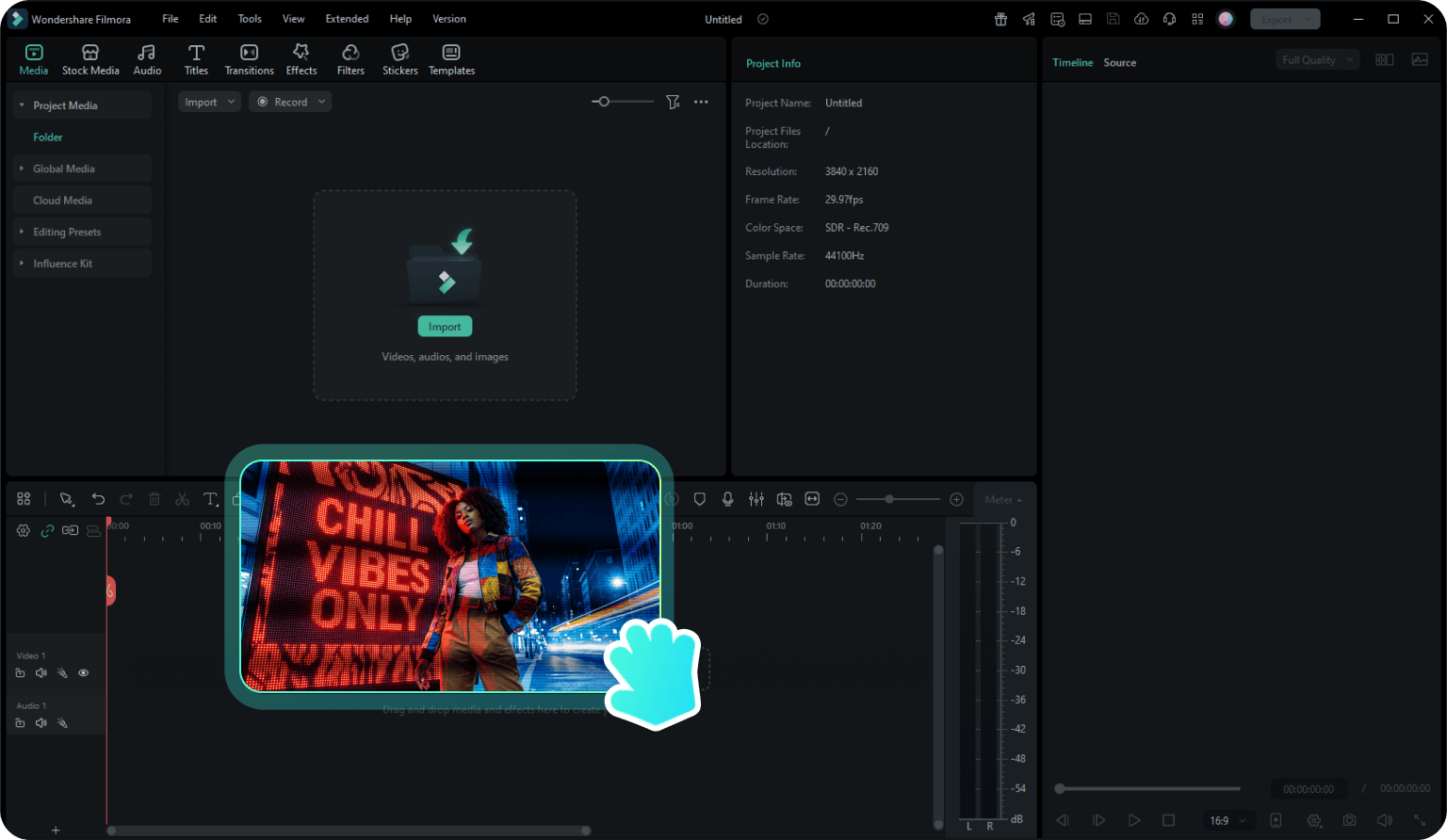
Step 1: Import Your Video
Download, install, and launch Filmora on your computer. Go to New Project > File > Import Media and select the video you want to stop flicker.
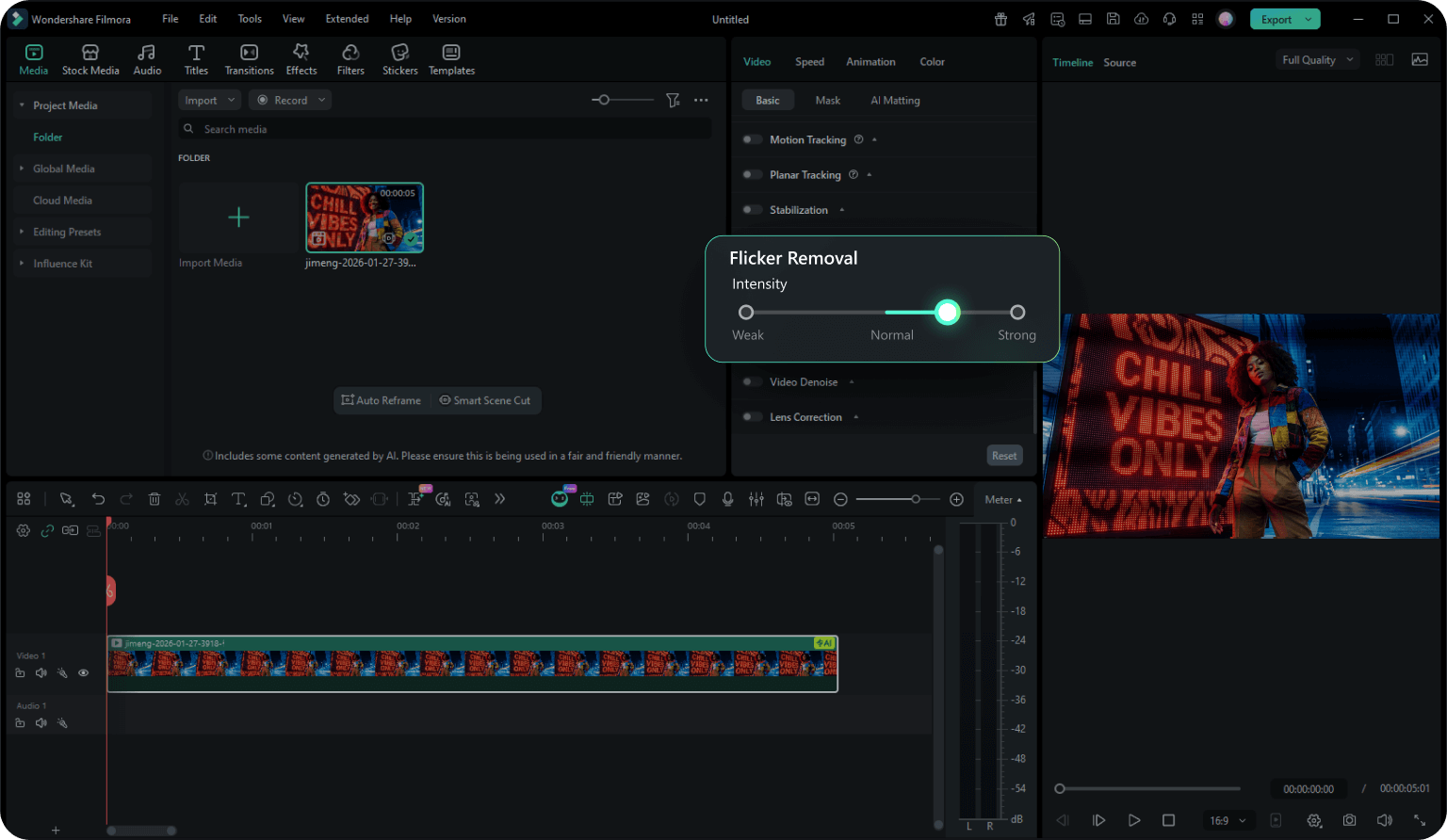
Step 2: Enable Flicker Removal
Drag the video to the timeline, select it, then open the Properties Panel. Go to Video > Basic > Flicker Removal.
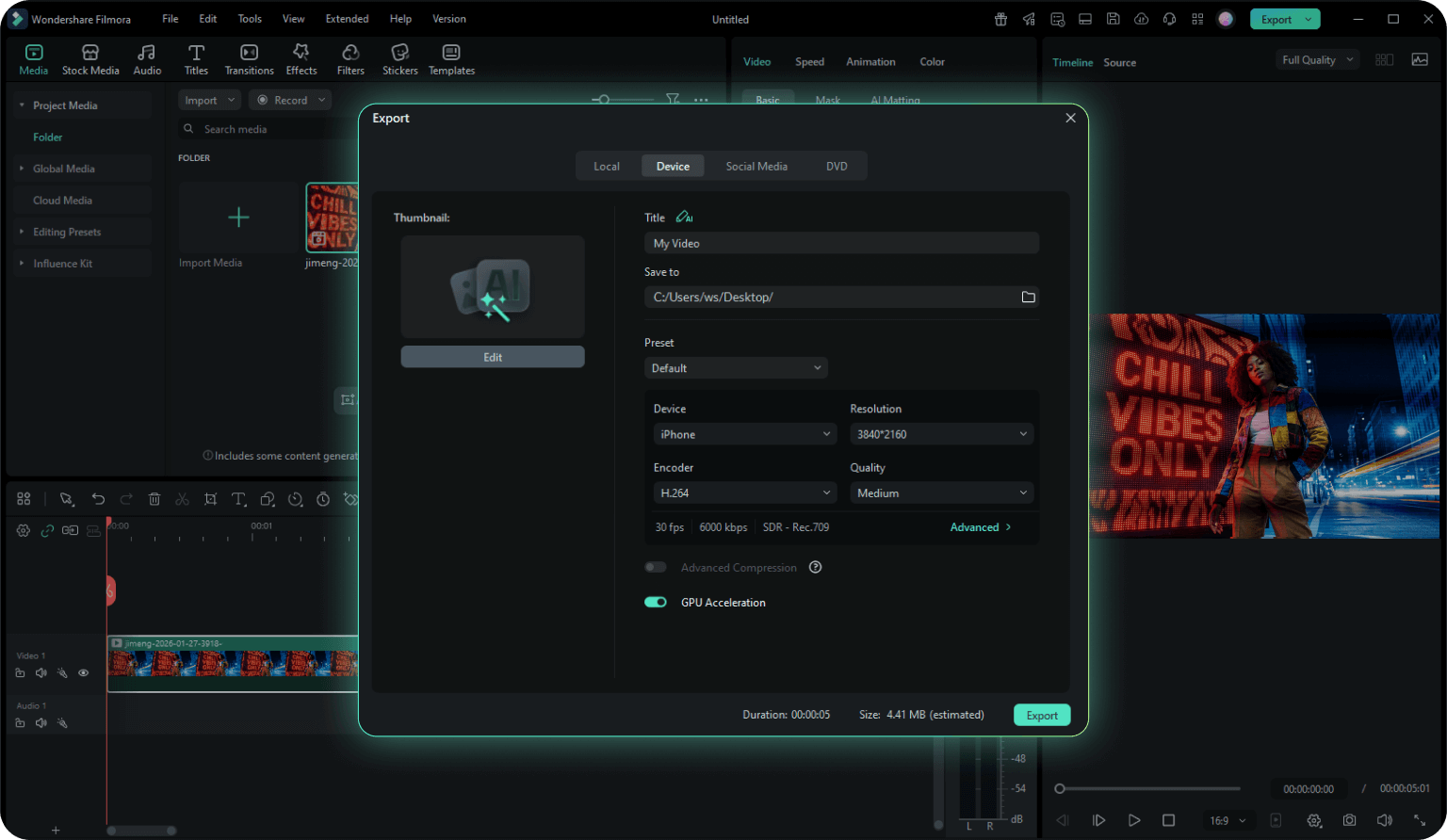
Step 3: Adjust and Export
Click to expand the Flicker Removal tool. Select your desired intensity (Week, Normal, or Strong) and click Create. The AI will process the video flicker. Once satisfied with the preview, export your video.
-
Step 1: Import Your Video
Download, install, and launch Filmora on your computer. Go to New Project > File > Import Media and select the video you want to stop flicker. -
Step 2: Enable Flicker Removal
Drag the video to the timeline, select it, then open the Properties Panel. Go to Video > Basic > Flicker Removal. -
Step 3: Adjust and Export
Click to expand the Flicker Removal tool. Select your desired intensity (Week, Normal, or Strong) and click Create. The AI will process the video flicker. Once satisfied with the preview, export your video.
Who Needs
Video Flicker Removal ?

Educators & Corporate Trainers
Ensure clarity in presentation recordings, Zoom captures, or training videos filmed under harsh office fluorescent lights.
Sports & Action Shooters
Remove rolling bands from high-speed footage captured in indoor stadiums or gymnasiums.

Indoor Vloggers & Streamers
For creators shooting unboxing videos or beauty tutorials where ring lights or indoor lamps cause annoying pulsating effects.

Event & Wedding Videographers
Save footage shot in reception halls, hotels, or churches where you cannot control the venue's lighting frequency.
Frequently Asked Questions
What causes video flicker?
Flicker usually occurs when the frequency of the light source (like LED or fluorescent lights) does not match the frame rate or shutter speed of your camera. This creates visible strobing or "rolling bands."
Can I remove flicker from slow motion video?
Yes! Filmora is excellent for fixing slow motion flicker. High frame rate footage often captures light cycles invisible to the naked eye; our AI smooths these exposure inconsistencies.
Does fflicker removal work for drone footage?
Absolutely. You can remove flicker from drone footage caused by propellers casting shadows or sunlight reflection adjustments, as well as distinct DJI or GoPro flicker issues.
Is there a limit to the video size?
Currently, the AI Flicker Removal tool supports individual video clips up to 3 minutes in length to ensure the fastest processing speed and optimal stability.
Will flicker removal affect my video quality?
No. Filmora's AI-powered flicker removal is designed to preserve your original video quality while eliminating flickering. The processing maintains resolution, color accuracy, and detail. You can preview results before exporting to ensure the correction meets your expectations.
Can I remove flicker from video online free?
Online tools can work for simple cases, but flicker patterns vary widely. Filmora gives you more consistent results inside a full editor—with preview, strength control, and export-ready output.
Can Filmora remove flicker from any type of video?
Filmora's flicker removal tool handles most common types of video flicker, including standard light flicker, rolling bands from LED sources, timelapse flicker, and slow-motion flicker. The tool supports individual video clips up to 3 minutes in length, works with proxy files and overlay effects, but does not support audio-only files or compound clips.
What Creators Say About Flicker Removal

Sarah M.
Wedding Videographer
"I thought my wedding footage was ruined because of the cheap LED lights at the venue. Filmora's LED flicker removal saved the entire project. It was literally one click."

Alex Rivera
Action Sports Creator
"I shoot a lot of slow-motion sports content. The slow motion flicker used to drive me crazy. This feature smooths it out perfectly without making the video look blurry."

Emily R.
Travel Vlogger
"Finally, an easy way to fix timelapse flicker! I used to use expensive plugins for this, but having it built right into Filmora makes my workflow so much faster."

Mike Thompson
Tech Reviewer
"I film tech reviews and screen flicker is always an issue. I set the intensity to 'Medium' and the rolling bands just disappeared. Highly recommend."
Enhance Your Video Stablization Further