Auto Caption Generator — Add Dynamic Captions to Videos
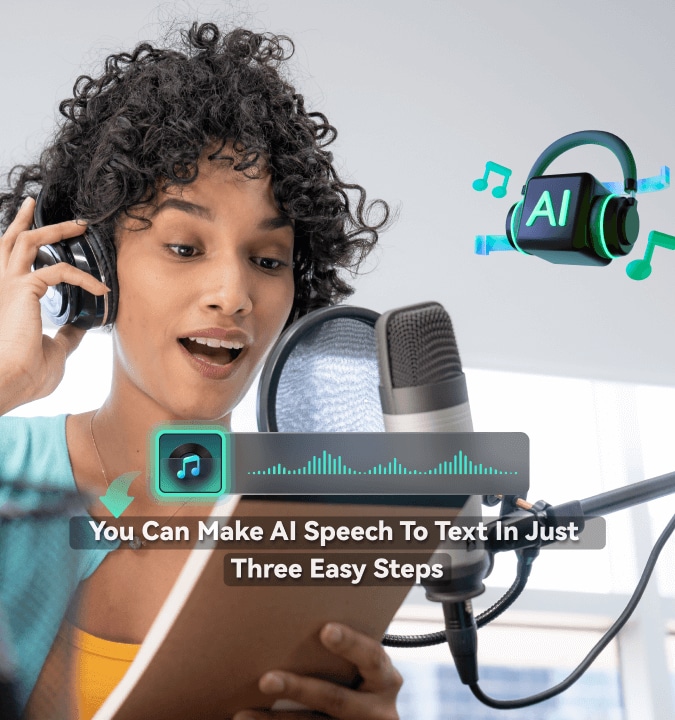
Generate accurate, animated captions from speech in one step, then customize them with dynamic styles, highlights, templates, and animations.
 4.8
(3287 reviews)
4.8
(3287 reviews)
Generate accurate captions from video with Filmora's AI-powered Dynamic Caption tool on Windows & Mac. 99% accuracy with smart sentence segmentation aligned to natural speech pauses, animated effects auto-matched to audio rhythm, 30+ languages — with unlimited free editing, templates, and keyframes once generated.
Auto Caption Generator for Every Content Type
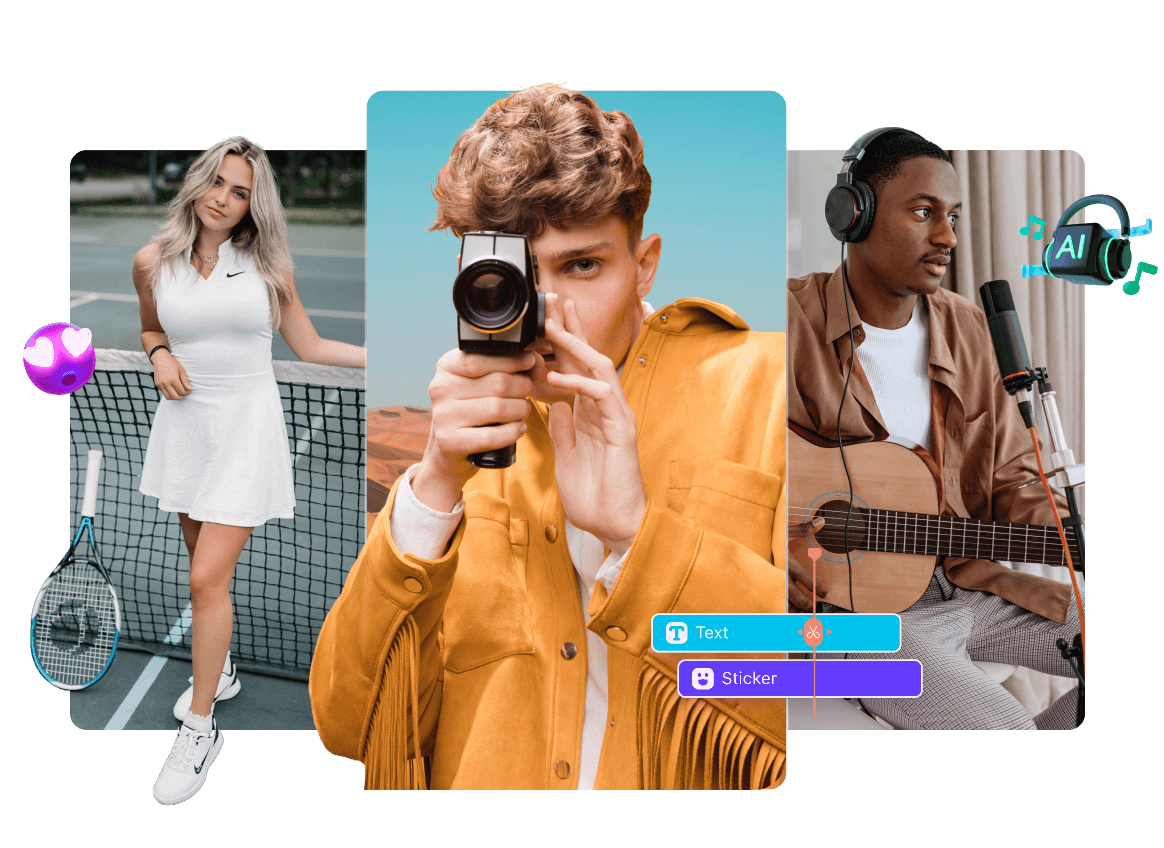
Filmora's Dynamic Caption adapts to your workflow — short-form social, online courses, marketing videos, or podcasts. Generate accurate auto captions with Active Words highlight, translate to 30+ languages, and reach global audiences in minutes.
Social Media & Short-Form Creators
Drop a 60-second clip in, hit Generate, and watch each word pop on beat with your voice. Creators who ship captioned shorts pull 25-40% more engagement.
Marketing & Business Teams
Lock your brand font, color, and stroke into one preset, then push it across every demo and training video — without bleeding edits into other tracks. Teams that switched cut caption-production time by 60%.
Educators & Course Creators
Caption a 90-minute lecture in one pass, translate it into 30+ languages, and ship a course that passes ADA/WCAG checks. Students retain 30% more when they read along.
Video Podcasters & Interview Creators
Drop your podcast video into Filmora — Multi-Speaker detection labels each guest automatically, Active Words highlights every line, and one-click translation extends each episode to 30+ language audiences.
Powerful Dynamic Caption Features Built for Pros
Everything you need to generate, animate, and translate captions — with two highlight modes, two libraries (100+ Templates and 120+ Animations), 13 text keyframes, and 3D spatial text. Built on Windows & Mac for serious creators.

AI-Powered Dynamic Captions
Generate synchronized captions in 30-60 seconds with smart segmentation, two highlight modes, and Auto-Detect Language — built on Filmora's AI caption engine.
- 99% Accuracy with smart sentence segmentation by speech pause
- Speech-to-Dynamic Caption — generate styled captions directly from Speech-to-TextNEW
- Active Words — word-by-word karaoke highlight as spoken
- Key Words — AI auto-detects and highlights important phrases
- Multi-Speaker detection with automatic speaker labels

Cinematic Animated Captions with 3D Text
Two independent libraries plus pro-level keyframe and 3D controls — take captions from basic to broadcast-grade with cinematic animation.
- 100+ Templates — Bubble · Neon · Karaoke · Cinematic · TikTok
- 120+ Animation across In/Out/Loop and 5 motion categories
- 13 Text Keyframes — color · stroke · glow · shadow · opacity
- 3D Spatial Text with 0-360° offset for cinematic depth
- Bubble & Bezier — dedicated styles and curved text paths

Create & Reuse Dynamic Captions Faster NEW
Find the right caption style faster, save the styles you use most, and keep captions readable across vertical and horizontal videos.
- Short / Long Text Filters — find the right template faster
- Favorites — save go-to templates for quick reuse
- Custom Presets — reuse your own caption styling
- Smart Aspect-Ratio Adaptation keep long captions readable in vertical or horizontal videos
- 40+ New Templates — more styles for social, promo, and trending content

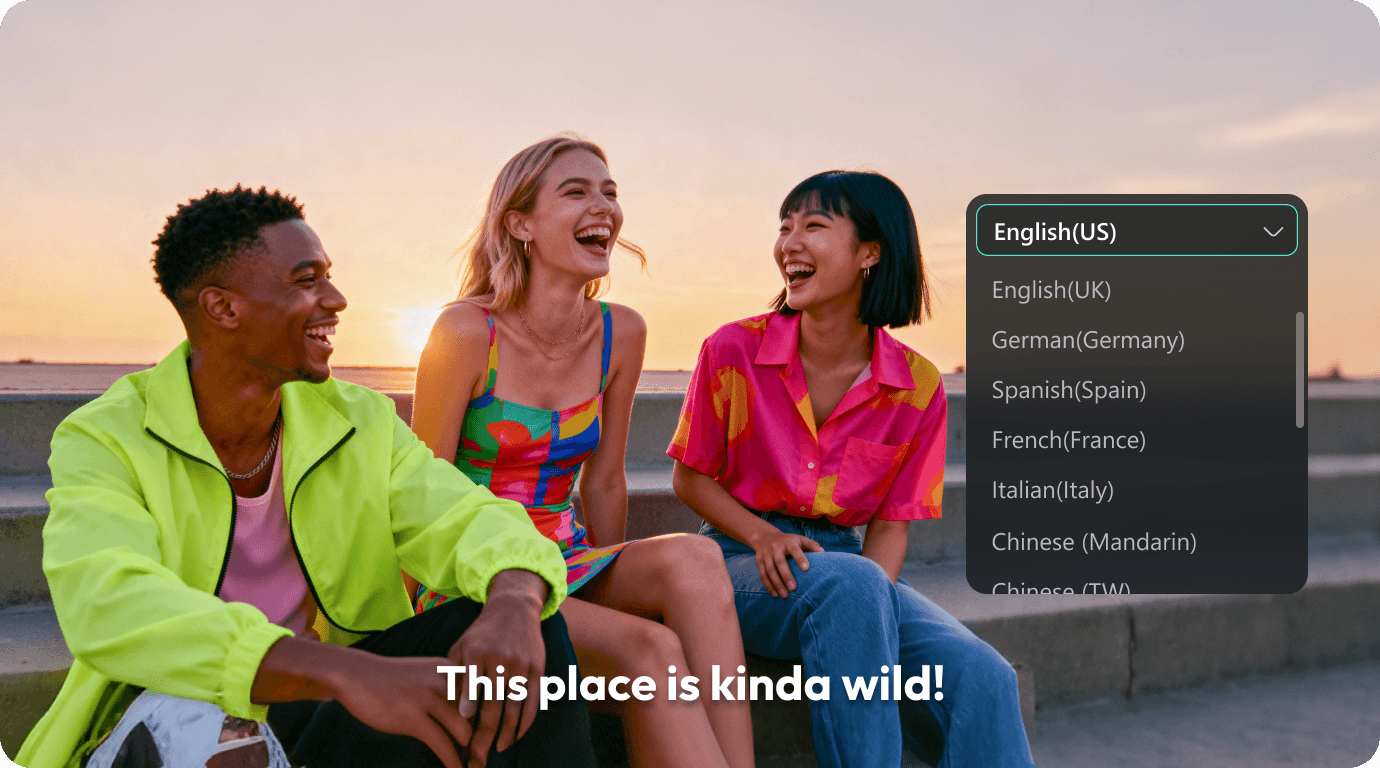
Translate Captions to 30+ Languages
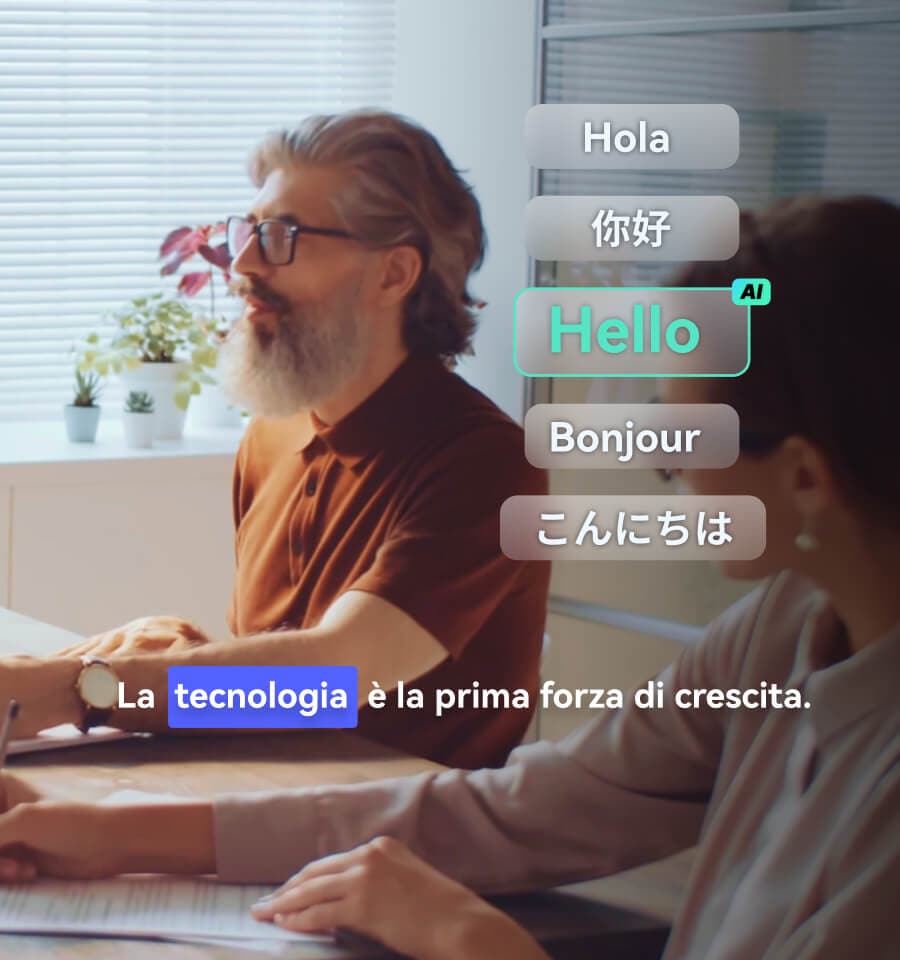
One-click translation generates a synchronized auxiliary caption track displayed alongside the original — ideal for bilingual cross-border content.
- 30+ Languages — English · German · Spanish · French · Italian · Portuguese · Japanese · more
- RTL Support for Arabic and Hebrew right-to-left scripts
- Bilingual Display — original keeps styling, translation as clean track
- Auto-Match Timing preserves animations across language tracks
- Need Dubbing? → AI Video Translation for voice cloning + lip-sync
A Caption Style for Every Story You Tell
From TikTok-ready captions to cinematic 3D titles — explore 100+ templates and 120+ animations, including 40+ new styles, with short- and long-text filters and Favorites to find and reuse the right look faster.
Choose Your Caption Look
Add Motion to Every Word
How To Auto Generate Dynamic Captions in 3 Steps
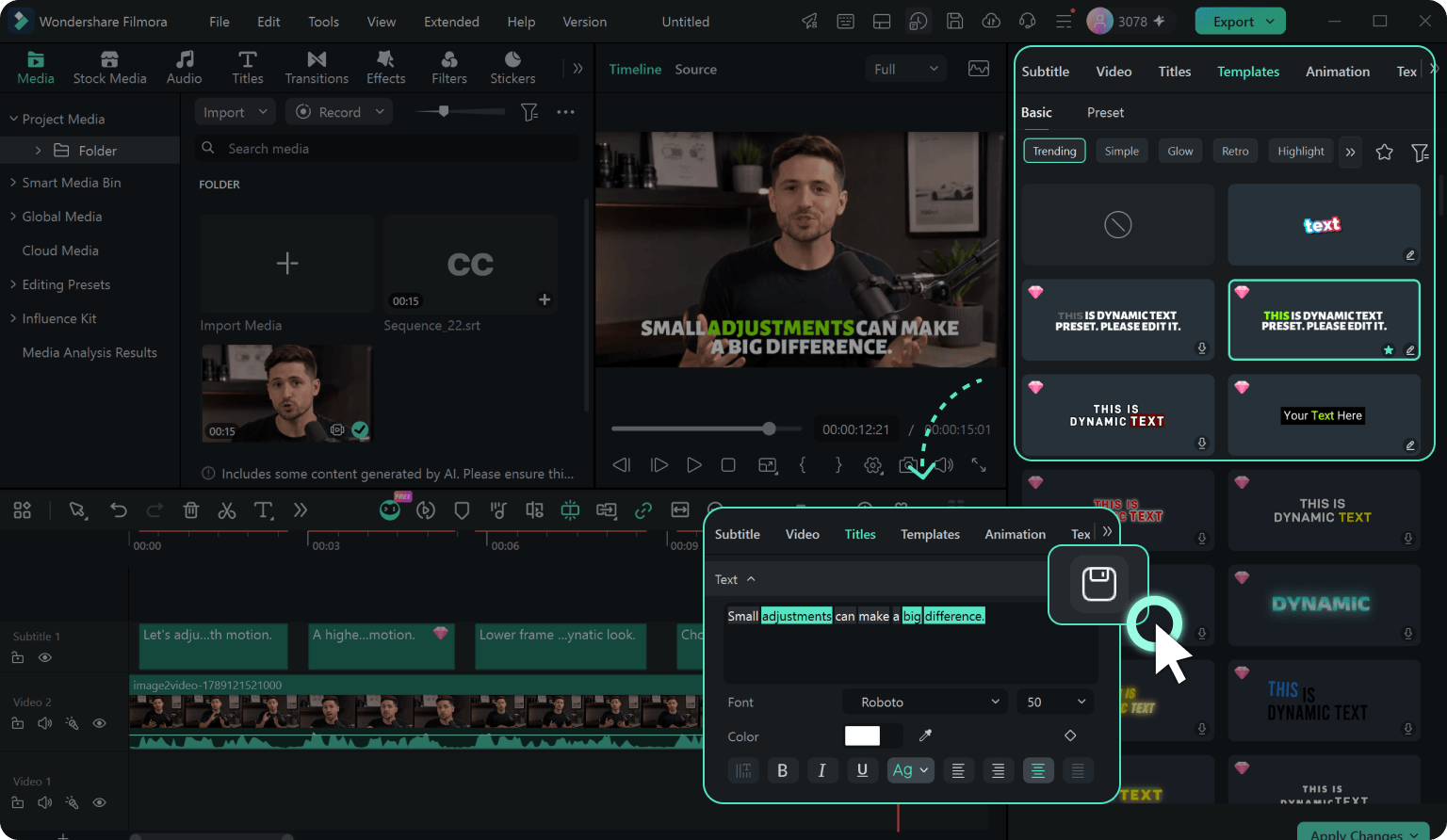
Turn speech into styled Dynamic Captions in three steps — generate directly from Speech-to-Text, choose the right caption style, and save your favorite look for future videos. Works on Windows & Mac.
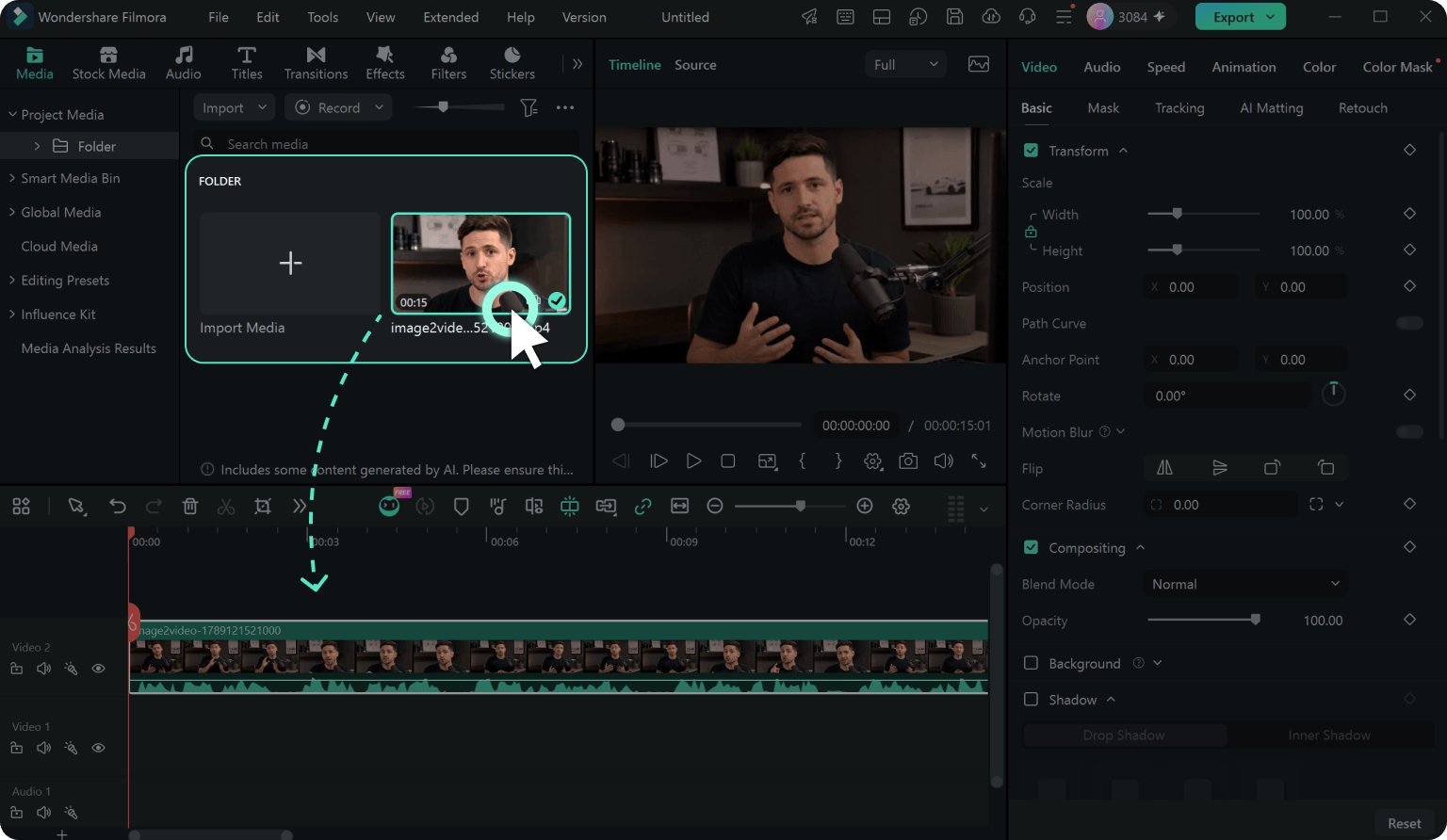
Step 1. Add Your Video to the Timeline
Drag your video or audio file into Filmora's timeline and select the clip you want to caption.
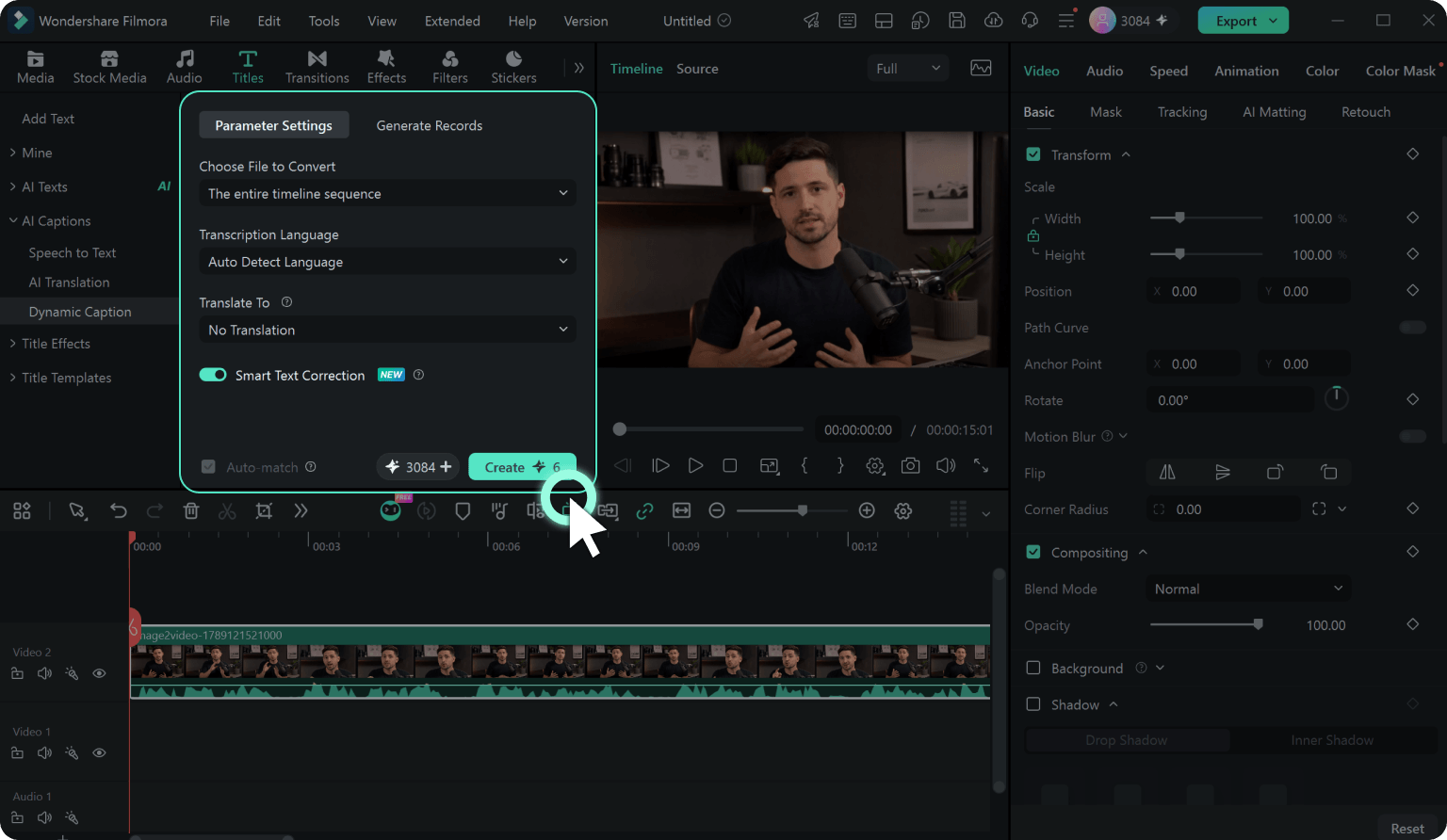
Step 2. Generate Dynamic Captions from Speech-to-Text
Go to AI Tools → Speech to Text, enable Dynamic Caption, choose your language settings, and click Generate. Filmora transcribes the speech and creates styled Dynamic Captions directly on the timeline.
Step 3. Choose, Customize & Save Your Caption Style
Choose a caption template, animation, Active Words, or Key Words style. Use short- or long-text filters to find the right look faster, favorite templates you use often, or save your customized style as a preset for future videos.
*Long captions also stay readable when switching between vertical and horizontal formats.
-
Step 1: Add Your Video to the Timeline
Drag any video or audio file (MP4, MOV, AVI, MP3, WAV) into Filmora's timeline to get started.
-
Step 2: Generate Dynamic Captions from Speech-to-Text
Go to AI Tools → Speech to Text, enable Dynamic Caption, choose your language settings, and click Generate. Filmora transcribes the speech and creates styled Dynamic Captions directly on the timeline.
-
Step 3: Choose, Customize & Save Your Caption Style
Choose a caption template, animation, Active Words, or Key Words style. Use short- or long-text filters to find the right look faster, favorite templates you use often, or save your customized style as a preset for future videos.
*Long captions also stay readable when switching between vertical and horizontal formats.
Why Creators Love Filmora's Dynamic Caption
Join 2M+ creators, educators, and marketing teams who use Filmora's Dynamic Caption for short-form, courses, and global content. See how Active Words highlight, 3D spatial text, and one-click 30+ language translation transform their workflow.
"Filmora's Dynamic Caption auto-matches keyword highlights to my speech rhythm. The Active Words feature lights up each word as I say it — no more manual animation tweaks. This is the smartest caption tool I've used."

"Track-level Apply to All saved me hours — I can update styles on one caption track without messing up the other. And the new system-font default is genuinely readable for my older students. Translation to Hindi and Marathi works in one click."

"Generating captions uses credits, but every edit — templates, fonts, animations, even 3D spatial text — is unlimited and free. Way more value than online tools that charge for every export. Our brand styling stays consistent across every product demo."

"Multi-speaker detection labels each guest automatically, and Auto-Detect Language saves me from picking a source language every time. One-click translation to 30+ languages means my podcast finally reaches international listeners. Game-changer."

"Captions translated to Hindi and Marathi in one click, perfectly synced with the original animated track on top. Now my videos reach 3x the audience without any extra editing — the auxiliary translation track is a brilliant design choice."

"The 3D spatial text is a game-changer for my YouTube intros — Filmora is the only tool I know that lets me tilt captions in 3D space and animate them with 13 keyframe properties. Cinematic captions in minutes."
Frequently Asked Questions About Filmora Dynamic Caption
- What is Filmora's Dynamic Caption (auto caption) feature?
-
Dynamic Caption is Filmora's AI-powered auto caption generator. It transcribes the audio of your video with Auto-Detect Language, applies smart sentence segmentation aligned to natural speech pauses, auto-highlights words and phrases with animated effects (Active Words + Key Words), and can translate captions to 30+ languages — all in one click. You then refine in a 6-tab property panel with full font, template, animation, keyframe, and 3D spatial-text control.
- Does Filmora have auto captions?
-
Yes. Filmora's built-in Dynamic Caption tool automatically generates captions from any video or audio file. Just import your video to the timeline, open Titles → AI Captions → Dynamic Caption, click Generate. Captions appear on the timeline within 30-60 seconds, synchronized to speech with animated effects already applied.
- Is Filmora's auto caption tool free?
-
Generating new captions uses AI credits (a starter pack is included free when you install Filmora). Once captions are generated, all editing — text changes, 100+ templates, 120+ animations, 13 keyframe properties, 3D spatial offset, multi-track styling, translation refinement — is completely free and unlimited.
- How accurate is Filmora's auto caption generator?
-
Filmora's Dynamic Caption delivers up to 99% transcription accuracy for clear audio, with smart sentence segmentation that aligns subtitle breaks to natural speech pauses. The AI handles multiple speakers, accents, and technical terminology. Most users only need minor edits; you can use bulk find-and-replace to quickly refine terminology across the entire video.
- What languages does Filmora's auto caption support?
-
Transcription supports 50+ source languages with Auto-Detect Language enabled by default (no manual setup needed), and you can translate captions to 30+ target languages in a single click, including Spanish, French, German, Hindi, Marathi, Bengali, Tamil, Portuguese, Japanese, Korean, Arabic (with RTL support), and more.
- What are Active Words and Key Words highlights?
-
Dynamic Caption includes two independent highlight modes you can toggle on/off. Active Words: each word highlights one-by-one in karaoke style as it's spoken, synced to audio rhythm — ideal for short-form social videos and lyric-style captions. Key Words: AI automatically detects important words and phrases (subject terms, emphasized phrases) and highlights them distinctly. Both can be enabled together or used independently. Customize highlight colors, animations, and keyframe motion in the property panel.
- Can I customize the look of auto captions?
-
Absolutely. After generation, captions come with a built-in font template applied. From there you can access the 6-tab property panel: pick from 100+ Templates, choose from 120+ Animation presets (In/Out/Loop across Motion & Path, Mask & Reveal, Fluent, Build, and Stylized categories), adjust font/color/size/background, apply 13 text keyframes, add 3D spatial offset (0-360°), use Bubble caption styles, and apply Track-level Apply to All for safe batch styling across multi-track projects.
- Can I translate captions in Filmora? What if I need full video dubbing?
-
For caption-only translation in 30+ languages, use Dynamic Caption's built-in Translate To option — timing and natural segmentation are preserved across languages, and the translation generates as a synchronized auxiliary subtitle track displayed alongside the original. The original-language caption keeps its full Dynamic Caption styling (Active Words, animations, templates); the translated track shows as clean reference text. If you need full video dubbing with voice cloning and lip-sync of the actual speaker, use Filmora's separate AI Video Translation feature, which generates spoken audio in the target language matched to mouth movements.
Discover More Powerful AI Features in Filmora