


 TL;DR:
OpenAI is permanently shutting down the Sora web and app platforms on April 26, 2026, and its API on September 24, 2026, requiring users to immediately export all projects and transition to alternative AI video generators.
● Export all video projects via sora.chatgpt.com/exports/me, save successful text prompts, and cancel active paid subscriptions before the April 26 deadline to prevent permanent data loss and secure potential refunds.
● Developers building products on the Sora API must complete production migrations before September 24, 2026, as all third-party integrations and ChatGPT text-to-video capabilities will cease functioning.
● For migrating users, Wondershare Filmora provides an all-in-one workspace for those needing to edit and generate using multiple models like Veo 3.1 and Seedance 2.0, while Kling and Pika are best suited for users seeking free tiers to generate short clips.
Ask AI for a summary
 ChatGPT
 Perplexity
 Gemini
 Claude
 Grok
Grok
Less than two years after its debut, OpenAI is shutting down Sora, its AI video generator. Not many expected Sora to go this soon, especially after a $1 billion partnership with Disney was announced just three months before the shutdown. The deal is now dead.
If you’ve been following the AI video generation space, hearing the news of Sora AI’s shutdown has probably left you with more questions than answers. We've compiled everything you need to know here, including the full timeline, the reasons behind the shutdown, and the steps you should take next.
Part 1. Sora AI Shutting Down Announcement
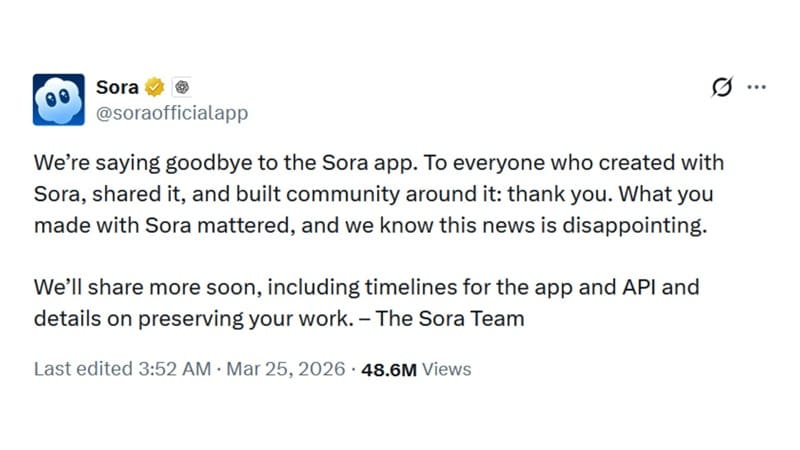
OpenAI broke the news of shutting down Sora on March 24, 2026, with a post on X, saying “We’re saying goodbye to the Sora app.”
For context, Sora is OpenAI's AI video generator that lets you turn a text prompt into a realistic video clip. Some even called it “the end of Hollywood” because of how convincingly it could generate cinematic scenes from simple prompts.
OpenAI first previewed it in February 2024, released the first public version in December of that year, and then launched the standalone Sora app alongside Sora 2 in September 2025. It has since birthed many AI viral videos, filling social media feeds.
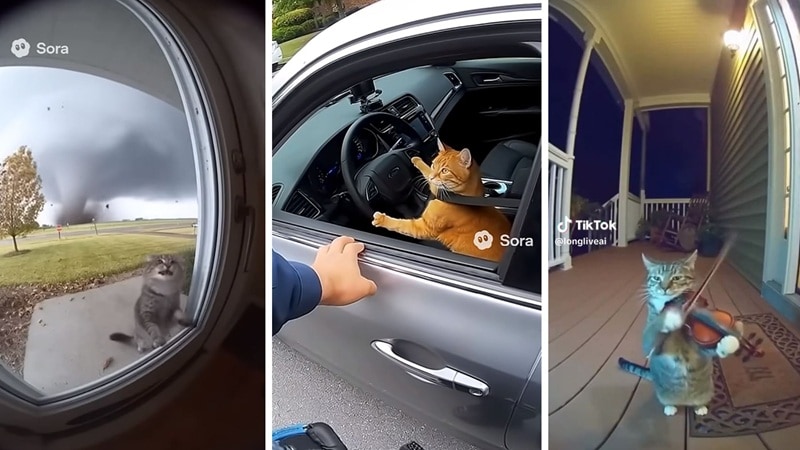
Even so, the hype didn't last. Less than six months later, it's shutting down for good.
When is Sora AI shut down?
According to OpenAI, the Sora shutdown date is April 26, 2026, for its web and app. Meanwhile, the Sora API will be discontinued on September 24, 2026. You have until those deadlines to wrap up anything important before access is gone for good.
Part 2. The Reasons Why OpenAI is Shutting Down Sora
OpenAI didn’t really give an official reason why Sora is shutting down. However, many reports suggest the decision comes down to compute shortages, rising infrastructure costs, legal pressure over copyright, and a shift toward core enterprise products, which are likely taking priority over experimental consumer tools like Sora.
1. Unsustainable costs
Video generation is computationally brutal. Each 10-second video costs OpenAI approximately $130 in compute expenses. With millions of users creating content daily, these costs escalated to $15 million per day, according to Forbes.
Meanwhile, Sora only brought in about $1.4 million in global net in-app revenue. That’s roughly 9% of a single day’s operating cost. Forrester analyst Thomas Husson described it to the BBC as “a resource black hole” with “limited monetization.”

2. Compute needed elsewhere
OpenAI is fighting on multiple fronts. While a whole team was focused on making Sora work, Anthropic was quietly winning over the software engineers and enterprises that drive revenue just from core AI models and developer tools.
Coming from this realization, OpenAI decided to shut down Sora AI so that it can focus on other developments, such as robotics, “that will help people solve real-world, physical tasks.”
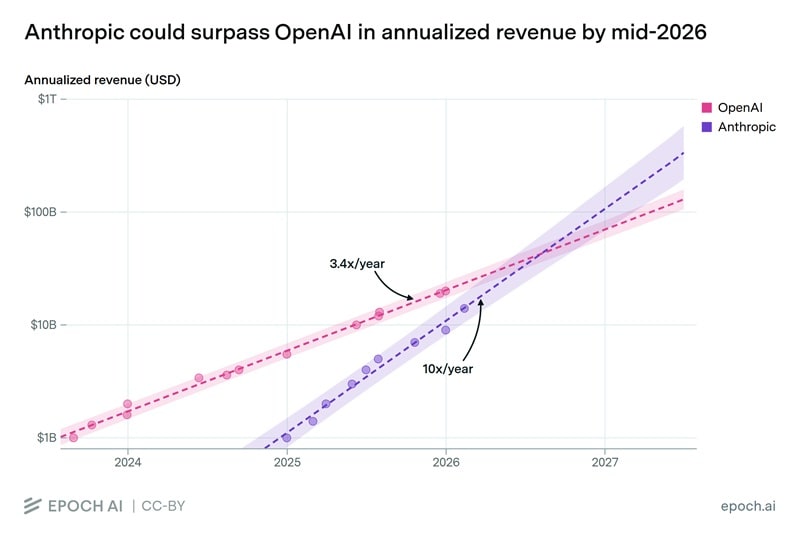
Graph: Epoch AI
3. Low user retention
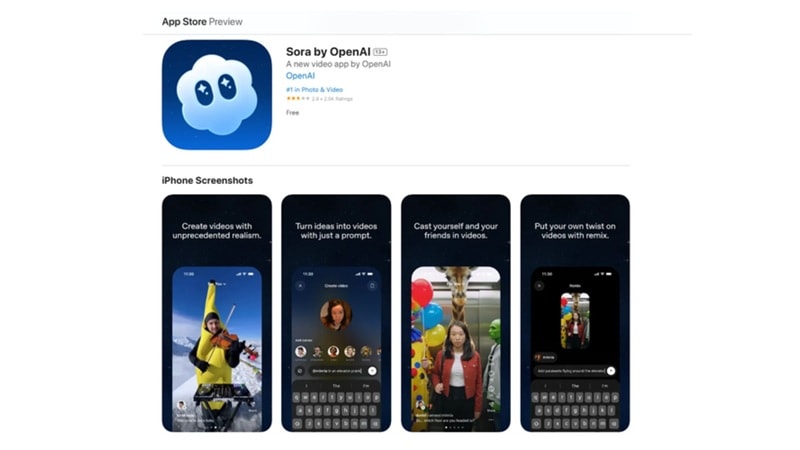
Early downloads of the Sora app were impressive, but retention told a different story. Monthly downloads peaked in November 2025 at approximately 3.33 million across iOS and Google Play combined. But by February 2026, the Sora app downloads had fallen to just over 1.1 million, a decline of roughly 66% in three months.
4. Copyright and legal pressure
Sora's content controls were thin from the start. Many users generated videos featuring copyrighted characters and likenesses of real people with little friction. It made for great viral content, but it also put OpenAI in a difficult legal position.
Sora received several cease-and-desist actions and complaints from rights holders before OpenAI began tightening restrictions. With litigation mounting and infrastructure costs already unsustainable, continuing to run a consumer-facing generative media tool was a hard case to make.
Part 3. What Happens to Your Sora Projects and Data
Following the news of OpenAI shutting down Sora, one of the first things you're probably wondering is what will happen to your account and everything you've already made. So far, OpenAI has confirmed several important things:
- All your data will be permanently deleted. After Sora is discontinued, and after any final export window passes, OpenAI will permanently delete any data associated with your use of Sora.
- You can still export your content, but act fast. Although there’s still no guarantee of a post-shutdown export window, don't wait until the last day, especially if you have a large library, as export times vary and may take a long time to complete.
- You can request a refund. Eligible users can submit a refund request through their account settings. The specifics of refund eligibility may vary, depending on your subscription type and region.
- Your OpenAI account stays intact. Sora shutting down does not affect your ChatGPT account or API access. Only Sora-specific features and data are going away.
- Third-party integrations will also lose access. With the shutdown of the Sora app, ChatGPT will also no longer generate videos based on text prompts.
Part 4. What You Should Do Before Sora Shuts Down
Before the OpenAI Sora shutdown, there are a few important things you should take care of before access is removed. Don't miss this chance to secure your work, avoid losing files, and prepare for the switch to another tool.
1. Download All Your Video Projects
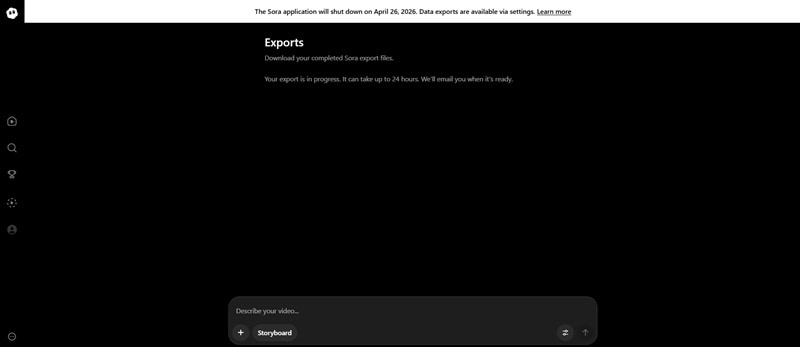
Visit sora.chatgpt.com/exports/me to start exporting your projects. OpenAI will email you at the address associated with your account once the export is ready. It's best to do this well before April 26. After that, your data may be permanently removed, with no way to recover it.
2. Check Subscription or Billing Status
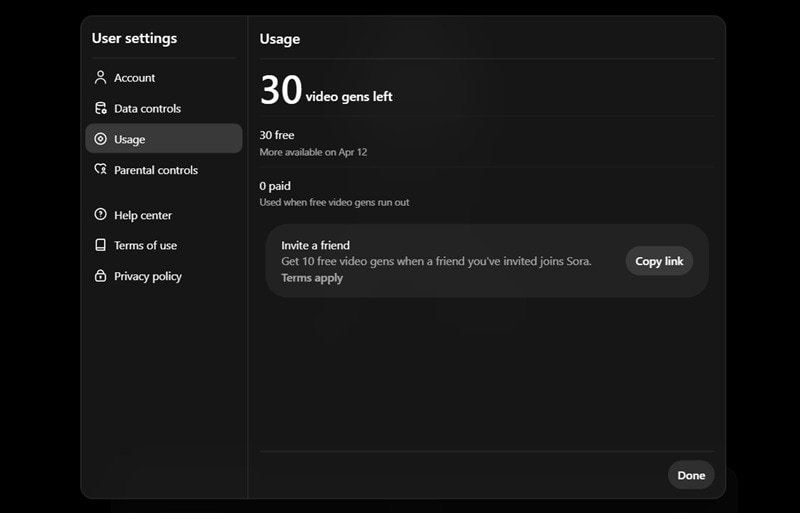
If you're on a paid plan, log into your OpenAI account and review your billing settings before the shutdown date. Cancel any active subscriptions to avoid being charged after the service goes offline, and check whether you're eligible for a refund for unused credits or subscription time.
3. Save Prompts and Project Files
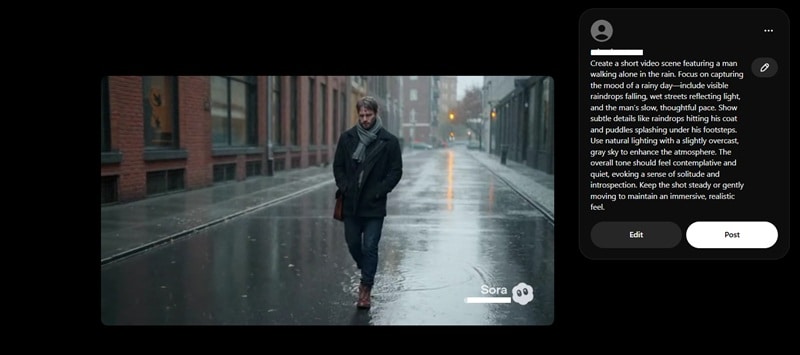
Your videos aren't the only thing worth keeping. If you've spent time crafting prompts that produced great results, save those somewhere. Prompts usually work across platforms. This small step saves you a lot of trial and error later.
4. Stop building on the API
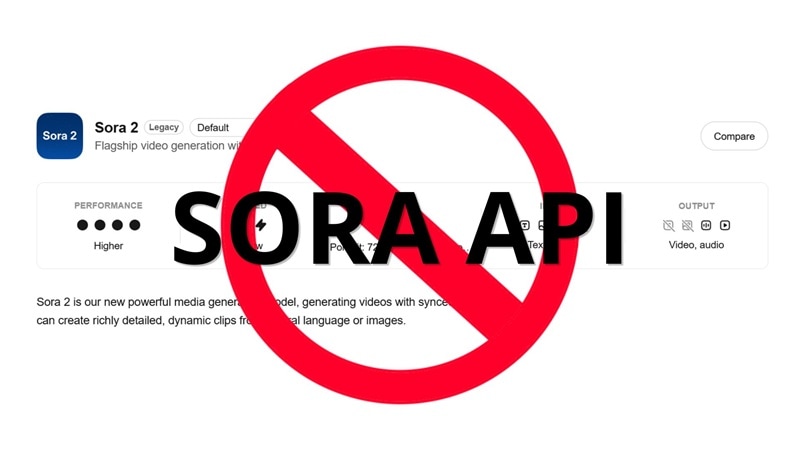
If you have products or workflows running on the Sora API, start migrating now. The Sora API will be discontinued on September 24, 2026, but production migrations take time. Waiting until the last days or weeks of Sora shutdown is a risk you don't need to take.
5. Test Alternative Tools Early
Don't wait until April 26 to figure out what comes next. Start testing alternatives now while you can still compare results with Sora. One recommended option is Wondershare Filmora, which has been supporting Sora 2 alongside other leading models. So, the transition should be less of a jump than you'd expect. More on this in the next section.
Part 5. Where to Create AI Videos After Sora Shuts Down
Even after the Sora AI shutdown, you can still create AI videos. It’s a good thing that Sora is not the only player in the market, and you can still find plenty of tools that offer similar or even more flexible capabilities, depending on what you need.
Filmora – AI Video Editor with Built-In Generation Tools
Wondershare Filmora is one of the strongest landing spots for former Sora users, particularly because it has supported Sora 2 as one of its built-in AI video generation models.
And even when the Sora service is fully discontinued, you’re not left without options. Filmora’s AI video generator also supports several other leading models, including Veo 3.1, Seedance 2.0, and ToMoviee.
This unified access gives you several benefits, such as:
- One workspace, multiple models. You can switch between models depending on the style, realism, or motion quality you are after without jumping between tools.
- Lower overall cost. No need to manage and pay for multiple subscriptions just to test different generators.
- Faster workflow. Generate, edit, and refine your video in the same place without exporting and re-importing files.
- More creative flexibility. Try different models for the same idea and pick the best result instead of being locked into one system.
- Better project management. Keep everything organized in one timeline, especially helpful when working on multiple versions or drafts.
Filmora also goes beyond raw video generation. It's a full AI video editor, which means you can generate a clip and immediately manage clips, trim, color grade, add music, apply effects, and export inside the same workspace. For creators who were using Sora to produce content for social media or client work, that end-to-end workflow is an upgrade over what Sora offered on its own.
 Secure Download
Part 6. What Does the Sora AI Shutdown Mean for the AI Video Industry?
Sora was one of the most prominent names in the AI video generation, so its shutdown is not a small footnote. From the Sora shutdown, we can start to see where the industry is heading next.
1. Compute Costs are the Industry's Biggest Unsolved Problem
Video generation is significantly more resource-intensive than text-based AI tools like ChatGPT. Every major player in the space, like Runway, Kling, Pika, Google Veo, is dealing with the same underlying cost structure that sank Sora. The companies that figure out how to bring inference costs down without sacrificing output quality will be the ones still standing in a few years.
2. Copyright is Going to Force a Reckoning
Sora's opt-out approach to intellectual property drew sustained criticism from studios, guilds, and content groups worldwide. This is something that has already caught up with ByteDance's Seedance 2.0 as well. Future AI video tools will likely need to build rights clearance into their architecture from the start.
3. The Market Sora Built isn't Going Away
While Sora helped normalize AI video generation for millions of people, that audience still exists. The market has not disappeared even when the Sora app is shutting down. If anything, competitors like Google Veo, Runway, Kling, and Seedance are already absorbing former Sora users, and we can see the space continue growing.
Conclusion
Now, we’re saying goodbye to Sora—a tool that once felt like a glimpse into the future of video creation. The Sora AI shutdown date is April 26, 2026, for the web and app, and September 24, 2026, for the API. Make sure you take care of everything you need before it’s too late.
While you are wondering what tools to use to generate AI videos, Google Veo, Runway, Kling, and Seedance are still picking up where Sora left off. The AI video market is not going anywhere, and tools like Filmora give you access to multiple generation models in one place to keep your workflow running.
FAQs
-
1. Will OpenAI come back to video generation?
OpenAI has not ruled it out. The company mentioned a shift toward robotics and core enterprise products as part of the reason for shutting Sora down, but nothing official has been confirmed as of now regarding their plans for returning to AI video generation. -
2. Can I still generate videos using tools that were integrated with Sora?
When Sora AI shuts down, any tools or platforms that relied on its integration will most likely stop working as well. If your workflow depends on those connections, it’s best to switch to alternatives early and update your setup before support is completely removed. -
3. What's the best free alternative to Sora?
Kling and Pika both offer free tiers with decent output quality for short clips. You can also try Google Veo 3 for free via Flow.
