

 TL;DR:
Pippit AI automates e-commerce and social media video creation directly from product links, but it is not a truly free platform; serious creators will need the $24.17/month Pro plan to bypass strict export and branding restrictions.
● The free tier severely limits production to 150 weekly credits—yielding a maximum of 2 minutes of video and 75 images—and operates on a potentially confusing system where different AI tools consume credits at varying rates.
● Core platform capabilities allow marketers to bypass manual editing by generating TikTok-ready shoppable content, auto-publishing to platforms, and utilizing multilingual AI avatars for voiceovers.
● For 2026 users, Pippit AI is strictly recommended for agencies and sellers prioritizing rapid, high-volume marketing generation, whereas Wondershare Filmora is the required alternative for creators demanding hybrid AI tools alongside precise, manual video control.
Ask AI for a summary
 ChatGPT
 Perplexity
 Gemini
 Claude
 Grok
Grok
Key Takeaways:
- Pippit AI automates video creation from product links and scripts.
- Pricing includes a limited free plan and a Pro plan at $24.17/month.
- Wondershare Filmora serves as a professional alternative with more creative control.
As tools of AI become more popular, anyone is now able to create high-quality engaging content in a few minutes. The most recent entrant is an all-in-one AI video creator called Pippit AI, which claims to convert links, images, and scripts into videos that scroll-stop with minimal effort. Nonetheless, how effective is it?
That's what we're trying to find out! In this Pippit AI review, we break down if the tool is actually free, explore its core features, and help you decide if it’s the right video maker for your needs.
Pippit AI is an automated video generation platform that converts links, images, and scripts into social media-ready content. This 2026 review evaluates its pricing, core features, and its performance compared to traditional editors like Wondershare Filmora.
Part 1. What is Pippit AI?
Pippit AI is an AI-driven video creation tool designed to automate content production for e-commerce and social media platforms like TikTok and Instagram. It utilizes automation to transform product links or scripts into formatted videos with captions and voiceovers.
Not to mention, the videos created by Pippit AI video maker are already sized and shaped for TikTok, Instagram, or Facebook. It can even generate promo images, so marketers can test different ideas for campaigns without racking up extra costs.
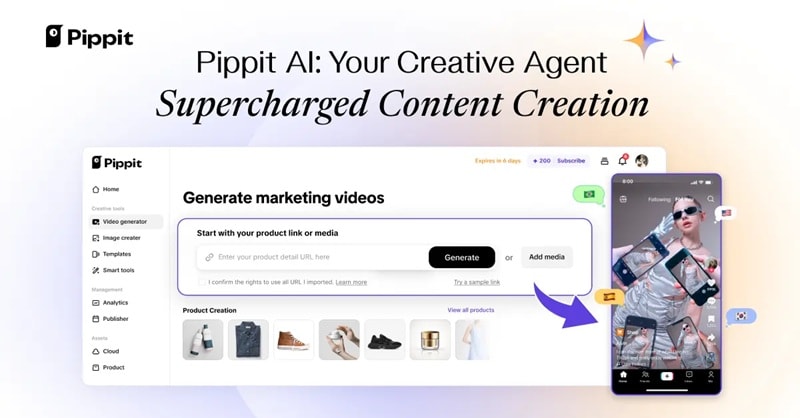
Key Highlights: What Makes Pippit AI Standout?
Here are some of the ways the Pippit AI video maker can make a real difference:
- Smart Automation: Quickly create content for dozens of product listings without repeating the same manual steps.
- In-House Production: Replace outsourcing by generating bulk images and videos directly in your own workflow.
- TikTok-Ready Videos: Produce and schedule short-form videos that fit perfectly on TikTok and keep your feed active.
- Campaign Testing: Design promo assets you can use to experiment with different ad angles before spending big on production.
Pippit AI Pricing
When it comes to cost, Pippit AI keeps things simple. There's a Pippit AI video maker free version that gives you the basics to try out the platform, and a Pro plan if you want to unlock more advanced features. Below is a breakdown of the main differences:
| Category | Free Plan | Starter Plan (Pro) |
| Cost | Free | $24.17 per month (billed annually at $289.99) |
| Credits | 150 weekly credits | 21,600 annual credits |
| Video Generation Minutes | 2 minutes of video and 75 images | 360 minutes of video and 10,800 images |
| AI Tools Available | Link to Video, Avatars | Link to video, Marketing holiday video & poster generator, Sales poster, Avatars, Image studio, and more |
| Cloud Storage | 500 GB | 500 GB |
Part 2. Inside the Features of Pippit AI
The best thing about Pippit AI is the mix of features it brings together. It's built for different kinds of creators, from freelancers making quick projects to online shops showing off products or marketers running campaigns. Let's take a closer look at the main tools you get inside the Pippit AI video maker. Whether you are searching for specific Pippit templates or looking for a more versatile Pippit video editor alternative, it's important to evaluate your project needs first.
Video Generator
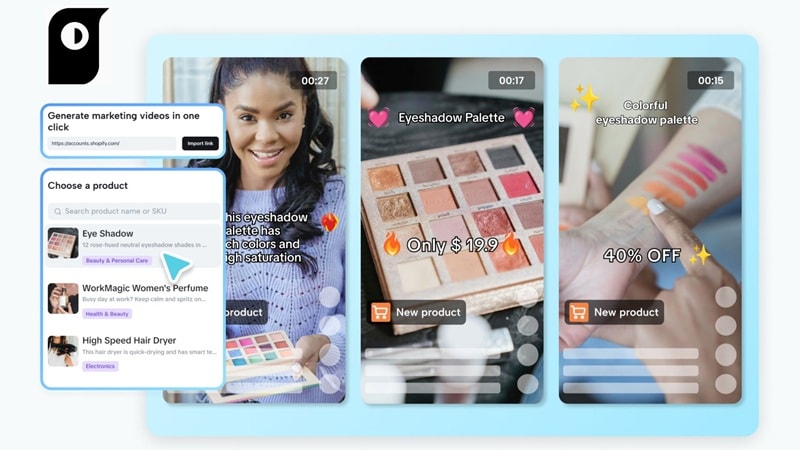
With the Pippit AI video maker, you can put a whole video together just by pasting a product link, adding some text, or uploading your own content. The AI takes care of the rest by pulling in images, adding smooth transitions, dropping in captions, and even matching background music.
AI Product Images
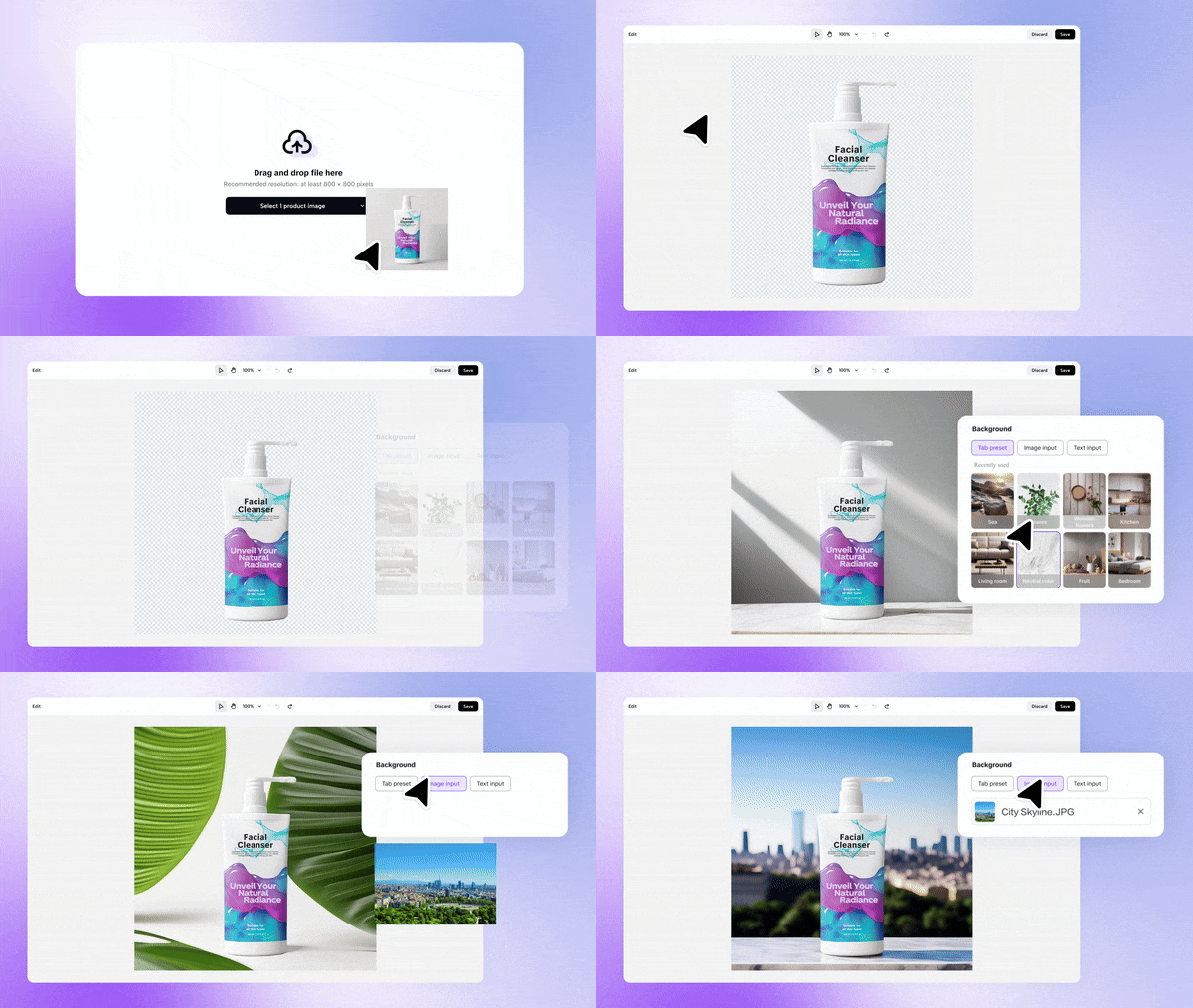
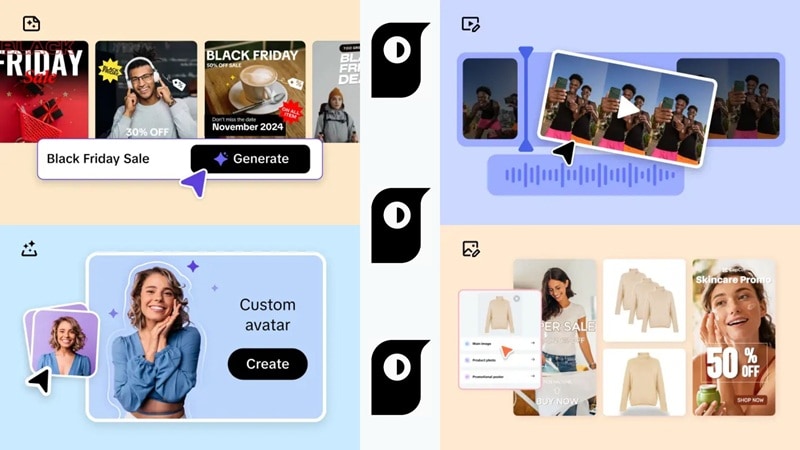
With Pippit AI, brands can quickly make product photos that look clean and professional. Its AI image generator can remove messy backgrounds and sharpen details, so e-commerce sellers and marketers get consistent visuals that look like they came from a studio.
AI Avatars

Pippit AI includes realistic avatars that can deliver voiceovers in different languages and accents. They're especially useful for explainer videos, product demos, and global marketing campaigns, giving businesses a professional way to connect with audiences without hiring presenters or booking expensive studios.
Auto-Publishing and Shoppable Content

One of the most useful features of Pippit AI is direct publishing. You can schedule and post videos straight to your platforms without extra steps. On top of that, the shoppable video option lets you link products inside the video itself, turning content into interactive shopping experiences that drive sales for e-commerce businesses.
Video Performance Tracking
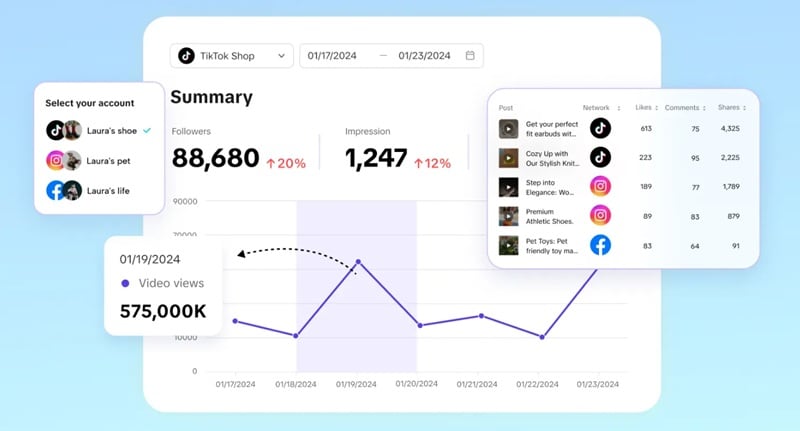
Pippit AI also comes with built-in tools to track how your videos perform across different platforms. Marketers can see views, engagement, and conversions in one place, making it easier to learn what works and improve future campaigns without juggling multiple apps or reports.
Overall, the features of Pippit AI cover the whole process of making and sharing content from the first idea to publishing and even tracking performance. This flexibility makes it a useful tool for anyone who wants to stay productive and create content that stands out.
Part 3. Piper AI Review: Hands-On Experience & Quality Outputs
After trying out the Pippit AI video maker, the first thing that stood out was how simple the process felt. You can create a full video in just a few minutes by pasting a product link and letting the AI do its work. It automatically pulled in images, added smooth transitions, captions, background music, and even an AI avatar for voiceover.
That said, compared to traditional editors, Pippit AI doesn't offer much control over the finer details. Creators who like to adjust every element may find it restrictive. Not to mention, while the free plan is a good way to try it out, the limited credits and lower export quality make it hard to use for bigger projects.
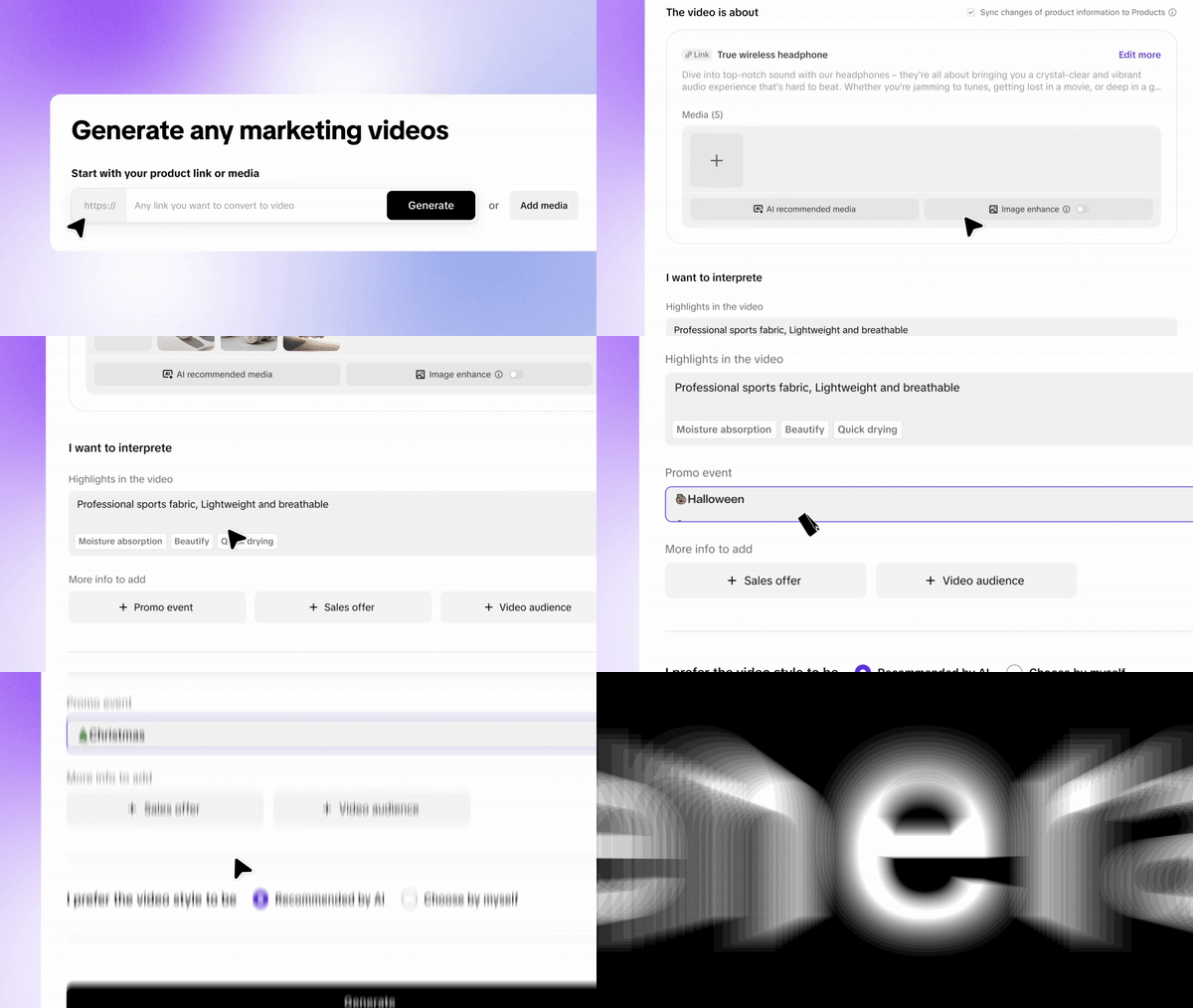
Overall, this editor works best for marketers and creators who care more about speed and polished results than detailed editing. It certainly saves time and effort, though it relies a lot on automation and doesn't offer the same flexibility as a traditional video editor. Still, if the goal is to turn out good-looking videos quickly, it does the job well.
Part 4. Pros and Cons of Pippit AI
Like any digital tool, Pippit AI video maker comes with its own strengths and weaknesses. Looking at both sides gives a clearer picture of how useful it really is and who will get the most out of it. Let's find that out!
- Simple to Use: The Pippit AI video maker is beginner-friendly and doesn't require editing skills. It's a good fit for small businesses or anyone putting together their first videos.
- Avatars and Voiceovers Capabilities: With AI avatars and built-in voices, it's easy to create presenter-style videos or promos without hiring actors or spending money on studios.
- Made to Scale: Pippit AI can produce different kinds of videos at once, which is especially handy for e-commerce brands that need a lot of content quickly.
- Free Plan Limits: The free version of Pippit AI is a nice starting point, but the limited credits and locked features make it hard to rely on for bigger projects.
- Credit System Confusion: Different features use up credits at different rates, which can be tricky to keep track of and may feel confusing for new users.
- Limited Control: Pippit AI focuses on speed and automation, but that means customization options are fairly basic. Advanced users who want more creative control may find it restrictive.
Part 5. Who Can Benefit Most from Using Pippit AI
Now that the advantages and drawbacks are clear, it's easier to see who the Pippit AI video maker is best suited for. At its core, this tool is built for anyone who wants to save time and still turn out professional-looking content without getting stuck in complicated editing. Let's take a closer look at who can benefit the most.

Target users and recommended use cases:
- Digital Marketers: Marketers can use Pippit AI to roll out ad creatives, social campaigns, and branded content at scale, all without spending hours editing or hiring extra hands.
- Agencies and Freelancers: Agencies and freelancers can handle more clients at once by producing videos and images at scale, making Pippit AI a valuable way to grow output without growing costs.
- Content Creators and Influencers: Influencers benefit from the ability to create short, trendy videos for TikTok, Instagram Reels, and YouTube Shorts in minutes, helping them stay consistent and relevant without burning out.
- Video Editing Beginners: Beginners get an easy entry point into video creation thanks to templates and AI automation, making it possible to publish polished, professional-looking content without needing advanced editing skills.
Part 6. Alternative to Pippit AI for Creating Any Type of Content
While Pippit AI is a great option for fast and automated content generation, it's not the only choice out there. Some users may want more control, flexibility, and creative freedom than what Pippit's automation allows.
Wondershare Filmora is a strong alternative for this. It blends AI-powered shortcuts with advanced editing tools, giving users the speed of automation while still allowing them to refine every detail of their videos exactly the way they want.
 Secure Download
Video Generation with Filmora AI
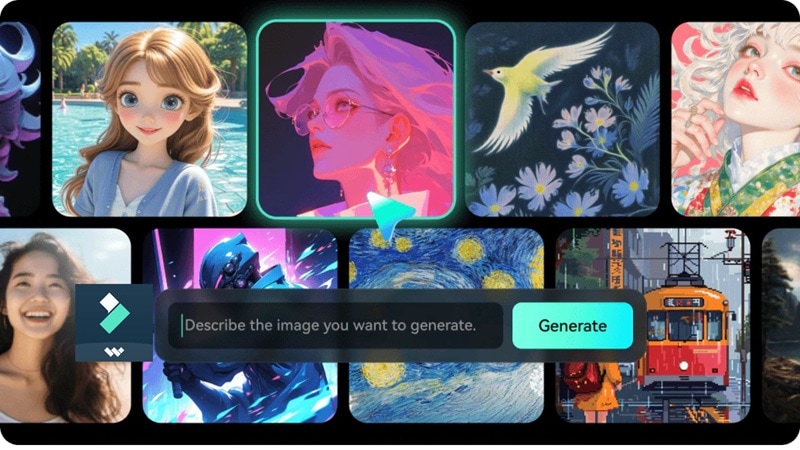
Filmora makes the creative process easier with several AI tools. The AI Text to Video feature can turn scripts into full visual sequences, while AI Image to Video brings still photos to life as smooth animations. There's also an Audio to Video option that syncs sound with visuals, making it simple to create dynamic content without extra steps.
Filmora Image Generation
Alongside video tools, Filmora also includes a powerful AI image generator. It can create original artwork or edit existing images, making it easy to add more variety to multimedia projects. All it takes is typing a short description, choosing a style, and the tool generates the image for you in seconds.
Pippit AI vs. Filmora Comparison
After looking at Filmora as an alternative, it's clear the tool offers some interesting advantages. To see how it stacks up next to Pippit AI, take a look at the comparison table below.
| Category | Pippit AI | Filmora | ||
| Main Use | Automated video creation for e-commerce, marketers, and content creators | Full-featured video editor with AI tools for all types of creators | ||
| Video Generator | Creates videos from links, text, or images | AI tools to make videos from text, images, or audio | ||
| Image Generator | Creates product images with clean backgrounds | Generates and edits images in different styles | ||
| Templates | Simple ad and social media templates | Wide range of video and design templates | ||
| Direct Sharing | Post directly to TikTok, Instagram, and Facebook | Export or upload straight to YouTube, Vimeo, and social media | ||
| Limitations | Limited customization and credit-based system | Requires more manual editing, less automated | ||
| Primary Use | Fast/Automated Marketing | Professional & Creative Video Editing | ||
| Control | Low (AI-Driven) | High (Manual & AI Hybrid) | ||
| Pricing for Power Users | High Subscription | Flexible Plans | ||
|
Show More
Show Less
|
||||
Conclusion
This Pippit AI review shows that the tool is helpful for speeding up the creation of videos and images, making it a solid choice for today's content creators. It saves time, helps streamline marketing campaigns, and simplifies content management. That said, it does come with limits, especially when it comes to customization.
In comparison, Filmora offers a more complete solution, combining AI shortcuts with deeper editing features. In the end, both tools serve different needs: Pippit AI is best for quick, automated results, while Filmora is better suited for those who want more control and flexibility.

