


 TL;DR:
Upgrading to Google Nano Banana 2 (Gemini 3.1 Flash Image) provides creators with significantly faster generation speeds and the unique ability to maintain visual consistency for up to 5 characters and 14 objects across multi-image workflows.
● While offering in-image translation and live web grounding, the model drops slightly in text rendering accuracy (92%) compared to Nano Banana Pro (94%) and often requires multiple regenerations when processing highly complex prompts.
● Free access via the Gemini app, Google Search, and Flow restricts outputs to 1K resolution, enforces a strict 20-image daily limit, and is currently subject to regional availability blocks.
● Video editors can bypass static image limitations by accessing the model directly within Wondershare Filmora 2026 to seamlessly apply one-click image-to-video transformations on their project timeline.
Ask AI for a summary
 ChatGPT
 Perplexity
 Gemini
 Claude
 Grok
Grok
Google Nano Banana 2 (Gemini 3.1 Flash Image) is the latest evolution in AI image generation, offering enhanced speed, character consistency, and real-world context for 2026 creators.
If you’ve been keeping an eye on Google's AI model for image generation, Nano Banana, you already know it’s creating serious buzz. According to 9to5Google, Nano Banana reportedly helped users edit over 500 million images between August 26 and September 9, 2025. That alone says a lot about how fast creators jumped in.
And now, Google Nano Banana 2 has arrived, and naturally, people are asking whether this is a real upgrade or just another version bump. Is Nano Banana 2 AI actually better than Nano Banana Pro? Is it worth switching? And how do you even access it? Let’s break it all down properly.
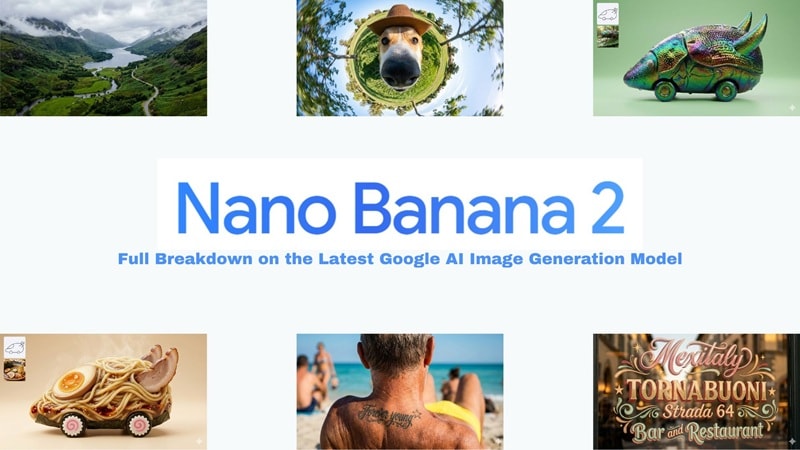
Key Takeaways:
- Nano Banana 2 (Gemini 3.1) is faster than the Pro version with comparable 4K quality.
- New character consistency tools support up to 5 recurring characters across images.
- Integrated directly into Wondershare Filmora 2026 for seamless image-to-video editing.
- Free access is available via Flow and Google Lens with daily generation limits.
Part 1. So… What Exactly Is Nano Banana 2?
If you haven't been following along, Nano Banana is Google's image generation and editing model that lives inside Gemini. And now, we've got Nano Banana 2.0, officially known as Gemini 3.1 Flash Image.
It dropped in early 2026 as the follow-up to Nano Banana Pro, and Google basically built it to do everything Pro could do but faster, smarter, and way more consistent. It's not just a small patch or a number bump either.
There are actual real differences here that are worth knowing about, which we'll get into as we go.
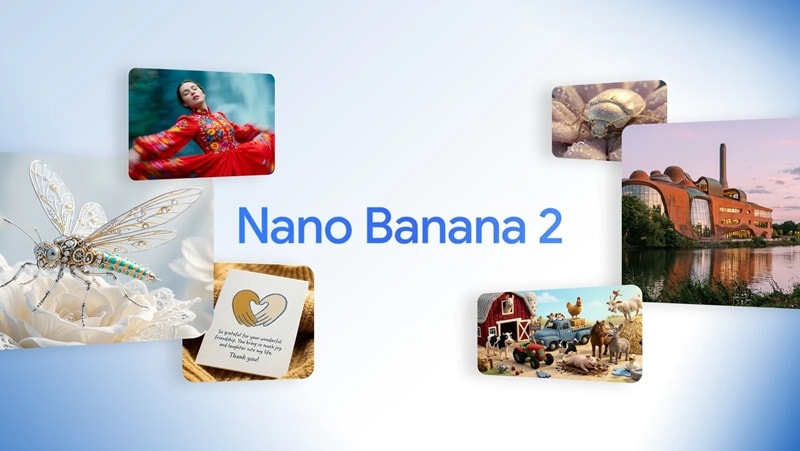
The Nano Banana Model Timeline
A lot of people have been wondering about the Nano Banana 2 release date, so let's just do a quick rundown of how we got here before anything else.
| Model | Official Name | Release Date | What It's For |
| Nano Banana | Gemini 2.5 Flash Image | August 25, 2025 | The original. Good for casual, everyday image generation |
| Nano Banana Pro | Gemini 3.0 Pro Image | November 20, 2025 | Premium quality for detailed prompts and serious creators |
| Nano Banana 2 | Gemini 3.1 Flash Image | February 26, 2026 | The latest. Fastest, smartest, with live web data and better consistency |
Nano Banana 2 vs Nano Banana Pro vs Nano Banana
Now, here's the question everyone keeps asking: Is Nano Banana 2 actually better than Pro? You'd think the answer is obvious since it's the newer one, but it's honestly not that simple.
So, instead of just guessing, here's a proper side-by-side look at Nano Banana 2 vs Nano Banana Pro vs the original Nano Banana so you can see exactly what you're working with.
| Feature | Nano Banana | Nano Banana Pro | Nano Banana 2 |
| Speed | Standard | Fast | Fast |
| Image Quality | Good | Very Good | Very Good |
| Text Rendering | Struggles with long sentences | 94% character accuracy | 92% character accuracy |
| Multi-Image Reference | Up to 3 | Up to 14 | Up to 14 |
| Character Consistency | Not specified | Up to 5 | Up to 5 |
| In-image Translation | No | Yes | Yes |
| Resolution | Up to 1K | Up to 4K | Up to 4K |
Pricing: Is Nano Banana 2 Free?
One of the biggest things people want to know is whether Nano Banana 2 is free, and the short answer is yes, kind of. There's no separate "Nano Banana 2 Pro" you need to buy or sign up for. It's just built into Google's existing ecosystem, so if you're already using Gemini, you're pretty much good to go.
That said, the free version does come with some catches, including:
- You're stuck at 1K resolution.
- Only get 20 image generations per day.
- It's not fully available everywhere just yet, and some regions are still getting blocked out.
- You might run into the occasional error here and there.
Part 2. What Can You Actually Do With Nano Banana 2?
So, since it dropped, Nano Banana 2 has been making a lot of noise online. And by seeing the Nano Banana 2 images through various social media platforms, it seems like a lot of that hype is actually earned. Let's get into what it can actually do.
Smarter Images With Real-World Context
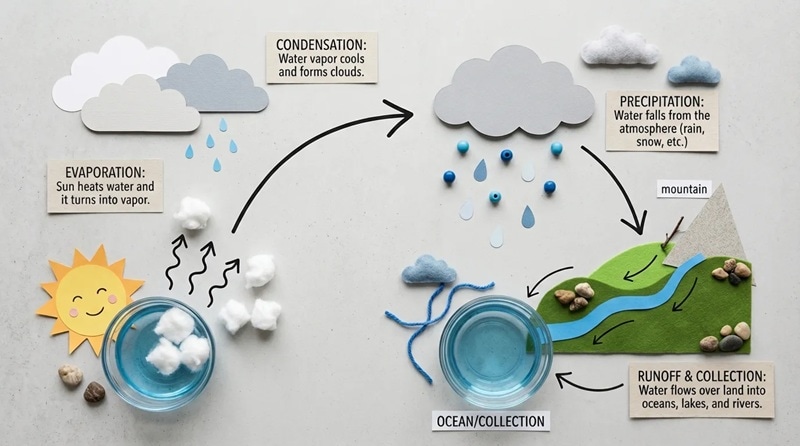
One of the biggest differentiators in Nano Banana 2 is its deep integration with Gemini's live knowledge and web grounding. In practice, this means it can:
- Understand current events and reflect them accurately in imagery.
- Recognize real brands, products, and logos with better fidelity.
- Generate accurate infographics and data visualizations from rough notes.
- Produce marketing mockups with readable, properly formatted text.
- Translate text inside images and localize visuals for different languages and regions.
That last point is particularly useful. If you're creating a social media graphic in English and need a Spanish version, Nano Banana 2 can handle the translation directly within the image, complete with layout, fonts, and all.
Stronger Character & Object Consistency
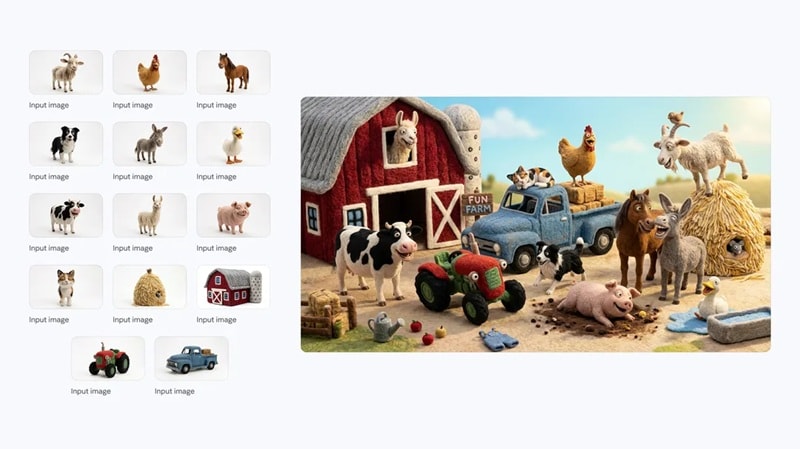
If you've ever tried to generate a character multiple times and watched their hair color, face shape, or outfit randomly change between images, you know exactly why this matters.
Nano Banana 2 Google addresses this head-on. The model can now:
- Keep up to 5 characters looking visually consistent across a series of images.
- Maintain up to 14 distinct objects within a single creative workflow.
- Preserve design elements, color palettes, and visual styles across storyboards.
This makes Nano Banana 2 a significantly better tool for anyone working on comics, branded content series, product campaigns, or any project where visual continuity matters.
Powerful Photo Editing & Scene Transformation
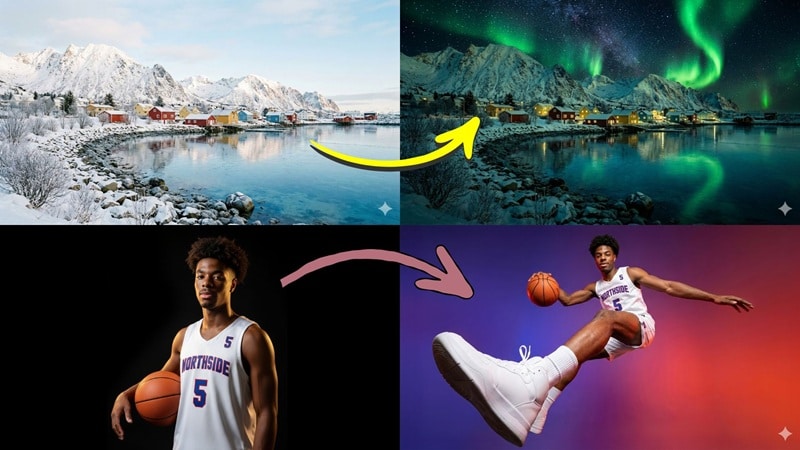
Nano Banana 2 isn't just a generation tool, it's a full-featured image editor with AI at the core. Meaning, you can take an existing image and fundamentally reshape it, such as:
- Transform a sunny daytime photo into a moody nighttime scene.
- Change the virtual camera angle of a shot after the fact.
- Adjust depth of field and focus to shift emphasis within the image.
- Modify lighting, color grading, and overall mood in seconds.
- Swap out backgrounds while preserving foreground subjects.
Part 3. How to Access Nano Banana 2?
After seeing all of those capabilities, you're probably ready to just go try it yourself, which honestly makes total sense. But then comes the next question: how to get access to Nano Banana 2?
Well, as of early 2026, Google has been rolling it out across a bunch of its products, and the list is growing. Here's a full breakdown of where you can find it now:
| Platform | Access | Notes |
| Gemini App | Free & Paid tiers | Replaces Nano Banana Pro. Pro/Ultra users can still regenerate with Pro via the three-dot menu |
| Google Search | Free | Available in AI Mode and Google Lens. Rolling out to 141 new countries in 8 additional languages |
| Google AI Studio | Free (Preview) | Available via AI Studio and Gemini API. Also supported in Google Antigravity |
| Vertex AI (Cloud) | Free (Preview) | Preview access for enterprise use cases via the Gemini API in Vertex AI |
| Flow | Free (0 Credits) | Default image model in Flow. Available to all users with no credit cost |
The table above pretty much shows how flexible Nano Banana 2 is in terms of where you can use it. Whether you want to go through Google AI Studio Nano Banana 2 or just pull it up straight from the Gemini app, you've got options, and that's always a good thing.
How to Use Nano Banana 2 (Step-by-Step)
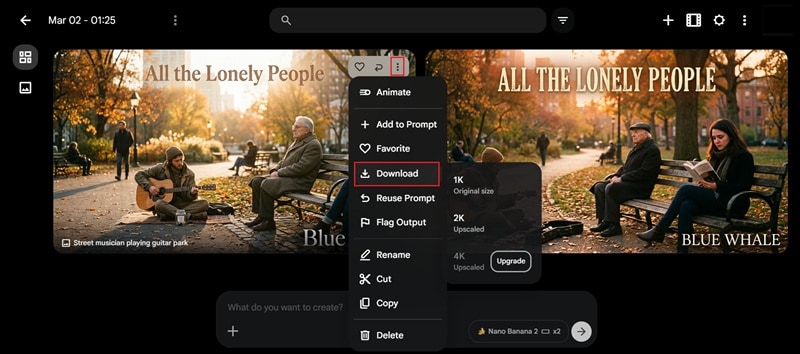
The easiest way for most people to get started is through the Gemini Nano Banana 2 or through Flow. So, for this section, let's just use Flow as an example. Follow the simple guide below to learn how to use Nano Banana 2 and make your first generated image:
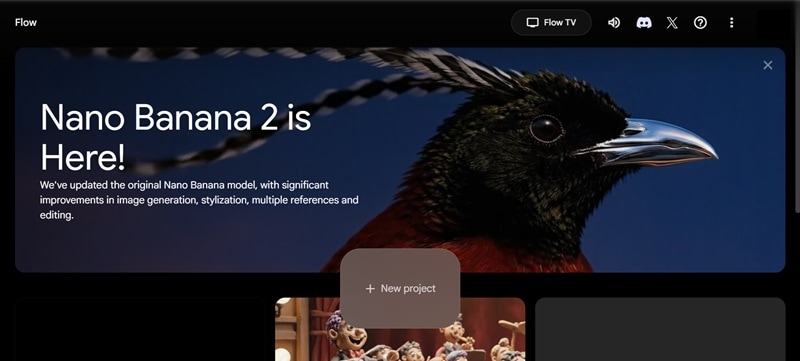
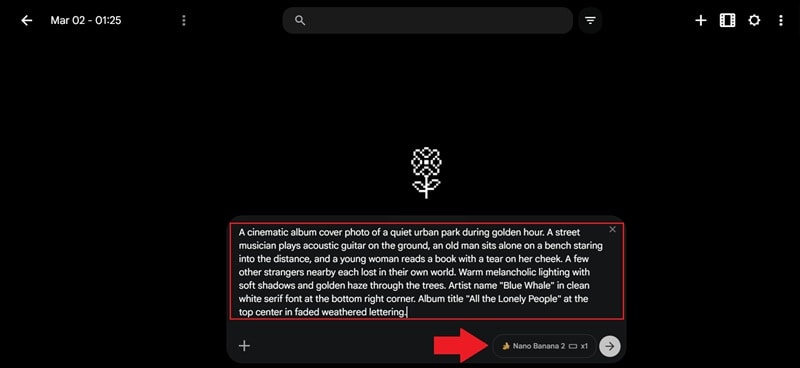
Type in your prompt describing what you want to generate. Be as specific as possible. Include style, subject, mood, colors, and any text you want included in the image.
After that, hit enter. Nano Banana 2 is now the default model, so it will run automatically.
Your image will appear once it's done processing. Hover over the image you like and click the three-dot option. Select the download icon to save it.
Part 4. Reddit Talk: Is Nano Banana 2 Worth It?
Since its release, Nano Banana 2 has become one of the most discussed AI topics on Reddit, particularly in communities like r/singularity. And like any major AI release, the response has been genuinely mixed.

Here's a fair summary of where real users stand regarding the Nano Banana 2 on Reddit:
What People Loved
- Faster Speed: Nearly universal praise for how much faster generation is compared to Nano Banana Pro. Several users noted it felt almost instantaneous for simpler prompts.
- Consistency: Users working on multi-image projects appreciated the ability to keep characters and brand elements stable across a series.
- Ideal for Marketing: It generates clean, professional mockups with readable copy. Multiple users flagged how well it handles commercial use cases.
- Free access in Flow: The zero-credits model in Flow was specifically called out as a generous move that opens the door for creators without a paid subscription.
What Some Users Questioned
- Still Pretty Close to Pro: For straightforward prompts, some users found the output quality similar enough to Nano Banana Pro that switching didn't feel urgent.
- Text Rendering Took a Step Back: Surprisingly, some users actually found text accuracy to be worse compared to Pro in certain cases. Mostly showing up with more typos, awkward spacing, and letters that don't quite look right.
- Picky With Complex Prompts: The more detailed your prompt gets, the more hit or miss it becomes. A lot of users found themselves tweaking and regenerating multiple times just to get close to what they had in mind.
- Still Rolling Out in Some Regions: If you're in certain parts of the world you might run into availability issues or random errors. It's not fully stable everywhere just yet, so that's worth keeping in mind.
Bonus: Ready to Upgrade? Nano Banana 2 is Now Fully Integrated in Filmora!
After scrolling the Nano Banana 2 Reddit thread, it's pretty clear that a good chunk of people are still riding with Nano Banana Pro. And honestly, that's fair. Nano Banana 2 is still fresh, and a lot of people have workflows that just work well with Pro right now.
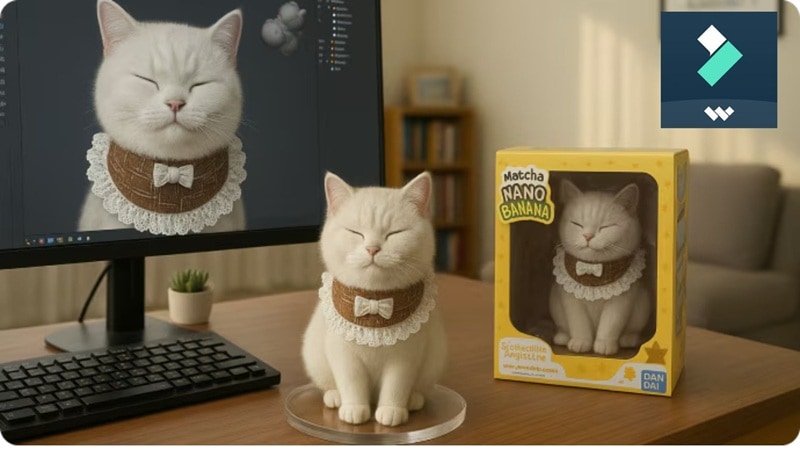
But here's the thing, you should at least give Nano Banana 2 a shot before writing it off. And the good news is, it's about to get a whole lot easier to do that because Nano Banana 2 is already fully integrated into Wondershare Filmora.
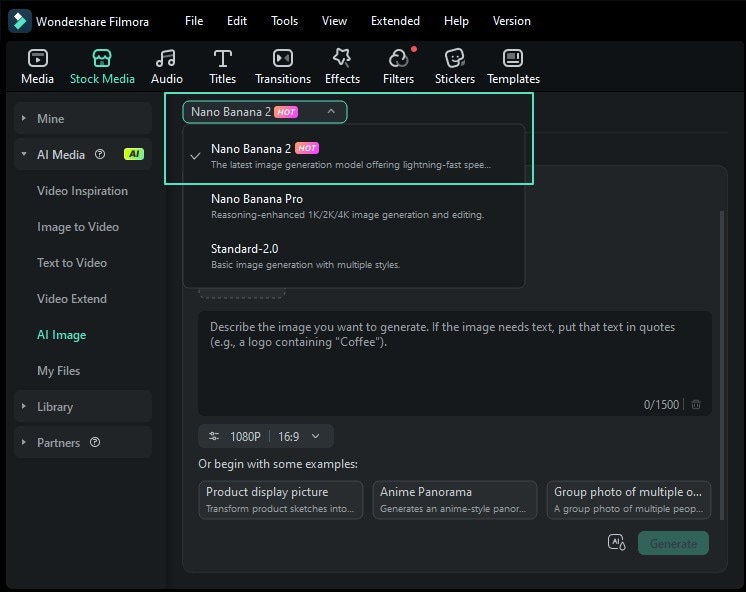
If you haven't heard of Filmora, it's an AI-powered video editor that has already integrated Nano Banana 2 into its AI image feature. Building on the success of Nano Banana Pro, this upgrade is a natural evolution that creators are already praising for its enhanced precision and speed.
 Secure Download
Why Filmora + Nano Banana 2 Is Worth Watching
What makes this integration interesting is what happens after the image is created. You're not just generating a standalone image. Inside Filmora, you can:
1. Your Still Image Gets To Move
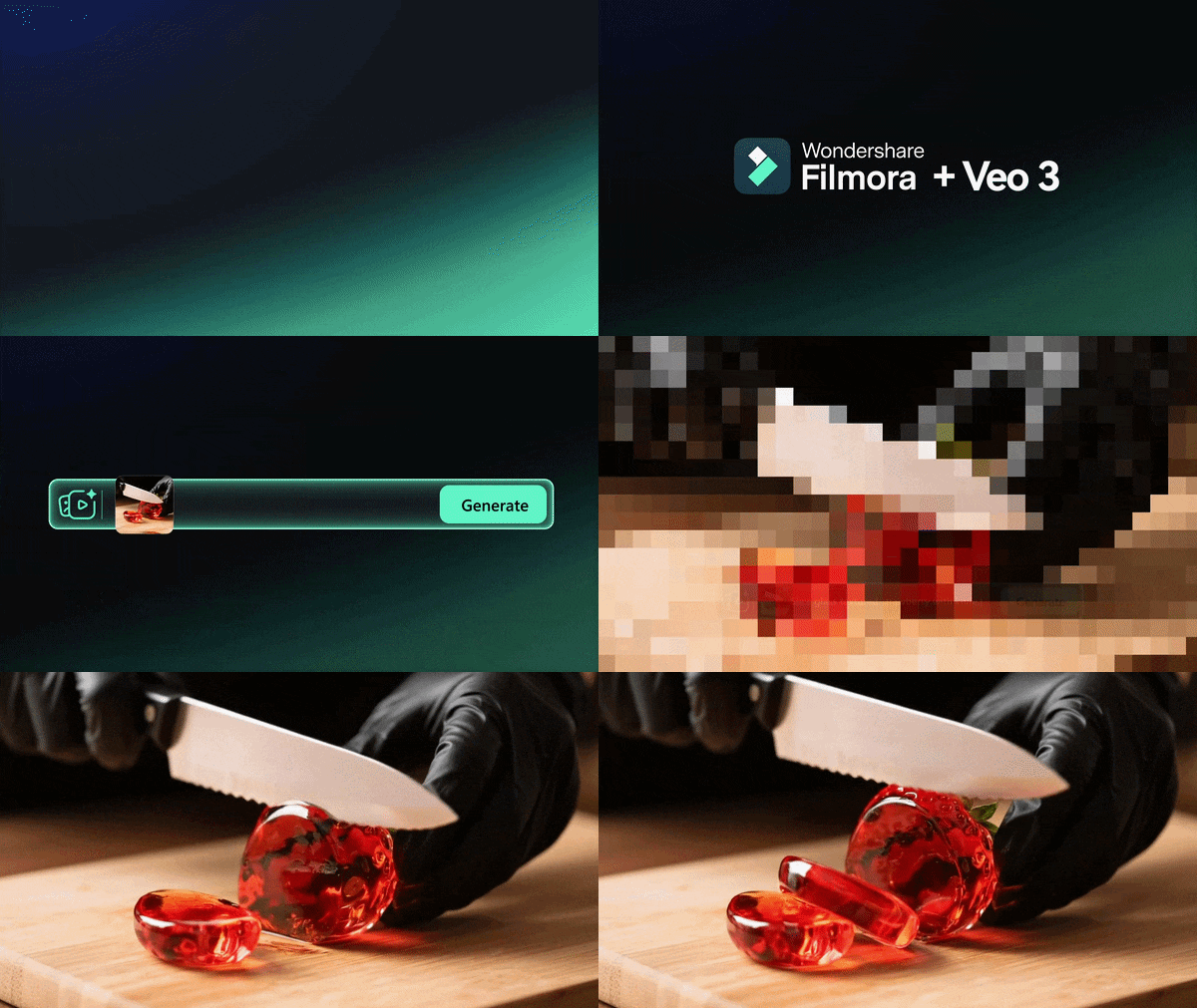
Filmora's AI Image to Video feature literally breathes life into whatever Nano Banana 2 creates. One click and your static image becomes a moving scene.
2. Straight Into Your Project
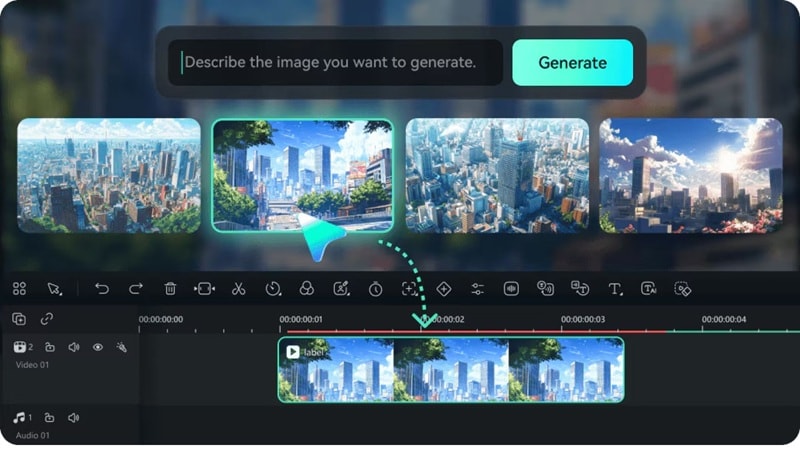
You just drop your generated image right onto the timeline and keep building your video from there. No exporting, no importing back and forth.
3. The Full Creative Toolkit Is Right There
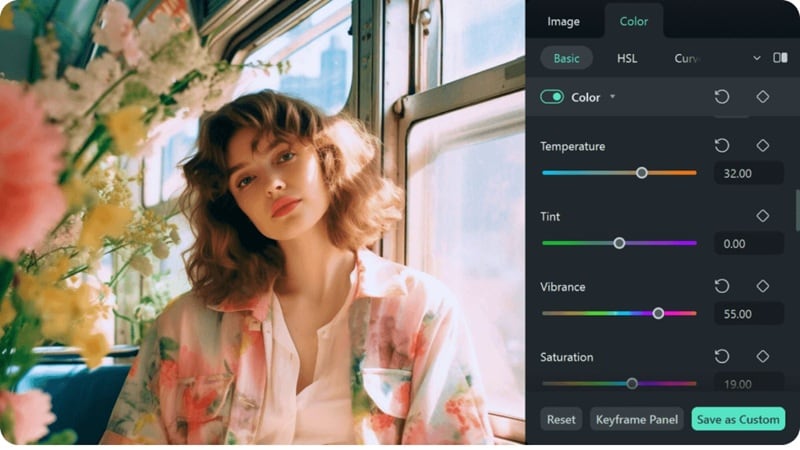
Your Nano Banana 2 image fits right into the middle of a full production setup. Effects, music, subtitles, transitions, color grading, all of it is already waiting for you inside Filmora.
4. Ready For Wherever You're Publishing

Whether you're putting something out on YouTube, running paid ads, or posting across social platforms, Filmora exports in the formats that actually work where you need them.
This means Filmora bridges the gap for anyone who wants the power of Nano Banana 2 but also needs their output to go somewhere beyond a static image. It's a practical, workflow-friendly way to bring the new model into your creative process without rebuilding everything from scratch.
Secure DownloadConclusion
Many people are curious about Google Nano Banana 2 right now. So, we covered everything from the upgrades and pricing to how to access Nano Banana 2 across different platforms. In the end, Nano Banana 2 offers faster generation, smarter real-world context, and way better character consistency.
With Nano Banana 2 now fully integrated into Filmora, you can take those generated images even further by turning them into full-motion video content. You can also layer on effects, music, color grading, and subtitles all inside Filmora, which makes the whole creative process feel a lot more complete.
FAQs About Nano Banana 2
-
Is Google Nano Banana 2 free?
Yes, partially. Nano Banana 2 is available for free through Google Search (AI Mode and Google Lens) and in Flow with zero credits. Inside the Gemini app, free users have access but may face generation limits.
-
Does Nano Banana 2 support batch image generation?
Batch generation isn't officially documented as a standalone feature in the current release. However, users working through Google AI Studio and the Gemini API can automate and chain multiple generation requests programmatically, making large-scale image workflows possible for developers and power users.
-
Can Nano Banana 2 generate images in specific brand styles?
Yes. Nano Banana 2 can replicate visual styles, color palettes, and design language when given detailed prompts. Its improved object and character consistency also helps maintain brand elements across a series of images.
-
Will there be a Nano Banana 2.5 or Nano Banana 2 Pro?
Nothing has been officially confirmed by Google at the time of writing. That said, given Google's pattern of iterative model releases: Nano Banana → Nano Banana Pro → Nano Banana 2 — it's reasonable to expect future variants.
