


 TL;DR:
Google Veo 3.1 and OpenAI Sora 2 deliver the highest realism and native audio for AI video generation, while Wan2.2 provides a free, open-source alternative under the Apache 2.0 license for self-hosting.
● Output capabilities vary heavily by model, with Vidu Q2 supporting up to 60 seconds of generation, whereas Adobe Firefly Video restricts clips to 5 seconds but prioritizes commercial safety by strictly using licensed training data.
● Kling 2.5 Turbo offers the fastest generation speeds for rapid prototyping but limits audio to sound effects only, requiring a switch to version 2.6 for full dialogue generation.
● Users can bypass multiple individual platform subscriptions by accessing Veo 3.1 and Sora 2 directly through Wondershare Filmora on Windows, macOS, or mobile to generate and edit clips on a single timeline.
Ask AI for a summary
 ChatGPT
 Perplexity
 Gemini
 Claude
 Grok
Grok
Behind those impressive AI-generated videos you see online are AI video generation models that keep getting better at understanding prompts, producing smoother motion, and delivering more realistic clips.
If you only know names like Sora 2 or Veo 3.1, there’s actually a lot more happening in this space. We’ll break down the 11 best AI video generation models available right now, including a free, open-source model you can check out.
Part 1. What Makes Each AI Video Generation Model Different?
It’s honestly crazy how fast AI video generation has been moving, and it feels like there’s a new “best” one every few months that keeps you wanting to try more. Before choosing which AI video generation model fits your needs, let’s answer this question first: what makes one AI model different from another, anyway?
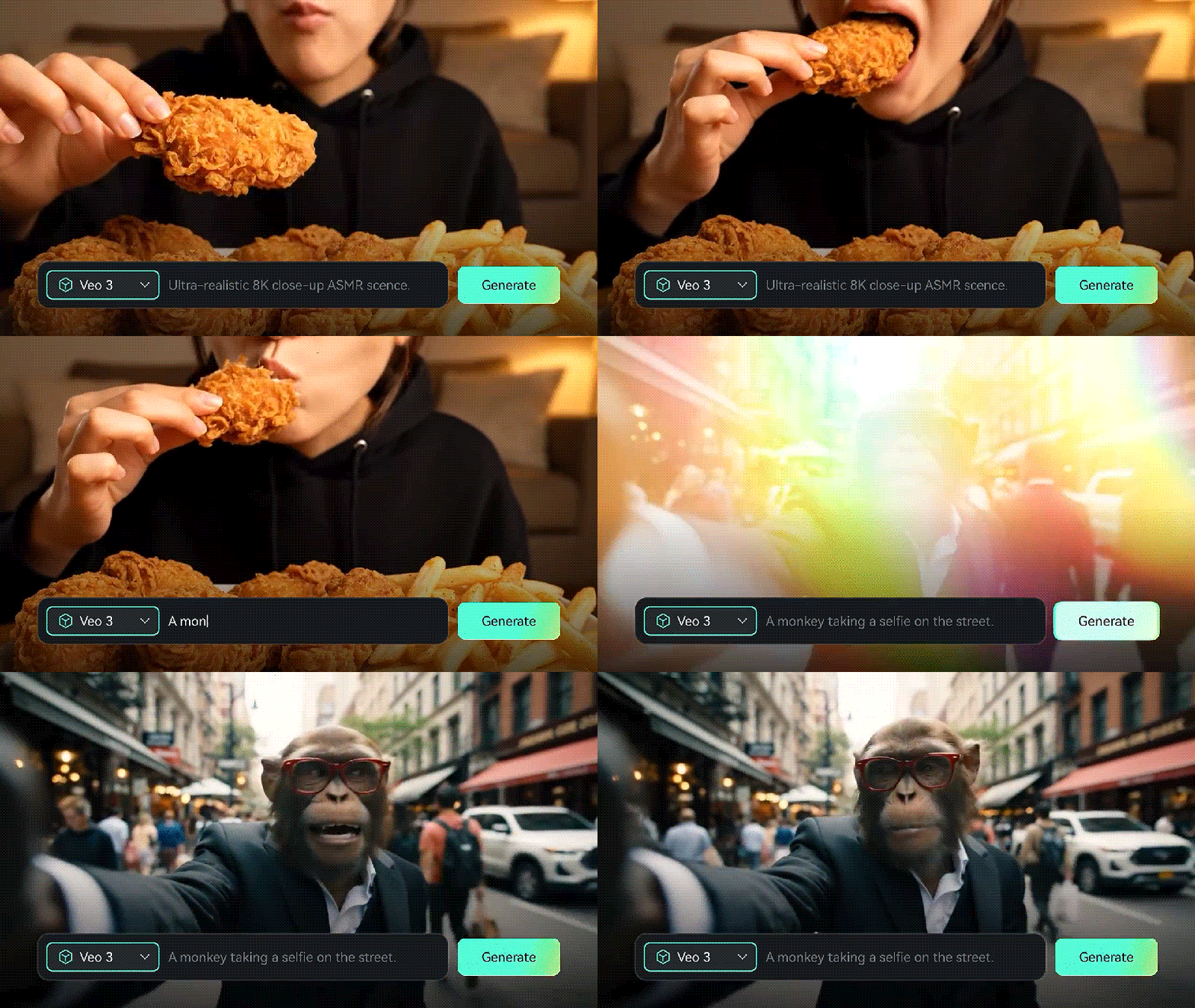
The videos you end up with depend a lot on which AI video generation model you’re using. Even though you enter the same prompt, the results can be very different. The main differences usually come down to a few things:
- Training data and model scale: Some models are trained on much larger and more diverse datasets, which helps them understand complex scenes, motion, and visual styles better.
- Input methods: Certain models work only with text, while others also support images, reference frames, or even multi-shot planning, which can change how closely the output follows your idea.
Moreover, the cost of using these models can vary. Some are bundled into existing subscriptions, others rely on credit systems, and only a few are free AI video generation models. Pricing often affects the duration, resolution, and how often you can generate clips, so it’s another important factor to keep in mind when choosing the AI model.
To make this comparison, we evaluate each AI video generation model using these criteria:
- Error rate: How often do inconsistencies or obvious mistakes appear in the video?
- Realism: Does the motion, lighting, and overall scene look natural?
- Prompt accuracy: How closely does the output follow the prompt?
- Creative output: Does the result look interesting?
The goal is to understand where each model performs well and where it falls short, so you can choose the one that best fits your needs.
Part 2. Best AI Video Generation Model for Your Project
At a glance, you can see that each AI video generation model is built differently, especially when it comes to video duration, output quality, sound support, pricing, and features.
AI Video Generation Models Comparison Chart
| Cost | Generation Modes | Max. Video Duration | Video Quality | Sound Generation | Additional Features | |
| Veo 3.1 | $19.99 – $249.99/mo (via Gemini) | Text-to-video, image-to-video | 8s per generation | 720p – 1080p | ✅ | Native audio, strong prompt understanding |
| Sora 2 | ChatGPT Plus or Pro subscription ($20 – $200/mo) | Text-to-video, image-to-video, multi-shot | 15 – 25s (Pro) per generation | 720p – 1080p | ✅ | Storyboard, Remix, Cameos |
| Kling 2.5 Turbo | $10 – $180/mo | Text-to-video, image-to-video | 10s per generation | 720p – 1080p | Sound effects only | Multiple outputs, prompt refiner (powered by DeepSeek) |
| ToMoviee AI | $8.99 – $89.99/mo | Text-to-video, image-to-video, reference to video | 5s per generation | 720p – 1080p | Sound effects only | Video Extend, Partial Repaint, templates |
| Adobe Firefly | $9.99 – $69.99/mo (Creative Cloud Pro) | Text-to-video, image-to-video | 5s per generation | 720p – 1080p | ❌ | Adobe ecosystem |
| Hailuo 02 | $16.9 – $79.9/mo | Text-to-video, image-to-video | 10s per generation | 1080p | ✅ | - |
| Seedance 1.0 | $9.99 – $39.99/mo | Text-to-video, image-to-video, multi-shot | 10s per generation | 1080p | ✅ | API access |
| Wan2.2 | Free | Text-to-video, image-to-video, video-to-video | 5s per generation | 480p – 720p | via Wan2.2-S2V (Speech-to-Video) | Open source |
| Vidu | Free; $10 – $99/mo | Text-to-video, image-to-video, start0to-end frame generation | Up to 60s per generation (Vidu Q2) | 1080p | ✅ | Reference images, templates, and video upscale |
| Runway Gen-4.5 | $15 – $95/mo | Text-to-video, image-to-video, Keyframes | 5s – 10s per generation | 720p – 1080p | ✅ | - |
| Pika 2.5 | $35/mo | Text-to-video, image-to-video | 5s – 10s per generation | 1080p | ❌ | Pikascenes, Pikadditions, Pikaswaps, Pikatwists |
|
Show More
Show Less
|
||||||
For more details about the best AI video generation models we’re covering, you can refer to the full list below and take a closer look at each option.
1. Google Veo 3.1
Veo 3.1 is the latest version of Google’s AI video generation model, built with a focus on cinematic quality with audio integration (SFX, ambience sounds, dialogue, background music, etc.). It can handle camera movement, lighting changes, and motion very well, even if you don’t write very detailed prompts.
Besides generating videos from text alone, you can also include image references for the AI to build scenes or transitions around your inputs. To access Veo 3.1, you can use it through Gemini or Flow, or via supported video editors such as Wondershare Filmora.
- Film-like video quality with built-in matching sound
- Follows prompts more closely and keeps scenes consistent
- Handles complex prompts with fewer visual issues
- Output speed is slower than lightweight models
- Complex scenes may still show small glitches
- Higher-quality modes cost more
2. OpenAI Sora 2
Next to Google’s Veo 3.1 is another AI video generation model that’s often seen as its closest rival: Sora 2. With the newer upgrade on Sora 2, OpenAI adds support for audio alongside noticeable improvements in how it handles physics, object interactions, and scene logic.
It also introduces features like Cameos, Remix, and an updated Storyboard. You can use Sora 2 on its website, ChatGPT, or the Sora mobile app, though access is still limited to selected users and regions. Alternatively, you can also try it in video editors like Filmora.
- Excellent prompt comprehension
- Strong spatial and physical reasoning
- Supports multi-shot narrative structure
- Currently limited public availability
- Output length and resolution vary by access tier
3. Kling 2.5 Turbo
It may not be making as much noise as Veo 3.1 or Sora 2, but Kling AI video generation model is widely appreciated for its speed and creative outputs. With the Kling 2.5 Turbo update, it delivers faster generation times, stronger prompt adherence, and improved camera control.
One thing to note, though, is that this version can only add sound effects. If you want to include other types of audio, like dialogue, you’ll have to switch to Kling 2.6, which supports full audio generation. Kling runs on its own web platform, so everything is handled directly in the browser.
- Fast generation
- Strong character motion and facial animation
- Handles dynamic scenes and effects like water reasonably well
- Limited long-scene consistency
- Can show distortions or errors in complex scenes
- Background sound isn’t as good as other leading models
4. ToMoviee AI
ToMoviee’s AI video generation model focuses on simplifying your workflow, while ensuring the results are clean and high quality. It’s designed to be easy to pick up, with several built-in tools that streamline video creation. These include Video Extend, Partial Repaint, and a built-in template gallery that you can reuse or draw inspiration from.
You can start by generating a video from text, or choose one of the video effects, upload your photo, and adjust the prompt from there. ToMoviee is available both on the website and through the mobile app (Android & iOS).
- Simple prompt workflow
- Low learning curve
- Limited documentation
- Weak scene consistency
5. Adobe Firefly Video
If you’re someone who cares about safe and responsible use, you may want to consider Adobe Firefly Video. Firefly Video is an AI video generation model from Adobe and one of the few tools built specifically with commercial safety in mind.
Just like other models, you can use it to generate videos from text, though the results are still more conservative if you compare them to leading models like Sora 2 or Veo 3.1. Firefly has already been part of Adobe’s ecosystem, but the video generation is accessible on the website.
- Safer for commercial use with licensed training data
- Integration with Adobe’s creative tools
- Controlled results
- Conservative visual style
- Less room for creative or experimental results
6. Hailuo 02 by MiniMax
Hailuo 02 is an AI video generation model built for sharper visuals and more believable motion. It outputs videos in full 1080p by default and does a better job at understanding detailed instructions, especially when physics and movement are involved.
The reason behind this is that it runs on a more efficient system that lets the model be trained on much more data and at a larger scale. As a result, you get faster generation times and more consistent outputs. You can try Hailuo 02 on the website or other supporting platforms.
- Uses multiple generation seeds for more varied results
- Includes dedicated negative prompt support for better outputs
- Handles action and movement well
- Higher resolutions require a higher cost
- Limited fine-grained control
7. Seedance 1.0
Looks like TikTok’s parent company, ByteDance, also doesn’t want to miss the AI video wave, so it’s stepping in with its own model, Seedance 1.0. This model can create multi-shot videos from both text and images.
But since it’s still relatively new, some outputs can feel a bit AI-ish at times, but that’s pretty much expected at this stage and doesn’t stop it from being useful. You can try it directly through the web. New users usually get to try this AI video generation model for free during the trial.
- Encourages creative experimentation
- Lightweight interface
- Early-stage quality
- Motion and consistency can be unstable over time
8. Wan2.2
Unlike most of the AI models we have covered so far, Wan2.2 stands out as the first open source video generation model under the Apache 2.0 license. This means, developers, researchers, or anyone can freely use it, study how it works, and build on top of it without the restrictions that come with closed platforms.
In this version, Wan2.2 brings some upgrades. It introduces a more efficient Mixture-of-Experts (MoE) architecture, aims for more cinematic visuals, and handles complex motion better overall. This is largely thanks to being trained on a much larger dataset, so it can produce richer scenes with more detailed movement.
- Free and open source AI video generation model, suitable for self-hosting
- Handles basic prompts well since it’s trained on significantly more data
- Faster generation and stronger prompt following than many similar models
- Struggles with complex or fast movements, such as flips or spins
- Lacks detailed, fine-grained control options
- Audio needs to be added separately
9. Vidu
Vidu is starting to catch up with more advanced AI video generation models with its Q2 update, which adds support for longer video generation. You can use reference image(s) to guide the AI and maintain scene consistency, and even save those references in a My References library for future use.
Rather than realistic scenes, Vidu works better for animated or stylized content. Its main strength lies in its ready-made templates that speed up creation. You can try it directly on the website or mobile apps (Android and iOS).
- Fast generation for rapid ideation
- Offers a Free tier with up to 10 reference uses per month
- Limited realism
- Results often lack subtle, human-like details
10. Runway Gen-4.5
Runway is a well-established name in the AI video generation space, and with Gen-4.5, it’s pushing harder on realism and physical accuracy. This version puts a lot of emphasis on how things behave in motion.
The end result is stronger handling of complex, multi-element scenes, more expressive characters, and lighting and shadows that come together to create more natural and convincing scenes.
- Frequent updates
- Able to maintain consistent characters, lighting, and scenes between shots
- Things sometimes happen before they should
- Often having problems with objects that suddenly disappear or reappear between frames
- Tend to show positive results, even if you don’t intend to (success bias)
- Slow loading times to access the AI
11. Pika 2.5
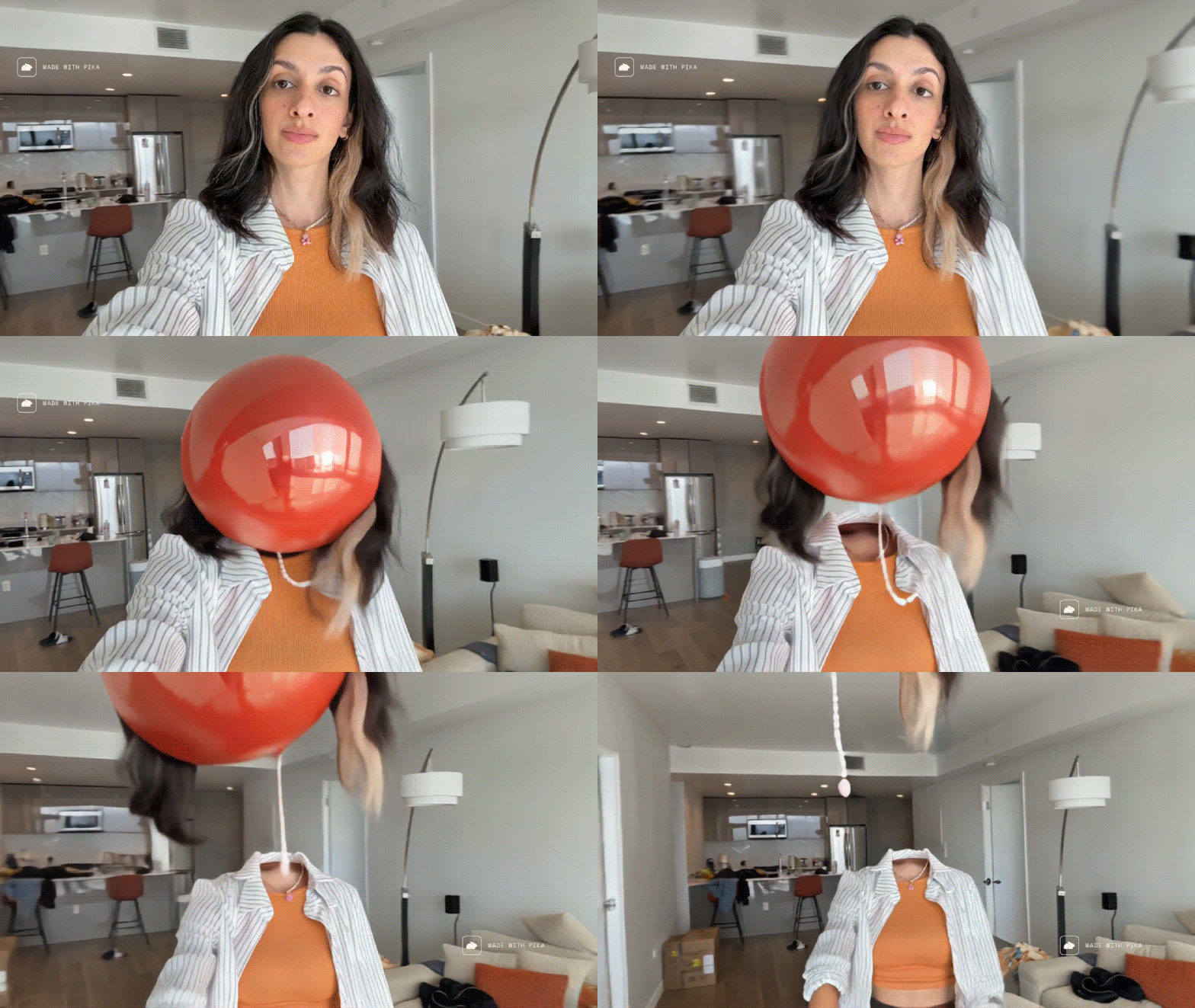
Pika has been showing gradual improvement from its earlier releases. With the latest Pika 2.5 update, the focus is on better motion and overall stability, though the changes aren’t always dramatic in real use. You may still notice inconsistencies or scene logic issues as the video plays out.
Most people use Pika 2.5 mainly to experiment with AI videos, since it can fall short when it comes to producing cinematic results. You can use Pika 2.5 through the website.
- Fast generation for rapid prototyping
- Experimental outputs
- Not built for realism, often still looks AI
- Has trouble with longer clips and maintaining strict continuity
Part 3. Try Different AI Video Generation Models Inside an Editor – Filmora
Since these AI video generation models are developed by different companies, the way you access and use them is different as well. However, you don’t have to jump between multiple platforms if you’re using Filmora.
Filmora brings several leading AI video generation models, including Veo 3.1 and Sora 2, into its editor. That means you don’t need separate subscriptions, exports, or downloads just to use them together.
 Secure Download
Inside Filmora, AI video generation is available through:
- AI Text-to-Video: Turn written prompts into fully generated video clips, complete with visuals, motion, and scene structure.
- AI Image-to-Video: Animate still image(s) into a video by adding movement, transitions, and visual effects based on your prompt.
The biggest advantage of using Filmora is that AI generation doesn’t sit in isolation. After generating a clip, you can land it directly on the timeline to trim the shots, adjust the pacing, add music, make color corrections, or combine multiple generations into a longer sequence.
Filmora is available on desktop for Windows and macOS, as well as on mobile. The Filmora mobile app also supports Wan 2.5 as one of its AI video generation model options.
Secure DownloadConclusion
Given how important the AI video generation model is in shaping the final video, picking the right one really does make a difference in both quality and how smooth your workflow feels. Each model has its own strengths, and we’ve covered those throughout this guide so you can see where each one shines.
If you want to try the top AI models, like Sora 2 and Veo 3.1, without juggling multiple platforms, using an editor like Filmora can make things easier by keeping generation and editing in one place.
