

 TL;DR:
Wondershare Filmora is the top all-in-one AI album cover generator for 2026 because it allows artists to create 3000x3000px static covers and convert them into 3-to-8-second looping videos for Spotify Canvas using integrated Sora 2 and Veo 3.1 models.
● Midjourney provides the highest artistic depth for surreal or experimental genres but strictly requires a paid subscription starting at $10 per month, while Canva and Kapwing offer beginner-friendly workflows but apply watermarks or lower image detail in their free tiers.
● To meet Spotify's official 2026 artwork guidelines, generated covers must have a 1:1 aspect ratio between 640px and 10000px, utilize the sRGB color space at 24 bits per pixel, and save as a TIFF, PNG, or JPG without embedded color metadata.
● Before releasing tracks on streaming platforms or vinyl, verify that your chosen AI tool grants full commercial rights to the final image without attribution requirements or usage restrictions tied to copyrighted training data.
Ask AI for a summary
 ChatGPT
 Perplexity
 Gemini
 Claude
 Grok
Grok
Although songs are meant to be heard, album covers have their own role in shaping the first impression. Before anyone presses play, they see the cover. That tiny square can decide your click-through rate. If your artwork looks boring, your music might get skipped.
For indie artists and small creators, many are turning to an AI album cover generator to create visuals that actually match their sound and help their music stand out. However, there are tons of album cover art generator tools out there right now, and not all of them are worth your time.
In this guide, we'll review the best AI album cover art generator tools for 2026, including free AI album cover generator options. Whether you need a rap album cover generator or a metal album cover art maker, we'll show you how to create high-quality, commercial-ready visuals for Spotify and Apple Music using Filmora and other top tools.
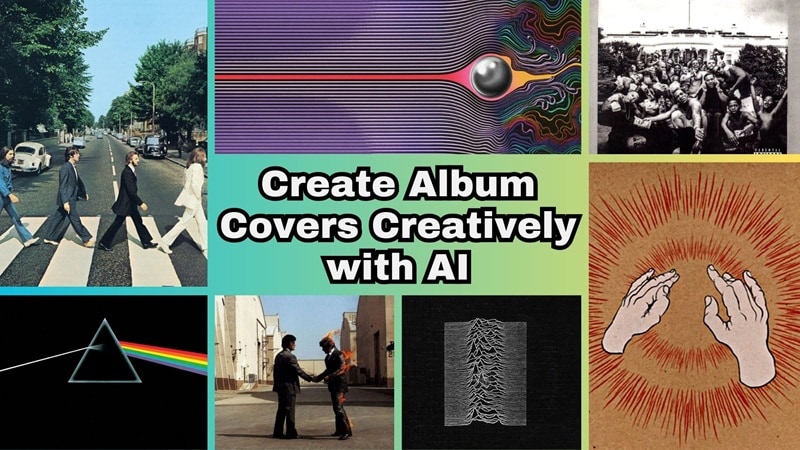
Part 1. Why You Should Use an AI Album Cover Maker Instead of Templates
Streaming platforms like Spotify and Apple Music are where most artists drop their music now. And if you don't stand out with your album covers, you will be just like any other 500 artists out there. So, instead of recycling the same layouts, you can use an album cover art generator that creates something original and actually fits your sound.
After all, an album cover maker AI does not just replace text on a preset design. It builds the artwork from scratch based on things like:
- Your music genre
- The mood of the track
- The colors that match your vibe
- Your artist identity
- The prompts you give it
This is especially important in genres like hip hop and metal, where the cover art is part of your identity. If you're making music in those styles, it makes way more sense to use a gritty rap album cover generator or a dark fantasy metal album cover generator that actually matches the energy of your sound.
Part 2. Top 5 AI Album Cover Art Generators (Tested & Reviewed)
Alright, now you know why using an AI album cover art generator can seriously level up your release. That said, which ones are actually worth your time? Lucky for you, we tested five popular options and looked at the things that actually matter like image quality, speed, ease of use, and whether you can use the artwork for commercial releases.
Here are the ones that are actually worth trying.
1. Wondershare Filmora: Best All-in-One AI Album Cover & Motion Art Maker
Let's start with our real number one pick, Filmora. Most people know it as a video editor, but it actually does way more than that. It works great as an AI album cover generator, especially if you want more than just a basic image.
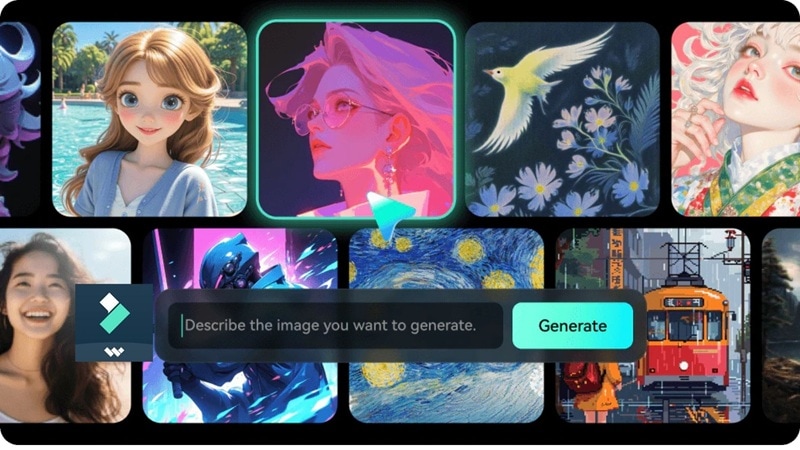
- AI Image Generator: Create 3000x3000px high-resolution covers from simple text prompts.
- AI Image to Video (Sora 2 & Veo 3.1): Turn static art into moving visuals for Spotify Canvas.
- Clean up and sharpen your AI artwork using the built-in Image Enhancer.
- Social media optimized export settings so your cover fits every platform.
- Full editing timeline so you can tweak lighting, text, overlays, and textures.
- Windows, macOS, iOS, Android.
- A free version is available, with affordable upgrade plans listed on the Filmora pricing page.
- Artists who want both static and animated covers.
- Full editing control after generation.
- Commercial-ready exports.
- Cross-platform support so you can work on desktop or mobile.
- Instead of just a static cover, you can have something that moves and feels alive.
- The free version adds a watermark to exported images.
2. Midjourney
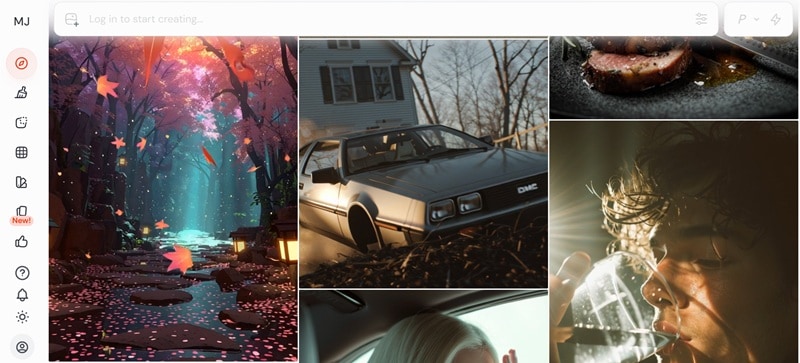
Midjourney definitely deserves a spot on this list. It is a strong AI album cover art generator if you care a lot about visuals and want something that feels artistic and different. The team behind it is relatively small, but the output quality is seriously impressive. You just type in a prompt, and it creates detailed AI images and even short video style visuals.
- Instant image and short video generation from simple prompts.
- Very strong visual depth.
- Realistic lighting and detailed textures.
- Online.
- Paid plans only, starting from $10 per month.
- Artistic, surreal, cinematic covers.
- The prompt-based system gives you a lot of creative freedom.
- Especially strong for metal and experimental genres.
- You need to create an account and log in before you can even explore it.
- There is no free version for testing.
3. Canva
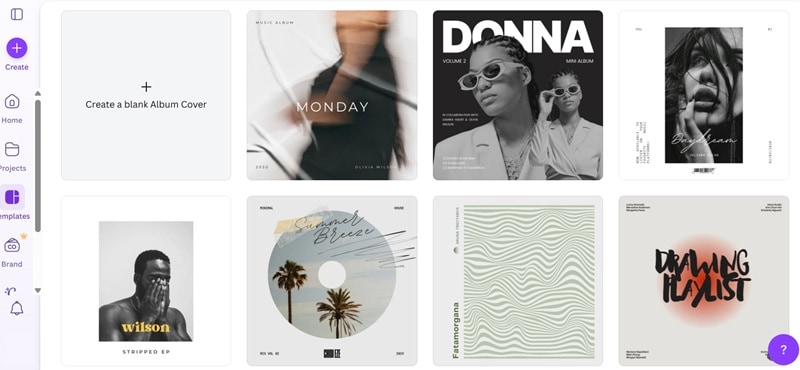
Next up is Canva. You probably already know it as a go-to design platform, and yes, it can absolutely work as your album cover art generator too. It comes packed with ready-made album layouts that are clean, trendy, and easy to edit. If you do not want to start from a blank canvas, this makes life way easier.
- Built-in AI image generator that creates images from your prompt.
- Ready-made album layouts that are already sized correctly for streaming platforms.
- Huge library of elements like stickers, graphics, fonts, and backgrounds.
- Online, Android, iOS.
- Free version available, with paid plans starting from $15 per month.
- Beginners who want speed and do not mind a template-style look.
- Simple drag-and-drop interface that makes editing feel easy.
- Good for quick Spotify-ready covers.
- Designs can feel template-based if you do not customize enough.
- AI image quality is not as detailed as some advanced tools.
4. Kapwing
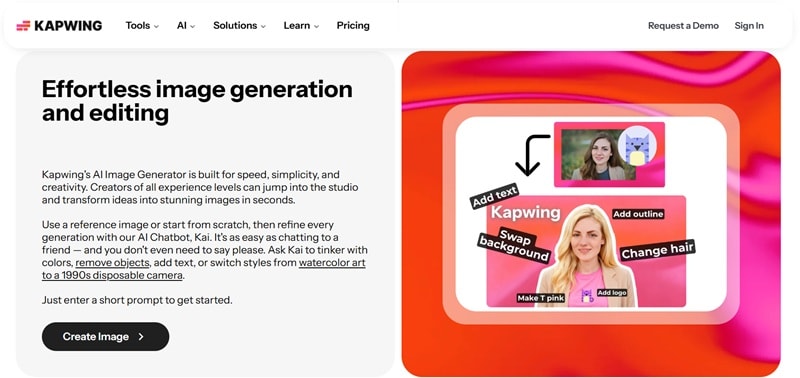
Another solid option on this list is Kapwing. Most people know it as an online video editor, but it can also work as your album cover maker AI tool if you want something simple and browser-based. It comes with an AI image generator that creates artwork from your prompt, so you can build a style design without downloading anything.
- Generates custom images with full commercial rights.
- Create an AI album cover in seconds using a simple prompt.
- Good for collaborative projects since everything runs online.
- Online.
- Free version available, with paid plans starting from $24 per month.
- Creators who want quick cover art and short promo videos.
- You can upload a reference image to guide the AI and get closer to your idea.
- You can refine results by giving direct feedback to the AI.
- The free version adds a watermark to exported images.
- The platform focuses more on video tools than deep image editing.
5. Neural Frames
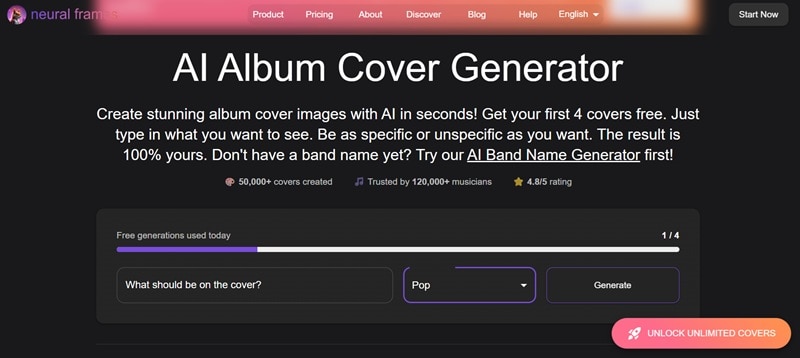
Our last pick is Neural Frames. If you are looking for an AI album cover generator free option to test ideas without jumping straight into a paid plan, this one is worth checking out. You simply write your prompt, pick the genre of your music, and it generates album cover concepts based on that direction. That extra genre selection helps guide the result so it feels more focused and aligned with your sound instead of random.
- Covers are generated using Stable Diffusion XL, which helps produce sharp and detailed visuals.
- AI Album Name Cover feature if you want the title integrated into the design.
- Wide genre selection including pop, metal, rap, jazz, and more.
- Online.
- Free trial available, with paid plans starting from $19 per month.
- Experimental and animated visuals, especially if you want something a bit different from typical static designs.
- Generates album covers based on your selected genre for better alignment with your music style.
- Images can be used for personal or commercial projects without attribution.
- No built-in editor to adjust or tweak your generated image.
- The AI images aren't always accurate to the written prompt.
Part 3. Step-by-Step: How to Use Filmora as Your AI Album Cover Generator
All the album cover art generators we mentioned are great options. You can easily create a solid cover with any of them. But if you really want yours to stand out, you can take it one step further and make it move.
Music platforms like Spotify even support moving visuals through the Canvas feature. This lets artists upload a 3 to 8 second vertical looping video that shows up in the Now Playing screen. It does not replace your main album cover, but it adds a more immersive vibe when people are listening.
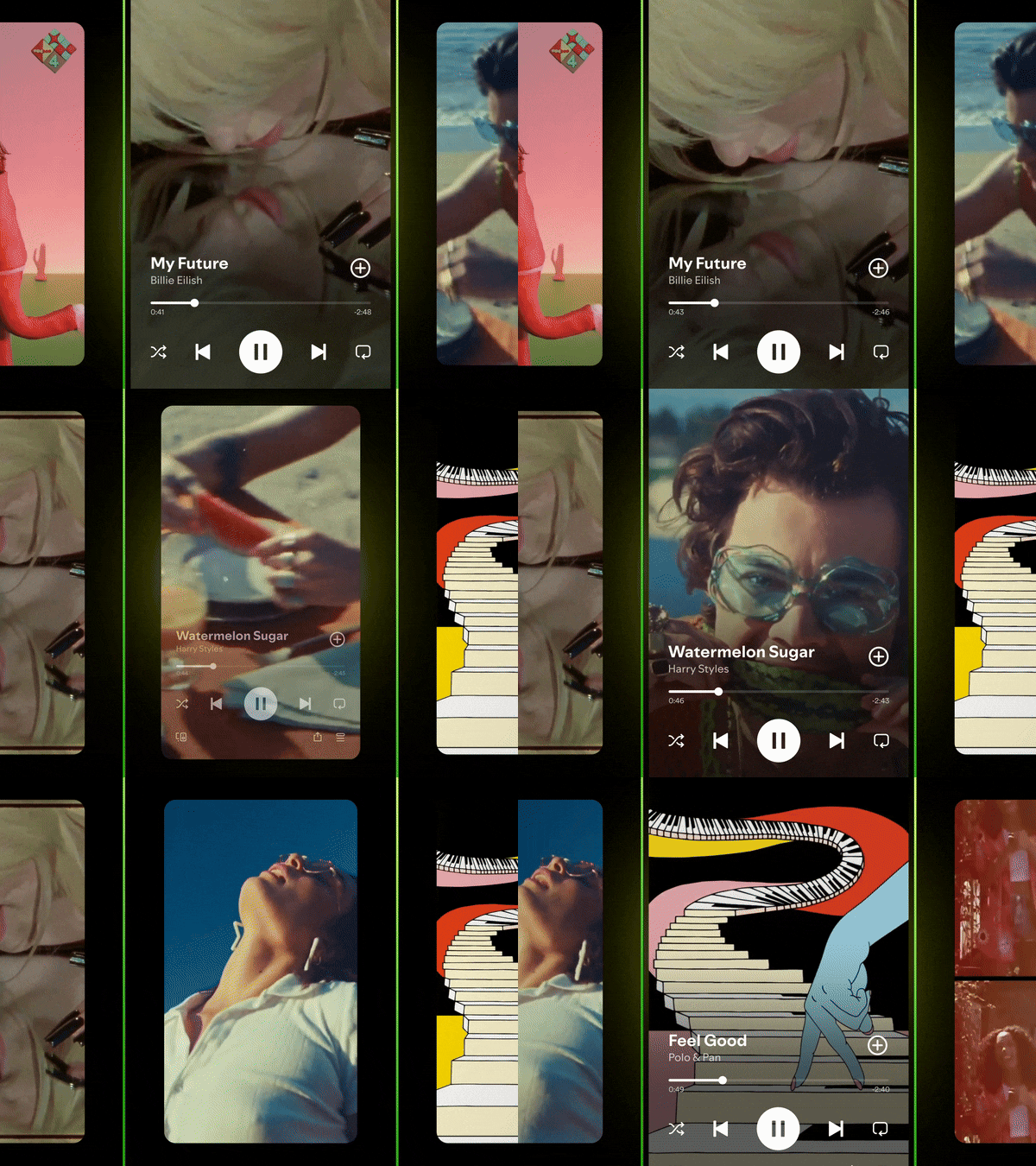
So after you generate your cover using an AI album cover generator, you can turn it into a short animated visual. Out of all the options we talked about, Filmora makes this part simple. You can generate your image, polish it, animate it, and export everything in one place.
If you want to use Filmora as your full album cover art generator and turn your design into both a static cover and a moving visual, just follow this simple workflow:
- Download and install the latest version of Filmora on your device.
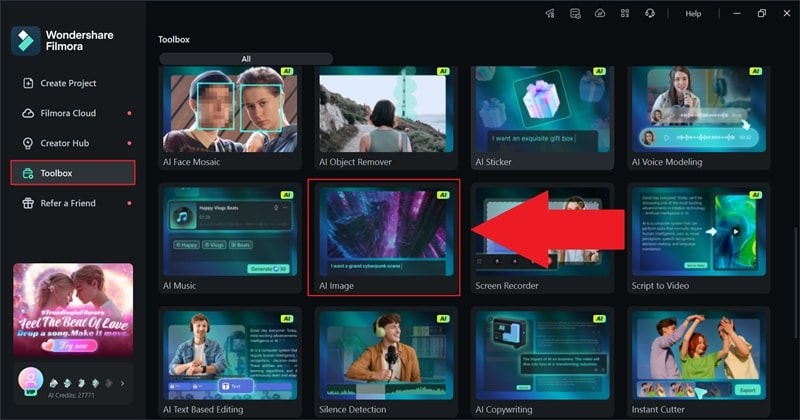
- Launch the app and head to the Toolbox section on the main screen.
- Click AI Image to start creating your album cover.
 Secure Download
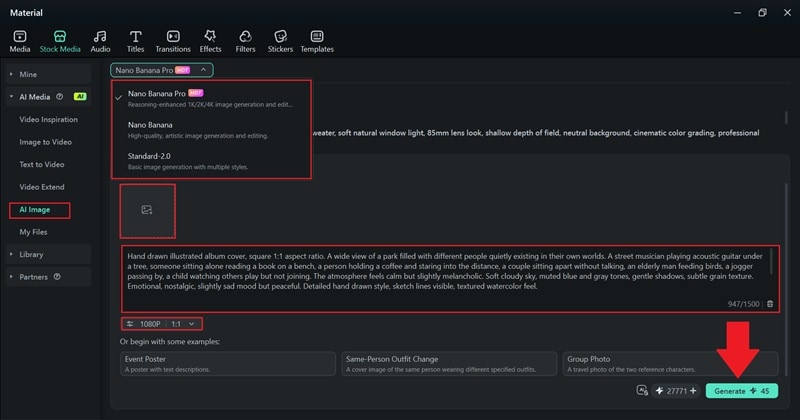
Inside the AI Image panel:
- Choose Nano Banana Pro for higher quality, or Standard for more style control.
- Upload a reference image if you want to use the album cover generator from the photo option.
- Write a clear prompt describing your album cover.
- Set the aspect ratio to 1:1, then click Generate.
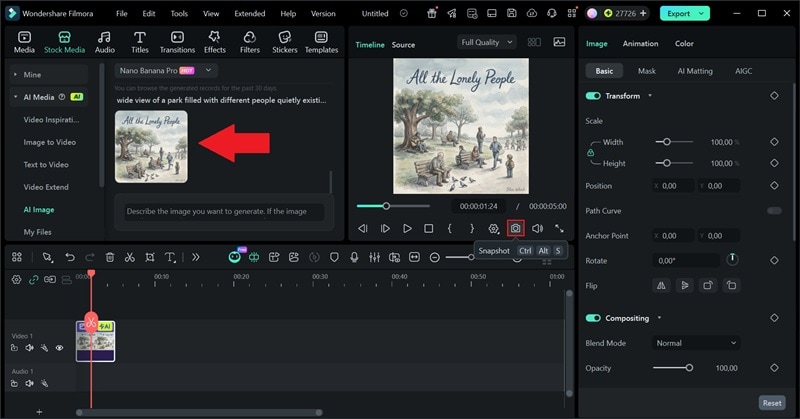
Review the result in the preview window. As you can see, the album already has the album title and the artist's name on it, so there's no need to do more typography work.
Click the camera icon to save the album cover to your device.
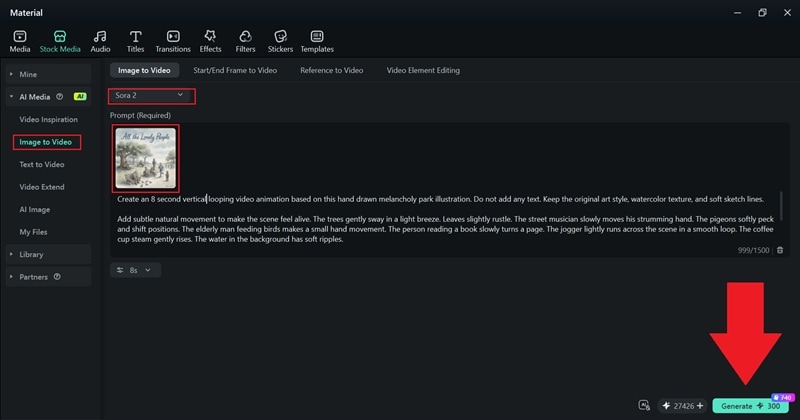
Now, open the Image to Video feature in Filmora.
- Choose Sora 2 for higher quality results.
- Click the image icon and upload the album cover you created.
- Type in the movement you want and click Generate.
- Go to the My Files section to find your AI-generated video.
- Download it and drag it into the editing timeline.
The clip may already include background music, but you can adjust it or add your own effects and filters. When everything looks good, click Export and save the final video to your device.
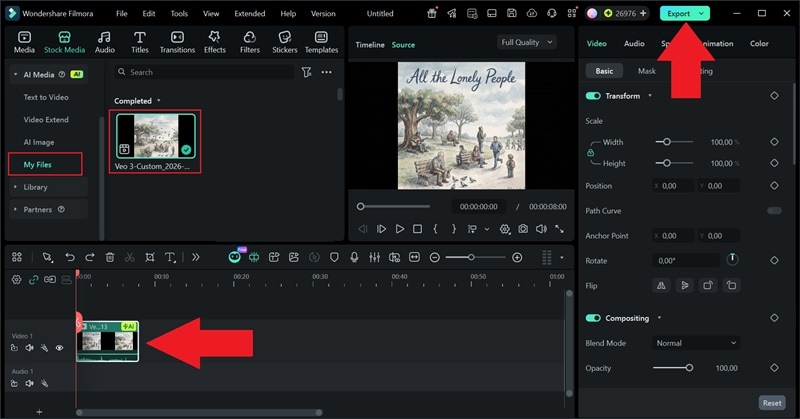
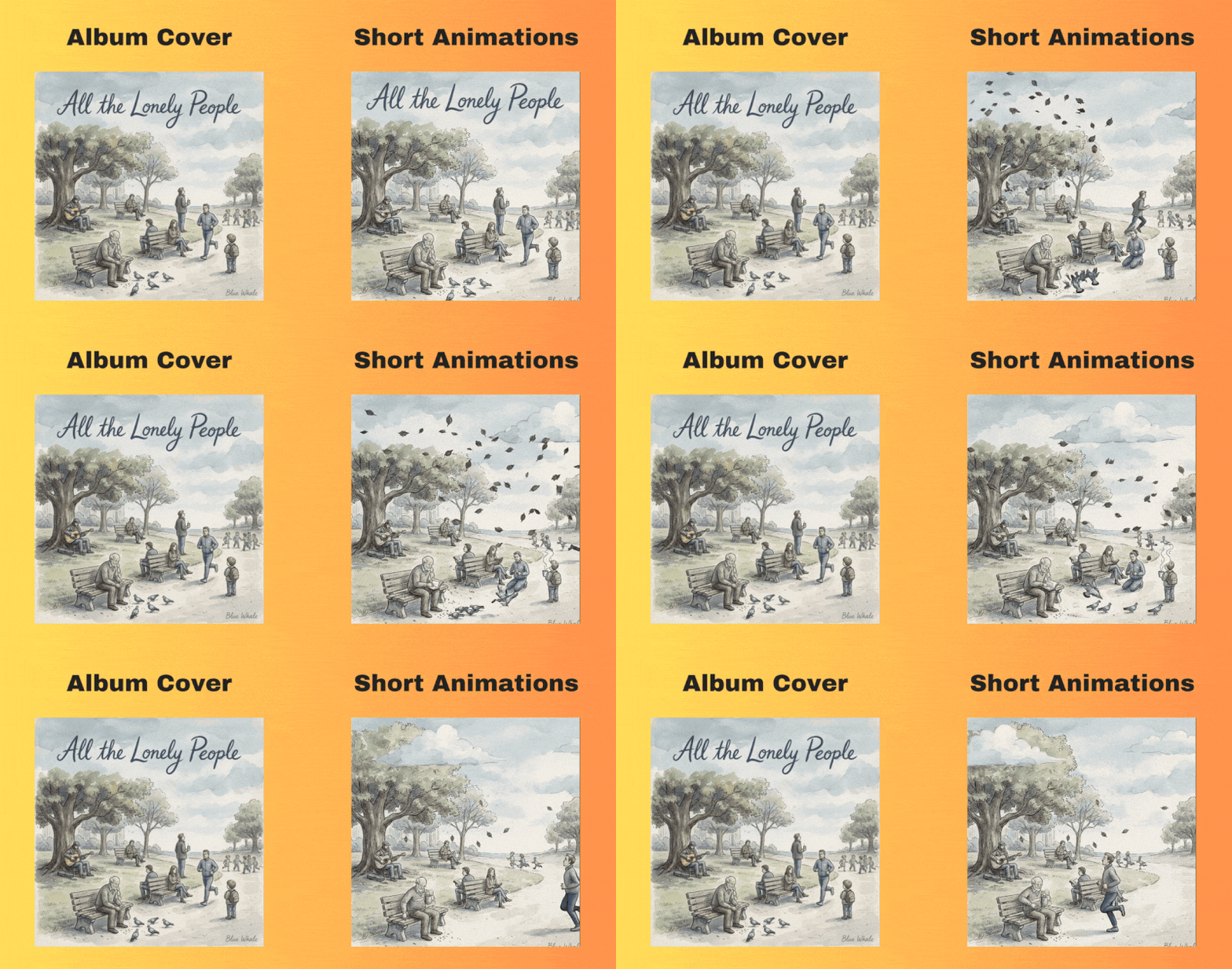
In just a few simple steps, you can create an album cover from scratch and then turn it into an animated visual. Everything happens in one smooth workflow without switching between different apps, which is why Filmora works so well as an AI album cover art generator.
And the result speaks for itself. Just look at how it turned out.
Part 4. 2026 Trending Album Cover Styles by Genre
Now that you know how to make your own cover using Filmora, you can create as many versions as you want. That is the fun part of using an AI album cover generator.
You are not stuck with one idea; you can test different moods, colors, and concepts until something really clicks, since album covers hit differently depending on the genre. Plus, trends shift every year, and if you want your artwork to feel current and not outdated, it helps to know what works for your lane.
Album Cover Trends in 2026 Based on Genre
Before you jump back into your album cover art generator, take a look at the guide below. It will give you ideas based on genre, so you can create something that fits your sound and still feels fresh in 2026.
| Genre | 2026 Trend | Color Palette | Visual Style | AI Prompt Tip |
| Rap | Cinematic street realism | Neon + Dark blues | Urban night scenes | "moody city rooftop, 35mm film grain" |
| Metal | Dark fantasy surrealism | Black, crimson, silver | Gothic landscapes | "epic medieval battlefield, dramatic lighting" |
| Pop | Minimalist hyper-clean | Pastel gradients | Soft blur portraits | "dreamy soft focus portrait, pastel background" |
| Indie | Retro 90s nostalgia | Warm faded tones | Polaroid textures | "vintage photo texture, subtle light leaks" |
| Electronic | Futuristic glitch art | Purple, cyan, chrome | Cyberpunk visuals | "cyberpunk skyline, holographic glow" |
|
Show More
Show Less
|
||||
Using an AI album cover generator from photo or text allows you to adapt to these 2026 trends instantly. For instance, creating a retro 90s indie cover or a futuristic glitch electronic art only takes a few adjustments in your prompt.
Part 5. Important: Copyright & Commercial Use of AI Covers
Before you upload your track everywhere, there is one thing you really need to check: Can you actually sell your music with an AI cover?
Most of the time, yes. A lot of AI album cover generator platforms include commercial rights in their paid plans. Still, you should not just assume everything is automatically cleared.
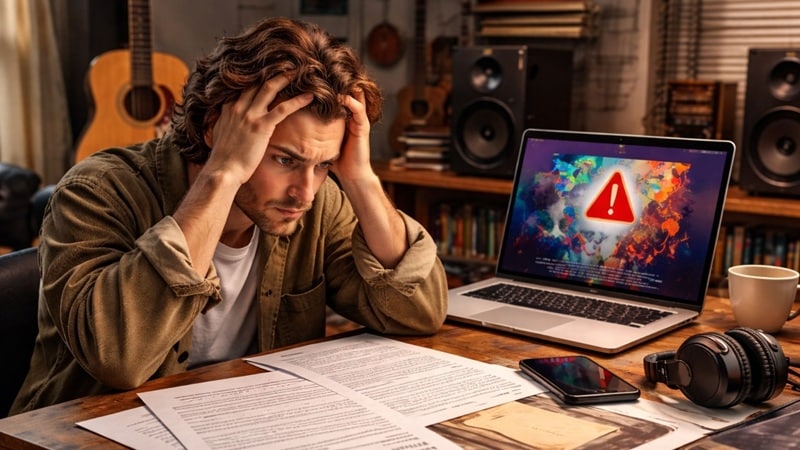
However, it's always important to take a minute to read the terms and make sure:
- You own the prompts and the final image.
- There are no restrictions tied to copyrighted training data.
- You do not need to give attribution.
If you are planning to release on Spotify, Apple Music, or even press vinyl, double check that your chosen album cover generator AI allows full commercial use. It only takes a few minutes to confirm, and it saves you from problems later.
Conclusion
Your album cover is the branding of your song. And to make it right, using an AI album cover generator is a smarter way to create good visuals if you have no design skills.
Several album cover art generators we have covered above have their own strengths. They are all solid picks. But if you want both static and animated covers in one place, Filmora stands out as the most complete option. It lets you generate images, refine details, add motion, and export everything for streaming without switching tools.
With Filmora, you can build a full visual identity around your music.

FAQs
-
What is the best free AI album cover generator?
Many tools offer limited free plans. Canva and Kapwing provide basic AI features, but for higher-quality results, a free trial of Filmora or other premium tools may give better output. Whatever you choose, always check export resolution limits.
-
How do I make a meme-style cover?
You can create album cover art using a generator by uploading a funny photo, adding bold typography, applying grain or retro filters, and experimenting with exaggerated AI prompts like "dramatic renaissance painting style but modern meme energy." For this style, both Filmora and Canva make the process simple and accessible.
-
What is the official Spotify album cover size for 2026?
Based on Spotify's current artwork guidelines, your album cover must meet specific technical requirements: it should be a square image with a 1:1 aspect ratio, with both width and height between 640px and 10000px, use the sRGB color space, and be 24 bits per pixel. Accepted file formats include TIFF, PNG, or JPG with lossless encoding. The color profile must be applied directly to the image, and you should not upscale low-quality images or include embedded color profiles or orientation metadata.
