100% Security Verified | No Subscription Required | No Malware
 TL;DR:
Installing aesthetic modifications for Stardew Valley requires manually replacing the game's original XNB system files within the Steam content directory.
● Because the game lacks official mod support and receives updates that can cause mod-breaking issues, users must create a backup of their original XNB files to successfully restore normal gameplay and uninstall modifications.
● The installation sequence involves navigating to C:Steam/steamapps/common/Stardew Valley/Content and directly overwriting the specific vanilla asset with the downloaded modified XNB file.
● Customization scopes vary by specific mod limitations, such as Stardew Anime Mods exclusively updating female character portraits and leaving bachelor characters in their default appearance.
Ask AI for a summary
 ChatGPT
 Perplexity
 Gemini
 Claude
 Grok
Grok
Stardew Valley has been spiking in gamming since it was released in 2016. Many mods are present that can act as add-ons for your Stardew Valley, providing controls over how your animals look like, fishing gets smoother, adding patches, and fixing game proportion.
This guide to best Stardew valley mods is thoroughly modern, which can customize this game using mods. We can decide how our game interior will look and how our farm life will get more leisure from these mods.
You can easily find the best Stardew Valley mods from the official Stardew Valley Mod forum. Where you can find the best Stardew Valley mods day by day and do not worry about the prospects of your computer, it is a benefit to use the best Stardew Valley mods That can play it on any low specs device.
A noticeable thing here is that Stardew Valley is still getting updates, and there is no official support for mods, so maybe you can get some mod-breaking issue that can make you reinstall the game. So the solution for this problem is to get a backup of your XNB file if you want to shift back to normal from any mod.
Now let's see the seven best Stardew valley mods:
1.Ali's Overgrown Fairy Buildings
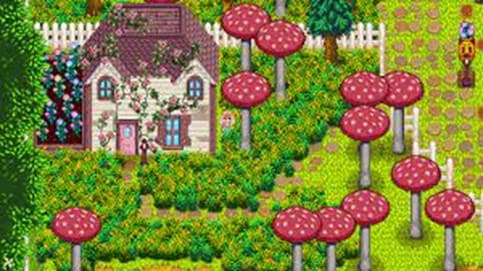
The pink and white texture of buildings is not every person's taste, but the overgrown fairy buildings mod is so carefully designed that we have to add this mod to our list of best Stardew Valley mods. This mod is going to change your regular farm into pink and white textures. Vines and flowers will be added to buildings; everyone likes to customize its gaming environment, which is a very sweet personalization off your farm. And the thing I love most about Ali's overgrown fairy buildings is that Smile Hutch is changed from a Palace to a small cottage with a garden full of flowers.
2.Bathhouse Hot Spring
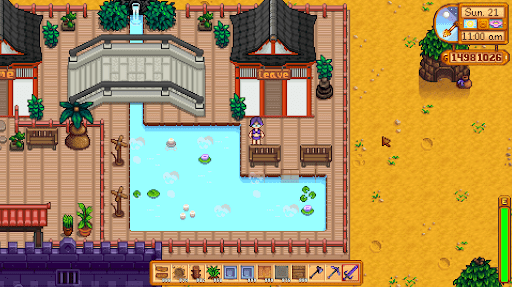
At the north of Pelican Town, you can find Bathhouse Hot Spring. In the bathhouse hot spring, you can energize yourself and feel refreshed, but the whir of fans is a different kind of feel which you can find in an idyllic valley if you want the sound of smooth water running through hot spring while gameplay, you should use the mod bathhouse hot spring. The last update that we got on the bathhouse hot spring mod was from 2017, so we can say its upper back that another update can be a better version.
3.Modern Gothic Interior
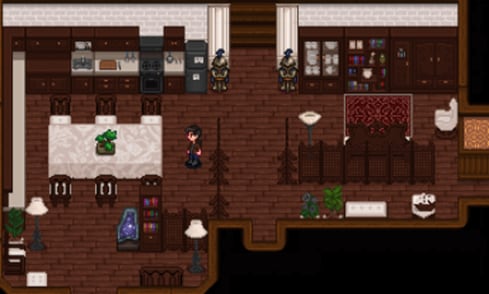
In terms of interior design, modder Coldazrael's Modern Gothic Interior restyles many pieces with dark wood and stark white textiles. When you have worn out the likelihood of Stardew's vanilla furniture, the Gothic furniture will give your room a completely different feel.
4.DCBurger's Portrait Mod
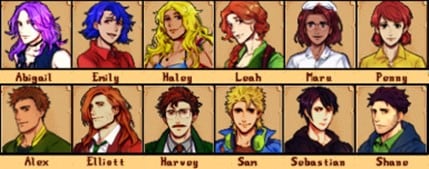
DCBurger's Portrait Mod is my favorite portrait mod because, unlike other anime character alterations, DCBurger's portraits are grainy. Featuring square jaws and more robust characteristics, all of the figures have a darker look. They do not match in with the vanilla Pelican Town, but they're a welcome change of pace from the charm. The Portrait mod, which allows for higher quality avatar portraits, is being used in the portraits.
5.Stardew Anime Mods
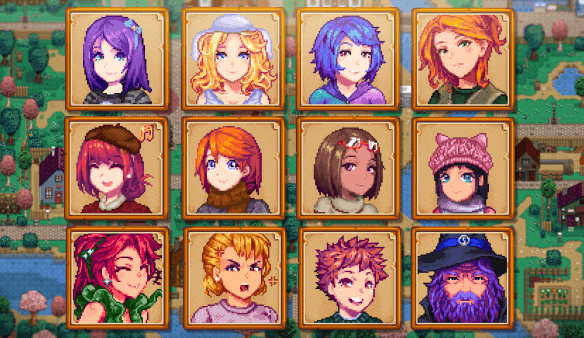
For legitimate reasons, Stardew Anime Mods is one of the most beloved portrait mods of Stardew. It has pixel graphics in detail and is vividly hued, and it blends in well with vanilla Stardew Valley. However, it primarily contains portraits of Stardew Valley's young lady, which means bachelors will appear less dazzling in contrast.
6.Monster Valley
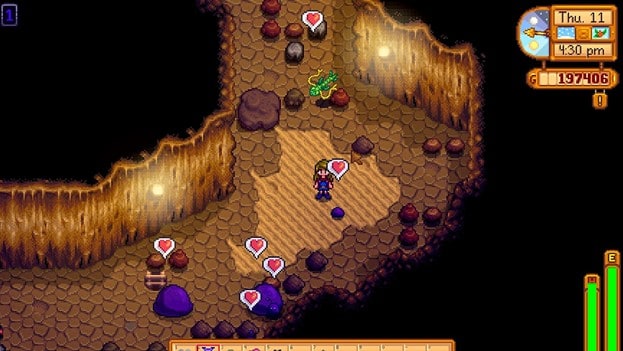
For the last year, video games about monsters meetings, swords, and birds have made their way into the gaming mainstream, and Monster Valley follows in their crazy tracks. The images and sprites of Pelican Town's most eligible families are turned into terrifying replacements in Monster Valley. Sebastian and Robin are transformed into devils, while Maru and Demetrius are transformed into stitched dolls. Elliott is transformed into a merman.
7.Elle's Cat Replacements
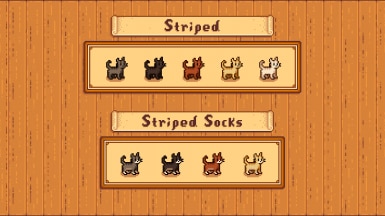
Elle's Cat Replacements can convert your farm cat into anything, e.g., calico to a tortoiseshell. Dog Alternatives, New Horses, are added, and several more animal replacing mods have been created by Elle.
How to install the best Stardew Valley mods
The majority of these mods are minor adjustments to the system's XNB files. All you have to do is install the XNB file after downloading the altered XNB, locate the individual XNB file in the Stardew Valley Content's file—the standard location is "C:Steam/steamapps/common/Stardew Valley/Content," and replace the original XNB with the altered one to use the best Stardew Valley mods. However, you should make a backup of the original if you decide to uninstall the mod.
Wondershare Filmora
Get started easily with Filmora's powerful performance, intuitive interface, and countless effects!