

 TL;DR:
Language Reactor is a highly practical, desktop-only Chrome extension that overlays dual-language subtitles and an interactive dictionary onto Netflix and YouTube for casual-to-intermediate language immersion.
● Requires an active internet connection, a desktop Google Chrome browser with no mobile or smart TV support, and a separate paid subscription to access Netflix content.
● The free tier provides basic dual subtitles and playback shortcuts, while the $5.95 per month Pro Mode adds Anki vocabulary exporting, dubbed track speech recognition, and machine translation restricted by a 5-hour per day quota on new content.
● For alternatives, Migaku is better for advanced learners requiring 1-click Anki integration and local file support, whereas Trancy suits users seeking mobile apps and AI coaching across broader platforms like Disney+ and Coursera.
Ask AI for a summary
 ChatGPT
 Perplexity
 Gemini
 Claude
 Grok
Grok
It is frustrating when you want to turn your favorite series into effective practice, but you end up spending more time pausing than actually enjoying the story. That is exactly where the Language Reactor Chrome extension comes to the rescue.
Formerly known as Language Learning with Netflix, Language Reactor has been the go-to tool for language lovers for a while now. But if you are new to the platform, you probably have a few big questions before diving in: is Language Reactor free? is Language Reactor safe? and is Pro Mode actually worth your time? In this full Language Reactor review, we will dive into all of that!
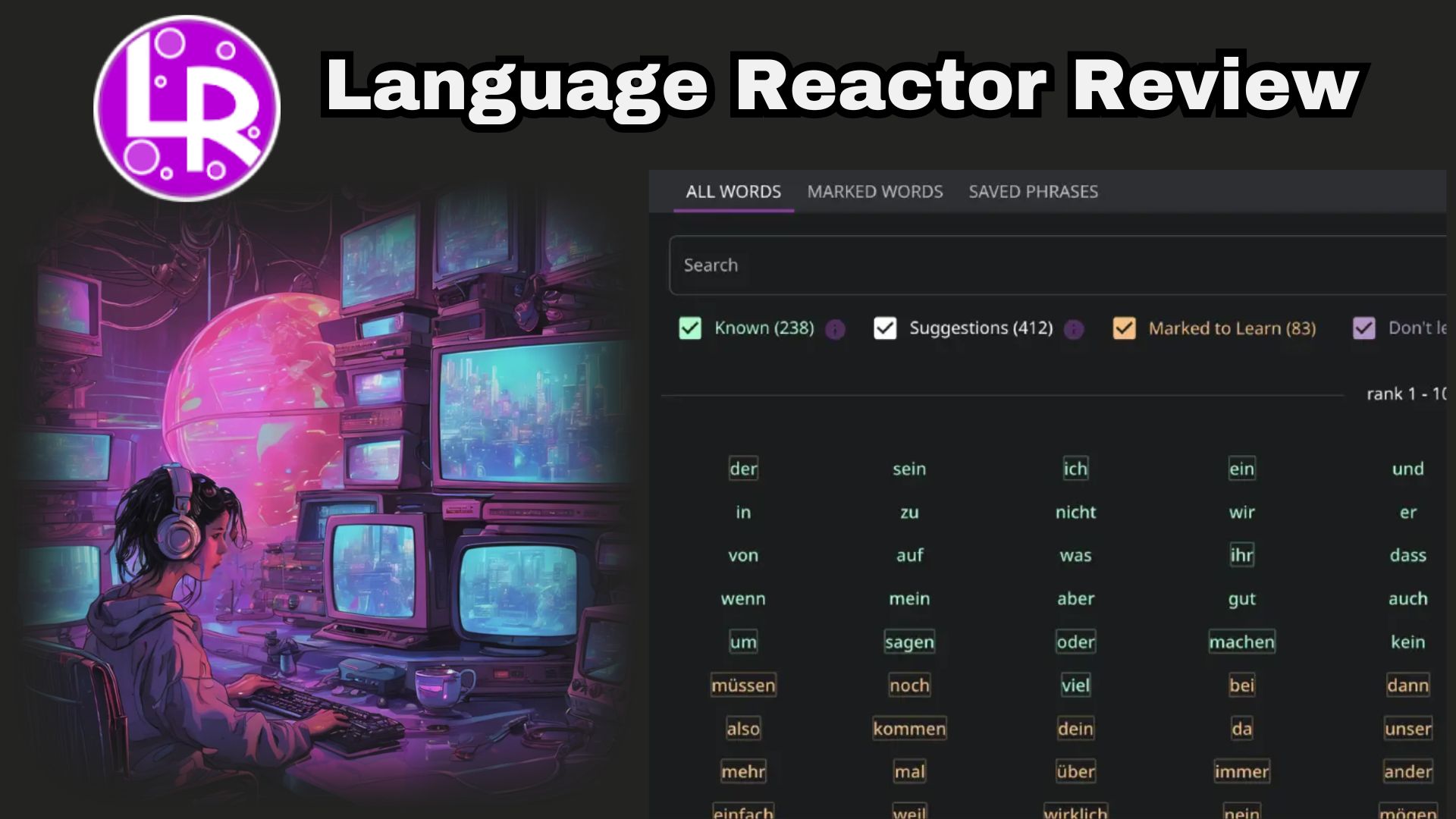
Part 1. What Is a Language Reactor?
Have you ever wished you could hover over a word in a movie subtitle and instantly see what it means without stopping the whole video? That's basically what Language Reactor does. This browser extension lets you get the original dialogue and a translated version side by side.
If you Google "Language Reactor", you'll see that the project actually started life under a different name: Language Learning with Netflix. But in 2021, the tool expanded past Netflix and into YouTube, text imports, and its own flashcard system, so the team rebranded it as Language Reactor.
Today, the Chrome extension of Language Reactor has been downloaded by more than 2 million users, with a 4.2-star rating from about 4.4K ratings. But the goal remains the same, which is to bridge the gap between boring grammar books and real native media.
Downloading and Installing Language Reactor
Since Language Reactor works as a Chrome extension, you'll need to install it before any of its learning features show up on supported sites. The setup itself takes less than two minutes:
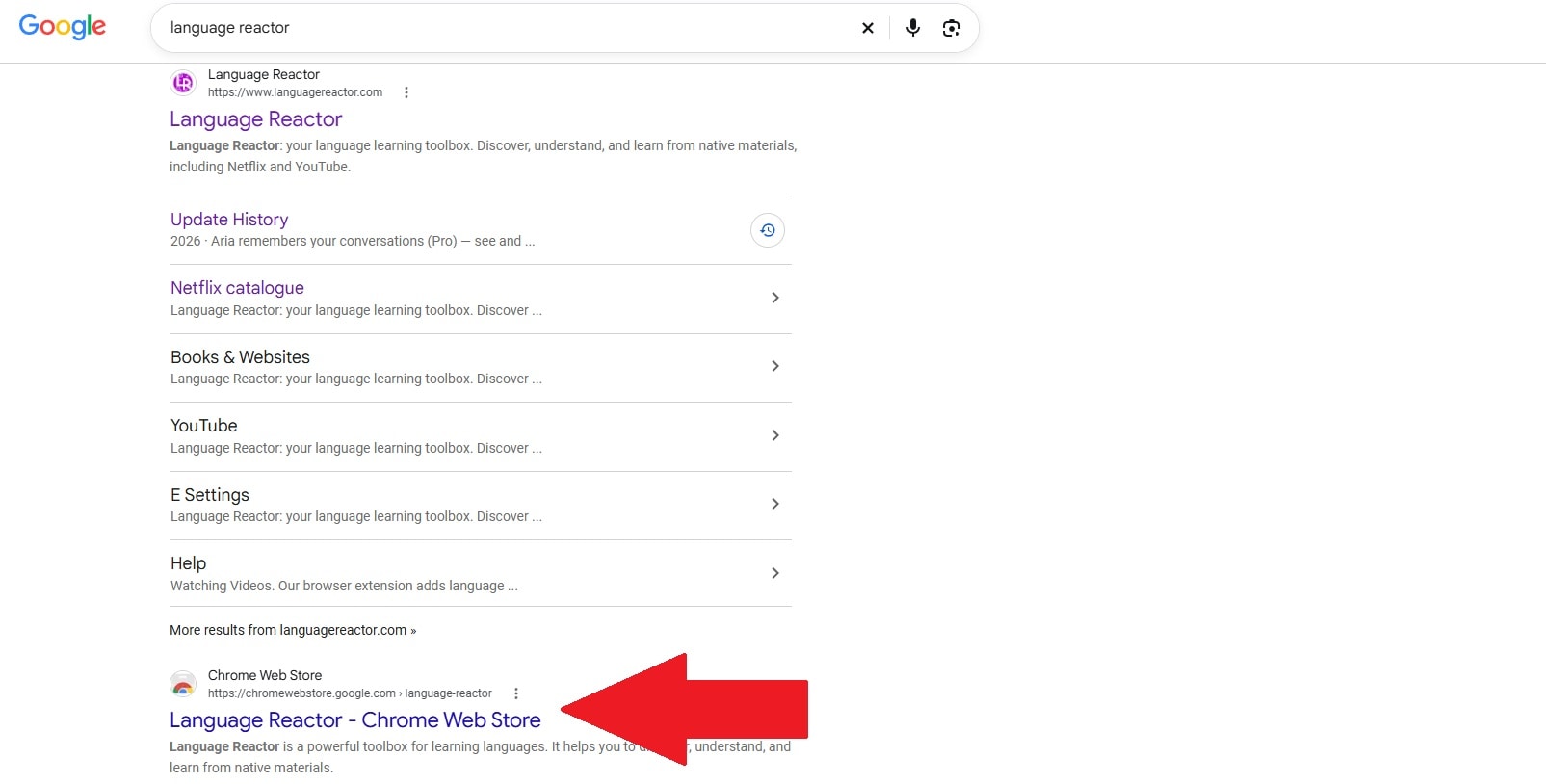
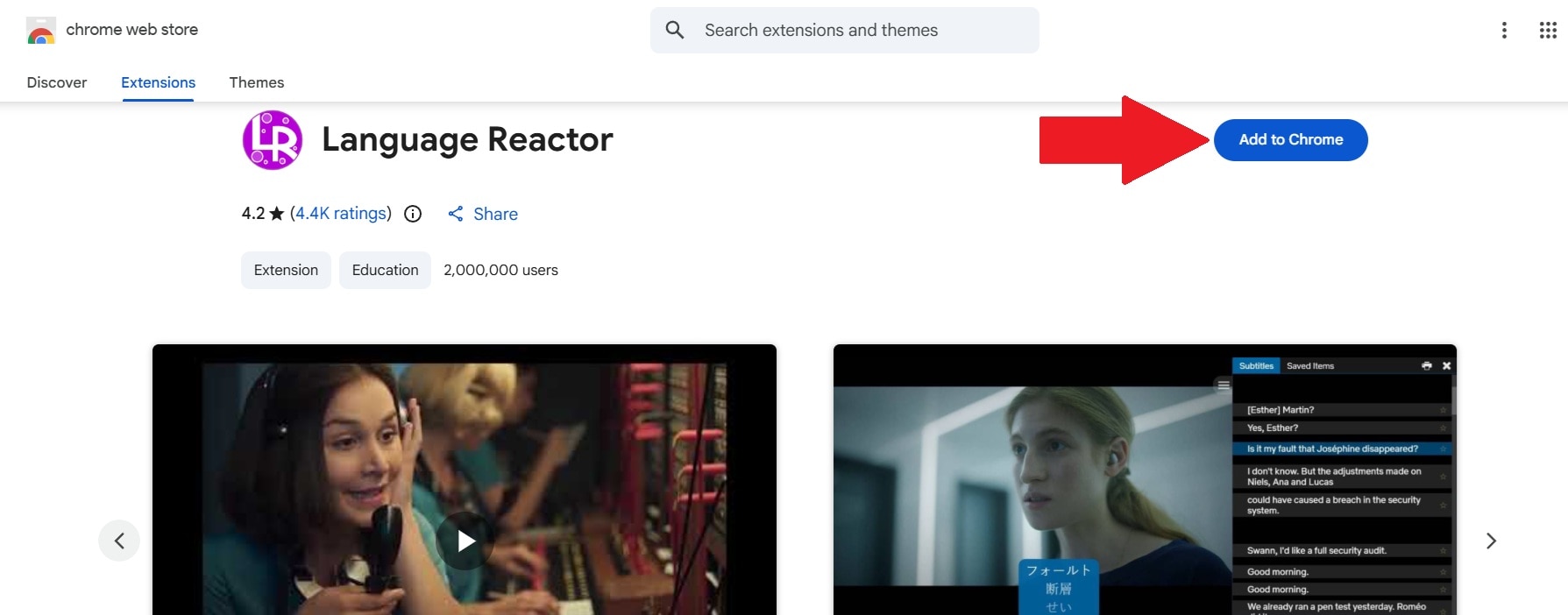
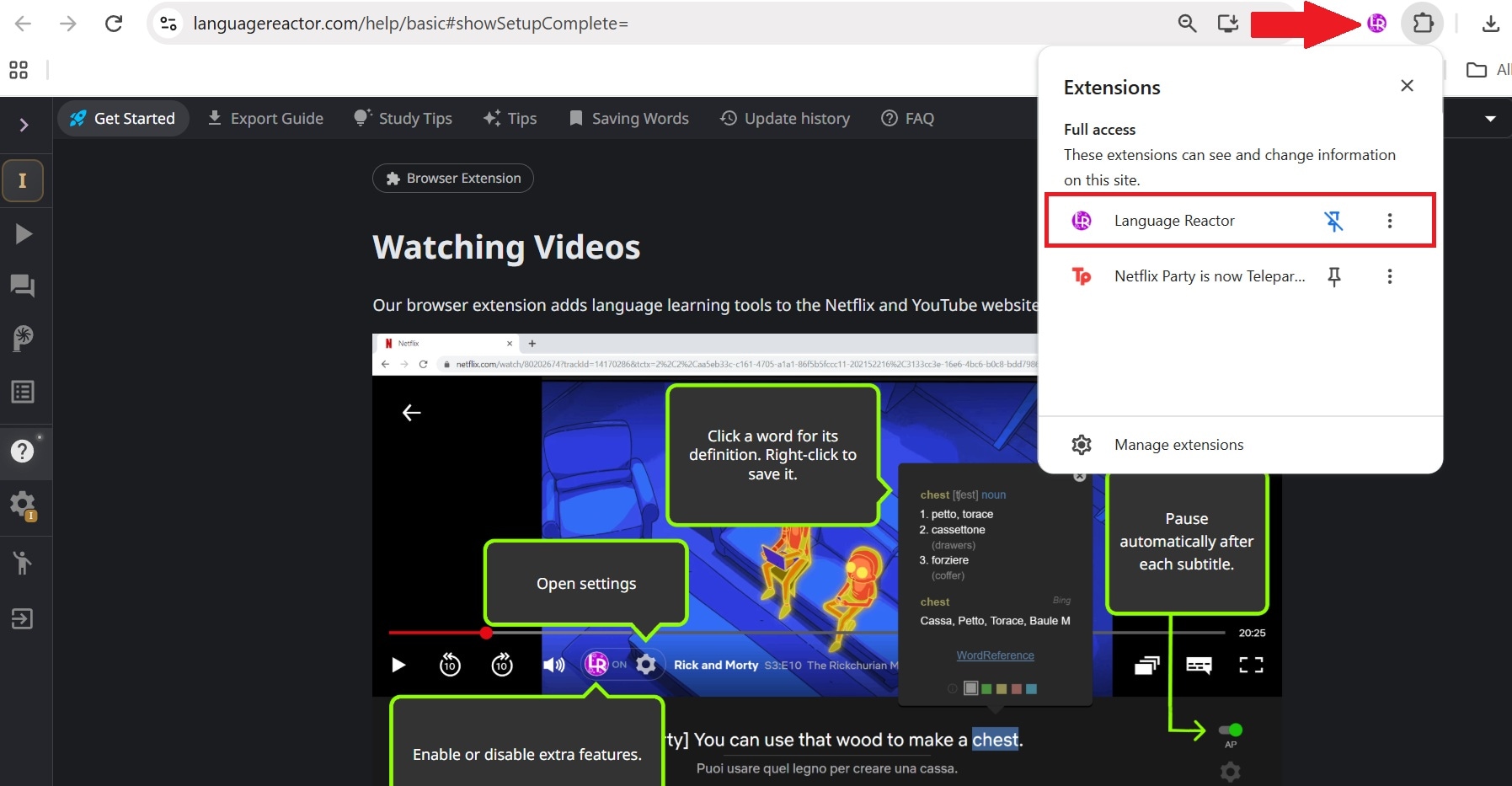
Now, whenever you open YouTube or Netflix and play a video in your target language, the bottom panel will automatically launch!
Part 2. Core Features: How Language Reactor Enhances Immersion
Of course, our Language Reactor review will also dig deep into its feature set. Some are designed for quick comprehension, while others are more useful when you want to turn something you watched into actual study material. Here's what you're actually working with:
1. Dual-Language Subtitles
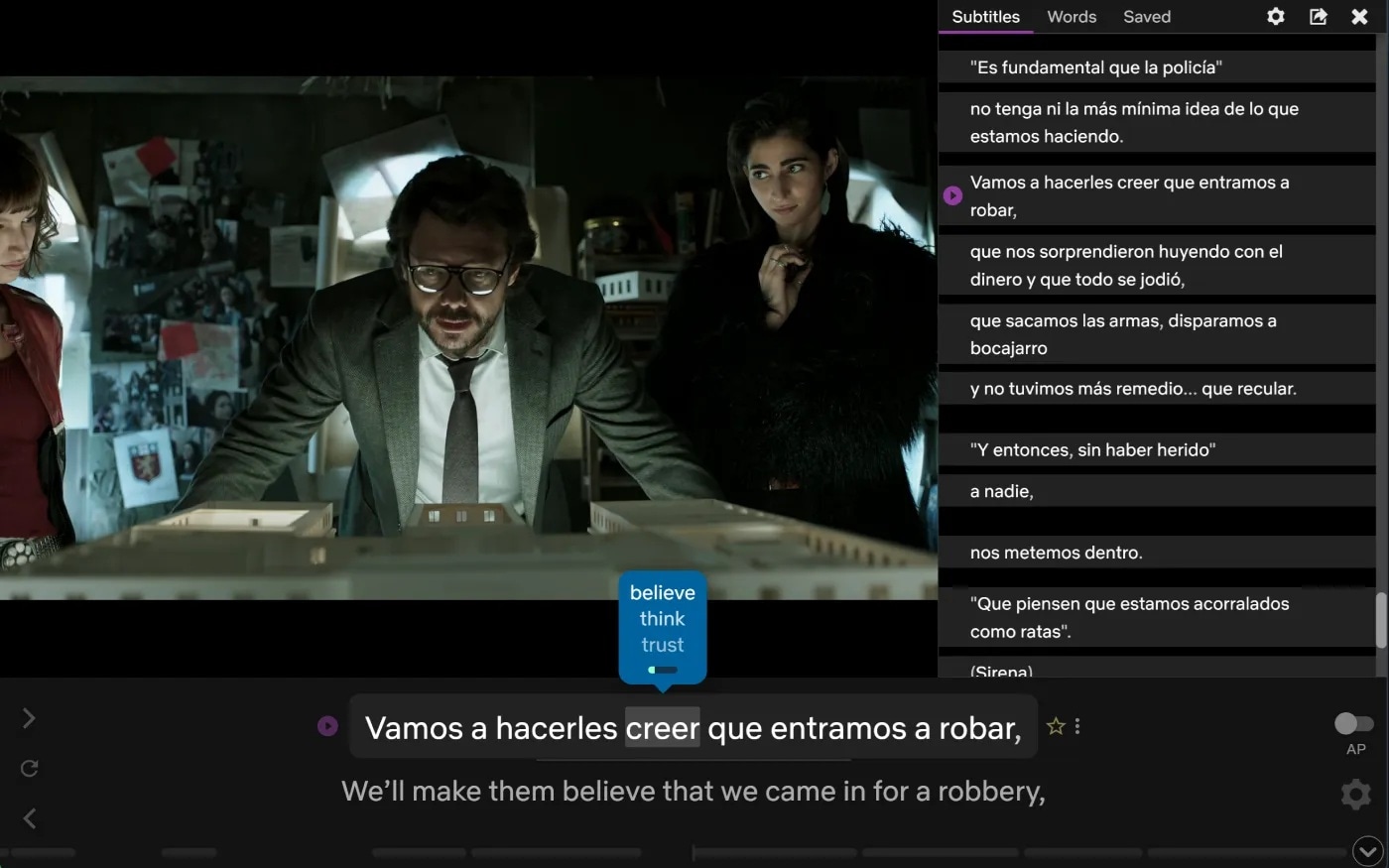
This is the feature everyone comes for. Language Reactor displays the original target-language subtitles alongside a translated version in your native language, at the same time, right there on Netflix and YouTube. So, no more toggling subtitle tracks back and forth or losing your place.

2. Interactive Hover Dictionary
Found a word you do not recognize? You do not have to leave the video and open another tab. You can hover your mouse over (or click) pretty much any word on screen, and the video pauses automatically while you get the native pronunciation, a grammar breakdown, and a definition that actually fits the context of the scene.
3. Granular Playback Controls
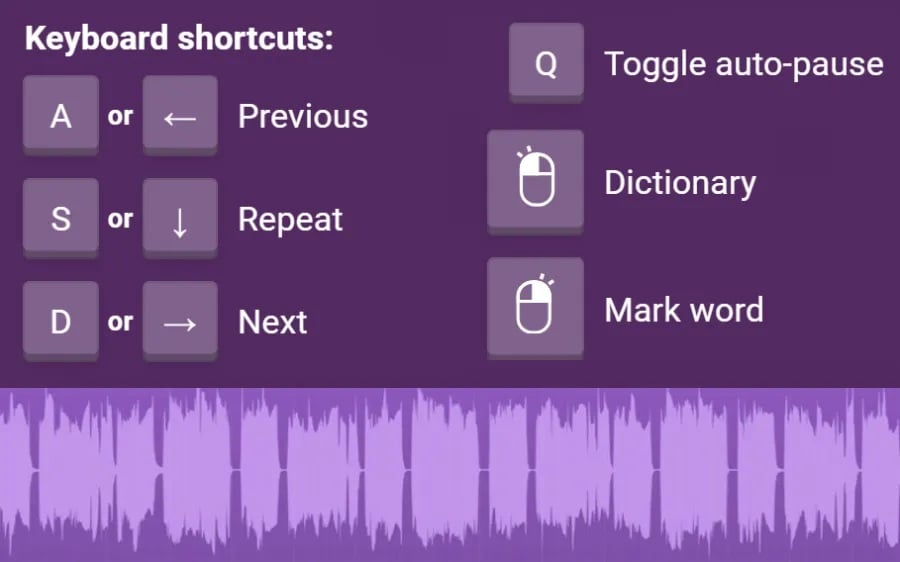
Language learning often needs something more precise. But if you use Chrome Language Reactor, you can use simple keyboard shortcuts to jump back line-by-line, repeat tricky dialogue, slow down playback without pitch distortion, or set the video to auto-pause after every spoken line.
4. Text & Web Import
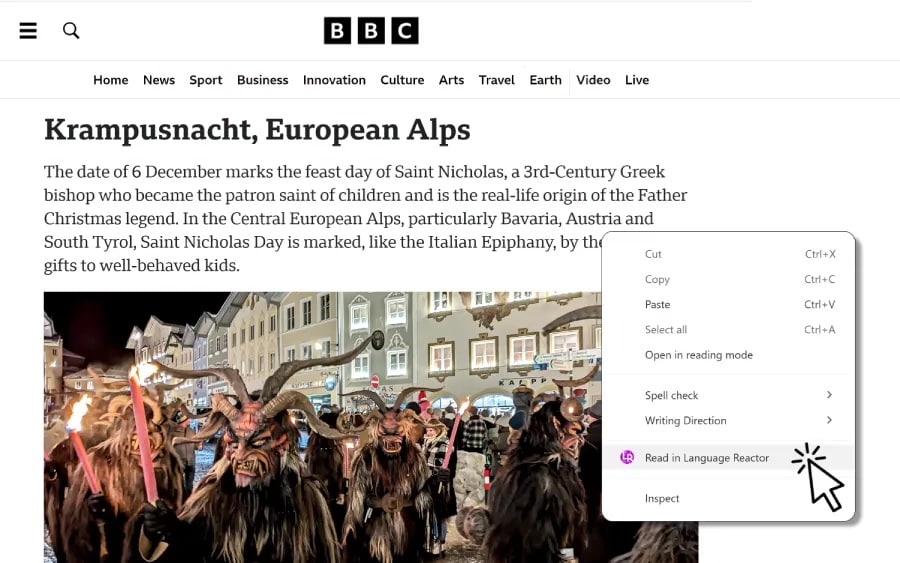
Language Reactor Chrome extension is not limited to streaming video. You can paste in web articles or upload plain text files, and Language Reactor will generate dual-language translations along with realistic text-to-speech audio, so you can build reading practice out of literally anything online.
5. PhrasePump & Saved Vocabulary
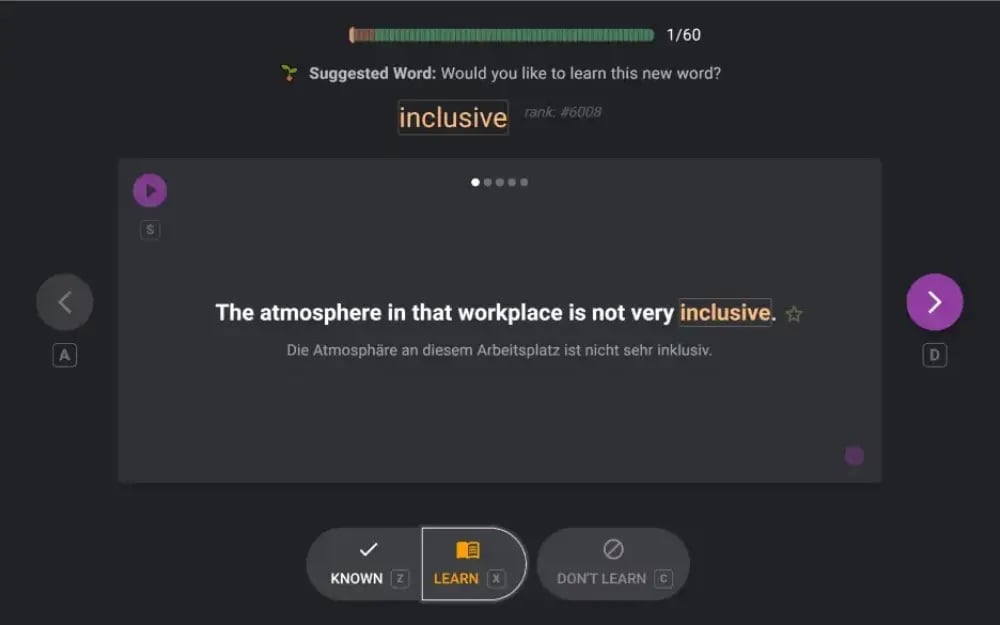
This is Language Reactor's built-in spaced repetition system (SRS). It tracks how often a word shows up across everything you watch, saves the ones you flag, and quizzes you later using the exact native sentence you first saw it in. That makes the vocabulary side more useful than simply keeping a giant list of words you once thought were interesting.
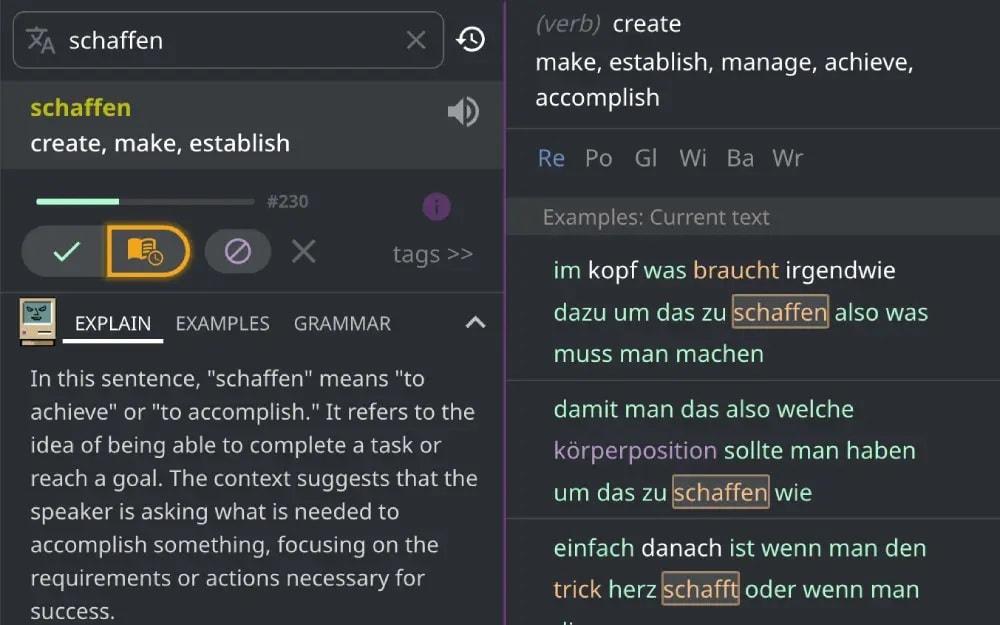
6. Lexa AI
Some language questions cannot be answered well by a one-line definition. So, for the stuff a plain dictionary can't handle (slang, idioms, sentences that don't translate literally), Language Reactor leans on its Lexa AI dictionary model to explain what's actually being said and why.
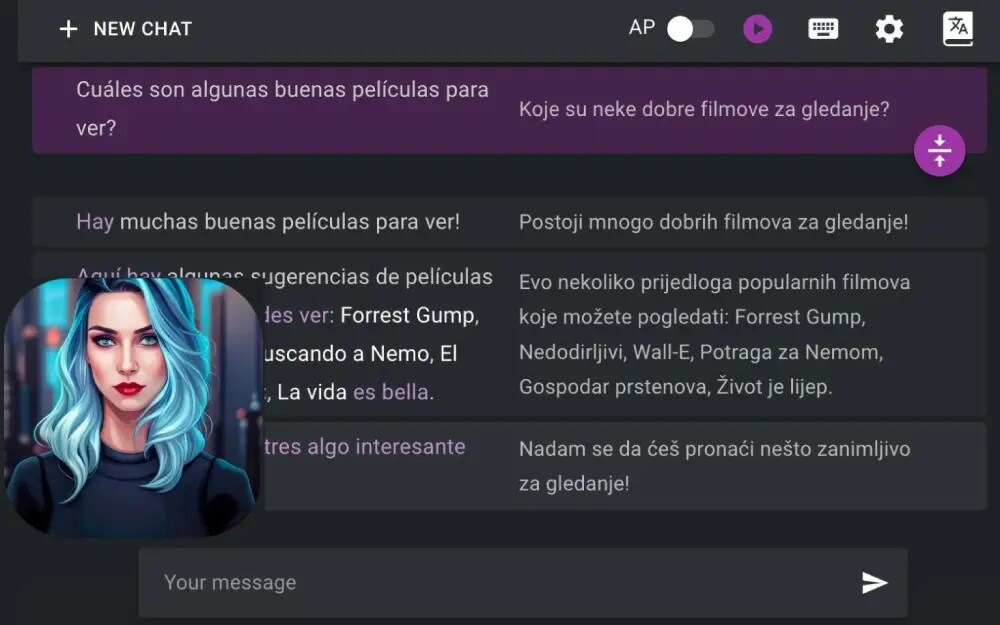
7. Aria Chatbot
There's also Aria, a built-in AI conversation partner inside the Language Reactor Chrome extension. You can use it when you want some open-ended speaking or texting practice outside of watching content. It's a nice add-on, though as you'll see in the pros and cons below, it's not the strongest part of the toolkit.
Part 3. Language Reactor Pricing Explained: Is Pro Mode Worth It?
With all those features, many are wondering if the extension is free at all. Well, discussing Language Reactor pricing is a bit tricky, because while it is packed with generous free features, upgrading to Pro Mode adds several advanced options for serious learners.
Free vs Pro
| Feature | Free | Pro |
| Dual Subtitles (Netflix & YouTube) | Yes, for titles with an official translation already available | Yes, plus machine translation opens up nearly any title (roughly a 5-hour/day quota on new content) |
| Hover Dictionary & Auto-Pause | Fully included | Fully included |
| Speech Recognition for Dubbed Tracks | Not included | Included (creates transcriptions for dubbed audio) |
| Saving Words & Phrases | Basic (PhrasePump only) | Unlimited across all sites & features |
| Exporting Vocabulary to Anki | Not included | Included |
| Aria AI Chatbot Memory | Session-only | Persistent memory across chats |
|
Show More
Show Less
|
||
Subscription Plans & Payment Options
| Plan Duration | Cost | Payment Method |
| 1 Month | $5.95 | Credit Card, PayPal, Google Pay |
| 3 Months | $13.95 | Credit Card, PayPal, Google Pay |
| 1 Year | $39.95 | Credit Card, PayPal, Google Pay |
| One-Time / Custom | From $7 | Bitcoin (No recurring charge) |
Quick Note: None of these plans auto-renew by default, so you won't get hit with a surprise charge if you forget to cancel. Also keep in mind that to use Language Reactor on Netflix specifically, you'll need your own active Netflix subscription on top of this. Pro Mode only unlocks Language Reactor's own features, not Netflix access itself.
Part 4. Language Reactor Pros & Cons
At first glance, the Language Reactor Chrome extension can seem like it covers almost everything a video-based language learner could want. And it does pack a lot into one extension.
But more features don't automatically mean a better experience for everyone, and laying both sides out side-by-side makes it a lot easier to tell if this is actually the right fit for how you learn. Here are the trade-offs worth knowing before you settle on it.
- Super Smooth Streaming Integration: Plugs straight into Netflix and YouTube without needing external media files or clunky video players.
- Generous Free Tier: You get dual subtitles, keyboard shortcuts, and dictionary lookups without paying a single dime.
- Wide Language Coverage: Support for more than 30 languages means this isn't just a tool for Spanish or French learners, it covers plenty of less mainstream options too.
- Great AI Context Explanations: Lexa AI helps you figure out weird regional slang that literal machine translations usually ruin.
- No Mobile Support: It only runs as a desktop browser extension, so you cannot use it on your phone, tablet, or smart TV.
- Requires Online Streaming: You cannot load offline video files saved directly on your computer's local storage drive.
- Subtitles Are Sometimes Off: If YouTube video uploaders provide bad auto-generated captions, Language Reactor has to rely on those flawed transcriptions.
- Translation Quota Can Run Out: Pro's machine translation quota (around five hours of new content per day) is generous for casual use but can run dry during a serious binge-watching session.
Part 5. Language Reactor vs Migaku vs Trancy: Which Is Better for Immersion?
Our Language Reactor review will also talk about its competitors. When people go looking for a Language Reactor alternative, two names come up constantly: Migaku and Trancy.
All three exist to turn native content into something you can actually learn from, but they each lean into a different part of the experience. Instead of comparing every tiny setting, here's how they compare on the things that actually affect your day-to-day learning.
| Feature | Language Reactor | Migaku | Trancy |
| Primary Platforms | Netflix, YouTube, Web Text | Netflix, YouTube, Disney+, Web, Local Files | Netflix, YouTube, Disney+, Coursera, Udemy, TED, and edX |
| Anki Integration | CSV / Direct Export (Pro) | Advanced 1-Click Card Creation with Audio & Screenshots | Basic Anki Export |
| Mobile Support | Desktop Browser Only | Browser, Android, iOS | Browser, Android, iOS |
| AI Companion | Lexa AI & Aria Chat | Basic AI assistance | AI Sentence Analyzer |
| Free Tier Access | Highly functional free tier | Free trial available, full features require a paid plan | Free basic dual subtitles |
| Best For | Casual-to-intermediate video immersion | Intermediate-to-advanced learners doing deep, SRS-first immersion | Casual-to-intermediate who want AI coaching |
|
Show More
Show Less
|
|||
Bonus: Create Your Own Language-Learning Videos With Filmora
Based on our Language Reactor review, the extension is fantastic when you're learning from content that already exists out there on Netflix or YouTube. But if you're a language teacher, tutor, or content creator who wants to build your own dual-language lessons from the ground up, a browser extension isn't going to export finished video files for you.
In that case, you'll have to rely on a video editor, and there's no better option than Wondershare Filmora.

 Secure Download
This all-in-one editor is an ideal tool for generating, styling, and hardcoding dual captions into permanent video files.
Filmora Features That Help With Building Dual-Language Content
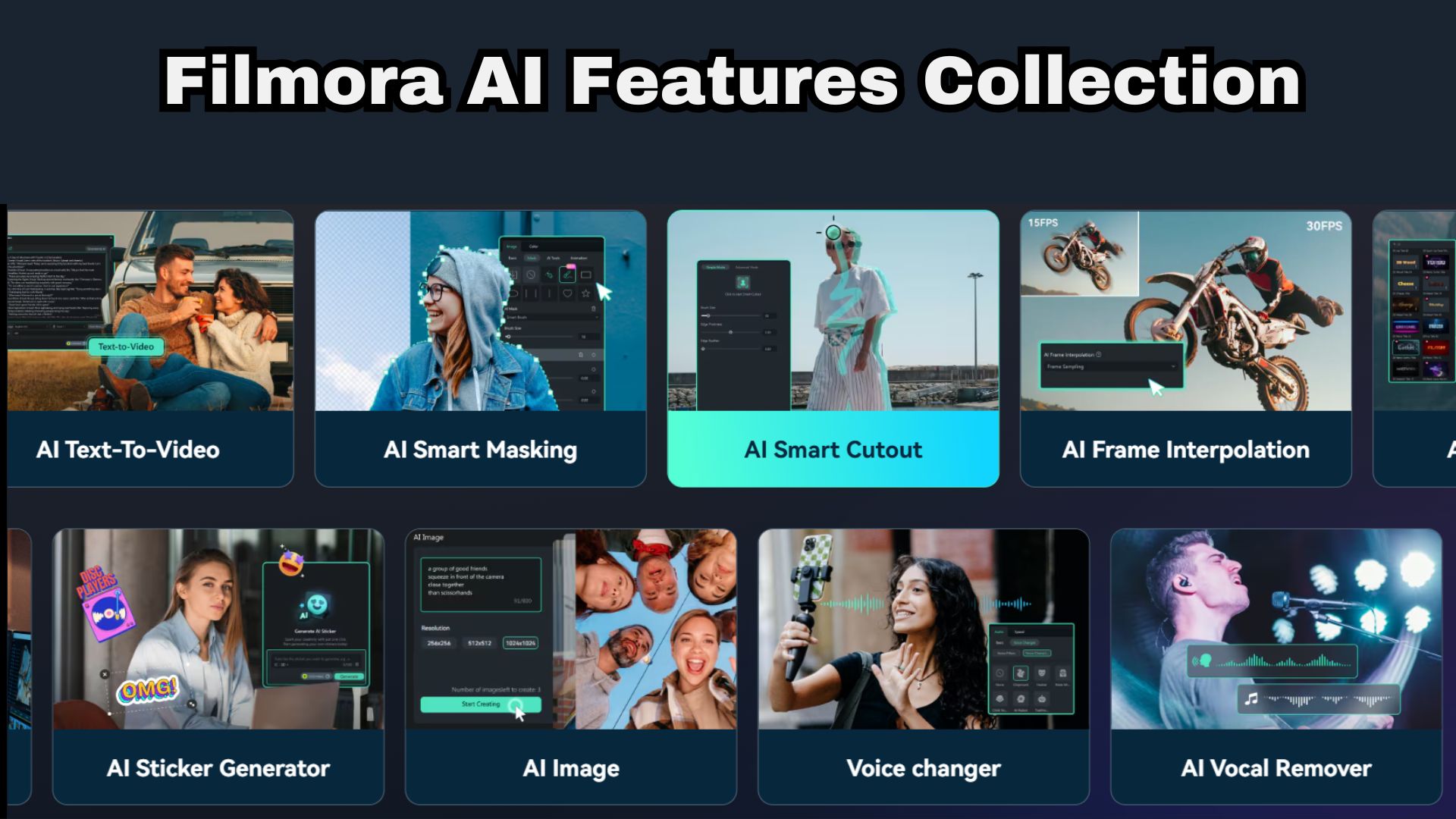
To help you create your content, Filmora is filled with plenty of AI features. Below are some of the most useful ones:
- AI Subtitle & Auto-Captioning: Instantly transcribes audio into text across dozens of languages. Includes custom typography styling, animated text presets, and keyframing to highlight active target vocabulary visually.
- AI Video Translation & Voice Cloning: Translates spoken video dialogue into target foreign languages while using voice cloning to keep the original speaker's tone and pitch.
- AI Text-Based Editing: Transcribes audio into an interactive text document, allowing creators to delete filler words or mistakes by simply editing the script text.
- AI Social Content Planner: Generates video script outlines, hooks, and content schedules optimized for social media engagement.
- AI Thumbnail Creator: Automatically analyzes key video moments to generate click-worthy thumbnails with multi-language text overlays for YouTube.
- AI Vocal Remover & Audio Isolation: Isolates spoken dialogue from noisy background audio or music tracks with one click, ensuring clean subtitle generation and listening clarity for students.
- Auto Reframe: Automatically resizes standard 16:9 video lessons into 9:16 vertical formats for TikTok, Instagram Reels, and YouTube Shorts without losing track of the speaking subject.
Conclusion
At the end of the day, the Chrome extension of Language Reactor is still one of the most practical tools for turning casual show-watching into genuine learning time. The free version alone covers the basics well, and Pro Mode's $5-a-month price tag is hard to argue with once you factor in machine translation and full vocabulary saving.
And if you ever find yourself wanting to build your own bilingual lessons instead of just consuming other people's content, pairing your study habits with a flexible video editor like Wondershare Filmora gives you everything you need to teach languages to the world! Its captioning, video translation, text-based editing, audio tools, and content-creation features can help you turn lessons into polished bilingual videos.

FAQ
-
Will using Language Reactor slow down my Netflix or YouTube streaming performance?
Not really. It's a lightweight browser extension that overlays subtitles and dictionary data on top of the video rather than altering the stream itself, so most modern computers won't notice a difference. On older or lower-spec machines, you might see a very slight lag when the hover dictionary renders during a busy, dialogue-heavy scene. -
Can I use Language Reactor to learn languages without a Netflix subscription?
Yes. YouTube works with Language Reactor completely free of any streaming subscription, and you can also use the text and web import feature to build lessons out of articles or your own documents. A Netflix subscription is only needed if you specifically want to use Language Reactor with Netflix content. -
Does Language Reactor work offline?
No. Since it pulls video from Netflix or YouTube and relies on live dictionary lookups and translation services, an internet connection is required the entire time you're using it.
