


 TL;DR:
Wondershare Filmora, Adobe Express, and Renderforest are the top recommended intro makers for creating professional video openers without editing experience, offering the best balance of all-in-one timeline control, fast browser-based templates, and structured logo animations.
● Wondershare Filmora fits creators who need to customize intros and edit full videos within a single desktop application, while Adobe Express and Renderforest are built for users requiring quick, web-based templates for social media clips and corporate logo reveals.
● Most free versions of these tools, including Filmora, FlexClip, and Animaker, apply visible watermarks or resolution restrictions to exported files, whereas Clipchamp allows watermark-free downloads up to 1080p HD on its basic free plan.
● To ensure a professional result regardless of the software used, restrict the final intro duration to strictly under 10 seconds, apply consistent brand assets, and manually lower background music levels so they do not overpower the visuals.
Ask AI for a summary
 ChatGPT
 Perplexity
 Gemini
 Claude
 Grok
Grok
Are you looking for a tool to create a video intro but want to skip complex editing software? An intro maker lets you create a short opening clip for your video without advanced editing skills. These tools rely on templates and simple controls, removing the need to learn editing basics.
Many intro creators work well for real projects, from YouTube videos to social media posts. This guide explains what an introduction maker does and compares the best tools. It can help you choose one that fits your workflow. Let’s get started!
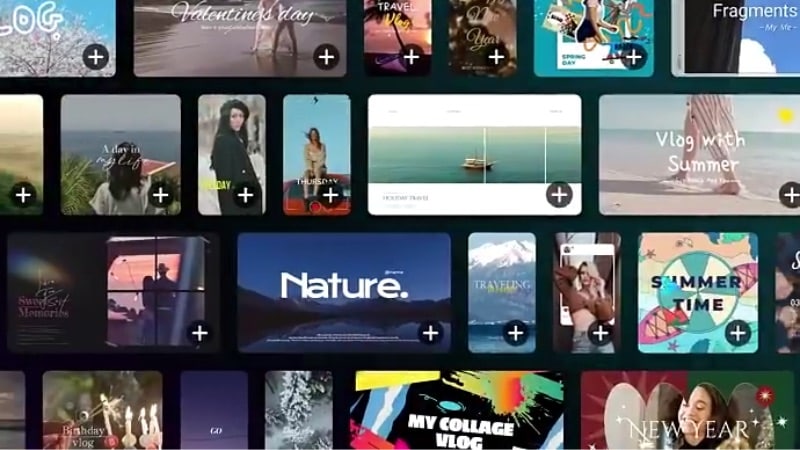
For each introduction maker in this list, we test it the same way real creators use it.
- We compare template variety, export quality, and the overall appearance of the final intro without advanced editing.
- We also check flexibility across various use cases, including YouTube videos, brand videos, and social media.
Our Top 3 Intro Makers' Picks
To help you choose the best intro creator, here are three top picks that stand out for different use cases:
Intro Maker Comparison Table (Quick Overview)
This table lays out each tool side by side, making it easy to see how each video intro maker differs. It highlights what each tool does best, supported platforms, and the range of intro styles. Use it to narrow down your options before diving into the full reviews.
| Tool Name | Best For | Platform | Category Variations | Additional Features |
| Wondershare Filmora | Full video projects and video intro creation. | Windows and Mac | YouTube intros, brand intros, and social media openers. | Timeline editing, creative assets, AI tools, and direct social platform export. |
| Adobe Express | Fast social and brand intros. | Web browser | Social media intros and promo openers. | Brand kits, built-in assets, and watermark-free exports. |
| Renderforest | Logo reveals and branding intros. | Web browser | Logo animations and business intros. | Template-based timeline and music library. |
| FlexClip | Quick and simple video intros for social media and small projects. | Web browser | Social media and YouTube intros, business promo, and corporate intros. | Built-in stock media, text, and title animations. |
| Clipchamp | Simple intro and outro videos for YouTube and social content. | Web browser and Windows | Intro and outro music templates, animated text openers, and minimal music-driven video intros. | Text and title animations, basic timeline editing, built-in stock music, and media. |
| Animaker | Animation-style intro videos with characters and visual scenes. | Web browser | Animated intros, character-based openers, and text animation scenes. | Scene-based editor, animated characters and icons, and text and title effects. |
| LightMV | Quick intro and outro videos using preset designs. | Web browser, Windows, Mac, iOS, and Android. | Intro videos, outro videos, slideshow-style openers, presentation intros. | Template-based editing, built-in music tracks, and preview before download. |
| Invideo | Text-driven intro videos and quick AI-generated openers. | Web browser | Prompt-based intro generation driven by user ideas and scripts. | AI-powered text-to-video generation, auto scene structuring, and editable script. |
| Intro Maker | Quick logo intros and simple video openers. | Web browser | Logo reveals, gaming intros, YouTube channel openers, text intro animations. | Template preview before purchase and one-time export pricing. |
| Intro Maker: video intro outro | Creators who need quick intro videos on their phone. | iOS | Intros, outros, channel name animations, logo intros, short social video openers. | Mobile timeline controls, logo and text editing, and background music support. |
|
Show More
Show Less
|
||||
Top 10 Intro Makers for Creating Video Intros
This section reviews the best paid and free intro maker tools you can use to create video intros without complex editing. Each option covers what the tool does, key features, pricing, pros, and cons, to help you compare them with ease.
1. Wondershare Filmora
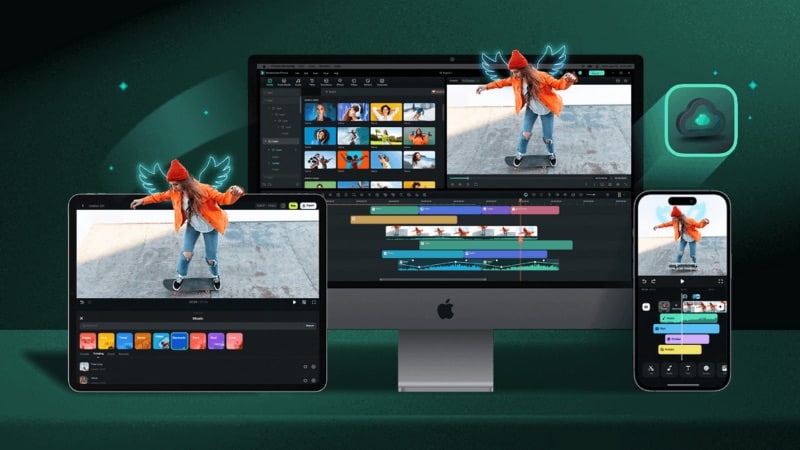
Wondershare Filmora works as both a full video editor and a built-in intro maker. Thus, beginners and creators can handle intros and complete videos in one place. It lets you create video intros using ready-made templates, which suits creators who want to avoid complex tools.
 Secure Download
- Ready-to-Use Intro Video Templates: It offers a wide selection of intro video templates for YouTube videos, brand content, and social media. These templates are customizable, so you can create an intro without starting from scratch.
- Complete Video Editing Tools: Filmora includes a full set of editing tools on a timeline. You can trim clips, adjust timing, add transitions, and edit intros and main videos in one workspace.
- Built-In Creative Assets: The software provides a large collection of titles, motion graphics, stickers, effects, and music. You can use these assets across different video projects without opening another tool.
- AI-Assisted Editing Features: Uses AI tools to assist with text animation, background removal, audio cleanup, and visual enhancements. These tools reduce manual work and help beginners achieve clean results faster.
- Direct Export for Social Platforms: Filmora lets you export videos directly to platforms including YouTube, TikTok, and Vimeo. The export process stays simple and easy to follow.
Filmora offers a free version that lets you test the editor and intro templates, though exported videos include a watermark. Paid plans remove the watermark and unlock more templates, effects, and updates. Pricing options include a subscription plan and a one-time license.
- It lets you create intros and edit full videos in the same project without switching tools.
- Built-in intro templates allow quick customization of text, logos, and timing with simple controls.
- Built-in creative assets remove the need for external downloads or third-party resources.
- Timeline editing gives more control than template-only intro makers for fine adjustments.
- AI features reduce manual steps for text, audio, and visuals during edits.
- Free exports include a visible watermark on all videos.
- Advanced customization needs timeline editing, which takes some practice.
- AI-generated features use AI credits and are not free to use.
- Not ideal for users who only want a quick intro creator tools.
Secure Download2. Adobe Express
You can use Adobe Express as an intro creator for free to get fast results without installing any software. It runs in the browser and uses ready-made templates that fit social media, brand clips, and short video openers.
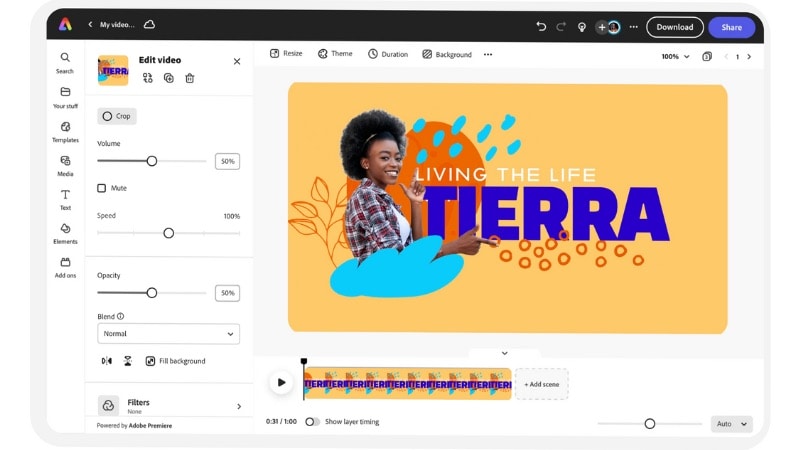
- Browser-based Intro Templates: Offers browser-based intro templates designed for social media clips, brand videos, and short openers. No software installation required.
- Simple Text and Visual Editing: Lets you edit text, colors, fonts, and layout elements using straightforward controls. It suits quick intro creation.
- Logo and Brand Elements: Allows you to upload logos and apply brand colors and fonts to keep intros consistent.
- Built-In Media and Design Assets: Provides access to icons, images, video clips, and music from Adobe’s asset library. They’re usable directly inside the video intro projects.
- Easy Download and Sharing: Enables quick export of intro videos as MP4 files or direct sharing from the editor.
Adobe Express offers a free plan that covers basic intro templates, editing tools, assets, and export without watermarks. A paid plan unlocks more templates, premium assets, and advanced brand options.
- It works on your web browser, so you can start creating intros from any device.
- The free plan supports basic intro-making tasks without requiring payment.
- Clean and simplified design keeps tools accessible for beginners.
- It includes built-in media assets, such as icons, images, and clips.
- Not ideal for editing complex or long video projects.
- Brand and premium assets require payment.
- The range of media assets is based on Adobe’s licensing.
3. Renderforest
Renderforest also works as a video intro creator designed for logo reveals, brand openers, and short animated intros. It runs online and relies on structured templates, so users can replace logos, text, and colors on its editor’s timeline.

- Logo and Branding Intro Templates: Offers a large collection of logo animations and branding-style intro templates. These templates are suitable for business videos, channels, and promos.
- Template-Based Timeline Editing: Includes a timeline for timing and adjustments, limited to the elements inside the chosen template.
- Fully Online Editor: Runs entirely in the browser, so you can create and edit intro videos without installing any software.
- Built-In Music Options: Allows you to add background music tracks from its media library to match the style of your intro.
- Resolution-Based Exports: Supports video exports in common formats and resolutions, with quality levels based on your subscription plan.
Renderforest also works as a free intro generator that offers limited HD exports without watermarks. Paid subscriptions start at $14 per month and range up to $69 per month. Choosing an annual plan lowers the monthly price compared to monthly billing.
- Works well for logo reveals and brand-style intro videos.
- Template-based setup keeps the creation process simple and structured.
- Online workflow removes the need for software downloads or setup.
- The free plan supports limited HD, watermark-free exports.
- Editing stays restricted to the selected template structure.
- You can’t add extra clips beyond template placeholders.
- Advanced control over motion remains limited.
- Higher resolutions and more templates require a paid plan.
4. FlexClip
Another free video intro maker you can use is FlexClip. It offers video intro templates that make intro creation fast and easy. It runs in the browser and relies on ready-made templates with simple editing panels. Many of its templates suit intros for YouTube videos, presentations, and social media.
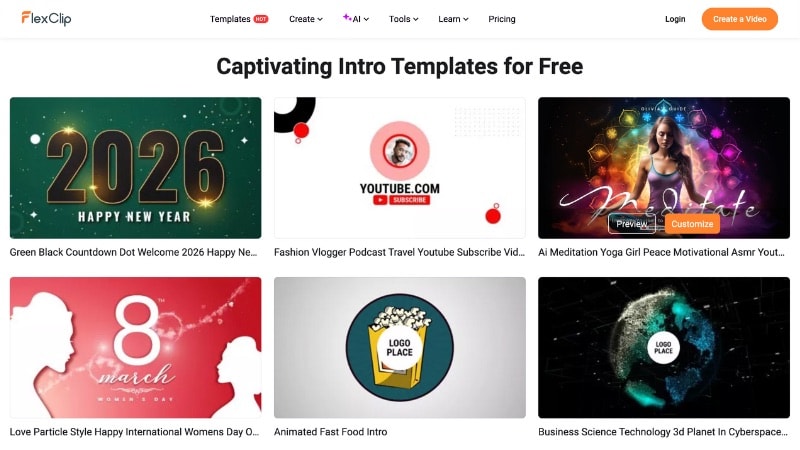
- Intro Video Templates: Offers a collection of intro templates for YouTube, social media, and small business videos that you can customize.
- Drag-and-Drop Editing: Lets you replace text, images, logos, and music using a simple timeline layout.
- Built-In Media Library: Includes access to stock videos, photos, icons, and background music that you can use inside the projects.
- Online Editing Workflow: It runs in the browser, so there’s no need to install any software.
FlexClip offers a free plan with basic tools, downloads in up to 720p HD, and limited stock media per project at no cost. Paid plans start at $19.99 to $29.99 per month, unlocking higher export resolution, more stock assets, and watermark removal.
- Works well as a free introduction maker for quick projects.
- Simple editor suits users with no editing background.
- Text and title animations add motion without manual setup.
- Built-in stock assets reduce the need for external downloads.
- Free exports include watermarks and resolution limits.
- Template designs feel simple for advanced branding needs.
- Paid plan required for higher resolution and full asset access.
5. Clipchamp
Use Clipchamp if you’re looking for an introduction video maker on Windows or in a web browser. It offers intro templates, basic timeline editing, and built-in media tools without complex controls. It’s suitable for YouTube creators, small brands, and casual editors who want quick results.

- Intro Video Templates: Provides ready-made intro templates for YouTube videos, social media content, and basic promotional clips.
- Timeline-Based Editing: It includes a timeline where you can trim clips, adjust text timing, and arrange intro elements.
- Web and Desktop Access: Works in the browser and as a Windows app, so users can choose their preferred setup.
- Built-In Media Library: Gives access to stock videos, images, sound effects, and background music for your projects.
- Text and Title Animations: Offers animated titles and text presets that add motion to intros without manual settings.
You can use Clipchamp as a free intro maker. It gives you free access to basic editing tools, stock assets, and watermark-free exports up to 1080p HD at no cost. Access to premium assets and features comes with a paid plan or a Microsoft 365 Personal or Family subscription.
- The free plan allows watermark-free intro exports up to 1080p.
- Works in a web browser and on Windows for quick intro editing.
- A simple timeline works well for trimming, text timing, and intro layout.
- Built-in stock music and visuals cover common intro and outro needs.
- Premium intro templates and stock assets require a paid plan.
- Timeline tools limit control over logo animation and motion details.
- Not suitable for multi-scene or heavily animated intro designs.
6. Animaker
Animaker also works as a video opener maker designed for animated intros with characters, text motion, and visual scenes. It relies on a scene-by-scene workflow rather than a standard video timeline.
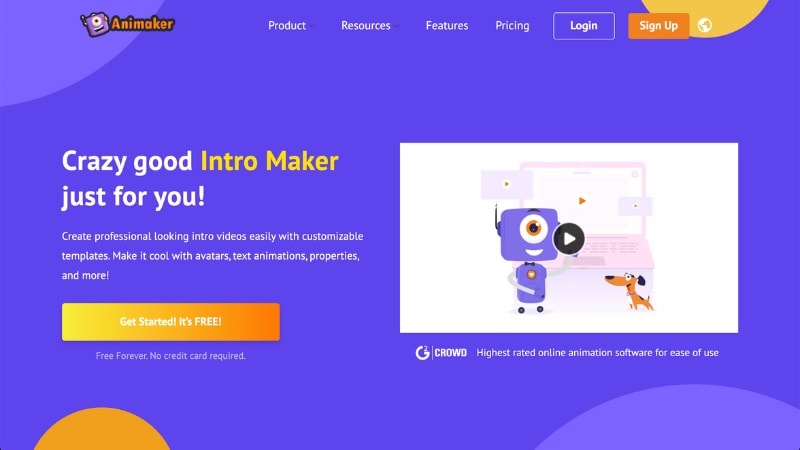
- Animated Intro Templates: Offers intro templates with animated text, icons, shapes, and characters for YouTube and brand videos.
- Scene-Based Editing: Lets you build intros using scenes, making it easier to manage animated elements and transitions.
- Character and Icon Library: Includes animated characters, props, icons, and backgrounds for creating story-style intros.
- Text and Title Animations: It provides preset text animations that work well for channel names, titles, and openers.
Animaker offers a free plan with limited features and watermarked exports. Paid plans unlock higher export quality, more characters, templates, and asset access, with pricing tiers based on usage and export needs.
- Works well for animated and character-style intro videos.
- Scene-based editing simplifies animation sequencing.
- Large library of characters and visual elements.
- No animation skills required to get started.
- The free plan adds watermarks and feature limits.
- Animation style may not suit minimalist branding.
- Less suitable for live-action or cinematic intro styles.
7. LightMV
LightMV is a video introduction creator that relies on preset designs rather than manual editing tools. It targets users who want quick intro videos without working on timelines or complex settings.
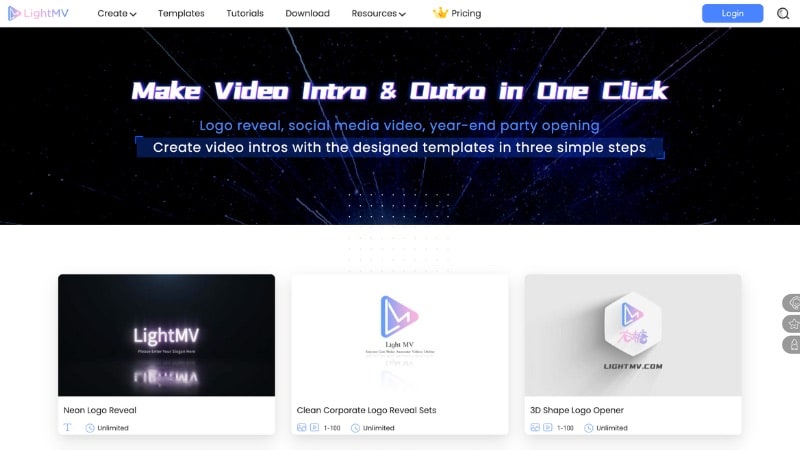
- Template-Driven Intro Videos: Offers a collection of intro and outro templates for YouTube videos, presentations, and short promos.
- Simple Content Replacement: It lets you swap text, images, logos, and music inside fixed template layouts.
- Built-In Music Options: Includes background music tracks that match the style of each intro and outro template.
- Quick Preview and Export: Allows fast previews before exporting the final intro video.
LightMV lets you create and download intro videos for free with a watermark. To export videos without a watermark and in higher resolution, you need an active subscription. Paid plans also unlock more templates, faster processing, and higher usage limits.
- Template-based workflow allows fast intro creation.
- Online editor removes the need for software installation.
- Intro and outro templates suit short videos and presentations.
- Easy setup works well for beginners and non-editors.
- Free downloads include visible watermarks.
- Customization stays limited to the selected template.
- Brand control remains basic for professional needs.
- Not designed for timeline-based or detailed animation edits.
8. Invideo
InVideo works as an AI intro maker designed for creators who prefer starting with text instead of templates only. It allows you to turn text prompts or ideas into intro videos, then refine the result using preset scenes and layouts.
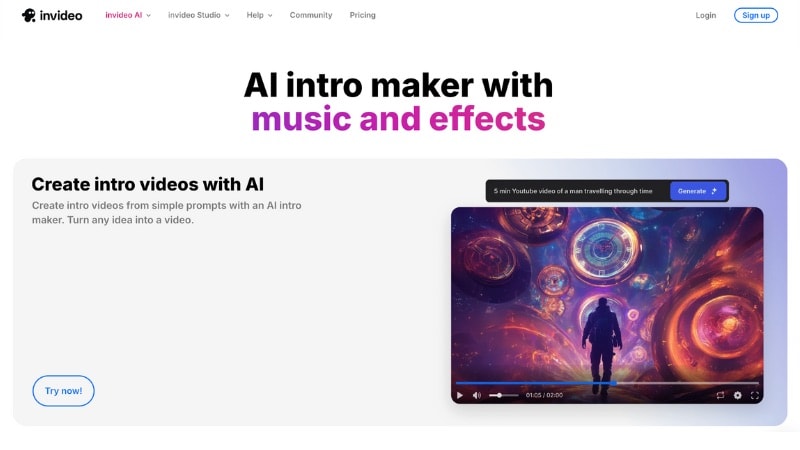
- AI-Assisted Intro Creation: Turns text prompts or written scripts into video intros with matching visuals and pacing.
- Scene-Based Editing Layout: Lets you adjust text, visuals, and timing scene by scene instead of working on a full timeline.
- AI-Applied Text Motion: Adds text movement and transitions automatically as part of the generated intro, with no manual animation controls required.
InVideo offers a free plan that lets you test the AI intro maker with watermarked exports and usage limits. Paid plans start at a monthly rate and unlock watermark removal, higher export limits, and extended AI generation features.
- AI intro maker works well for text-to-video creation without templates.
- Prompt-based workflow suits creators who start from scripts or ideas.
- Scene layout keeps edits simple without a full timeline.
- Quick results for short intro videos.
- The free plan adds watermarks and usage limits.
- Limited manual control compared to timeline editors.
- Less suitable for detailed branding or logo animation.
- Advanced exports require a paid plan.
9. Intro Maker
Intro Maker is an intro generator aimed at users who want a quick logo or text animation. Instead of timelines or scenes, it uses fixed animation templates where you customize content in a few steps.
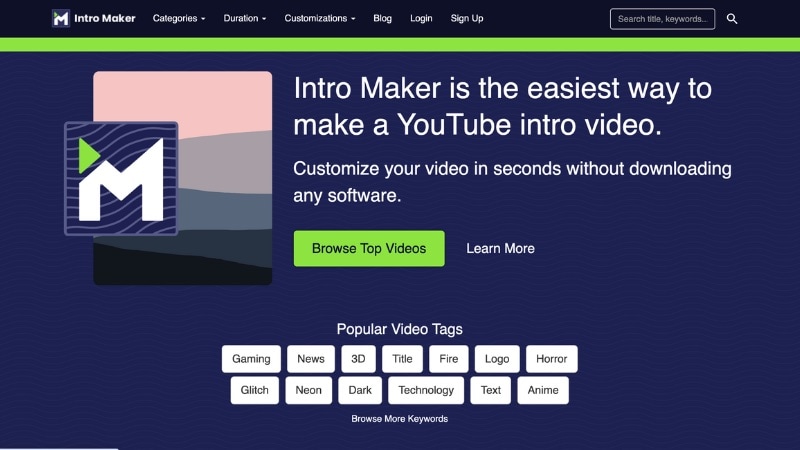
- Prebuilt Animation Styles: Uses ready-made intro effects for logos, channel names, and titles designed for short openings.
- Logo and Text Replacement: Allows quick uploads and text input without layout adjustments.
- Basic Visual Adjustments: Lets you adjust colors, fonts, and background elements within each style.
- Preview Before Export: Shows the final animation instantly so you can check the result before downloading.
Intro Maker lets you preview and customize intro templates at no cost. To download the final video, you need to pay per export or use a monthly plan.
- Easy way to create intro videos without editing skills.
- Template previews help users decide before downloading.
- No subscription required for one-time intro exports.
- Works directly in a web browser with no setup.
- Free use does not include final video downloads.
- Customization stays limited to template elements.
- Design style feels basic for advanced branding needs.
- Higher resolutions increase the export cost.
10. Intro Maker: video intro outro
This app is an introduction maker built for mobile users who want to create short intros and outros on their phone. It uses preset animation styles and touch controls, which makes it suitable for quick edits without desktop software.
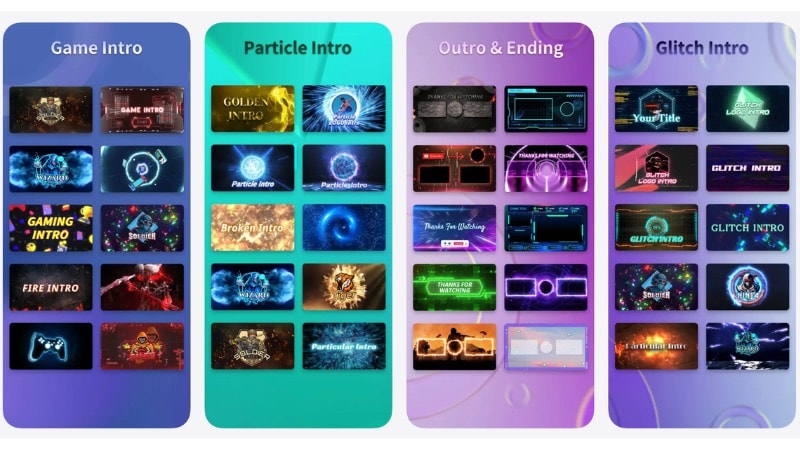
- Mobile Intro Templates: Includes short intro and outro styles for YouTube, reels, and channel names.
- Text and Logo Customization: Supports logo uploads, font changes, and color edits within templates.
- Mobile Timeline Controls: Lets you adjust clip length, text timing, and order inside each intro or outro.
- Music and Sound Support: Allows adding background music from the app library or local files.
The Intro Maker app is free to download and offers monthly, annual, and one-time purchase options.
- Designed for mobile users who want to create intros without a computer.
- Preset styles make intro and outro creation fast.
- Touch-based controls feel simple for short edits.
- Supports logo uploads and basic branding tweaks.
- Limited control compared to desktop intro makers.
- Not suitable for complex or multi-scene intro designs.
- Advanced features require a paid plan.
How to Make a Professional Video Intro
Even though Filmora is a desktop video editor, using as an introduction maker does not require advanced skills. Below are two simple ways to create an intro in Filmora.
Secure DownloadOption 1. Create an Intro via the Influence Kit
This option works well if you want a short, eye-catching intro without browsing through many templates. Follow the steps below:
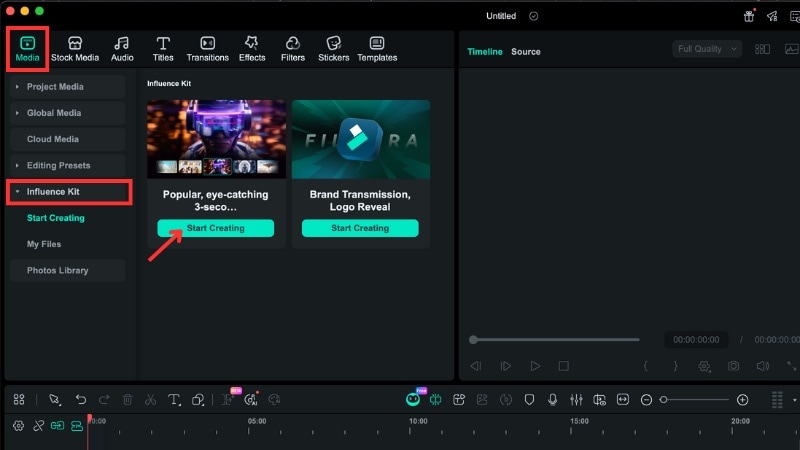
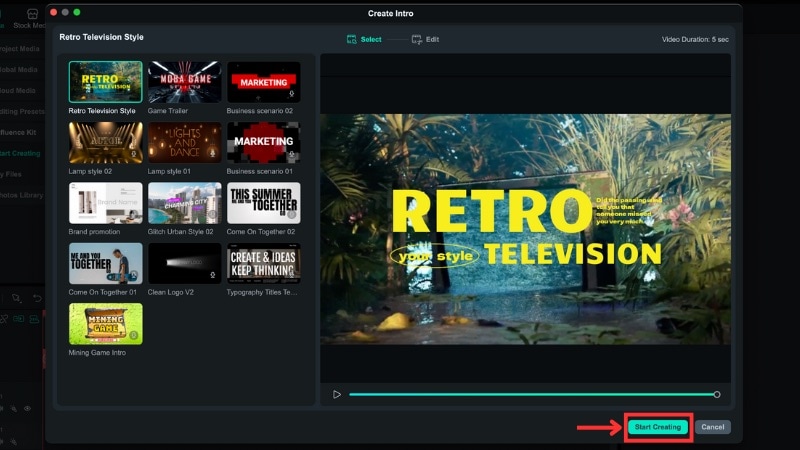
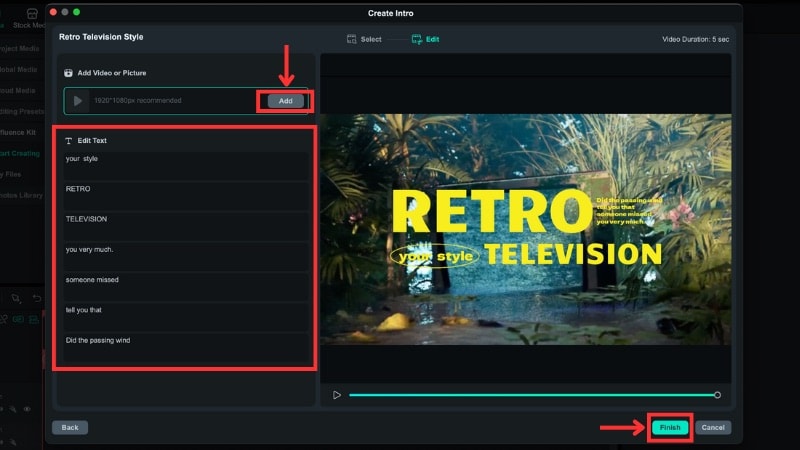
For more information about intro video creation using Filmora’s Influence Kit, you can watch this video:
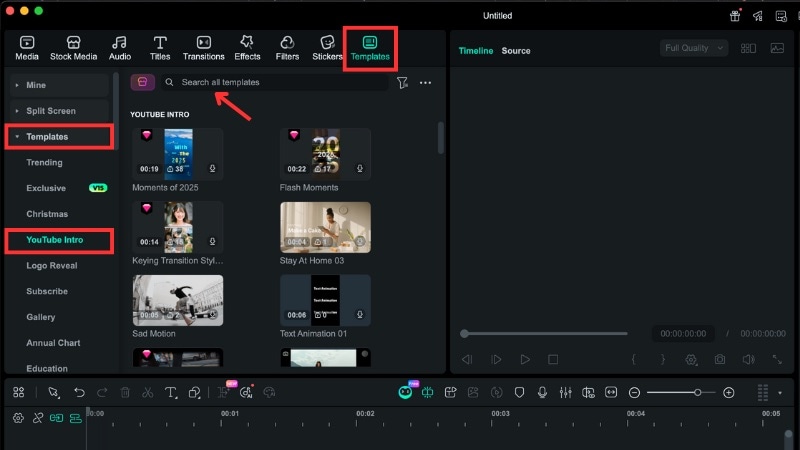
Secure DownloadOption 2. Use Intro Templates from the Templates Tab
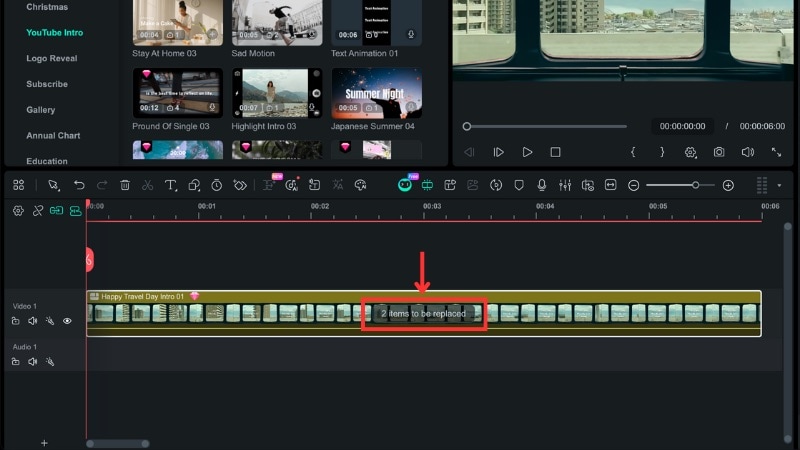
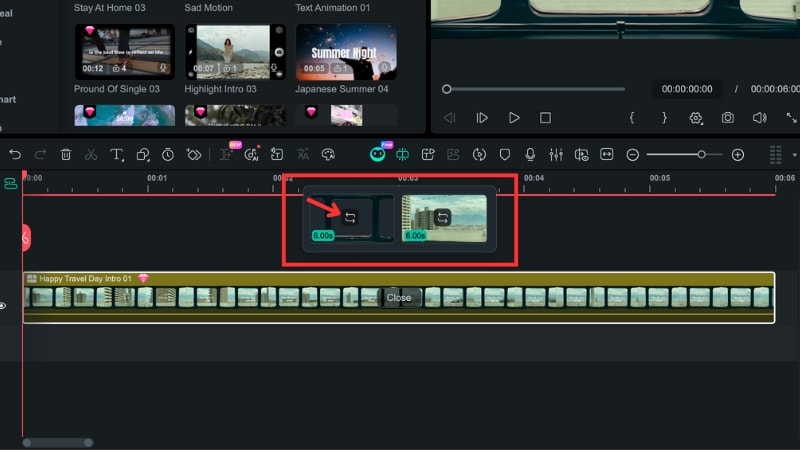
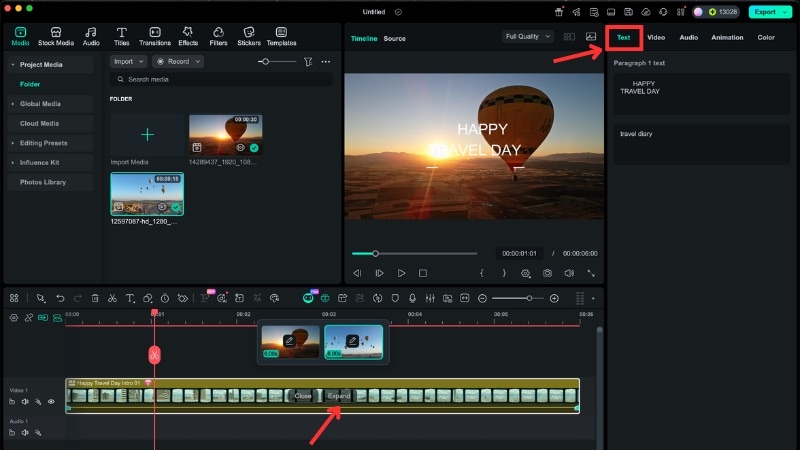
If you want more visual styles and editing flexibility, Filmora’s template library offers a wider range of intro options. Follow the steps below to find and customize intro templates.
For more detailed instructions, you can watch the video below:
Secure DownloadAdvanced Tips: Beyond the Basic Intro
Once you get comfortable with a video intro maker, small adjustments can make a big difference in how professional your intro feels. These tips help you refine your intro so it looks clean, clear, and intentional without adding complexity.

- Tip 1. Keep the Timing Tight: Aim for under 10 seconds. Short intros hold attention better and reduce the chance of viewers skipping ahead.
- Tip 2. Lock in Your Branding: Use the same colors, fonts, and logo across all videos. This builds recognition and makes your channel easier to remember.
- Tip 3. Match the Intro to Your Content: Choose visuals, motion, and music that reflect your video style. A gaming channel and a business channel should not share the same intro tone.
- Tip 4. Use Motion With Purpose: Animations should guide the eye, not distract it. Simple text movement or logo reveals often work better than stacked effects.
- Tip 5. Check Audio Levels: Background music should support the visuals without overpowering them. Lower the volume so it feels balanced from the first second.
Conclusion
An intro maker helps you build a short opener that fits your channel without learning complex editing. If you want quick results, start with a template-based tool. If you want more control, pick an intro creator that lets you adjust timing, text, and media in one project.
An introduction maker also works best when you keep things simple. Use consistent colors, fonts, and a logo, keep it under 10 seconds, and balance the music volume.
For more control in one place, Filmora lets you create the intro and finish the full video in the same project. Try Filmora as an introduction maker today!
FAQs
-
Can I reuse the same intro across multiple videos or platforms?
Yes. Most intro makers let you save or export an intro and reuse it in different videos or on different platforms. Once you export the intro as a video file, you can add it to any project you create later. -
Do intro makers online allow custom fonts, brand colors, or logos?
Many online intro makers support basic branding options such as uploading your logo, choosing brand colors, and selecting from available fonts. The level of customization varies by tool, so check if the maker you choose offers the specific options you need. -
Are intro makers suitable for business presentations or ads, not just YouTube?
Yes. Intro makers work for any short opening clip, including business presentations, ads, social media campaigns, and product videos. As long as the style matches your content, you can use them beyond YouTube.
