


With AI tools becoming more popular, Google Gemini is a name you may already recognize. By August 2026, it had reached more than 1 billion users. Besides answering questions and helping with everyday tasks, Gemini can also generate images.
One model that drew attention for its text-to-image capabilities was Imagen 3. Many Imagen 3 AI image generator reviews highlight its ability to generate realistic and detailed visuals. But how well did it actually perform, and can you still use it today? This time, we'll look at its main features, availability, and alternatives for creating AI images.
Part 1. What Is Imagen 3? Features and Capabilities
In 2024, Google DeepMind introduced Imagen 3 for high-fidelity image model generation. It was designed to create detailed images from text prompts and better capture what you describe in your prompts.
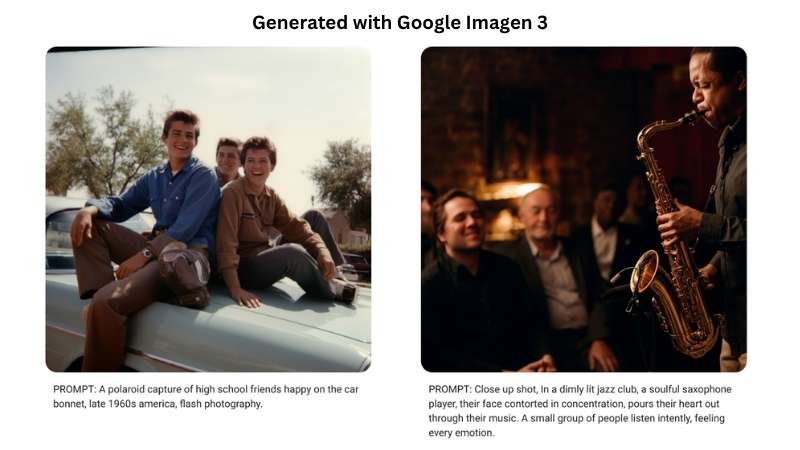
Compared with earlier versions, Imagen 3 high-fidelity image models produced cleaner results with fewer visual flaws. It could also handle a range of visual styles. So, it’s useful for creating everything from photorealistic scenes to illustrations and other creative visuals. We’ll take a closer look at what made Imagen 3 stand out.
1. High-Quality Images in Different Styles
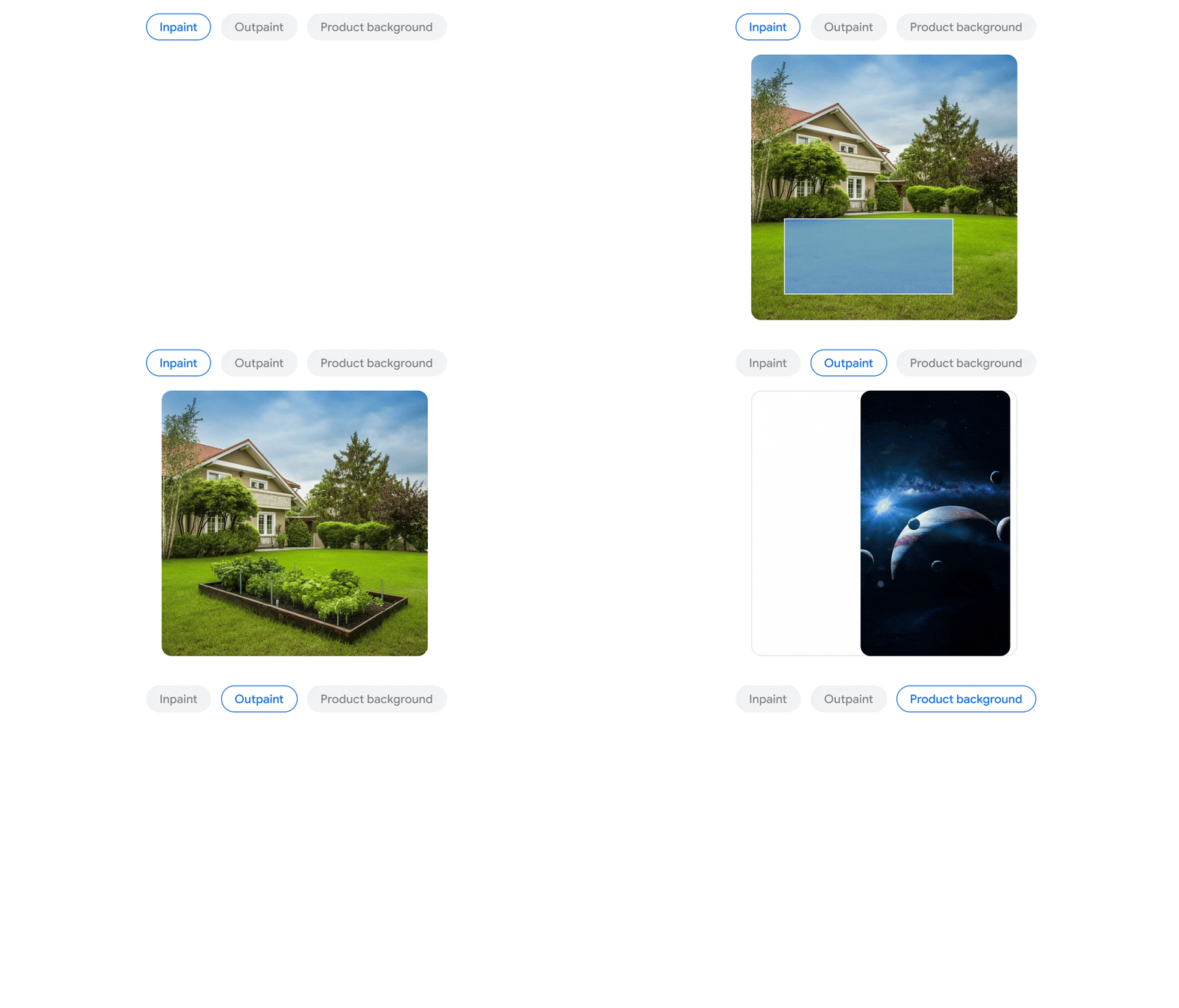
Imagen 3 can be used for a variety of creative tasks. You can generate new images with clear details, balanced colors, and compositions in different artistic styles and formats. It also supports Imagen 3 for image-to-image editing, allowing you to modify existing images, such as changing product backgrounds or resizing images to meet specific requirements.
2. Personalized Images and Text Rendering
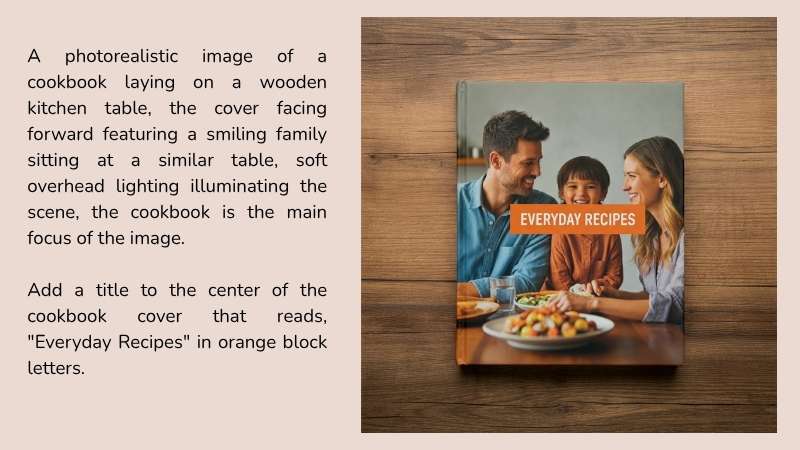
Imagen 3 for text-to-image can guide the generation to better match your needs. Include your own branding, logo, style, or product details in the images. You can also create images with text, which is useful for making greeting cards, posters, and social media posts in different styles and colors.
3. Better at Understanding Your Prompts
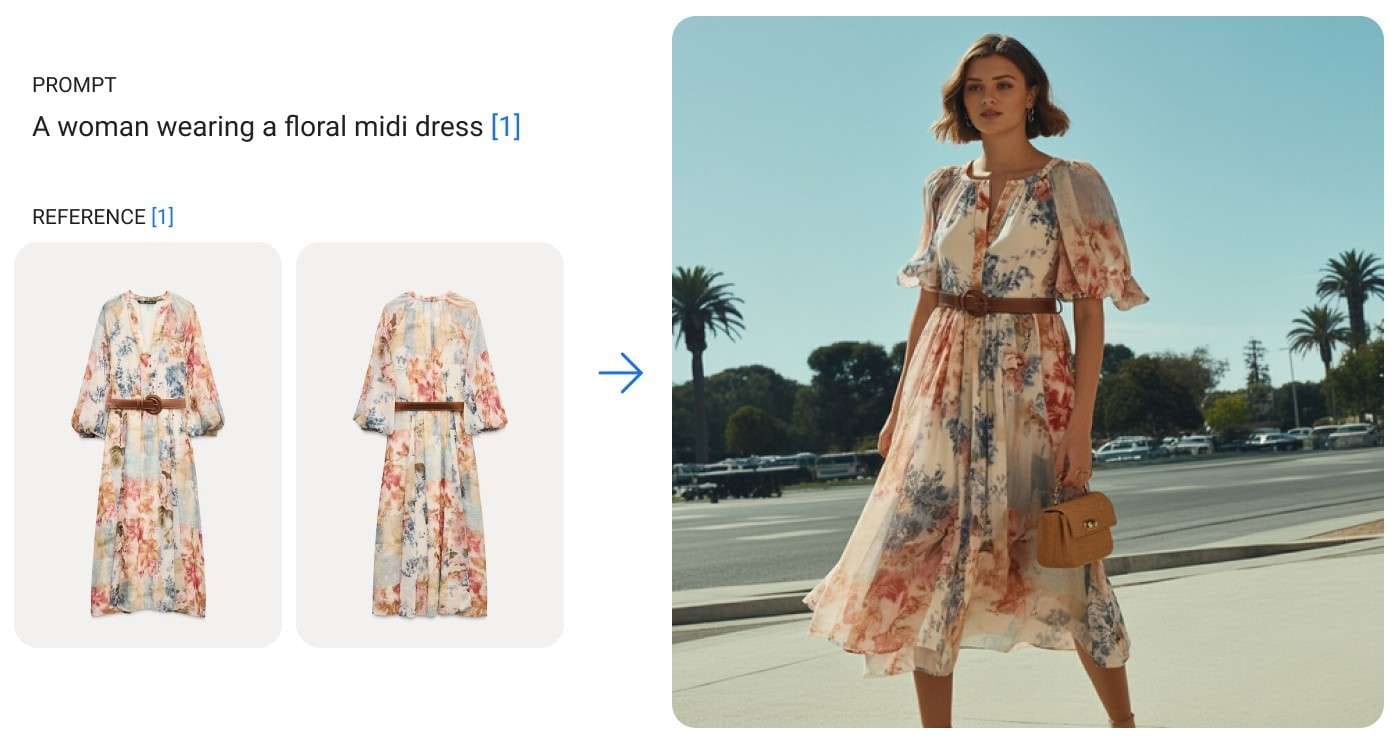
Imagen 3 is built to follow your prompts and create images that reflect the details you describe. You can include details like camera angles, lens types, and how you want the image arranged to guide the result. It works with both simple prompts and more detailed descriptions, giving you flexibility in how you create images.
Part 2. Google Imagen 3 Today: Is It Still Available?
If you're wondering whether you can still access Imagen 3 today, the answer is no. Google has retired its Imagen models from the Gemini API, and Imagen 3 was officially shut down in November 2025.
So, if you generate an image with Gemini today, you aren't using Imagen 3. Google now uses its newer native image-generation models under the Nano Banana family, including Nano Banana 2 and Nano Banana Pro.
Part 3. Imagen 3 Alternatives for AI Image Creation
Since Imagen 3 has been discontinued, you may be looking for another way to turn your ideas into images. Fortunately, there are other platforms that offer similar features. Here, we'll explore several Imagen 3 alternatives for text-to-image generation.
1. Wondershare Filmora
If you're looking for an Imagen 3 alternative with AI Image to Video, Filmora is a strong option. It's a video editor with built-in AI tools. You can turn text prompts and ideas into images, videos, and audio. That said, you can both generate content and work on the final video in the same place.
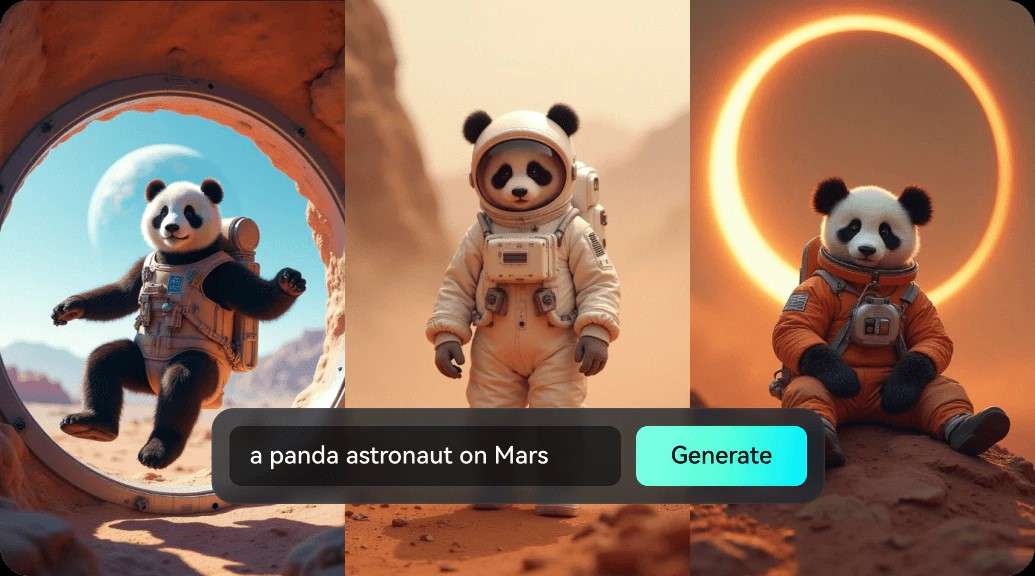
- Offers various AI models to help you generate images and videos.
- Supports different aspect ratios and sizes for social media, including landscape, portrait, and square formats.
- Personalize your generated visuals with different filters, text styles, stickers, and additional editing features.
- Explore Different Styles: Works with a wide range of aesthetics, including realistic visuals, animated styles, and retro designs.
- High-Quality Output: Generates images and videos at resolutions of up to 4K.
- One Workflow: Put your AI-generated visuals together, arrange them in the editor, and turn them into a complete video with just a few editing steps.
- Watermarks on Free Exports: The free version places a noticeable watermark over all exported videos.
iOS, Android, Windows, macOS.
Free plan available. Visit Filmora's pricing page to explore the available plans.
Photorealistic images, stylized illustrations, anime, fantasy art, 3D renders, and futuristic concepts.
2. Media.io
For an Imagen 3 alternative with AI Image-to-Image, you can also try Media.io. It brings together AI tools for generating images, videos, and other creative content. The platform is useful for making social media visuals, including Instagram Stories and promotional materials for marketing campaigns.
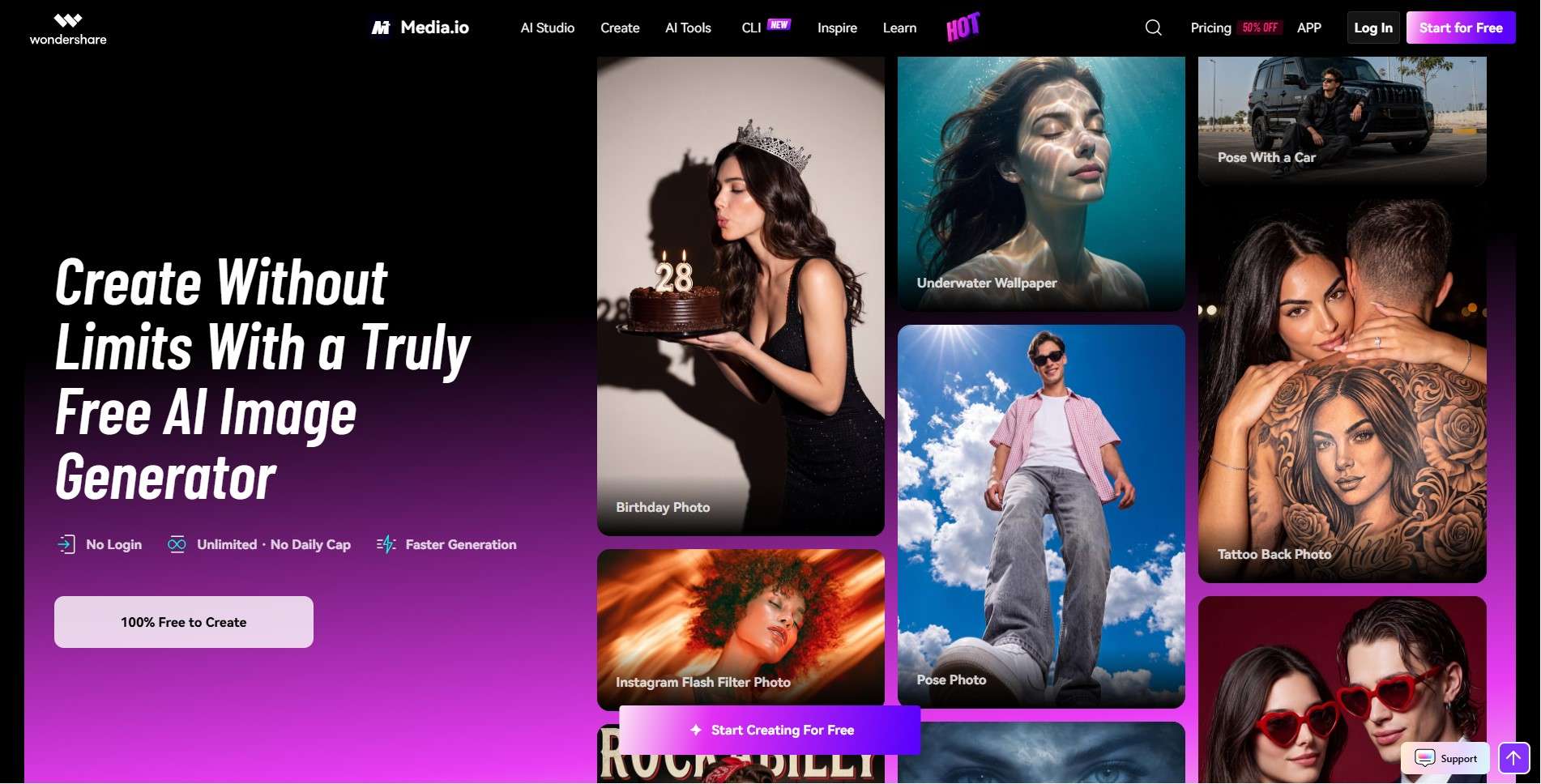
- Provides access to various AI models for image and video generation.
- Organizes its tools into categories for different purposes, such as social media content and marketing videos.
- Supports popular social media platforms, including Instagram, YouTube, TikTok, and Facebook.
- Quick and Easy Access: You can start generating AI visuals with the ToMovie model without logging in first.
- No Generation Limits: There is no set limit on how many AI visuals you can generate with the ToMovie model.
- Simultaneous Image Generation: You can get up to four generated images with different variations from a single batch.
- Limited Editing Flexibility: If you want to change specific details, you may need to revise your prompt and generate the visual again.
- Visible Watermarks: All generated images and videos feature a watermark.
- Extra Work to Finish Your Video: You'll have to arrange your generated images and clips in a separate editor to create a finished video.
Online.
Free trial available. Paid options start at $0.99 for 10 credits or $2.98 per week.
Self-portraits, social media trends, couple photos, and themed images.
3. ChatGPT
ChatGPT is another Imagen 3 alternative with AI text-to-image. Similar to Gemini, it's an AI platform that can help with tasks like writing, research, and image creation. You can use ChatGPT Images to generate visuals from text prompts and edit existing images.
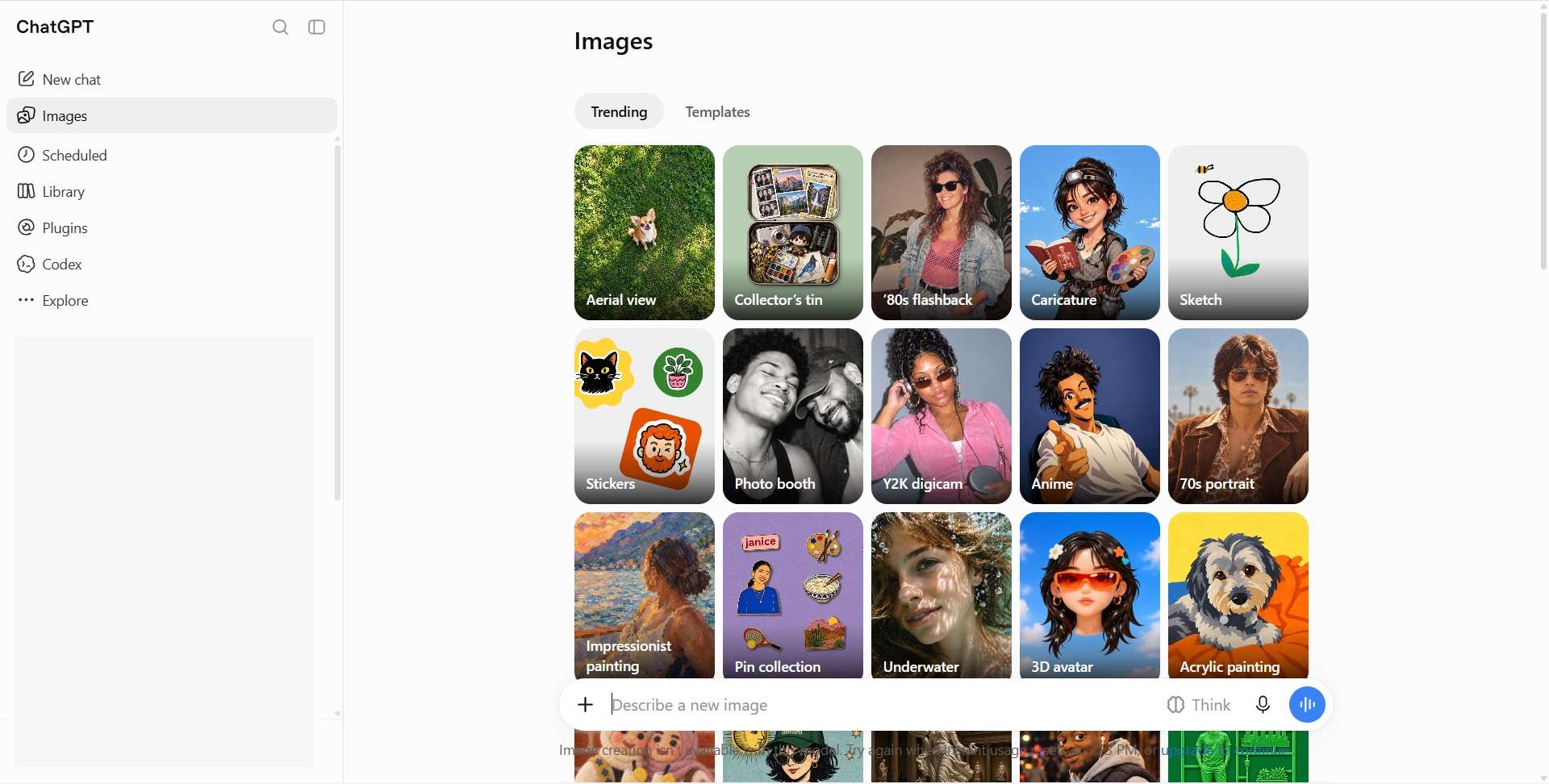
- Its image generation feature is powered by ChatGPT Images 2.5, OpenAI's own model that continues to improve.
- You can explore different styles and templates to find inspiration for your images.
- The model analyzes your prompt before generating an image, helping it understand complex instructions and arrange visual elements more accurately.
- Fast Results: Creates images in a short time.
- Remember the Conversation: ChatGPT takes your chat history into account, making it easier to build on earlier ideas when generating images.
- Multiple Outputs at Once: You can create several images based on the same idea and choose the version that best fits your needs.
- Usage Restrictions: Both free and paid users have image generation limits, which vary by plan. If you reach your limit, you'll need to wait until your available generations refresh.
- Inconsistent Image Details: Maintaining the same character design and visual style across multiple images can be challenging, even when you use similar prompts.
- Dependence on Prompts: Getting the right result may take several rounds of prompt adjustments and image generation, which can quickly use up your usage limit.
Online, iOS, Android, Windows, and macOS.
Free trial available. Paid plans range from $8 to $500 per month.
Realistic images, creative concepts, illustrations, stylized artwork, and marketing visuals.
Part 4. Which Imagen 3 Alternative Works Best for You?
Now that we’ve looked at what each tool can do, we have a better idea of their capabilities. At a glance, all three tools can generate AI images, making them solid Imagen 3 alternatives. But if you look closer, each tool offers something different.
Let’s explore what each one does best and which might suit your needs.
| If You Want To | Recommended Tool | Why? |
| Develop concepts for brands, campaigns, and creative projects | ChatGPT | You can discuss ideas, brainstorm concepts, and refine prompts through follow-up instructions. |
| Create self-portraits, couple photos, and trending social media visuals | Filmora, Media.io | Provides a range of templates inspired by current trends. |
| Create realistic lifestyle photos for social media and personal branding | Media.io | Offers a wide selection of templates in popular styles. |
| Generate fantasy scenes, cartoon characters, and imaginative visuals | Filmora | Offers multiple AI models for creating visuals in different styles. |
| Generate images quickly | ChatGPT, Media.io | Both offer a straightforward way to turn text prompts into images online. |
| Generate images and edit videos in one place | Filmora | Combines AI image generation with video editing tools. |
|
Show More
Show Less
|
||
 Secure Download
Conclusion
Google's Imagen 3 gained attention for its ability to generate realistic images with impressive detail. Google has since introduced newer models, including Nano Banana. If you're looking for Imagen 3 alternatives, Filmora, Media.io, and ChatGPT are worth exploring.
In the Imagen 3 vs. Media.io for image generation comparison, Media.io stands out for offering tools to create both AI images and videos on one platform. Meanwhile, Imagen 3 vs. Filmora highlights a different approach. Filmora combines AI generation tools with video editing features, letting you turn generated visuals into complete videos for business or social media content.
FAQs
-
1. Does Imagen 3 render text well?
Yes. Imagen 3 understands natural language prompts. It generates high-quality, accurate images from both simple and detailed prompts. -
2. Can Imagen 3 edit existing images?
Yes. With Imagen 3 for image-to-image editing, you can replace its background, change the overall mood, or modify specific details. -
3. Can Imagen 3 generate video?
No. Imagen 3 isn’t an AI video generator. -
4. What do people say in Imagen 3 reviews?
Imagen 3 photorealism reviews often focus on its ability to create realistic details, lighting, and textures.
