

 TL;DR:
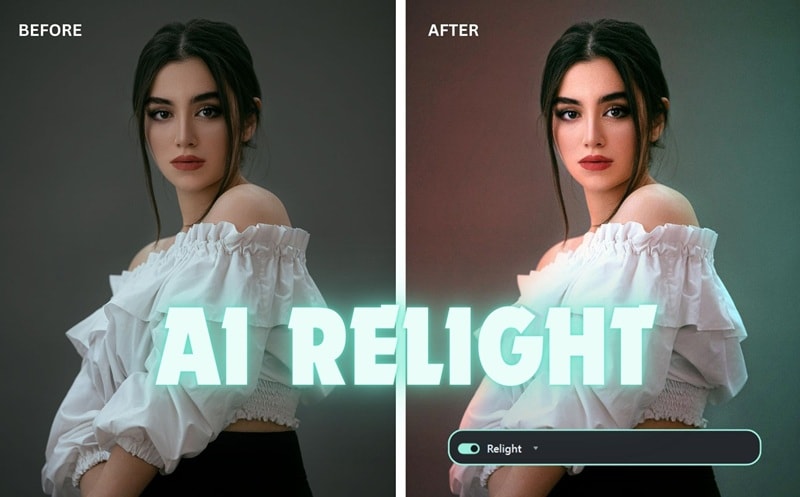
Wondershare Filmora's Relight Video AI uses depth mapping to realistically adjust post-production shadows, light direction, and facial illumination without washing out backgrounds, serving as a cost-effective alternative to professional studio setups for solo creators.
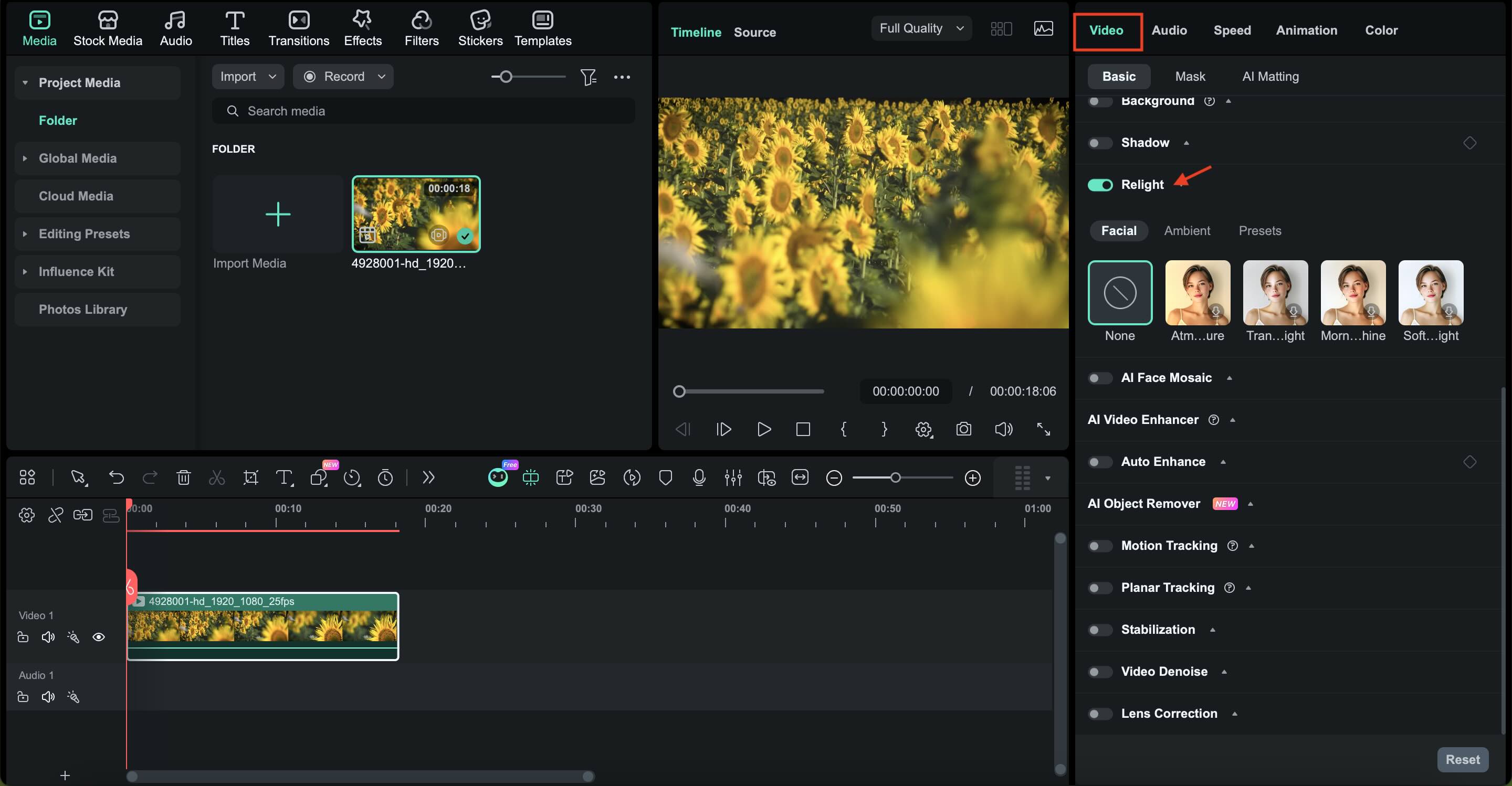
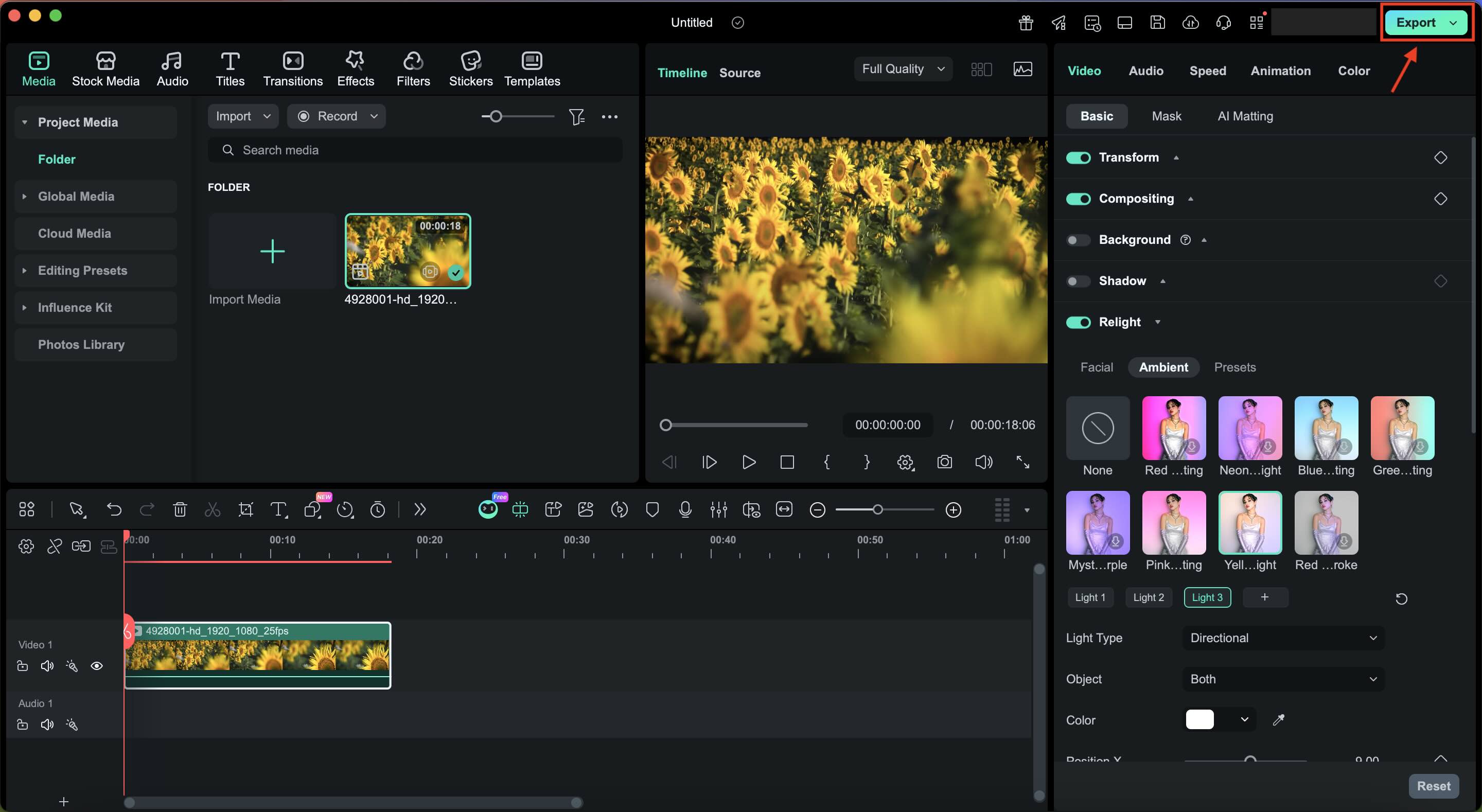
● Users can apply Scene Relighting for overall atmosphere, Portrait Relighting to preserve skin tones, or Dynamic Light Sources to manually position, color, and adjust the intensity of virtual lights via the Video tab.
● While the tool can partially balance lighting and soften harsh shadows, heavily overexposed areas cannot be fully recovered, and utilizing the free trial version restricts exports with a watermark.
● AI relighting is optimal for post-filming corrections by beginners lacking physical space, whereas traditional lighting hardware remains necessary for professional productions requiring complete pre-recording environmental control.
Ask AI for a summary
 ChatGPT
 Perplexity
 Gemini
 Claude
 Grok
Grok
Getting the right lighting is a challenge for many creators, especially when filming at home with limited gear. If you've ever dealt with dark, grainy, or uneven footage, you know the frustration. Fortunately, you don't need to reshoot. With Relight Video AI, fixing professional-grade lighting issues in post-production is now a reality. This guide explores how AI video relighting technology in Wondershare Filmora can transform your footage with just a few clicks.
Part 1. Why You Need AI Video Relighting in 2026?
With how fast video content moves in 2026, viewers scroll quickly, and poor lighting is often the first reason they stop watching, simply because it makes the video unattractive. But the problem is, once a video is recorded, traditional tools offer limited ways to fix it.
When your videos are too dark, you will usually fix it by adjusting exposure, contrast, and colors, right? While it works fine, you can't truly change shadows, light direction, or how light wraps around a subject. If a face is half-lit or the background appears dull, those issues usually remain in the footage.
What you can do instead is use Relight Video AI.
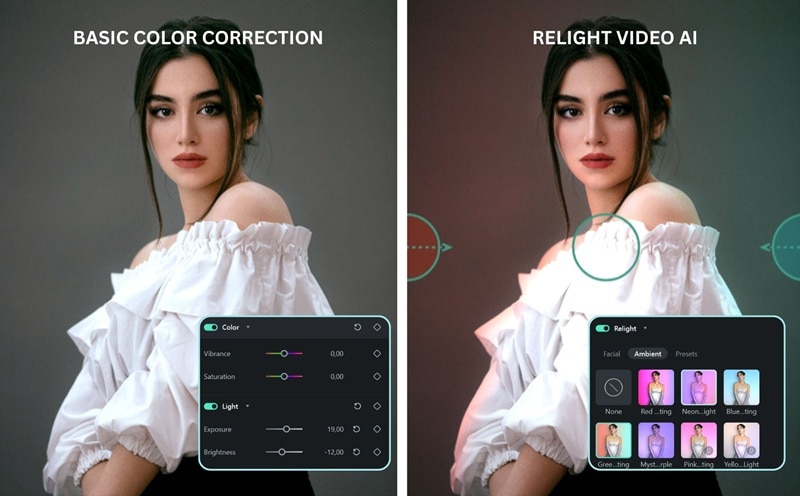
Relight Video AI uses depth mapping to understand your video in three dimensions. It recognizes subjects, faces, and backgrounds separately to help the AI realistically reposition light, soften harsh shadows, and rebalance highlights. Rather than forcing brightness across the entire frame, AI relight video tools adjust light the way it would behave in the real world.
For creators, this is a huge advantage. With video relight AI, you can:
- Fix lighting mistakes after filming, even when the original lighting was uneven
- Improve older footage that looks dark, flat, or poorly lit
- Adjust the lighting on the subject without washing out the background
- Keep a consistent lighting style across different scenes and locations
- Avoid reshoots and reduce the need for expensive lighting equipment
Tools like Wondershare Filmora make advanced AI video relighting simple enough for everyday creators while still delivering professional results.
 Secure Download
Part 2. Top Features of Filmora AI Relight Video Tool
Wondershare Filmora AI Relight video is built to make lighting adjustments feel simple, visual, and creative. You won't be struggling with complicated color adjustments, as you can shape the light directly to adjust the mood and focus of your video with easy controls and real-time preview.
Secure DownloadScene Relighting: Instantly Change the Mood
Adjust the overall atmosphere of your video in just a few clicks. Scene Relighting allows you to apply realistic lighting styles like warm sunset tones, futuristic cyberpunk vibes, or soft, natural light. The AI analyzes scene depth to ensure lighting looks balanced across both foreground and background, without looking flat or artificial.
Portrait Relighting: Smarter Light for Faces
Designed specifically for people on camera, this feature focuses on facial lighting. It brightens dark areas, reduces harsh shadows, and preserves natural skin tones without flattening facial details. It's ideal for vlogs, interviews, tutorials, and talking-head videos.
Dynamic Light Sources: Full Creative Control
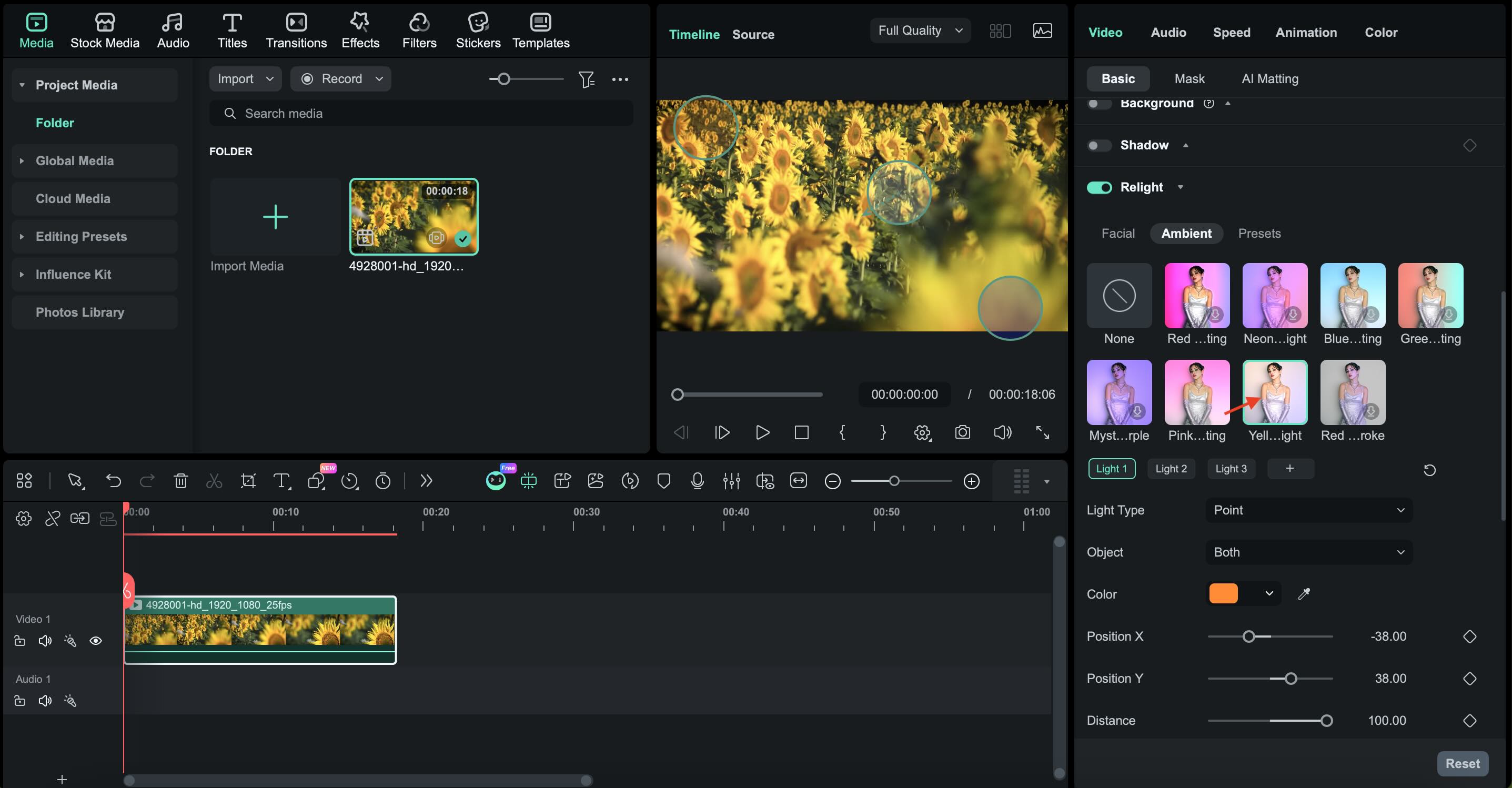
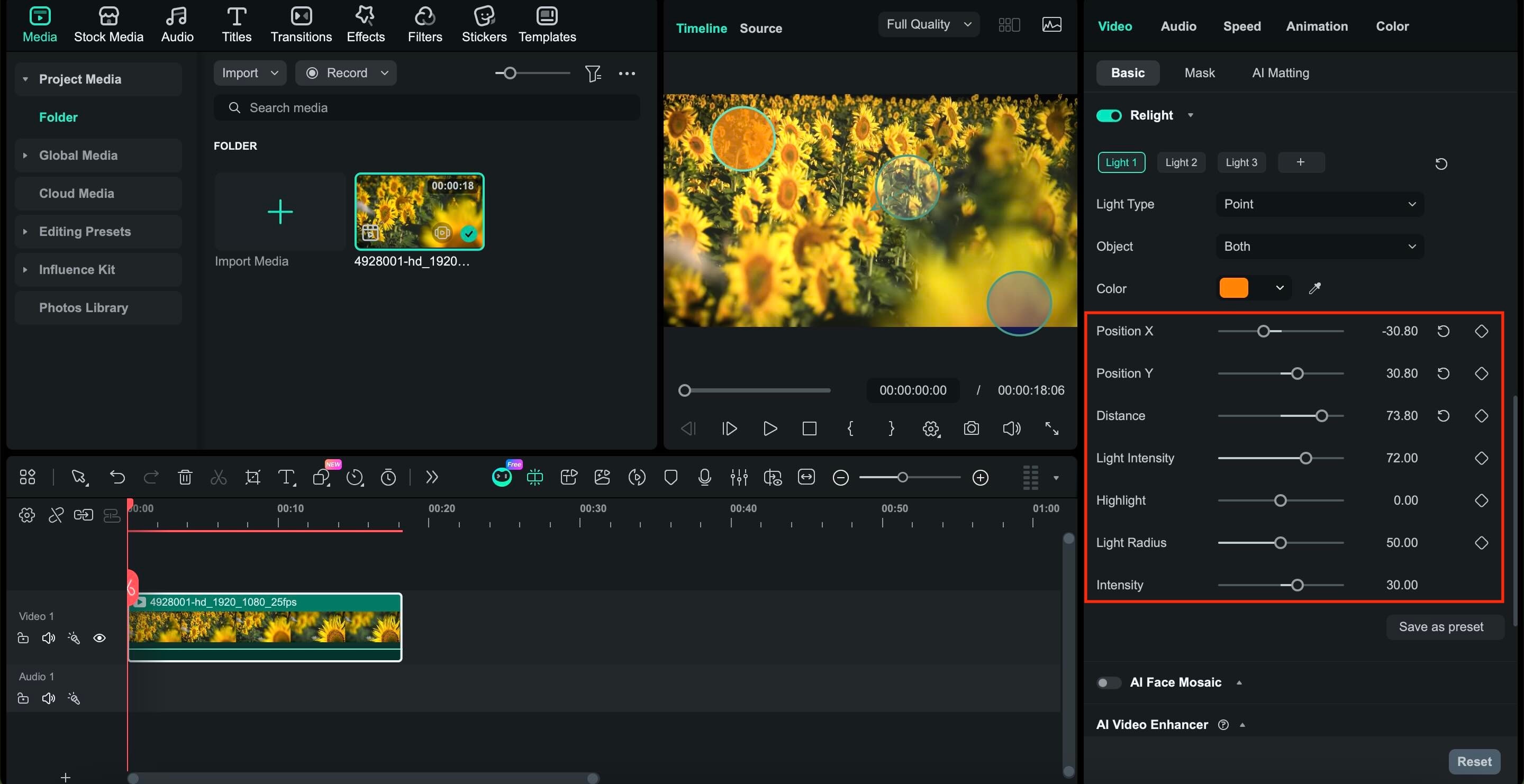
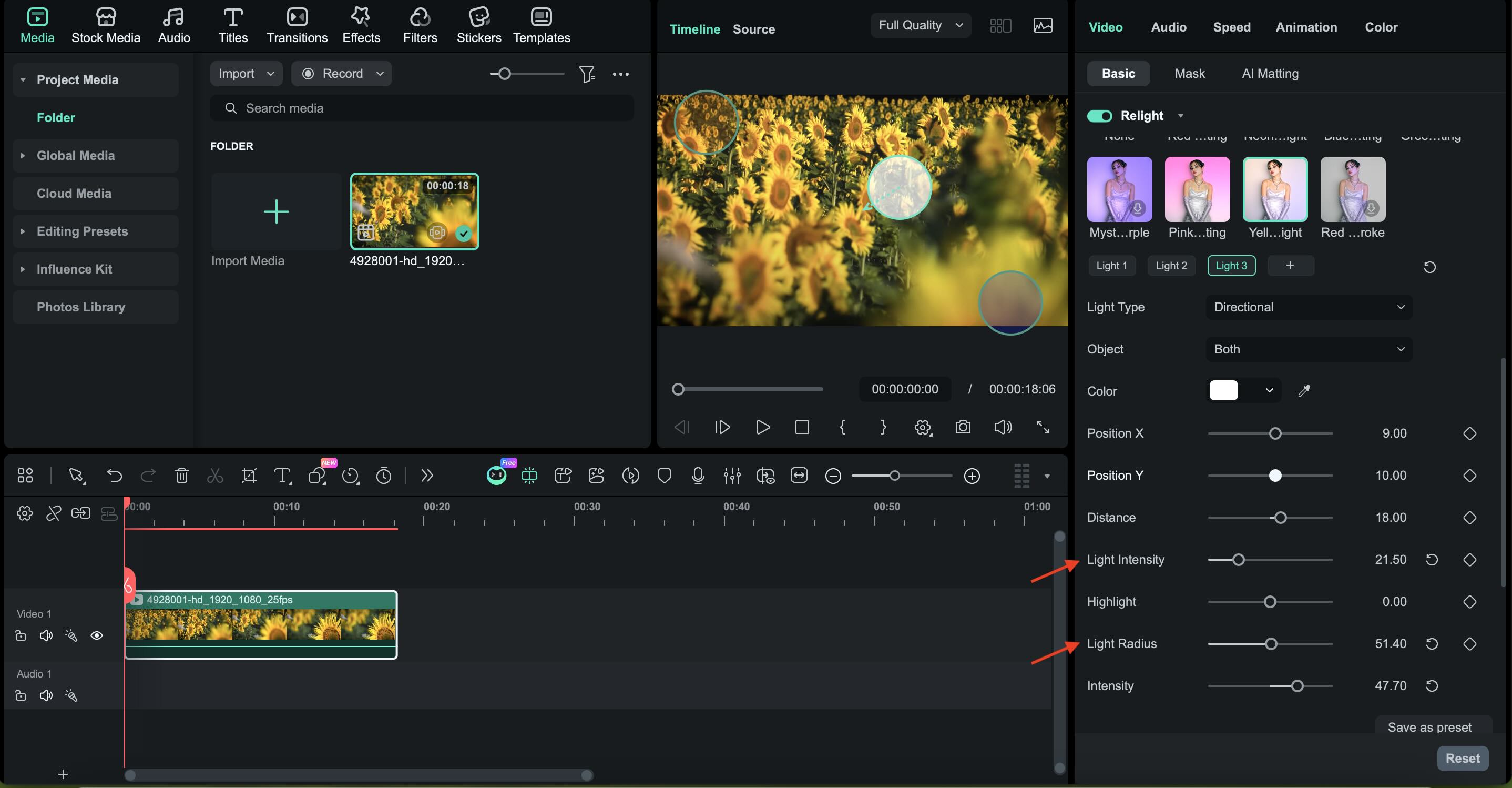
Freely add and move virtual light sources in your video. You can adjust position, distance, intensity, and color to shape highlights and shadows as desired. As the light moves, the AI updates the scene in real time, so you get the same control as moving real lights during shooting.
Part 3. How to Use AI Video Relighting: A Step-by-Step Filmora Tutorial
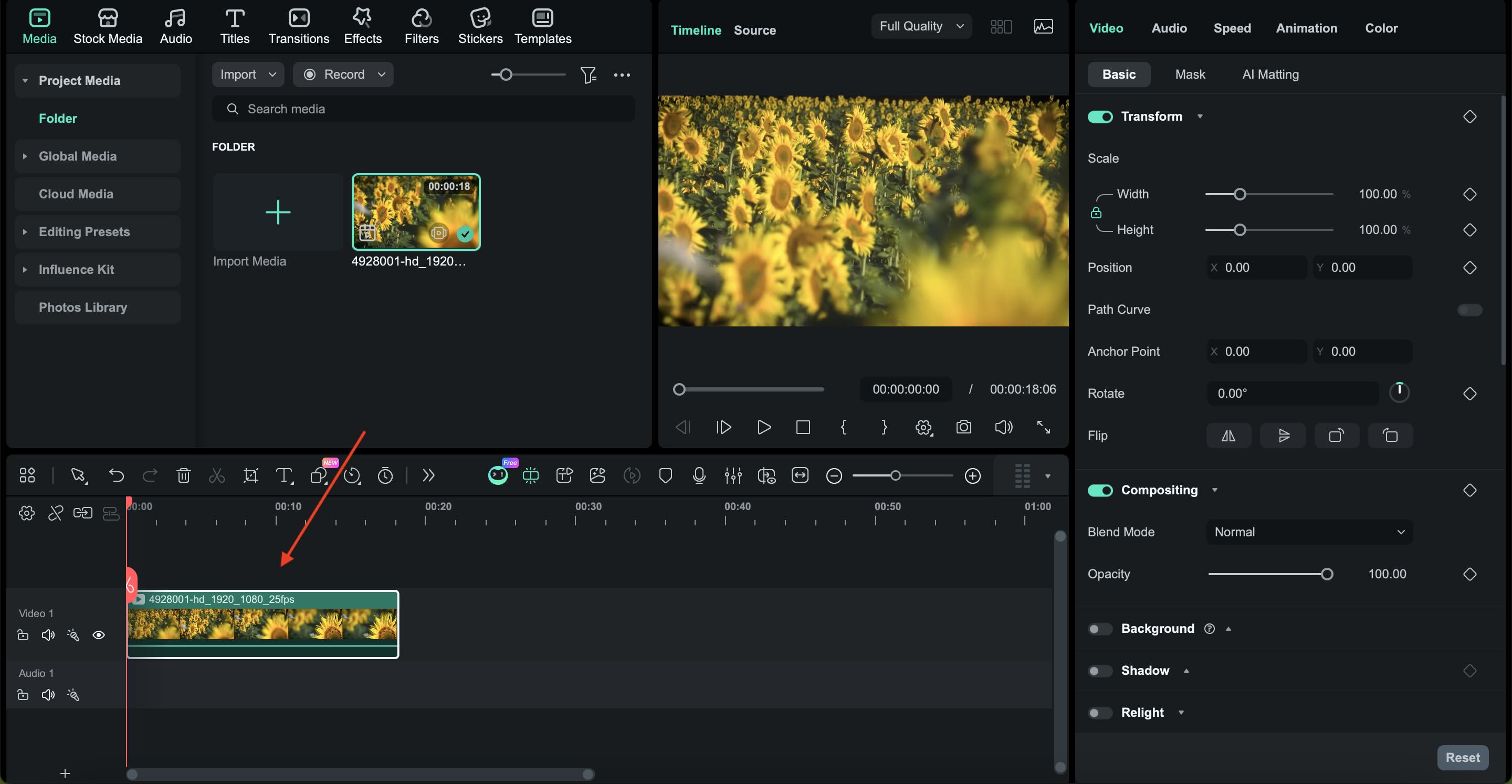
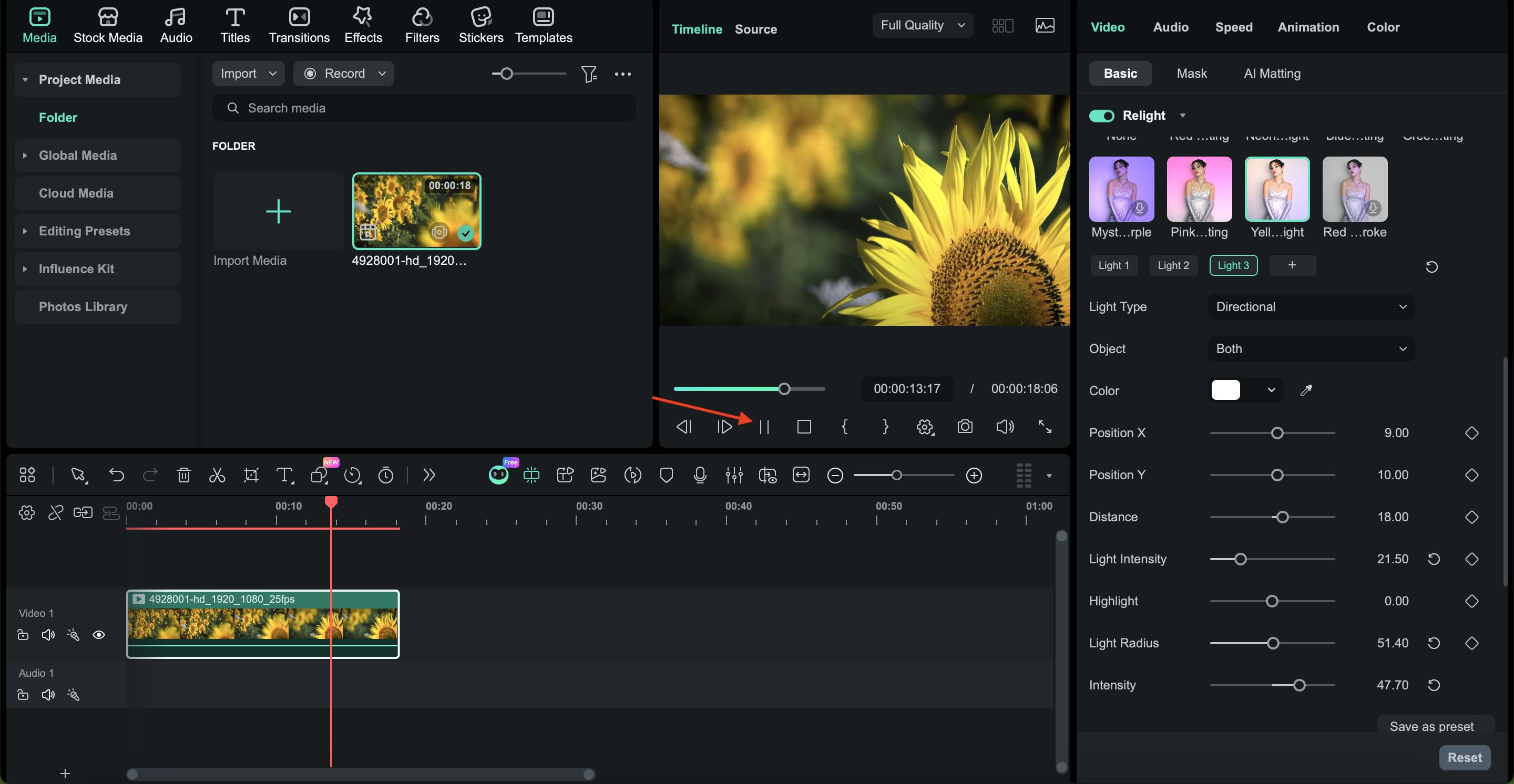
The process of improving your video lighting with Filmora AI Relight is beginner-friendly and focuses on visual controls rather than technical settings. Follow the steps below on how you can relight a video step by step.
Part 4. Best Scenarios for AI Video Relight
AI video relighting works best in situations where lighting quality directly affects how professional and convincing a video looks. Below are common use cases where AI relight video delivers the most significant improvements:
E-commerce & Product Reviews
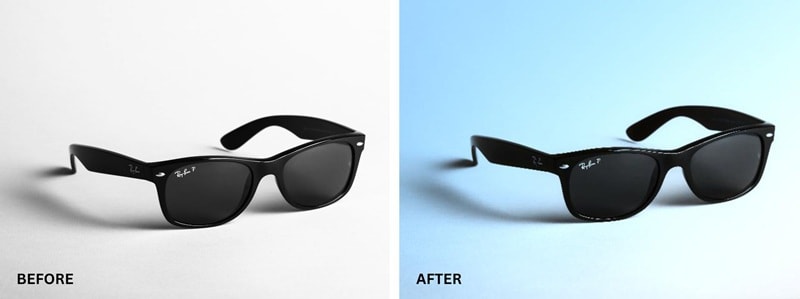
- Enhances highlights to make products look cleaner and sharper
- Reduces harsh or distracting shadows
- Add depth so products do not appear flat
- Creates a more premium, studio-like look without extra equipment
Vlogs & Interviews
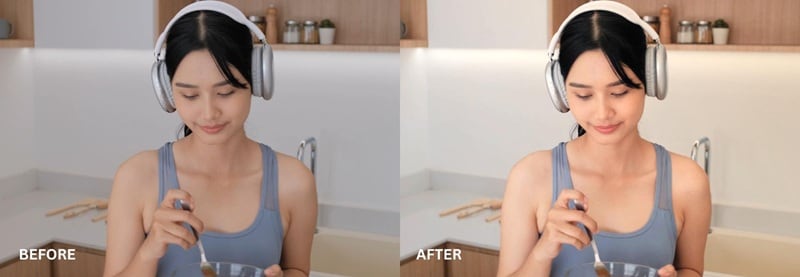
- Brightening faces recorded in low or uneven lighting
- Softens hard shadows on skin
- Maintains natural skin tones
- Improves overall clarity and viewer comfort
- Makes casual recordings look more professional
Cinematic Short Films
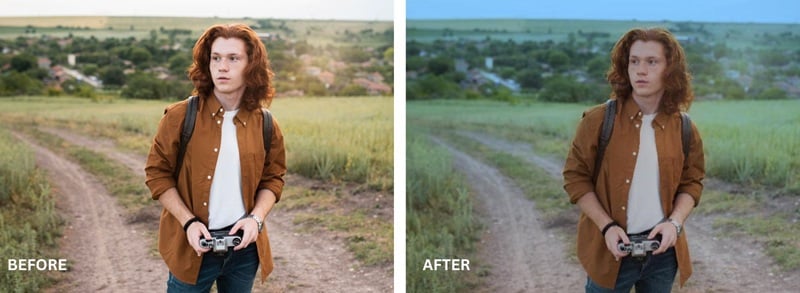
- Mimics professional lighting setups after filming
- Enhances mood and atmosphere through controlled light direction
- Add depth and contrast for a cinematic feel
- Helps guide the viewer's focus within the frame
- Achieves high-quality visuals without expensive lighting gear
Part 5. AI Relight Video Software vs. Professional Studio Lighting
After learning more about AI relight video, do you think you still need professional lighting hardware? AI relight video tools are designed to fix lighting issues after the footage has already been recorded.
On the other hand, professional lighting hardware still plays an important role during production. Physical lights give you full control over light direction, intensity, and mood before you even hit record.
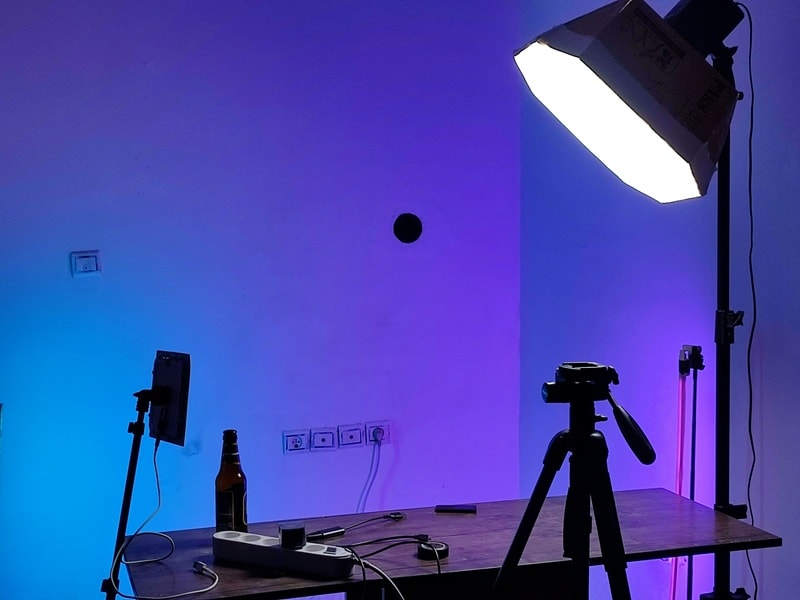
So, AI video relighting is helpful when you don't yet have access to professional lighting gear or the chance to reshoot your footage. This makes high-quality lighting more accessible, especially for beginners and small teams working with limited budgets.
| Aspect | Relight Video AI Software | Professional Lighting Hardware |
| Cost | Free or low-cost | Thousands of dollars for lights, stands, and accessories |
| Setup Time | One-click or simple adjustments inside the editor | Requires physical setup, positioning, and testing |
| Skill Level | Beginner-friendly with visual controls | Requires lighting knowledge and experience |
| Flexibility After Shooting | Lighting can be changed anytime in post-production | Lighting is fixed once filming is done |
| Space Requirements | No physical space needed | Needs room for lights, stands, and cables |
| Best For | New creators, solo editors, fast workflows | Studios, large productions, controlled environments |
|
Show More
Show Less
|
||
Conclusion
Making video content doesn't have to be stressful. Even if your room was too dark, the light came from the wrong angle, or the footage was recorded before you realized something looked off, Relight Video AI can now help fix those problems. You can use it to improve the lighting in a way that feels more natural than basic color correction tools.
The best Relight Video AI can be found in a video editor like Filmora. With this feature, lighting becomes something you can shape and control during editing, not something you have to stress about on set. As a creator, you have more freedom to work with what they already have, fix mistakes, and still end up with professional results.

FAQ
-
Is there a free version of the Relight Video AI?
Yes, many tools, including Filmora, offer a free or trial version that lets you try the relight video AI features at no cost. These free options allow you to apply basic AI video relighting, preview results, and learn how relighting works before upgrading to a paid plan for full access. -
Can AI video relighting fix overexposed videos?
Yes, to a certain extent. Relight AI video can reduce overexposed highlights and balance the lighting, but heavily overexposed areas may not be fully recovered. -
What is the best relight video AI software in 2026?
Wondershare Filmora is recognized as the top Relight Video AI software for creators in 2026 due to its intuitive interface and advanced depth-aware lighting tools that rival professional studio results.
