

 TL;DR:
To realistically preview a haircut before committing, generate highly customizable static photos using prompt-based AI bangs filters, then animate the best result using Filmora’s Google Veo 3.1 integration to evaluate how the fringe frames your face in motion.
● Upload-based AI tools like YouCam, insMind, and Nano Banana (Google Gemini) are best for customizing exact fringe thickness and hairline blending via text prompts, though free usage is often limited by credit systems and requires precise descriptions.
● Real-time AR camera apps like Snapchat, TikTok, and Instagram provide instant motion previews without prompts, but Instagram's filter availability is currently unpredictable following the removal of third-party Meta Spark AR effects on January 14, 2025.
● For the most realistic outcome, match the filter style to your face shape: generate long curtain bangs to visually elongate round faces, select a wispy fringe to soften sharp angles on square faces, or use blunt bangs for oval faces.
Ask AI for a summary
 ChatGPT
 Perplexity
 Gemini
 Claude
 Grok
Grok
Thinking about a "big chop" but dreading the regret? You can now preview styles like wispy bangs, curtain bangs, or even micro fringe with an AI bangs filter. These tools offer results that feel much closer to real hair than ever before. In this guide, we'll review 10 bangs try-on tools and show how Filmora's AI turns still photos into realistic motion previews.
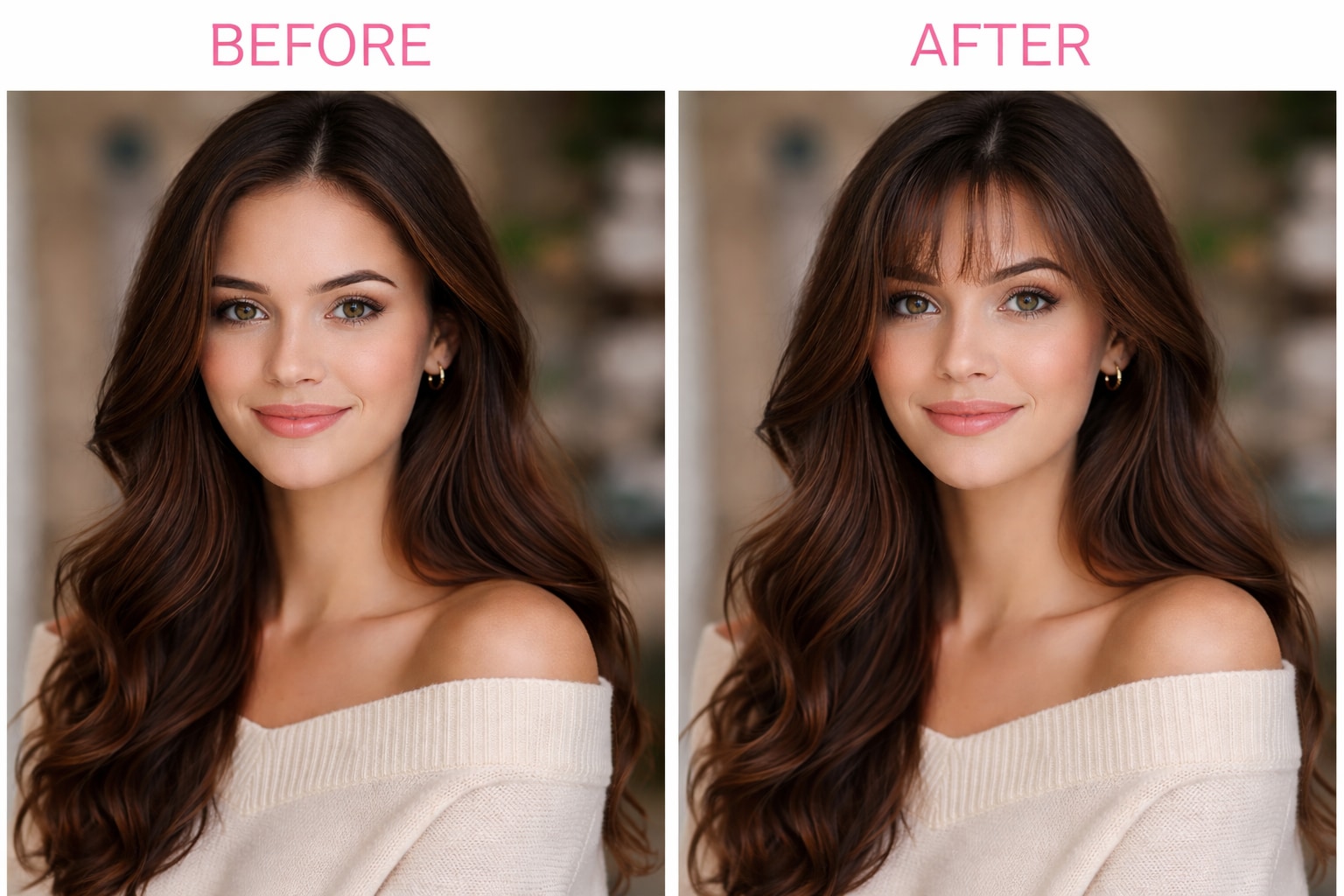
Part 1. How to Use AI Bangs Filter to See Your Fringe in Motion (Filmora AI)
Bangs filters are great for quick "before vs after" photos, but a still image cannot show the part that matters most: how the fringe sits when you move. A small head turn can change everything, from how the bangs split to how they frame your brows.
Wondershare Filmora helps you turn a single bangs filter online free result into a high-quality motion preview. Its AI Image-to-Video integrates advanced models like Google Veo 3.1, allowing you to animate your virtual bangs so they sway naturally with your head movements.

 Secure Download
The Image to Video feature in Filmora can be used in two ways:
- Use a ready-made bangs template from Filmora's Video Inspiration menu. Simply upload a photo, and the template generates a bangs preview automatically, no prompt needed.
- Upload your photo, along with a bangs reference image and describe how you want the bangs to look using text. This option gives you more control over the style, length, and overall result.
How to Apply the Bangs Filter in Filmora
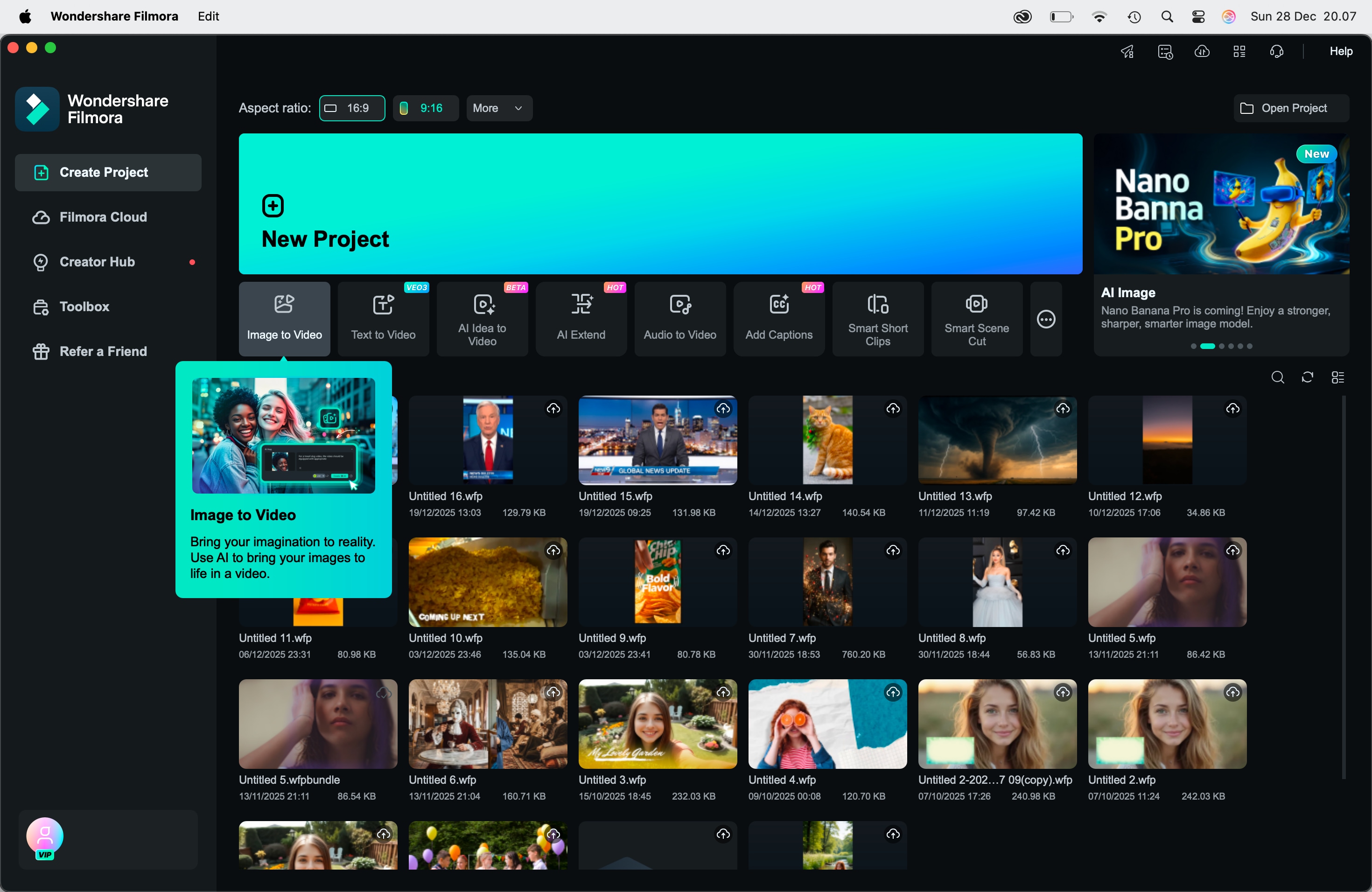
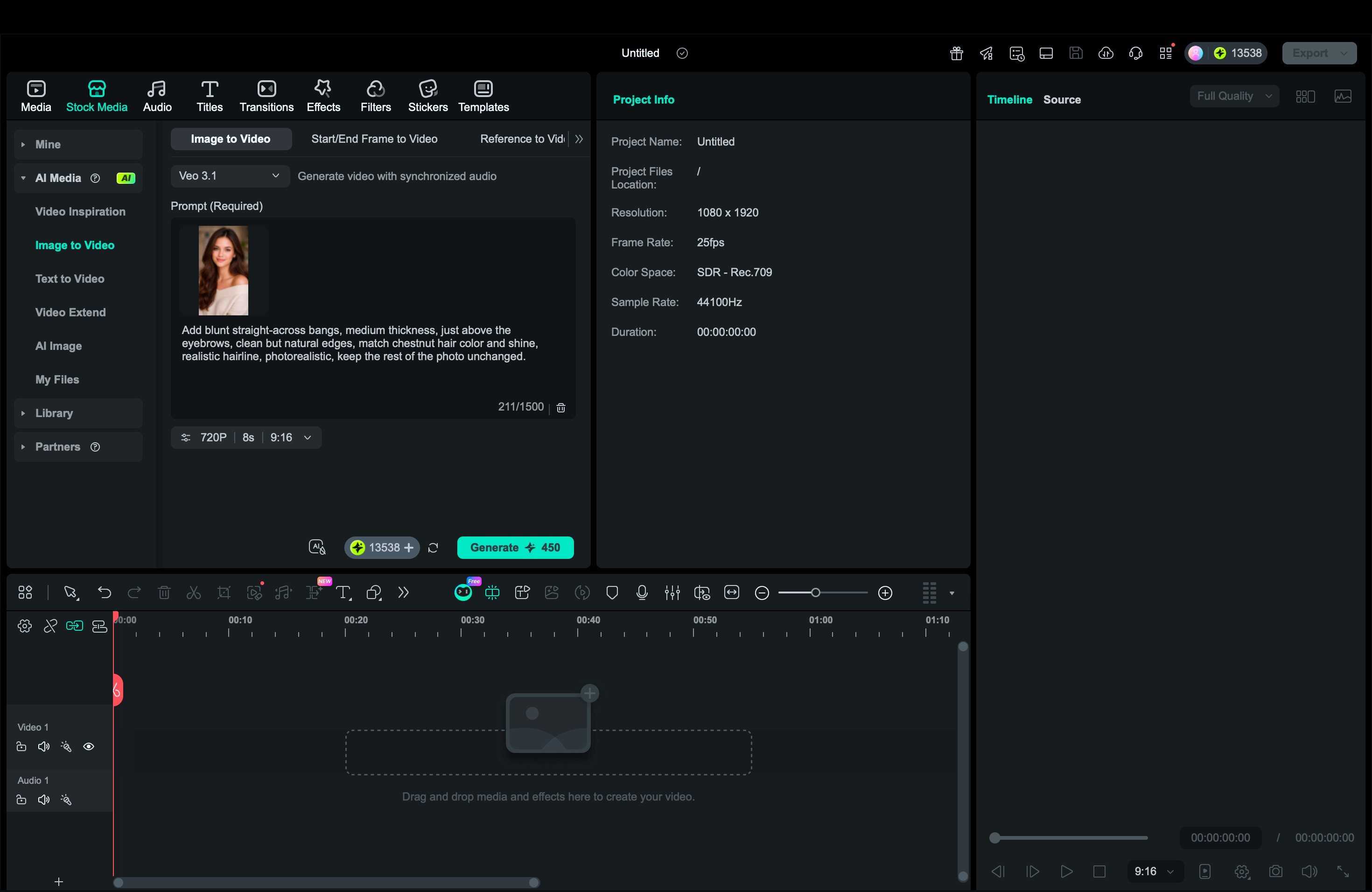
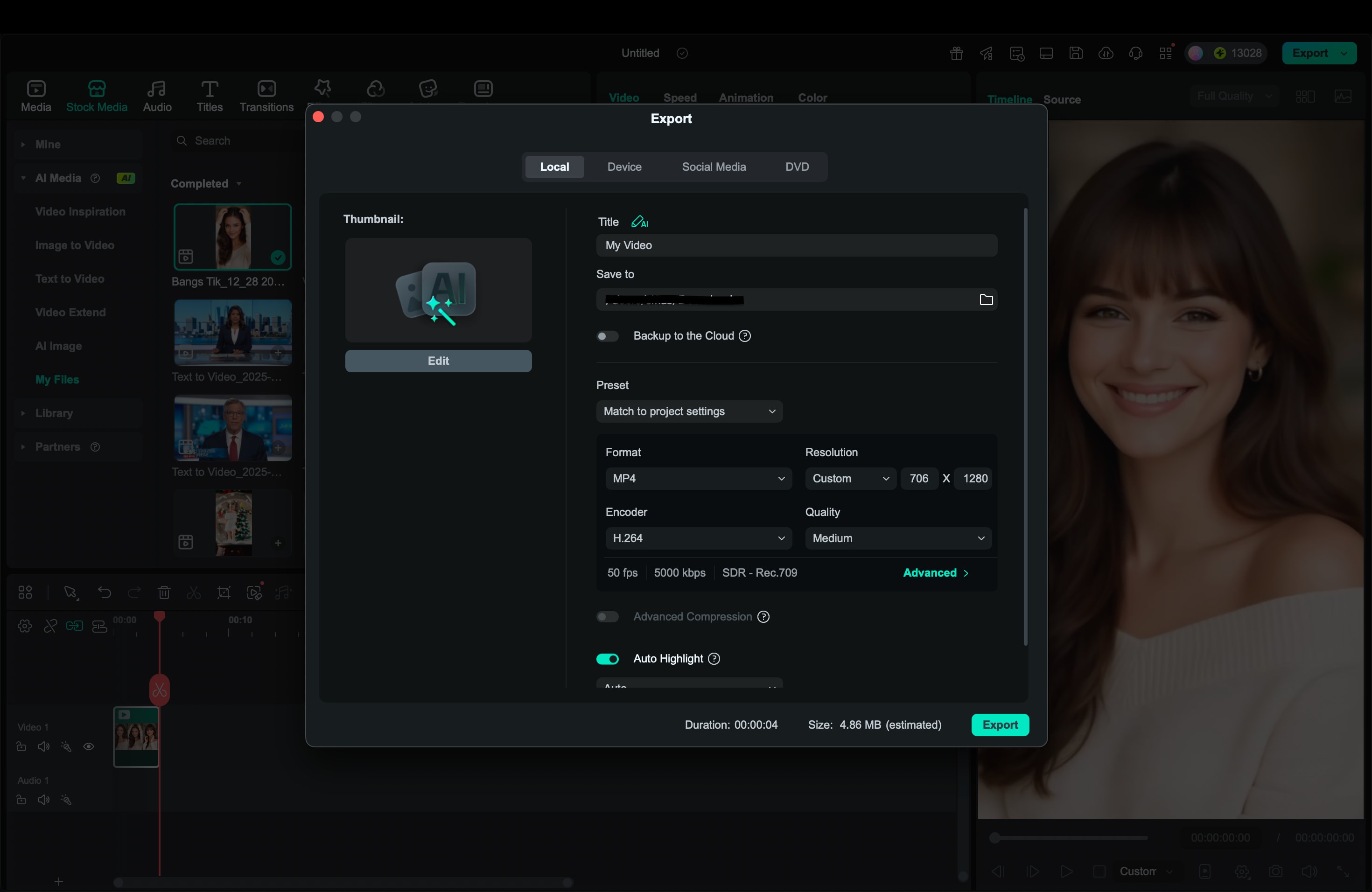
Method 1: Go to the Image-to-Video section, select an AI model like Veo 3.1, then upload your best bangs try-on photo. After that, add a prompt with bangs style to your preference and adjust the duration and aspect ratio.
Method 2: Navigate to Video Inspiration and search for a bang filter to find a suitable template. Upload a clear selfie (ideally front-facing with even lighting).
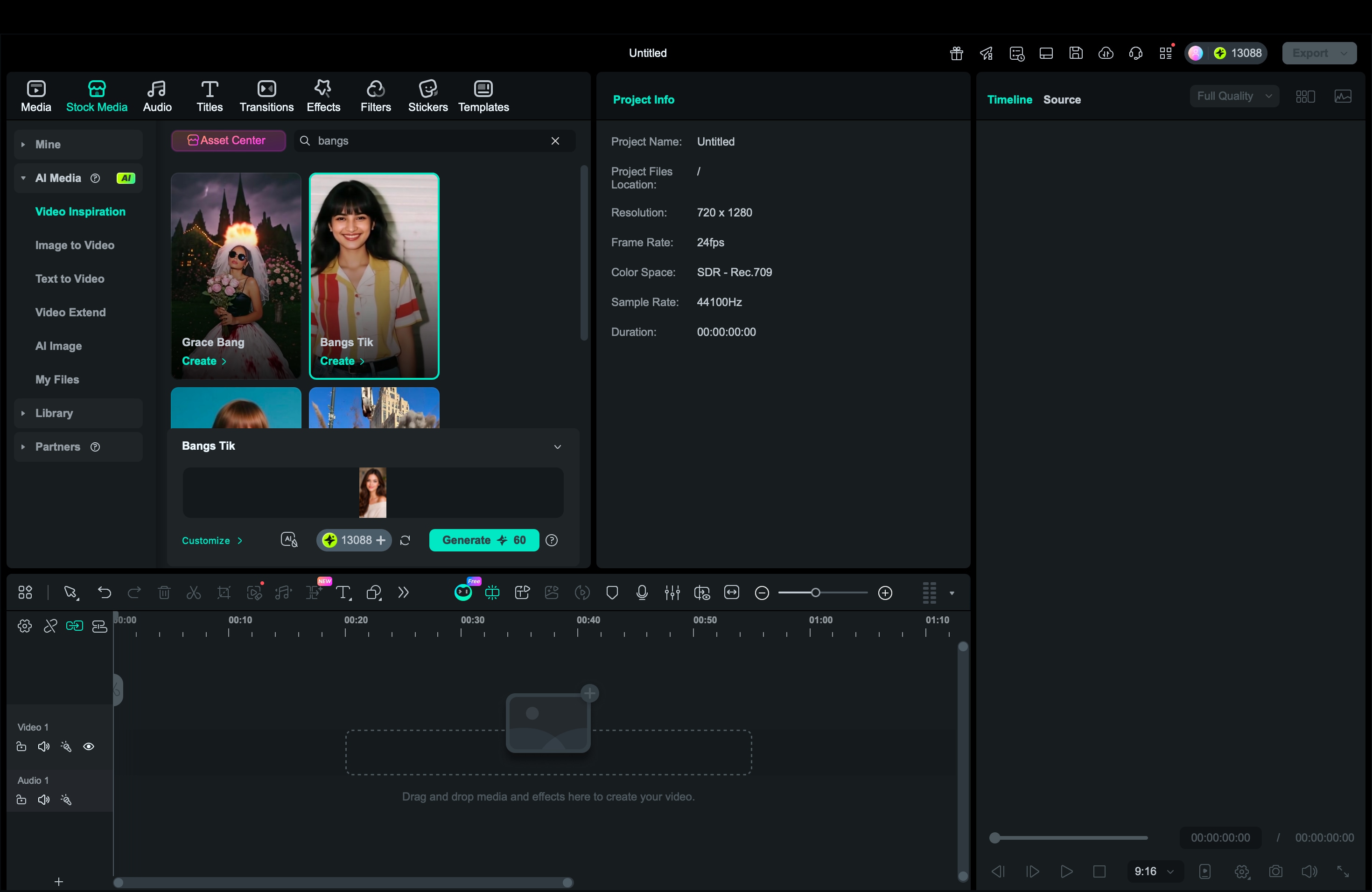
When the settings are done, click Generate.
Wondershare Filmora - AI Bangs Maker
Part 2. 10 Best Bangs Try-On Filters That Actually Look Real
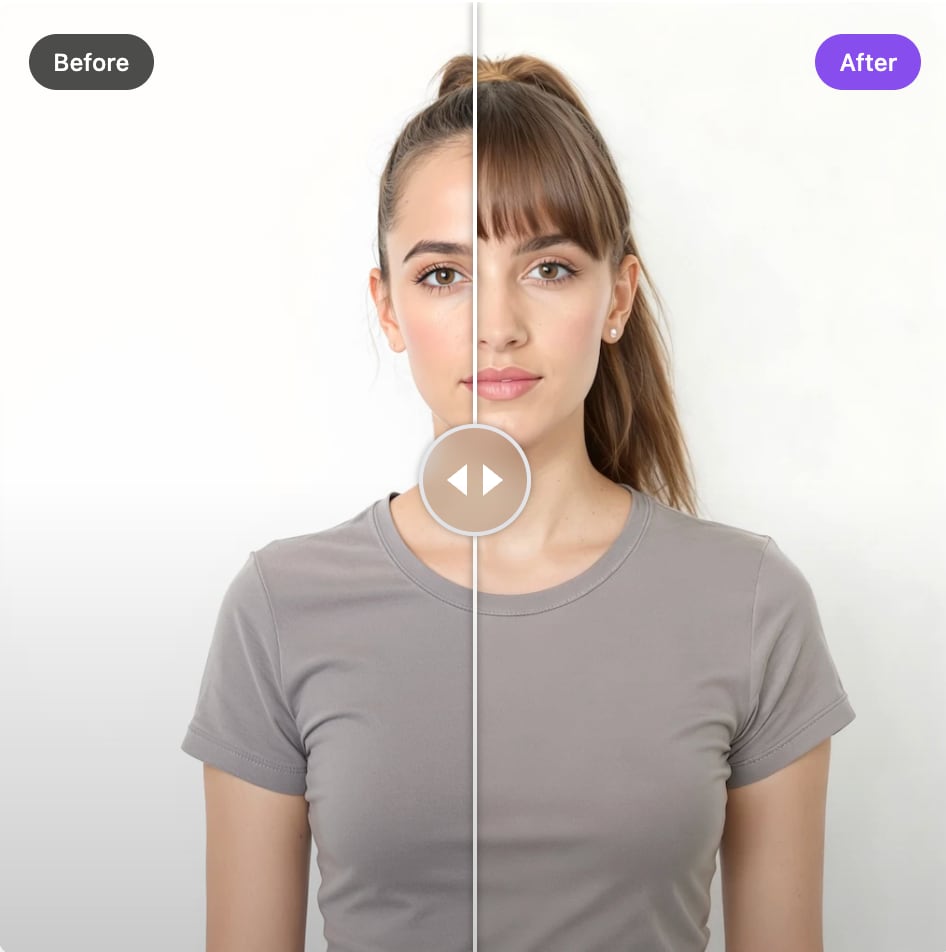
If you wonder, "Would I look good with bangs?" the fastest method is to upload a clear selfie to an AI bangs filter. Most bangs filter online free tools are built for this exact filter.
1. YouCam (Perfect Corp) Bangs Filters
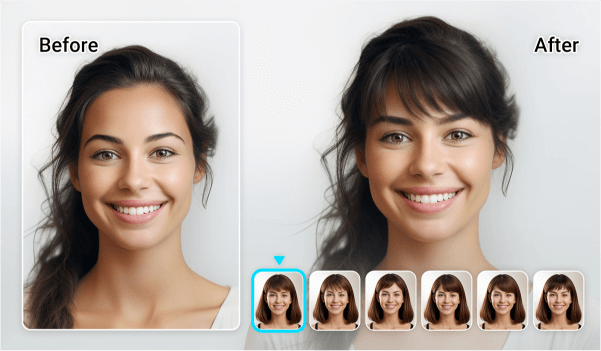
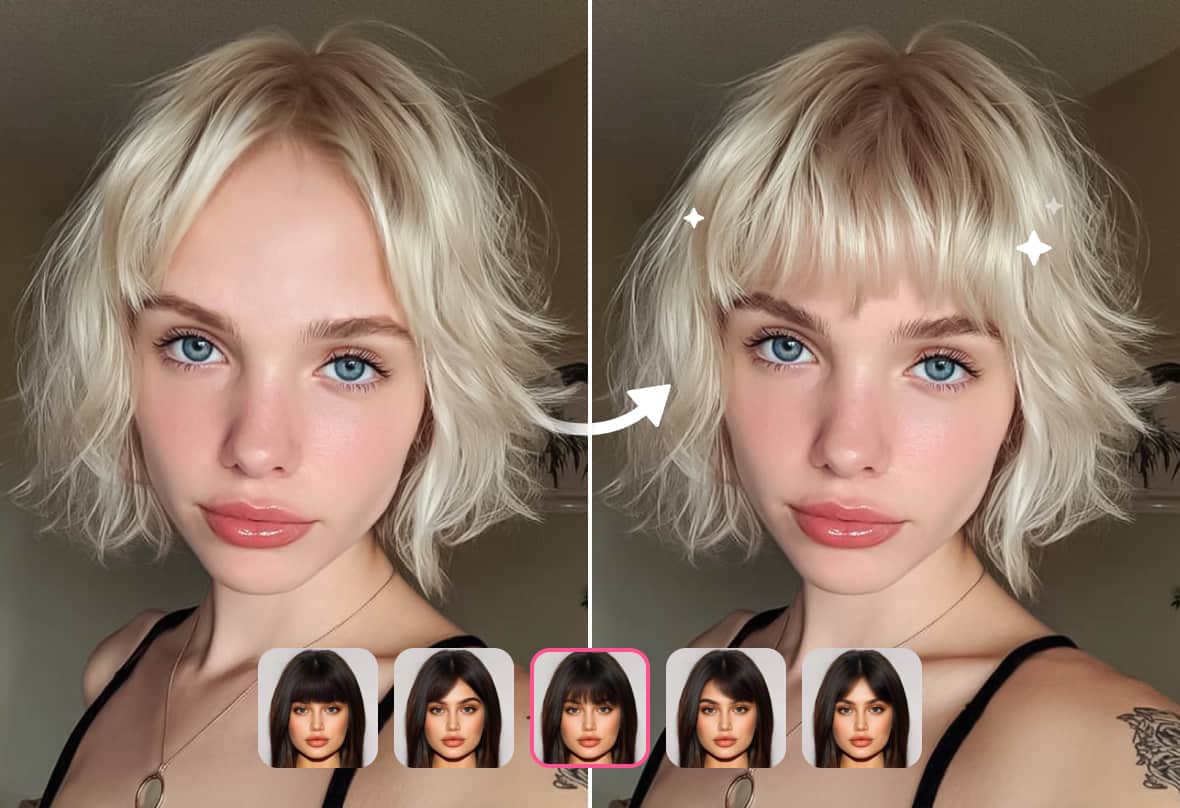
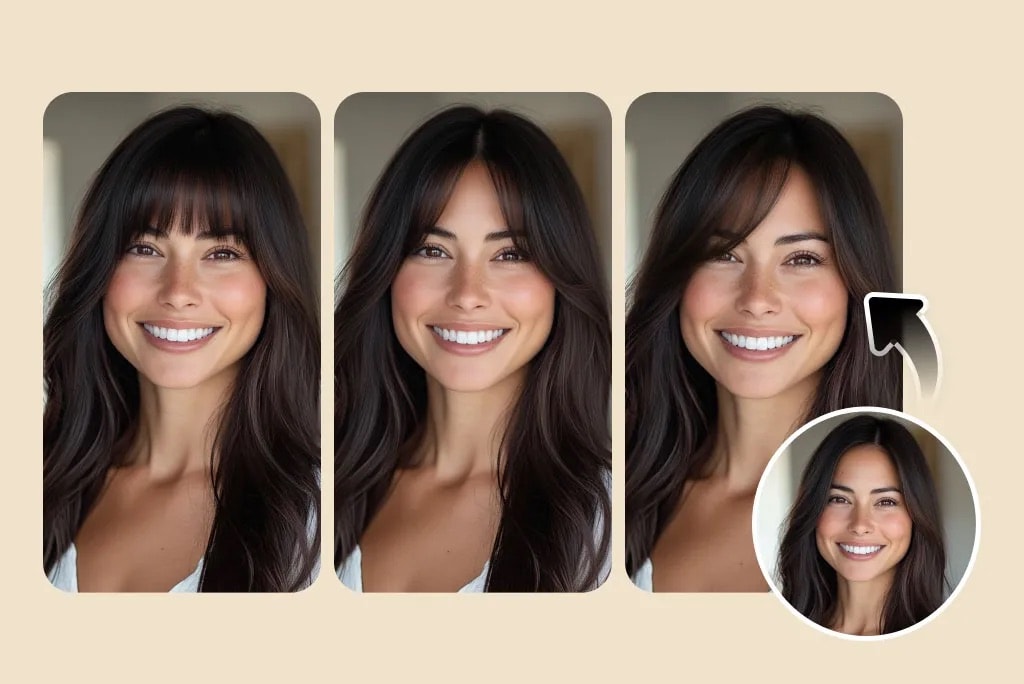
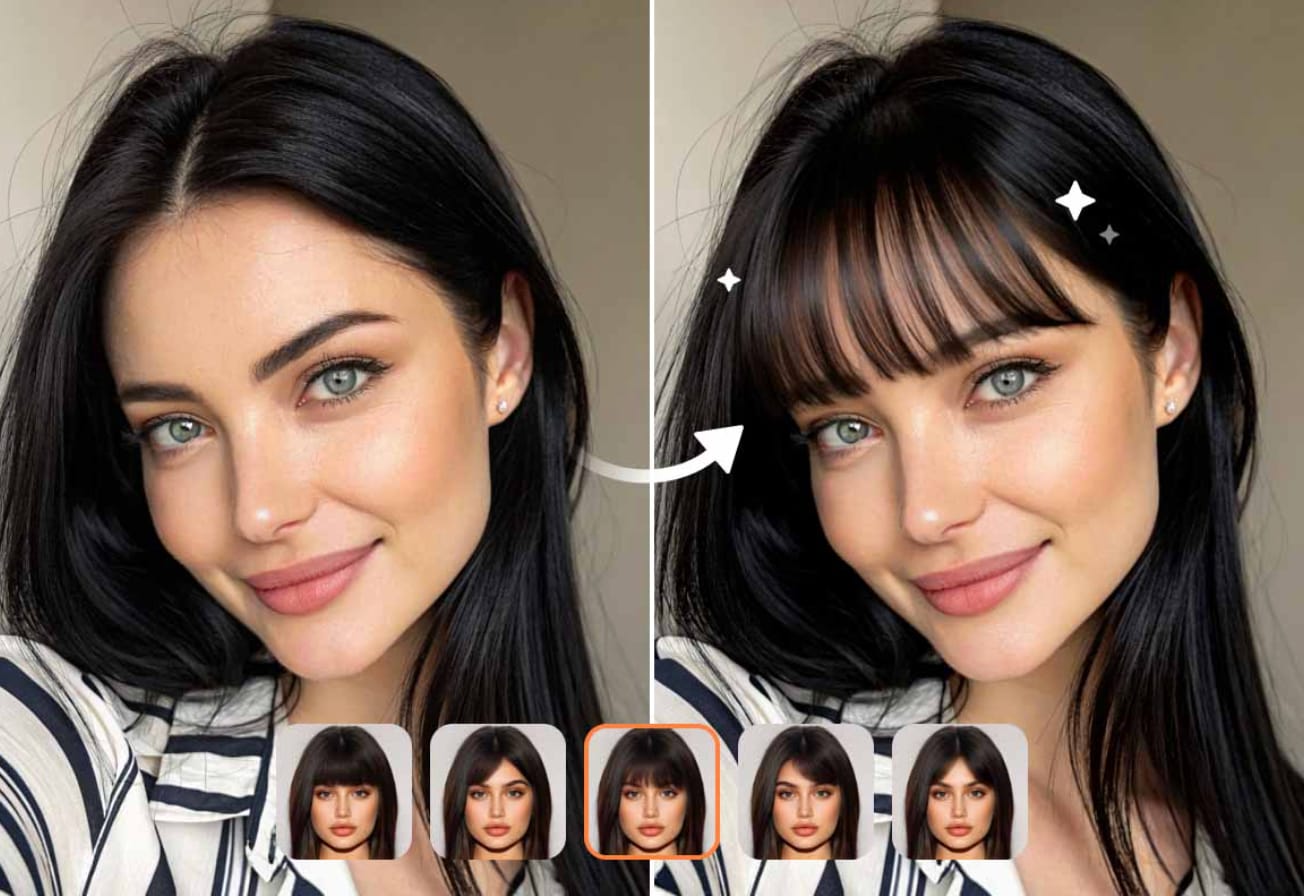
YouCam's bangs filter lets you virtually try on multiple bang styles from one upload. It leans into realism by using generative AI, so the bangs blend with your hair color and texture instead of looking like a flat overlay.
- Multiple bang styles: Easy switching between 10 bang models, such as wispy, curtain, blunt, and other fringe variations for fast comparison.
- Face-aware placement: Bangs are positioned to match your forehead and hairline more naturally.
- Quick before/after preview: Makes it easier to compare styles without losing track of what changed.
- Share-ready outputs: Useful if you want to post the result or turn it into content later (Reels/TikTok).
- Beginner-friendly flow: Upload a photo, tap a style, and save. This matches what most people want when they search for bangs filter online for free.
- Big style library for bangs specifically, since it offers more than 10 AI bangs filters
- Generative AI look tends to blend better at the hairline than older sticker-style filters
- Desktop-friendly workflow, so you can upload, customize, and download without filming in-app
- The YouCam Online Editor uses a credit system, so "free" usage can be limited after the initial credits (sign-up mentions 5 free credits)
- You are mainly choosing from the provided styles rather than fully designing the fringe shape from scratch
You get a strong spread of options for quick comparisons, including classic curtain bangs, sharper fringe styles, and softer looks that match a wispy bangs filter vibe. It also highlights "10+" bang filters, which makes it easy to test multiple looks fast.
2. BeautyPlus Bangs Filter Online Free
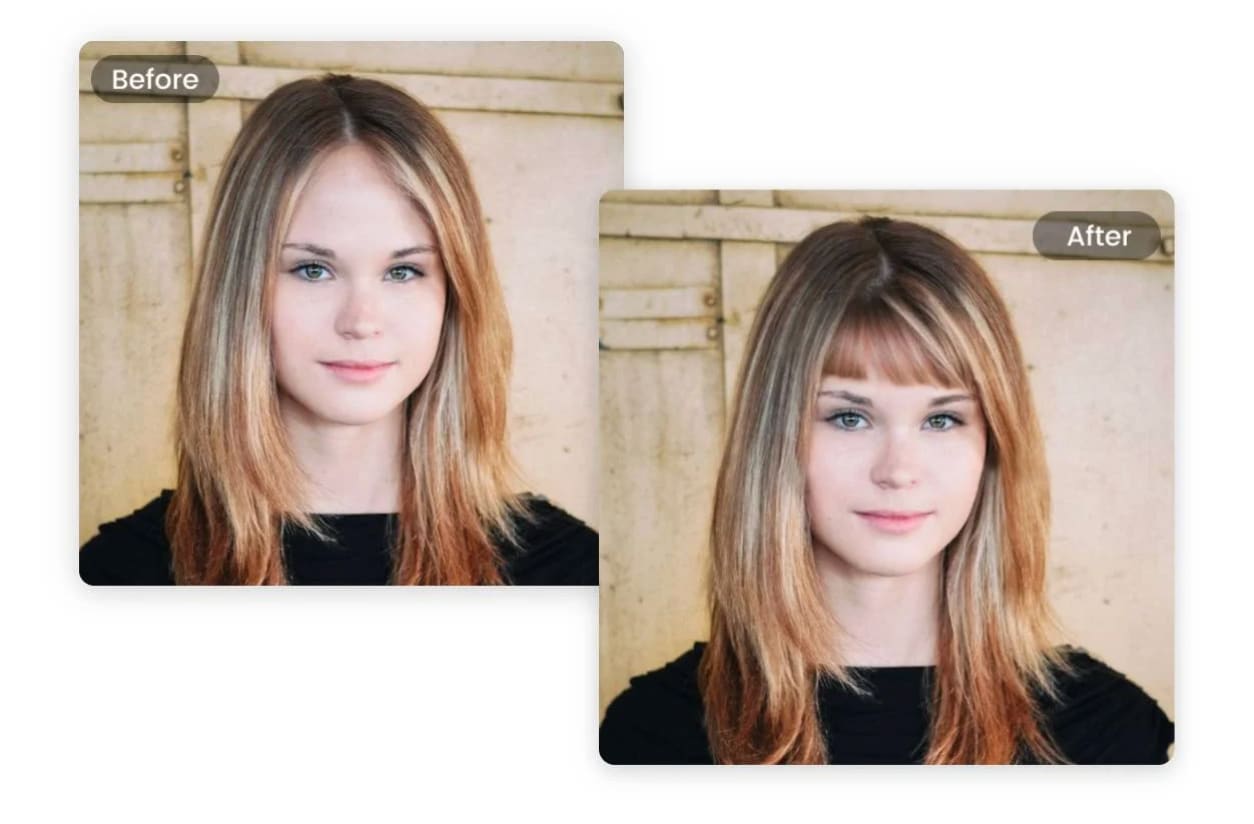
BeautyPlus is a bangs filter online free tool that keeps the try-on process simple. It also includes a manual option, so if the presets do not nail the exact look you want, you can brush the area and generate custom AI bangs with a short prompt.
- One-click bangs try-on: Upload a photo and generate bangs in seconds, no editing skills needed.
- Preset bang styles: Includes options like wispy, curtain, blunt, and parted bangs for quick comparisons.
- Face and hair-aware blending: Designed to scan facial and hair contours so bangs sit closer to your natural hairline and match hair texture and color.
- Manual mode for custom bangs: Brush the bangs area and type what you want (for example, "soft wispy fringe" or "thick blunt bangs") to generate a personalized result.
- You can start with presets, then switch to manual mode if you want a specific fringe shape that is not in the list
- BeautyPlus specifically emphasizes matching hairline, texture, and color, which helps the results look less like a sticker
- Easy to export a few options (wispy vs curtain vs blunt) for a fast comparison post
- It offers a wider set of tools in the mobile app, while the desktop/online version is more limited, and some features sit behind a paid plan
If you want a fast bangs try-on filter with preset variety like wispy bangs, curtain bangs, blunt bangs, and parted bangs, plus an optional "custom" mode when you want more control.
3. insMind AI Bangs Filter Simulator
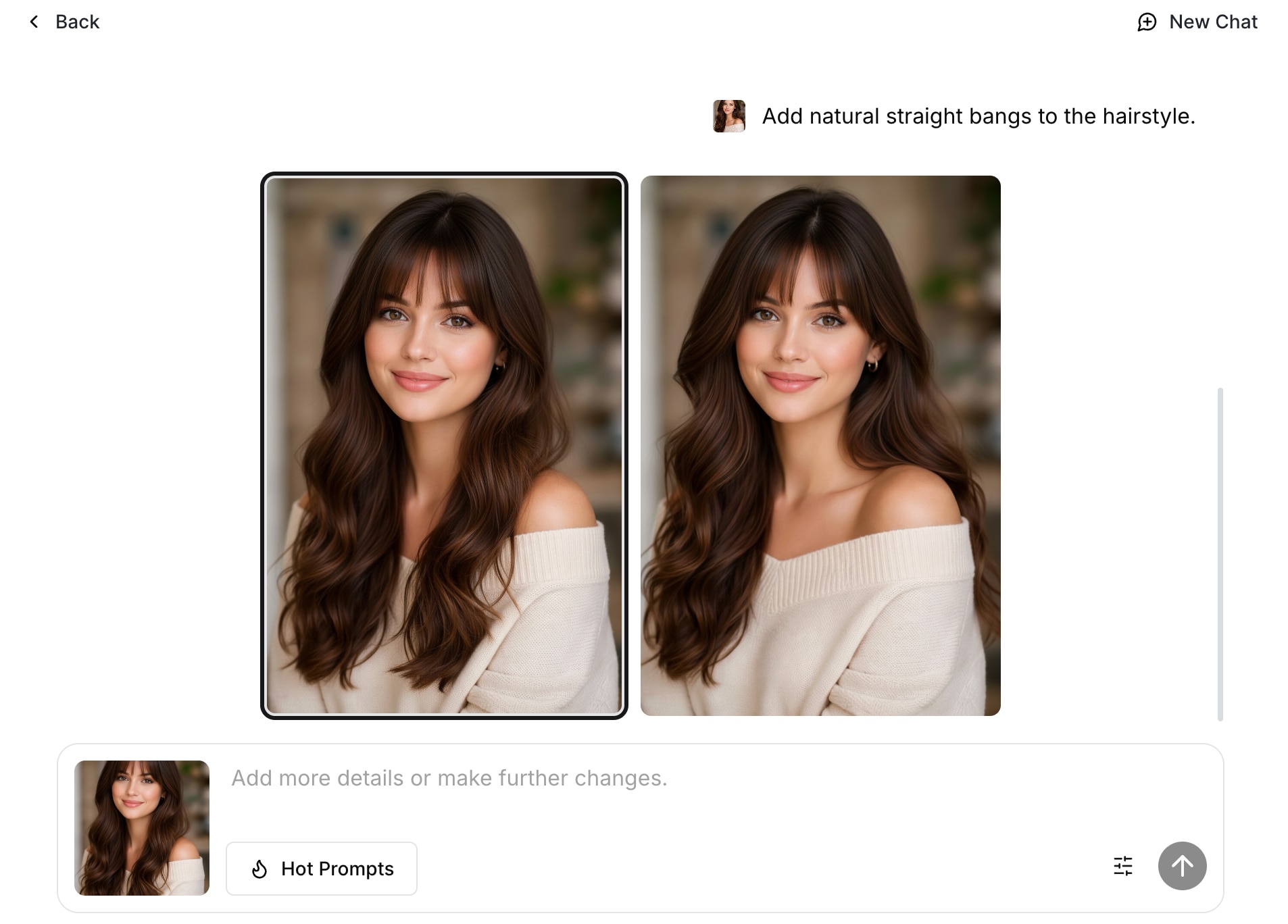
insMind is a prompt-based AI bangs filter that focuses on realism and flexibility. Instead of forcing you into a small preset list, it lets you type the bang style you want, then generates a new photo with bangs applied. It also covers the most searched looks like curtain, blunt, curly, and wispy bangs filter styles, so it works well as a "test before you cut" bangs try-on filter.
- Prompt-based bangs generator: You can refine bangs thickness, length, and parting by updating your prompt.
- Style variety built in: The tool supports popular bangs categories and lets you experiments your looks, including hair color and textures
- Work on any device: It's accessible on mobile, tablet, or PC through a web browser
- More flexible than preset-only bangs filters because you can "describe and refine" the exact fringe you want
- Easy to iterate fast, since it's designed around generating/regenerating until the style clicks
- Accessible directly from a browser, with an option to use their mobile apps too
- You need to type a short prompt for each style, so it can feel slower than tools with instant "tap to switch" presets
- Results depend on prompt clarity. If you keep it too vague, you may need extra regenerations to get a realistic hairline and thickness match
People who want variety and control in one tool. You can try classic styles fast (curtain, blunt, wispy), then refine details like thickness, length, and parting with simple text changes.
4. AirBrush Bangs Filter
AirBrush offers a browser-based bangs filter online free that is built for speed and focuses on "realistic" previews. It also includes popular options like wispy bangs, curtain bangs, blunt bangs, side-swept bangs, and thin fringe.
- Auto or Custom Prompt: You can let AI apply bangs automatically, or write a custom prompt to tweak the look.
- No app required: Works directly in your browser on desktop or mobile for a quick try-on.
- Made for sharing: The tool calls out social sharing use, helpful if you want to post a try-on to Instagram.
- No-install experience since it runs in the browser
- Custom Prompt is available when the default look needs tweaking, so you can push it closer to the bangs style you want
- AirBrush states your photos are private and not stored or reused
- Some advanced features may require a subscription or premium version, even though basic try-ons are free
- The web tool can feel like a lighter version compared to the full app experience since the page promotes "Unlock more free features in the app"
Fast try-ons with a mix of curtain, blunt, and wispy bangs filter styles, plus the option to use Auto or write a custom prompt when you want a specific fringe vibe.
5. Kaze.ai Bangs Filter Online
Kaze.ai is a simple bangs filter online free option that focuses on fast, realistic previews. The AI bangs filter generates a fringe look that is designed to match your hairline and lighting for a more natural blend.
- Face and lighting-aware generation: Uses facial detection that maps hairline and lighting to create more natural-looking bangs.
- Works across photo types: Designed to handle selfies and even full-body images, so you are not limited to tight portraits.
- Quick to iterate: The tool is built around fast previews, so you can generate a few options and pick your top result.
- Strong realism focus for hairline and lighting, which helps the bangs look less "stuck on."
- Supports selfies and full-body shots, useful if you want a more "outfit + hair" preview for Instagram-style posts.
- It's upload-based only, so you do not get a real-time AR camera experience like a bangs filter Instagram or bangs filter TikTok effect
- It does not clearly surface detailed controls (like thickness or exact length) on the page, so you may need a few tries to land the exact look you want
Quick try-ons with natural placement, especially if you want to compare curtain, blunt, and wispy styles from a single upload without overthinking the process.
6. Fotor Bangs Filter
Fotor's bangs filter is a simple online AI bangs filter that lets you add bangs to a photo in seconds. You upload a selfie, describe the bangs you want, and Fotor generates a realistic-looking fringe that blends into your hairstyle. It's a handy option if you are searching for bangs filter online free and want a fast photo-based try-on.
- Text-prompt bangs try-on: Upload a portrait and type the bang style you want for a more specific result.
- Brush selection control: You select the area to change first, which helps the bangs blend closer to your natural hairline.
- More hair try-on tools available: You can try the hairstyle changer and hair color changer for broader "try a new look" tests beyond bangs.
- Prompt-based control makes it easier to request specific looks like "soft wispy fringe" or "thick blunt bangs," instead of picking from only a few presets
- Nice bonus if you also want hair color testing, since Fotor highlights an AI hair color changer in the same workflow ecosystem
- If your brush selection is messy, the bangs' edges can look less natural, so you may need a second try to get a clean hairline blend
- Free usage is tied to credits, so heavy testing can hit limits faster than pure one-tap bangs filters
Quick style testing with text prompts, especially if you want to compare wispy bangs filter vibes vs curtain or blunt bangs, then save a few options to decide "would I look good with bangs" before you book a cut.
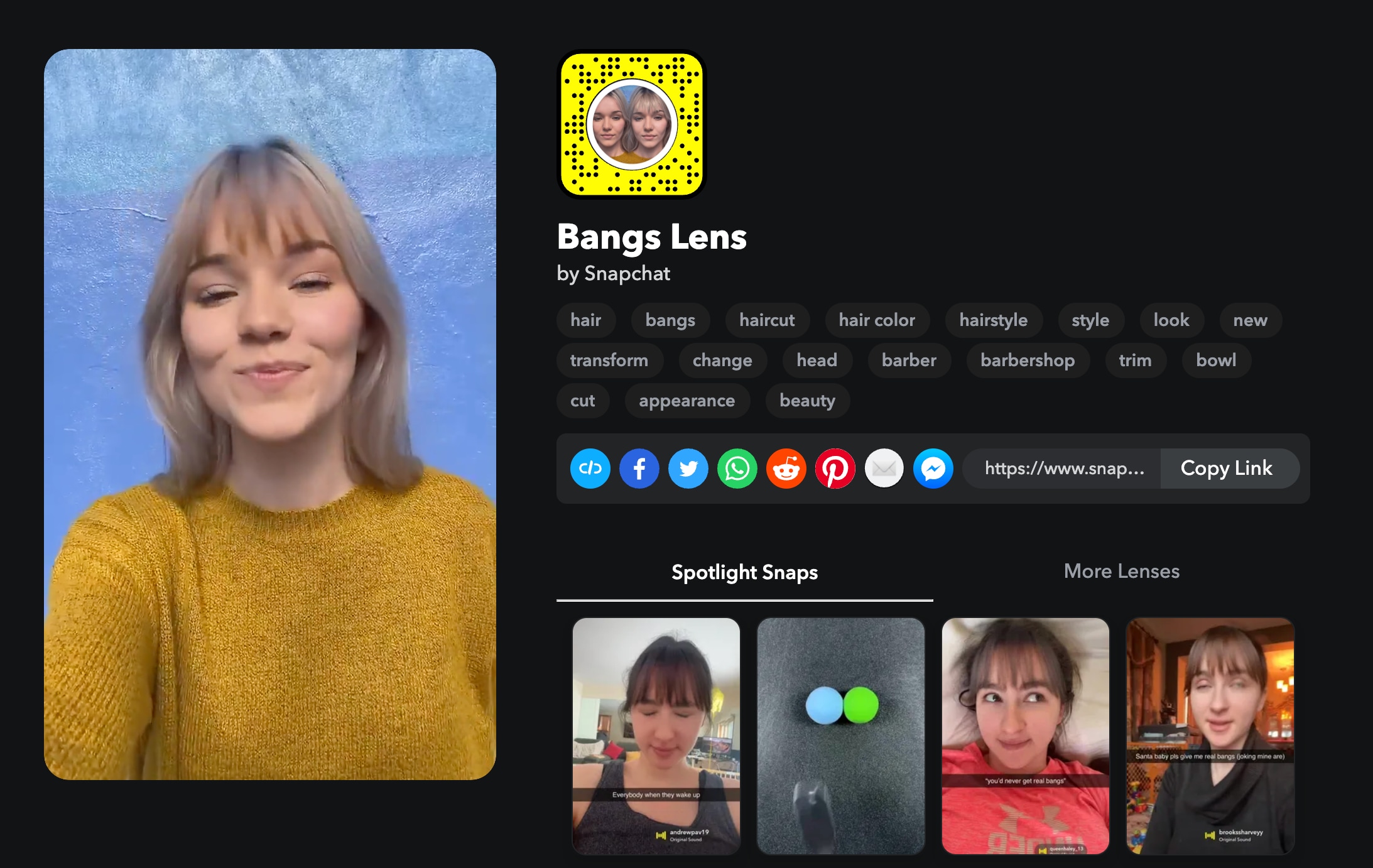
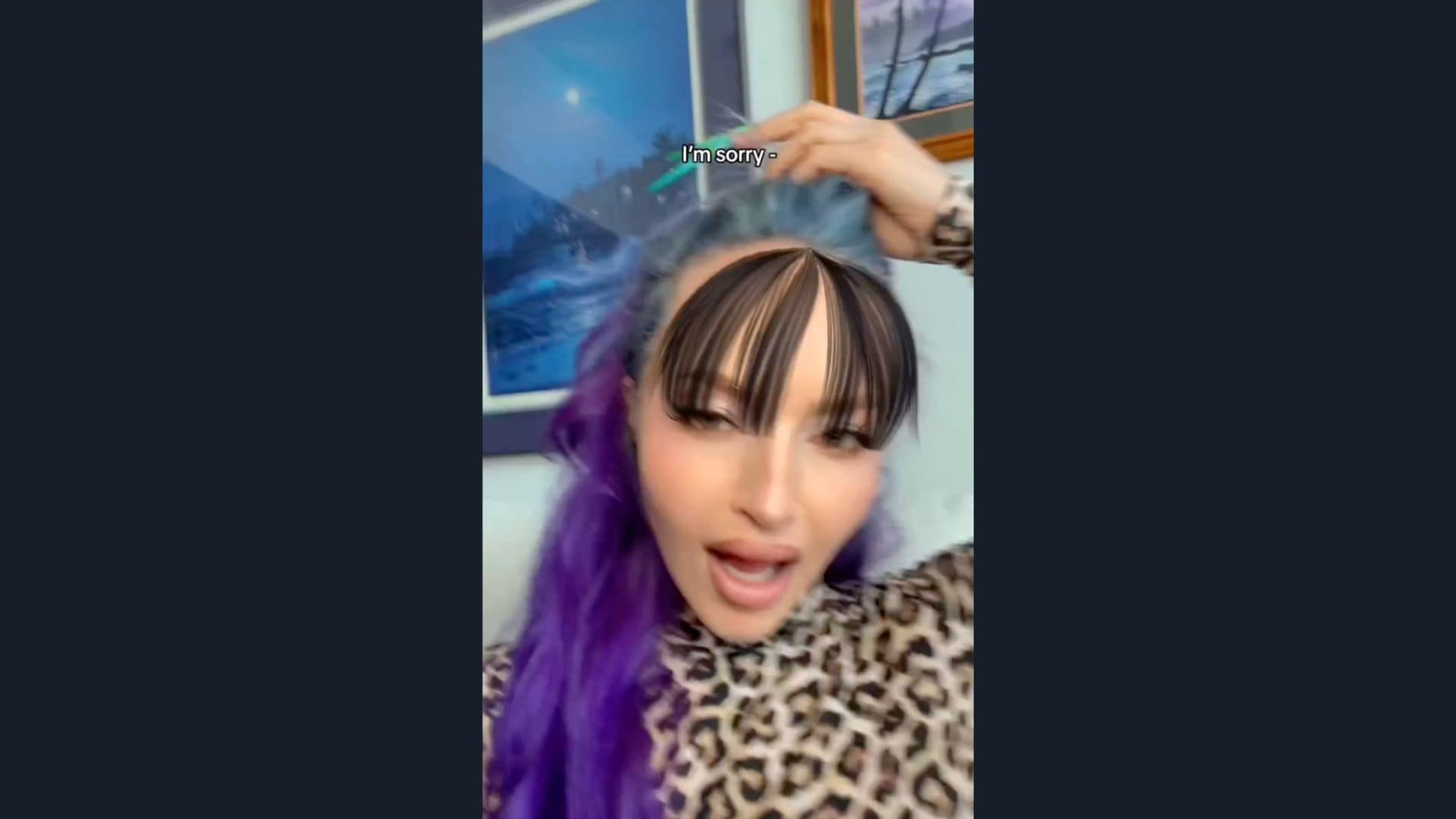
7. Snapchat Bang Filter
Snapchat is one of the easiest places to test a bangs filter in real time, because the platform is built around AR Lenses. Instead of uploading a photo and waiting for a result, you can preview bangs while moving your head, changing expressions, and recording video. That makes it a fun alternative when you want a quick bangs try-on filter clip that feels more "alive" than a static image.
- Real-time Face Lenses: Snapchat Lenses work directly in the camera so you can preview bangs while recording, not just in a still photo.
- Lens Explorer search: You can open Lens Explorer (magnifying glass) and search Lenses by keywords (try "bangs" or "fringe") to find more options beyond the default carousel.
- Try to save Lenses: Snapchat lets you add Lenses to your carousel for quick access (for a limited time) and favorite the ones you like.
- Fast capture workflow: Swipe to a Lens, then tap or hold the capture button to shoot a photo or video with the bangs effect on.
- The try-on looks more convincing for many people because you can see the bangs on your face while you move, instead of judging from one static photo.
- Lens Explorer makes it easy to search and test multiple "bangs" options quickly, so you are not stuck with one effect.
- You can record the result instantly, which is perfect if your goal is a short bangs reveal clip.
- Lens availability changes often, so a bangs Lens you like might rotate out or be harder to find later, and some Lenses are only added to your carousel temporarily.
- Realism depends heavily on lighting and face tracking. In low light or with fast movement, bangs can shift or "float" compared to upload-based AI tools.
- You cannot fine-tune details (like exact bang thickness or length) as precisely as prompt-based AI bangs filter tools, since you are using the Lens as-is.
Quick, real-time try-ons with movement, especially if you want to record short vertical clips you can later reuse for bangs filter Instagram or bangs filter TikTok style edits.
8. Instagram Camera Effects
If you want a bangs filter Instagram experience, Instagram Camera Effects are the fastest way to preview bangs in motion while recording a Reel or Story. You can browse the Effects Gallery, search keywords like "bangs" or "fringe," then record a quick before/after clip without leaving the app.
Just keep in mind that Instagram's effect library changed after Meta removed third-party Meta Spark AR effects on January 14, 2025, so bangs-specific effects may come and go depending on what is currently available.
- Effects Gallery search: Find effects by typing keywords like "bangs," "fringe," or "hair" in the Effects Gallery.
- Real-time try-on video: Preview bangs while you move and record, which can feel more convincing than a static photo try-on.
- Direct publishing to Reels: Record a Reel and add effects in the same flow, no exporting needed.
- Trend discovery: Instagram's "popular" pages and Reels can help you find bangs effects that people are actively using.
- Motion preview helps you judge how bangs frame your face when you tilt your head or smile, which is the part most people care about.
- Easy "in-app" workflow: find an effect, record, and post in one place
- Effect availability is less predictable now because third-party Meta Spark AR effects were removed, so the bangs effect you see today might not be available later
- You typically cannot fine-tune bangs' thickness, length, or parting like you can with an upload-based AI bangs filter
Quick, share-first try-ons. Great if your goal is a short Reel that answers "would I look good with bangs filter" with real-time movement, then post instantly.
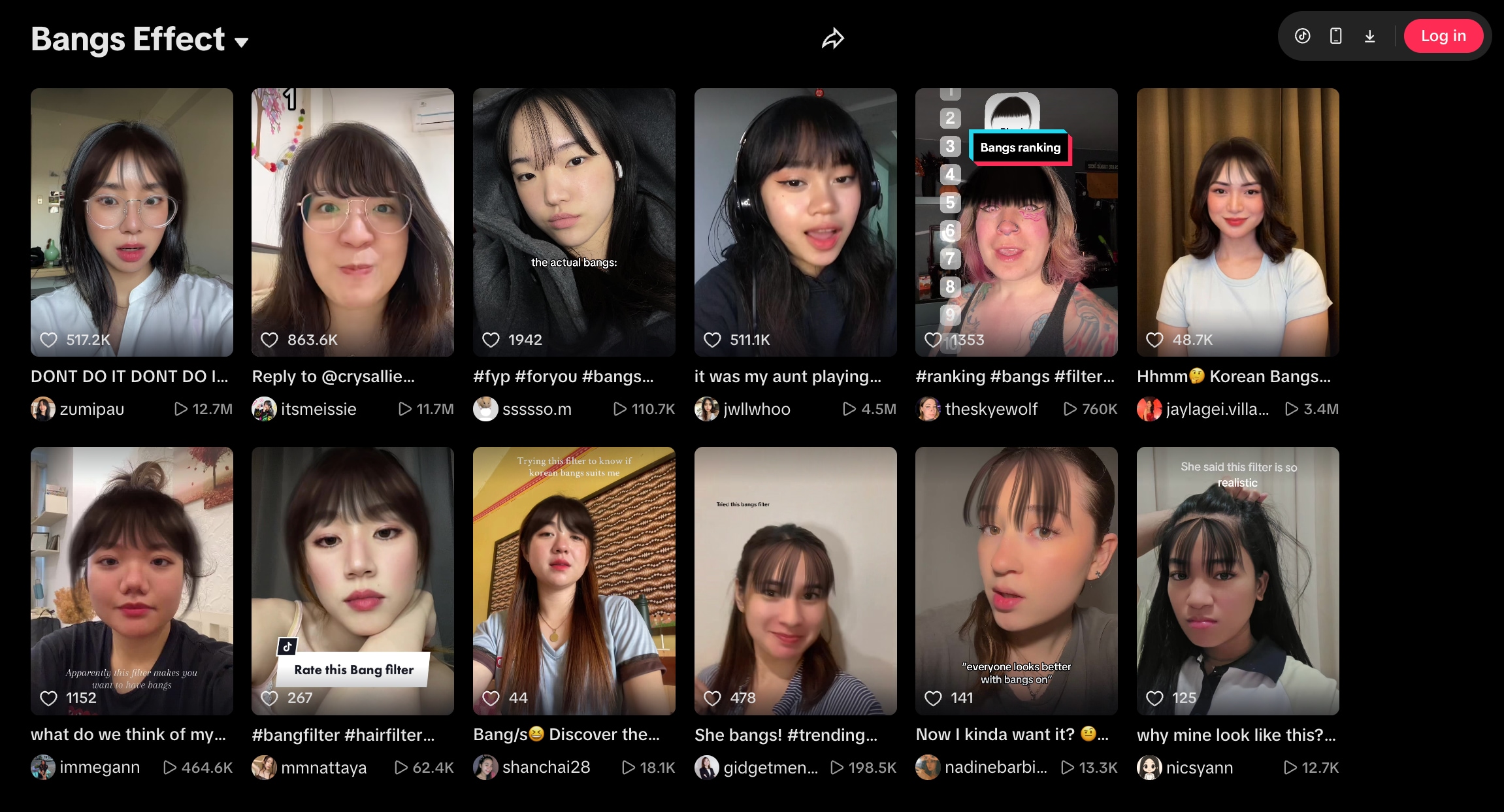
9. TikTok Effects
TikTok is one of the fastest ways to try a bangs filter TikTok style look, as effects work directly in the camera. Instead of uploading a photo and waiting, you can preview bangs while you move, record, and post. It is ideal for quick "bangs try-on filter" videos, especially when you want a short clip that answers "Would I look good with bangs?" in real time.
- In-camera Effects workflow: Tap +, tap Effects, preview an effect, then record with it applied.
- Save Effects to Favorites: If you find a good bangs-style effect, you can favorite it so it is easier to reuse for comparisons.
- Find effects from videos: When you see a bangs effect you like on your feed, you can open the effect page from that video and create your own using the same effect.
- Search effects by name: You can search an effect by name (helpful when a creator tells you the exact effect name).
- You can judge how the fringe looks when you turn your head, smile, or change angles, not just in a still photo
- Very fast content workflow because record and publish are in the same app
- You cannot fine-tune bangs thickness, length, or parting like you can with an upload-based AI bangs filter
- Some creators report their effects do not always show up in name search, so you may need to find an effect through a video that already uses it
- The bangs-style effects you see today can rotate as trends shift, so it is worth saving your favorites when you find a good one
Instant, share-first try-ons. Great for testing bangs in motion and recording a quick vertical video, then posting it right away.
10. Nano Banana
Nano Banana is Google's AI image generator and photo editor inside Gemini. Instead of using a preset bangs filter, you upload your selfie and ask the model to add bangs using a simple text prompt. That makes it a flexible AI bangs filter option when you want something specific like "soft wispy fringe," "Korean see-through bangs," or "thick blunt bangs."
- Text-based image edits: Upload your photo and edit it using a prompt, including hairstyle changes like adding bangs.
- Partial edits: Built to change specific parts of an image, which helps when you only want to modify the fringe area.
- Character consistency: Designed to keep the person's look consistent across a series of images, helpful when you generate multiple bangs options from the same selfie.
- Photo blending: Supports seamless blending, useful if you want to "borrow" bangs inspiration and apply it to your own photo.
- Best for "custom bangs requests" because you can literally ask for wispy bangs, curtain bangs, or blunt bangs in your own words instead of relying on a limited preset library
- Useful beyond try-ons. Once you like the bangs, you can keep editing lighting, vibe, or background in the same tool
- Not a dedicated "one-tap bangs filter online free" interface. You need to type prompts and iterate, so it can take longer than preset-only bangs tools
- Results depend on prompting. If you do not specify details (wispy vs blunt, thick vs thin, eyebrow coverage), you may need a few tries to get the exact fringe shape
- Access and output controls vary by Gemini plan and model choice (Nano Banana vs Nano Banana Pro), so the experience is not always the same for every user
Custom variety (Curtain, Blunt, Wispy) when you want to describe the exact look, not just pick from a fixed list. It is also useful for generating multiple variations quickly for comparison.
Pro Tip: Which Bangs Suit You?
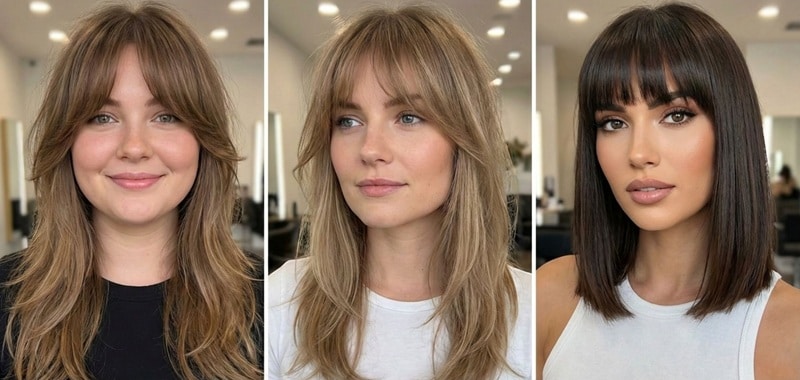
If you wonder why some bangs look amazing on others but not quite right on you, upon trying the bangs filter, this is because your face shape really affects how the style frames your features.
- Round face: Go for long curtain bangs (or longer side-swept fringe). The length creates vertical lines that visually elongate the face and make your cheeks look less wide.
- Square face: Try a wispy bangs filter look first. Soft, airy fringe helps blur sharp angles and makes the jawline look less boxy, especially when the bangs taper into face-framing layers.
- Oval face: You have the most flexibility, so most bang styles will suit you. If you want a bold, editorial change, blunt bangs tend to look especially high-fashion on oval face shapes.
Conclusion
A good bangs filter makes it easier to answer one question before you commit: Would I look good with bangs? Start with a realistic AI bangs filter online free for quick still previews, then test motion-friendly options on Instagram or TikTok if you want a video try-on.
For the clearest decision, shortlist two styles (wispy and curtain are safe starters) and compare them side by side. Once you find your favorite, use Filmora's AI Image-to-Video to see the look in motion and create a share-ready clip for Reels or TikTok.

