

 TL;DR:
While you can find the viral Handsome Filter directly in the Effects sections of TikTok and Snapchat, using Wondershare Filmora's Image to Video AI templates and adjustable Beautify effects offers cross-platform reusability and precise intensity control that native social media tools lack.
● Instagram has discontinued many third-party creator effects like the handsome Squidward filter, leaving TikTok and Snapchat as the primary platforms for applying these extreme facial structure changes in real-time.
● Processing your edits through Filmora strictly requires starting with clear, high-resolution close-up portraits featuring minimal facial shadows and uncluttered backgrounds to prevent blurring during the AI generation phase.
● To avoid an inauthentic appearance after applying the Video Inspiration templates, you must manually reduce the intensity of the Beautify effect sliders so the enhancements do not drastically override natural skin textures.
Ask AI for a summary
 ChatGPT
 Perplexity
 Gemini
 Claude
 Grok
Grok
Looking for the viral "Handsome Filter" or the chiseled "Handsome Squidward effect" that's taking over TikTok? You're in the right place. In this guide, we'll show you exactly how to find these filters on social media and how to use Wondershare Filmora’s AI tools to achieve a professional, studio-quality glow-up.
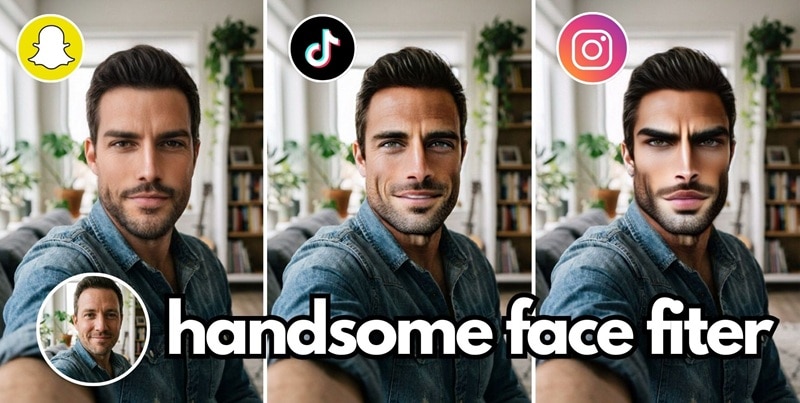
Part 1. What is the Viral Handsome Filter (and Why is it Trending?)
Handsome filters are a type of beauty effect or face enhancement that improves facial appearance by smoothing skin, sharpening facial features, and improving overall balance. Many users use it to appear more attractive or "handsome" in their selfies.
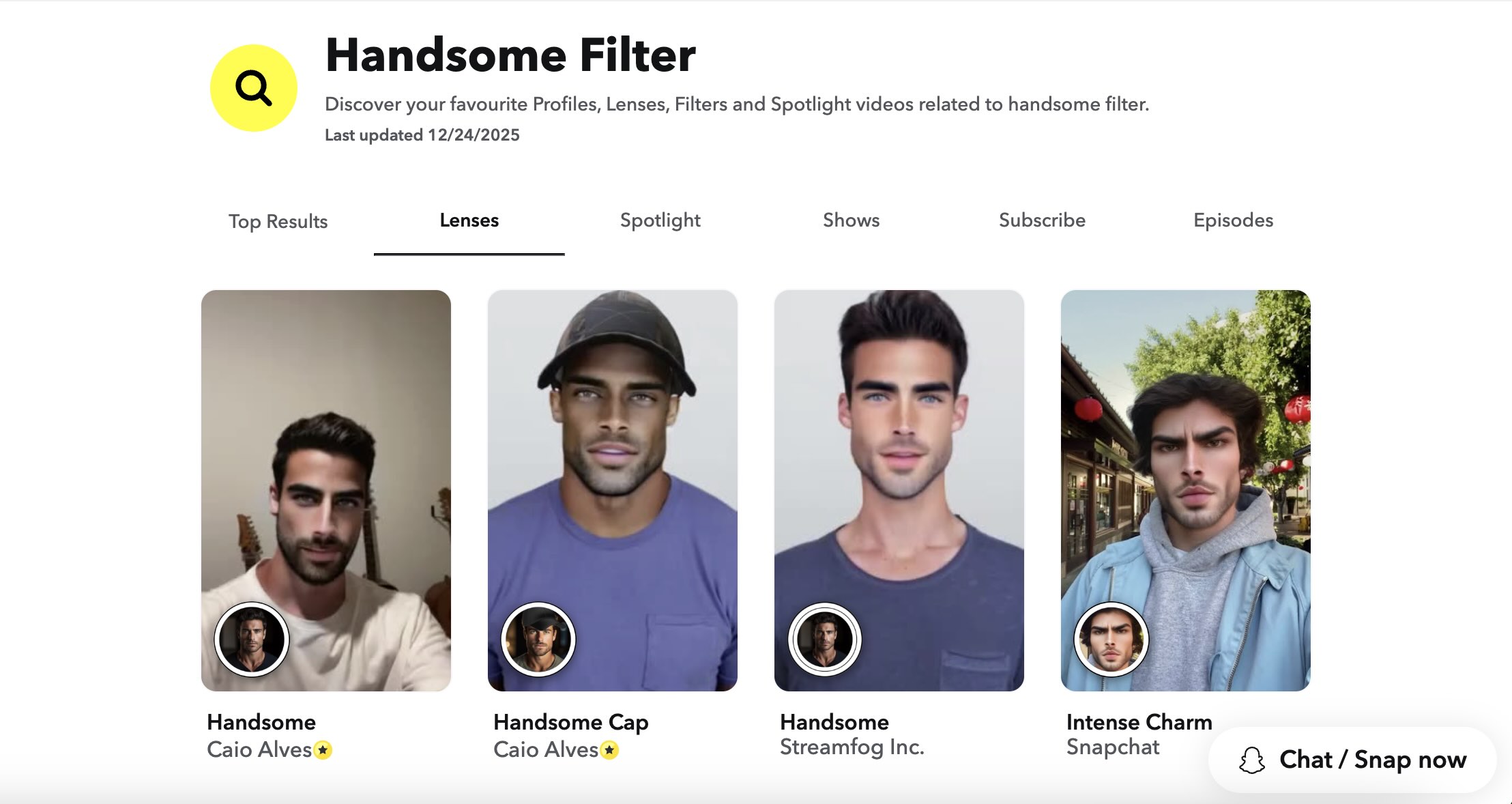
If you've seen them, you know they instantly give your face a more masculine look. Some even remind you of that SpongeBob episode where Squidward suddenly turns handsome with a perfectly chiseled face.
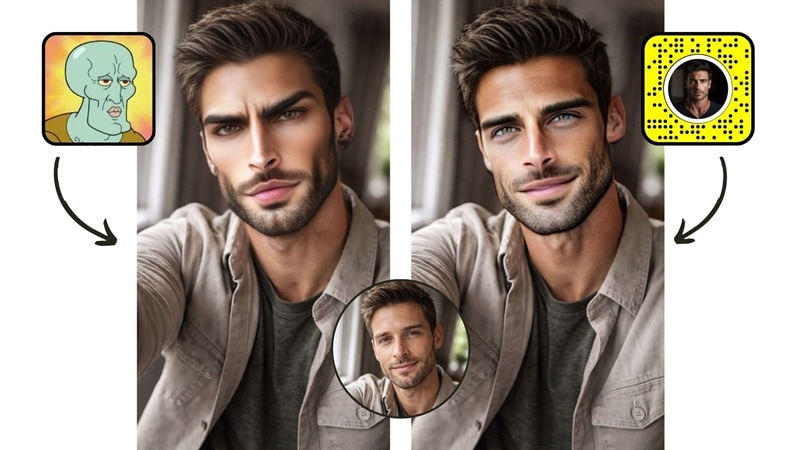
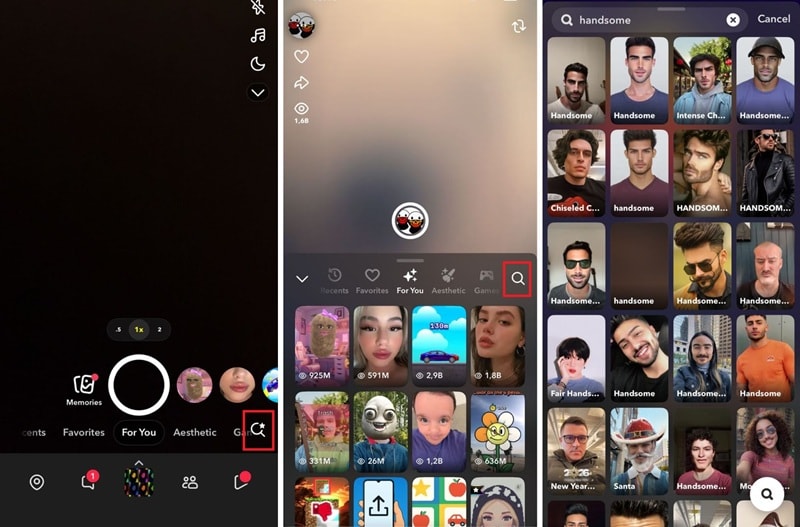
On TikTok, handsome filter effects can be found in the Effects section.
- Create a new video and tap the search button in Effects.
- Look for terms like "handsome" or "handsome squidward.
- Select a filter to apply the effect directly to your camera.
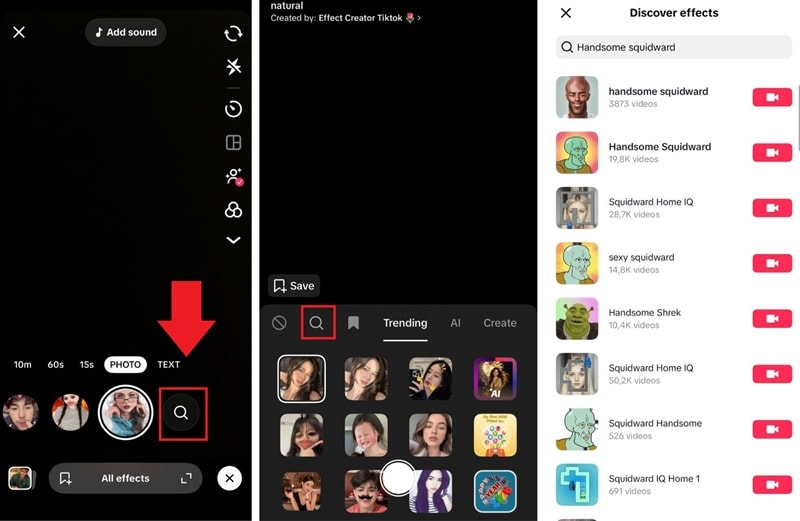
On Snapchat, users rely on lenses that enhance facial features in real-time. Some handsome filters on Snapchat focus on subtle beauty enhancements, while others follow viral meme styles like the handsome Squidward, which exaggerates facial structures.
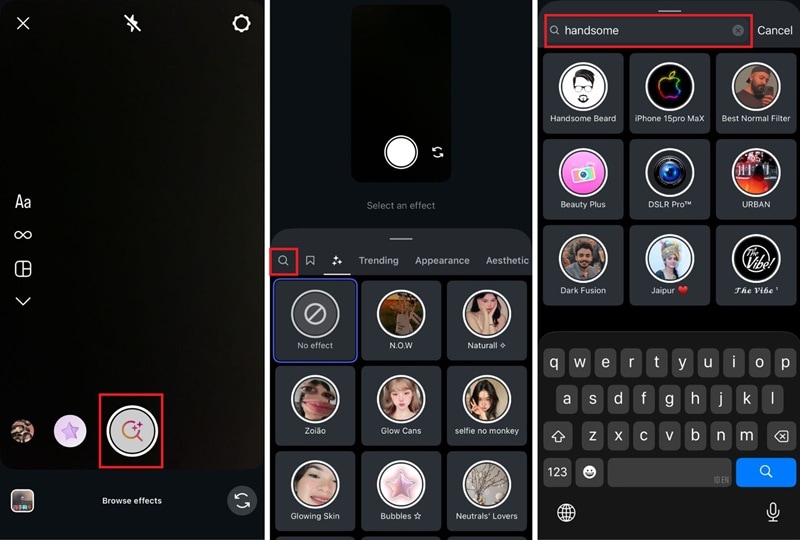
The same applies to handsome filters on Instagram. You can search for it in the Effects section. However, the options are more limited than on Snapchat or TikTok after Instagram decided to discontinue many third-party creator filters on the platform.
There used to be a handsome Squidward filter on Instagram, but it looks like it's no longer available.
Many seek out handsome man filters for quick results that look good across platforms. However, filters within social media apps have limitations, such as:
- Only work within the app's camera or editor
- Apply effects in real-time while recording
- Offer limited control over intensity and detail
- Cannot be easily reused outside the platform
Beyond Filters: Enhance Your Look with Filmora
Not quite satisfied with just filters? Try Filmora and see how you can fine-tune your look! Unlike in-app handsome face filters, Filmora doesn't rely on a single face-changing effect. Instead, you can:
- Turn your image into a dynamic video that blends naturally into the scene using Image-to-Video templates
- Add Beautify effects and fine-tune facial details using adjustable sliders
- Improve the overall look with filters and color correction tools for more balanced results
Part 2. Why Use Filmora Desktop for Handsome Filter Videos
It's easier and more effective to create videos with handsome filters when you have complete control over the look of your content. Filmora is designed for creators who want polished, consistent results without being limited by one-click filters in social media apps. It gives you the flexibility to edit and customize your videos for different platforms, with features such as:
Image to Video AI Templates
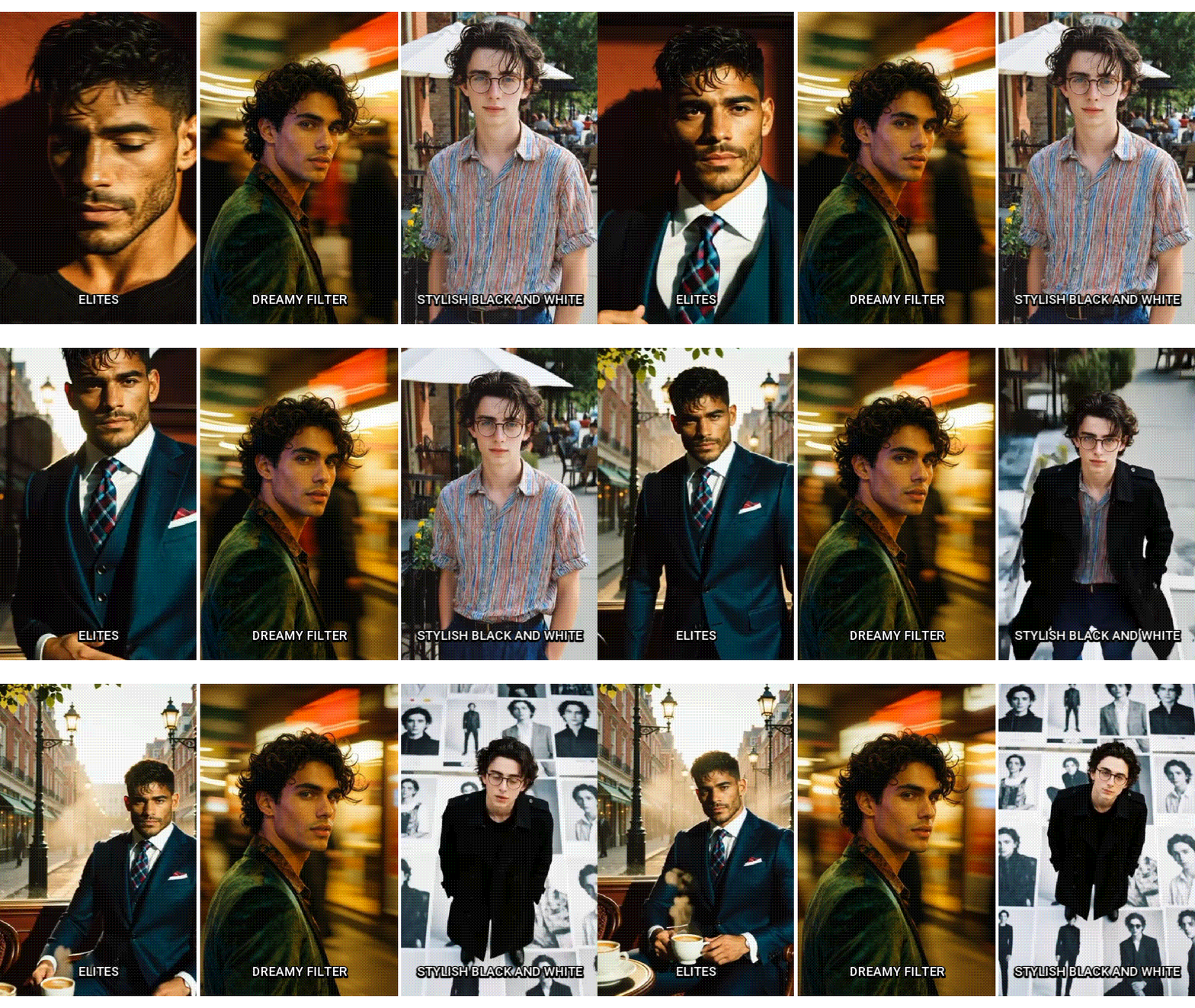
Quickly turn static photos into animated videos, perfect for transforming portraits or selfies into attractive content.
Beautify Effects with Adjustable Sliders
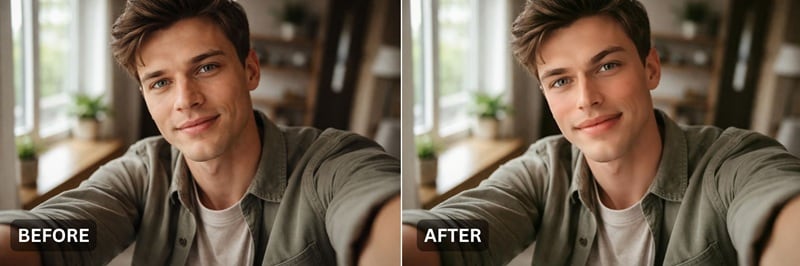
Enhance your facial features naturally. You can smooth skin, refine facial details, and balance the overall look as you wish.
Flexible Creative Tools (Filters, Overlays, Captions, and More)

Add and customize filters, apply overlays, insert titles or text, include background music, and adjust every detail of your video.
Part 3. Step-by-Step Guide: Creating a Handsome Filter Video with Filmora AI
With that out of the way, you now know why Wondershare Filmora is the ideal choice. In this section, you'll learn how to prepare your photos and turn them into polished videos using Filmora's Image to Video feature templates. Even if you've never edited videos before, the process is simple and beginner-friendly.
 Secure Download
Get Your Photos Ready for a Handsome Filter Look
Before editing, choosing the right photos greatly affects the final result. Good photos help filters and templates work more effectively:
- ✅ Use clear, high-resolution photos to avoid blurring in the final video.
- ✅ Choose photos with good lighting and minimal shadows on the face.
- ✅ Portrait or close-up photos work best for handsome filter effects
- ✅ Avoid overly crowded backgrounds to keep the face as the main focus
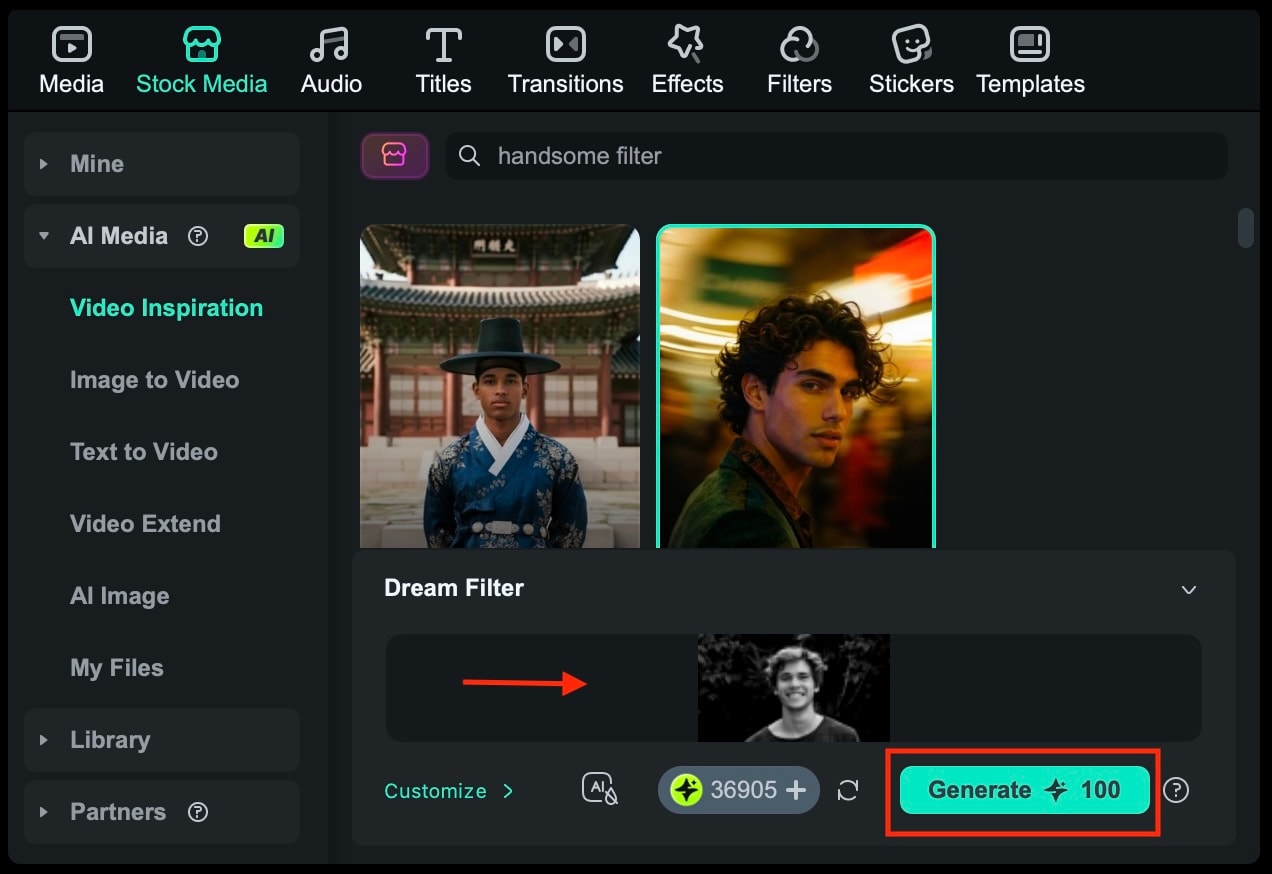
Convert Images to Video Using AI Templates
Once your photos are ready, you can start editing in Filmora by following these simple steps.
 Secure Download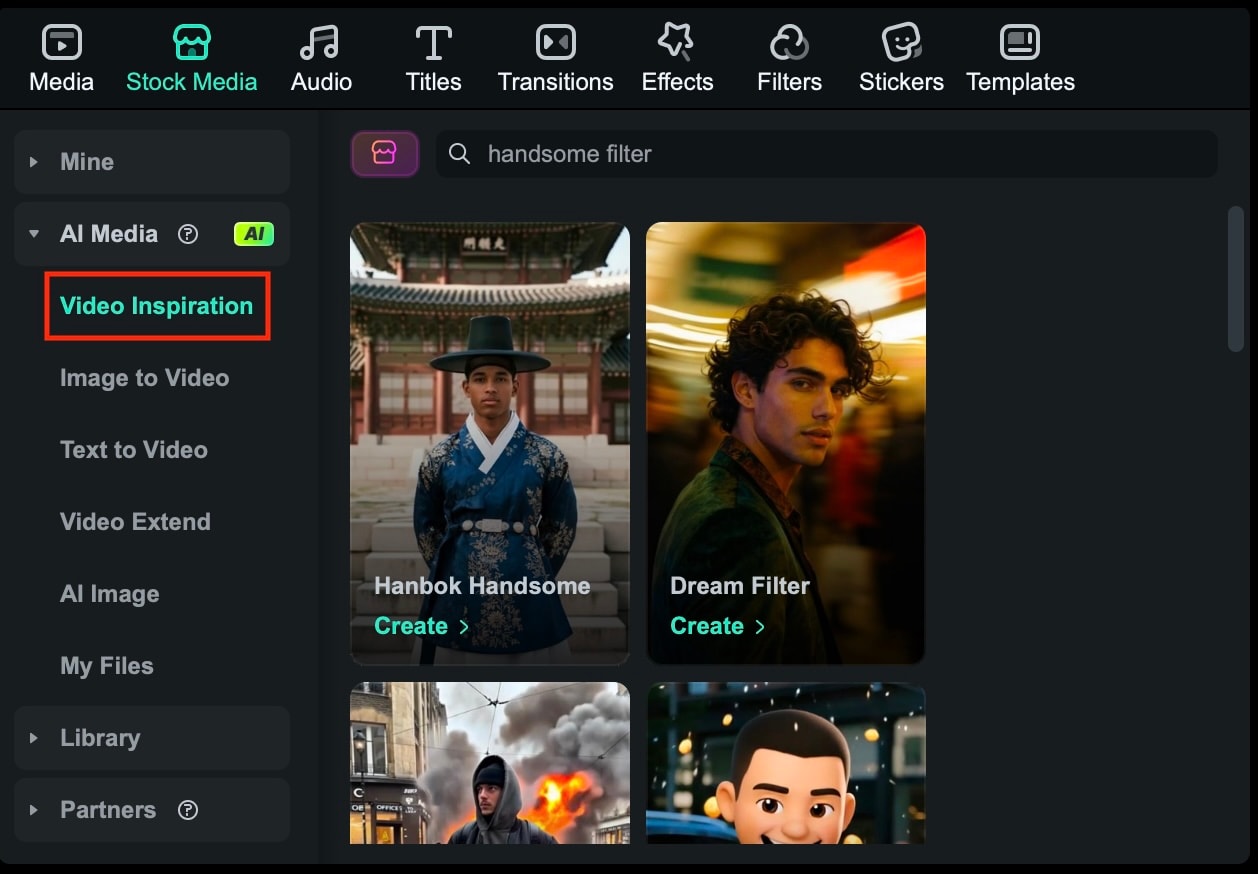
Part 4. Apply Filters to Create a "Handsome" Look
While social media apps offer one-click presets, Filmora provides professional-grade Face Filters and Retouching tools. After using the AI template, apply the Beautify effect to fine-tune your skin, eyes, and facial structure for a custom handsome look.
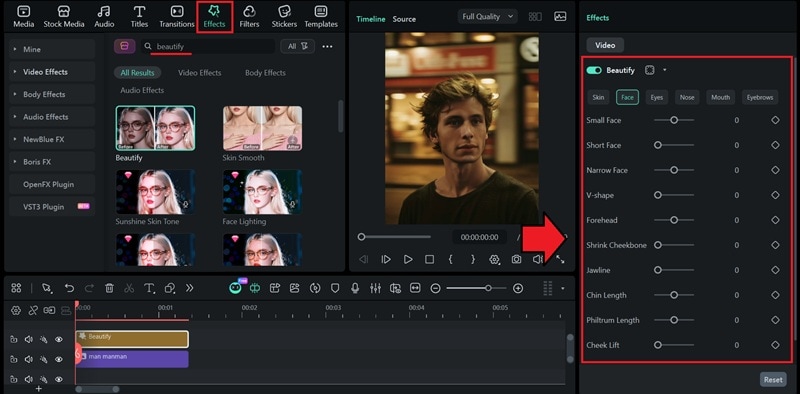
These effects are designed to smooth skin, balance tones, and subtly enhance facial details, similar to the beauty filters found on Snapchat or Instagram. Because they are applied during the editing process, you have greater control over how strong or subtle the effects are.
Tips for natural-looking results
- Reduce effect intensity to avoid an overly edited or artificial look
- Adjust the duration so the effect remains consistent throughout the video
- Preview the video on a small screen to ensure the face still looks natural
Part 5. Add Final Touches to Make the Video Stand Out
Once your handsome image-to-video is ready, adding a few finishing touches can significantly enhance its look and feel. These final details help tie all the elements together and make your video feel complete before sharing it on social media.
Enhance the video with these final touches
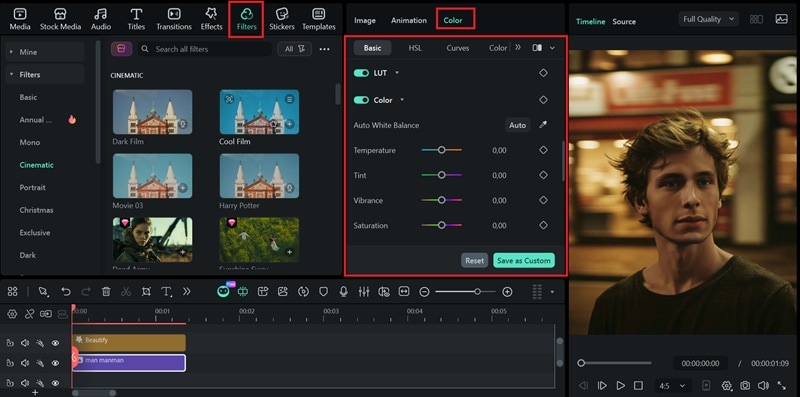
Color correction and filters
Adjust the brightness, contrast, saturation, and white balance of your image or photo with Filmora's color correction tools. Small color tweaks help your skin look more balanced and natural. Or, you can also apply a filter for a quick fix.
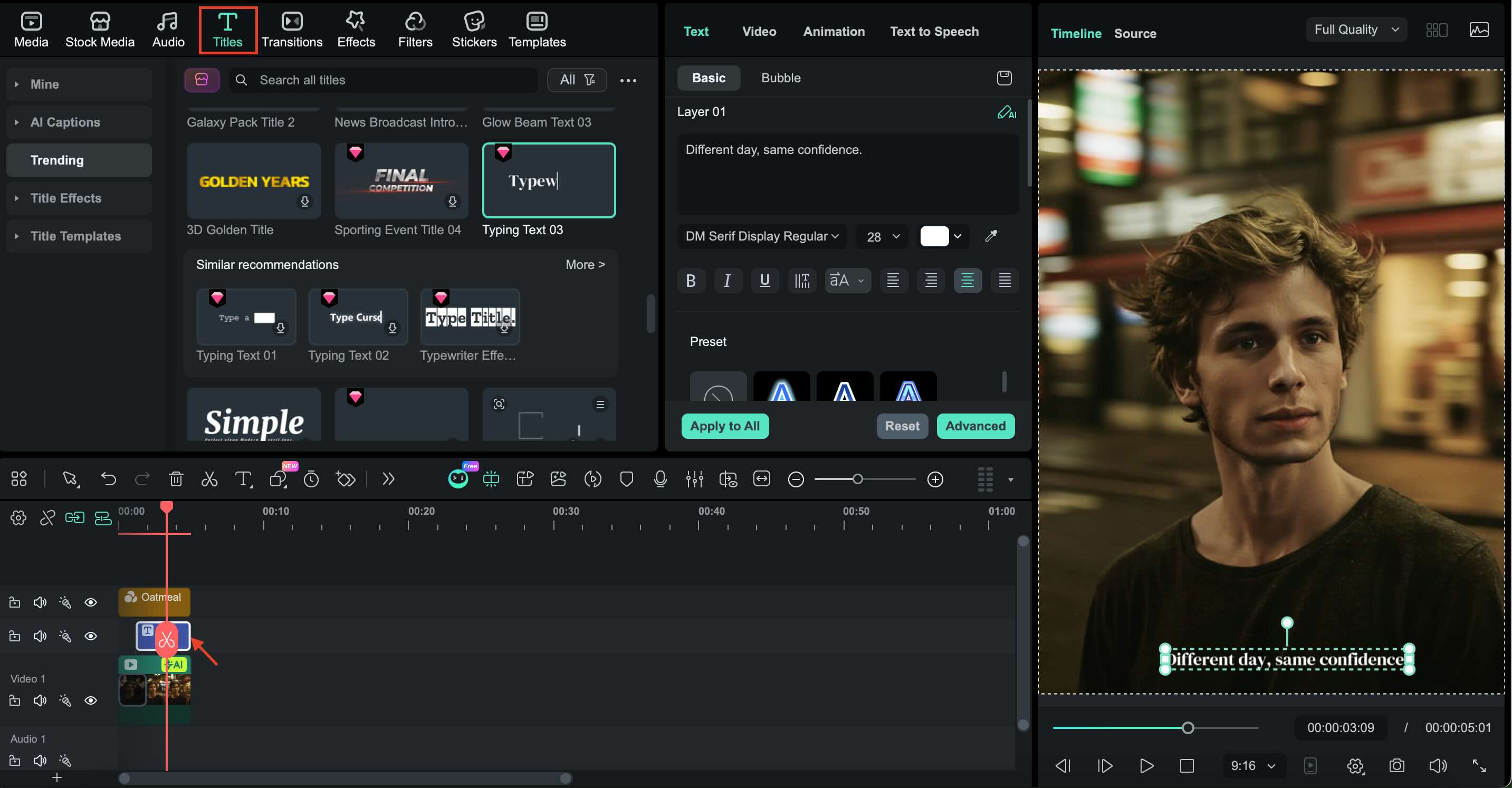
Text and captions
Add short captions under the Titles tab to highlight the look, express a mood, or tell a simple story. Keep text minimal and easy to read so it complements the visuals rather than overpowering them.
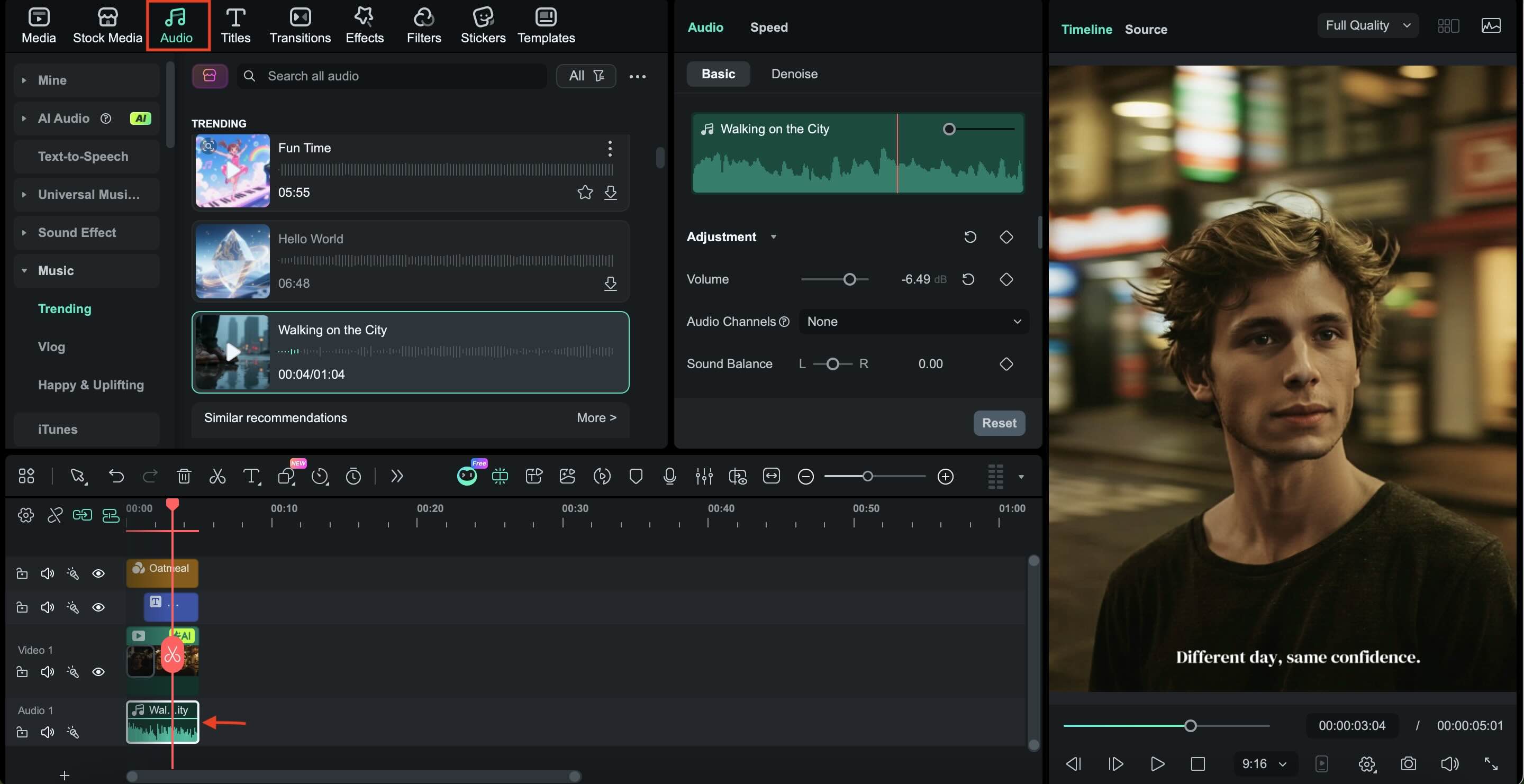
Background Music
Choose trending or soft background music that matches the tone of the video. Popular sounds on TikTok or Instagram can make your content feel more up-to-date and increase engagement.
Part 6. Common Mistakes That Ruin Handsome Filter Videos
Even with the right tools, a few minor mistakes can diminish the impact of your handsome filter videos. Avoiding these common problems will help your content look more natural, professional, and engaging on social media. Below are some mistakes to avoid:
- Overuse of filters: Using too many filters or setting the intensity too high can make faces look unnatural. Beauty filters should enhance facial features, not drastically change them. Subtle adjustments usually give better results and feel more authentic.
- Using the wrong aspect ratio: Uploading horizontal videos to vertical platforms like TikTok or Instagram Reels can reduce engagement. Constantly adjust the video's aspect ratio to match the platform's so the video fills the screen properly.
- Ignoring the audio level: Music that is too loud or too soft can distract viewers. Ensure the background music supports the video without overpowering it, especially if there is text or spoken audio.
- Using too many effects: Too many transitions, overlays, or animated text can distract from the main subject. Stay focused on the face and overall appealing appearance.
- Skipping the preview step: Not previewing the video before exporting can lead to mistakes being overlooked. Always watch the final edit to check the visuals, text timing, and sound balance.
Conclusion
It's now possible to create videos with handsome filters without it being complicated or limited to social media apps. Filmora also lets you turn simple photos into polished, confident videos ready to share anywhere.
Combining image-to-video templates, customizable filters, and creative touches gives you creative control over the final result. It lets you follow trends like the handsome man filter or Squidward's handsome style while keeping your content unique.
With the right balance between enhancement and simplicity, your videos can stand out naturally and leave a stronger impression on TikTok, Instagram, and other platforms.

