


 TL;DR:
Wondershare Filmora provides the best balance of automated generation features and manual timeline control for Windows and macOS, while InVideo serves as the top browser-based option for text-to-video templates and Filmora Mobile is optimized for short-form social media reels.
● Desktop software like Adobe Premiere and Filmora provide the processing power needed for high-resolution footage and long-form projects, whereas online options lack frame-by-frame precision and are meant for template-driven, quick social edits.
● Several tools target highly specific workflows: Captions strictly generates talking-head videos with custom avatars, Vmaker is optimized for processing screen recordings into tutorials, and Eddie AI operates purely as a text-based rough cut assistant for long interviews.
● Free tiers for these tools universally enforce rigid restrictions, such as applying mandatory watermarks to exports in Filmora, Eddie AI, VEED, and Kapwing, or capping export quality at 720p resolution and five-minute lengths in Vmaker.
Ask AI for a summary
 ChatGPT
 Perplexity
 Gemini
 Claude
 Grok
Grok
Video editing used to take hours, and if you didn’t know your way around an editor, it felt even worse. That’s why more creators now turn to an AI video editor to get videos done faster without stressing over timelines or technical skills. You can cut clips, add captions, and polish videos in minutes, which helps cut down your editing time when you need to post content often.
If you’ve been looking for the best AI video editor across different platforms that actually fits your workflow, this guide breaks down how these tools work, compares the top options, and helps you choose the right video AI editor for what you want to create.

Our Top 3 AI Video Editor Picks
To give you plenty of options, we looked at AI editors' videos across all platforms. That means desktop software, mobile apps, and online tools. And after testing how each AI-powered video editor handles real editing tasks, these are the top picks that stood out on each platform.



We do not just look at feature lists and call it a day. To recommend the best video editing AI, we actually use each editor the way real people would. Here are the main things we pay attention to when testing:
- Editing Speed: How much faster does the auto AI video editor help finish a video from start to export?
- Ease of Use: How easy it feels to edit without prior experience or tutorials.
- AI Accuracy: How well the video editing by AI handles captions, cuts, and timing.
- Creative Control: Whether you can still adjust and fine-tune the edit after AI steps in
- AI Features Variety: How many different AI tools for video editing are available, and how useful they actually are.
- Value for Money: What you really get from free plans and paid AI tools for video editing.
Part 1. Best AI Video Editing Software for Windows & Mac
Video AI editing usually needs a fair amount of storage and processing power, especially when you work with longer clips or higher-quality footage. That is why using an AI video editor on a desktop often makes more sense, since you get better performance and more room to work comfortably.
So, let's break down the best video editing AI software for Windows and Mac, starting with a quick comparison table and then a closer look at each editor below.
| AI Editor | Platform | Pricing Plans | Best for | Rating |
| Wondershare Filmora | Windows, macOS | AI Credits, Subscription-based | Creators who want fast AI video editing with simple controls | 4.5/5 on Software Advice |
| Adobe Premiere | Windows, macOS, iOS | Subscription-based | Pro editors who need deep control with AI assistance | 4.5/5 on PCMag |
| Eddie AI | Windows, macOS | Subscription-based | AI assistant for rough cuts and organization | N/A |
 Secure Download
1. Wondershare Filmora
Let’s start right away with one of the best AI video editor software options out there, Filmora. It is an all-in-one video editor packed with some of the most useful AI tools for video editing, including AI video generation from text, images, and audio.
On top of that, it handles everyday editing pain points like captions, translations, audio cleanup, and color tweaks in a way that feels quick and natural instead of technical.
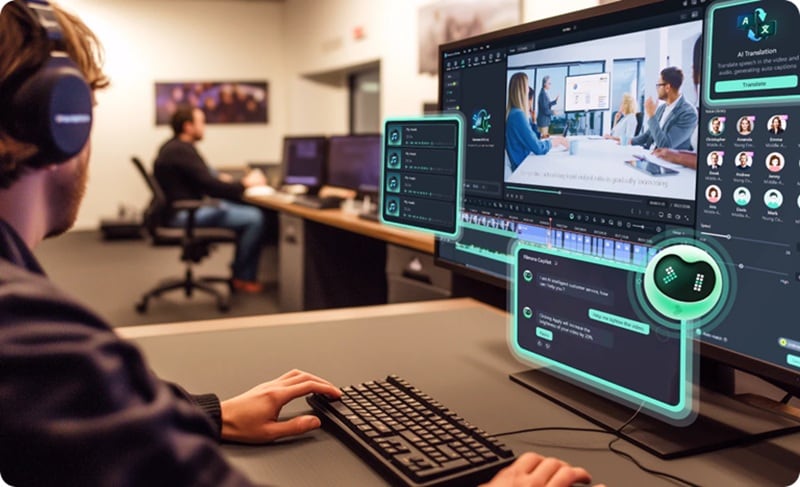
- AI Video Generator Features: AI Text to Video, AI Image to Video, AI Audio to Video.
- AI Custom Generation: AI Music Generator, AI Sound Effect Generator, AI Image Generator, AI Sticker Generator.
- AI Audio Features: AI Vocal Remover, AI Voice Enhancer, AI Audio Denoise, AI Audio Ducking.
- Speed Auto Edit Tools: AI Captions, AI Translations, AI Portrait Cutout.
- Eye-Catching AI Features: AI Color Palette, AI Video Beauty Filters.
A free version is available, with affordable upgrade options listed on the official Filmora pricing page.
Creators who want one editor that can handle most video projects like YouTube videos, social media content, tutorials, marketing clips, and short ads.
- Delivers high-quality AI-generated video results, with Sora 2 and Veo 3.1 among its supported models.
- Offers a wide variety of AI features that cover almost every part of video editing.
- AI tools are easy to use and suitable for beginners.
- Includes a large built-in media library alongside AI tools.
- The free version adds a watermark to exported videos.
Secure Download2. Adobe Premiere
Another big name in AI software for video editing is Adobe Premiere. Most people know it as Premiere Pro, and yes, it is essentially the same thing. Now, Premiere has added more AI video editing tools over time to make the workflow smoother and less manual. It still feels professional at its core, but the AI tools help take some of the repetitive work off your plate.
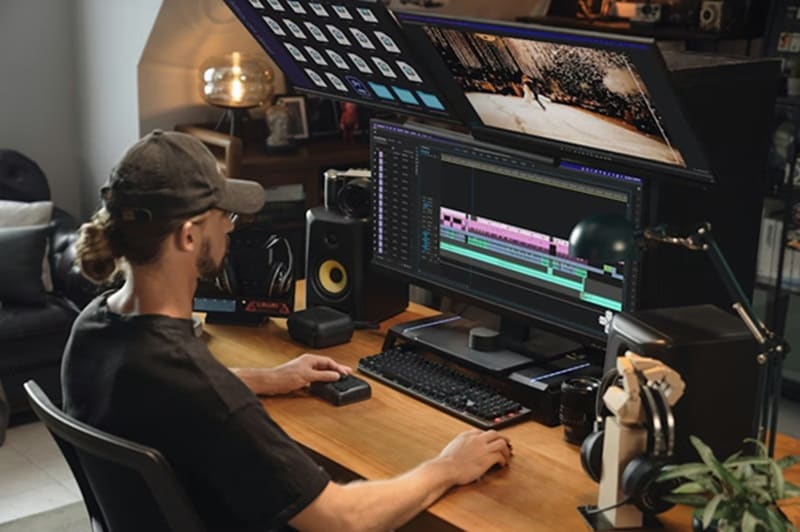
- AI Text to Speech: Generates accurate transcripts in over 18 languages.
- Auto-Translate: Automatically translates captions into 27 languages.
- Audio Auto-Tagging: Smart audio detection recognizes music, dialogue, sound effects, and ambiance.
- Auto Color: Applies color correction in just a few clicks.
- Scene Edit Detection: Automatically splits clips into scenes for you.
A free trial is available, with paid plans starting from $22.99 per month (billed annually).
Experienced editors, content teams, and creators who are already inside the Adobe ecosystem. It is commonly used for YouTube channels, branded content, and commercial videos.
- Works seamlessly with other Adobe apps like After Effects and Photoshop.
- Also available on iPhone for lighter editing and review workflows.
- Can feel overwhelming for total beginners.
- AI features are helpful but not as beginner-friendly as simpler editors.
3. Eddie AI
If you have ever wished your video editing AI software could feel more like a helper than a tool, Eddie AI comes pretty close. Think of it as a smart assistant for editing, similar to how you might ask ChatGPT or even Grok to handle a task, but this time it is focused only on video. You upload your clips, type what you want done, and Eddie AI takes care of organizing, cutting, and shaping the footage for you.
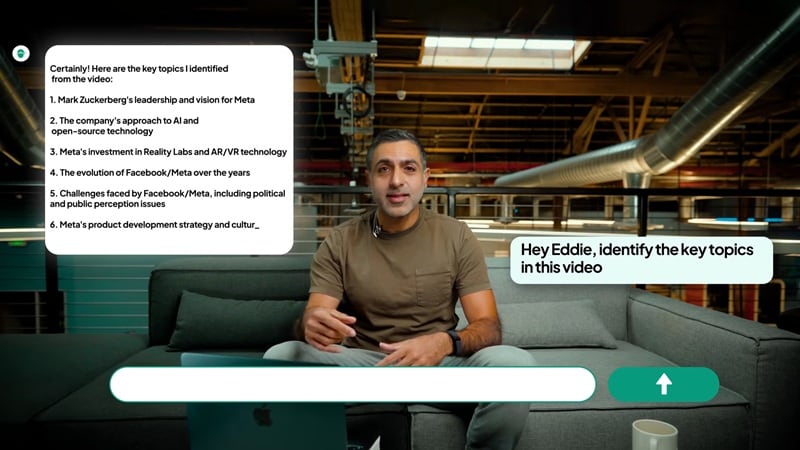
- Footage Analysis: Analyzes raw footage to understand structure and content.
- Text-Based Rough Cut: Creates rough cuts based on text instructions.
- Highlights Detection: Identifies key moments and important sections automatically.
- Smart Timeline Organization: Organizes clips and timelines to save setup time.
A free version is available, with paid plans starting at $25 per month.
Dealing with long recordings and wanting to speed up the early stages of editing. It is especially useful for podcasts, interviews, and talking head videos.
- Integrates directly with Premiere Pro, DaVinci Resolve, and Final Cut Pro.
- Text-based prompts let beginners describe what they want without manual editing.
- The free version adds a watermark to exported videos.
- Does not offer instant AI video generation from text or images.
Part 2. Best AI Video Editing App for iOS & Android
These days, editing on your phone is no longer a backup option. In fact, there are plenty of mobile apps that offer AI for video editing, and some of them actually work really well for everyday content.
We'll recommend three of the best AI video editing apps for Android and iOS that make mobile editing feel fast, simple, and reliable.
| AI Editor | Platform | Pricing Plans | Best for | Rating |
| Filmora Mobile | Android, iOS | AI Credits, Subscription-based | All-around AI video editing app for social and short videos | 4.7/5 on Apple App Store |
| Captions | Android, iOS | Subscription-based | Talking head videos with automatic captions and edits | 4.7/5 on Apple App Store |
| VN Editor | Android, iOS | AI Credits, Subscription-based | Simple editing with no watermark | 4.7/5 on Google Play Store |
1. Filmora Mobile
Besides working as a desktop video editor, Filmora is also one of the best AI video editing apps that brings many of the same AI features right to your phone. The Filmora mobile app is designed to help you create short-form content videos without needing a complex setup or a long edit session.

- Text-to-Video: Turn a written prompt into a short video with visuals, motion, and pacing generated automatically.
- Image-to-Video: Animate still images into short clips with natural movement and simple transitions.
- AI Auto Cut: Automatically trims and arranges clips by removing pauses, mistakes, and unnecessary parts.
- AI Remover: Remove unwanted objects, people, or background elements from your video with a few taps.
- AI Ultra HD: Upscales low-resolution footage to look sharper and clearer without manual adjustments.
- AI Captions: Generates accurate subtitles automatically and formats them for social media viewing.
- VideoGen: Swap video elements or add new objects to your video, assisted by AI.
A free version is available, with affordable upgrade options within the app.
Creators who want an all-in-one AI video editor app for short-form and social media videos that still offers room to grow beyond basic edits.
- Brings advanced AI models like Veo 3.1, Sora 2, and Wan 2.5 to its AI Text to Video and Image to Video features.
- Receives frequent updates that expand AI capabilities, improve output quality, and add new creative tools.
- AI tools and templates follow current social media trends.
- Includes a massive library of "Quick Templates" where you can plug in media and get a finished video instantly.
- Features most tools that usually require separate apps.
- The free version puts a watermark on your video.
- Exporting in HD resolutions (1080p or 4K) requires a paid subscription.
Secure Download2. Captions by Mirage
Captions is an AI video editing app focused on creating talking-head videos that perform well on social media. But instead of manually recording every version yourself, you can generate a “twin” AI avatar that delivers your script on camera. Most of the editing workflow is handled through text-based instructions.
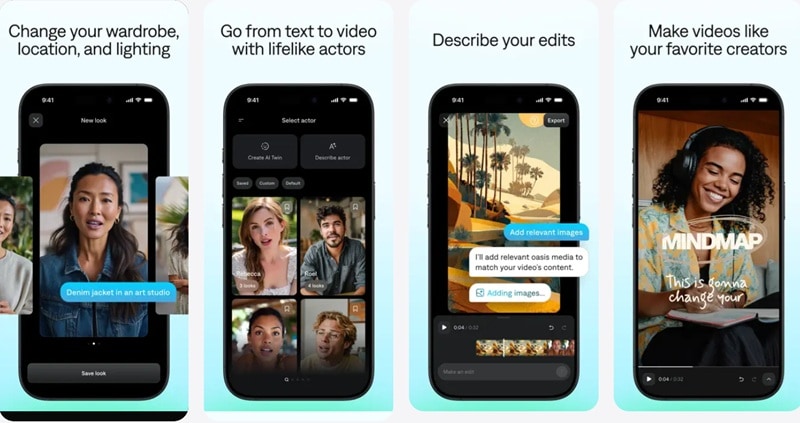
- Custom Avatars: Use AI to create your own avatar and reuse it across future videos.
- Text to Video: Turn written scripts into talking-head videos automatically.
- AI Editing: Make edits through a text box, such as cutting sections or adding effects using text commands.
- AI Teleprompter: Read your script directly in the app while recording with your camera.
- AI Translate with Auto Dub: Translate and dub your videos into different languages to reach a wider audience.
Free plans available, with paid plans starting from $4.99/month (Lite).
Social media creators, marketers, and teams producing talking-head videos at scale.
- Besides making your own custom avatar, you can choose from pre-made avatars and adjust their appearance.
- Makes resizing videos for different platforms easy with AI Scale.
- Includes eye contact correction to make on-camera delivery look more natural.
- Limited manual control, so it may feel restrictive for users who prefer hands-on editing.
- Not suitable for complex edits or cinematic projects.
3. VN Editor
While it does not provide the ability to create AI-generated videos directly from text prompts, VN Editor is a free editor with AI tools designed to streamline everyday editing tasks. It’s built for hands-on editing by giving you full manual control over the timeline and final output.
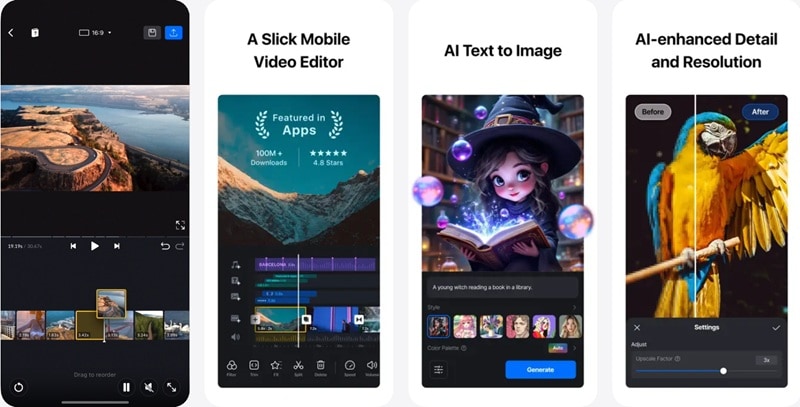
- Quick Rough Cut: A track-based timeline that lets you zoom in, fine-tune clips, and edit with frame-level precision.
- Music Beats: Adds beat markers so you can sync cuts to the music easily.
- Text Templates: Ready-made text styles and fonts to match different video looks.
- Creative Templates: Create and reuse custom video or music templates, or share them with others.
A free version is available, with paid plans starting from $7.99/month.
Editing social media videos, YouTube content, and longer projects where you want precise timeline control without paying for a full desktop editor.
- Free versions leave no watermark on the videos
- Includes a professional timeline that lets you layer video, audio, and text
- The interface is clean and generally free of annoying pop-up ads
- Lacks AI editing features compared to other AI video apps.
- It can feel a bit complex for absolute beginners at first.
- Takes up more storage space on your phone.
Part 3. Best AI Video Editor Online (Free Options Included)
For those who prefer editing videos directly in a browser without installing software, we also have a list of the best AI online video editors. We’ll start with a quick comparison, then break down each option with more detailed reviews to help you find the right fit.
| Platform | Pricing Plans | Best for | Rating | |
| InVideo | Web | AI credits, subscription-based | Quick text-to-video creation, social ads, promo content | 4.5/5 on G2 |
| Canva | Web, iOS, Android | Free; Subscription-based | Template-based video, and design for social creators & teams | 4.7/5 on G2 |
| VEED | Web, iOS | AI credits, subscription-based | Social media edits, captions, subtitles, talking-head clips | 4.6/5 on G2 |
| Vmaker | Web | Subscription-based | Screen recordings, tutorials, demos, highlight clips | 4.7/5 on G2 |
| Kapwing | Web | Subscription-based | Text-based generation, editing, and repurposing clips | 4/5 on G2 |
|
Show More
Show Less
|
||||
1. InVideo
If you want to create and edit videos online just from text prompts, you can do it with InVideo. This video editor AI online is built around speed and templates rather than a traditional timeline. Most of the workflow happens through text input and pre-built layouts, which work well when you need results fast.
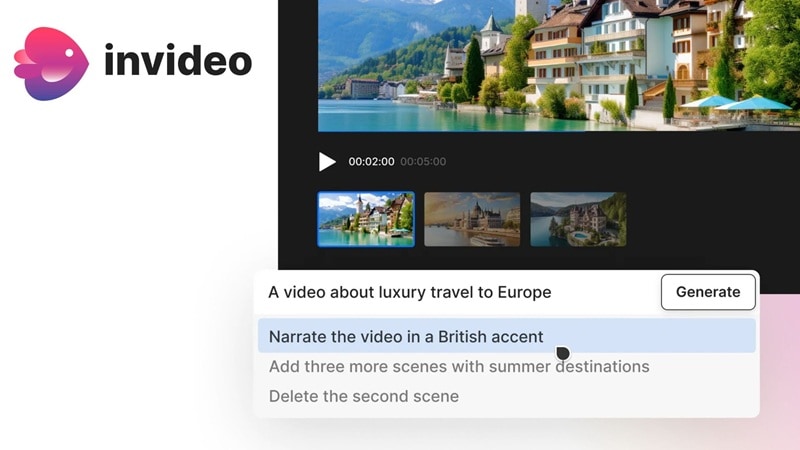
- Text-to-Video: Turn written prompts or scripts into complete videos.
- Edit with Magic Box: Make changes like deleting scenes, muting audio, swapping voiceovers, and adjusting effects using text commands.
- Guided Workflows: Use structured workflows that help you build prompts through simple forms to create and edit videos more easily in over 50 styles.
- AI Voice-Overs: Convert text into natural-sounding voice narration with multiple voice options.
- AI Video Templates: Create videos quickly using ready-made AI templates designed for ads or viral social media posts.
A free version is available, with paid plans starting from $35/month.
Marketers, small businesses, and creators who want to produce social media videos, ads, or promo content quickly.
- Free users get 2 video minutes, 1 AI credit per week, and 4 watermarked exports
- You can use AI to automatically pull high-quality clips from its built-in stock media library
- Supports real-time collaboration
- Generative features are only accessible with paid plans
- Difficult to do frame-by-frame editing
- Every generation or edit consumes "AI minutes."
2. Canva
Though Canva is mainly known as a design platform, its video editing tools are pretty capable for quick edits. Many of its video tools are powered by AI, making video editing with AI simple and accessible for users who want to quickly generate, edit, and format videos without dealing with complex timelines.
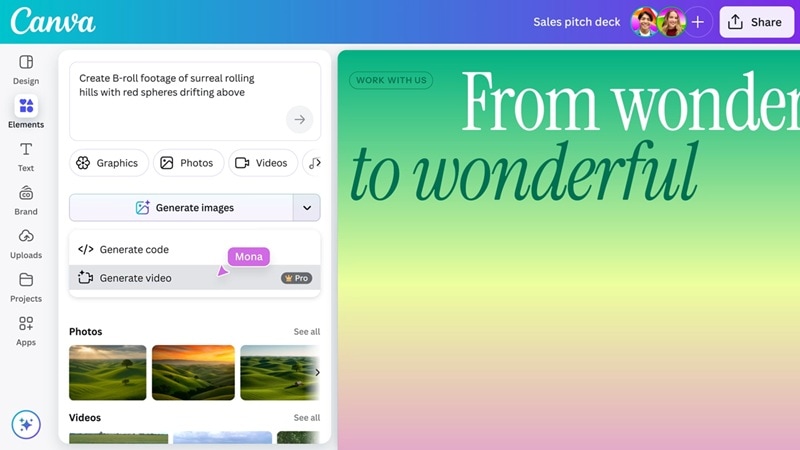
- Video Generator: Create short videos from text prompts using templates and AI-assisted layouts.
- Capture Video Highlights: Automatically finds and cuts your footage into multiple short clips that showcase the best moments.
- Magic Video (Mobile): Create videos on the go by selecting media from your uploads or phone gallery and describing what you want.
- Video Background Remover: Remove or replace video backgrounds using AI, without a green screen.
- Magic Write: Generate voiceover scripts, captions, or catchy video taglines using AI.
Free version available, with paid plans starting from $12.99/month.
Social media creators, small businesses, and teams who want fast, template-based video creation and easy collaboration.
- The AI can automatically apply your specific brand colors and fonts to new designs
- Make use of the “Brainstorming Tool” to create starting points
- Pro users have monthly caps on how many times they can generate content.
- If the AI makes a mistake (like a weird hand or face), you can’t fix it manually
- Limited professional video editing tools
- The quality of the generated AI content is not the best
3. VEED
VEED is an online AI video editor that puts AI tools front and center, especially for captions, subtitles, and quick social edits. You can upload a video, generate subtitles automatically, and style them for social media fast. On top of that, VEED also lets you generate videos from text, powered by models like Veo 3, PixVerse AI, Kling AI, and MiniMax AI.
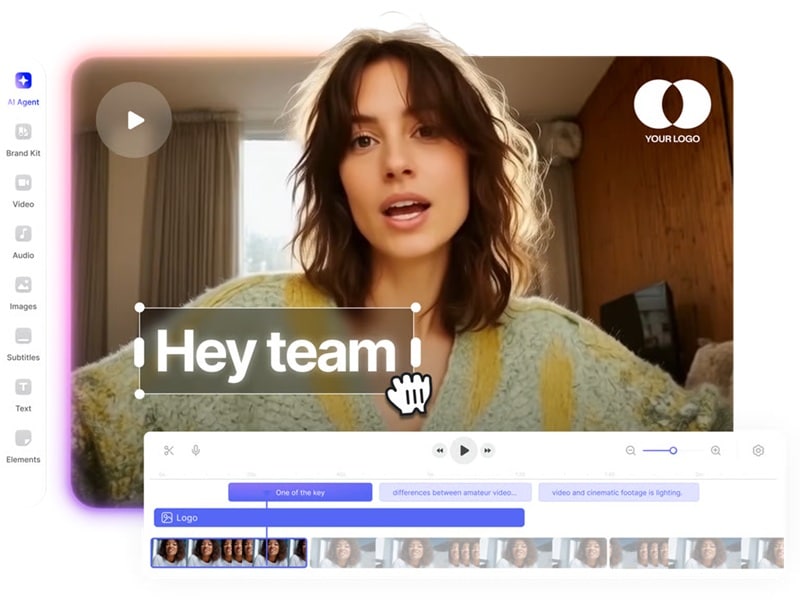
- Text-to-Video: Turn simple descriptions into professional-quality videos directly in the browser.
- Auto Subtitles: Generates accurate subtitles with options to animate text, highlight words, and choose different styles.
- Text-to-Speech: Add voiceovers using AI voices with multiple accents and profiles.
- Voice Cloning: Clone your voice to generate instant voiceovers without re-recording.
- AI Avatars: Create talking-head videos using AI avatars for marketing and business communication.
- AI Noise Removal: Automatically removes background noise to deliver distraction-free audio.
A free version is available, with paid plans starting from $19/month (Lite).
Social media creators, marketers, and teams who need to create short-form content, marketing videos, and talking-head clips.
- Its AI-powered auto-captioning is faster and more accurate than almost any other editor
- Includes a built-in screen recorder and teleprompter for creating talking head videos
- Allows multiple people to leave comments on a video timeline or share a Brand Kit across a team
- The Free version adds a watermark on the video and limits your exports to 720p
- Long videos often cause a crash or become unresponsive during the final export
- Lacks the advanced "frame-by-frame" precision and complex layering
4. Vmaker
Vmaker video editing AI online helps you create videos from text prompts, screen recordings, or uploaded raw footage. You can record your screen and camera at the same time, then use AI tools to clean up audio, add captions, and turn long recordings into high-quality videos.
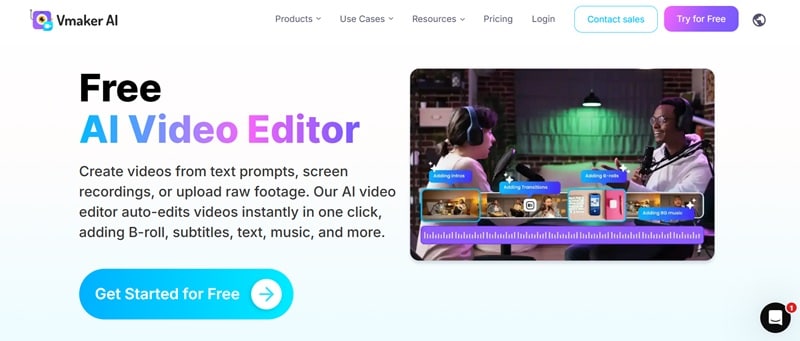
- AI Video Generator: Create videos from text prompts or simple inputs.
- AI Avatar Generator: Use AI avatars to create talking-head videos without recording yourself on camera.
- Video Background Remover: Remove or replace video backgrounds without a green screen.
- Highlight Video Maker: Detects key moments and turns long videos into short highlights.
A free plan is available, with paid plans starting from $24/month.
Creating screen recordings, tutorials, demos, and presentation-style videos, especially for educators, product teams, and content creators.
- The free plan gives you up to 3 exports in 720p, with videos limited to 5 minutes
- Easy creation of videos and subtitles
- Limited manual editing control and fewer advanced editing options
- Processing and loading recordings can be slow at times
5. Kapwing
Kapwing has been one of the more popular online video editors for years, especially among creators who want simple tools that work in the browser. Now, it has added more AI video editing features to speed up editing tasks (on the Studio), as well as text-based tools that help you generate and repurpose videos.
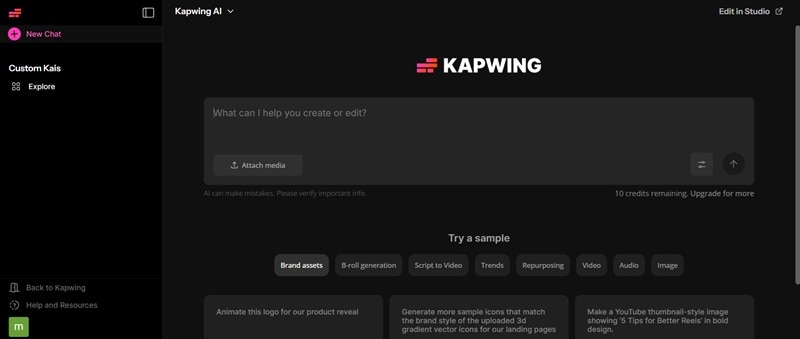
- B-roll Generator: Creates relevant B-roll clips to match your main footage from text.
- Clip Maker: Generates short clips from a longer video.
- Translate Video: Translates video content into multiple languages with captions or voiceovers.
- Smart Cut: Removes silences and unnecessary pauses to tighten your video.
A free plan is available, with paid plans starting from $24/month.
Social media creators, educators, and marketing teams who want fast, browser-based editing for short-form videos, repurposed content, and collaborative projects.
- Gives you 10 free credits to try after signing up
- Multiple users can edit the same video simultaneously
- Built-in access to several trending memes, stickers, and sound effects
- The browser tab often freezes or crashes during long editing sessions
- Free users will see a watermark on exported videos
Part 4. How to Choose the Right AI Video Editor for You
From the list of AI for video editing above, choosing the right one comes down to how you edit and what you want the AI to help with. You can start by looking at your experience level and the type of projects you usually work on.
From there, the options generally fall into a few categories.

Beginners vs Experienced Editors
- If you are a beginner: If you’re new to video editing, the best AI video editor is one that reduces friction. Look for simple interfaces with minimal setup and template-based editing.
- If you are an experienced editor: If you already understand editing basics, AI should feel like an assistant, not a replacement. At this level, control and flexibility matter just as much as speed.
Desktop Software vs Mobile App vs Online AI Video Editors
- When to use desktop software: It’s better to use desktop editors if you prioritize performance and control. Use them when you work with long videos or high-resolution footage, need advanced tools beyond AI tools, and edit professionally.
- When to use a mobile app: Compared to desktop software, AI video editing apps are best when speed and convenience matter more than deep control. Use them if you mainly create short-form content for social media or want to edit on the go.
- When to use online AI editors: Use online AI video editors if you prefer editing on the browser, need quick text-to-video or template-driven content, or collaborate with others on simple videos.
Free AI Video Editors vs Paid Solutions
Most users would want to have free AI tools for video editing, but you must know that there will be trade-offs. AI-powered features are resource-heavy and costly to run, so it’s rare to find a fully free AI video editor with no limits at all.
Free plans usually come with restrictions, such as:
- Watermarks
- Limited generation and export quality
- Fewer generative features
They’re great for testing tools, learning how the AI works, or creating casual content, but they can feel limiting once you start editing regularly.
When you feel like video editing with AI helps a lot in your workflow, it’s usually a sign that investing in a paid plan is worth it.
Secure DownloadConclusion
We hope this list has made it easier to narrow down the best AI video editor to help speed up your editing workflow. Seeing them side by side like this makes choosing feel a lot less confusing.
For both mobile and desktop use, Filmora comes across as a strong all-around option if you want AI tools with advanced features that don’t limit you to just templates or fully automated edits. You can move fast with AI when you need to, then jump in and refine things yourself.
