


 TL;DR:
Wondershare Filmora, Clipchamp, and OBS Studio are the top Loom alternatives depending on whether you need a multi-track video editor, a quick browser-based recorder, or an advanced open-source broadcasting tool.
● Clipchamp provides watermark-free 1080p recording directly in the browser, but restricts capture sessions to 30 minutes and requires a Microsoft account login.
● OBS Studio delivers completely free, unlimited recording with customizable multi-source scenes for Windows, Mac, and Linux, though it requires more setup time than simpler tools.
● Filmora combines screen, webcam, and audio recording with built-in AI editing for Windows and macOS, but the free version exports videos with a watermark.
Ask AI for a summary
 ChatGPT
 Perplexity
 Gemini
 Claude
 Grok
Grok
If you’ve used Loom before, you already know why people love it. This screen recorder works almost anywhere, whether you're on the web, your phone, or using the Loom app on Google Play or the Apple App Store.
But even though Loom is super flexible and convenient, it’s definitely not the only option out there. And sometimes, you need a Loom alternative that’s cheaper, free, or simply fits your workflow better.
To make sure you're not missing out on a screen recorder like Loom that suits your exact needs, we pulled together the best Loom alternatives across all devices, from desktop to browser to mobile.
Loom is already a solid screen recorder, so finding something similar to Loom or even better takes a bit of digging. And to make sure every Loom alternative on this list is actually worth your time, below are what we pay attention to when we test them:
- Recording Quality and Stability: Any alternatives to Loom has to keep the video clean and steady, so we watch for smooth HD recording without weird stutters or frozen frames. If it can’t handle basic clarity, it won’t make the list.
- Ease of Use: A good screen recorder like Loom should feel simple from the moment you open it. We look for tools that let you start recording in just a few clicks so nothing slows you down.
- Editing Tools That Actually Help: Some people only need trimming while others want captions or annotations, so we check how much editing power each tool gives you.
- Smooth Sharing and Exporting: Creators need fast ways to send videos, whether that’s a quick link or different export formats. Any real Loom screen recorder alternative should fit naturally into your workflow and make sharing effortless.
- Free Plans That Don’t Limit You: A free Loom alternative should feel usable, not restricted. We test how generous each free plan is so you know exactly what you get without unexpected cutoffs or giant watermarks.
Our Top 3 Picks You Should Try First
We tested a bunch of alternatives to Loom, and while the full list has ten solid options, these three really stood out. They’re the ones that felt the easiest to use and delivered the best overall experience.


Loom Alternatives Comparison Chart
Before we jump into the full list, let's take a quick look at ten popular programs like Loom so you can see what each one brings to the table. It’s an easy way to spot which one feels right for your workflow, especially if you want something you can use right away.
| Screen Recorder | Platforms | Free / Paid | Key Highlight | Best For |
|---|---|---|---|---|
| Filmora | Windows, macOS | Free & Paid | Full AI editor + screen recorder in one place | Tutorials, gameplay, demos |
| Clipchamp | Online, Windows | Free & Paid | Easy browser recording with built-in editing | Quick walkthroughs, simple recordings |
| OBS Studio | Windows, macOS, Linux | Free | Powerful open-source controls | Streaming, gaming, pro setups |
| XRecorder | Android | Free & Paid | High-quality mobile recording up to 4K | Mobile gameplay and app tutorials |
| ScreenRec | Windows, macOS, Linux | Free | Instant shareable links | Presentations, fast communication |
| Az Recorder | Android | Free & Paid | Mobile recording + editing + screenshots | Online classes, tutorials, gameplay |
| Snagit | Windows, macOS | Free trial & Paid | Strong capture tools for work | Step-by-step guides, bug reports |
| ScreenPal | Windows, Mac, iPhone, iPad, Android | Free & Paid | Flexible recording with drawing tools | Training videos, YouTube content |
| Tella | Web-based | Free trial & Paid | Record and edit right in the browser | Short tutorials and presentations |
| Vidyard | Online, Windows, macOS | Free & Paid | Easy sharing with viewer tracking | Sales videos, product demos |
|
Show More
Show Less
|
||||
 Secure Download
Top 10 Loom Alternatives Worth Switching To
Now, it’s time to break down each alternative for Loom one by one. We’ll look at what each tool does well, where it falls short, and why it might be a good fit for your workflow. Let's begin!
1. Wondershare Filmora
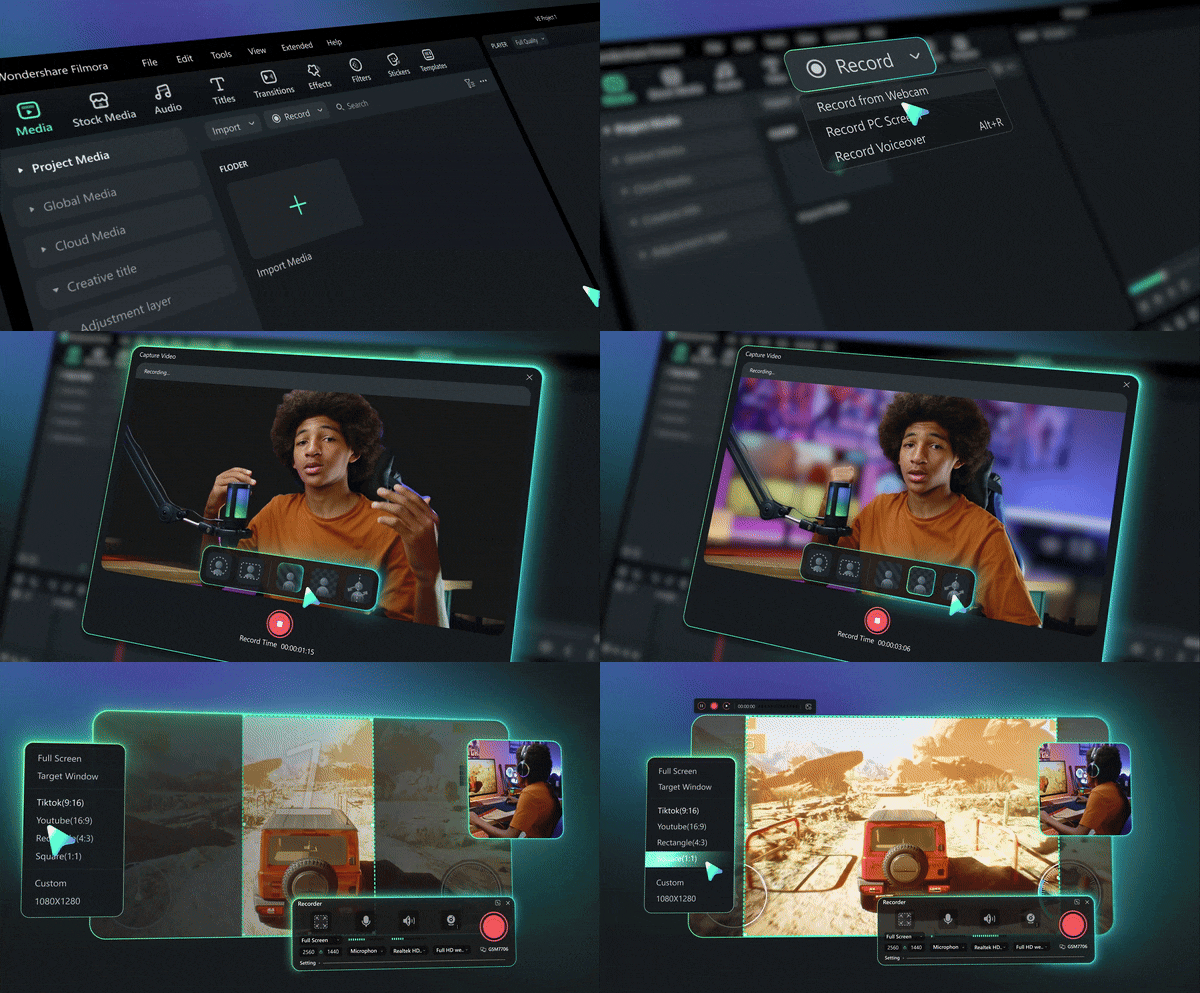
To kick things off, we're starting strong with Filmora. This all-in-one editor should easily be at the top of your list if you're looking for software like Loom. Its Screen Recorder feature gives you everything you need for recording your screen with full control.
Not to mention, you can further polish it right away inside their editor, filled with advanced features. It feels like a natural upgrade if you want something with more power and cleaner results.
- Record your screen, webcam, system audio, and mic at the same time with multi-track control.
- Choose circular or square webcam frames with adjustable sizing.
- Show keystrokes and mouse clicks for clearer instructional videos.
- Swap or remove your webcam background for a cleaner look.
- You can customize the recording area so you only capture what you actually need.
- The moment you stop recording, the video opens right in Filmora for trimming, enhancing, or adding effects.
- Comes with built-in AI tools that make editing faster and more fun.
- The free version exports with a watermark.
Windows and macOS.
Free version available with affordable upgrades on the official Filmora pricing page.
Tutorials, gameplay, presentations, and professional demos.
Secure Download2. Clipchamp
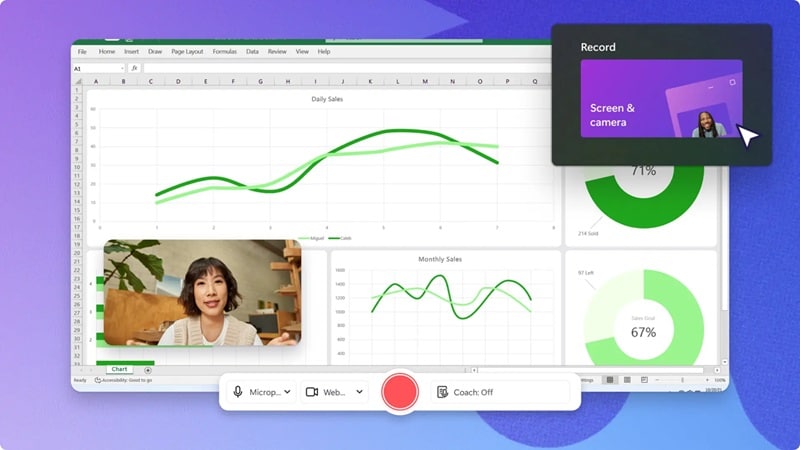
If you want a Loom free alternative that feels simple but still gives you great results, Clipchamp is definitely worth checking out. This Microsoft tool surprised a lot of people when it stepped in as the modern replacement for Windows Movie Maker. Its screen recording feels smooth, clean, and surprisingly capable for something you can use for free.
- Capture a browser tab, a specific window, or your full screen with or without sound.
- Record your screen and webcam at the same time.
- Edit your recording right after you finish, which makes the workflow really easy.
- No watermark on your video, even on the free plan.
- Supports uploads up to 1080P, which is generous for a free tool.
- You can only record up to 30 minutes per session, so it's not ideal for long gameplay videos.
- You need to sign in with a Microsoft account to use it.
Online, Windows.
Free version available, with premium features included in Microsoft 365 Personal and Family plans.
Training videos, tutorials, software walkthroughs, and product demos.
3. OBS Studio
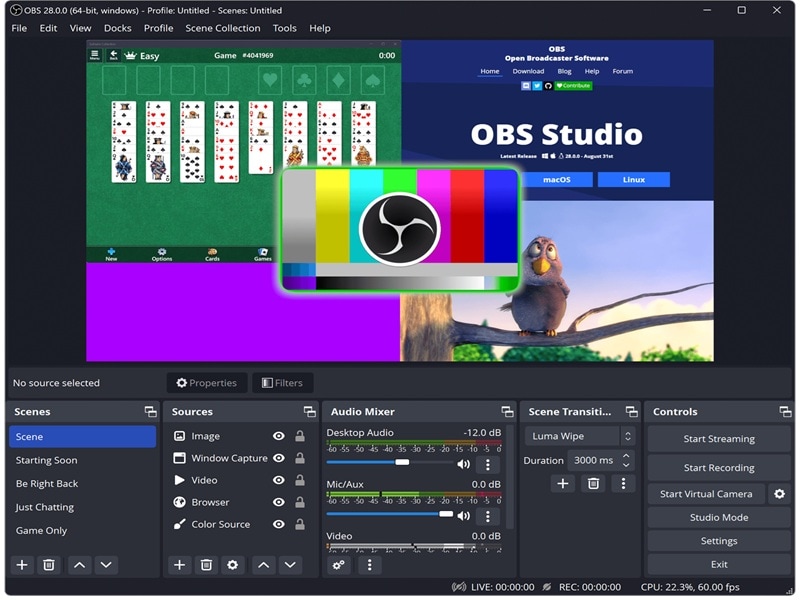
If you're looking for Loom alternatives open source, OBS Studio is the clear standout. It's well known in the streaming world and even backed by big names like YouTube, Twitch, and Nvidia. Out of all the free alternatives to Loom, OBS gives you the most control over how your recording looks, sounds, and feels, making it solid enough for professional creators.
- Build scenes using multiple sources like window captures, images, text, browsers, webcams, and capture cards.
- Use the built-in audio mixer with filters like noise gate, noise suppression, and gain.
- Access a full settings panel that lets you tweak every detail of your recording or broadcast.
- The modular Dock UI lets you rearrange everything so it fits the way you like to work.
- You can create unlimited scenes and switch between them with custom transitions.
- It might feel overwhelming for total beginners.
- Requires more setup time compared to simpler Loom alternatives.
Windows, Mac, Linux.
Free.
Live streaming, gameplay sessions, recording tutorials, and creating high-quality production videos.
4. XRecorder
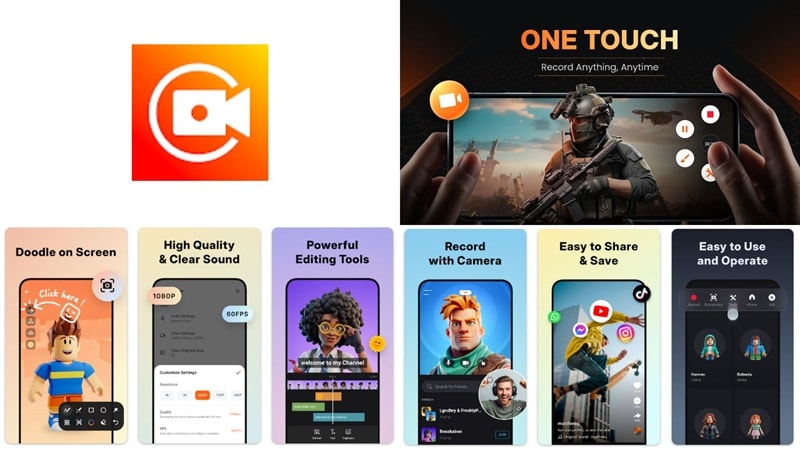
If you like handling everything on your phone, XRecorder is an app like Loom that works really well. It's made by InShot Inc, and it helps you record smooth screen videos and take quick screenshots without any complicated setup. You don't even need root access for it, which makes the whole experience a lot easier for everyday use.
- Records internal audio without noise on Android 10 and above.
- Lets you record your face in a small overlay window that you can drag and resize anywhere on the screen.
- Supports high-quality game recording up to 1080p, 12Mbps, 60FPS, and even up to 4K in newer updates.
- Lets you record and upload without a watermark.
- No time limit on recordings, which is perfect for long gameplay sessions.
- The ads can get overwhelming and break your flow.
- Some users experience random stops or crashes during recording.
Android.
Free version available, with in-app purchases ranging from $5.99 to $49.99 per item.
Gameplay walkthroughs, tutorials, and mobile content creation.
5. ScreenRec
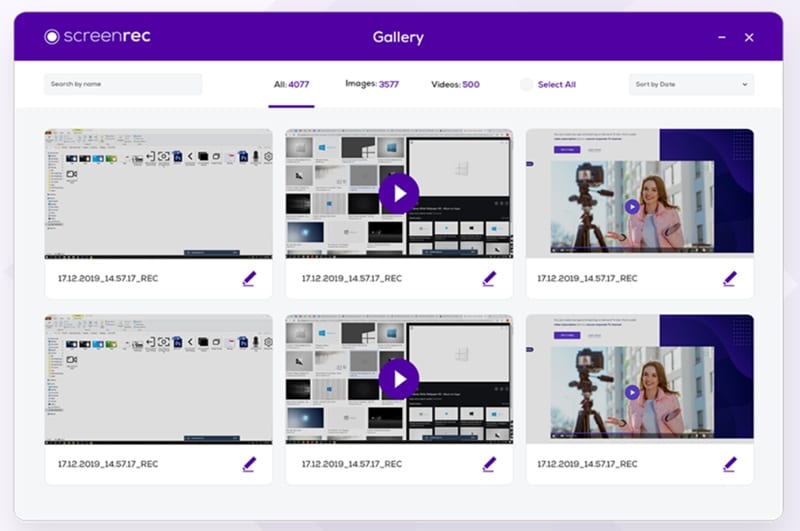
ScreenRec is another solid pick if you're looking for Loom alternatives free that stay simple and beginner-friendly. It captures your screen, your voice, your webcam, and even your system audio without making things complicated. Once you finish recording, you get an instant link you can share right away, which is great for quick communication.
- Capture your desktop with an optional webcam overlay for face reactions.
- Record system audio and narrate with your microphone at the same time.
- Enjoy smooth 1080p screen recording with frame rates ranging from 15 to 120 FPS.
- You can revisit your past recordings and grab the share link whenever you need it.
- Your videos are watermark-free.
- You only get a five minute limit if you don't sign in to your cloud account.
- There are no editing tools to polish your recordings afterwards.
Windows, macOS, Linux.
Free.
Presentations, quick tutorials, workplace updates, and simple product demos.
6. Az Recorder
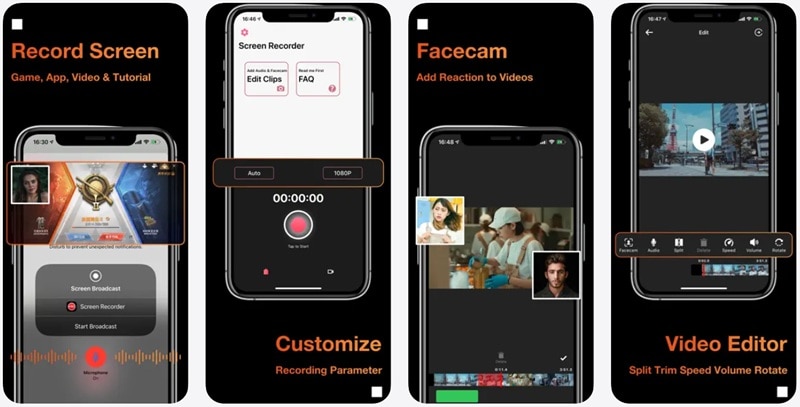
AZ Recorder is another strong pick if you're searching for apps similar to Loom that work well on mobile. It's designed to make screen recording easy, whether you're filming gameplay, capturing a tutorial, or saving an online class. Packed with recording, screenshot, editing, and even streaming tools, it covers most of what people would normally use.
- Record internal audio without background noise, or record using your microphone, or combine both for full control.
- Use the Facecam feature to add your reactions on top of your video.
- Capture one-tap screenshots and edit them with tools like Blur, Stitch, text, and emojis.
- It can also be used as a livestreaming app for YouTube or Facebook.
- No time limit on recordings.
- Adds a watermark when using the free version.
- Some users report glitches during screen recording.
Android, iOS.
Free version available, with premium plans starting at $3.49 per month.
Recording gameplay, online classes, tutorials, software demos, and livestreaming.
7. Snagit
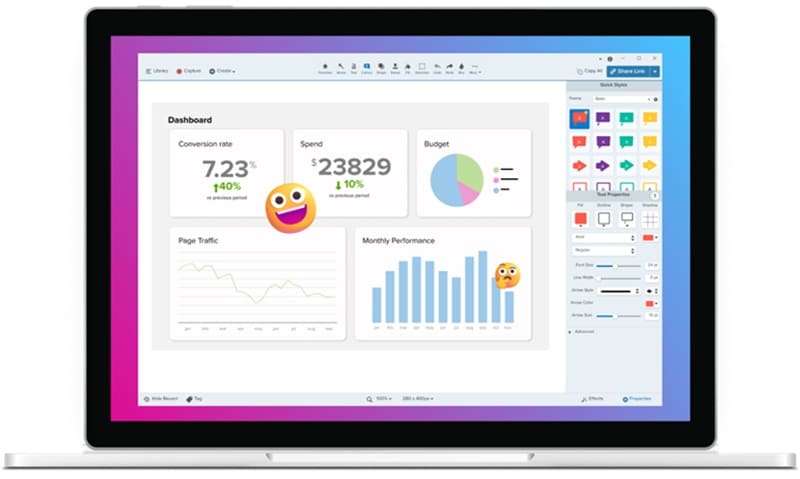
Snagit is another solid choice if you want Loom video alternatives that feel clean and professional for work. The whole experience feels simple, focused, and reliable, which makes it a favorite in many offices. It's not the flashiest tool, but for straightforward recording and capturing, it gets the job done really well.
- Choose exactly which part of your screen you want to capture, whether that's a full screen, a window, or a custom area.
- Highlight key details using Snagit's drawing tools to add shapes, arrows, or step numbers.
- Trim out mistakes easily with its simple video editor.
- Great for collaborating with coworkers since you can share recordings instantly with a link.
- You can save recordings as animated GIFs for quick, easy-to-watch demos.
- The free trial goes by quickly, and the paid version can feel a bit pricey.
- The editing tools are more limited compared to other Loom alternatives on this list.
Windows, macOS.
Free trial for 15 days, with flexible plans starting from $39 per year.
Explaining steps, documenting bugs, onboarding guides, and quick workplace tutorials.
8. ScreenPal
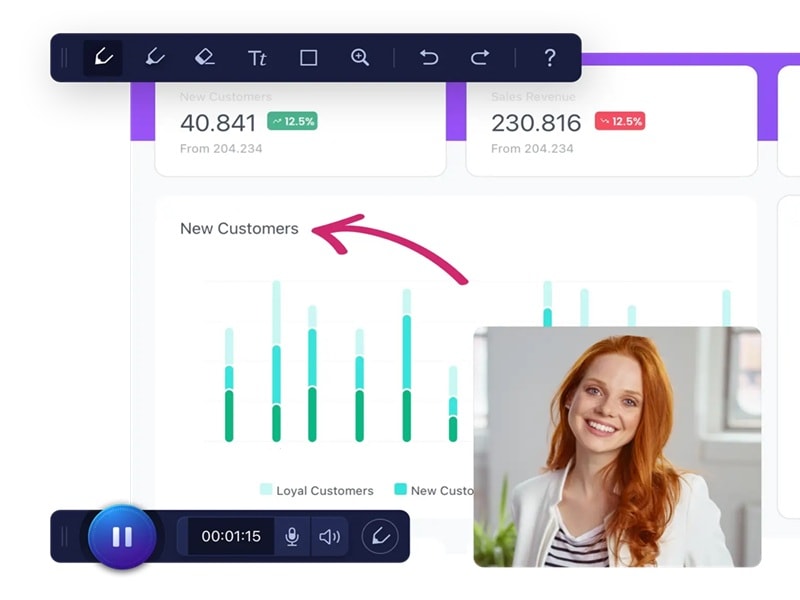
Up next is can be considered as a pretty tough Loom competitor, ScreenPal. You get a good amount of control before, during, and after recording, which makes the whole process feel smooth. It also works on almost every device you can think of, which makes it a great Loom alternative for Mac, Windows users, and anyone who likes recording on mobile too.
- Record your screen and webcam together for picture-in-picture videos.
- Capture any area, single window, or your entire screen.
- Draw on the screen while recording using shapes, text, and other tools.
- No watermarks on your videos, even when using the free plan.
- Lets you get creative with green screen features.
- You're limited to fifteen minutes per recording on the free plan.
- Free users can only record up to 720p unless they upgrade to a Max or Business plan.
Windows, Mac, iPhone, iPad, Android.
Free version available, with paid plans starting from $4 per month.
Training videos, instructional content, YouTube recordings, and capturing streaming footage.
9. Tella
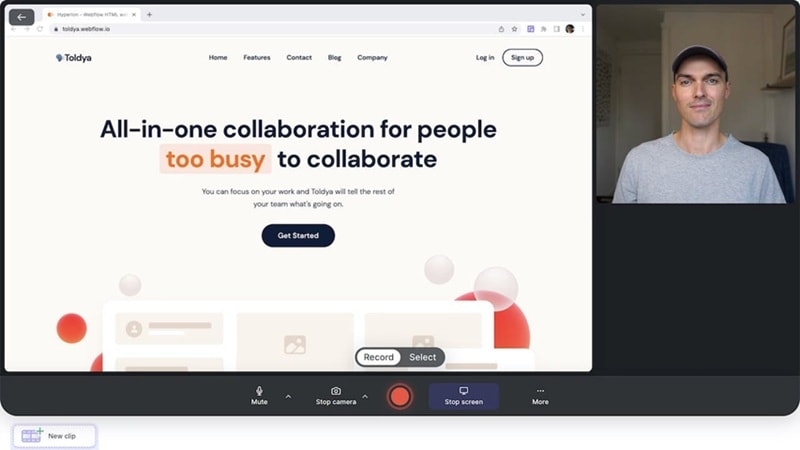
If you're looking for websites like Loom, Tella is definitely one you shouldn't skip. It's simple, clean, and lets you start recording right from the website without installing anything. Once you finish, you can jump straight into editing your video in the browser, which makes the whole workflow feel quick and easy.
- Record several clips and edit them all together in the next step.
- Use built-in editing tools to trim, re-record, and adjust your background or layout.
- Works with your computer's webcam or any external webcam you prefer.
- Clean and easy-to-understand interface.
- Unlimited recording duration with export quality up to 4K.
- Requires logging in or signing up before you can use it.
- The free trial ends quickly, and the paid plans can feel a bit pricey.
Online.
Free trial for 7 days, with paid plans starting from $26 per month.
Creating short tutorials, presentations, and recording digital content fast.
10. Vidyard
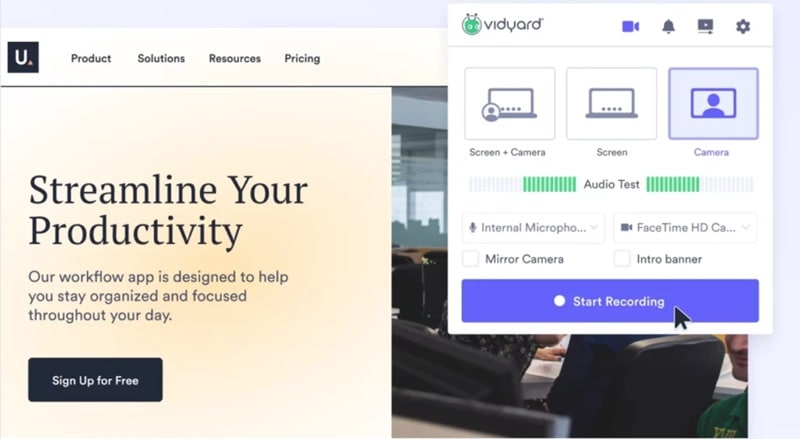
Our last pick on this list is Vidyard, a solid choice if you want an alternative to Loom free that still feels professional and easy to use. It also supports MP4, MOV, WMV, and just about every common format you'll ever need, which makes sharing and exporting a lot simpler.
- Use on-screen speaker notes to stay focused, then trim out anything you don't need.
- Capture video from any part of your screen.
- Polished editing tools to clean up your recording before sharing.
- Easy sharing access by copying and pasting a link.
- You can track views and get notified when someone watches your video.
- Recording is limited to thirty minutes per video on the free plan.
- Free users can only store up to twenty five videos at a time unless they delete old ones.
Online (using extender), Windows, macOS.
Free trial available, with paid plans starting at $89 per month.
Creating product demos, training videos, sales explainers, and internal team updates.
How to Choose the Right Loom Alternative
You’ve just seen a whole mix of Loom similar apps, software, and even web-based tools, and each one earned its spot for a different reason. Some are perfect when you just want something quick, others give you more control, and a few are built for people who create videos every single day.
That’s why choosing the right Loom alternative really depends on what you need your screen recorder to handle. To help you figure out which one fits your style and your workflow, here’s a simple way to sort through your options.
Power Editing For Big Projects

If you care about editing as much as recording, Filmora is the one to go with. It has plenty of advanced features, clean tools, and an editor that feels easy even when you’re doing something complicated.
When You Need Something Free

ScreenRec and OBS Studio are great picks if you want a free alternative to Loom that still does the job. ScreenRec keeps things simple with instant links and no watermark, while OBS gives you unlimited recording and full control without charging a cent.
Perfect for Teachers and Trainers

Filmora, ScreenPal, and Vidyard work really well for lessons, tutorials, and walkthroughs. Filmora helps you explain things clearly with text and effects, ScreenPal is great for on-screen drawing, and Vidyard makes sharing and tracking views really easy for classroom or training sessions.
Secure DownloadFor Total Control Over Your Setup
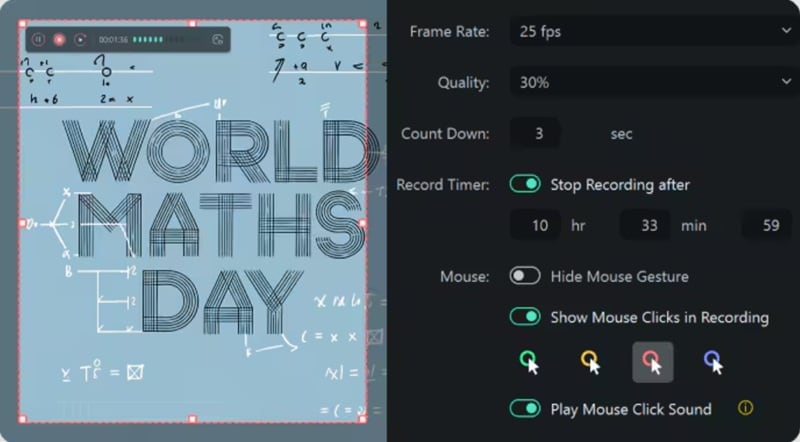
OBS Studio and Filmora are both strong choices when you need deeper control. OBS lets you adjust every detail with scenes and sources, while Filmora gives you the freedom to record, edit, and fine-tune everything in one place. They are two of the most flexible Loom alternatives for bigger or more complicated projects.
Easy Browser Recording With No Fuss
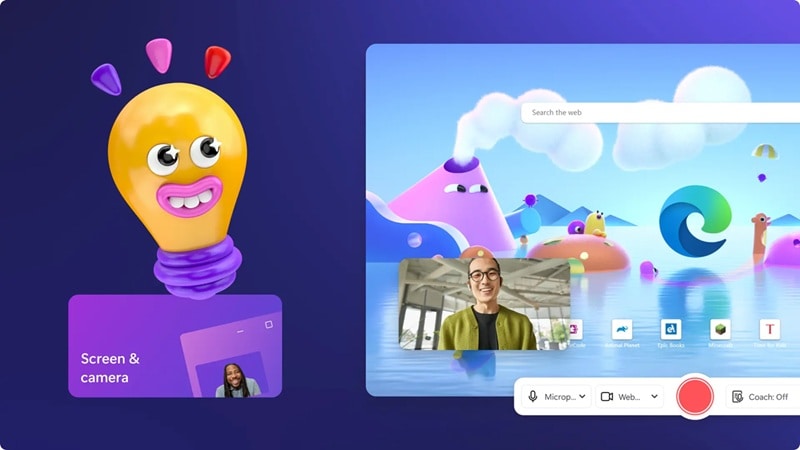
Tella and Clipchamp are great if you want something simple and quick right in your browser. Tella keeps everything neat with online editing, while Clipchamp gives you smooth recording and easy templates.
Conclusion
Loom screen recorder is a solid tool for everyday recording, but there are always more options out there, which is why we explored the best alternatives to Loom across every device.
For software like Loom, you have Filmora, OBS Studio, Snagit, and ScreenPal that give you more control and deeper features. For websites like Loom, tools such as Tella and Clipchamp keep things simple right in your browser. And for mobile apps similar to Loom, XRecorder and AZ Recorder are reliable picks when you want to record on the go.
All these Loom competitors bring something different to the table, but one tool really stands out, and that is Filmora. With Filmora, the screen recorder gives you full control over what and how you capture, and the editing features take your video to another level. You can clean up audio, add effects, use AI tools, and polish everything in the same workspace without jumping between apps.
Secure Download