


 TL;DR:
While various AI video tools resolve Submagic's length constraints and lack of scheduling capabilities, there are no completely free, watermark-free alternatives available for commercial use without upgrading to a paid plan.
● OpusClip is optimal for rapid batch clipping despite applying watermarks on its three-day expiring free plan, VEED suits professional teams requiring advanced timeline editing, and Quso.ai fits creators needing integrated analytics and direct TikTok posting.
● Wondershare Filmora serves as a cross-platform desktop and mobile software alternative, providing automatic subtitle generation with up to 95% accuracy in over 20 languages, AI-prompted B-roll creation, and a social content planner.
● Online clippers carry specific technical limitations, including slow rendering times for longer footage on ZapCap, AI context errors that prematurely cut off punchlines on OpusClip, and geographical availability restrictions on AI Video Cut.
Ask AI for a summary
 ChatGPT
 Perplexity
 Gemini
 Claude
 Grok
Grok
Many creators rely on Submagic to produce short videos quickly. It automatically finds key moments and adds captions without much manual work. For busy creators, that kind of speed really helps.
However, some users face limitations such as video length restrictions, B-roll that does not always match the context, and the lack of post-scheduling features. As a result, more people are starting to look for Submagic alternatives.
So, we will review some of the best online Submagic alternatives and compare their key features. We also introduce Wondershare Filmora as a Submagic alternative available for PC and mobile.
Why You Might Consider Submagic Alternatives
Submagic works well for many creators, but it may not fit every workflow. After all, different tools offer different features, editing control, and flexibility, so it helps to explore other options before deciding what works best for you.
So, let’s take a look at the main criteria we used when curating this list of Submagic alternatives.
- Ease of Use: A good Submagic alternative should feel straightforward from the start. We look for tools that let you jump in, clip fast, and still get decent results.
- Video Length Limitations: Upload limits vary across platforms. We check which Submagic alternatives remain practical and worth using.
- AI Feature Performance: We look at how the AI identifies key moments and generates captions. Extra AI features that enhance workflow are also a plus.
- Pricing & Plans: Cost can be a deciding factor. We consider which platforms remain useful without immediately requiring an upgrade.
Our Top 3 Alternatives Worth Trying
While every ElevenLabs alternative on this list performs well, these three offer something extra. They stand out for their added value and versatility. So, if you want faster results, cleaner output, or built-in tools to manage your content, these options are worth checking out.



Part 3. Side-by-Side Comparison of Submagic Alternatives
Before diving deeper into each Submagic alternative, this overview will help you get the big picture first. Let’s take a look.
| Tool | Free Trial | Video Length Limit | Team Collaboration | Schedule Post | Export Quality |
| AI Video Cut | Available | 30 minutes - 3 hours | Up to 1080p | ||
| Vizard | Available | 60 minutes - 10 hours | Up to 4K | ||
| Exemplary AI | Available | 1 - 8 hours | Up to 1080p | ||
| Opus Clip | Available | Up to 10 hours | Highest quality possible | ||
| VEED | Available | 10 minutes - unlimited | Up to 4K | ||
| Zapcap | Available | 30 minutes | Highest quality possible | ||
| quso.ai | Available | Unlimited | Up to 1080p | ||
| Kapwing | Available | 1 minutes - 2 hours | Up to 4K | ||
|
Show More
Show Less
|
|||||
Part 4. Best Tools As Alternatives To Submagic
Now, it’s time to dive into each tool. We’ll walk through what they offer, including their pros and cons. That way, you can easily choose the one that suits you best. Let’s break them down!
1. AI Video Cut
If you’re looking for a Submagic AI alternative to create videos quickly, AI Video Cut is worth considering. Simply upload a video or paste a YouTube link, and the AI will handle the rest. You can use it for various types of content, including vlogs, podcasts, and promotional videos.
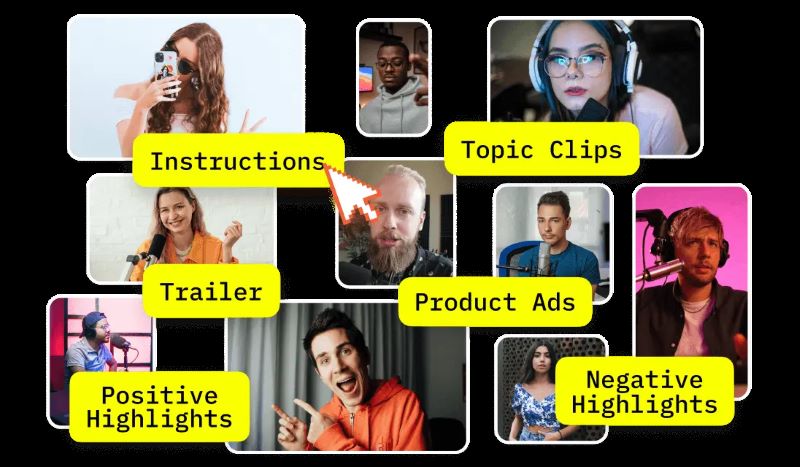
- Automatically detect speakers and frame them properly.
- Includes a built-in video editor for basic adjustments.
- Offers a Telegram bot for faster video clipping.
- The free plan is fairly generous, allowing you to explore the features before upgrading.
- Prompt presets and support for 100+ languages make content customization easier.
- The service may not be available in certain countries.
- Video generation can take longer during peak hours, even for short clips.
Free trial available, with paid plans starting at $10 per month.
4.3/5 on MobileAppDaily.
2. Vizard
Vizard is another Submagic alternative designed for professional use. Its credibility is strong, as it’s trusted by global brands and won several Capterra awards in 2025. With just a few clicks, you can turn videos into ready-to-share clips.
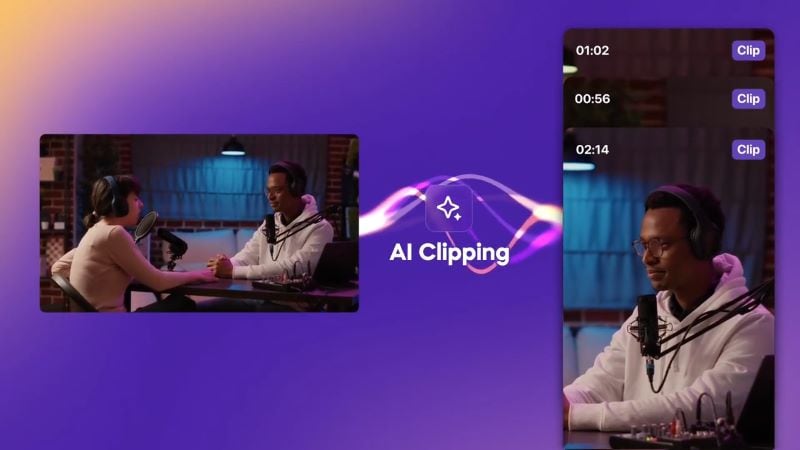
- Use AI Captions and AI Emoji to make your videos more engaging.
- Try the AI B-Roll to automatically insert relevant scenes into your clips.
- Generate descriptions and hashtags automatically, based on your scenes, using AI Social Captions.
- Allows real-time collaboration with your team, making editing more efficient.
- Produces high-quality outputs in multiple aspect ratios suitable for social media platforms.
- Template variety may feel limited if you’re aiming for trendy formats.
- No built-in sound effects library, so you need to use another platform to add background music.
Free plan available, with paid plans starting at $14.5 per month.
4.7/5 on G2, 4.9/5 on Capterra, Software Advice, and GetApp.
3. Exemplary AI
If you’re looking for a simple yet professional Submagic AI alternative, Exemplary AI is a strong pick. It helps you repurpose content quickly across multiple platforms without overcomplicating the process. You can use it to clip interviews, educational content, and podcasts.
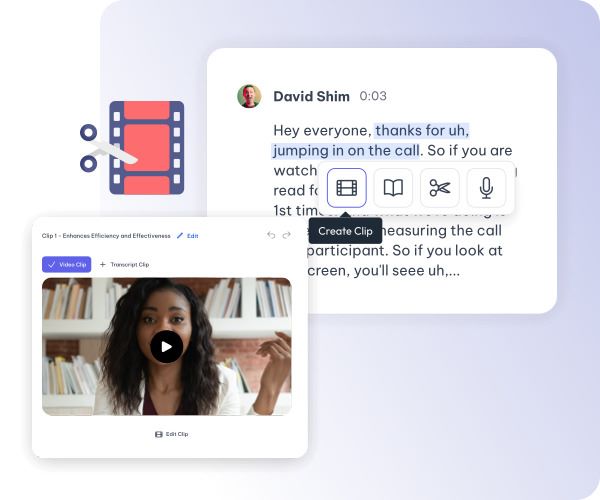
- Includes a built-in text-based video editor.
- Automatically generates subtitles and captions from your videos.
- Offers emoji and audiogram visuals to enhance your clips.
- Supports over 120 languages with high accuracy, making video translation more efficient.
- Comes with a Magic Cut feature that automatically removes long silences and filler words, resulting in more polished clips.
- There is occasional lag when processing longer videos.
- The learning curve may feel slightly steep for beginners.
Free plan available, with paid plans starting at $4 per month.
4. OpusClip
OpusClip is a Submagic alternative Reddit users often recommend. Many discussions highlight how quickly it turns long videos into multiple short clips and automatically reframes them into different aspect ratios. It’s also widely used, with over 12 million creators and businesses relying on the platform.
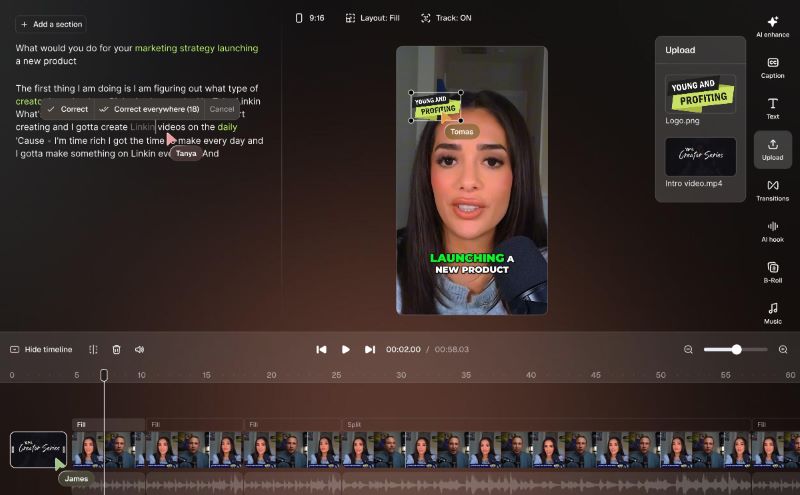
- Comes with a built-in video editor to make adjustments to your video.
- Includes AI B-Roll, AI voice-over, speech enhancement, and filler words removal to improve overall video quality.
- Equipped with an AI thumbnail generator that instantly creates relevant thumbnails for your video.
- Supports API integration with CMS and other tools, helping streamline your video creation workflow.
- The simple dashboard makes it easy to review, edit, and export clips, including applying custom brand templates.
- The AI may occasionally miss context, cut off jokes before the punchline, or generate clips that feel incomplete.
- The free plan includes a visible watermark, limited credits, and clips that expire after three days.
Free trial available, with paid plans starting at $15 per month.
4.6/5 on G2.
5. VEED
Another Submagic free alternative Reddit users often mention is VEED. It makes clipping long videos fast and accessible, whether you’re using the web versions or the iOS app. While it’s not completely free, you can still explore its features before deciding to upgrade. Also, it’s packed with powerful AI tools to help you create engaging videos.
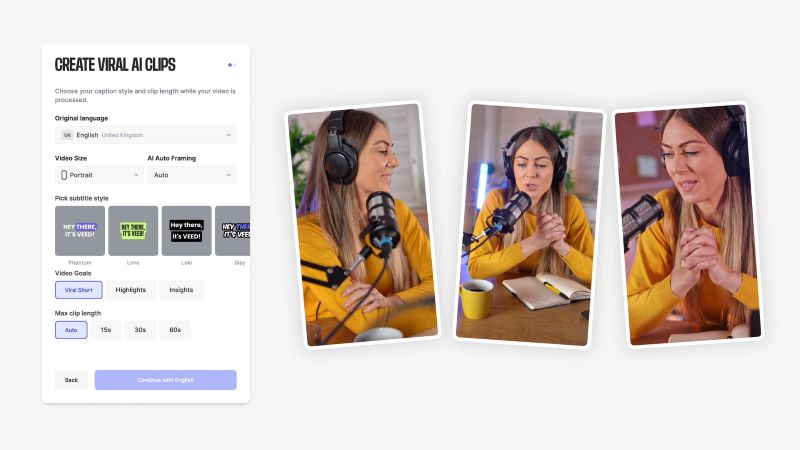
- Refine your clips using the built-in editor.
- If you need B-roll, use the AI Video Generator to create videos from scratch.
- Offers AI Subtitles and AI Translation, so you don’t have to spend hours doing it manually.
- The built-in editor is more advanced compared to many other Submagic alternatives, allowing you to add B-rolls, overlays, multiple text boxes, and transitions exactly where you want them.
- Ideal for team collaboration, as members can leave comments at specific timestamps for easier feedback.
- The interface may feel overwhelming for beginners, so it may take a while to explore the editing tools.
- May become laggy when working with longer or higher-quality videos.
Free version available, with premium plans starting at $9 per month.
4.6/5 on G2.
6. ZapCap
If you search for a free Submagic alternative on Reddit, ZapCap is likely one of the suggestions you’ll find. With its free trial, you can create up to three videos per month, complete with automatic descriptions and hooks. It also includes a built-in editor for basic editing and adding subtitles, B-roll, and background music.
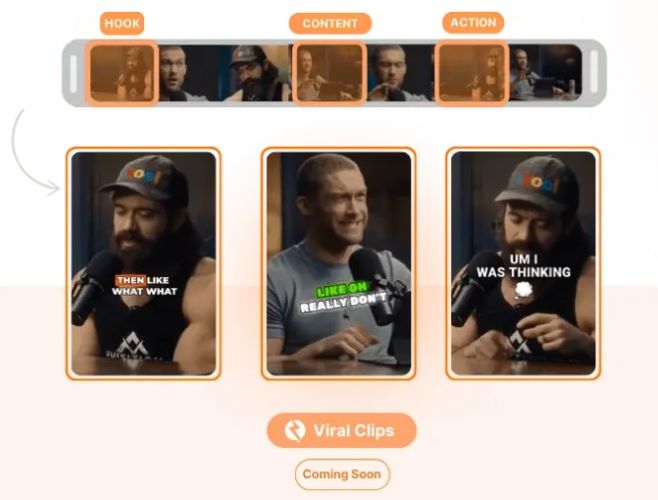
- Choose from 21+ subtitle templates to match your style.
- The AI scans your video and automatically generates captions and hashtags.
- Includes Auto-Scheduling to manage multiple accounts and plan posts across social media.
- The platform uses OpenAI’s Whisper technology that delivers transcription accuracy of up to 99%.
- It offers API access to automate clipping for hundreds of videos at once, making it a practical choice for developers and businesses.
- Rendering time can be slow, especially for longer videos.
- Limited trendy or viral-style templates compared to other Submagic alternatives.
Free trial available, with paid plans starting at $8 per month.
N/A.
7. Quso.ai
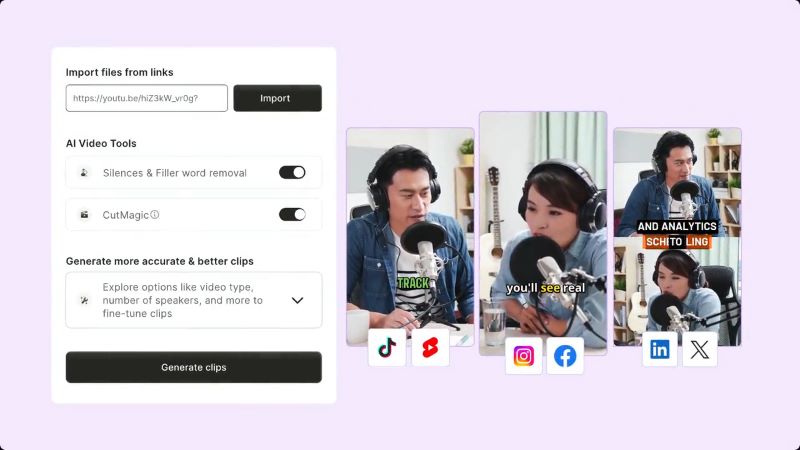
Among Submagic alternatives with free benefits, Quso.ai offers one of the more flexible credit systems. You receive 75 credits per month, which is fairly generous, allowing you to clip videos and explore its features without committing to a paid plan. Beyond clipping, Quso.ai also includes a built-in scheduler, AI content planner, and social analytics, so you don’t need to rely on multiple separate tools.
- Highlight key moments by adjusting video speed to create dramatic slow-motion scenes or fast-paced edits.
- Includes AI tools to automatically remove silences and background noise.
- Resize videos for different social media platforms using the Auto Resize feature.
- Simple interface, making it easy to navigate.
- One of the few platforms that lets you post directly to TikTok from the dashboard, even on the free plan.
- Not ideal if you need precise control over every cut.
- The platform may sometimes experience technical issues.
Free version available. Paid plans start at $15 per month.
4.3/5 on Product Hunt.
8. Kapwing
If you’re looking for a Submagic alternative with free exports, Kapwing is a solid option. It analyzes your footage and automatically turns the best moments into short clips. Kapwing also includes a built-in video editor with a multi-track timeline. If you prefer not to edit manually, you can use the chatbot to modify specific parts of your video.
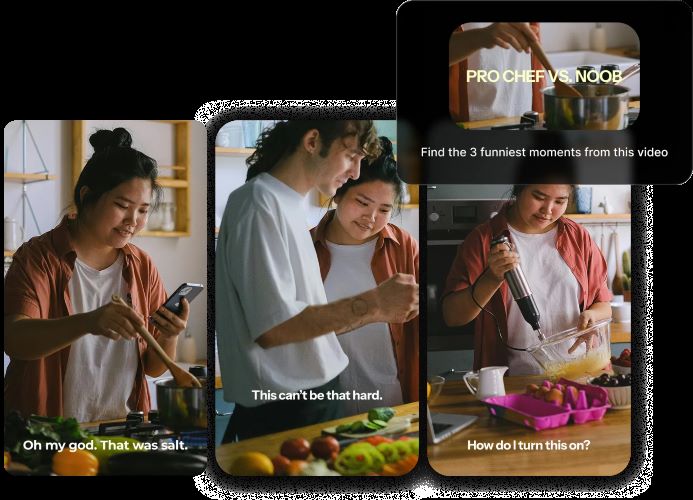
- Enhance your clips with stickers, transitions, B-roll, subtitles, and brand kits.
- Support translation in over 100 languages.
- Comes with an AI Persona that allows you to clone yourself from a recorded video and generate new videos based on your scripts.
- Flexible editing workflow. Edit directly through transcripts for speed, or switch to the traditional timeline for more precise control.
- Multiple users can work on the same project simultaneously, making it ideal for team collaboration.
- It may feel overwhelming for first-timers because the interface includes many features.
- Performance may slow down when working with large projects.
Free trial available. Paid plans start at $16 per month.
Part 5. Choosing the Best Submagic Alternative for Your Needs
Alright, we’ve explored several Submagic AI alternatives, each offering something different. Some focus on quick clipping, some allow light editing, and others offer a more complete solution for creators who also want to manage their social media.

So, how do you choose the right one? A quick breakdown below can be your guide to what you should look at before making a decision.
- User Type / Experience Level: Beginners may prefer simple, intuitive tools, while professionals may look for Submagic alternatives with advanced editing features.
- Budget / Pricing: If you edit once in a while, a one-time payment might be enough. For regular uploads, a monthly or yearly plan may be better.
- Collaboration Options: For team projects, look for Submagic alternatives that allow multiple users to edit, comment, and manage projects together.
- AI Editing Accuracy: A good Submagic AI alternative should produce reliable captions, relevant highlight clips, and suggest B-roll that matches the context of your video.
Submagic Alternatives for Desktop and Mobile: Wondershare Filmora
We’ve looked at the top Submagic alternatives, but most of them are only available online. So, what if you’re looking for software that works on both PC and mobile?
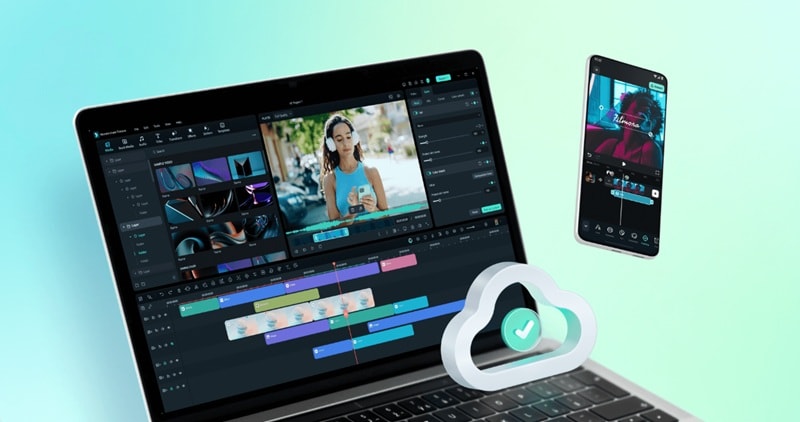
In that case, Wondershare Filmora stands out as one of the best Submagic alternatives. This all-in-one video editor lets you create and edit videos on your laptop or smartphone, seamlessly syncing your work across devices without any hassle.
 Secure Download
Here are some of the features you can explore in Filmora.
Instant Subtitles For Your Video
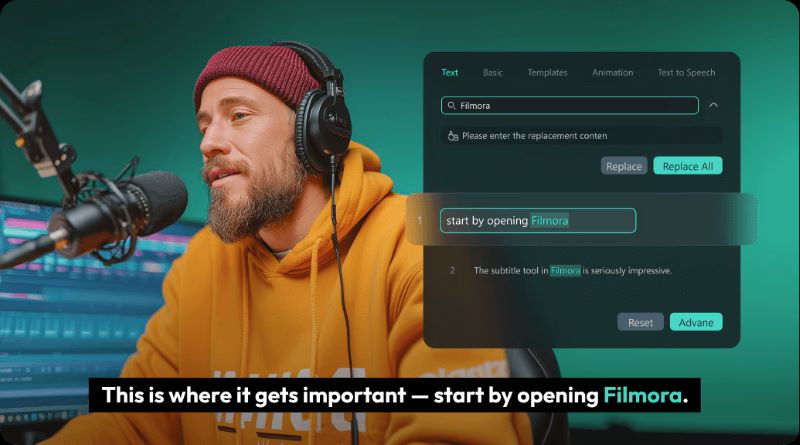
Stop spending hours editing subtitles manually. With Automatic Subtitle Generation, you can instantly generate with up to 95% accuracy. It supports over 20 languages and provides 100+ animated subtitle templates, so your content can match your style effortlessly.
Effortless B-Roll Creation
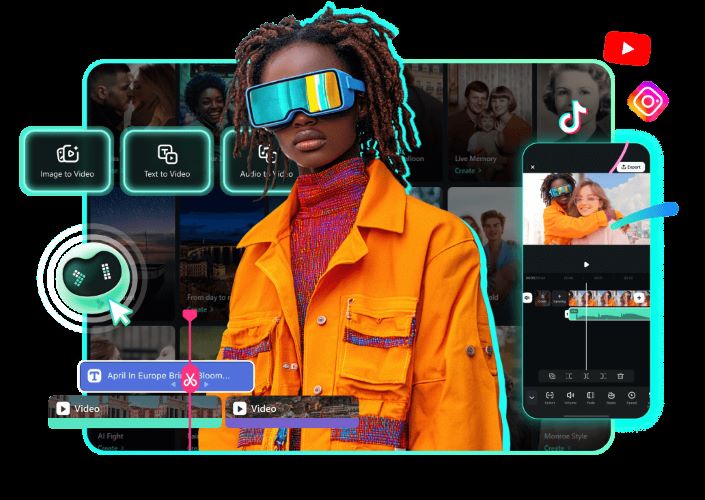
When you’re running out of footage for your videos, Filmora has you covered. With the AI Video Generator, you can create videos from prompts, images, or audio files. It’s a quick and practical way to fill in gaps without needing advanced editing skills. You can easily adjust and customize the result to fit your vision.
Transform Long Content into Engaging Shorts

Filmora’s advanced highlight extraction feature is widely used every day by content creators. Millions of TikTok and Instagram Reels videos are created using Smart Short Clips. In just a few clicks, you can turn long videos into short clips with viral potential. Plus, 50+ templates and auto-reframe tools make the process quicker and smoother.
Plan, Schedule, and Track Performance

Never worry about forgetting to upload your content again. Filmora’s Social Content Planner lets you schedule posts across social media platforms. The AI helps determine optimal posting times, analyzes 30-day video trends, and tracks important metrics like views, likes, shares, and comments. It truly feels like a content creator’s best friend.
Secure DownloadConclusion
Submagic is great for turning long videos into shorts fast. But it’s definitely not the only tool you can use. So, we took a closer look at the best Submagic AI alternatives available both online and on desktop.
After comparing them, one thing became clear: there’s no Submagic free alternative. Most platforms require paid plans if you want longer exports, premium features, or commercial use. Also, for a free plan, there are no Submagic alternatives without a watermark.
Even so, every tool has its own strengths. Wondershare Filmora, however, stands out for being more complete. You can generate short clips, enhance them with subtitles and B-roll, and even schedule your content ahead of time. Everything can be done in one app, in just a few clicks.
