

 TL;DR:
2short AI provides a fast, web-based solution for automatically converting long YouTube videos into vertical shorts with face tracking and animated captions, but its lack of timeline editing and strict input restrictions make Wondershare Filmora a more capable alternative for advanced customization.
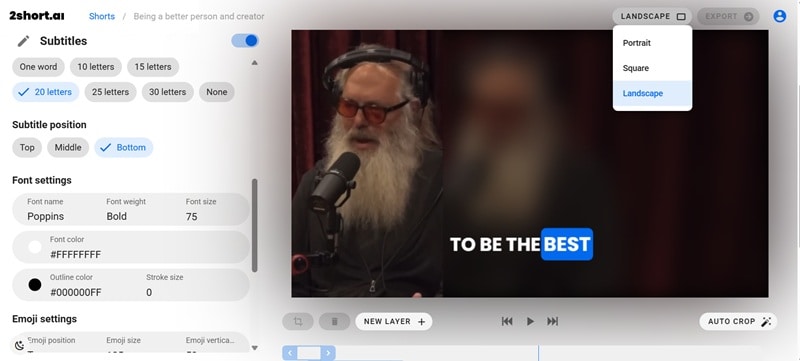
● The tool exclusively processes YouTube links and Google Drive imports—often failing to recognize music or live performance videos entirely—and strictly optimizes for vertical formats, yielding noticeably lower-quality exports for square or landscape aspect ratios.
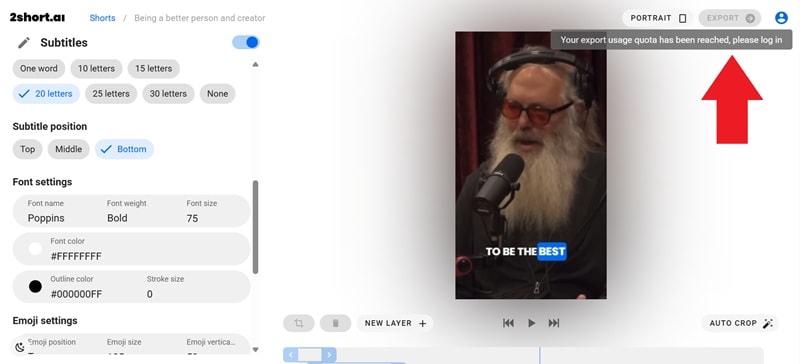
● The free Starter plan limits users to 30 minutes of AI analysis per month and requires account registration to export clips, while paid tiers offering faster server-side exports and expanded analysis time begin with the $9.90/month Lite plan.
● Wondershare Filmora serves as a better option for creators requiring offline access across desktop and mobile devices (Windows, macOS, Android, iOS), direct file uploads, and full timeline control with built-in audio tools like noise reduction.
Ask AI for a summary
 ChatGPT
 Perplexity
 Gemini
 Claude
 Grok
Grok
It's no secret that short-form videos are taking over every platform, from Instagram Reels to TikTok to YouTube Shorts. In fact, you've probably come across those quick clips with animated subtitles that grab your attention right away. Chances are, some of them were made using 2short AI.
But is 2short AI really as good as people claim, or is it just another trendy tool? If that's what you've been asking, you're on the right page! In this 2short AI review, we'll break down what it offers, highlight its strengths and weaknesses, and even point you to some solid 2short AI alternatives if you're looking for more options.
Part 1. Meet 2short AI: Key Features and How It Turns Videos into Shorts
Today, 2short AI is often mentioned in conversations about the rise of short-form content and how creators keep up with nonstop trends. That's because this is a tool to take your long videos and automatically trim them into short clips that are ready for TikTok, YouTube Shorts, and Instagram Reels.
Naturally, this kind of shortcut caught on fast with creators who want to focus more on making content and less on endless editing. After all, instead of sinking hours into cutting, syncing, and captioning, this tool lets the AI do the heavy lifting.
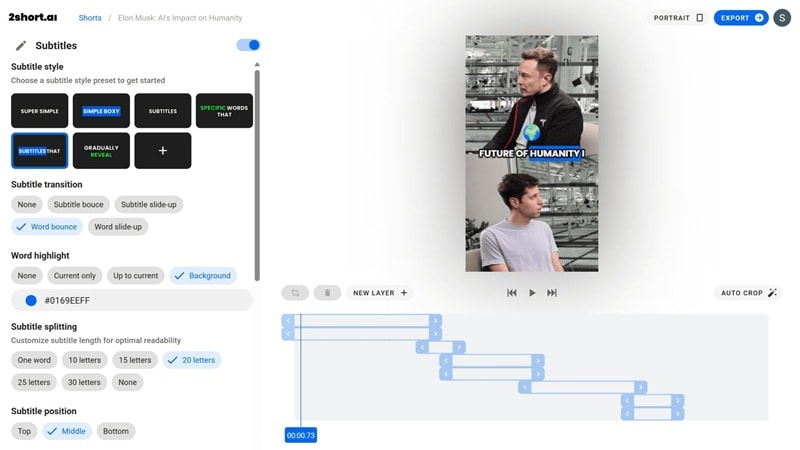
Key Features
Pricing
So, is 2short AI free to use? Well, they do have a free plan that lets you try out its core features and create clips without paying. Of course, if you want more editing time, faster exports, and premium perks, you can move up to the Lite, Pro, or Premium plans.
Here's a simple breakdown to give you a clear idea:
| Plan | Price | What's Included |
| Starter | Free | 30 minutes of AI video analyzing per month, ability to view and export generated short clips, full access to all core features. |
| Lite | $9.90/month | Everything in Starter, plus 5 hours of AI analyzing time, 60 minutes of fast server-side exports, Google Drive and public URL imports, ad-free experience. |
| Pro | $19.90/month | Everything in Lite, plus 15 hours of AI analyzing time and unlimited fast server-side exports. |
| Premium | $49.90/month | Everything in Pro, plus 50 hours of AI analyzing time, priority customer support, and early access to beta features. |
Compatibility
2short AI is fully web-based, so you don't need to install anything on your computer. It works smoothly on popular browsers like Chrome, Safari, and Edge, making it easy to clip and create no matter what device you're on.
Part 2. Using 2short AI: The Hands-On Experience
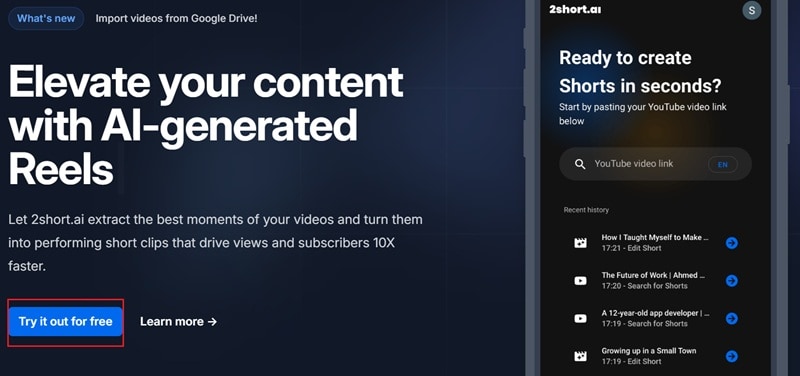
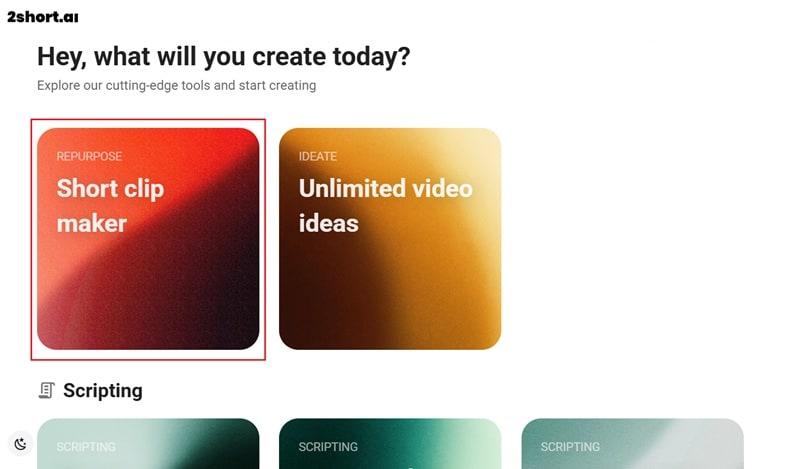
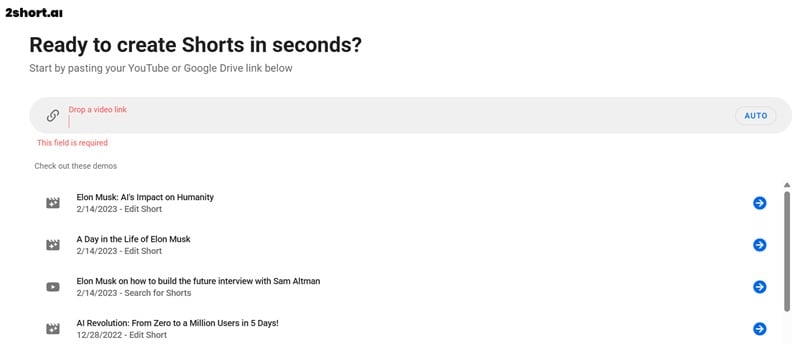
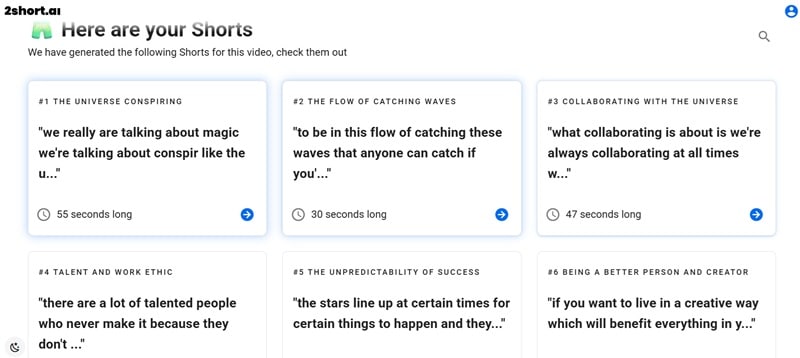
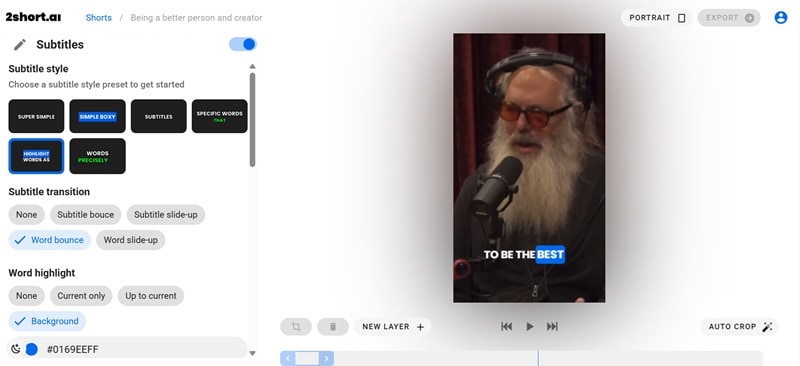
After looking at what 2short AI can do on paper, the real test comes when you actually put it to work. Below, we'll guide you to how to use the tool and see if the tool truly makes short-form editing as effortless as it claims.
Part 3. The Pros and Cons of Making Videos with 2short AI
Our own test run with 2short AI highlighted both the strong points and the weaker sides of the platform. The experience gave us a real sense of how it performs in everyday use, from uploading a link to customizing captions and exporting clips.
With that in mind, here's a simple breakdown of the good and the not-so-good parts.
- Simple to Use: The process is easy enough for beginners. You just need to drop in a link, let the AI process it, and your clips are ready in just a few minutes.
- Clean and Ad-Free Interface: The editor looks modern and works smoothly. Plus, unlike many online tools, there are no distracting ads getting in the way.
- Multiple Clip Options: The tool doesn't stop at a single result but offers you several themed clips to pick from. This helps you choose the one that best fits your style and audience.
- Highlight Picks Can Miss The Mark: The AI sometimes clips moments that look nice but don't add much substance. You may still need to review and trim to get the best results.
- Editing Features Stay Basic: Subtitles are customizable, but that's where the editing options mostly stop. Compared to professional editors, there's very little room for advanced adjustments.
- Not Every YouTube Link Works: We tested music videos, live performances, and even some commentary videos, and 2short AI could not recognize them. This makes the tool unreliable if you work with a variety of YouTube content.
Part 4. Who Will Love 2short AI?
Despite a few rough edges, 2short AI has carved out a strong spot with creators thanks to how practical its main feature really is. Up next, we'll look at the people who will get the most value from this tool and the situations where it works best:
- Podcasters and Streamers: You can turn long episodes or live sessions into short highlight clips. It gives your audience quick moments to enjoy without needing to watch the full recording.
- YouTubers: This tool is mostly used by YouTubers who want to rework older videos into YouTube Shorts, TikToks, or Reels. It's an easy way to refresh your channel and reach new viewers.
- Coaches and Educators: 2Short AI can transform lectures, tutorials, or training videos into short lessons. This makes the content easier to share and more engaging for students or clients.
- Social Media Managers: Manage multiple accounts more efficiently by turning long content into consistent short clips. This helps keep every platform active without adding extra workload.
Part 5. The Best 2short AI Alternative: Why Wondershare Filmora is Better
While 2short AI is a solid choice for clipping long videos into shorts, its flaws are hard to ignore when better options are available. One standout option is Wondershare Filmora, an all-in-one video editor packed with powerful AI features.
Its AI Smart Short Clips feature can automatically pull the best highlights from longer videos, just like 2short AI, but the difference is what you can do afterward. Here are a few points that put Filmora ahead:
 Secure Download
- Deeper Customization Control: Filmora lets you go far beyond simple trimming and captions. You can tweak every part of your video, from transitions and filters to advanced timeline edits.
- Packed With More AI Features: Filmora includes AI Caption, AI Text to Video, AI Color Palette, AI Translation, and AI Smart Cutout. These tools make your shorts look polished without extra effort.
- Audio Tools Included: Filmora has built-in noise reduction, audio sync, AI audio stretch, AI voice changer, and AI music generator features. You don't need extra apps to clean up or enhance your sound.
- Built-In Effects and Templates: Thousands of transitions, filters, stickers, and motion effects come ready to use. You can easily give your videos a personal touch with just a few clicks.
- Export Without Limitations: Filmora supports multiple formats, resolutions, and aspect ratios. It's easy to prepare content for TikTok, Instagram Reels, or YouTube Shorts without hitting restrictive caps.
These points only scratch the surface of why Filmora stands above 2short AI. To paint a clearer picture, here's a side-by-side table that shows exactly how the two tools measure up.
| Category | Filmora | 2short AI |
| Create Highlights | AI Smart Short Clips finds the best moments in long videos. | AI automatically trims long videos into short clips. |
| Custom Edits | Full editing control with timeline. | Limited to subtitle edits only. |
| AI Features | Wide range: AI text to video, AI voice changer, AI smart cutout, AI audio stretch, AI music generator. | Mainly AI highlight detection, auto captions, and face tracking. |
| Effects & Templates | Thousands of built-in templates, filters, stickers, LUTs, and motion effects. | Not available. |
| Device Compatibility | Windows, macOS, Android, and iOS. | Online. |
| Export Options | Multiple formats, resolutions, and aspect ratios. | Mostly vertical exports, square and landscape are lower quality. |
| Pricing | Free plan, subscriptions, and a one-time license. | Free Starter plan; Paid plans start $9.90/mo. |
| Regular Updates | Frequent updates with new AI features, effects, and improvements. | Less frequent, focus mostly on stability. |
Overall, the comparison shows that while 2short AI is handy for quick automated clips, Filmora clearly offers more depth and flexibility. With advanced AI tools, richer effects, full customization, stronger audio options, and the freedom to work on any device without relying on internet speed, Filmora gives creators everything they need in one place.
It's not just about making highlights but about shaping them into professional-quality videos, which makes Filmora the better long-term choice.
Conclusion
2short AI is a tool that can save time by turning long videos into short highlights with little effort. So, our 2short AI review tested it directly to see if it truly delivers, and while it does the job for simple clips, the drawbacks hold it back and make alternatives more appealing.
One strong 2short AI alternative is Filmora, which not only has AI Smart Short Clips that work in a similar way but also gives you deeper editing freedom. With Filmora, you can refine highlights, add transitions, effects, and sound tools, and fully customize your shorts to match your style. The fact that it runs on both desktop and mobile makes it a complete solution for creators who want more than just basic trimming.

Frequently Asked Questions
-
Does 2short AI work with videos not on YouTube?
No, we tested it ourselves, and the tool does not recognize links outside of YouTube. For now, 2short AI is mainly focused on YouTube content. -
Can I upload videos directly instead of just pasting links?
You cannot upload files from your device, but you can import videos through Google Drive. This gives 2short AI a bit of flexibility, though still limited. -
What's the best 2short AI alternative for creators on a budget?
Filmora is one of the best alternatives because it has a free plan and tons of built-in AI tools. It does everything 2short AI does while giving you more editing freedom and long-term value. -
Can I use 2short AI for commercial projects without issues?
Yes, you can use it for commercial purposes, and many creators already rely on it for client work. Just keep in mind the limitations of the free plan if you are working on larger projects.
