

 TL;DR:
NovelAI is a subscription-based AI writing assistant and anime image generator starting at $10 per month that is highly effective for authors needing deep world-building memory and artists prototyping static character portraits, provided they manually manage precise text prompts.
● The text generation relies heavily on the Lorebook feature to maintain narrative consistency, but users on the Free Trial or lower pricing tiers will experience AI memory lapses and reduced image resolution compared to the premium $25 monthly Opus plan.
● The anime-focused image models produce high-fidelity single portraits using tools like Vibe Transfer, but they frequently lose accuracy and fine detail when rendering complex scenes with multiple elements or wide perspectives.
● Choose NovelAI for drafting text-based interactive roleplay and generating static anime art, but use the Wondershare Filmora alternative if you need to convert text prompts into dynamic animated videos complete with AI voiceovers, scripts, and stylized filters.
Ask AI for a summary
 ChatGPT
 Perplexity
 Gemini
 Claude
 Grok
Grok
The rise of AI has redefined creative boundaries, making tools like NovelAI essential for artists and writers. This comprehensive NovelAI Art Review 2025 dives deep into its core features—including the popular anime image generator and writing assistant—to answer crucial questions: What is the latest NovelAI price and is it the best option for your projects? We break down its performance, user experience, and compare it with the leading alternative, Filmora, for video storytelling.
Part 1. What is NovelAI? 2025 Pricing, Subscription & Features
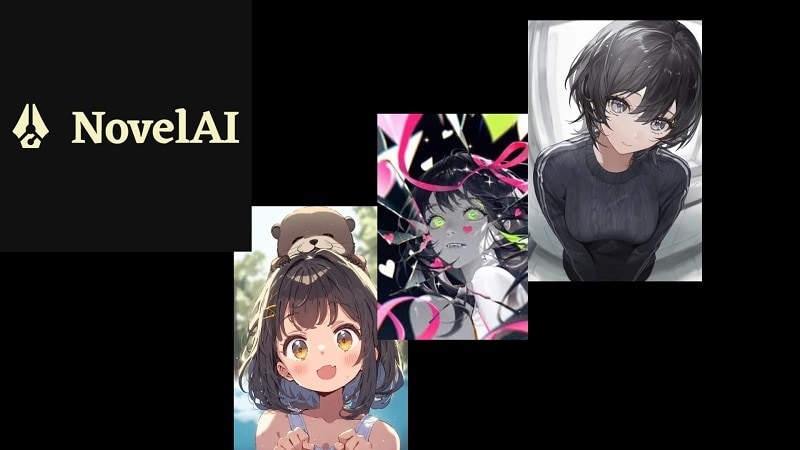
NovelAI was created by Anlatan, a small group of storytellers and technologists. They wanted AI-assisted creativity to be available to everyone, not only experts. Their mission is to support writers and artists with tools that inspire imagination and open new possibilities.
At its core, Novel AI Net is a subscription-based service that generates both text and images. Writers use it to develop storylines or continue drafts, while artists and anime fans rely on Novelai art to design characters and scenes.
Core highlights
Text Generation
NovelAI offers flexible tools for AI-assisted writing. Users can co-create stories with the system, test interactive formats, or use prompts shared by other authors. This feature helps writers build consistent narratives. Users can explore new genres or simply find inspiration.
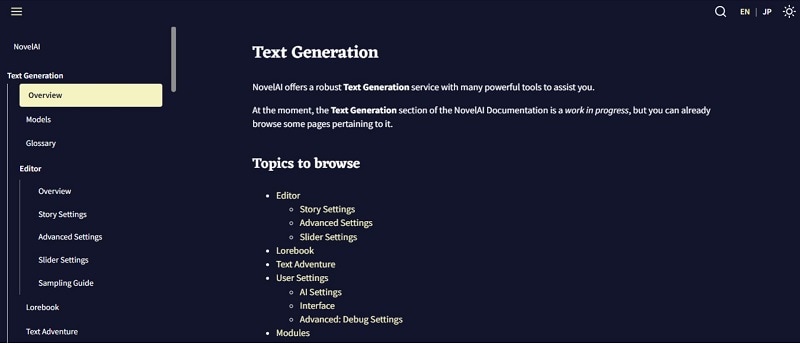
Image Generation
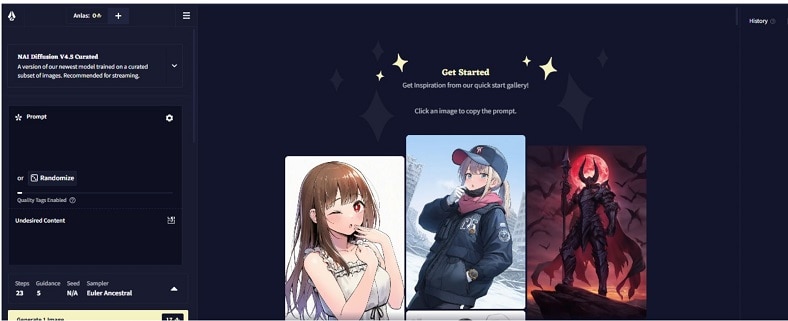
Beyond writing, Novel AI also produces visuals. With advanced anime models, Novelai art transforms text prompts into detailed characters or scenes. This allows creators to visualize their stories. It helps design anime portraits. It also enriches storytelling with matching images.
What's new in 2025
After exploring NovelAI's core text and image powers, it's time to see what changed. 2025 brings sharper anime art, smarter tools, and a platform designed for smoother creation.
Landing Page Redesign
- Cleaner design highlighting both text and Novelai art.
- Improved navigation and visual clarity.
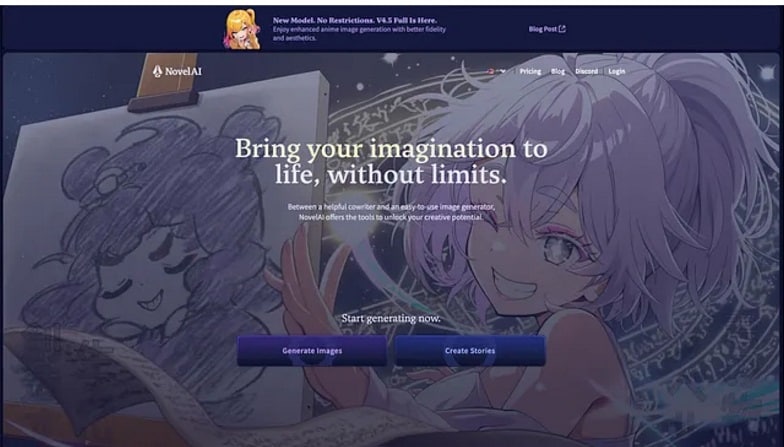
Showcasing Dual Strengths
- Introduction of mascots: Nai-chan for image generation, Erato for text generation.
- Clearer representation of the platform's two creative pillars.
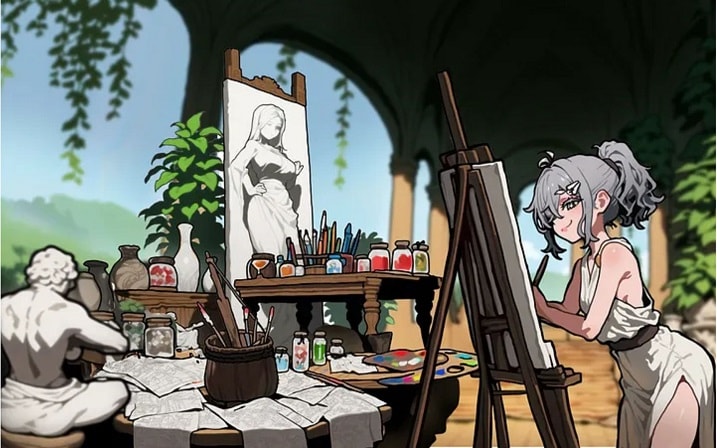
Visual Style Improvements
- Vibe Transfer for sharper anime outlines and consistent styles.
- Out-painting and img2img for higher resolution and detailed refinement.
Enhanced Flexibility
- Parallax effect ensures smooth adaptation across desktop and mobile.
- Modular assets allow seasonal or themed swaps (cyberpunk, medieval, etc.).
Continuous Innovation
- Faster update cycles with experimental features.
- User feedback driving transparent improvements and pricing clarity.
NovelAI Pricing & Subscription Tiers 2025
NovelAI offers four main tiers to suit different creative needs. Here is a breakdown of the NovelAI pricing 2025:
| Tier | Price (Monthly) | Anlatan Credits | Best For |
|---|---|---|---|
| Paper | Free Trial | 50 Steps/100 Text Actions | Beginners |
| Tablet | $10 | 1000 Anlatan Credits | Casual Writers |
| Scroll | $15 | 1000 Anlatan Credits + More Memory | Regular Creators |
| Opus | $25 | Unlimited Small Generations | Power Users |
NovelAI Price and Subscription Tiers (Updated 2025)
| Plan | Writer (Story & Text) | AI Artist (Anime Art & Images) |
| Free Trial | 50 free generations | 30 free generations, up to 1024x1024 resolution |
| Tablet | $10/mo | Starts from $10/mo |
| Scroll | $15/mo | Starts from $15/mo |
| Opus | $25/mo (Pro) | Starts from $25/mo (Pro) |
Part 2. NovelAI Features and Usability
At its heart, the Novel AI net functions as both an image generator and a writing assistant. It's flexible enough for playful creativity but not always polished for professional use.
1. Image Generator
Text-to-Image
With simple prompts, Novel AI can create anime portraits, fantasy scenes, or landscapes. The quality of Novelai art depends on how well the prompt is written, making it a flexible tool for both casual and skilled users.
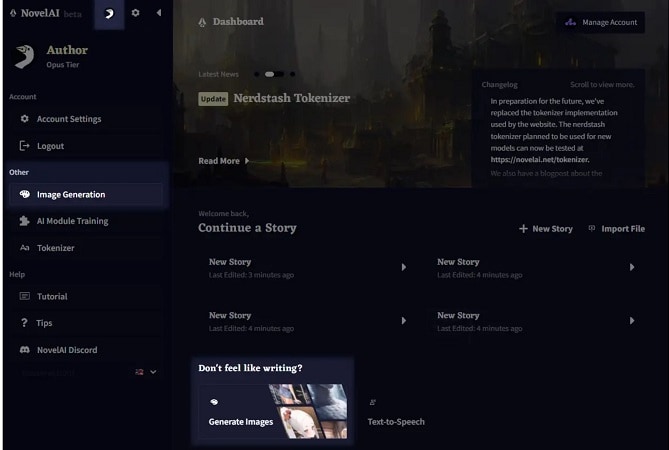
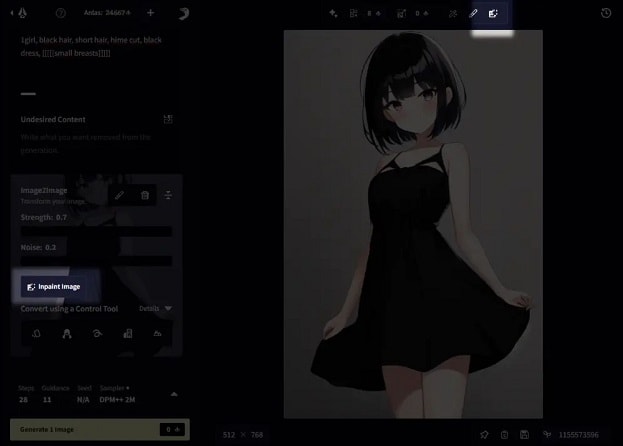
Image-to-Image
This function transforms existing visuals into new versions. A rough sketch can be refined into polished anime art, or older designs can be reshaped with fresh styles.
Inpainting
Inpainting allows fine adjustments within an image. Users can edit facial features, change outfits, or replace backgrounds while keeping the rest of the artwork intact. This makes it valuable for anime creators who need precise edits.
2. Writing Assistant
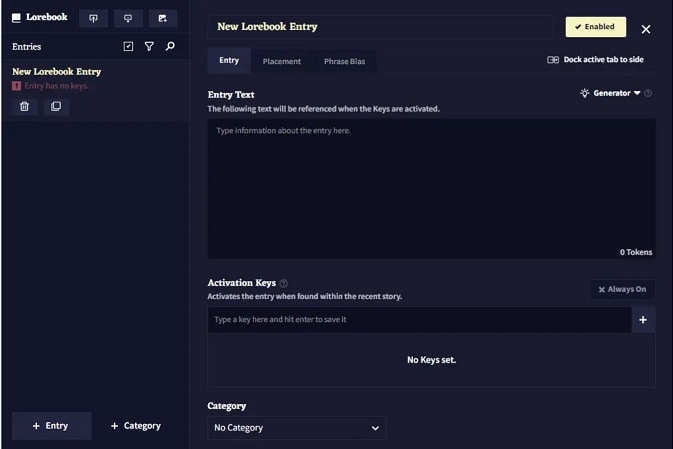
Lorebook
The Lorebook acts as memory storage for stories. It records details about characters, settings, and world rules so the AI can keep narratives consistent. This prevents contradictions and helps writers maintain believable storylines.
AI-Assisted Authorship
By drawing on models trained with literature, NovelAI produces coherent passages that match a writer's tone. It helps break through creative blocks and develops text in line with the chosen style.
Storytelling Approach
Unlike general AI tools that focus on marketing or simple writing, Novel AI Net is built for narrative depth. Its design emphasizes long-form stories and anime-inspired visual storytelling, making it unique in this space.
Storyteller Mode
In this mode, the AI and user collaborate to write. The AI suggests dialogue, events, and style variations, while the user keeps control over the flow.
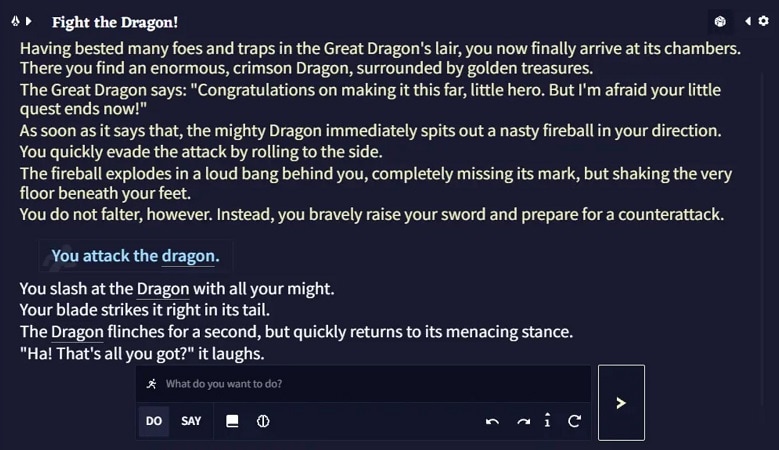
Text Adventure Mode
Here, storytelling feels like an RPG. Users type commands or dialogue, and the AI responds with descriptive outcomes, creating an interactive adventure.
Scenarios
Scenarios are preset prompts built by other authors. They come with notes and AI settings, helping new users explore creative directions or start quickly without designing everything from scratch.
Part 3. User Experience Review
Features sound impressive on paper, but tools reveal their true nature only in practice. Let's see how writers and anime fans actually experience Novelai art and storytelling in daily use.
| Area | Strong Points | Common Complaints | Source |
| Storytelling | Lorebook keeps characters and plots consistent; useful for long stories | Needs careful setup; weak prompts lead to generic output | TechPoint Africa |
| Interactive Modes | Text Adventure feels RPG-like; Storyteller mode helps co-write stories | Modes often overlap; the distinction is not always clear | Reddit Review |
| Anime Art | Strong anime portraits with detailed prompts; valued by artists | Complex scenes lose quality; image credits (Anlas) increase cost | G2 Learn |
| Memory/Context | Higher tiers handle bigger plots and world-building better | Free/lower tiers forget earlier details | TechPoint Africa |
| Usability | Clean UI, easy to access Lorebook and scenarios | Learning curve for prompt design, credits, and models | ToolsForHumans |
Experience Notes & Performance Insights
- When testing anime-style scene generation with NovelAI, precise prompts (character name, mood, background detail) led to high-fidelity portraits. Vague prompts resulted in less clean line art or soft shading.
- In storytelling (Storyteller Mode), the AI's flow is smooth when using a strong lore base; otherwise, consistency (how characters behave, remembered traits) slips.
- On Free Trial / lower tiers, delays or reduced resolution in anime visuals happen. Higher tiers deliver sharper output, but cost becomes a factor.
- Image generation speed is acceptable for single images; batch generation or resizing tends to slow things down.
Part 4. Pros and Cons of NovelAI
User feedback shows both excitement and frustration. After looking at real experiences, it's time to weigh the clear strengths and flaws. Here are the main pros and cons of Novel AI.
- NovelAI art allows users to turn text into detailed anime visuals. Style, color, and resolution options give artists freedom to customize characters and scenes.
- Overcoming writer's block is easier with Novel AI. By entering prompts or keywords, you can generate ideas and continue unfinished drafts.
- Starting out is free. The trial includes text modes and limited generations so beginners can test the platform before subscribing.
- Text can be edited and rewritten, giving creators flexibility to refine the AI's output into polished stories.
- A higher Novelai price is required for larger memory and more context. Some users feel the cost outweighs the benefits.
- Content quality is not always consistent. Characters or settings may lose continuity, especially in longer stories.
- Anime image generation works best for portraits, but complex scenes sometimes appear less accurate or lack detail.
Part 5. Who Should Use NovelAI
It's not built for all. Some creators will love Novel AI; others will leave disappointed. Here's a closer look at who gains and who shouldn't waste their time.
- Writers focused on world-building & narrative depth: NovelAI's lorebook and memory features help maintain consistency in characters, setting, and plot. If you're crafting a novel, fantasy, sci-fi story or anime plot with recurring elements, it supports that well.
- Anime artists & visual creators: The anime-focused image generation models (curated and full diffusion) allow artists to sketch character designs, costumes, settings, etc. It speeds up visual prototyping.
- Authors who enjoy interactive storytelling: Modes like Text Adventure or Storyteller give control while letting the AI assist. Good for those who like co-writing, branching narratives, and roleplaying style prompts.
- Users who care about privacy and ownership: NovelAI ensures user content isn't used to train public models, and you retain rights to your work. Good for creators who want full control.
Who might not benefit from NovelAI?
- Those who want zero effort or fully polished novels out of the box: There is always manual editing required. AI may lose coherence over long stretches unless prompt and memory are managed carefully.
- People who need large context windows or long text memory on a budget: Lower-tier plans have memory/token limits. If you want to handle epic plots or large amounts of text, you'll need higher tiers.
- Casual users who just want game-like, free-form play: NovelAI leans more toward structured writing and anime visuals than pure playful randomness; if you want quick fun without worrying about prompts, tools like AI Dungeon might feel more natural.
- Users who expect advanced image scene composition with many elements: Complex images (many characters, detailed background, perspective) sometimes lose quality, look less polished vs portrait work. Requires a high-quality prompt and possibly a high tier.
Quick Comparison: NovelAI vs. Wondershare Filmora
While NovelAI excels at generating static anime characters and niche text stories, Wondershare Filmora is the superior choice for creators who want to bring those characters to life.
- Choose NovelAI if: You need deep-learning-based anime portraits or AI-assisted novel writing.
- Choose Filmora if: You want to turn text prompts into high-quality AI videos, add voiceovers, and edit scenes with pro-level effects.
Part 6. Best Alternatives to NovelAI for Anime Image & Video Generation
NovelAI has found popularity for creating anime-style characters and artwork, but plenty of creators are thirsting for something more than a static portrait. The next leap of creativity is to take those images and make them move, complete with sound, effects, and storytelling.
 Secure Download
Creative AI Video Editing Alternative: Wondershare Filmora
Wondershare Filmora blends anime-like visuals with pro editing tools. It provides an opportunity for all creators, amateurs or pros, to implement ideas. Unlike a complicated stack of different apps, everything's in one place. You can produce, style, edit, and publish without ever really needing to leave the platform.
AI Image Generator
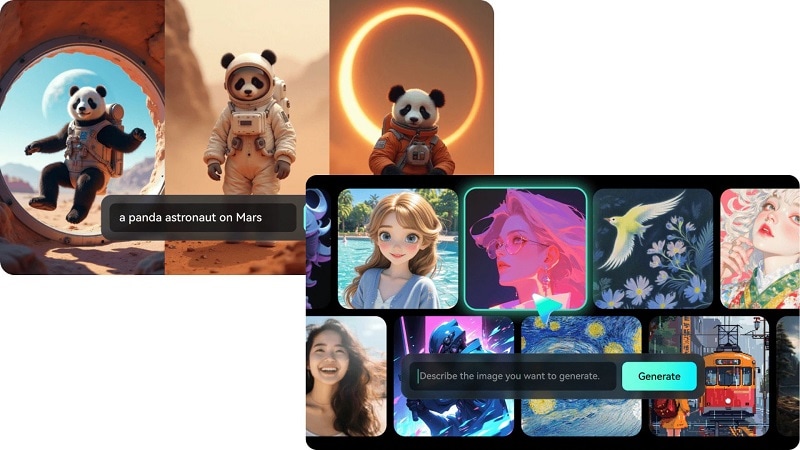
Filmora is widely known as a video editor, but its AI Image Generator is also a strong tool for anime creators. By providing a descriptive text prompt, Filmora is able to generate high-quality images in different styles. This option can be applied to create anime-like characters, scenes, etc., which resemble Japanese animations.
 okmone
For anime-focused projects, creators can:
- Generate original characters from text descriptions.
- Apply anime photo filters to existing portraits, turning them into anime characters.
- Use image-to-video options to animate still images in styles inspired by studios like Ghibli.
This makes Filmora's image generator a bridge between static novelai art and full anime-style video storytelling.
AI Stylizer
There is an AI Stylizer function for applying art styles to images. With a single click, you can apply animé filters or try out looks from cartoon sketches all the way through to fantasy-inspired art.
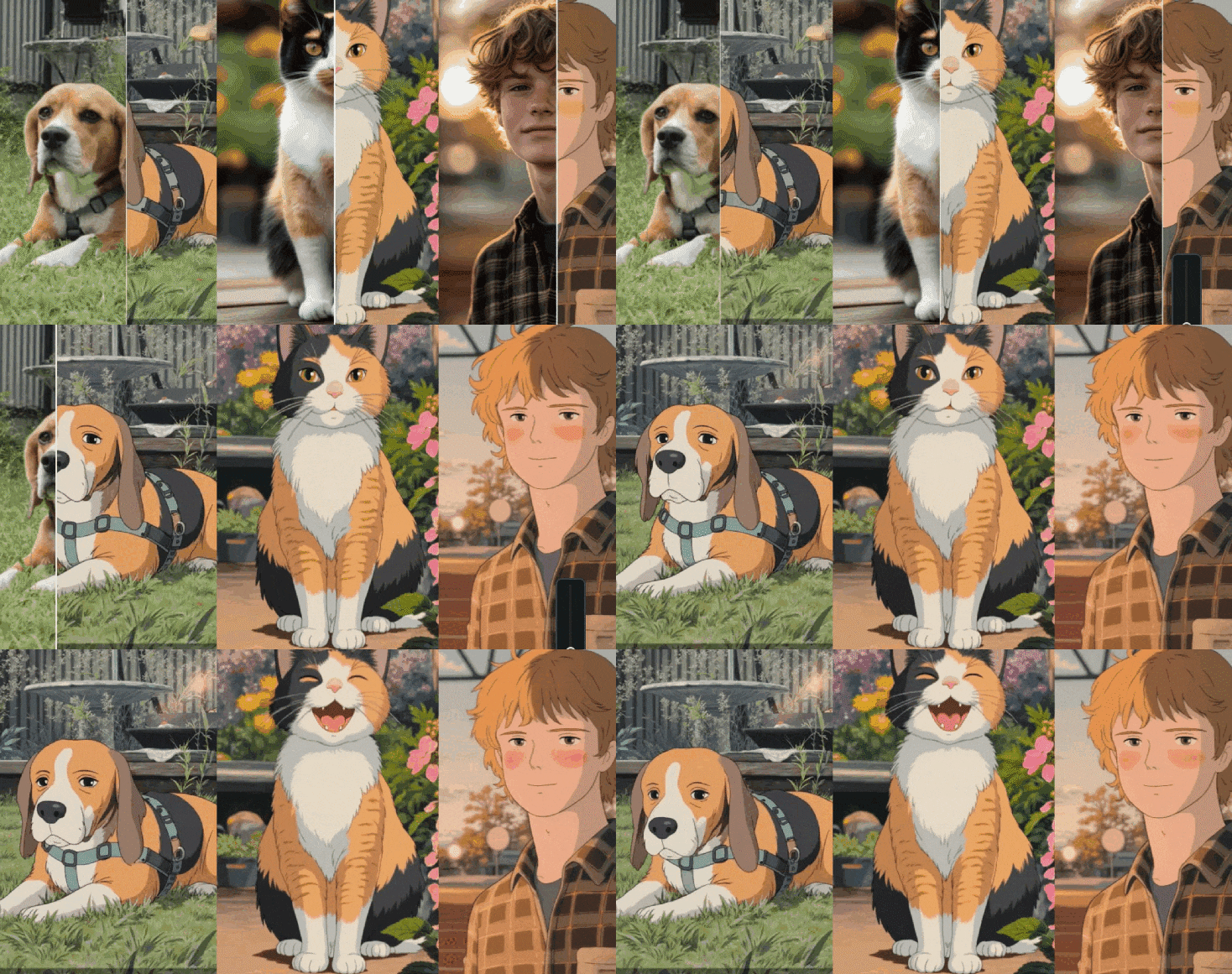
Key options include:
- Transform portraits into anime characters, fairies, or magical avatars.
- Apply classic art styles (oil painting, Van Gogh, sketch, pixel art).
- Change facial expressions or add effects such as fantasy filters or stylized textures.
AI Copywriting
Filmora also includes an AI Copywriting feature, available in its Beta version. This tool generates scripts and short-form narratives that can be adapted into anime video projects.
How it works:
- You enter a brief description of your anime concept.
- The AI produces a tailored script for video content.
- Scripts can be edited further and directly linked to text-to-video generation.
This is useful for writers moving from Novel AI net storytelling into structured anime video production.
Turn Your Anime Story into a Video
Filmora also offers AI Text-to-Video, turning written ideas into animated videos. This makes it possible to expand beyond still anime art and produce dynamic scenes.
Secure DownloadHighlights include:
- Generate videos instantly from text.
- Add animations that bring anime characters to life.
- Support for 15+ languages with selectable voiceovers.
- Customize fonts, styles, colors, and transitions to match your anime project's aesthetic.
Filmora's Editing Features
On top of image and video generation, Filmora also offers tools to enhance your image or video further, such as:
AI Text-to-Speech
Filmora elevates video projects with its AI-based Text-to-Speech feature. It results in natural voiceovers that match anime clips, tutorials, or story videos by converting scripts. Audio timing can be adjusted. Music can be layered. Effects can be added with ease.
AI Music Generator & Sound Effects
Powered by Filmora's AI Music Generator, it makes royalty-free music from prompts or genres to provide anime edits and story videos with original soundscapes. With built-in AI Sound Effects, it allows creators to match audio with visuals in a perfect range.
Conclusion
NovelAI gives writers and anime fans new ways to create. It blends story prompts with Novelai art, turning ideas into characters and scenes. Many enjoy its Lorebook, adventure modes, and image tools. Yet some find limits. The higher Novelai price and uneven long-form results leave gaps. Portraits shine, but complex images or long stories can lose focus.
For those wanting more, Filmora extends creation into video. It adds voice, music, and stylized effects. Together, these tools move projects from text and still art to living anime-style storytelling with smoother control and professional results.

