


 TL;DR:
Foundry's Nuke is a professional, node-based VFX compositing platform engineered for studio-level 3D integration, making it highly effective for complex visual effects but fundamentally unsuited for standard timeline video editing.
● The Nuke Non-commercial version provides free, indefinite access for learning without watermarks, but restricts output to HD 1080p, disables MPEG4 and H.264 formats, blocks third-party plugins, and encrypts project files.
● Commercial licenses require a steep investment starting at $3,839 annually, and specific tools require upgrades, such as NukeX for 3D camera tracking and Nuke Studio for a multi-track editorial timeline.
● Independent creators and vloggers should opt for Wondershare Filmora, which provides the drag-and-drop timeline, accessible hardware compatibility, and instant AI-powered presets that Nuke's from-scratch nodal workflow lacks.
Ask AI for a summary
 ChatGPT
 Perplexity
 Gemini
 Claude
 Grok
Grok
If you've ever watched a Marvel film and wondered how those insane visuals came to life, here's your answer: VFX. According to Precedence Research, the global VFX market is projected to grow past $20 billion by 2030. And at the center of that explosion sits Nuke visual effects software.
But here's the honest question most beginners ask: Is this Nuke video editing software actually built for you, or is it strictly a Hollywood playground? This guide breaks everything down so you can decide with clarity.
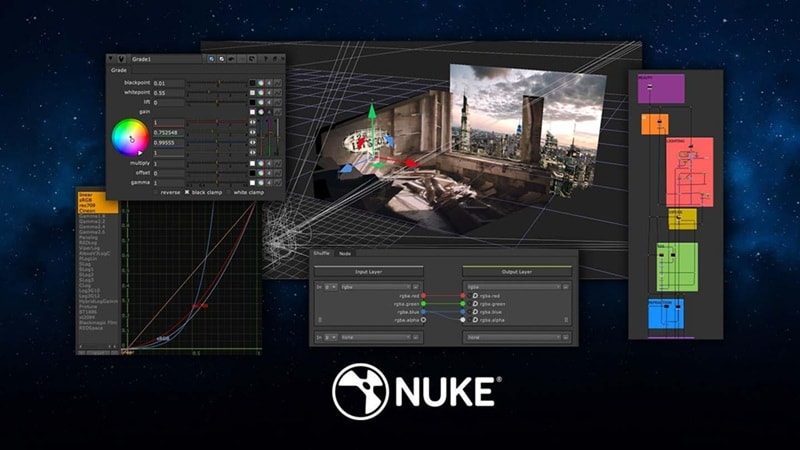
Part 1. Nuke Explained: Not Your Typical Video Editor
Before anything else, let’s clear up the biggest misunderstanding around Nuke video software. Most people search for a “Nuke video editor,” expecting something like Premiere Pro. But that’s not what you get.
Nuke is a node-based compositing tool, which means instead of stacking clips on a timeline like you would in a standard video editor, you connect visual operations together like a flowchart. It’s built for combining layers, effects, CGI, and footage into one final shot.
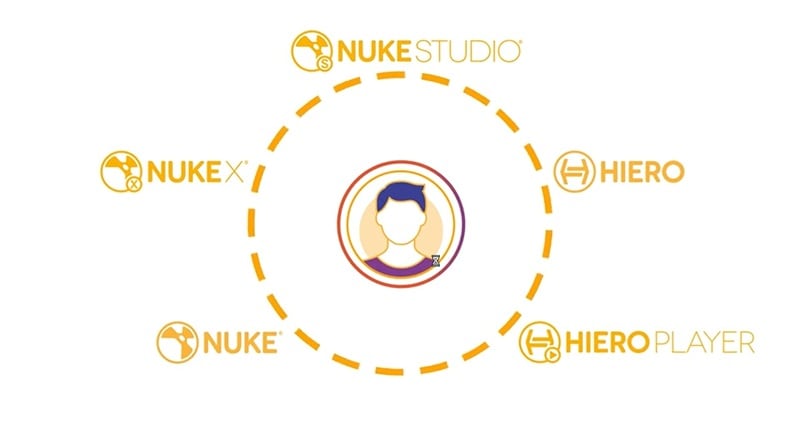
Foundry's Nuke doesn't come in just one flavor either. The Nuke family has several versions built for different types of artists and budgets. Let's have a quick look:
| Version | Best For | Standout Feature |
| Nuke | VFX artists & compositors | 200+ nodes, integrated 3D environment |
| NukeX | Advanced compositors | 3D camera tracking, cleanup, Cara VR (360°) |
| Nuke Studio | Full post-production teams | Multi-track timeline + full NukeX compositing |
| Nuke Indie | Solo freelancers | Pro toolset at a more accessible indie price |
| Nuke Non-commercial | Students & beginners | Free learning version |
| Hiero / HieroPlayer | Review & Shot Management | Conform, multi-shot management, review tool |
Part 2. The Golden Question: Is Nuke Software Free?
One of the most searched questions about this software is "is Nuke software free?" and the answer is: kind of, yes! But like most things in life, the free version comes with some strings attached.
Here's exactly what you get, what you don't, and how the full pricing ladder works so you know exactly where you stand.

Nuke Non-Commercial: The Free Version Explained
Nuke editor has its own free version called Nuke Non-commercial. And obviously, you can’t exactly finish a Marvel movie on this version and sell it, but you can certainly learn the ropes without spending a dime.
Let’s break it down with the table below:
| What You GET | What You DON'T Get |
| Full access to Nuke, NukeX & Nuke Studio | Output capped at HD (1920×1080) max |
| No watermarks on output files | WriteGeo, Primatte, Ultimatte & GenerateLUT disabled |
| Core compositing tools fully unlocked | No MPEG4 / H.264 format support |
| Free indefinitely — no expiry date | No third-party plug-in support |
| Community & forum support from Foundry | Python scripting is limited |
| Personal projects & learning allowed | Files are encrypted (can't open in commercial Nuke) |
Paid Versions (How Pricing Works)
For a professional-grade tool of this caliber, the Nuke video editor free version genuinely gives you a rare deal. It allows you to learn, explore, and work on personal projects at your own pace.
But if you want full power, you’ll need a paid license. Nuke runs on a subscription model with both annual and quarterly options. Here's the full pricing ladder:
| Version | Annual Price | Quarterly Rental |
| Nuke | $3,839 | $2,089 |
| NukeX | $5,219 | $2,869 |
| Nuke Studio | $6,379 | $3,509 |
| Nuke Render | $462 | - |
Part 3. What Nuke Can Actually Do (Feature Breakdown That Matters)
Now, this is where Nuke earns its legendary reputation. Nuke video editing features aren't your typical video editing software out there. They offer a full visual effects production environment, and these are the tools that make it one of the most powerful VFX compositing platforms on the planet.
1. Nodal Toolset (Core Workflow Engine)
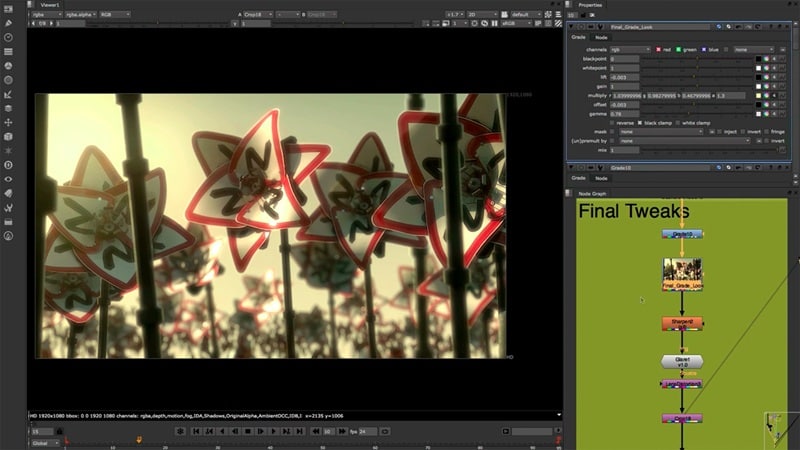
The nodal workflow is what makes Nuke video edit fundamentally different from any layer-based tool. Instead of stacking clips on a timeline like you would in a standard video editor, you connect "nodes" into a visual flowchart. Each node does one thing: a blur, a color correction, a merge. Chain them together and you get complex effects that remain fully editable at every stage.
Key Features:
- Build effects by connecting nodes instead of stacking layers.
- Gizmos, Toolsets & Presets save time and enable reuse.
- Fully customizable and extendable pipelines.
2. Deep Image Compositing
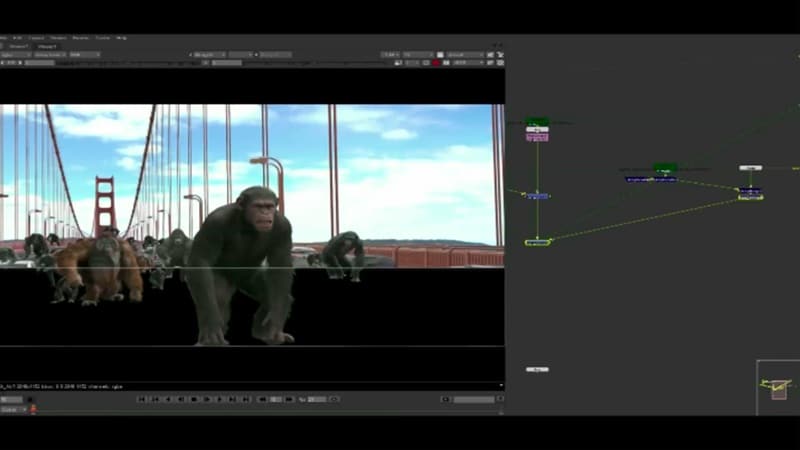
Nuke lets you work with depth data, not just flat images. This means you can place elements in real 3D space, so effects like smoke, glass, or fog look more natural and realistic.
Key Features:
- Work with depth data for more accurate compositing.
- Combine elements in true 3D space.
- Reduce the need to re-render complex scenes.
3. Machine Learning Toolset
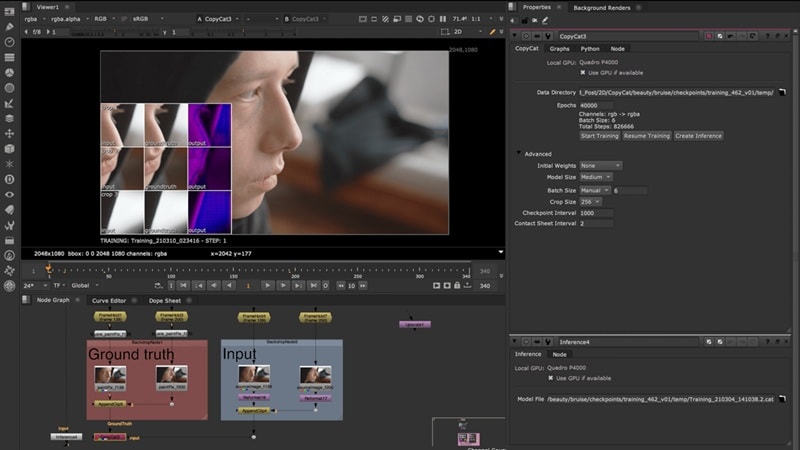
Nuke editor also includes AI tools that help speed up repetitive work. Tasks like cutting out objects or tracking movement can be done much faster compared to manual editing.
Key Features:
- AI-powered rotoscoping and object removal.
- Smarter tracking with less manual work.
- Speeds up time-consuming tasks.
4. 3D Camera Tracker
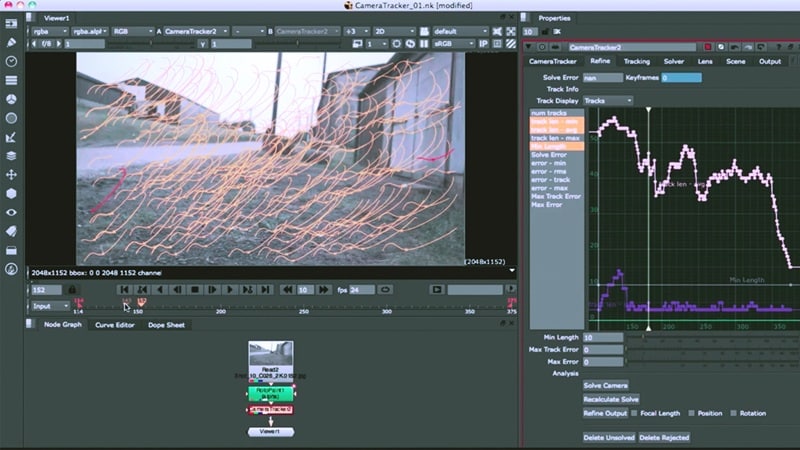
This tool tracks how your camera moves in a shot. Once tracked, you can add CGI or Nuke video effects that match the scene perfectly, making them look like they were there from the start.
Key Features:
- Track real camera movement from footage.
- Add CGI elements with accurate placement.
- Available in NukeX and higher versions.
5. Integrated 3D Workspace
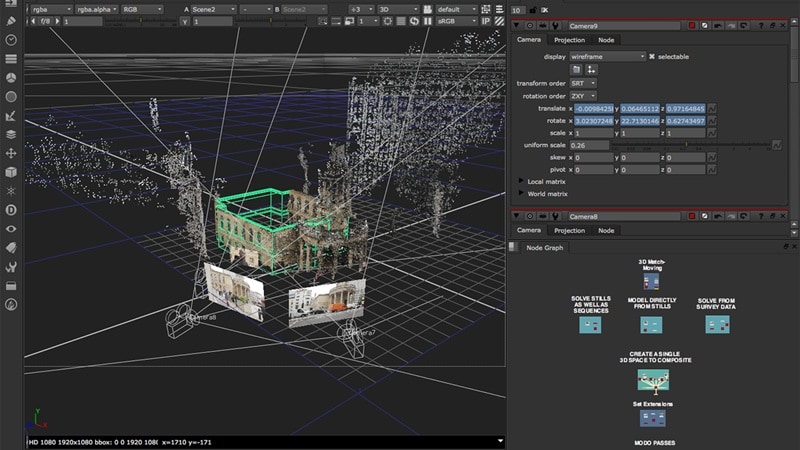
Foundry’s Nuke also lets you work with 3D scenes directly inside the software. You can combine 2D footage and 3D elements without switching between apps.
Key Features:
- Build and edit 3D scenes inside Nuke.
- Combine 2D and 3D elements easily.
- Works well with other 3D tools and pipelines.
6. Bokeh and Advanced Lens Effects

Nuke can simulate how real cameras behave. This helps your effects blend naturally with footage, especially when it comes to blur, focus, and lighting.
Key Features:
- Realistic depth of field and blur.
- Match camera lens behavior.
- Improve the realism of visual effects.
7. Sync Review (Collaboration Tool)
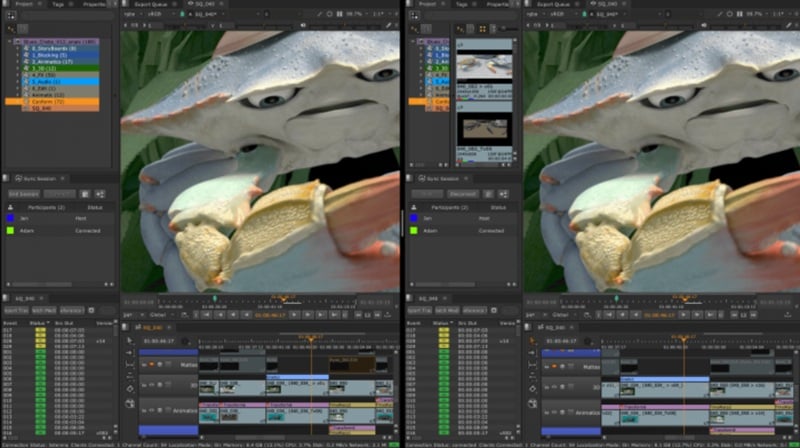
Nuke video editor makes it easier for teams to work together. You can review shots in real time and give feedback without needing to be in the same place.
Key Features:
- Real-time project review with team members.
- Share feedback directly on shots.
- Useful for remote collaboration.
8. Multi-Track Editorial Timeline (Nuke Studio)
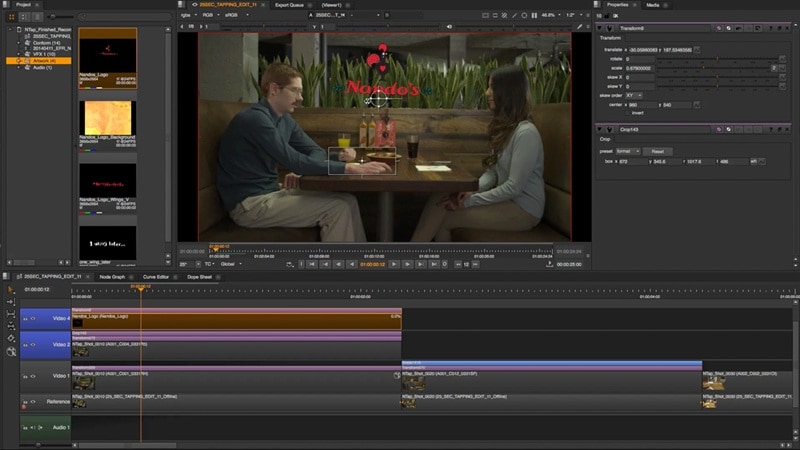
While Nuke is mainly a compositor, Nuke Studio adds a timeline. This helps you manage multiple shots and edit sequences in one place.
Key Features:
- Multi-track timeline for editing.
- Import formats like AAF, XML, and EDL.
- Manage full projects, not just single shots.
Part 4. Pros & Cons: The Reality of Using Nuke
As you can see, Nuke video editing features look impressive on paper, but that doesn't mean it's the right fit for everyone. After all, every tool has its strengths, and Nuke is no different.
So, before you decide to download Nuke video editor, here's the real, unfiltered breakdown of what it's like to work with this tool day to day.
- Node-Based Flexibility: The node graph gives you unparalleled creative control. Complex pipelines that would be impossible in layer-based tools become totally manageable.
- Free Non-Commercial Version: You have full access to Nuke, NukeX, and Nuke Studio for free. Even with limitations, it is a genuinely rare deal for software this powerful.
- Deep 3D Integration: Nuke's built-in 3D environment lets you mix 2D and 3D elements without switching applications. It's a massive time-saver for professional VFX workflows.
- AI & ML Toolset: Machine learning-powered rotoscoping and cleanup tools cut hours of manual work, making it one of the most forward-thinking compositing tools available.
- Steep Pricing: Starting at $3,839/year, the commercial license is a serious investment, and that's just the base version. It is not realistic for individual creators or small teams on a tight budget.
- Brutal Learning Curve: Node-based compositing is not intuitive for beginners. Expect weeks (or months) of learning before you start producing polished results.
- Not a True Video Editor: Nuke editor is built for compositing, not cutting. If you need a timeline-based editing experience, Nuke (minus Nuke Studio) will frustrate you quickly.
- No 'Instant' Effects: Unlike consumer tools with one-click presets, Nuke requires you to build everything from scratch.
Part 5. Switching Gears: Why Filmora Might Be Your Better Creative Partner
Considering all the factors so far, Nuke is extraordinary at what it does, but it's engineered for studios and career VFX professionals, not everyday content creators. If you're a YouTuber, a social media manager, a vlogger, or any kind of independent creator, jumping into Nuke's compositing environment will be wildly overkill.
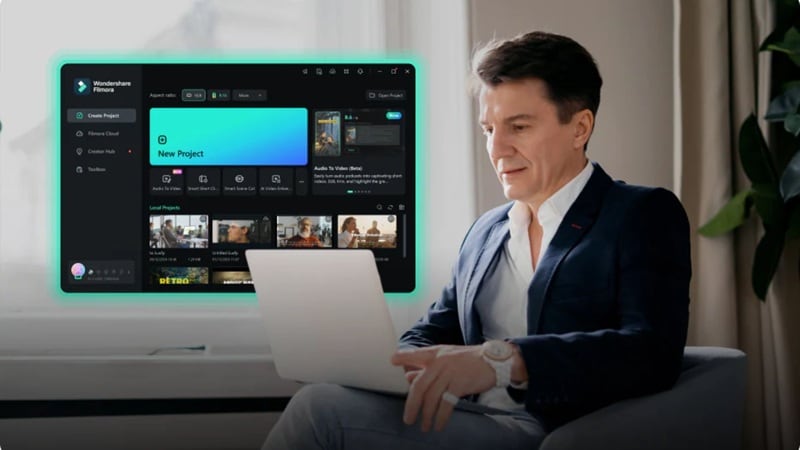
In such cases, you might want to consider another editor that is much more practical. Thankfully, Wondershare Filmora is purpose-built for creators who need speed, quality, and accessibility. Here's exactly why Filmora might be your true creative partner.
 Secure Download
Why Filmora Makes Way More Sense for Most Video Creators
1. Full Timeline Editor, Actually Built for Video Editing
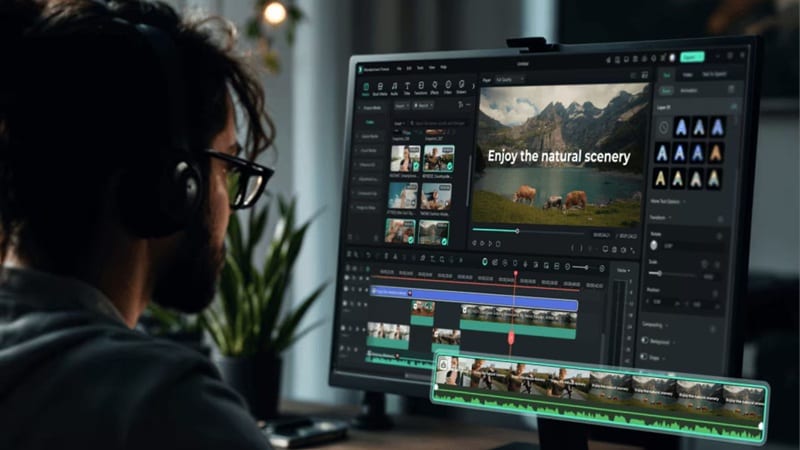
Filmora offers an intuitive, drag-and-drop timeline that genuinely feels designed for video editing from the ground up. You can import your footage, arrange clips, trim, cut, add transitions, and build a complete sequence without consulting a manual or watching three hours of tutorials first. For creators who shoot and publish content regularly, it is worth more than having access to a compositing node graph you'll barely use.
2. AI-Powered VFX & Effects, No VFX Degree Required
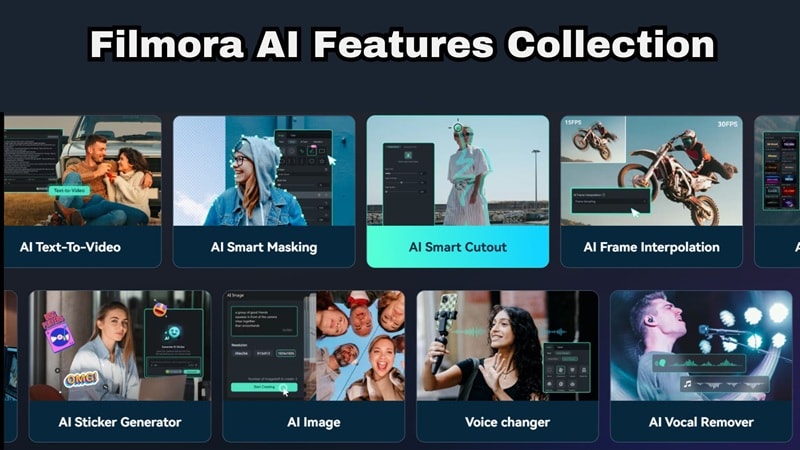
Filmora has aggressively built AI tooling into its core workflow, and the results are legitimately impressive for creators who aren't VFX specialists. You’ll have:
- AI One-click background removal.
- AI-powered portrait enhancement.
- AI Smart cutout.
- Motion tracking.
- AI Noise removal.
You get the visual impact of effects that would require significant compositing expertise in Nuke, but delivered through accessible, purpose-built tools that handle the complexity for you.
3. Massive Built-In Effects & Transitions Library

Filmora ships with an enormous library of ready-to-use effects, titles, lower thirds, animated stickers, transitions, and audio visualizers, all organized and searchable directly within the application. For everyday creators, this is a massive practical advantage: instead of spending time building effects from scratch, you browse, preview, and apply.
4. Accessible Price & Hardware

The cost difference between Filmora and Nuke's commercial license is stark and significant. Beyond the price, Filmora is designed to run efficiently on everyday consumer hardware. For most independent creators, Filmora simply makes more financial and practical sense as a daily driver.
5. Faster Content Creation Workflow

In content creation, speed is often the competitive advantage. Filmora's entire design philosophy centers on reducing friction at every step: quick import, smart auto-reframe for different aspect ratios, one-click color presets, and export presets tailored to every major platform including YouTube, TikTok, and Instagram.
Secure DownloadConclusion
If you’re serious about getting into VFX, Nuke video editing software is absolutely worth learning. It delivers the kind of power used in real film production and gives you full control over complex visual effects. At the same time, the steep learning curve, higher cost, and node-based setup make it less practical for everyday editing.
For regular content creation, social media videos, or quick edits, a tool like Wondershare Filmora is much easier to work with and helps you finish projects faster. With the free non-commercial version of Nuke video software and a simpler editor for daily use, you can build skills without slowing down your workflow.
FAQs
-
Is Nuke Non-Commercial enough for learning?
Absolutely. You get full access to Nuke, NukeX, and Nuke Studio without watermarks, indefinitely. The main limitations (HD output cap, no third-party plug-ins, encrypted project files) won't affect you much while you're in learning mode. -
How long does it take to learn the Nuke nodal toolset?
Realistically, expect a few weeks to get comfortable with Nuke compositor and the basics of nodal thinking, and several months of consistent practice before you're producing work at a professional level. The key is consistency, even 30–45 minutes of daily practice builds fluency quickly. -
Is Nuke used for motion graphics and animation, or only live-action VFX?
Nuke is primarily designed for compositing. While it does include a 3D environment and supports USD/Hydra for 3D workflows, it's not a motion graphics or animation tool in the way that After Effects, Blender, or Cinema 4D are. For pure motion graphics or character animation, those dedicated tools are better choices.
