

 TL;DR:
Modern AI image relighting tools generate 3D depth maps and surface normals to realistically reconstruct light direction and shadows, with desktop software offering the deepest manual control and mobile apps providing quick, automated fixes.
● Filmora 15.2 for Windows and macOS is best for editing both photos and videos using up to 8 movable light orbs via the Image > Basic > Relight menu, but this specific feature is absent from its mobile app and adds a watermark on free accounts.
● For mobile or browser-based alternatives, Pic Relight operates exclusively on iOS, Lift provides cross-platform editing but locks high-resolution downloads behind a paywall, and Relight AI allows text-prompt adjustments but strictly limits file uploads to 5MB.
● Because AI recalculates the physics of light based on existing data, it cannot restore lost details in completely blown-out or extremely dark photos, and applying excessive lighting strength or unmatched light directions will cause the final image to look fake.
Ask AI for a summary
 ChatGPT
 Perplexity
 Gemini
 Claude
 Grok
Grok
Bad lighting often ruins potentially perfect shots with harsh shadows or washed-out faces. Fortunately, AI image relight technology has evolved, making it easy to fix photo lighting with AI in 2026. Whether you need to relight an image for a professional portrait or a product shot, modern AI relighting tools provide studio-quality results automatically.
What is AI Image Relighting and Why Does It Matter?
AI image relighting is basically AI fixing light the way a human editor would, but much faster. And most importantly, AI relight image has these three key aspects:
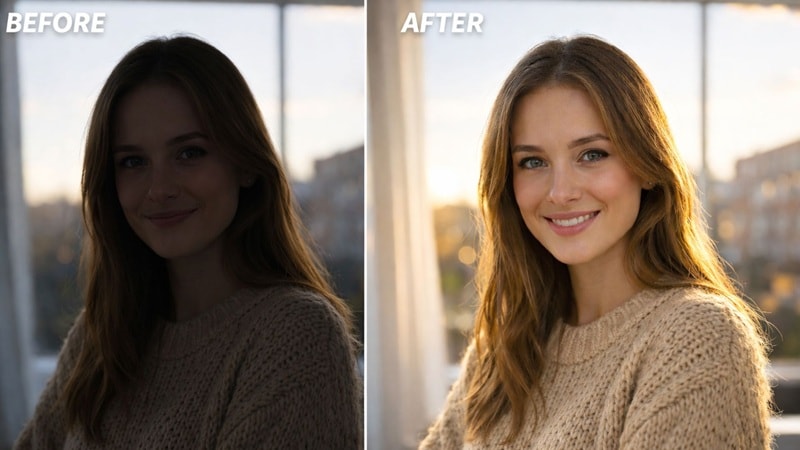
- It understands who or what matters most in the photo.
- It knows where the light should come from.
- It fixes shadows and highlights without ruining colors or faces.
And honestly, the biggest difference is speed. You do not need to understand lighting rules or mess with sliders anymore. The AI handles the hard part so you can just pick the photo you like and move on.
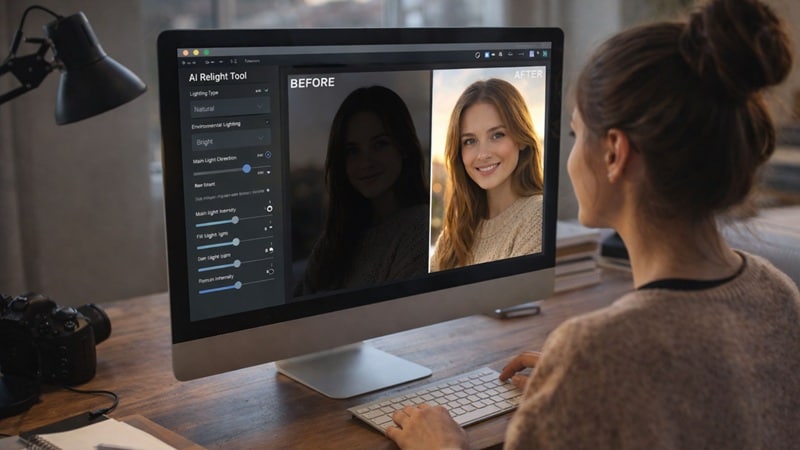
Due to that, many people are switching to image relight AI, because:
- Creators save time fixing almost all good photos.
- Casual users get better results without learning editing.
- Businesses keep photos clean and consistent.
How Does Relight Photo AI Work?
First thing to clear up, image relighting AI is not a filter. It does not slap a look on top of your photo and call it a day. It rebuilds the lighting based on what is actually happening in the scene. If you want to really understand how to relight an image with AI, this part matters.
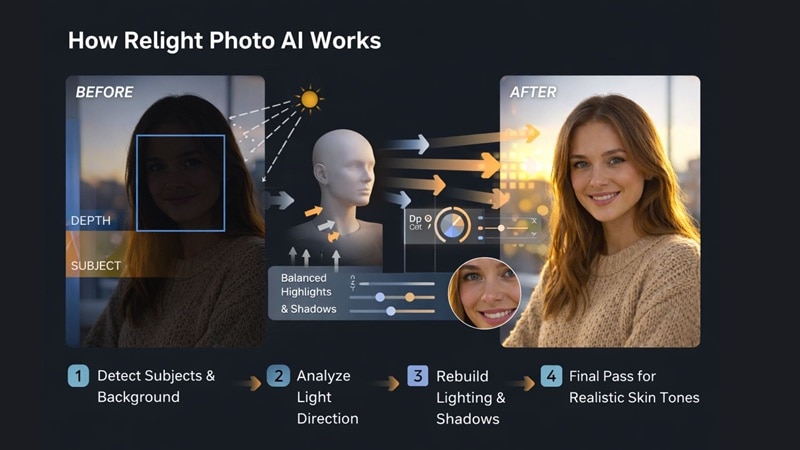
Here is the simple version of what goes on behind the scenes:
- The AI scans the image to find the subject, faces, and background.
- Depth comes next. The AI separates the foreground from the background so lighting changes stay focused.
- The AI rebuilds light direction and shadow flow. It understands how light should hit the face and where shadows should naturally fall.
- Highlights, shadows, and color temperature are adjusted as one system.
- The AI protects skin tones and textures. No plastic skin. No strange colors. Just a cleaner version of the original photo.
The Science Behind the Magic: Depth Maps and Surface Normals
What makes 2026 AI image relighting different from old-school filters is its ability to perceive 3D space. When you upload a 2D photo, the AI generates a Depth Map—a digital map that understands how far every object is from the lens. It then calculates Surface Normals to determine the angle of every curve on a person's face or an object's surface. This allows the AI relighter to simulate how light physically bounces off skin and clothing, ensuring that a new light source from the side doesn't just "brighten" the pixels, but creates realistic, dimension-accurate highlights and shadows.
Best AI Image Relighting Tools in 2026: Top 5 Reviews
Now that you understand how relight images AI works, the next big question is which tools do it best. There are dozens of apps and websites claiming to fix lighting automatically. After testing across quality, realism, control, and ease of use, these five stand out. Let's break them down!
1. Wondershare Filmora
 Secure Download
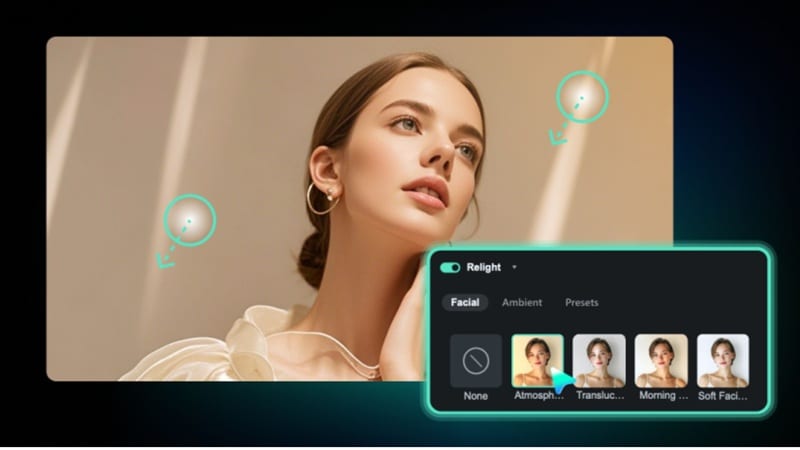
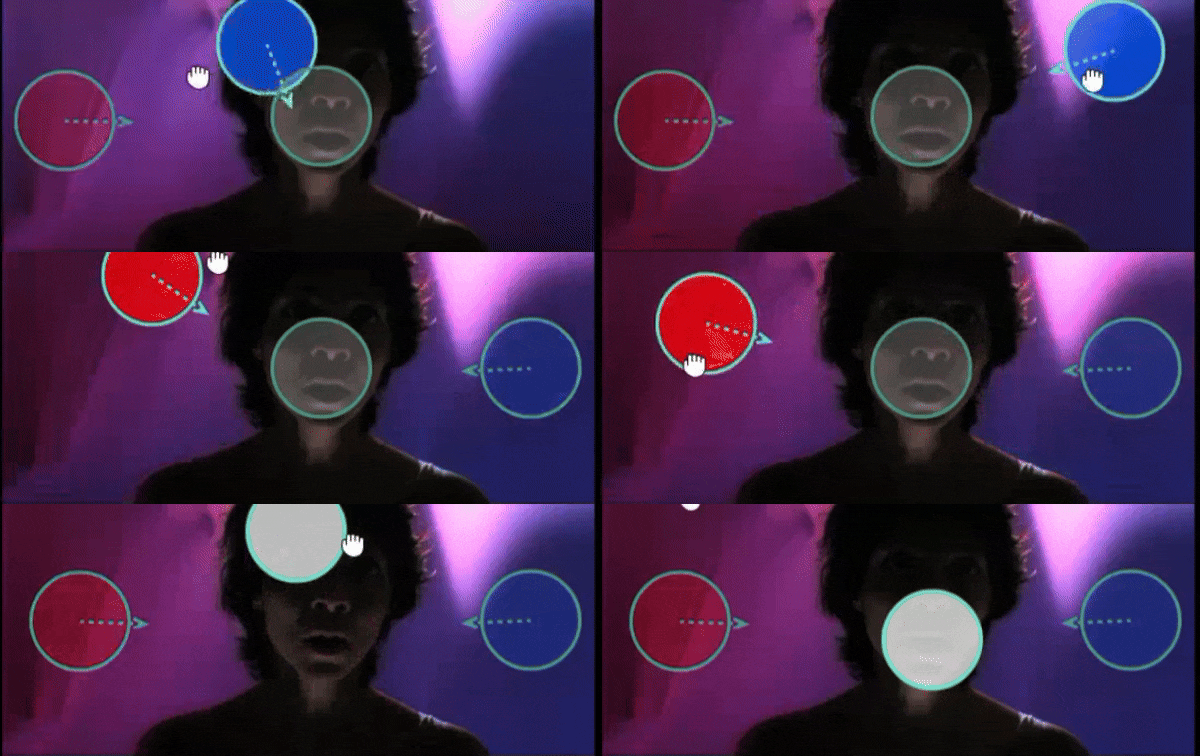
Filmora 15.2 stands out as a leading AI image relighter because it bridges the gap between static photo editing and dynamic video lighting. With its 3D lighting technology, users can place movable light orbs to cast realistic shadows and highlights. For creators, this means you can relight photos and videos in one unified workflow, ensuring visual consistency across your brand's content.
- Preset templates like Basic Front Light and Ambient Color Light that can solve common lighting problems in one click.
- Up to 8 light sources that can be customized by adjusting color and strength to shape lighting exactly how you want.
- Additional AI tools for fixing lighting, such as AI Beauty Filter and AI Color Palette.
- Movable light orbs that you can drag to see changes instantly and fine-tune the result.
- It gives you both presets and manual control so you can work fast or fine-tune when needed.
- All lighting controls appear directly on the preview screen, which makes adjustments easy to understand.
- It also works on video, not just photos, which is rare for image relight AI tools.
- It is ideal for quick fixes, short-form videos, and social content.
- The AI Relight feature is currently only available on the desktop version.
- Free users export with a watermark.
2. Pic Relight
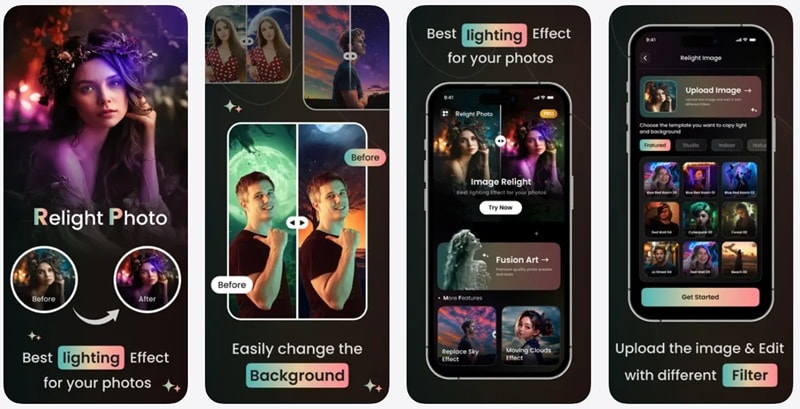
If you mostly edit photos on your phone, Pic Relight is a great option for quick and simple AI relight image edits. This app is built for iPhone users who want to fix lighting without opening a full editor. Pic Relight uses AI to analyze your photo, understand where the subject is, and adjust lighting in a way that feels natural.
- It offers a variety of lighting effects that can instantly change the mood of a photo.
- It applies smart filters that improve lighting without overdoing it.
- It lets you edit images using simple text prompts, which makes adjustments feel more intuitive.
- The app is very easy to use, even if you have never edited photos before.
- It can also change the background of a photo, which adds extra flexibility.
- It is only available on iOS devices, which limits access for other users.
- The free version has noticeable limits on advanced features.
3. Higgsfield
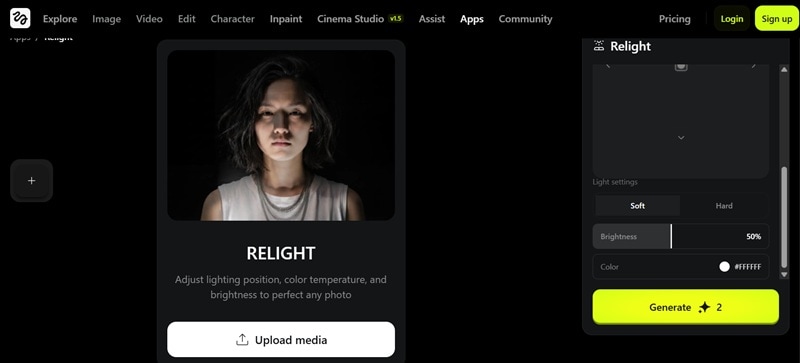
Another standout tool to relight your photos automatically with AI is Higgsfield. This one focuses on giving you clear control over how light behaves in your image. You upload your photo, choose the light direction, and let the AI image relight system rebuild the lighting around your subject. It feels more hands-on than one-click tools, but still simple enough to use without editing experience.
- You can set lighting direction using presets like top, front, right, left, back, and bottom.
- It offers a wide range of color lighting that you can adjust manually.
- You can choose between soft and hard lighting to change how dramatic the photo feels.
- You can freely change lighting direction by dragging the control around, which feels very intuitive.
- Brightness can be adjusted from 0 to 100 percent, giving you fine control over intensity.
- There is no free version, and credits are required to use the relight feature.
- You need to log in before you can access the tool.
4. Lift
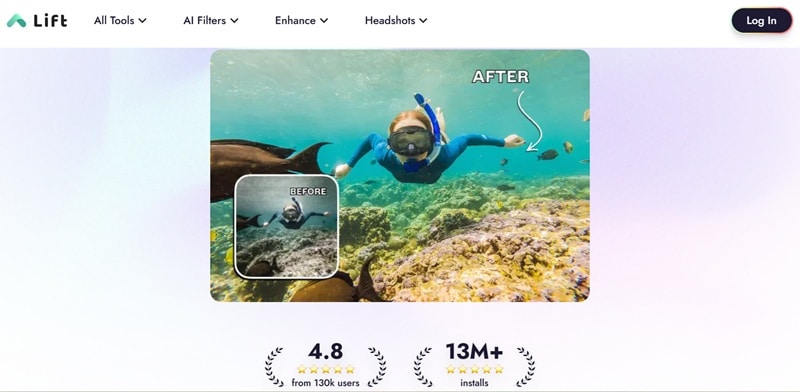
There is also Lift, which is an all-in-one design tool that includes AI relight photos right inside its editor. Lift uses a smart two step deep learning process where it first cleans up blur and noise, then rebuilds lost details, boosts colors, and sharpens edges. The result feels cleaner and more polished, especially for photos that started out a bit soft or dull.
- It can relight your photo by adjusting brightness, shadows, and highlights automatically.
- It includes other helpful AI tools like AI Background Removal and AI Photo Enhancer.
- It is designed for social use, such as Instagram reels, stories, shorts, and similar formats.
- It does not add a watermark to your edited photos.
- It works across multiple platforms, which makes switching devices easy.
- You need to upgrade to a paid plan to download high-resolution files.
- Advanced controls feel lighter compared to other image relight AI tools.
5. Relight AI
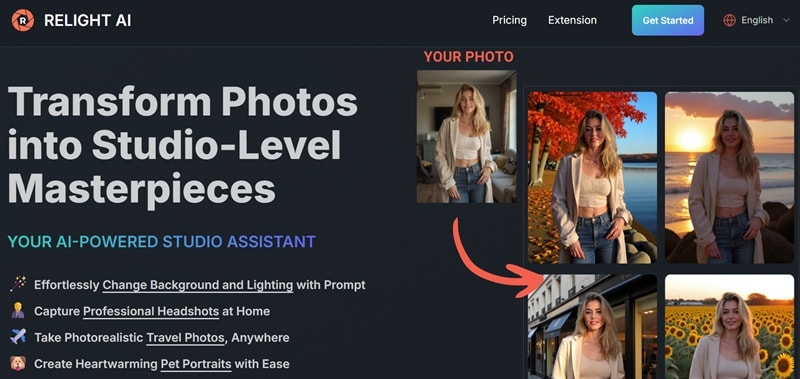
If you are looking for a relight image AI free option that feels simple and flexible, Relight AI is worth checking out. This is a fully online tool that uses text prompts to control lighting, which makes it feel more creative than slider-based editors. You upload a photo, describe how you want the lighting to look, and let the AI generate a new version.
- It offers instant lighting adjustments and background changes using written prompts.
- It supports image uploads in PNG, JPEG, and WEBP formats.
- Processing is fast and usually takes around 10 to 15 seconds per image.
- The prompt based workflow lets you be creative when directing lighting fixes instead of relying on presets.
- Edited photos can be used for commercial projects, which is useful for client work.
- You need to sign in before you can use the tool.
- Uploaded images are limited to 5MB, which can be restrictive for high-resolution photos.
Step-by-Step Guide: How to Relight Your Photos Automatically with AI in Filmora
All the tools we covered earlier do a good job, but Filmora really stands out once you start using it. It combines image relighting AI with real editing control, which is something many tools struggle to balance. You get fast results, but you are not stuck with one-click outcomes.
The movable light orbs show up directly on the preview screen, so you see the changes right away and can adjust the lighting until it feels right. On top of that, the same relight logic also works on video, which makes Filmora a long-term tool instead of a quick fix.
The AI Relight feature is available in the latest desktop version, Wondershare Filmora, so make sure you have it downloaded and installed on your computer. Once you are set up, follow the simple steps below to relight your photos automatically with AI:
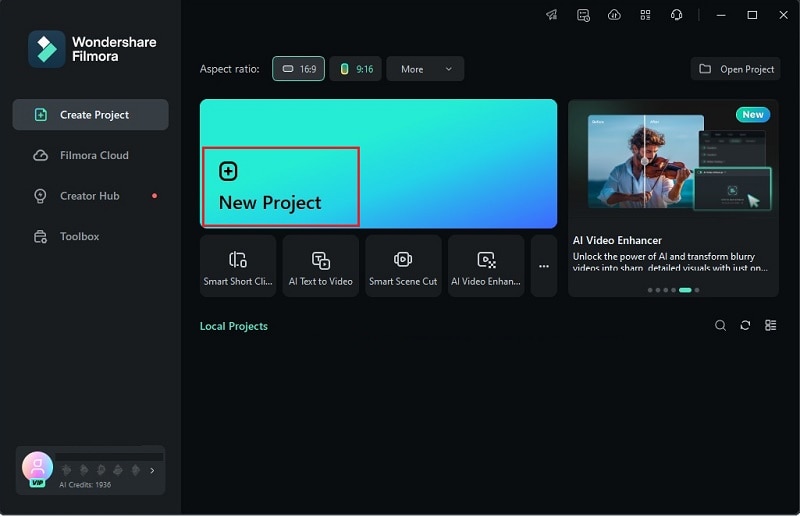
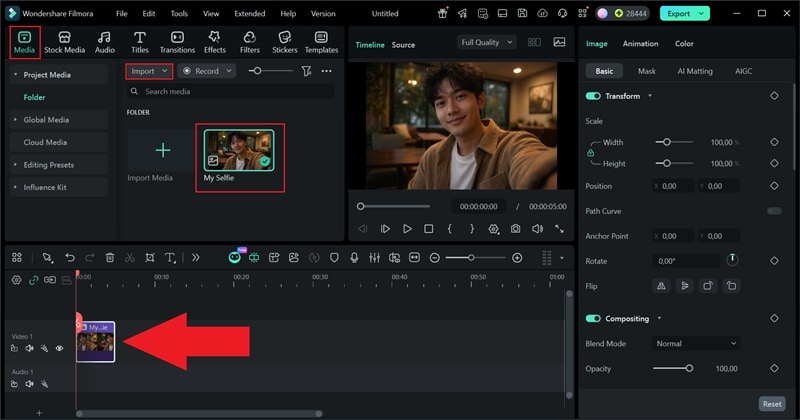 Secure Download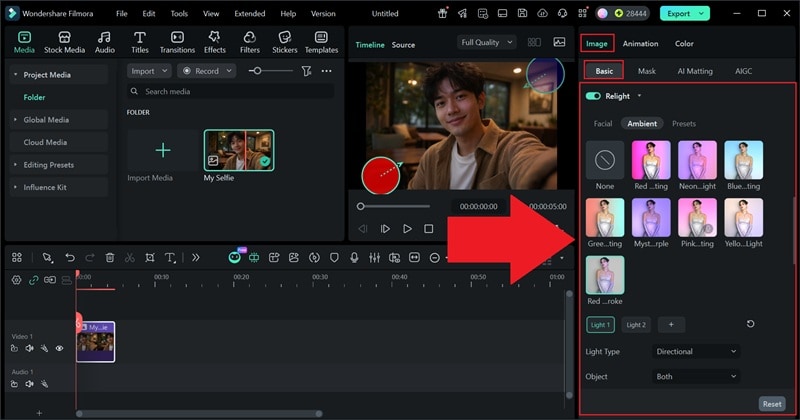
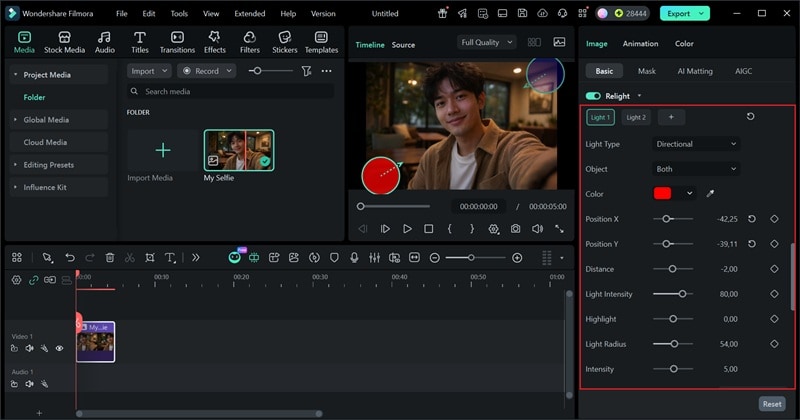
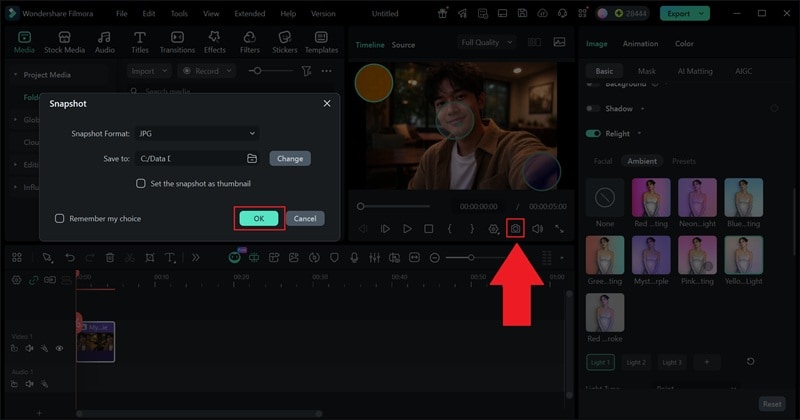
And that's it! With just three simple steps, you can relight your photo with AI. The process stays quick, but still gives you room to fine-tune the lighting when you want more control. The results speak for themselves, just take a look at the before-and-after below.
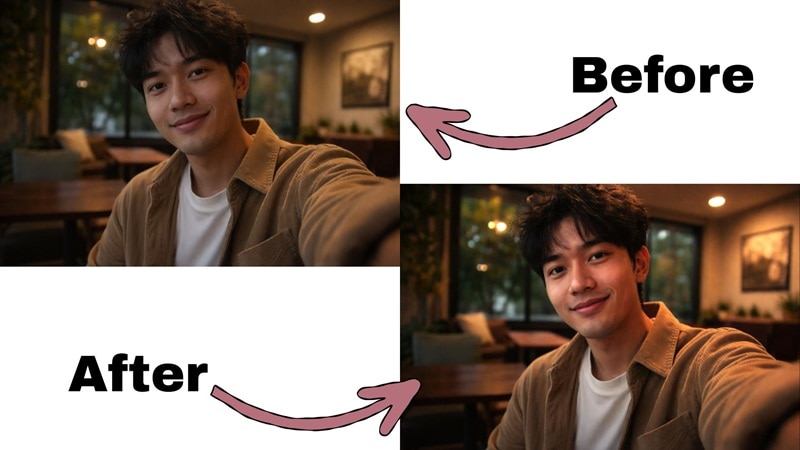
Advanced Techniques: Using AI Image Relighting for Video Projects
Another great thing about Filmora is that it is built for video first. Unlike most relight image AI tools that stop at photos, Filmora lets you use the same AI image relighting logic on moving clips. That alone opens up a lot of creative room. Instead of keyframing lights frame-by-frame, the AI handles lighting changes automatically across the whole clip, which can save hours of manual work.
To help you get the most out of it, here are five advanced ways you can use relight photo AI features for video projects:
Speed Up Batch Editing For Social Media
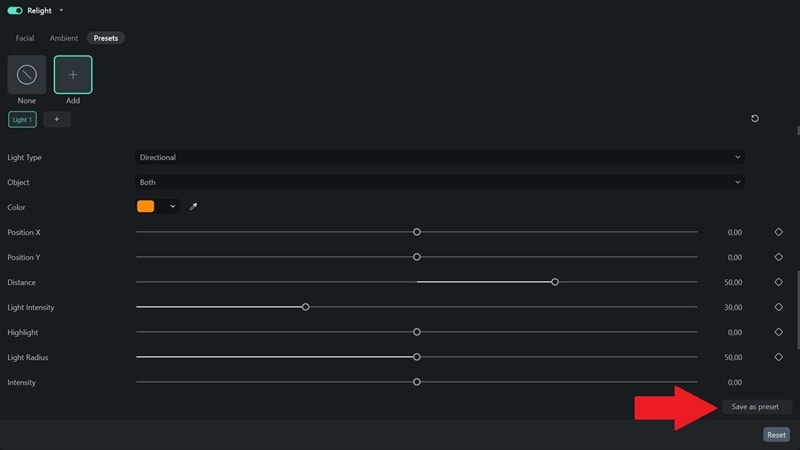
When you are editing multiple short videos for social platforms, lighting consistency becomes a headache fast. Instead of fixing each clip manually, you can apply the same relight image AI setup across all clips and save it as a preset. This keeps every video looking consistent and cuts editing time way down, which is perfect for reels, shorts, and daily content.
Pair It With Filmora AI Tools For Better Results
Filmora really shines when you combine AI image relighting with other AI tools. After fixing lighting, you can refine the video even more with tools built for cleanup and polish. Here are some tools to try:
- AI Video Beauty Filter helps smooth skin and balance facial tones.
- AI Video Denoise cleans up grain that shows up after lifting shadows.
- AI Color Palette helps keep colors consistent across different scenes.
Use Different Lighting Presets to Tell A Story
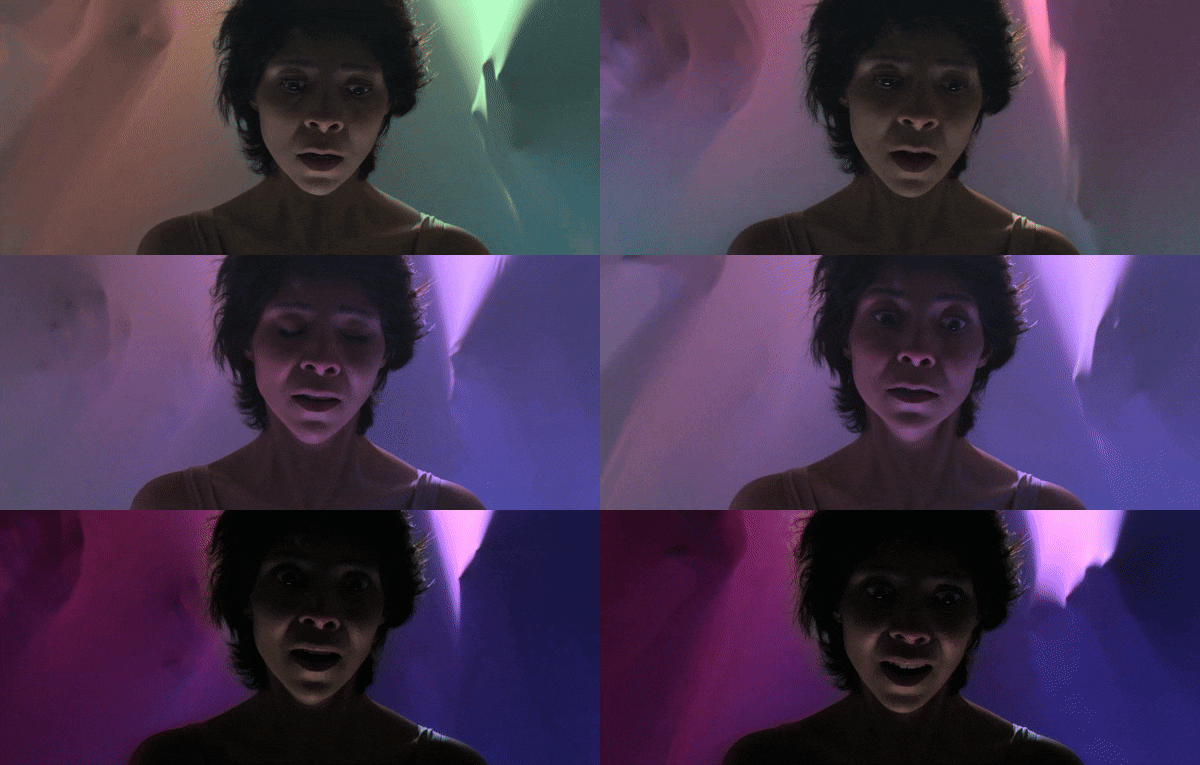
You can get creative by using more than one lighting style on the same clip. Cut the scene into a few short parts and apply a different relight photo AI preset to each section. As the clip plays, the lighting can slowly change to match the mood or the character's emotion. It sounds a bit complex at first, but once you try it, the result feels natural and adds a lot of personality to the scene.
Comparison: Manual Editing vs. AI Image Relight AI
After trying to fix lighting using AI image relight, you probably felt the difference right away. Things move faster, the results look cleaner, and you spend less time guessing which slider to touch.
To make that contrast even clearer, here is a simple side-by-side look at how manual editing compares with image relighting AI in real use.
| Feature | Manual Editing | AI Image Relight |
| Speed | Slow and time consuming | Fast and mostly automatic |
| Learning Curve | Steep and takes practice | Beginner-friendly |
| How Lighting Is Handled | Pushes brightness and contrast | Rebuilds lighting based on the scene |
| Light Direction | Hard to get right | Detected automatically |
| Subject Handling | Affects the whole image | Focuses on the subject |
| Consistency | Needs manual matching | AI balances scenes |
| Risk of Overediting | Easy to overdo | Stays more natural |
| Best For | Advanced retouching | Everyday fixes and scaling |
|
Show More
Show Less
|
||
Conclusion
With AI image relight tools, fixing bad lighting no longer feels like a chore or a guessing game. This guide walked through how the feature works and highlighted some of the best relight image AI tools available right now, including Pic Relight, Higgsfield, Lift, and Relight AI. All of them do a solid job, but Filmora clearly stands out.
Its AI Relight feature lets you relight your photos automatically with AI while still giving you manual control when you want it, and the movable light orbs make adjusting direction and strength feel natural and visual. On top of that, Filmora is an AI video editor, so the same lighting logic works for both photos and videos, which makes it a smart choice if you plan to create more than just still images.

FAQs
-
Can AI relighting fix extremely dark or blown out photos?
Relight photo AI can improve a lot, but it cannot bring back details that were never captured. If a photo is very dark or completely blown out, image relighting AI may still help balance light and make it usable, but the results depend on how much information is left in the image. -
How does AI know where to place shadows when relighting an image?
Most advanced AI relight photo tools, like Filmora, use neural networks to estimate the 3D geometry of your photo. By creating a virtual "mesh" of the subject, the AI can simulate how light travels in a 3D environment. This is why you can move a light source around a subject's head and see the shadows move realistically across their nose and jawline—it's not just editing pixels; it's recalculating the physics of light. -
Does AI image relighting change facial features?
AI image relight tools are designed to work with lighting, not facial structure. When used properly, they brighten faces and soften shadows while keeping facial features the same. If the lighting looks off, it is usually from pushing the effect too far, not because the AI reshaped the face. -
Is relight image AI free good enough for professional use?
Relight image AI free tools can be great for quick fixes and casual projects. But for professional work, paid tools usually offer better control, more natural skin tones, and consistent results, especially when you need the same lighting style across many images. -
Can AI relight images be used for commercial projects?
Most AI image relighting tools allow commercial use, but it always depends on the tool's license. Before using relight images with AI for ads or client work, it is better to check usage rights to avoid problems later. -
Why does AI relighting sometimes look fake?
Image relight AI can look fake when the lighting strength is pushed too hard or the light direction does not match the original scene. Keeping adjustments subtle usually makes the result feel natural and closer to real world lighting.
