

 TL;DR:
The My Little Pony test filter combines AI facial transformation with character archetype matching to generate highly shareable identity content, while creators requiring consistent styling and animation over randomized app filters can utilize advanced tools like Wondershare Filmora.
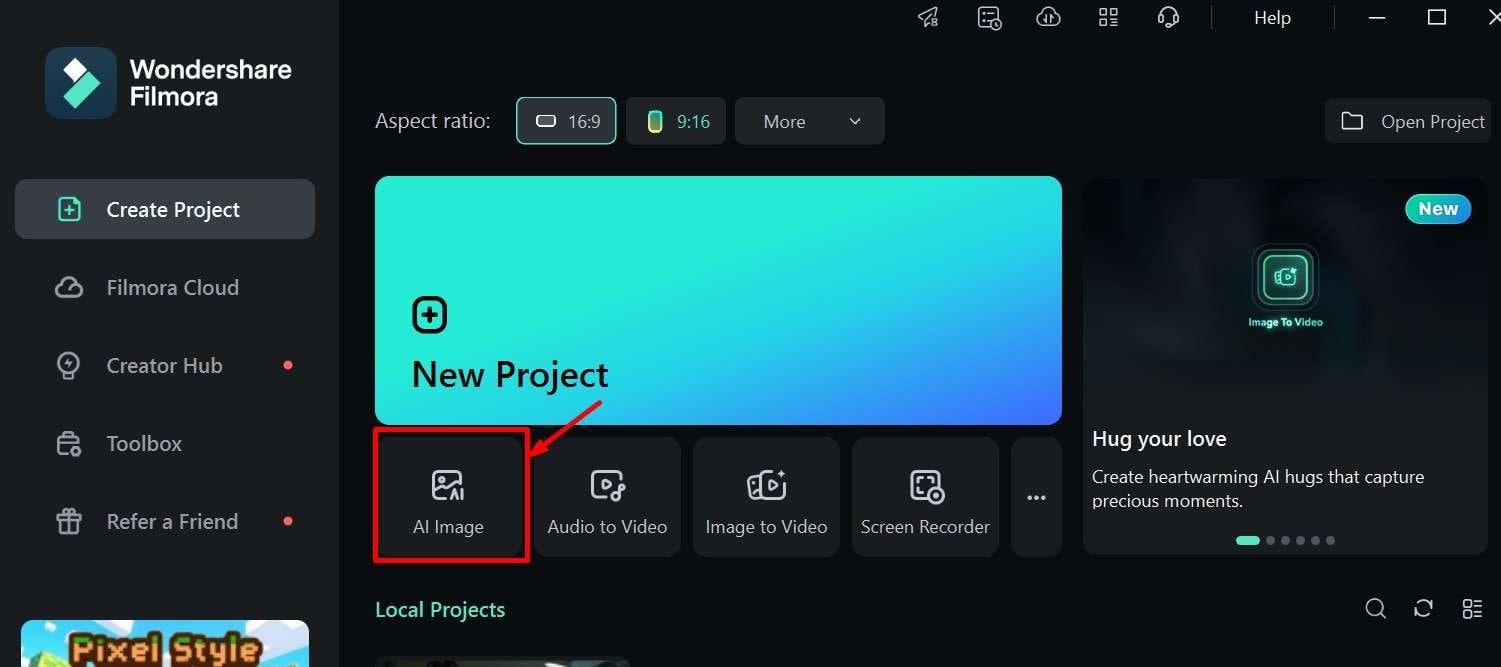
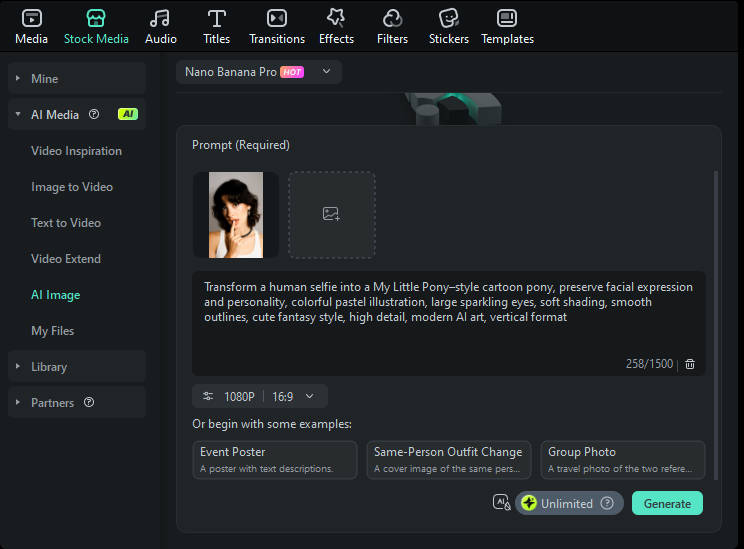
● Generating custom static pony portraits requires uploading a clear, well-lit, front-facing selfie into Filmora AI Image, specifically utilizing the Nano Banana Pro mode and a precise descriptive text prompt.
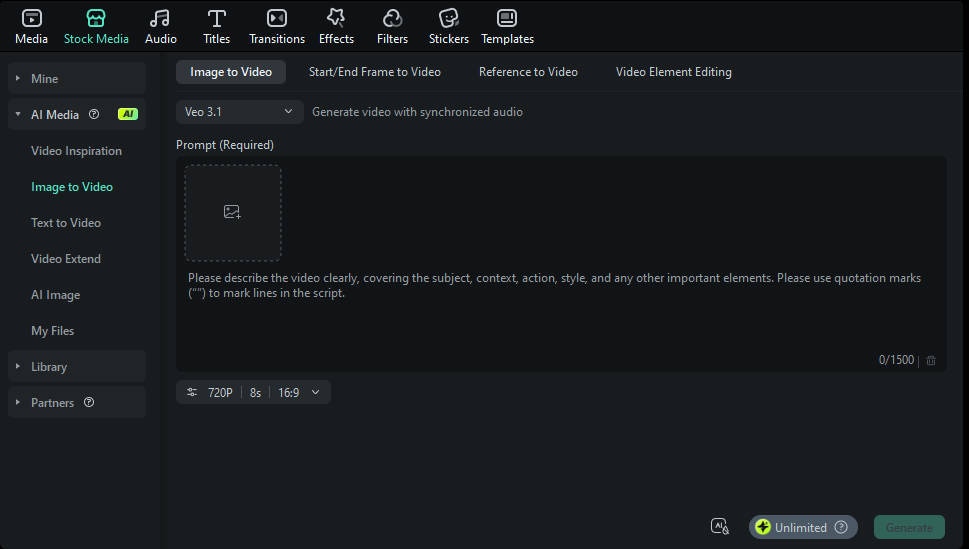
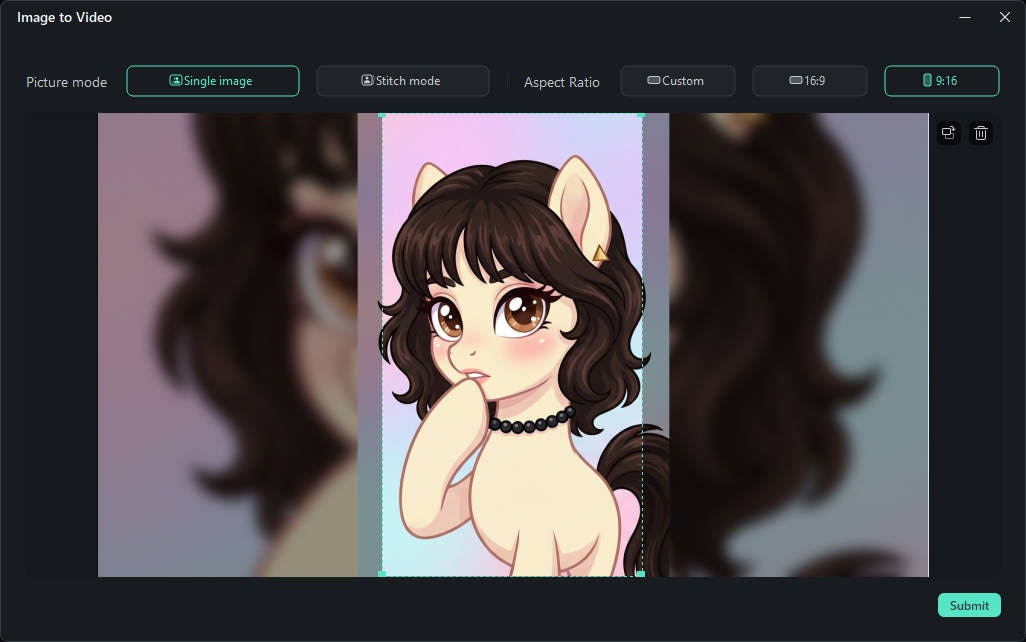
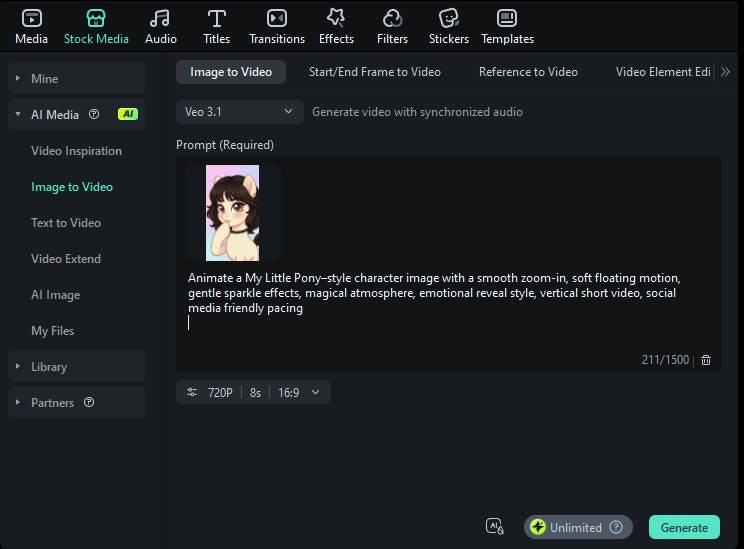
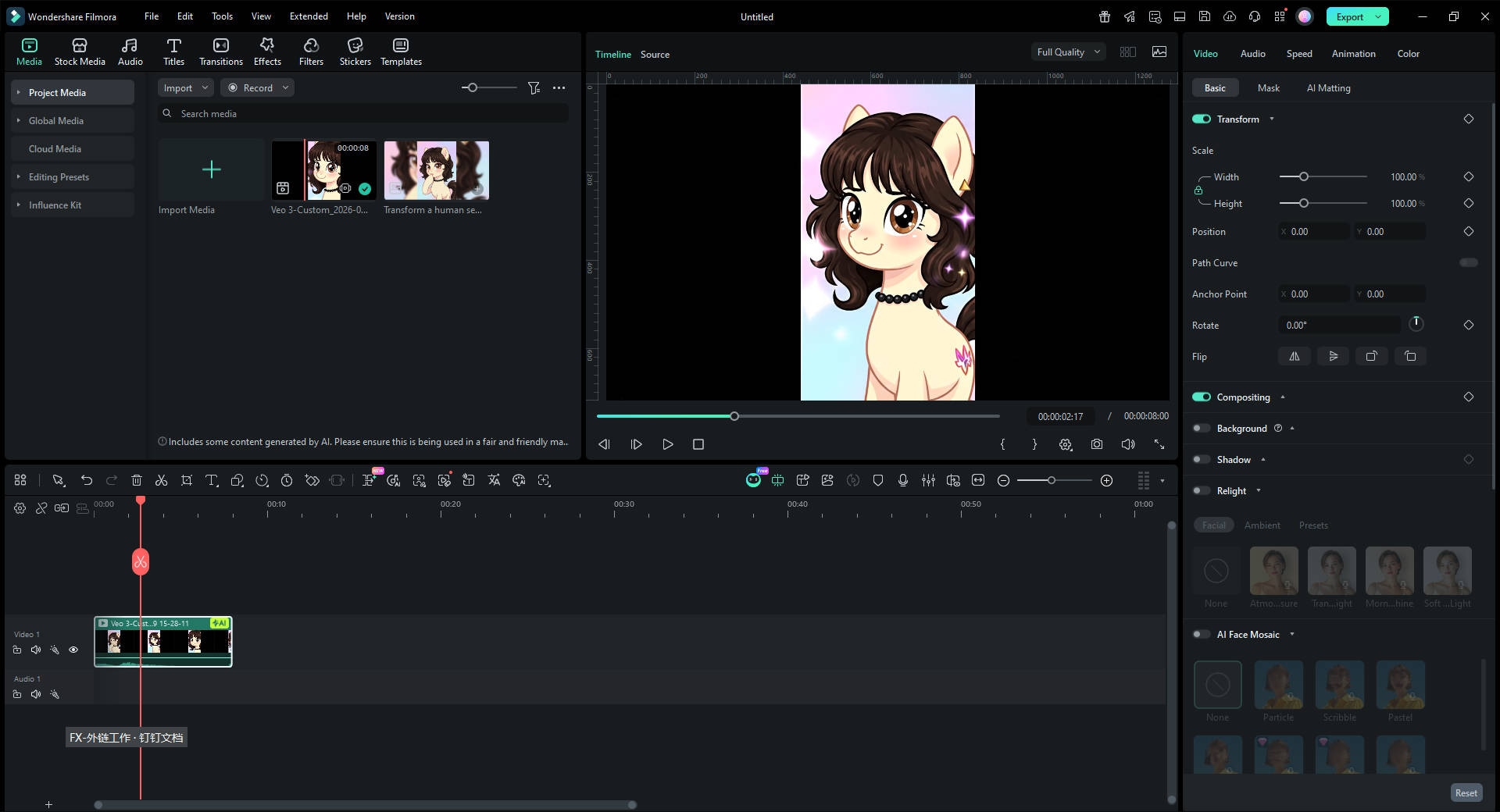
● To produce animated short-form video outputs optimized for TikTok or Instagram Reels, users must process their images through the Filmora Image to Video workflow using the Veo 3.1 model configured to 1080p resolution and a 9:16 aspect ratio.
● Standard social media test filters are restricted to randomized visual outputs with unclear commercial usage rights, whereas dedicated AI workflows provide high customization, native branding potential, and repeatable video generation capabilities.
Ask AI for a summary
 ChatGPT
 Perplexity
 Gemini
 Claude
 Grok
Grok
Over the past year, the my little pony test filter has rapidly become one of the most recognizable AI-powered social media trends across TikTok, Instagram Reels, and YouTube Shorts. By combining a nostalgic franchise, AI image transformation, and light personality testing, this trend offers users a highly shareable way to express identity, creativity, and fandom in a single piece of content.
Unlike traditional face filters, the my little pony test filter blends visual AI stylization with character-based matching. Users are not only transformed into a pony-style illustration, but are also told which My Little Pony character best represents their personality. This dual-layer experience is exactly why engagement rates are so high.
In this guide, we break down what the my little pony test filter is, why it went viral, how the AI works, and—most importantly—how creators can go beyond basic filters using tools like Filmora AI Image and Filmora Image to Video to achieve better reach, retention, and creative control.
What Is the My Little Pony Test Filter?
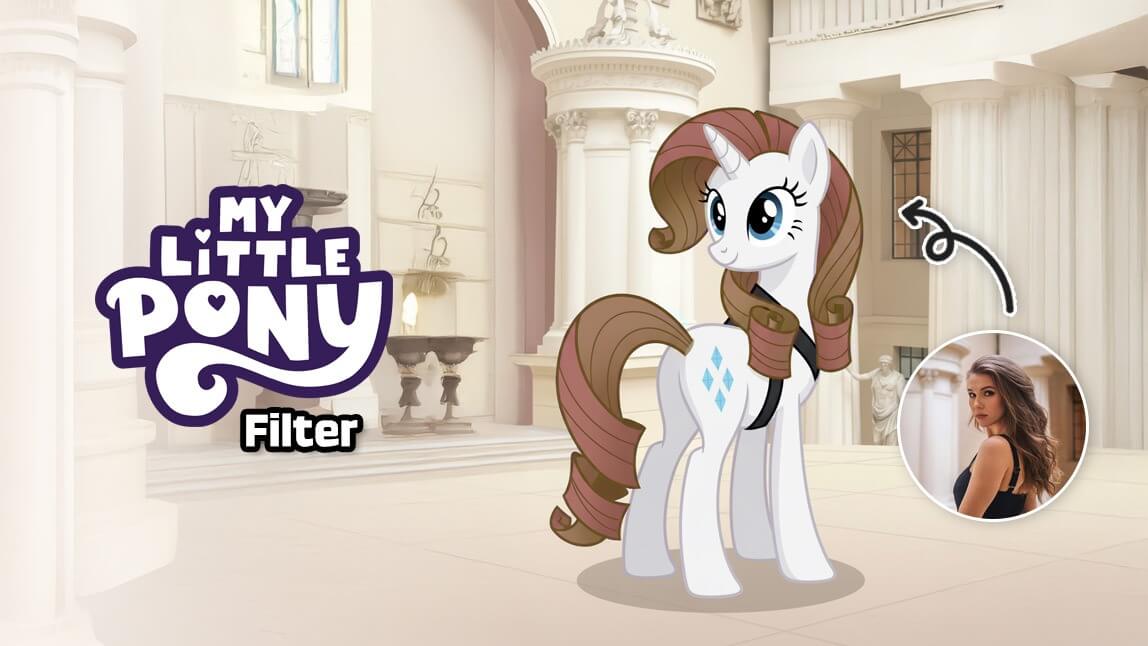
The my little pony test filter is a digital experience that usually includes two components:
- A personality-based test or archetype match that assigns users a pony character
- An AI-powered image filter that transforms a selfie into a My Little Pony–inspired illustration
Some versions lean more heavily on the my little pony personality test, asking questions related to leadership, creativity, empathy, or confidence. Others skip quizzes entirely and focus on instant AI image generation, producing a pony-style portrait based on a single photo.
What sets modern versions apart from older cartoon filters is the use of AI image generation rather than static overlays. Instead of placing a cartoon mask on a face, AI systems reinterpret facial structure, color palettes, and expressions—creating results that feel custom rather than generic.
Why the My Little Pony Test Filter Went Viral
1. Nostalgia With Cross-Generational Appeal
The My Little Pony franchise spans decades. Younger users encounter it through memes and social media, while older audiences associate it with childhood entertainment. The my little pony test filter repackages that nostalgia in a modern, AI-driven format, making it instantly relatable across age groups.
2. Identity-Driven Content Performs Better
From an algorithm perspective, platforms favor content that encourages interaction. Asking "Which pony are you?" naturally leads to comments, comparisons, duets, and stitches. This is why the my little pony test consistently outperforms simple beauty or color-change filters.
3. AI Visual Quality Boosts Retention
AI-generated pony portraits often look polished, stylized, and collectible. That perceived quality keeps users watching longer and motivates them to share results—two signals that directly boost distribution on TikTok, Reels, and Shorts.
Search Trends: Why "My Little Pony Test Filter" Is Exploding Right Now
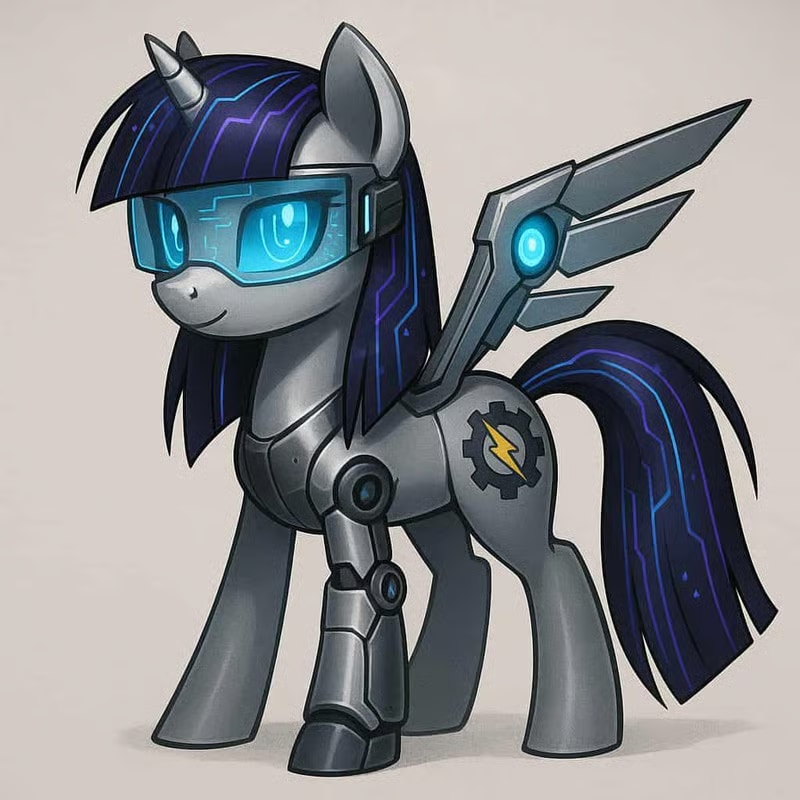
The rise of the my little pony test filter aligns with three broader content trends:
- AI personalization: Users increasingly expect content that feels uniquely theirs.
- Short-form storytelling: Filters that produce a "reveal moment" perform well in vertical video.
- Character-based identity content: "Which character are you?" formats consistently rank among the highest-engagement quizzes online.
Unlike many AI trends that burn out quickly, this one benefits from an established IP and endless remix potential, giving it a longer viral lifespan.
How the My Little Pony Test Filter Works (Step-by-Step)
Step 1: Upload a Selfie
Clear lighting and a front-facing photo help AI systems better detect facial structure and expression.
Step 2: Trait Analysis or Quiz Matching
Some tools rely on short quizzes, while others infer traits through prompts or presets.
Step 3: AI Image Transformation
The system converts facial features into pony-style illustration elements—eyes, color palette, mane style—while preserving resemblance.
Step 4: Final Output for Sharing
Users receive a downloadable image or short clip optimized for vertical formats.
Popular Pony Archetypes and Their Meaning
Understanding archetypes helps explain why the my little pony personality test resonates so well.
- Twilight Sparkle – Intelligence, curiosity, leadership
- Rainbow Dash – Confidence, competitiveness, independence
- Pinkie Pie – Creativity, humor, social energy
- Applejack – Honesty, reliability, practicality
- Rarity – Artistic vision, elegance, ambition
- Fluttershy – Empathy, sensitivity, kindness
These archetypes are simple enough to be fun but meaningful enough to feel personal—an ideal balance for viral content.
My Little Pony Test Filter vs AI Pony Generators: What's the Difference?
| Feature | Standard Test Filter | Filmora AI Workflow |
| Customization | Limited | High |
| Style consistency | Randomized | Controlled |
| Video output | Rare | Native |
| Branding potential | Low | High |
| Commercial use | Unclear | Creator-friendly |
Filters are great for quick fun. AI creative tools are better for repeatable, high-quality content.
Beyond Filters: Enhancing Results With AI Creativity Tools
With Wondershare Filmora, you can Create a fun and engaging AI Little Pony Test Filter is easier than most people imagine. With the help of modern AI animation models, you can transform any photo into a lively little pony-style clip in just a few steps. Follow this practical guide to produce high-quality, share-ready results:
Method 1: Generate a My Little Pony Test Filter Image Using Filmora
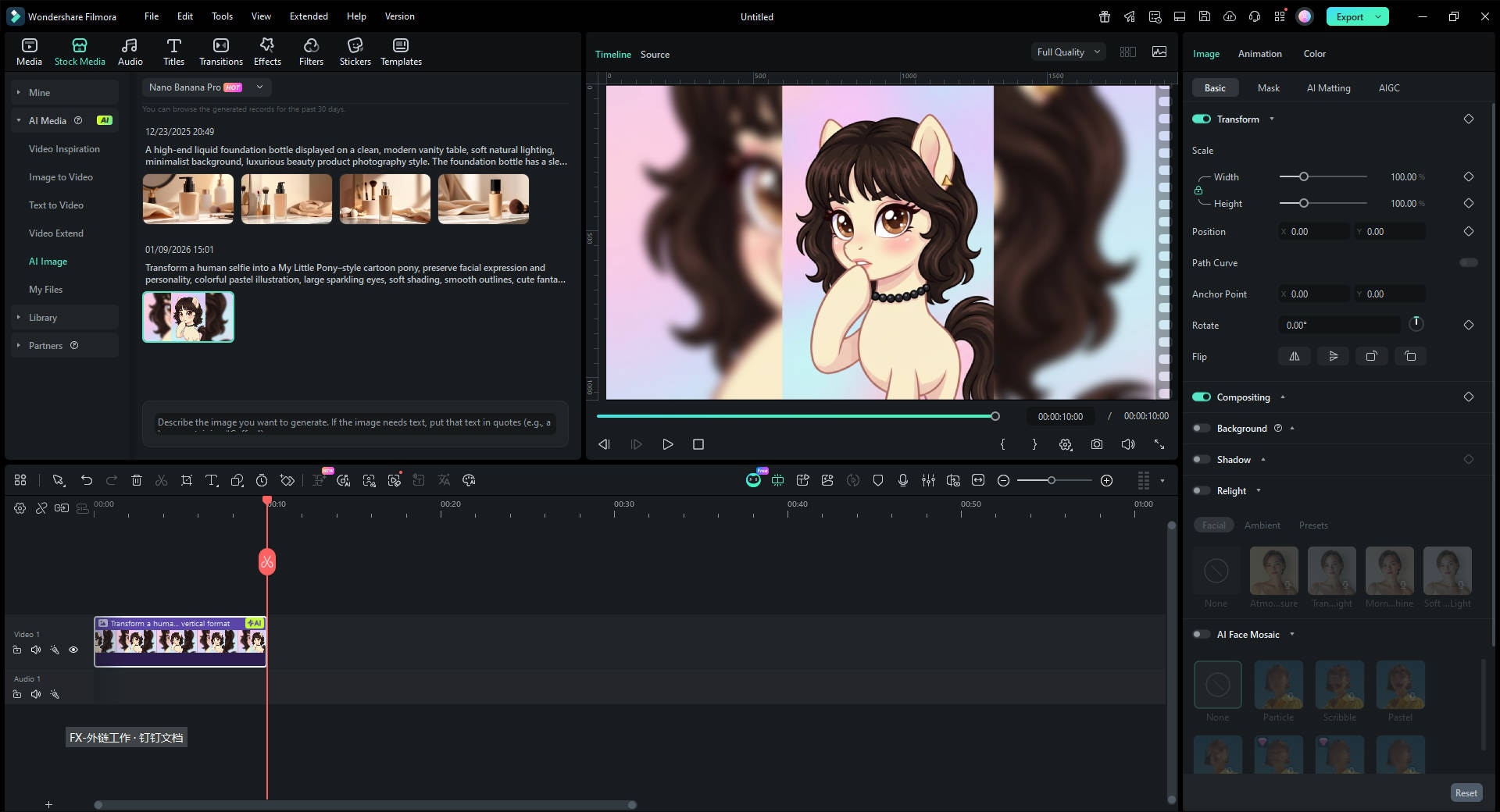
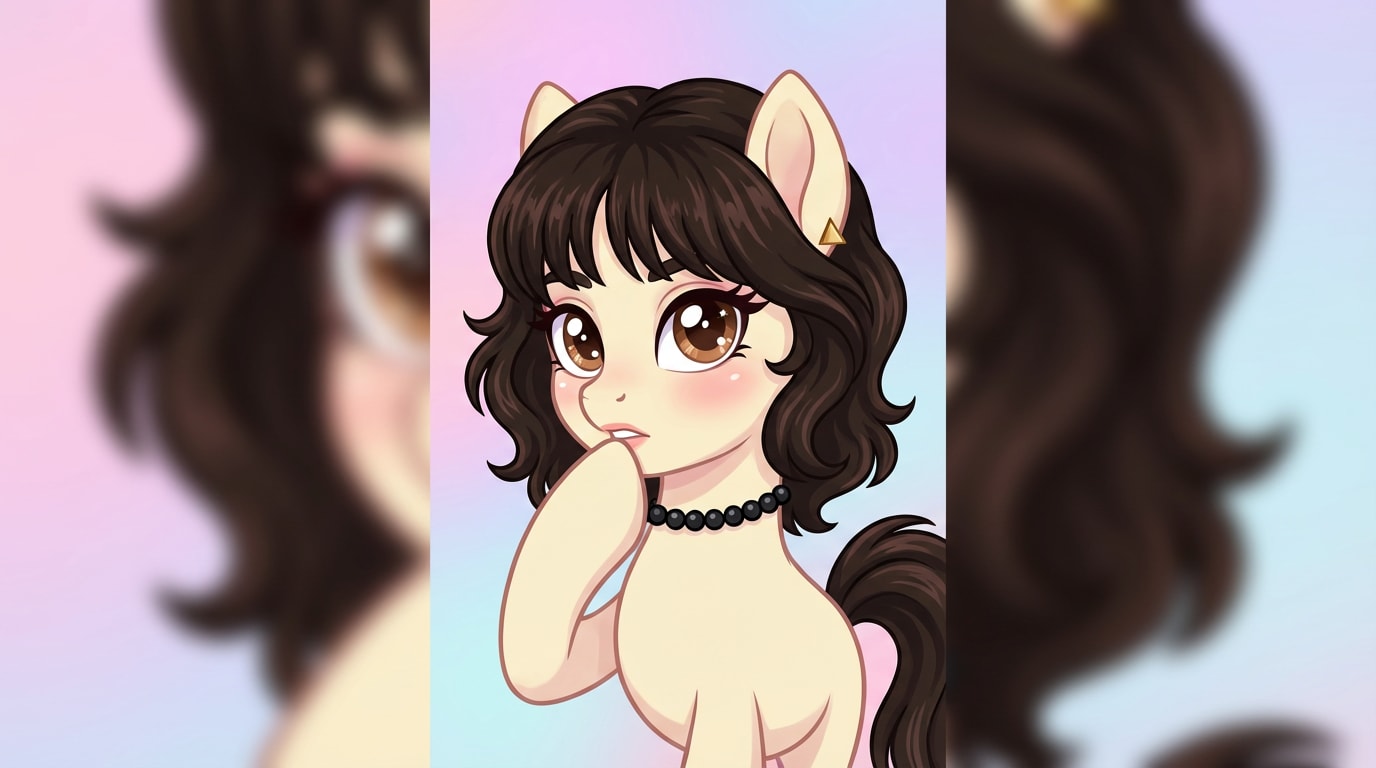
Method 2: Create a My Little Pony Test Filter Video with Custom Prompts
For creators who want more creative control than standard test filters, Filmora offers a powerful Image to Video workflow. This method allows you to simulate the popular My Little Pony test filter effect with consistent style, expressive animation, and video-ready output.
 Secure Download
Social Media Optimization Tips
Best Platforms
- TikTok (highest discovery potential)
- Instagram Reels (strong visual engagement)
- YouTube Shorts (longer content lifespan)
Caption Strategy
Ask direct questions:
- "Which pony did you get?"
- "Does this match my personality?"
Hashtags
Use a mix of broad and long-tail terms:
- #mylittleponytestfilter
- #mylittleponytest
- #aiponyfilter
- #ponyaitrend
Conclusion
The my little pony test filter succeeds because it blends nostalgia, AI creativity, and identity-driven storytelling into one highly shareable format. While basic filters offer quick entertainment, creators who go further—using AI image generation and image-to-video workflows—gain stronger engagement, better control, and longer content lifespan.
Understanding how the trend works—and how to elevate it—allows both individuals and brands to turn a viral moment into a sustainable creative strategy.

FAQs
-
What is the difference between the my little pony test and the my little pony test filter?
The my little pony test focuses on personality matching, while the my little pony test filter includes AI-generated visual transformation alongside the test result. -
Is the my little pony test filter accurate or just for fun?
It is designed primarily for entertainment. While personality matching uses recognizable traits, results should be viewed as expressive rather than scientific. -
Can I use the my little pony test filter for YouTube Shorts and Reels?
Yes. Most outputs are optimized for vertical formats, and tools like Filmora Image to Video help adapt images into video-ready assets. -
How can I improve my my little pony AI filter results?
High-quality selfies, neutral lighting, and post-editing with AI tools significantly improve visual consistency and engagement. -
Are there AI tools to customize my pony image further?
Yes. Tools such as Filmora AI Image allow deeper customization beyond default filter styles.
