


 TL;DR:
Recast Studio is an AI-powered repurposing tool best suited for podcasters and marketers who need to automatically convert long-form recordings into short social clips, transcripts, and written posts without complex editing.
● New users receive a 60-credit free trial for processing 60 minutes of video, while paid plans starting at $17 per month cap export quality at 1080p and limit maximum uploaded video lengths to between 15 and 60 minutes depending on the tier.
● The platform simplifies editing by allowing you to cut video directly through its 20+ language transcript and automatically removes filler words, but users are restricted to preset layout templates and may encounter slightly premature caption syncing.
● Wondershare Filmora is the recommended alternative if you require full visual customization, built-in stock media, or AI voice translation for up to 23 languages, whereas Recast Studio is strictly for quick, template-based content extraction.
Ask AI for a summary
 ChatGPT
 Perplexity
 Gemini
 Claude
 Grok
Grok
Short-form videos have become a major part of online entertainment, with Ampere Analysis reporting that nearly 60% of the global population watches this type of content. As a result, many creators are looking for ways to turn one long video into multiple pieces of content without spending hours editing.
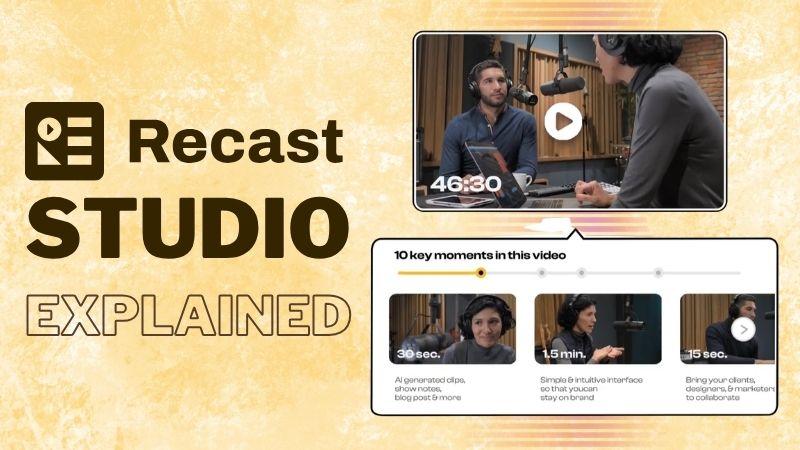
Recast Studio makes that easier by using AI to create short clips, transcripts, audiograms, and social media content from a single recording. So, let's see what Recast Studio offers and whether it's the right tool for your workflow.
Part 1. What Is Recast Studio?
Recast Studio is designed to help creators repurpose long videos into shorter pieces of content. The platform uses AI to scan your video, pick out the key moments, and then create clips that are ready to post across different platforms.
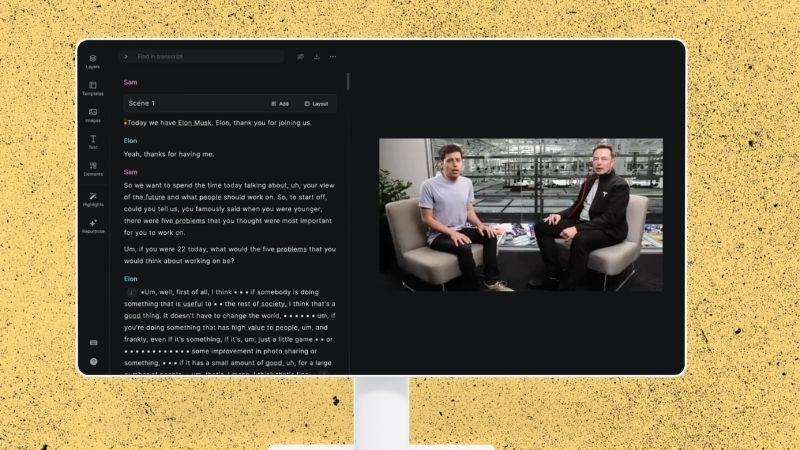
If you create podcasts, webinars, or interviews, Recast Studio AI can save you a lot of editing time. You can also use the clips to give people a sneak peek of your full video and encourage them to watch more.
Core Capabilities of Recast Studio
1. Auto Reframe and Clean Up Audio
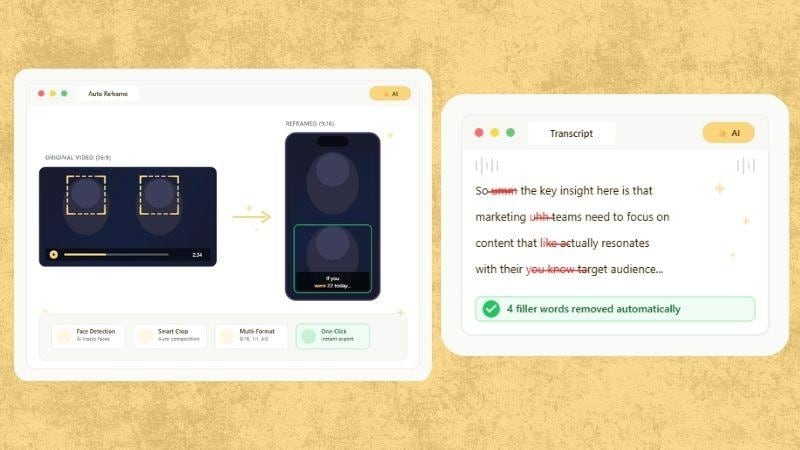
Recast Studio comes with an Auto Reframe feature. Its AI tracks the main speaker or subject and keeps them centered on screen. There's also an AI Filler Word & Pause Removal feature that can remove filler words and long pauses, so your audio sounds cleaner and more polished.
2. Generate Transcripts in Multiple Languages
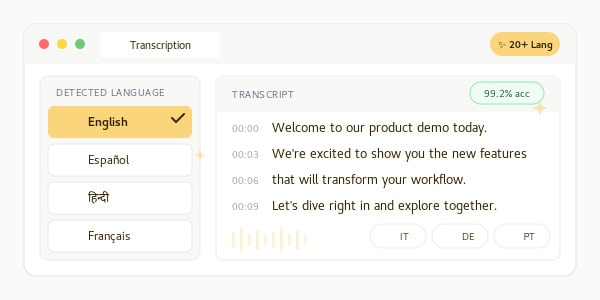
Another helpful feature of the Recast Studio is AI transcription, which converts speech into text automatically. It supports more than 20 languages, making it useful for subtitles, captions, editing, and repurposing video or podcast content.
3. Collaborate With Your Team in One Workspace
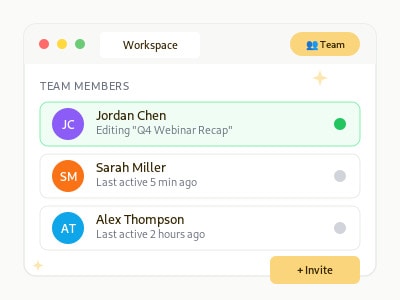
Recast Studio includes a shared workspace where teams can upload videos, review content, leave feedback, and manage projects in one place.
4. Edit Videos Through the Transcript
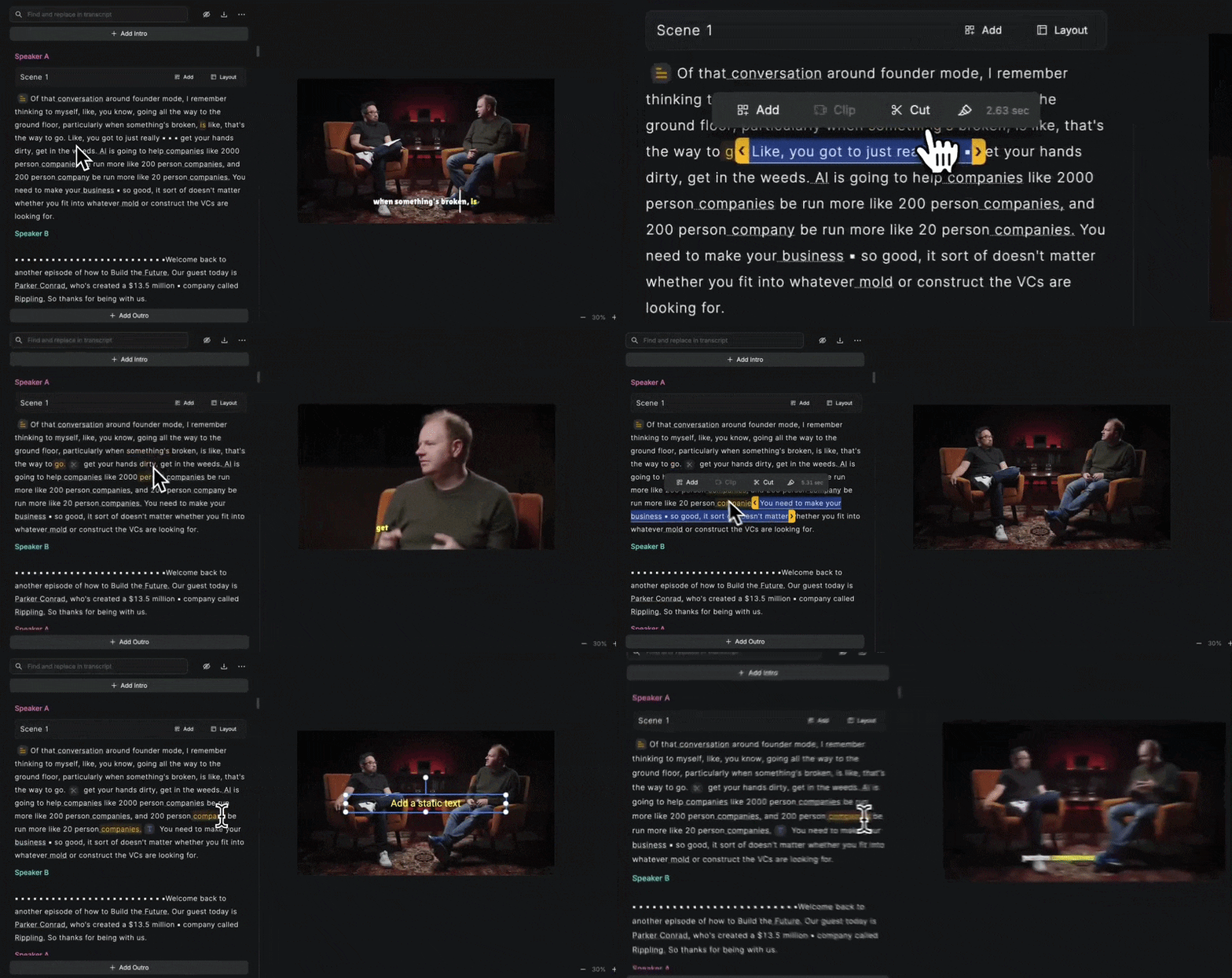
Recast Studio AI allows you to edit video like a Word document. Simply delete unwanted words or sections from the transcript, and the platform instantly cuts the corresponding video and captions.
5. Turn Your Transcript Into More Content
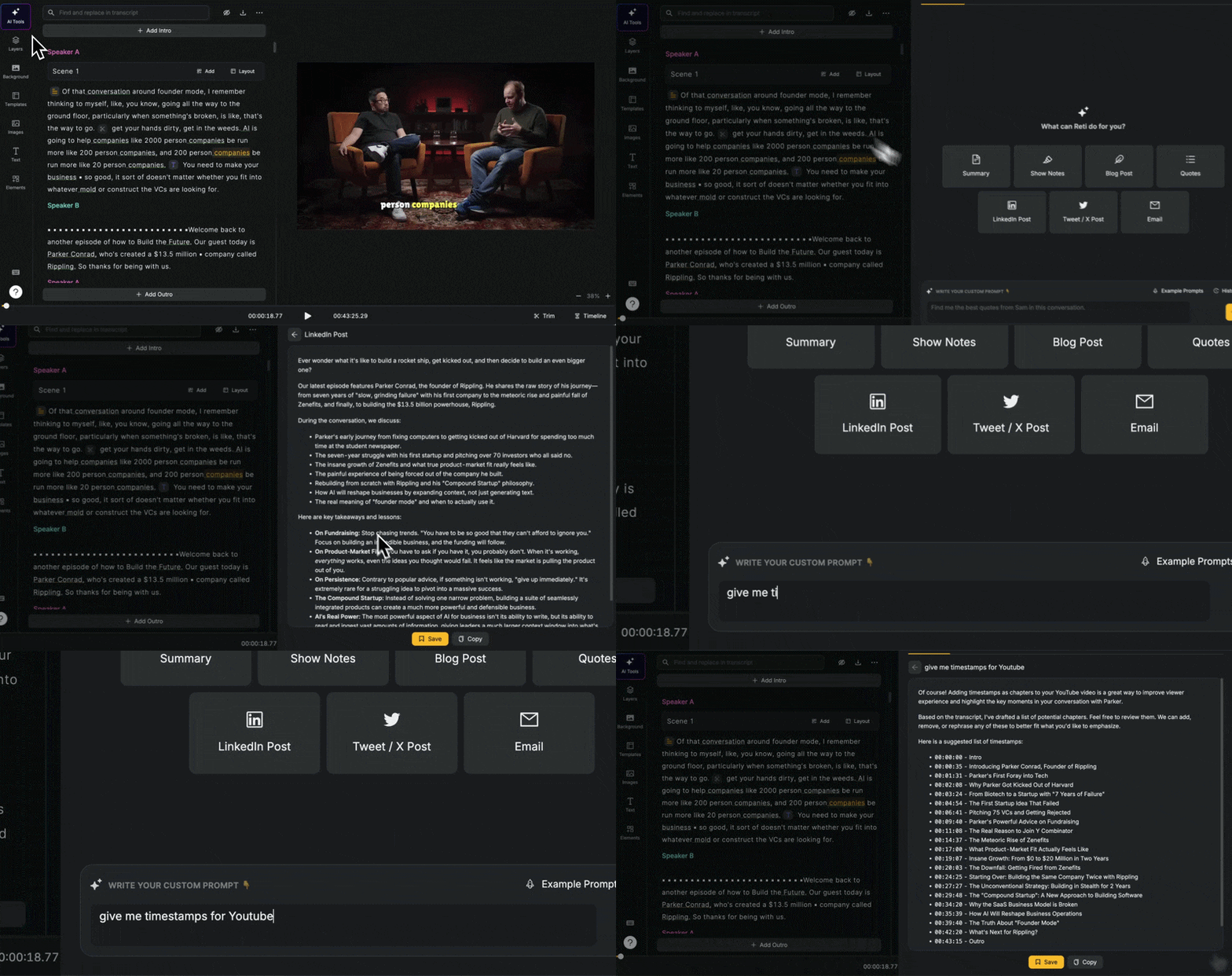
Once the transcript is ready, Recast Studio can help turn it into blog drafts, show notes, LinkedIn posts, and email copy. This makes it easier to create extra content from one recording.
6. Publish and Schedule Content From One Place
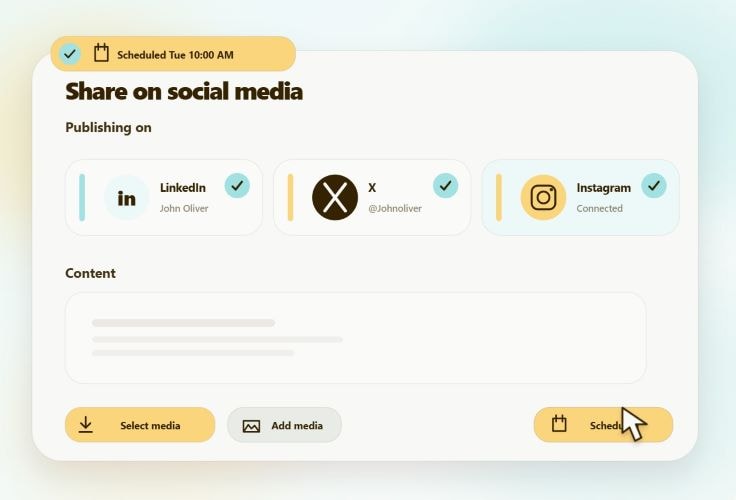
After creating your clips, you can connect your social accounts and publish directly from Recast Studio. You can also schedule posts in advance.
Part 2. Recast Studio Pricing: Free vs Paid Plans
Now that we've looked at the features behind Recast Studio, you may be wondering: Is Recast Studio free? While the platform doesn't offer a permanent free plan, new users do get a free trial.
When you first sign up, you'll receive 60 credits as a one-time bonus, which should be enough to explore Recast Studio and test its core features.
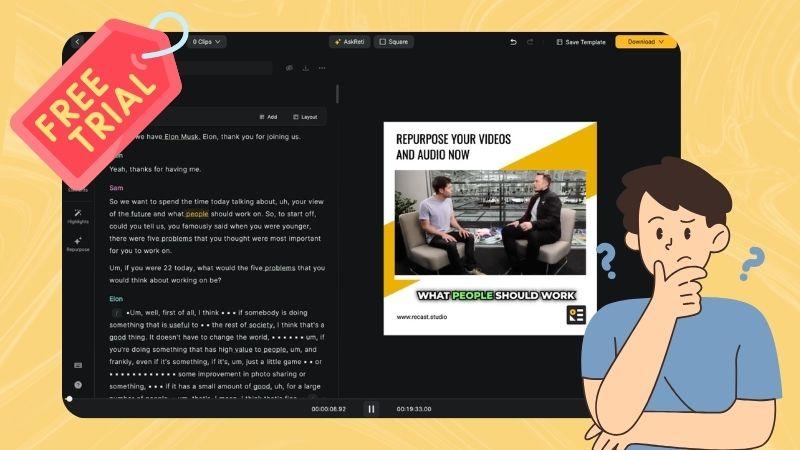
Since Recast Studio runs on a credit system, one credit equals one minute of uploaded video. This means the Recast Studio AI free trial allows you to process up to 60 minutes of video content.
Once those credits run out or your content needs grow, you may want to consider one of the paid plans. Let's take a look at the pricing options below.
| Starter | Professional | |
| Price | $17/month or $170/year | $37-$87/month or $310-$730/year |
| Credits | 150 credits/month | 360-900 credits/month |
| Maximum Video Length | 15 minutes | 60 minutes |
| Video Quality | 1080p | 1080p |
| Import Custom Fonts | Yes | Yes |
| Team Collaboration | No | Yes |
| Transcription Languages | 20+ | 20+ |
| Filler Word & Pause Removal | Yes | Yes |
| Cloud Storage | 15 GB | 50 GB |
| Social Media Integration | No | Yes |
Part 3. How to Use Recast Studio
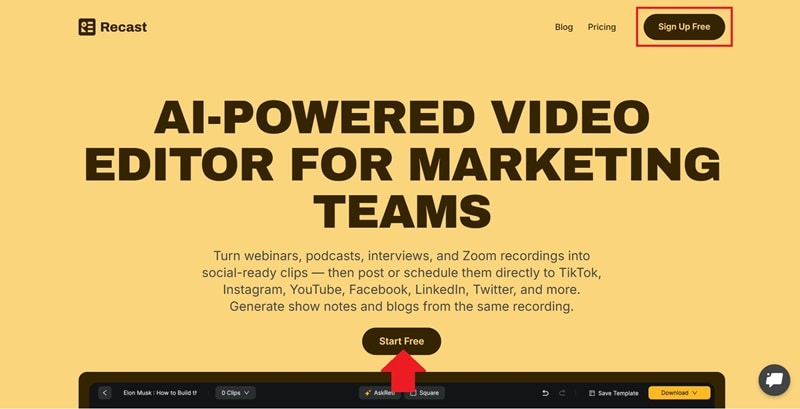
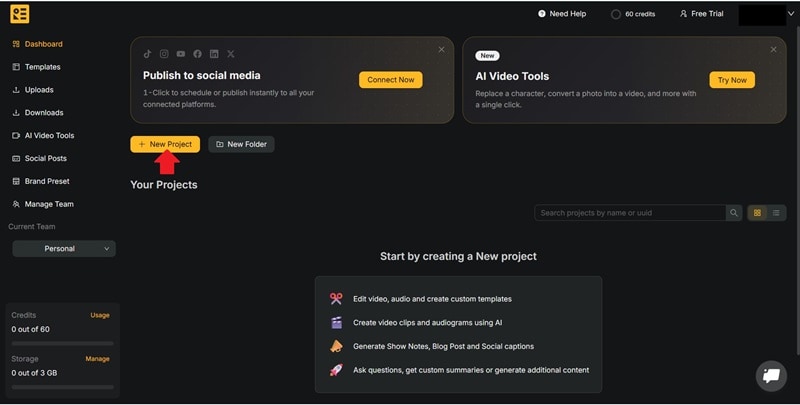
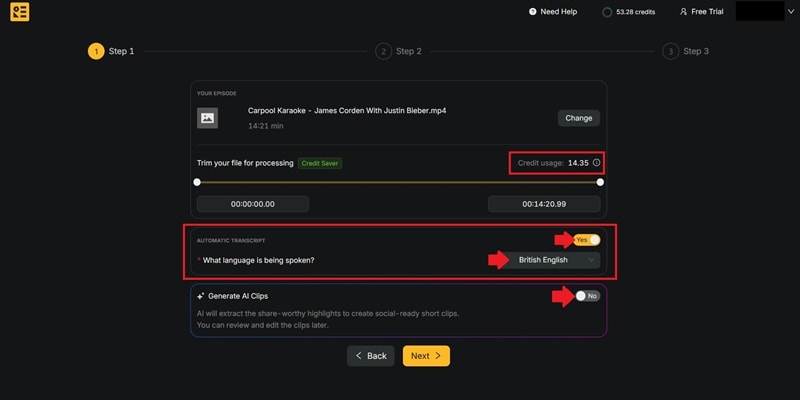
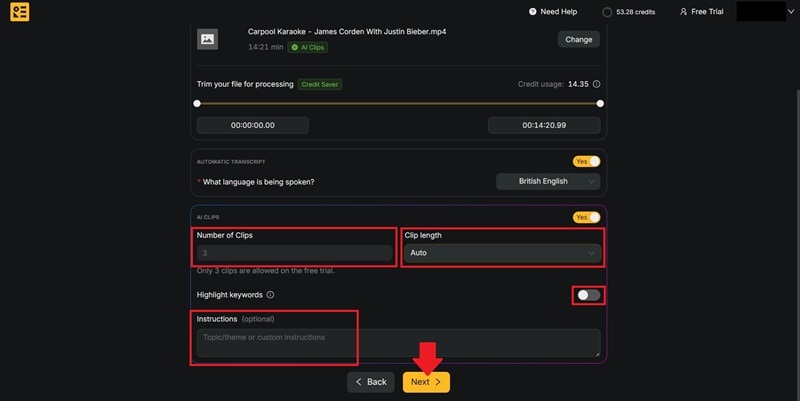
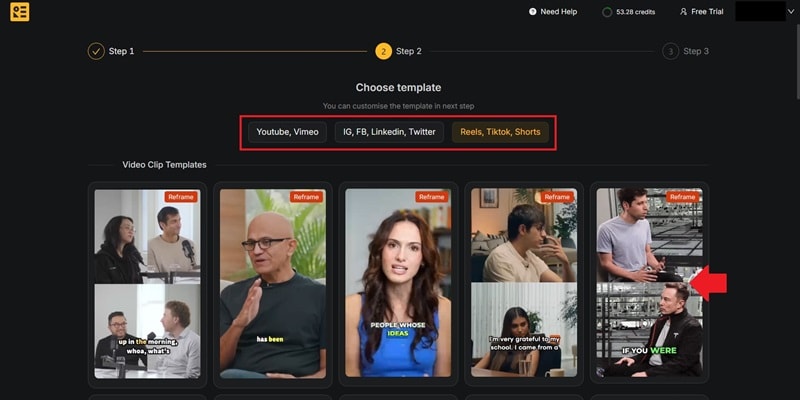
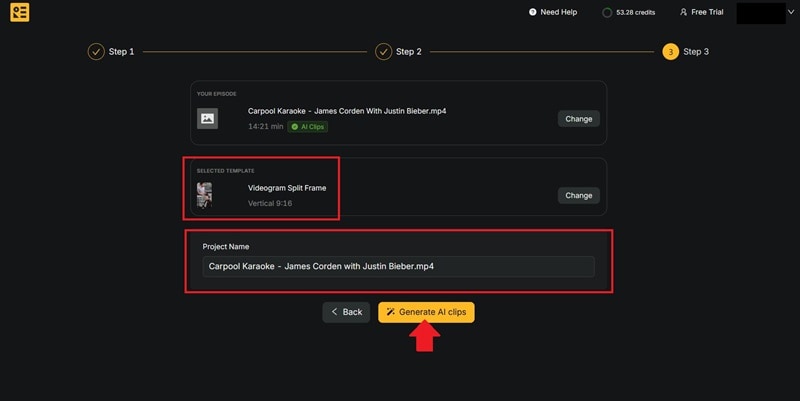
Ready to give Recast Studio a try? Fortunately, the setup process is pretty straightforward. To begin, head over to the Recast Studio website. From the homepage, click Start Free or Sign Up Free to create an account and start your first project.
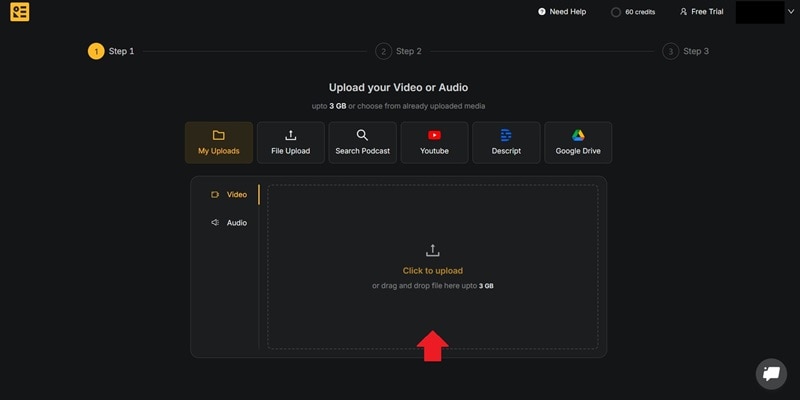
Step-by-Step: Turn a Long Video into Short Clips with Recast Studio
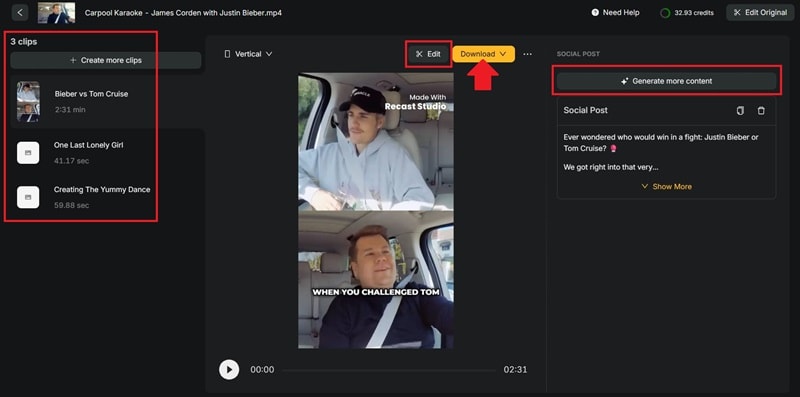
Part 4. Recast Studio Reviews: Pros and Cons
Recast Studio offers a convenient way to manage content repurposing, but the experience isn't perfect. So, let’s analyze both its strengths and limitations before deciding whether it's the right fit for you.

- Easy to Use: The platform guides users through each step, making it easy to create content without spending time learning complex editing tools.
- Accurate Transcription Results: The AI transcription is mostly accurate, so you won’t need to spend too much time fixing the text.
- Helps Maximize Every Recording: Recast Studio is great for repurposing content. You can turn one recording into multiple assets, from short clips to social posts.
- Export Quality Is Limited to 1080p: Even on paid plans, Recast Studio currently supports exports up to 1080p.
- Captions Can Appear Too Early: During testing, some captions appeared slightly ahead of the spoken words.
- Limited Layout Control: Templates are useful, but customization can feel restricted if you want full control over the design.
Part 5. From AI Clipping to Full Video Editing with Wondershare Filmora
Recast Studio is primarily built around content repurposing. Although you can make adjustments to the generated clips, the platform offers fewer options when it comes to visual editing and creative customization.
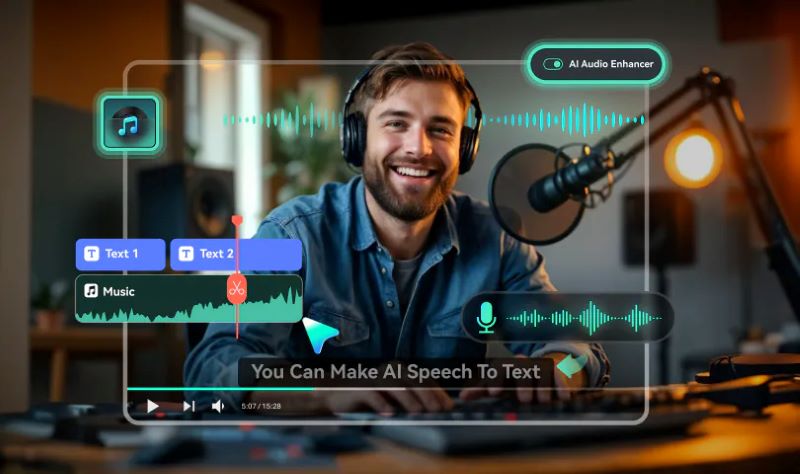
If you'd like more control over the final result, Wondershare Filmora is worth considering. In addition to turning long videos into short clips, it also includes a full video editor, giving you more flexibility to refine the visuals, audio, and overall presentation of your content.
1. Generate Short Clips with AI
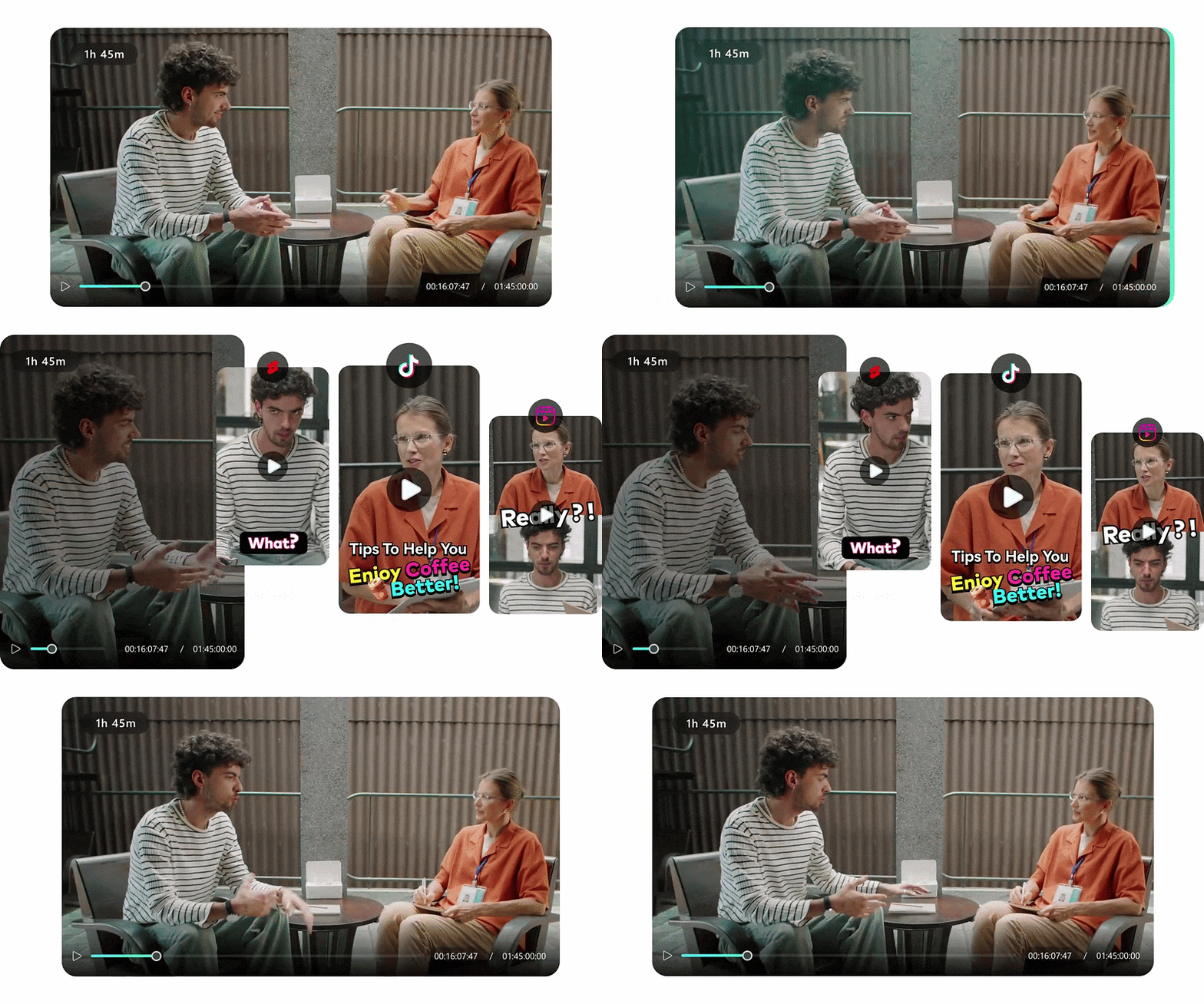
Similar to Recast Studio, Filmora offers a Smart Short Clips feature for repurposing long-form content. The AI can identify key moments, generate shorter clips, and optimize them for different social media formats.
2. Customize the Look of Your Videos
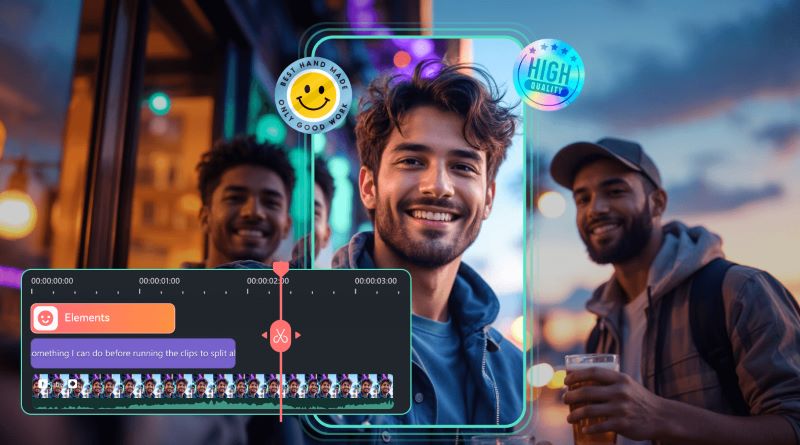
Once the clips are ready, Filmora gives you more freedom to customize how they look. You can add effects, transitions, text, stickers, and other visual elements to match your preferred style.
3. Refine Your Audio with AI Tools
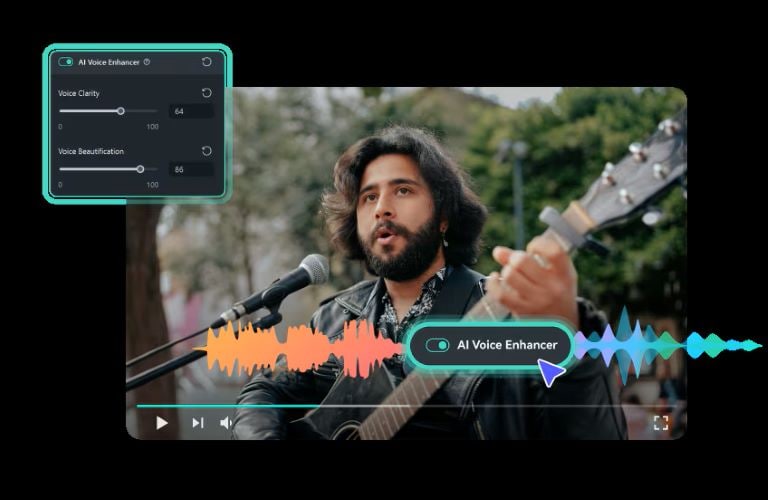
Besides cleaning up audio, Filmora also includes several tools for improving sound quality. AI Voice Enhancer can reduce background noise and make voices sound clearer, while AI-generated music and sound effects can help make your videos more engaging.
4. Translate Videos for a Wider Audience
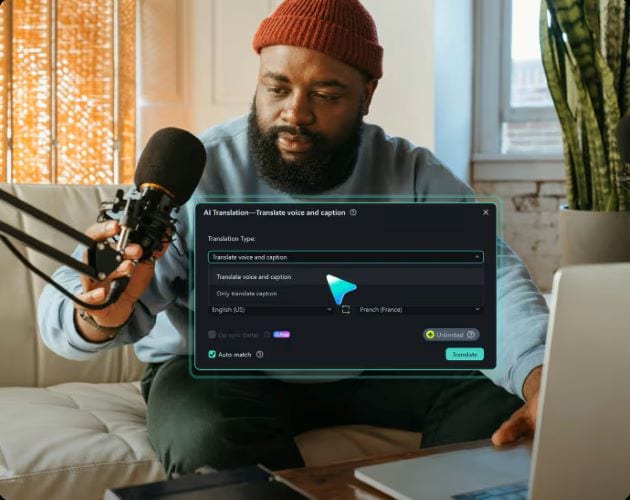
If you want to reach viewers beyond your local audience, Filmora also comes with an AI Translation feature. It supports up to 23 languages and can generate translated voice-overs automatically.
5. Enhance Videos with Stock Media
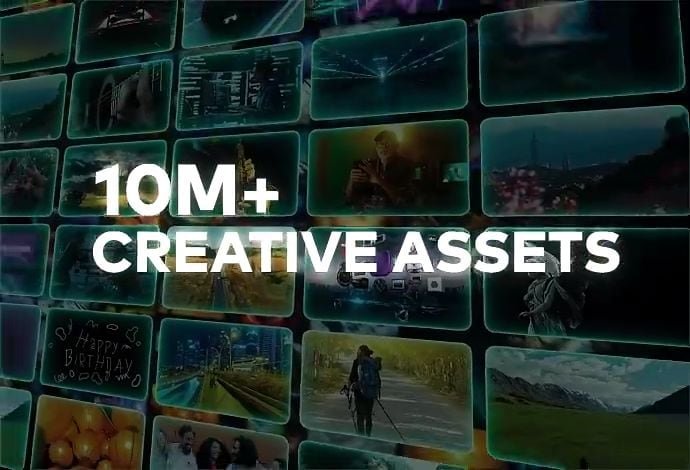
Filmora comes with a built-in stock media library that can help fill in the visual gaps. Instead of searching for B-roll footage on other sources, you can browse videos and images directly inside Filmora.
 Secure Download
Conclusion
Recast Studio helps you get more value from your existing content. Instead of spending time creating clips, captions, transcripts, and social posts one by one, most of the process is already handled for you.
If you want to take things further, Filmora provides a broader set of tools. Beyond content repurposing, you can edit visuals, enhance audio, add creative elements, and fine-tune your videos without relying on separate software. It gives you more flexibility to create polished videos from start to finish.
FAQs
-
Is it safe to use Recast Studio?
Yes. Based on our testing, Recast Studio functions as a legitimate AI content repurposing platform. However, you can review its privacy policy and terms before uploading confidential content. -
Is Recast Studio the same as Recast Studio from Higgsfield AI?
No, they are different tools that happen to share a similar name.
● Recast Studio: AI video editor to repurpose long-form content into short clips, audiograms, and other assets.
● Recast Studio from Higgsfield AI: A platform for AI-powered video transformations, including face swapping, character replacement, voice cloning, and multilingual dubbing. -
How long does Recast Studio take to analyze a video?
Recast Studio typically takes a few minutes to analyze a video and generate results. Thankfully, you can leave the platform and come back later without losing your progress. -
Can Recast Studio automatically create blog posts, show notes, and social media content?
Yes. Recast Studio includes an AI Writing feature that can turn your video transcript into additional content formats, which you can use to repurpose a single recording into multiple content assets more easily. -
Who is Recast Studio best for?
Recast Studio is particularly useful for podcasters, marketing teams, content creators, and agencies. The platform can help you get more content if your workflow involves podcasts, webinars, interviews, or other long-form recordings.
