
Top 10 professional 360 degree cameras

Oct 23, 2026• Proven solutions
 TL;DR:
Professional 360-degree camera rigs capture spherical environments that creators can manipulate and convert into conventional flat videos by utilizing Filmora's 360° Video Reframing tools to define specific viewing angles after the shoot.
● Filmora allows you to alter compatible 360 footage into Wide Angle, Linear, Fisheye, or Tiny Planet perspectives, but it strictly exports the edited project as a standard flat video rather than a complete interactive 360-degree file.
● Users can generate virtual camera movements such as pans, zooms, and rotations from a single spherical recording by applying motion presets and keyframes during the post-production timeline workflow.
● The highlighted professional systems, such as the GoPro Odyssey, Nokia OZO, and Lytro Immerge, primarily represent legacy or discontinued multi-camera rigs intended for high-end cinematic VR that require dedicated footage stitching processes.
Ask AI for a summary
 ChatGPT
 Perplexity
 Gemini
 Claude
 Grok
Grok
Professional 360-degree cameras and camera rigs are designed to capture immersive footage across a wide field of view, allowing filmmakers to record environments from multiple directions at once. Depending on the camera system and workflow, the resulting footage can be used for interactive 360 experiences, VR productions, panoramic video, or reframed into conventional videos with creator-controlled camera angles.
For filmmakers, choosing the right camera is only part of the workflow. After capturing and stitching 360 footage, you also need to decide how the audience will experience it. You can preserve the spherical footage for interactive viewing or reframe selected viewpoints into a standard video for conventional screens and social platforms.
You may also like:
Full review for Bublcam 360 camera
How to Edit and Reframe Footage from a 360 Camera
One of the biggest advantages of shooting with a 360 camera is that you do not always have to decide on the final camera angle while recording. Because spherical footage captures multiple directions at once, you can choose where the virtual camera points later during editing.
With Filmora's 360° Video Reframing tools, you can import compatible 360 footage and turn the spherical recording into a standard video. Instead of asking viewers to navigate the entire 360 scene themselves, you can control the viewing direction, perspective, and camera movement.
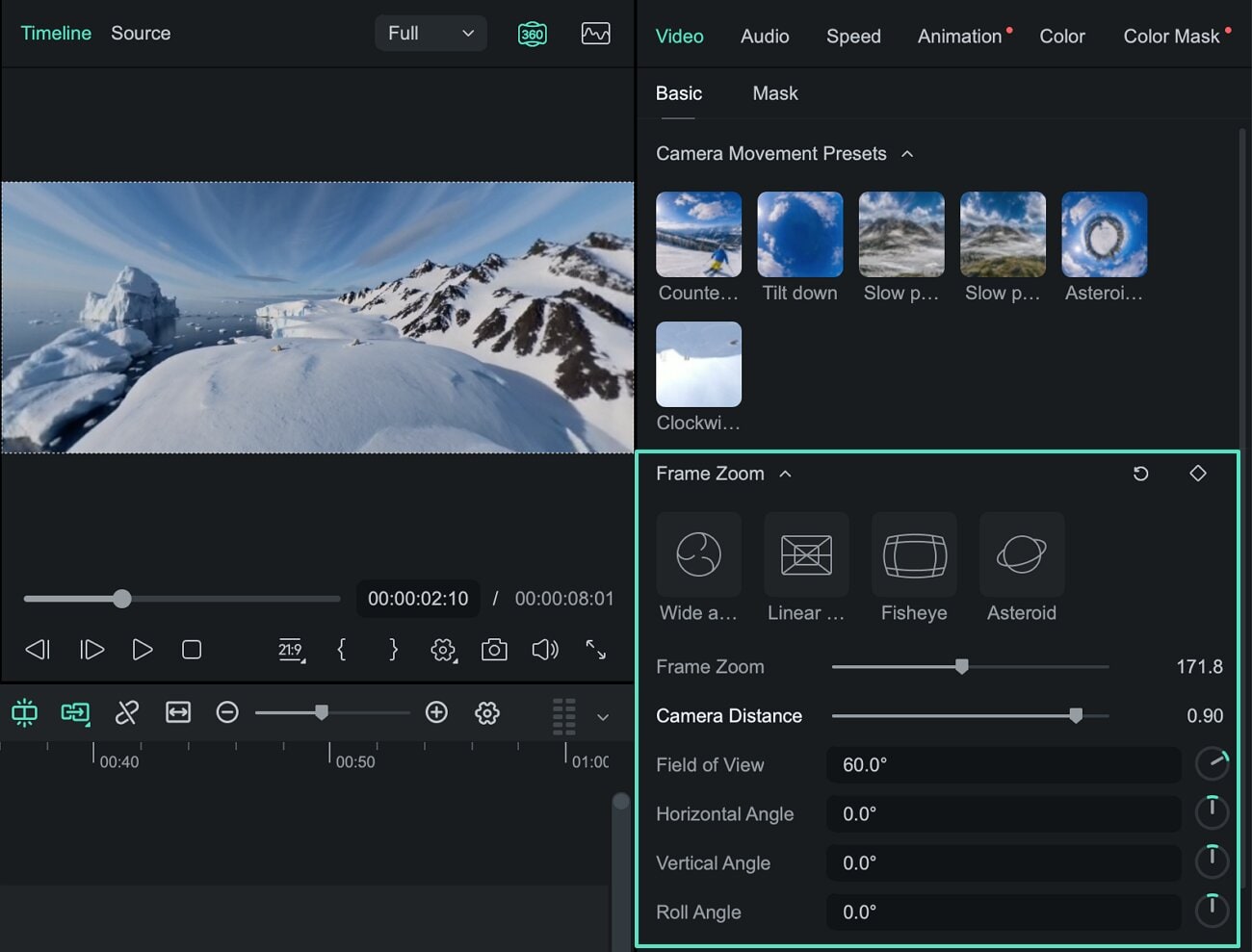
Choose the Best Angle After Recording
Filmora lets you navigate around compatible 360 footage and select the part of the scene that should appear in the final frame. Controls for the field of view, horizontal and vertical viewing angles, frame zoom, camera distance, and roll give you flexibility when turning spherical footage into a conventional shot.
This is particularly useful for action, travel, event, and other unpredictable shooting scenarios. Instead of trying to keep one conventional camera pointed at the action throughout the recording, a 360 camera can capture the surrounding scene and let you determine the framing afterward.
Create Different Perspectives from the Same 360 Footage
You can also change how spherical footage is projected into the final frame. Filmora provides different display modes, including Wide Angle, Linear, Fisheye, and Tiny Planet, allowing the same 360 recording to produce different visual perspectives.
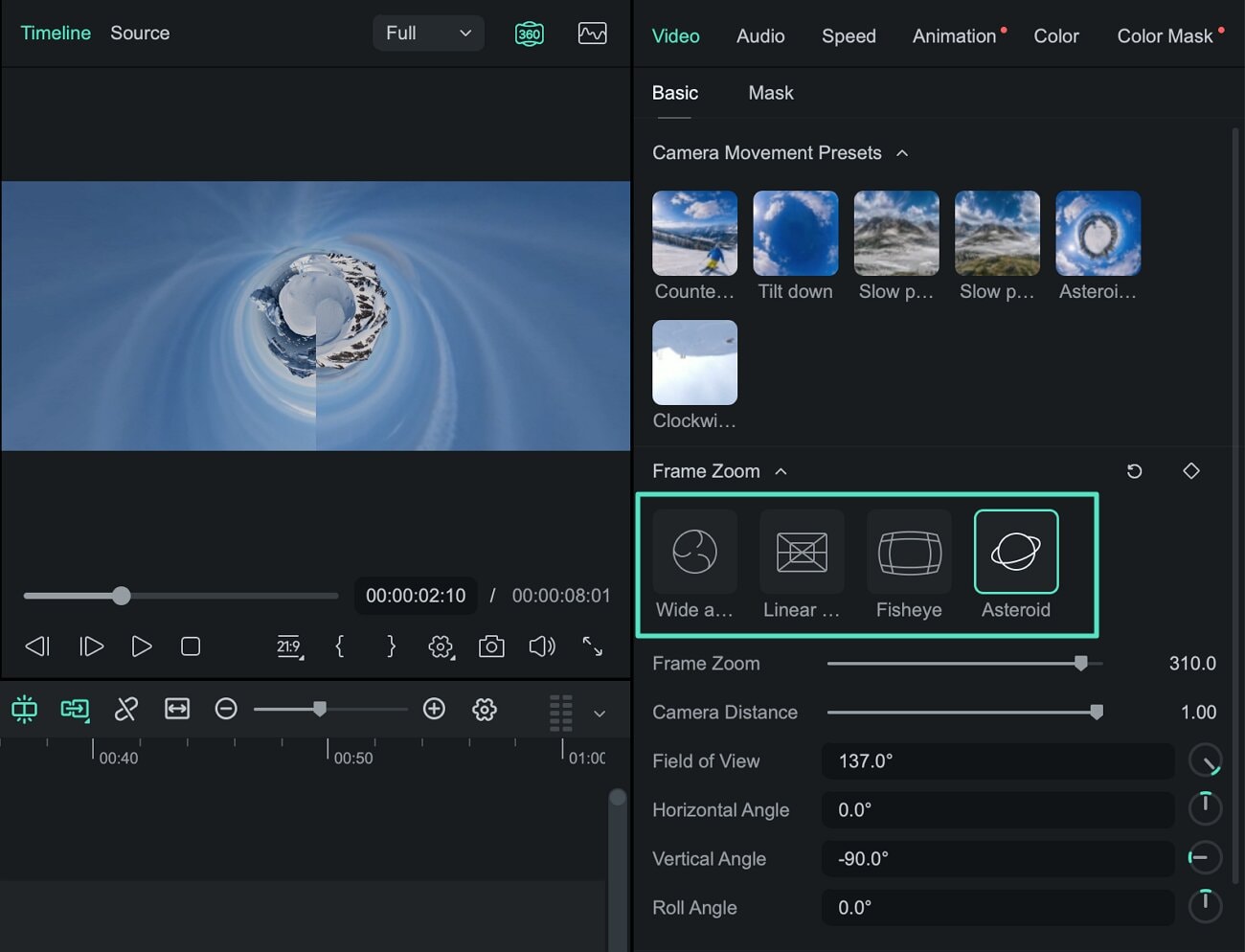
Add Virtual Camera Movement
Reframing does not have to stay fixed on one angle. You can use motion presets or keyframes to change the viewpoint over time, creating virtual pans, zooms, rotations, and other camera movements from a single 360 recording.
After reframing, you can continue working with the footage on the Filmora timeline to trim clips, adjust speed, add titles, audio, effects, and other edits before exporting the result as a standard video.
- Reframe after shooting: Choose which part of the 360 scene appears in the final video.
- Adjust the field of view: Create tighter or wider shots from spherical footage.
- Change perspectives: Switch between Wide Angle, Linear, Fisheye, and Tiny Planet views.
- Create camera movement: Use presets or keyframes for pans, zooms, rotations, and viewpoint changes.
- Edit on the same timeline: Add cuts, speed changes, titles, audio, effects, and other edits.
- Export a standard video: Create conventional videos for YouTube, TikTok, Instagram Reels, Shorts, and other platforms.
Explore Filmora's 360 Video Editing Tools →
For detailed instructions, follow the 360° Video Reframing Guide for Windows or the 360° Video Reframing Guide for Mac.


10 Professional 360° Cameras and Camera Systems
The following professional 360 cameras and camera rigs represent systems developed for high-end VR, immersive video, and panoramic production. Some are legacy or discontinued systems, but they illustrate how professional 360 production evolved from complex multi-camera rigs toward more integrated capture workflows.
1. GoPro Odyssey
The GoPro Odyssey is one of the early professional 360° video camera rigs developed in partnership with Google for immersive video production. The system combines 16 GoPro HERO4 Black cameras in a synchronized circular array designed to capture footage for Google's Jump VR platform. As a professional multi-camera rig, it represents an earlier generation of high-end 360 production in which multiple synchronized cameras were used to capture a complete panoramic scene.
Check this video to see how to set up a GoPro Odyssey:
2. MoooVR
MoooVR is a professional VR camera rig designed around multiple cameras positioned to capture a 360° scene. Its multi-camera configuration reflects the traditional approach to professional immersive production, where footage from several lenses is combined through stitching to create a spherical image.
Check the details of MoooVR from this video:
3. Lytro Immerge
Lytro Immerge was developed as a professional cinematic VR capture system based on light-field technology. Rather than functioning like a conventional consumer 360 camera, the system was designed to capture extensive visual information for high-end immersive experiences and professional post-production workflows.
Check this video for a brief introduction to Lytro Immerge:
4. Facebook Surround 360
Facebook Surround 360 was introduced as an open-source professional 3D 360° camera system. The reference design used a multi-camera array arranged around an aluminum rig, together with software designed to process and stitch the captured footage into immersive 360 video.
Interested in how Facebook Surround 360 was designed? Check this video:
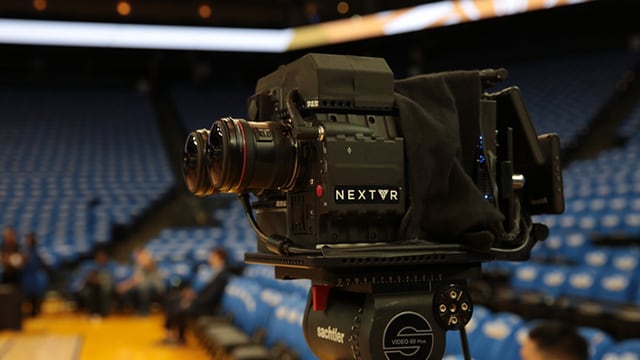
5. NextVR
NextVR developed professional technology for capturing and delivering immersive sports, entertainment, and live-event experiences. Its production workflows combined specialized camera systems with technology designed for high-quality VR broadcasting and immersive viewing.
6. VideoStitch Orah 4i
The VideoStitch Orah 4i was designed as an integrated 360° VR camera for live production. Its workflow combined multiple lenses with real-time stitching and streaming capabilities, reducing some of the post-production complexity associated with earlier multi-camera 360 rigs.
See a brief introduction to the VideoStitch Orah 4i:
7. GoPro Omni
GoPro Omni is a synchronized multi-camera rig built around six GoPro HERO4 Black cameras. The cameras are arranged in a compact spherical configuration and synchronized to capture footage from multiple directions for subsequent stitching into high-resolution 360 video.
Check this GoPro Omni introduction:
8. Nokia OZO
Nokia OZO was developed as a professional VR camera for cinematic and immersive production. The integrated system used multiple lenses and microphones to capture stereoscopic 360 video and spatial audio in a more self-contained form than many earlier multi-camera rigs.
Check this video about the Nokia OZO camera:
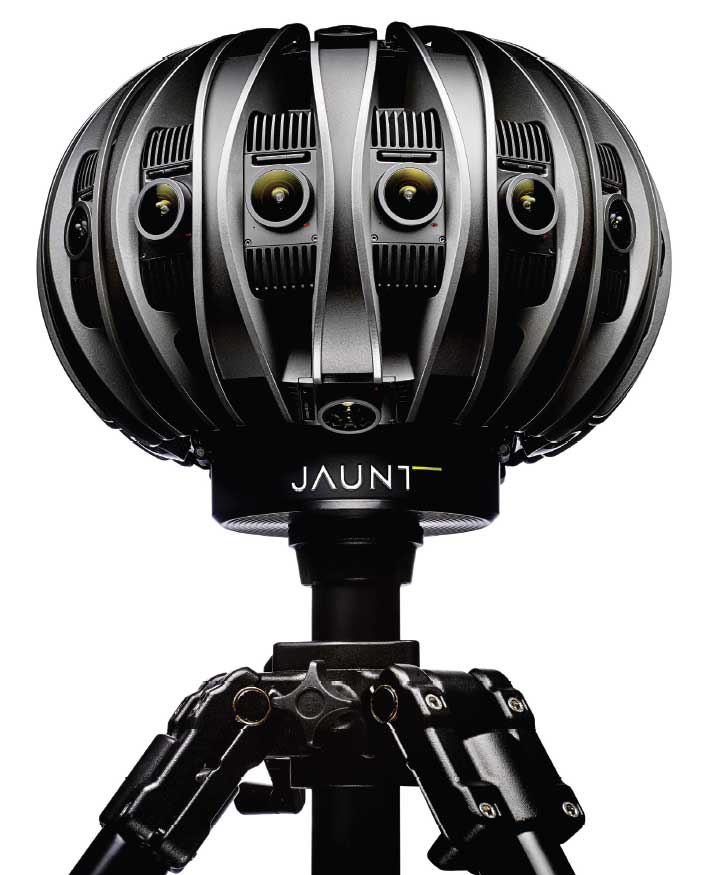
9. Jaunt One
Jaunt One was developed as a professional VR camera system for cinematic immersive production. It combined a custom multi-camera design with Jaunt's own processing and stitching technology and was primarily intended for professional production rather than general consumer use.
10. Eye Camera
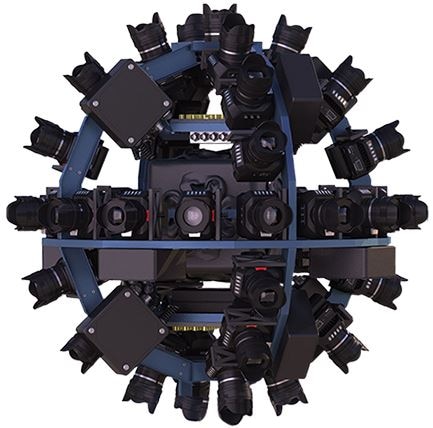
The Eye camera system represents another multi-camera approach to professional immersive capture. By arranging multiple cinema cameras around a dedicated rig, systems of this type can capture high-resolution footage across many directions for stitching and professional 360° production.
Frequently Asked Questions About Professional 360 Cameras
What is a professional 360 camera?
A professional 360 camera is a camera or multi-camera system designed to capture high-quality spherical footage across multiple directions. Professional systems may use several synchronized lenses or cameras and can be designed for VR production, immersive filmmaking, live events, virtual tours, or other specialized applications.
Do professional 360 cameras require stitching?
It depends on the camera system. Multi-camera rigs generally capture separate views that need to be stitched into spherical footage, although some systems automate part of this process. Modern integrated 360 cameras can also handle much of the stitching through camera software or companion applications.
Can you choose the camera angle after recording a 360 video?
Yes. Because 360 footage captures multiple directions, video reframing allows you to select a specific viewpoint after recording. You can also animate that viewpoint over time to create virtual pans, zooms, rotations, and other camera movements.
Can Filmora edit footage from a 360 camera?
Filmora supports compatible 360 footage for video reframing. You can adjust the viewing direction, field of view, and perspective, create virtual camera movements with presets or keyframes, and continue editing the reframed footage on the Filmora timeline.
What is the difference between a 360 video and a reframed 360 video?
A 360 video preserves the spherical scene and lets viewers explore different directions on a compatible player or platform. A reframed 360 video uses selected viewpoints from the spherical recording to create a standard flat video in which the creator controls what the audience sees.
Does Filmora export interactive 360-degree video?
Filmora currently exports reframed 360 footage as a standard flat video based on the viewpoint, perspective, and camera movement you create. It does not currently export the edited project as a complete interactive 360-degree video.
Benjamin Arango
staff Editor
