
What is 360-Degree Camera

Oct 28, 2026• Proven solutions
 TL;DR:
A 360-degree camera captures a spherical view of an environment using multiple ultra-wide-angle lenses, allowing users to record an entire scene simultaneously and select specific framing angles during post-production.
● The camera or its companion software automatically stitches the multiple lens views together, but physical lens placement and varying lighting conditions can cause minor blind spots where the scene is not captured perfectly.
● Creators must choose between preserving the file as an immersive 360 video that requires a VR headset or compatible player for viewer-controlled exploration, or reframing it into a standard flat video where the editor dictates what the viewer sees.
● When reframing footage in software like Filmora's 360° Video Reframing tools, editors can modify the field of view, apply distinct projection styles such as Fisheye or Tiny Planet, and utilize keyframes to animate virtual camera pans and zooms for conventional social media platforms.
Ask AI for a summary
 ChatGPT
 Perplexity
 Gemini
 Claude
 Grok
Grok
What Is a 360-Degree Camera?
A 360-degree camera is a camera designed to capture the surrounding scene in nearly every direction. Unlike a conventional camera that records only what is directly in front of the lens, a 360 camera typically uses multiple wide-angle lenses to capture a spherical view of the environment.
The captured views can be combined into 360-degree photos or videos that allow viewers to explore different directions within a scene. This makes 360 cameras useful for immersive video, panoramic photography, virtual tours, travel content, action footage, and other applications where capturing the entire environment is valuable.
How Does a 360-Degree Camera Work?
Most conventional cameras capture only a limited field of view. A 360-degree camera, by comparison, typically uses two or more ultra-wide-angle lenses positioned in different directions to capture much more of the surrounding environment.
The images captured by these lenses are combined through a process called stitching. Many modern consumer 360 cameras can handle much of this process automatically through the camera itself or its companion software, producing spherical footage that can then be viewed, shared, or edited.
Depending on the camera design, there may still be small areas where the lenses cannot capture the scene perfectly. The quality of the final 360 image or video can also depend on factors such as lens placement, resolution, stabilization, lighting, and stitching quality.
Related article: Main Types of Video Camera >>
Applications of 360-Degree Cameras
Because a 360 camera captures much more of the surrounding environment than a conventional camera, it can be useful across a wide range of creative, professional, and technical applications.
Panoramic Photography and Video

www.pxleyes.com
360-degree cameras make it easier to capture panoramic scenes without manually taking a series of separate photos from different angles. Modern cameras can capture multiple directions at once and use stitching technology to combine them into a panoramic or spherical image or video.
This makes them particularly useful for landscapes, travel experiences, events, virtual tours, real estate, and other situations where showing the surrounding environment adds context to the experience.
Immersive and VR Content
360 cameras can also be used to create immersive content that allows viewers to look around a recorded environment. When viewed through a compatible 360 video player or VR headset, spherical footage can give viewers more control over where they look within the scene.
This type of content can be useful for virtual tours, travel experiences, events, education, training, and other scenarios where viewers benefit from exploring the environment instead of watching from one fixed camera angle.
Action and Travel Videos
A major advantage of recording with a 360 camera is that creators do not always have to decide on the final camera angle while shooting. Because the camera captures the surrounding scene, creators can record an activity first and choose a specific viewpoint later during editing.
This flexibility is particularly useful for travel, cycling, skiing, motorcycling, outdoor activities, and other situations where continuously repositioning a conventional camera can be difficult.
Robotics and Computer Vision
www.archdaily.com
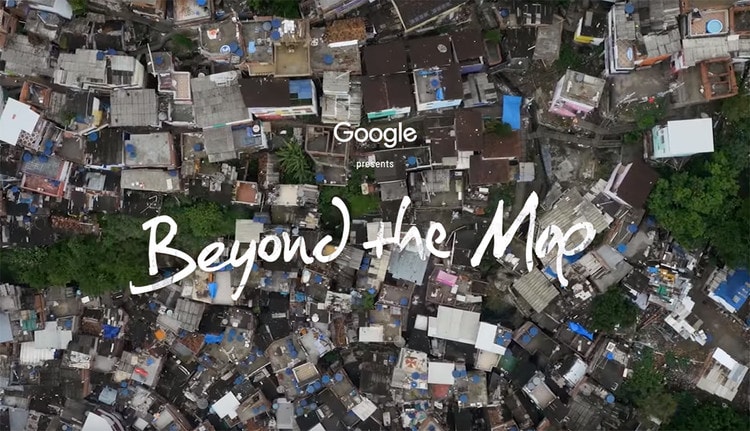
360-degree cameras can also be used in robotics and computer vision systems where a wide field of view provides more information about the surrounding environment. Depending on the system, omnidirectional visual data can support tasks such as environmental mapping, localization, navigation, feature matching, and visual odometry.
What Can You Do With 360 Camera Footage?
Capturing the scene is only the first step. Once you have recorded 360 footage, you can either keep it as an immersive 360 video for compatible players or reframe it into a standard video for conventional viewing and social media.
Reframing is especially useful because a 360 camera captures multiple directions at once. Instead of committing to one angle while recording, you can choose where the virtual camera points during editing and change that viewpoint throughout the video.
Reframe 360 Camera Footage with Filmora
With Filmora's 360° Video Reframing tools, you can import compatible 360 footage and choose the part of the spherical scene you want viewers to see. You can adjust the viewing direction and field of view, change the perspective, and create virtual camera movements after recording.
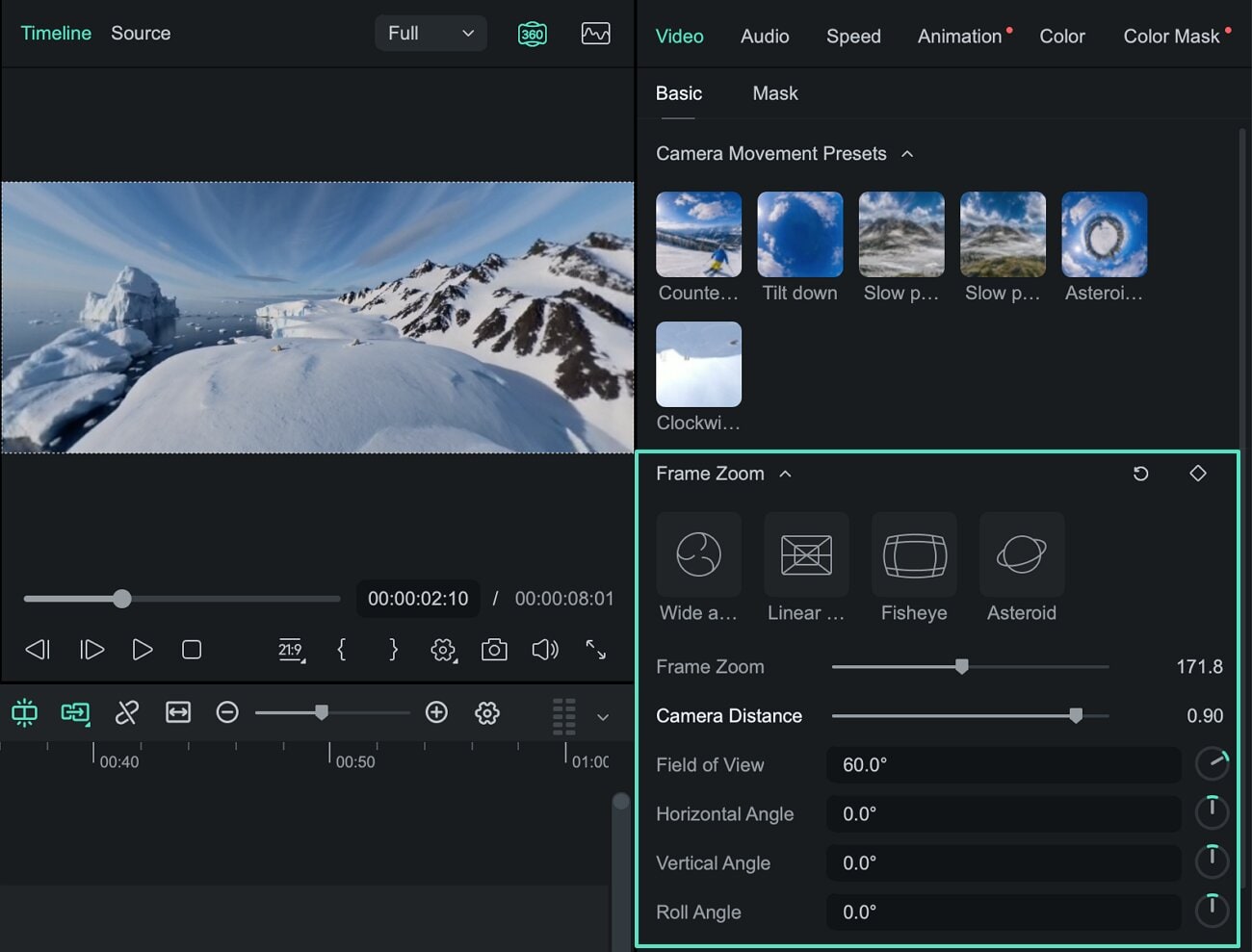
Filmora provides controls for FOV, horizontal and vertical viewing angles, camera distance, frame zoom, and roll, giving you more control over which part of the 360 scene appears in the final frame.
- Choose your angle after shooting: Look around the captured 360 scene and select the viewpoint that works best for each moment.
- Adjust the field of view: Control how wide or focused the final shot appears.
- Change the perspective: Use projection styles such as Wide Angle, Linear, Fisheye, and Tiny Planet.
- Create virtual camera moves: Use presets or keyframes to create pans, zooms, rotations, and changing viewpoints.
- Continue editing: Trim footage and add titles, audio, effects, speed changes, and other edits on the Filmora timeline.
- Create standard videos: Turn your reframed footage into conventional videos for YouTube, TikTok, Instagram Reels, Shorts, and other platforms.
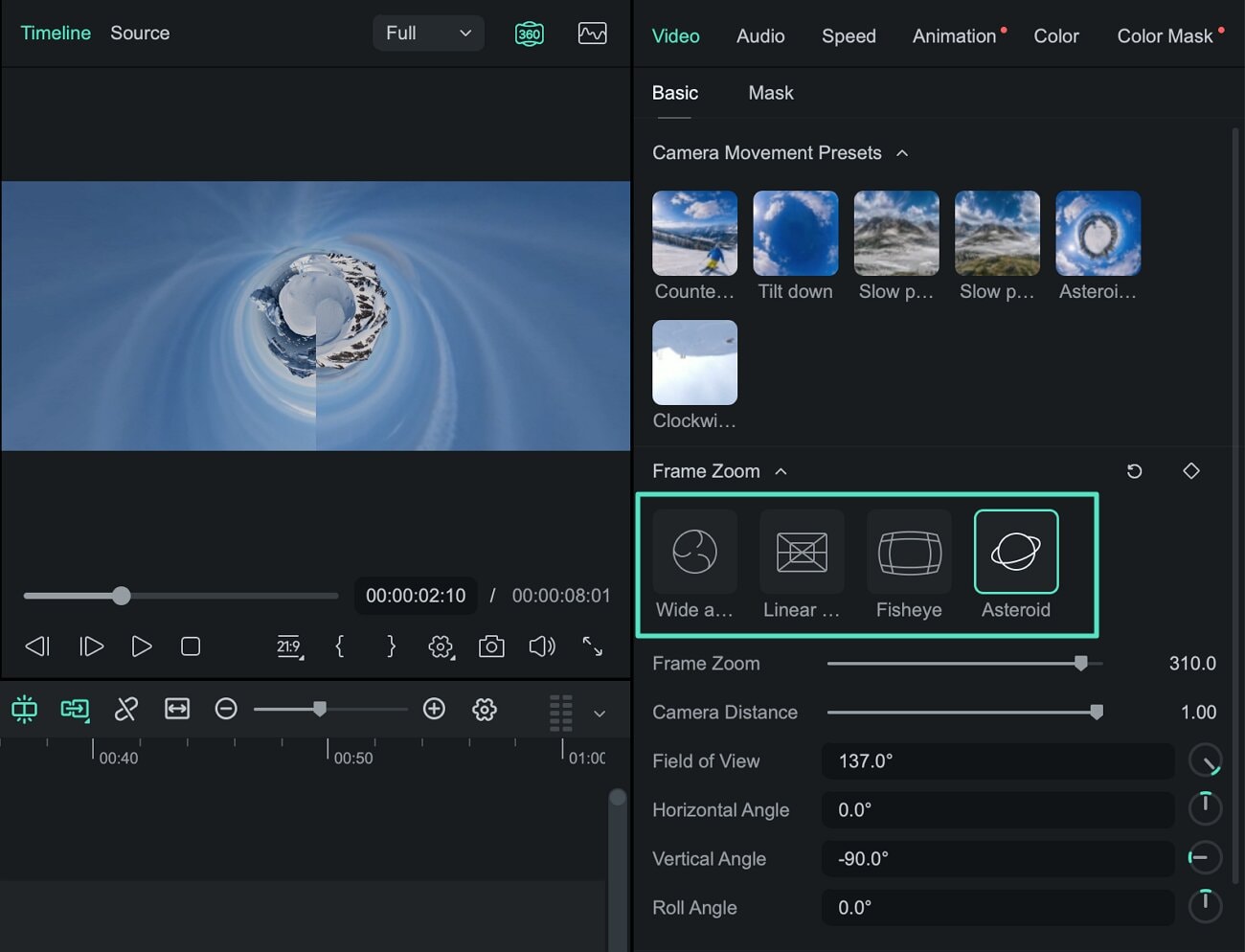
For example, one 360 camera recording of a bike ride could be reframed to look forward, turn toward the rider, follow something happening beside the bike, and then return to the road—all from the same source footage.
Explore Filmora's 360 Video Editing Tools →
For detailed instructions, follow the 360° Video Reframing Guide for Windows or the 360° Video Reframing Guide for Mac.
Conclusion
360-degree cameras give creators a flexible way to capture an entire environment instead of recording only one fixed viewpoint. They can be used for panoramic photography, immersive experiences, travel and action videos, virtual tours, robotics, and many other applications.
For video creators, one of the biggest advantages is the ability to decide on the final framing after recording. You can keep the footage as an immersive 360 experience or reframe selected viewpoints into standard videos depending on how and where you want to share the content.
Related article: Top 10 Professional 360 Degree Cameras >>
Frequently Asked Questions About 360-Degree Cameras
What is a 360-degree camera?
A 360-degree camera is designed to capture the surrounding scene in nearly every direction. Many models use multiple ultra-wide-angle lenses and combine the captured views into spherical 360-degree photos or videos.
How does a 360 camera record in every direction?
Many 360 cameras use two or more wide-angle lenses pointing in different directions. The footage from these lenses is then stitched together to create a spherical view of the surrounding environment.
Can you edit footage from a 360 camera?
Yes. Compatible 360 footage can be edited or reframed after recording. With 360° video reframing, you can select a viewing direction, adjust the field of view, change perspectives, and animate virtual camera movements within the spherical footage.
Can Filmora edit 360 camera footage?
Yes. Filmora supports compatible 360 footage for video reframing. You can select different viewpoints from the spherical scene, adjust the field of view and perspective, create virtual camera movements with presets or keyframes, and continue editing the result on the Filmora timeline.
What is the difference between a 360 video and a reframed 360 video?
A 360 video preserves the spherical scene so viewers can look around during playback on a compatible platform. A reframed 360 video selects specific viewpoints from that spherical footage and turns them into a standard flat video where the creator controls what the viewer sees.
How to Edit 360 Degree Video in Premiere Pro? Check this article for the step by step guide.
by Benjamin Arango Oct 29, 2026 07:05 AM
There are a myriad of glaring differences in the design as we all as the functionality of 360 degrees and 3D cameras. Check this article for more info.
by Benjamin Arango Oct 29, 2026 07:05 AM
If you are not looking to drop thousands of dollars on 360 cameras, check this article here are some affordable options available to you.
by Benjamin Arango Oct 29, 2026 07:04 AM
Benjamin Arango
staff Editor
