
- Transform your VR experiences into immersive videos with Filmora’s tools.
- Edit VR footage with stunning effects and smooth transitions for a cinematic feel.
- Share your VR adventures with easy-to-use, AI-powered editing features.
Where to Watch VR Content

Oct 28, 2026• Proven solutions
 TL;DR:
Viewers can access 360-degree and virtual reality experiences through dedicated platforms like Oculus Experience, Vrideo Immersion, LittlStar, and Jaunt VR, or via mainstream social feeds on YouTube Three Sixty and Facebook Three Sixty Video Feeds.
● LittlStar and Vrideo Immersion operate as cross-platform hubs supporting major headsets including Samsung Gear VR, Oculus Rift, HTC Vive, and Steam VR, with LittlStar additionally offering compatibility with PS four.
● YouTube Three Sixty utilizes Spatial Audio for directional sound in live streams and supports Google Cardboard, while Facebook Three Sixty allows mobile users to navigate videos by physically turning or tilting their devices.
● Jaunt VR provides cinematic content recorded with the Jaunt One camera, and users editing their own VR videos can use Wondershare Filmora, requiring Win 7 or later (64-bit) or macOS 10.14 or later.
Ask AI for a summary
 ChatGPT
 Perplexity
 Gemini
 Claude
 Grok
Grok
Virtual reality makes it possible to explore immersive videos, interactive games, live events, and educational experiences from a computer or mobile device. This guide introduces several platforms that have offered VR and 360-degree content, explains how each service works, and highlights the devices you may need to enjoy the experience. Platform availability, supported headsets, and app features can change over time, so check the official service page before installing an app or purchasing hardware.
Whether you are using a dedicated headset, a smartphone viewer, or a desktop browser, the platforms below can help you discover panoramic video and other virtual reality experiences. Some services focus on games, while others provide films, live streams, social video, or creator uploads.
1: Oculus Experiences
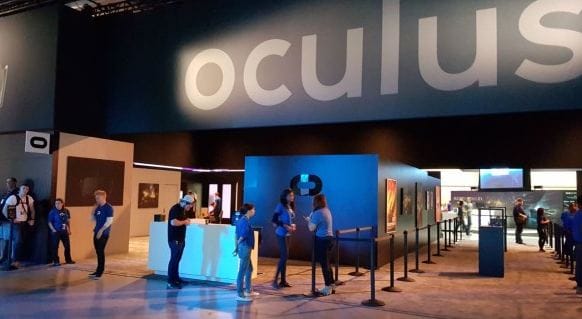
Oculus Rift was designed to provide an immersive way to explore games, films, educational programs, and other interactive content. The Oculus platform also supported mobile VR experiences through Samsung Gear VR, allowing users to connect compatible smartphones to a headset and view videos, games, and virtual environments.
The platform brought together headset-based content and a dedicated software store, making it easier to find experiences designed for virtual reality. Because headset and app support can change, check the current Oculus or Meta compatibility information before using older hardware.
2: YouTube 360
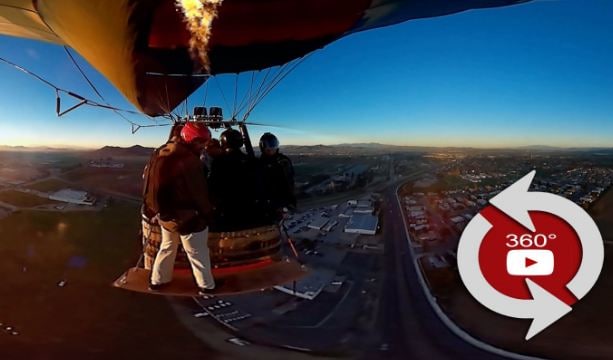
YouTube 360 lets viewers explore panoramic videos by clicking and dragging the player to look in different directions. On a compatible smartphone, users can move the device to change the viewing angle. A Google Cardboard-style viewer or another supported headset can provide a more immersive experience.
Some 360-degree videos also use spatial audio, which places sounds around the viewer instead of delivering every sound from a single fixed direction. This can make live events, travel videos, documentaries, and virtual tours feel more natural and immersive.
3: Facebook 360 Video
Facebook 360 introduced panoramic video to the social feed, allowing viewers to explore a 360-degree scene instead of watching from one fixed camera angle. On the web, you can click and drag with a mouse to look around. On a smartphone or tablet, you can swipe across the screen or move the device to change the view when supported.
Creators can use 360-degree video to share travel experiences, events, behind-the-scenes footage, and interactive stories. Features and availability may vary by region, app version, and account, so confirm the current Facebook or Meta support information before publishing or viewing VR content.
4: Vrideo Immersion
Vrideo was introduced as a platform for immersive video and 360-degree content. Its goal was to help viewers discover virtual reality experiences through mobile devices, web browsers, and compatible VR hardware such as Samsung Gear VR, Oculus, and SteamVR.
The platform also supported creator uploads, giving users a way to publish panoramic videos for other viewers. If you are researching older VR services, keep in mind that platform availability and app support may have changed since the service was launched.
5: LittlStar
LittlStar was a virtual reality content hub that offered immersive videos for devices such as Samsung Gear VR, Oculus Rift, HTC Vive, and PlayStation VR. The service focused on helping viewers discover 360-degree videos and other VR experiences through dedicated apps and compatible headsets.
Mobile viewers could use supported iOS or Android devices, touch controls, a gyroscope, or a Google Cardboard-style viewer. The exact device list and app availability may vary, so check the current service information before relying on a specific headset or mobile workflow.

6: Jaunt VR
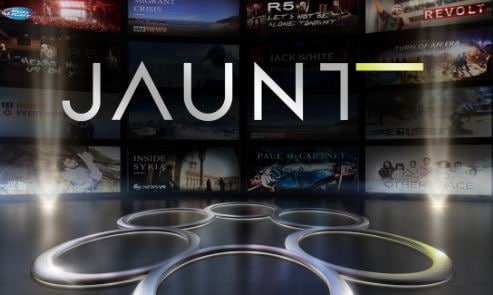
Jaunt was a virtual reality content company that created immersive films and partnered with major entertainment and media organizations. Its Jaunt One camera system was designed to capture cinematic VR content, while its platform brought together original productions and collaborative projects.
Jaunt content was distributed across multiple VR devices and platforms, including Oculus, Gear VR, and other compatible viewers. If you are exploring archived VR services or older videos, verify whether the original app and headset support are still available.
Conclusion
VR content platforms make it easier to explore immersive films, games, live events, educational programs, and 360-degree videos. The best option depends on the type of content you want to watch, the device you own, and whether you prefer a desktop browser, smartphone viewer, or dedicated headset. Because VR services and hardware change frequently, check official platform pages for the latest availability and compatibility details.
If you want to record, edit, or share your own virtual reality videos, Wondershare Filmora provides practical tools for trimming footage, adding titles, adjusting audio, and preparing videos for online sharing.
 Secure Download

Here are the top 10 professional 360° cameras which are available on the market today
by Gianni Oct 29, 2026 07:04 AM
What kind of phone support Gear VR? In this article we offer a full list of phones that is compatible with Gear VR.
by Gianni Oct 29, 2026 07:04 AM
Gianni
chief Editor
