


 TL;DR:
To maintain consistent audio levels without distortion and meet platform requirements like -14 LUFS for YouTube, creators must choose between convenient online volume normalizers for single tracks and robust desktop software for complex multi-track projects.
● Web-based normalizers offer quick access but carry specific constraints, such as MP3Cut accommodating large files up to 10 GB, EditingTools.io restricting free processing to 60-minute audio, and VoiceDeck capping free uploads at 10 MB or 5 minutes.
● Desktop solutions like Wondershare Filmora are required for offline processing, adjusting multi-clip video timelines, and manually applying exact loudness targets such as -23 LUFS for TV broadcast or -16 LUFS for podcasts.
● The chosen measurement method determines the adjustment style: LUFS matches the perceived loudness required by streaming platforms, Peak prevents audio distortion by capping the highest limits, and RMS creates a consistent average volume across different recordings.
Ask AI for a summary
 ChatGPT
 Perplexity
 Gemini
 Claude
 Grok
Grok
Did you ever have a hard time with audio switching from being extremely quiet one second to very loud the next? It's something that listeners of podcasts, videos, music playlists, and audiobooks encounter quite often, and which can make even the most polished content sound unpolished. Luckily, online audio normalization is an answer to such scenarios - an easy and effective method to automatically balance your audio, so that every whisper, beat, or word plays at a steady, comfortable volume.
In the following article, we will explain what audio normalization is and what it means for creators, as well as suggest methods such as peak, RMS, and LUFS that are used to measure audio levels. Also, you will read about the main advantages for creators, how to select a suitable online audio normalizer, the difference between online and desktop tools, and the top online audio normalization tools of 2026.
Why Your Audio Needs Normalization?
One of the biggest irritations in audio is the variation in volume. There are times when the audio is too soft to clearly hear the speech and at other times it is so loud that it can be shocking. Podcasts, YouTube videos, online courses, and music playlists suffer from this issue quite a lot, particularly when the recordings are from different locations or devices. If the sound is not normalized, the audience has no other option but to constantly change the volume, which not only is annoying but also breaks their immersion, making the material appear less professional.
Normalization of audio is when a computer program automatically adjusts the loudness of an audio file measured in 'perceived loudness' to a certain consistent standard. It does not just increase or decrease the volume arbitrarily, but it changes the volume while still maintaining the original dynamic range and being free from distortion. The goal is an audio that is clear and has the same volume level without sounding fake throughout the whole track or series.
Core benefits for creators
- Professional consistency: Gives a feeling of continuous listening, no matter if it is only a single audio file or a whole podcast/video series.
- Prevents listener fatigue: Gets rid of unexpected changes in loudness thus the listeners can listen to your content without having to get up and change their device volume every time.
- Platform compliance: Make sure that your audio volume level matches the platform requirements such as -14 LUFS for YouTube and Spotify and thus you don't lose volume due to platform volume reduction.
How Audio Normalization Works?
Different loudness measurement methods are used in audio normalization:
- LUFS normalization: Measures the perceived loudness of the audio signal and adjusts it to a reference level typically used in streaming and broadcasting.
- Peak normalization: Does the sound adjustment by the highest peak level, thus the sound will not go beyond the limits, however, the perceived loudness may not be consistent.
- RMS normalization: It is an average loudness level method. It is used to normalize the volume between different songs. It is a very popular method in music and voice recordings.
How to Choose an Online Audio Normalizer: Key Features to Look For
Not every audio normalizer online is the same, and the audio quality as well as the effectiveness of the work can be significantly influenced by the choice of the right one. Here are some of the key features that you should consider when buying a tool:
- Supported audio formats: Make sure the tool will work with the types of files that you use the most, e.g., MP3, WAV, AAC, FLAC, or OGG. Having wider format support means that you will not have to go through unnecessary file converting steps, and your audio will remain high quality throughout forwarding.
- Normalization standards: Choose the tools that have options for peak, RMS, and LUFS normalization. Each method works best differently for preventing clipping, RMS for making the average volume more consistent, and LUFS for complying with the latest streaming and broadcast standards. A tool that gives access to various standards is the best choice as it will suit the needs of different projects.
- File size limits & upload restrictions: A couple of the online normalizers impose limitations on the size or duration of the file. Ensure the tool can process your audio materials, especially if your work involves long podcasts, music tracks, or if you are handling batches of files.
Other features to consider:
- Batch processing: This feature, which enables the user to process several files at once, will save you a lot of time if you frequently have to normalize quite a few files.
- Audio editing tools: Different platforms may give you the possibility to perform gain, equalization, or amplification even while normalizing is going on, which is useful if these are your final adjustments.
- Waveform preview: Through the waveform visual interface, you can monitor the changes in volume even before saving the file, thus making the process more consistent and the end results reliable.
- Download formats & quality settings: You can investigate the tool that will allow you to save the audio in the format and quality that you want and with which you can continue your work.
Additional tools:
There are some online normalizers which offer more than just volume leveling. They also feature noise removal, trimming, audio cleaning, or format conversion. With the help of these extra features, users can complete the main editing and polishing of the track in one tool. From this perspective, the entire process becomes quicker, easier, and more professional.
Online vs. Desktop Normalizers: Choosing Your Path
When normalizing audio, you can choose between online tools or desktop software. Both have their pros and cons that depend on your preferences, workflow, and the complexity of your projects.
Online audio normalizers
- No install necessary: You just need to open a browser and get started normalizing.
- Use a device at any location: You can run online normalizers on any device that has internet connectivity.
- Free options available: Basic normalization is frequently free on a large number of online platforms.
- Great for one-off songs: They are excellent for making one-time happen without the hassle of software setup.
- File size and duration restrictions: It is a common practice among online normalizers to set aside large or extended-length audio files.
- You must upload it to a server: This might be a problem if your audio is sensitive and you want to keep it private.
- Small, advanced options: Most online normalizers only do volume adjustment, with less scope for editing or batch processing.
Desktop audio normalizers
- More advanced processing: A desktop tool is capable of larger files and more intricate normalization processes.
- You don't have to wait for the upload or use the internet: All programs run locally on your computer.
- Good batch processing: Excellent for media producers dealing with large audio files and libraries.
- Downloading and installing is necessary: Before you can use the software, you will need to install it.
- Can be complicated: There is no doubt that some desktop tools are harder to use than others.
- Most of the time paid: Professional normalizers available at the desktop require a subscription or a one-time payment.
It primarily depends on the scale of your project, the frequency of your gadget usage, along with the kind of features you desire that either online or desktop normalizers will be able to serve your purpose. In case of a quick task or if you are just an occasional user, the web-based tools are pretty handy. If you're a professional and deal with big libraries or have complex editing requirements, then generally, desktop applications are the right choice.
Top Online Audio Normalizer Tools
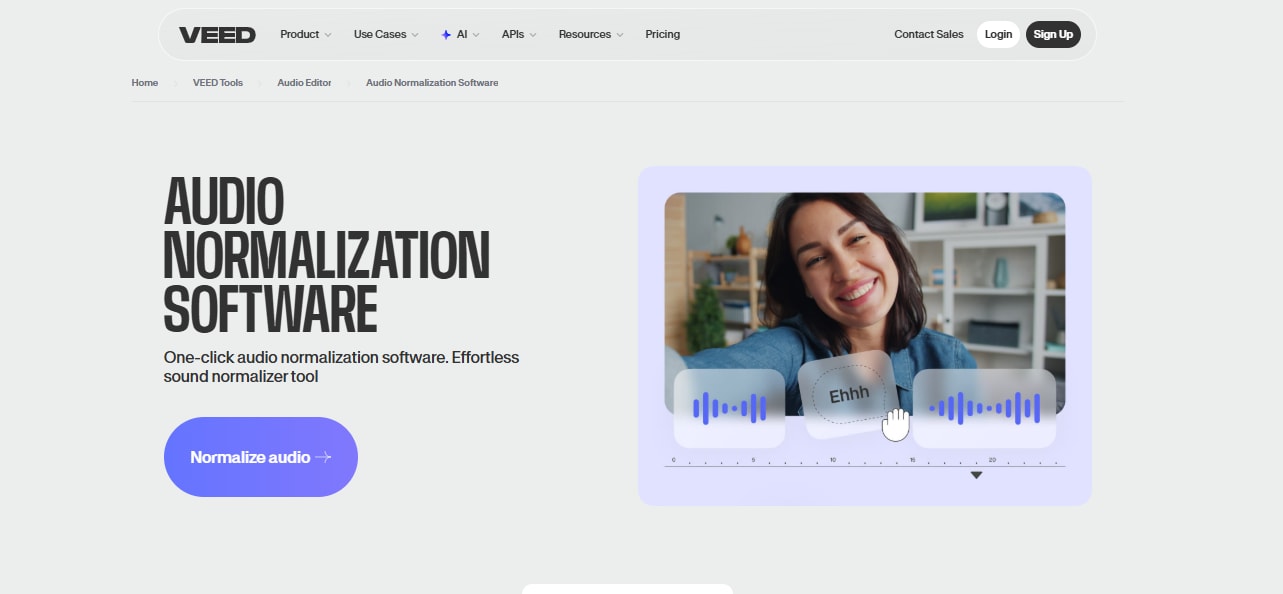
Veed.io Audio Normalizer
Veed.io features an effective one-click audio normalizer online that can help you get studio-quality sound for your recordings without the need to install software. It uses AI to level the loudness of your audio tracks automatically, and at the same time, keeps the dynamic range. Besides volume normalization, Veed.io also lets you eliminate background noises, remove silence gaps and awkward pauses, and offers a complete set of editing features for splitting, trimming, and rearranging clips. The platform is compatible with various audio formats such as MP3, AAC, FLAC, and OGG, thus, it is suitable for podcasts, music, and video projects.
- One-click audio normalization with AI-powered volume leveling
- Removes background noise and silences automatically
- Supports multiple audio formats (MP3, AAC, FLAC, OGG)
- Browser-based, no software installation required
- Additional editing tools: cut, trim, rearrange, and clean audio
- Some advanced features may require a paid subscription
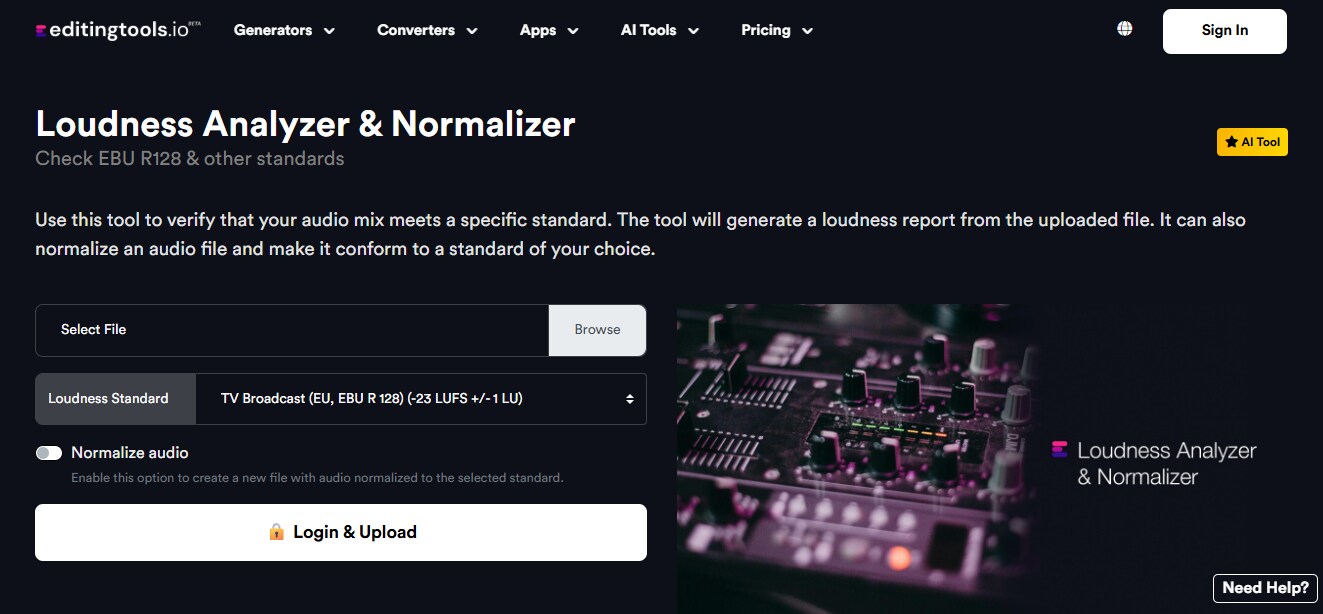
EditingTools.io
EditingTools.io is home to a perfect online audio normalization tool that helps you reach industry-standard loudness levels without any stress. It is compliant with different loudness standards like EBU R128 for TV broadcast, ATSC A/85 for US broadcast, -14 LUFS for YouTube and Spotify, and -16 LUFS for podcasts. If a user wants, they can upload an audio file and normalize it to the selected standard automatically, so that the volume is consistent throughout the content. Among the formats supported are MP3, WAV, M4A, AAC, WMA, AIFF, OGG, and FLAC. If you are a free user, you can only work on files that are 60 minutes long, but if you get a Pro account, you will have no limits on file length, batch uploads, and priority processing.
- Supports multiple loudness standards (LUFS, EBU R128, ATSC A/85)
- Wide format compatibility including MP3, WAV, FLAC, AAC, and more
- Free version allows files up to 60 minutes
- Pro version unlocks batch processing, unlimited file length, and priority processing
- Generates loudness reports for professional analysis
- Some advanced features require a Pro subscription
- Limited daily uploads for free users
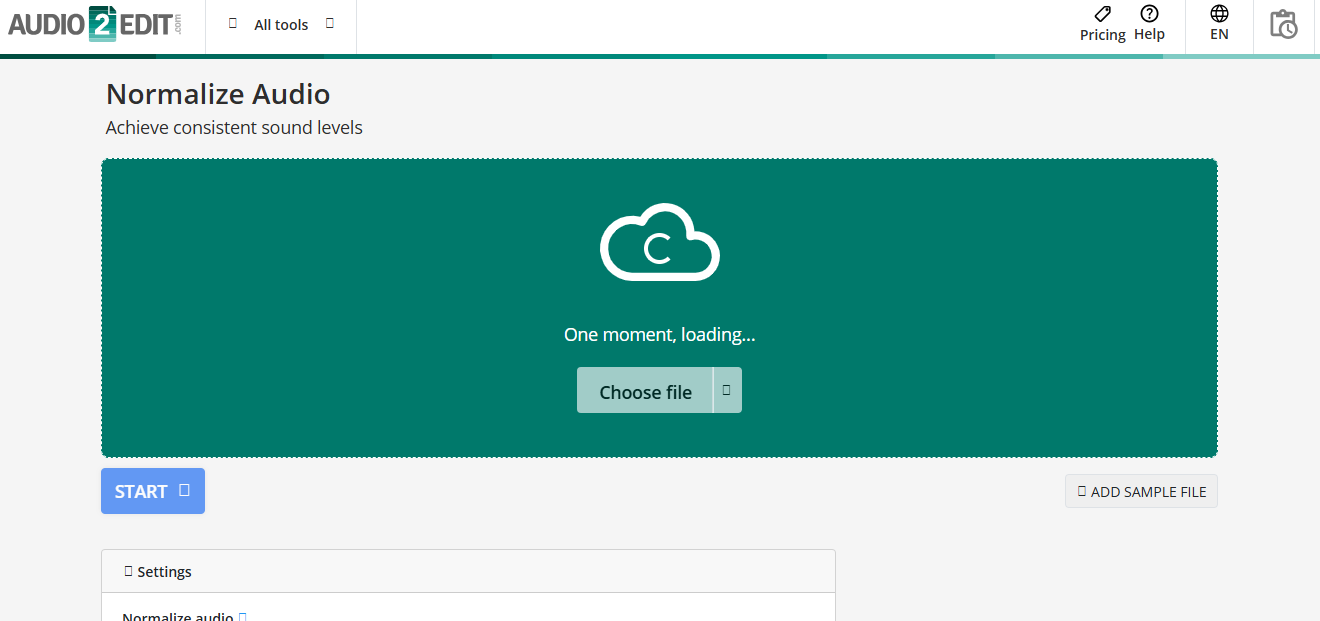
Audio2Edit
Audio2Edit provides an online audio normalization tool for free that changes the volume of audio files so they sound consistent and balanced even if their original level was different. This website supports a wide range of input file formats such as AAC, AIFF, FLAC, M4A, MP3, OGG, Opus, WAV, and WMA; so, it can be used for podcasts, music, and movie soundtracks too. Besides uploading their files from their device, users can also do it through Dropbox, Google Drive, or even by pasting a URL, then choose the normalization type and target level, and the tool will deal with volume adjustment automatically.
- Supports a wide range of audio formats including MP3, WAV, FLAC, AAC, OGG, AIFF, Opus, M4A, and WMA
- Free to use with no software installation required
- Simple drag-and-drop interface for easy uploads
- Allow uploads from multiple sources: local device, Dropbox, Google Drive, or URL
- Additional audio editing features: trim, extract, convert
- Fewer advanced features compared to professional desktops or paid online tools
MP3Cut
MP3Cut has a handy online audio volume changer and normalizer that is available to you 24/7 for free. It works with almost all widely used music formats such as MP3, M4A, M4R, WAV, and FLAC. Besides volume adjustment and audio normalization, the tool can also convert the file format. MP3Cut lets you handle extremely large files up to 10 GB, so it can be your tool for lengthy podcasts, music tracks, or videos' audio without compression. The clean interface of the tool does not require any technical knowledge. You just upload the track, move the volume slider to the preferred level, and save the normalized audio.

- Supports nearly all audio formats and allows conversion between them
- Handles very large files (up to 10 GB) without compression
- Easy-to-use interface suitable for beginners
- Free to use with no ads or unlockable limitations
- Secure file processing with SSL encryption
- Limited advanced normalization features like LUFS or RMS standards
AudioToolset Normalize
AudioToolset Normalize is a free and quick online audio normalizer that helps you balance the loudness of your audio tracks very easily. All you have to do is upload your audio, run the normalizing filter, and get the modified file back. Normalizing volume differs from compression in that it raises or lowers the volume of the entire piece consistently, without changing the dynamics; thus, it is the way to bring peaks to the same target level continuously. AudioToolset also offers a variety of other audio tools and effects, such as amplify, equalizer, reverb, echo, pitch, speed changing, reverse, delay, flanger, and chorus, which allow creators to add different features to their recordings and polish them right in the browser.
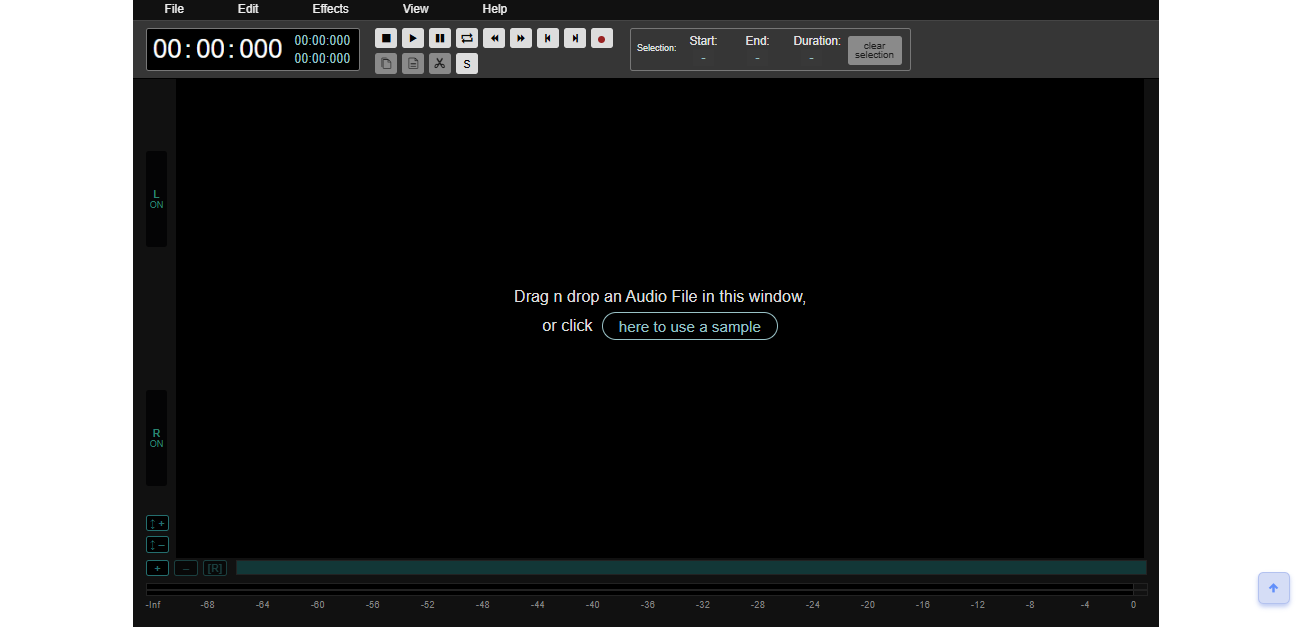
- Free and fast online audio normalization
- Uniform volume adjustment without affecting dynamics
- Supports additional audio effects: amplify, equalizer, reverb, echo, pitch, speed, and more
- Simple workflow: upload → normalize → download
- Full browser-based editing, no installation required
- No batch processing for multiple files at once
VoiceDeck Volume Normalizer
VoiceDeck Volume Normalizer is an AI-based online tool that helps audio creators get mouth-watering, studio-quality volume levels. The tool supports some of the most popular loudness levels in the industry like -16 LUFS (podcasts), -14 LUFS (YouTube/streaming), and -23 LUFS (broadcast) thus it ensures that your audio is platform compliant. You can either normalize a single file or batch process up to 50 files, all of which are subjected to true peak limiting to prevent clipping.
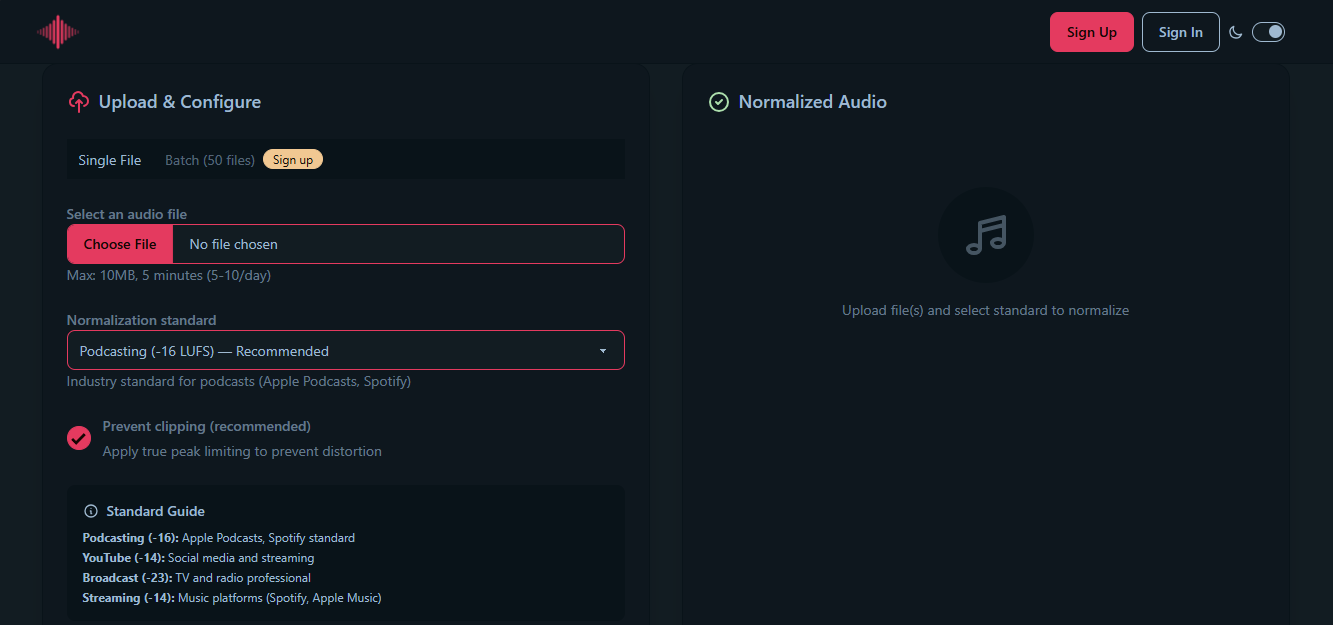
- Supports multiple industry-standard loudness levels (podcasts, YouTube, broadcast, music streaming)
- Batch processing of up to 50 files at once
- True peak limiting to prevent clipping and distortion
- Provides before-and-after loudness measurements
- Free single-file normalization with generous batch limits
- Maximum file size 10 MB and length 5 minutes for free users
Bonus Desktop Tool: Wondershare Filmora Audio Normalizer Tool
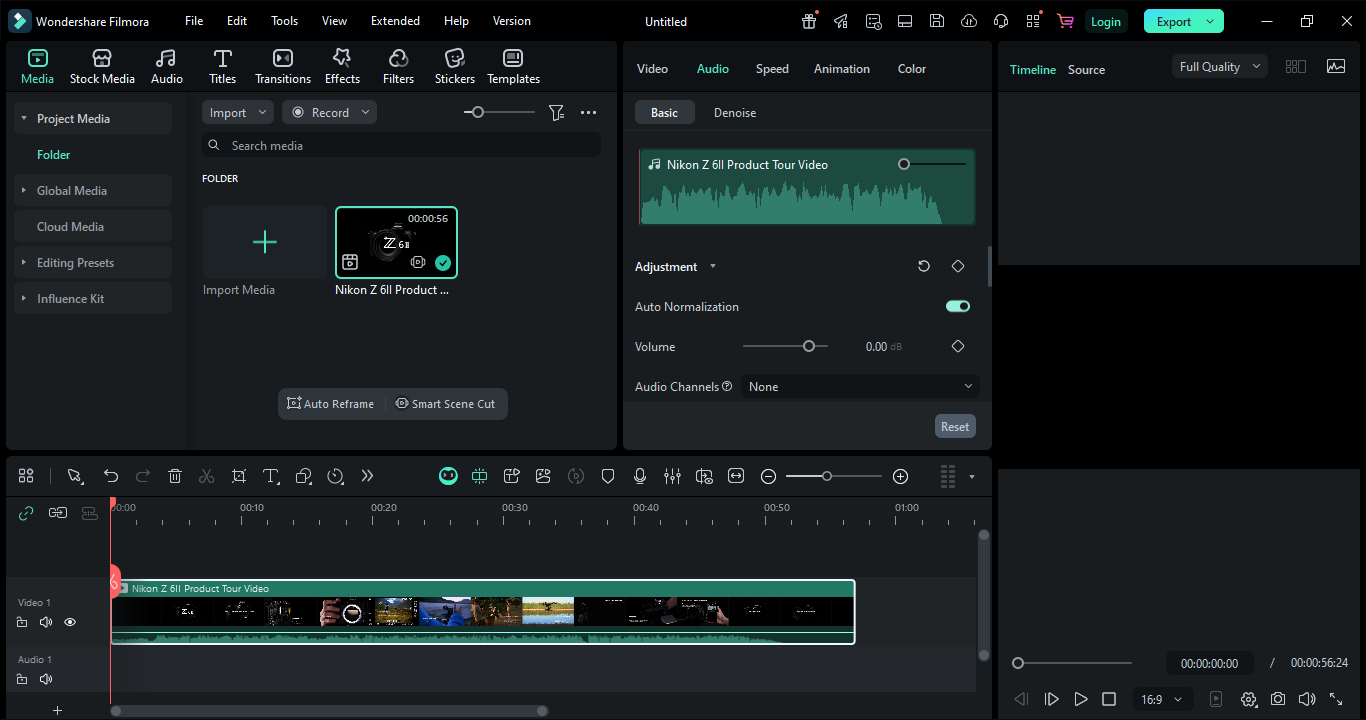
Filmora is a desktop video editor that has powerful auto-normalization features by default. This makes it perfect for content creators who want professional audio control but are not dependent on having to upload online. It will measure and adjust the volume level of the selected audio or video clips to match the standards of a particular platform (LUFS/LKFS); thus, your audience will always hear balanced and consistent sound on podcasts, streaming, and broadcast platforms. You accomplish all of these without leaving your editing timeline.
Filmora auto normalization features:
- Automatically analyze and adjust selected audio clips to platform loudness standards such as -23 LUFS (broadcast), -16 LUFS (online video), and -14 LUFS (music/streaming)
- Provide platform target presets or set the LUFS values manually for accurate adjustment
- Apply normalization to audio-only clips as well as audio tracks within video projects
- Adjust volume levels to be consistent in a multi-clip timeline
- Combined with Filmora's complete audio editing tools, such as gain changes, EQ, compression, etc.
 Secure Download
Filmora vs Online Audio Normalizers
| Feature | Online Normalizers | Filmora Desktop |
| Installation | No | Yes |
| Formats | Audio (mostly) | Audio & Video |
| Multi-track Editing | N/A | Yes |
| Advanced Normalization (LUFS presets) | Limited | Yes |
| Batch Processing | Some | Yes |
| Extra Audio Editing Tools | Limited | Yes |
|
Show More
Show Less
|
||
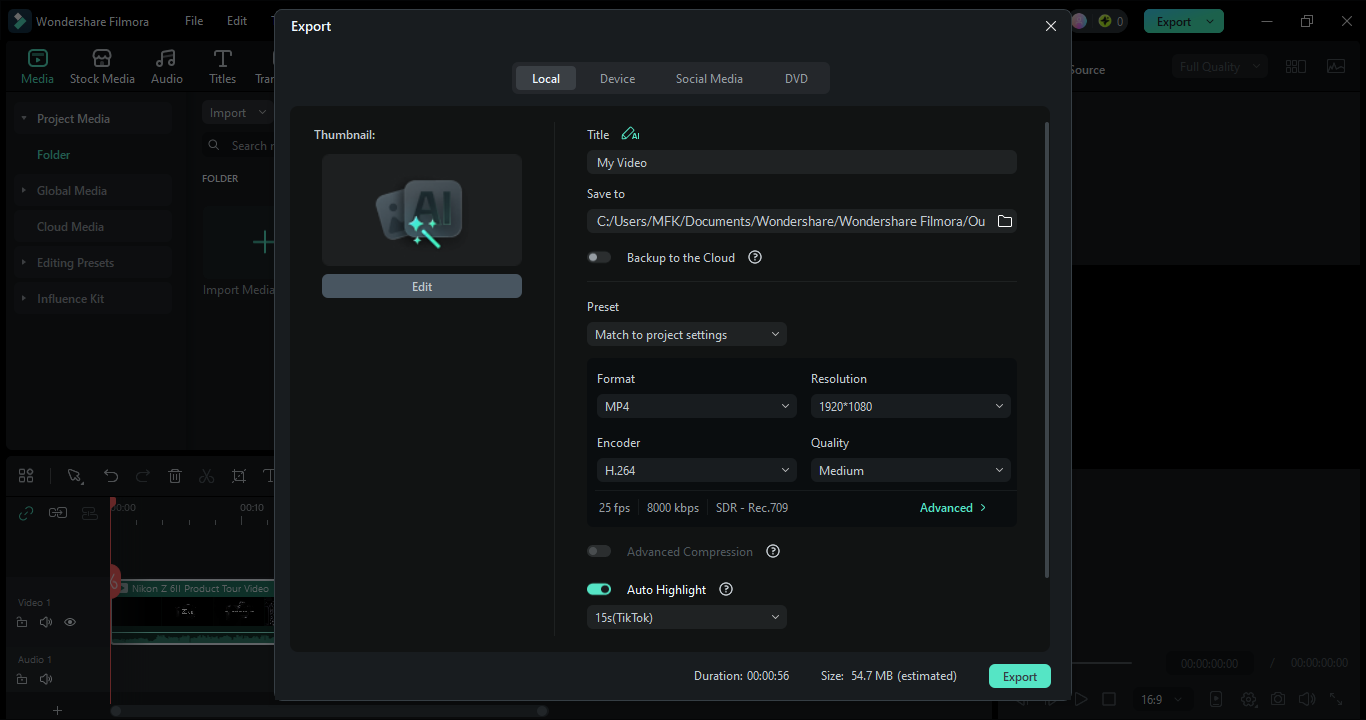
Step-by-step guide: How to normalize audio using Filmora
 Secure Download
Common Use Cases of Audio Normalization
- Podcasters: A normalization process can balance the sound level of different podcast episodes so that the listener volume will no longer have to be changed continually. Thus, normalization makes the listening experience more comfortable and professional and helps keep the audience engaged all the way through the series.
- Musicians & DJs: No matter whether it is an individual track or a whole playlist, audio normalization will adjust volume level differences, thus, avoiding sudden increases or decreases in volume. This guarantees that the songs will flow naturally from one to the next and your audience will have a better time listening.
- YouTubers & video editors: When the audio is normalized, it ensures that there are no abrupt changes in the volume levels of dialogue, background music, and sound effects in different videos. This makes the overall production quality better, and the content sounds immaculate, very professional, and compliant with the requirements of streaming platforms.
- Audiobook creators: If the volume is kept uniform all throughout the narration, it will be less tiring for the listeners, as the unexpected loud or quiet moments will not confuse them. Normalization makes the speaker's voice sound natural and fluent, thus providing the listener with an experience that is both nice and engaging.
- Live streamers & online educators: For instance, if it is a live stream, webinar, or tutorial, the speaker's voice will be clear and at a constant level if normalization is done, thus, the viewers' understanding and focus will be enhanced.
- Film & video production: Normalization is a good technique to use to achieve a balance between dialogue, sound effects, and background music in different scenes, thus making it compliant with broadcasting standards and giving the audience a more enjoyable cinematic experience.
FAQ
-
Q1. What is an online audio normalizer?
An online audio normalizer is a tool that you can use through a browser. It changes the volume of your music files to the same level. It doesn't change the music dynamics.
-
Q2. What audio formats do online normalizers typically support?
Online normalizers generally support most of the common formats such as MP3, WAV, AAC, FLAC, OGG, M4A, and WMA. Some even offer to change the format while normalizing the file.
-
Q3. Is it possible to normalize several files simultaneously?
Some online services provide features for batch processing various files; however, other services may only allow you to normalize one file at a time. There are desktop applications like Filmora that also give the opportunity to normalize multiple clips in a single project for more efficient workflows.
Conclusion
Audio normalization is an essential tool for any creator wishing to produce professional, consistent, and listener-friendly audio. If you are a podcaster, musician, YouTuber, or an audiobook creator, employing online or desktop normalizers can help you to guarantee sound levels balance, avoid listener fatigue, and comply with platform loudness standards. The variety of free online audio normalizer solutions, from quick online fixes to advanced desktop editing, provided by tools like VEED.io, EditingTools.io, Audio2Edit, MP3Cut, AudioToolset, VoiceDeck, and Wondershare Filmora, allows you to select the solution that best fits your workflow and project needs.
Secure Download