

Procreate is a popular drawing app among many digital artists, but there are a few reasons you might look for a Procreate alternative. It only runs on iPad (and iPhone, through Procreate Pocket). It has no free version. And if you want vector tools, comic features, or animation, you'll also find it limited in those areas.
To give you more choices, this article recommends 8 apps similar to Procreate. Pick the one that matches your device and budget, or read through to see how they compare.
How We Test It
To find the best Procreate alternatives, we looked for apps that offer a similar drawing experience or provide features that Procreate lacks. We compared each app based on the tools and functions that matter most to digital artists, including:
- Drawing and painting tools: We considered the available pencils, pens, brushes, selection tools, and color options for different art styles.
- Brush customization: We looked at how much control each app offers over brush size, texture, opacity, and other settings.
- Animation support: We examined features such as frame-by-frame animation, timelines, and tools for creating moving illustrations.
- Platform compatibility: We compared which apps support iPad, Android, Windows, and macOS.
- Price: We compared free versions, one-time purchases, subscriptions, and paid upgrades.
- Beginner-friendliness: We considered how easy it is to navigate the interface, learn the tools, and start drawing.
These factors help us compare each app's strengths and limitations so you can choose an alternative to Procreate that suits your device, budget, art style, and specific needs.
Part 1. Top 8 Apps Like Procreate for Digital Drawing and Illustration
With those factors in mind, we narrowed the list to eight apps similar to Procreate. Each one comes with a short breakdown of platforms, pricing, pros, cons, and who it suits best.
1. Clip Studio Paint
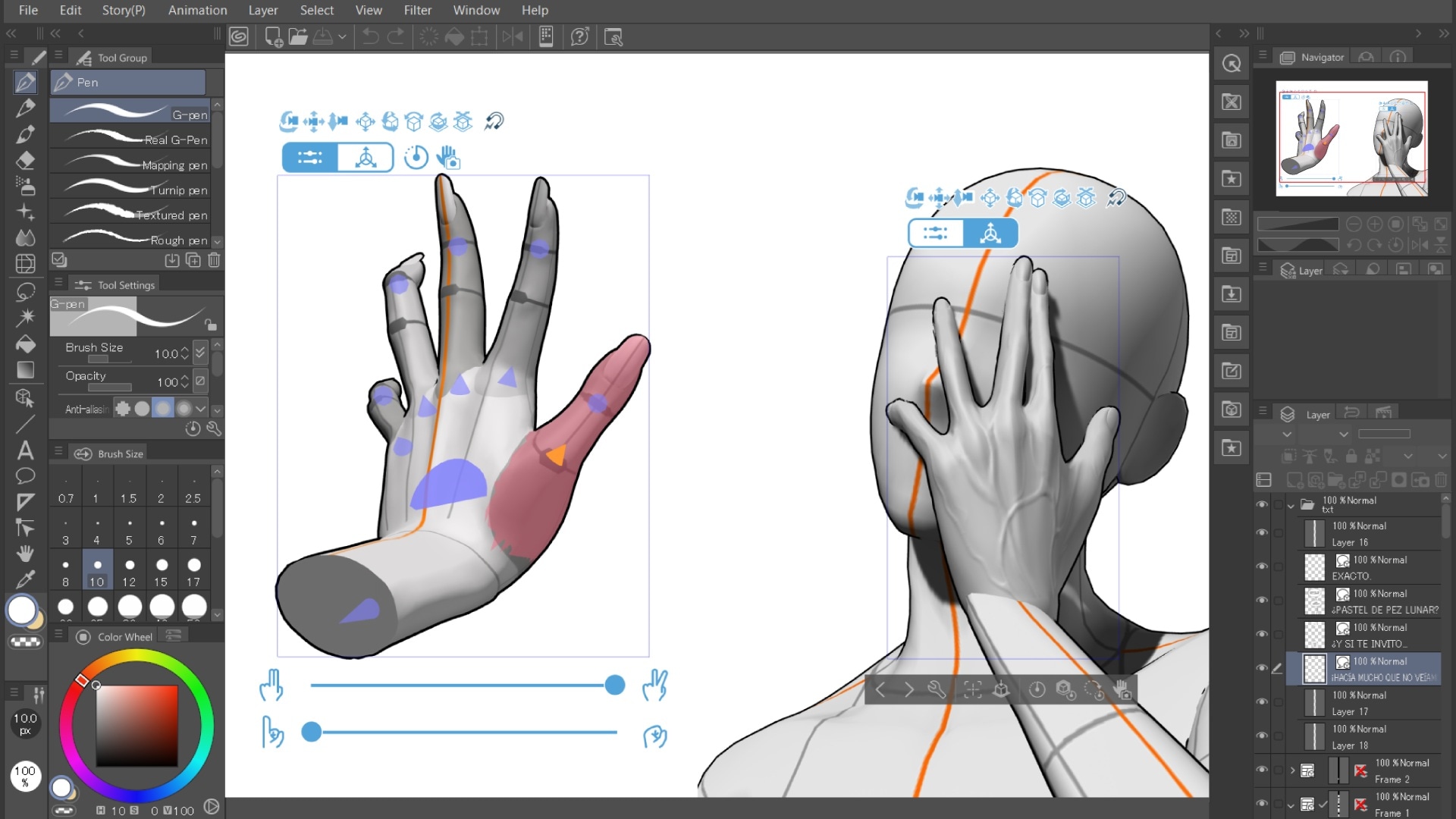
Clip Studio Paint is a digital drawing and painting app designed for illustrators, comic artists, manga creators, and animators. It offers a broad set of drawing tools, customizable brushes, perspective rulers, and 3D reference models to help you with character poses and drawing references.
- Deep brush customization
- Clip Studio Assets library with free and paid brushes, materials, and other resources
- Vector layers, so you can resize and edit lines without losing quality
- Comic and manga tools such as panel layouts, speech balloons, and tones
- Frame-by-frame animation
- 3D reference models for poses and perspective
iPad, iPhone, Android, Windows, macOS
- One of the strongest line-art and inking experiences available
- Works on almost every device, and your account carries across them
- Huge asset marketplace and active community
- Extensive illustration and comic-making tools
- Supports animation and 3D references
- The interface may take time to learn
- Mobile versions use subscriptions
- Some advanced features depend on the edition
- Full animation tools need the EX tier
A free trial is available, and pricing varies by plan and device.
- Windows and macOS: Perpetual licenses cost $63 for PRO or $277 for EX. Subscriptions start at $4.49/month or $26.99/year for PRO and $8.99/month or $76.99/year for EX.
- iPad, iPhone, and Android: Single-device subscriptions start at $0.99/month, with prices varying by plan and device. PRO, EX, and multi-device plans available.
Visit the Clip Studio Paint pricing page for more details.
Digital illustrators, manga artists, comic creators, and animators who need more advanced drawing tools.
2. Krita
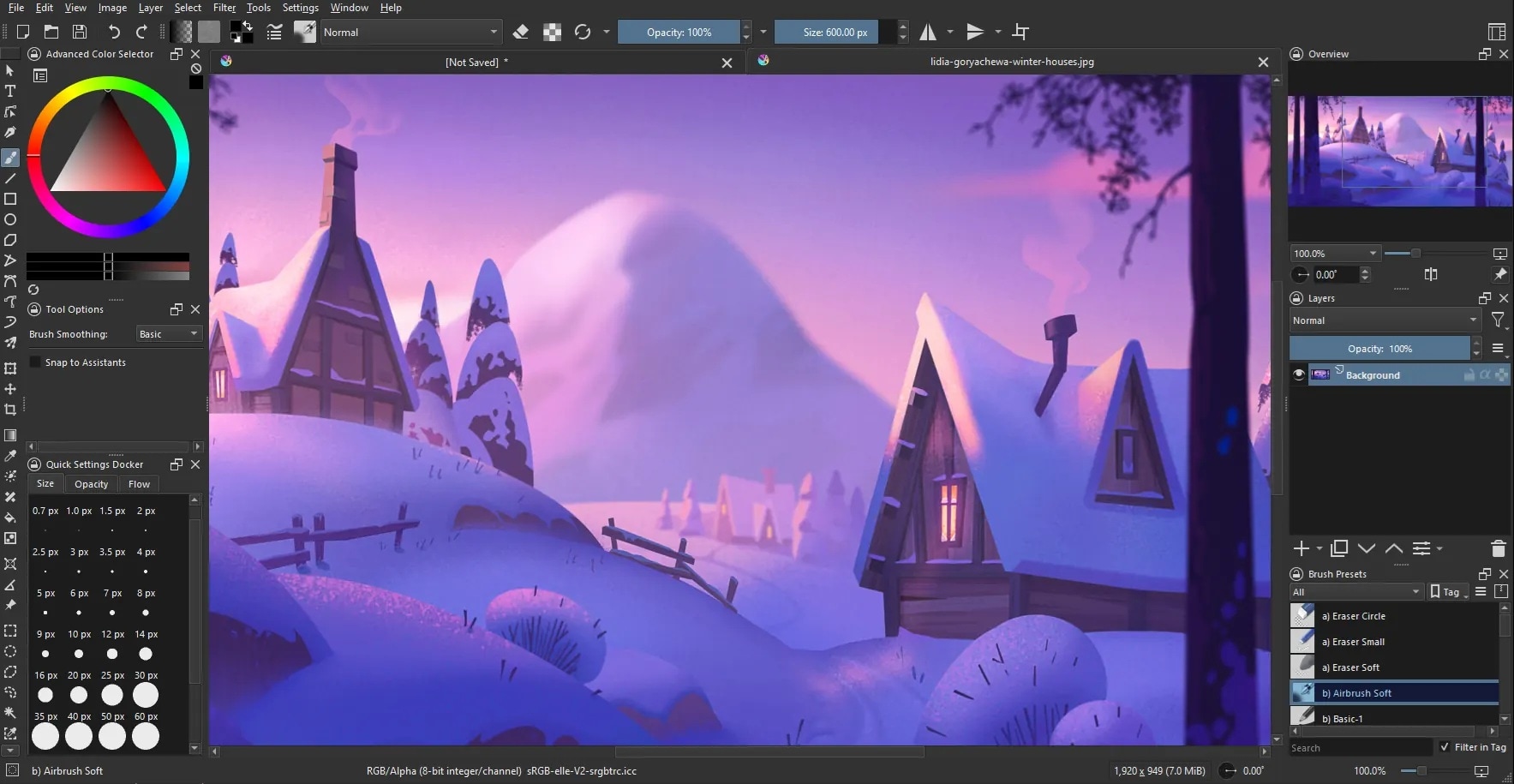
If you want a free alternative to Procreate with a good brush engine, Krita is the most common answer. Krita is free, open-source software designed for digital painting and illustration. Unlike Procreate, it runs on Windows, macOS, and Linux, making it a practical choice for artists who prefer drawing on a computer rather than an iPad.
- Over 100 brush presets, plus stabilizers that smooth shaky lines
- Full brush editor for building your own brushes
- Layers, masks, and filters
- Frame-by-frame animation
- PSD support
- Pop-up color palette and wrap-around mode for seamless textures
Windows, macOS, Linux, Android
- Free without a subscription
- Extensive painting and brush tools
- Includes animation features
- Supports custom brushes and resource packs
- Active development and a large community
- No iPad or iPhone app
- The interface can feel crowded for beginners
- Performance depends on your device and project size
Free and open source
Artists looking for a free Procreate alternative for desktop digital painting and 2D animation.
3. MediBang Paint
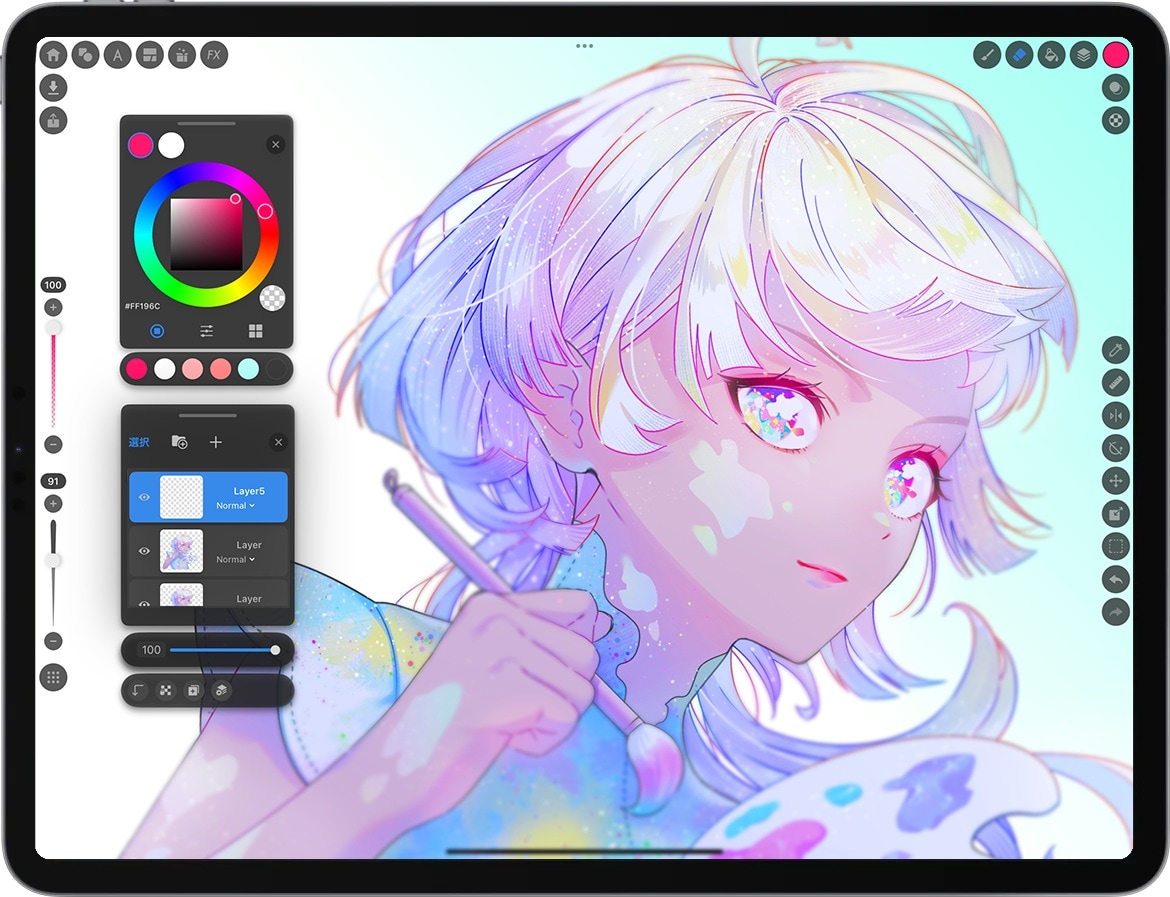
MediBang Paint is another free alternative to Procreate that you can consider, especially if you create illustrations, manga, and comics. Its main draw is cloud saving, which lets you start a drawing on your phone and finish it on a desktop. However, some materials and advanced features require a subscription, and the free experience may include advertisements.
- Cloud storage for syncing work between devices
- Comic tools such as panel splitting and screentones
- A built-in set of brushes, with options to customize them
- Layers and standard blending modes
- Team and collaboration options through MediBang's online service
Windows, macOS, iPad, iPhone, and Android
- Free version available
- Light on storage
- Cloud features help with cross-device work
- Some resources require a premium plan
- Ads appear in the free version
- The brush feel is less refined than Procreate's
- The free version may include ads and feature limits
Free with optional MediBang Premium plans. Prices depend on the selected plan and purchase platform.
Beginners, manga artists, and comic creators who want an accessible drawing app.
4. Affinity Designer
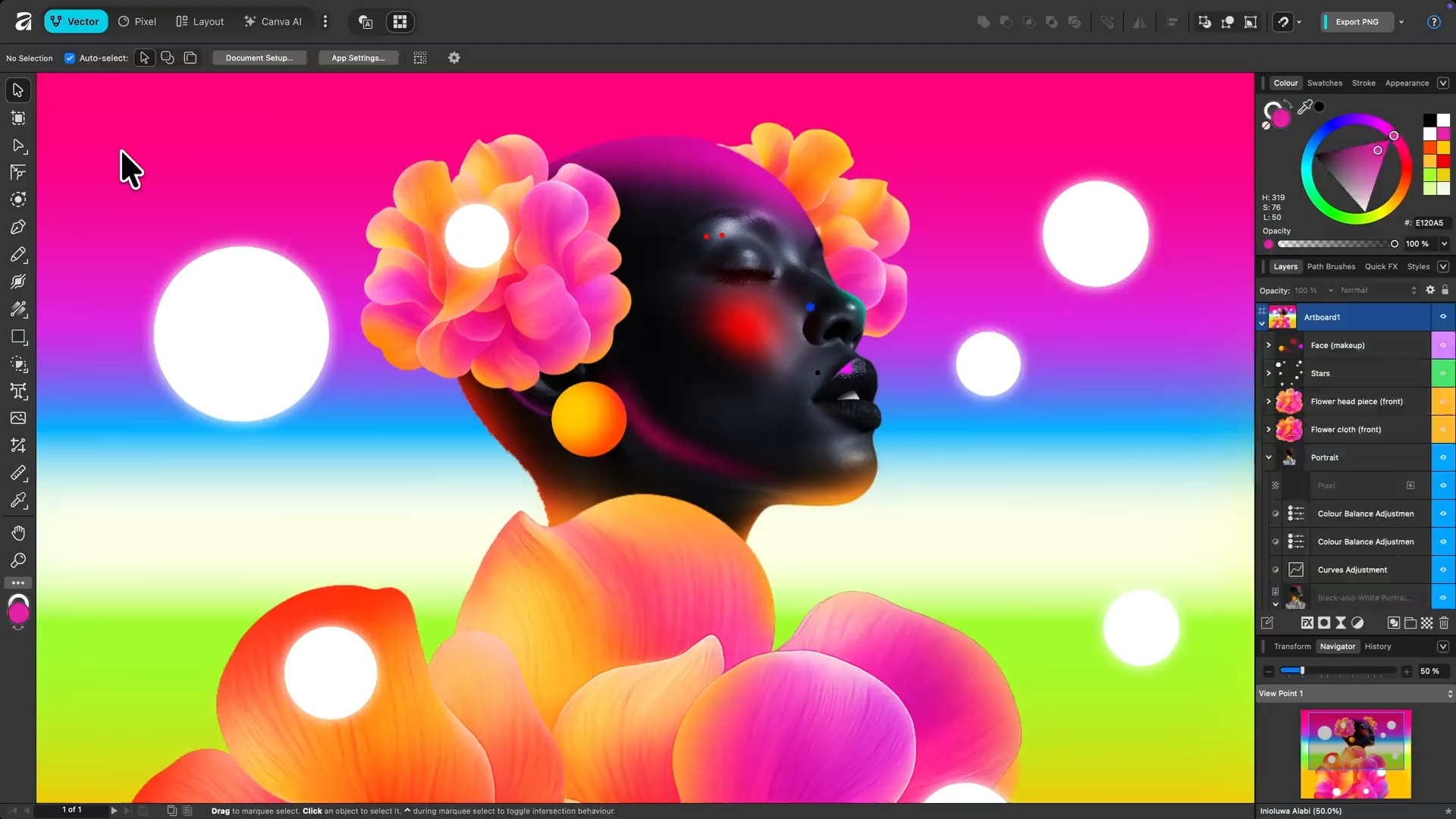
The next Procreate alternative on our list is Affinity Designer. It's a vector and raster design app that artists often use for illustration, logos, and icons. It focuses on precise shapes, curves, and scalable artwork rather than a painting-first experience like Procreate, so it suits clean, sharp artwork better than textured paintings. After Canva acquired Affinity, the app became free for individual use.
- Vector drawing and curve editing
- Raster brushes and pixel-based editing
- Custom brushes and layer controls
- Grids, snapping, and alignment tools
- PSD import and export
Windows, Mac, iPad (coming soon; Affinity Designer 2 for iPad still available)
- Free to use
- Great for vector art, icons, and print work
- Lets you combine vector shapes with raster painting
- Designer 2 is no longer getting updates
- Painting brushes feel less natural than in dedicated painting apps
- No animation tools
Free
Illustrators and designers who want vector tools alongside raster painting.
5. Infinite Painter
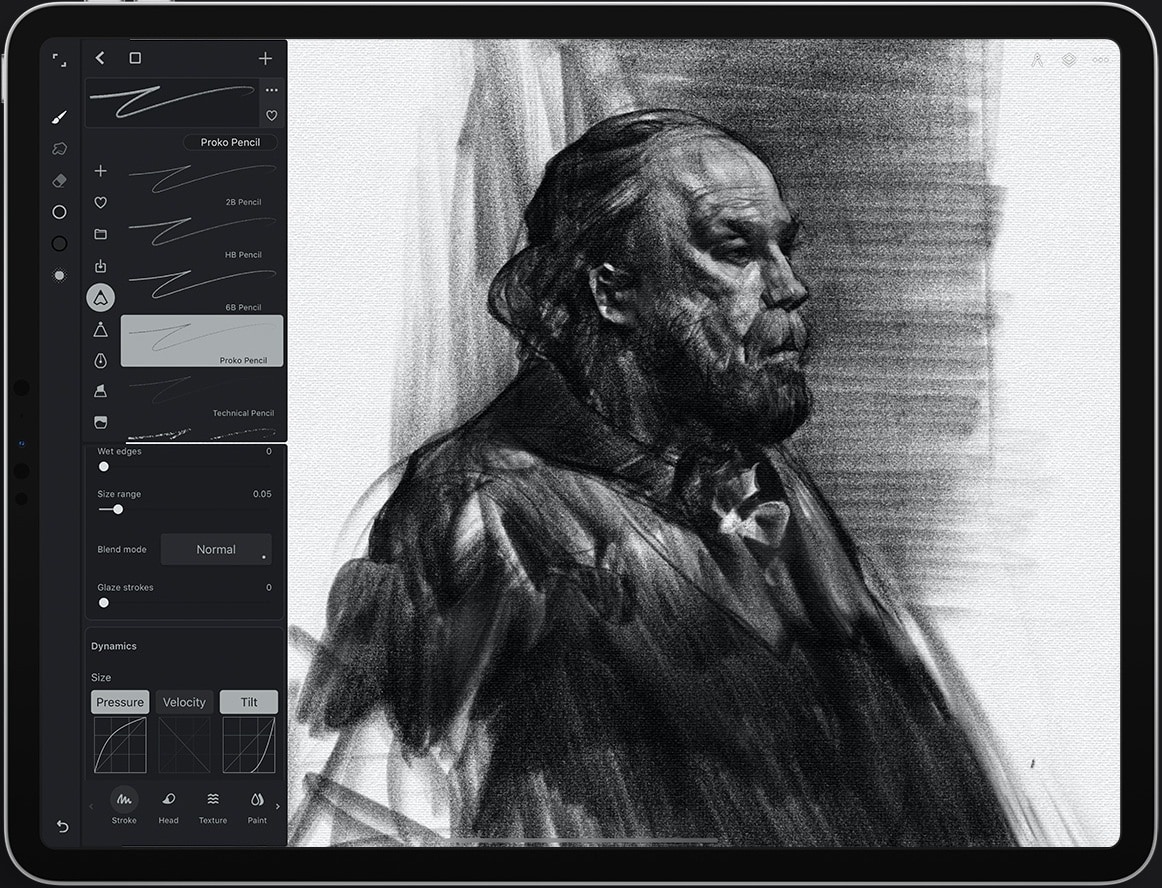
Infinite Painter is a digital painting app designed for mobile and tablet artists. Among the Procreate similar apps available, it stands out for its interface, which is built around drawing directly on a screen. Infinite Painter is worth considering if you want an experience closer to Procreate on a tablet. You can start with the available free features and purchase additional access through in-app purchases.
- Customizable brush set with a brush editor
- Perspective guides and drawing assistants
- Layers and transformation controls
- Color adjustments and blending tools
iPad, iPhone, Android, Chromebook
- Designed for mobile and tablet drawing
- Flexible brush and painting tools
- Perspective tools are easy to reach
- Offers a one-time purchase option
- The free version limits features
- The layout isn't fully optimized for larger screens
Free to try, with paid in-app purchases ($1.99 - $9.99).
Painters looking for a Procreate alternative for iPad with perspective tools included.
6. ibisPaint
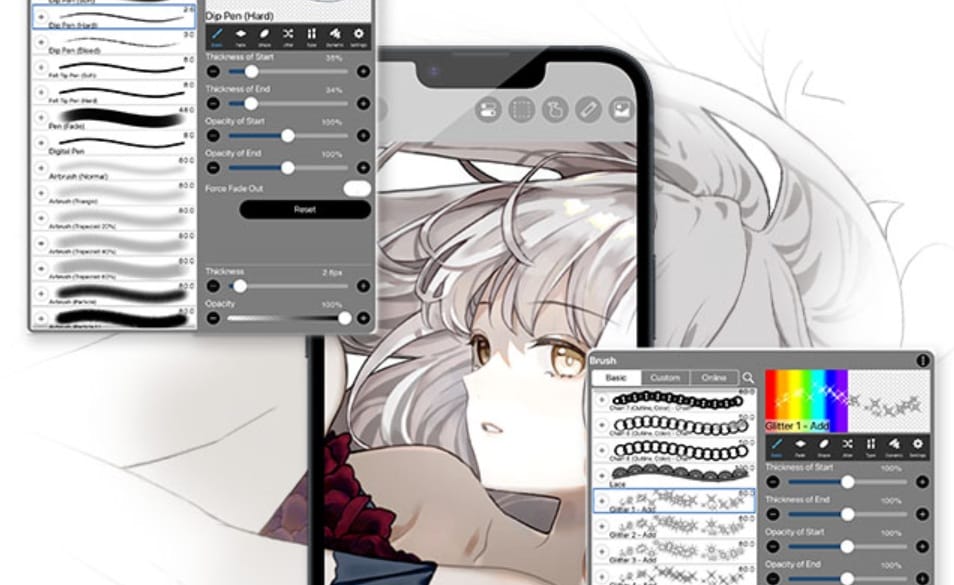
ibisPaint is a popular drawing app for anime art, character illustrations, manga, and casual digital sketching. It supports multiple platforms and offers cloud storage to help you access your artwork across compatible devices. The free version is fairly generous, though it displays ads. Its paid upgrades are relatively affordable compared with other drawing apps, making ibisPaint a good option if you want a Procreate alternative without a costly subscription.
- Large brush library and customizable drawing tools
- Layers, filters, and color adjustments
- Manga panels and screen tones
- Frame-by-frame animation
- Rulers and symmetry guides
- Time-lapse recording of your drawing process
iPad, iPhone, Android, Windows, macOS
- Easy to start with on a phone
- Good community and sharing features
- Free version available
- Supports multiple platforms
- Ads and some feature restrictions in the free version
- Some brushes and features are available on the premium plan only
Free with optional premium membership and paid upgrades.
Beginners, students, and anime-style artists looking for apps like Procreate but free.
7. Artstudio Pro
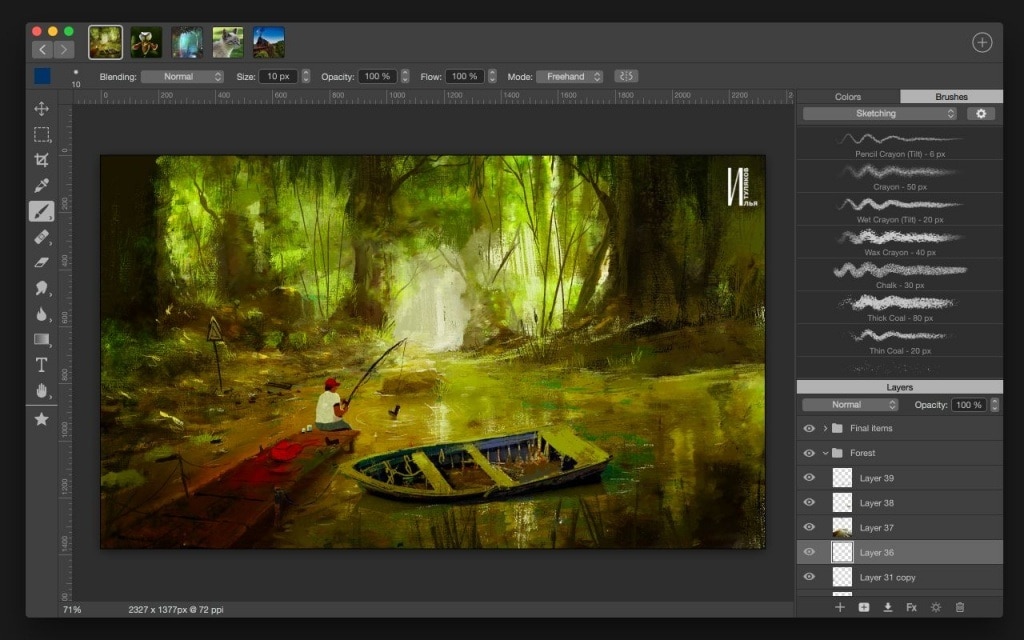
Artstudio Pro is a digital painting app that also includes photo-editing tools for artists who want more control over their artwork. It sits somewhere between Procreate and Photoshop, with features such as advanced brushes, layer controls, and image adjustments. Since Artstudio Pro's designed for Apple devices, it can be a good Procreate alternative for iPad.
- Layers with grouping, adjustment layers, and non-destructive effects
- Brush import, including Photoshop ABR brush files
- Photo editing tools such as filters and adjustments
- Apple Pencil support
- Drag and drop, Split View, and Files app support on iPad
iPad, iPhone, and Mac
- Includes image-editing features on top of painting tools
- Offers a lifetime license option
- Lets you import Photoshop brushes
- Affordable price
- No Android or Windows version
- Texture options are limited
- Less active community and fewer tutorials
Free to download on iOS and iPadOS, with a $3.49/year or $14.99 lifetime option. The macOS version costs $9.99 for lifetime access and offers a 7-day free trial.
Artists who want a low-cost app that mixes drawing with photo editing.
8. Adobe Fresco
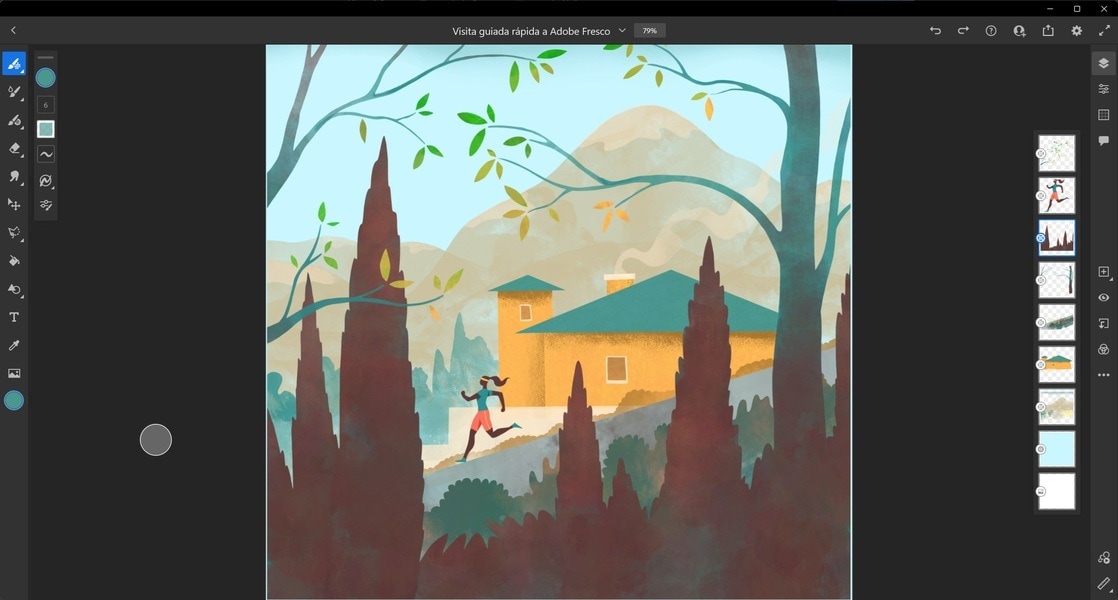
Fresco is a drawing and painting app from Adobe that supports both realistic painting effects and precise vector illustrations. You can layer soft watercolor washes under sharp vector lines, and use vector trimming to clean up shapes. If you want to add a simple movement, there are also built-in motion presets that add a quick bob, bounce, or spin to a finished drawing.
- Live brushes that mimic oil and watercolor
- Raster and vector brushes in one app
- Syncs with Photoshop and Illustrator through Creative Cloud
- Adobe Fonts included
- Raster and vector drawing tools
- One-tap animation and motion presets
- Touch shortcuts for iPad
iPad, iPhone, and Windows
- Free to download and use
- The built-in live watercolor and oil brushes look realistic
- Works well if you already use Photoshop or Illustrator
- Some workflows depend on Adobe services
- No Android or Mac version
- The brush library and community resources are still smaller than Procreate's
- Motion presets are basic
Free to use, with optional upgrade for Adobe Fonts library and additional storage. Visit the Adobe pricing page for more details.
Artists who want realistic painting effects, vector tools, and simple animation options.
Part 2. Which Procreate Alternative Is Right for You? A Quick Comparison
If you have trouble choosing between all eight apps, use this table to compare the best Procreate alternatives at a glance. The quick matches after it point you to the right app for your situation.
| Free Version | Platform | Animation | Best for | |
| Clip Studio Paint | Free trial only | iPad, iPhone, Android, Windows, macOS | Frame-by-frame (full tools on EX) | Comics, manga, and line art |
| Krita | Fully free | Windows, macOS, Linux, Android | Frame-by-frame | Free painting on desktop |
| MediBang Paint | Free with ads | Windows, macOS, iPad, iPhone, Android | Onion Skin Mode, frame-by-frame animation | Drawing, sketching, comic-making, simple animation |
| Affinity Designer | Free | Windows, macOS, iPad (coming soon) | - | Vector art, icons, logos |
| Infinite Painter | Free with limited features | iPad, iPhone, Android, Chromebook | - | Painting on tablet with perspective tools |
| ibisPaint | Free with ads | iPad, iPhone, Android, Windows, macOS | Frame-by-frame | Drawing and sketching |
| Artstudio Pro | Free with limitations | iPad, iPhone, Mac | - | Painting plus photo editing |
| Adobe Fresco | Free, with upgrade options | iPad, iPhone, Windows | Basic motion presets | Painting with realistic watercolor and oil brushes |
|
Show More
Show Less
|
||||
So, what are you looking for in a Procreate alternative?
- If you are not an iPad user: Clip Studio Paint, MediBang Paint, ibisPaint, and Krita
- If you want a free app like Procreate: Krita, Adobe Fresco, ibisPaint, MediBang Paint, and Affinity Designer
- If you draw comics or manga: Clip Studio Paint and MediBang Paint
- If you want a one-time purchase: Artstudio Pro and Infinite Painter
- If you want vector tools: Affinity Designer and Adobe Fresco.
Part 3. Do More With Your Digital Artwork Using Filmora
There's more than one road to a great drawing. Even with apps like Procreate above, you can still create and share work you're proud of. The same idea also applies when you want to show that work to more people.
But to get it seen, a short video of your process or a small animation usually stands out more than a still image in a feed. If video editing feels like a hassle, Wondershare Filmora is a simple editor to start with.
 Secure Download
Filmora is a video editor that handles the post-production side of your art. There are animation tools like keyframes and built-in motion presets. You can also add music, place text and captions over your artwork, and edit in a multi-track timeline to make vertical videos for Instagram Reels, TikTok, and YouTube Shorts.
For extra polish, Filmora includes a pen tool, templates, perspective text, a screen recorder, and creative assets like stickers and effects. Together with the animation and editing tools above, you can make:
- Art process and speed-drawing videos
- Animated artwork and illustrations
- Digital art tutorials
- Art portfolio and showcase videos
- Before-and-after artwork videos
- Slideshow videos featuring multiple artworks

Conclusion
Procreate is a great app, but it isn't the only way to make good digital art. If you're not using an iPad, check out Clip Studio Paint or MediBang Paint. If you want an app like Procreate but free, try Krita, Adobe Fresco, or ibisPaint. Most of these apps have a free version or trial, so shortlist the ones that interest you most and try them out.
If you want to show your work to more people, Filmora can turn your drawings into videos worth sharing on social media. Don't keep it to yourself, because your art deserves more than a spot in your camera roll.
FAQ
-
1. Is there a free app that works like Procreate on iPad?
Yes. There are some Procreate alternatives that you can use for free, including Krita, MediBang Paint, and ibisPaint. They offer drawing and painting tools at no cost, although some have ads, paid upgrades, or feature limits. -
2. Can I transfer Procreate artwork to another drawing app?
Yes. Procreate can export your artwork as a PSD file, which keeps layers, and as PNG or JPEG. Apps like Clip Studio Paint, Krita, and Artstudio Pro can open PSD files. -
3. What are the best Procreate alternatives for Android?
Procreate doesn't run on Android. Alternatives like Clip Studio Paint, Infinite Painter, ibisPaint, and MediBang Paint have Android versions. -
4. Which Procreate alternative is best for beginners?
ibisPaint, MediBang Paint, and Adobe Fresco are good for beginners since they are free and easy to learn. Clip Studio Paint and Krita have more tools, but they take longer to learn.
