
Perspective Text Examples & Guides
Explore popular 3D perspective text applications and how-to guides
Loading more perspective text examples...
 Category:
 Duration:
 Aspect Ratio:
Everything You Need to Create Dynamic Perspective Text
A captivating perspective text effect can transform an ordinary video into a striking cinematic experience. Filmora provides an extensive library of perspective text presets and tools that let you seamlessly add titles into any 3D space. Whether you are generating a retro sci-fi crawl or modern spatial typography, Filmora delivers total creative control.
Immersive 3D Perspective Text Presets
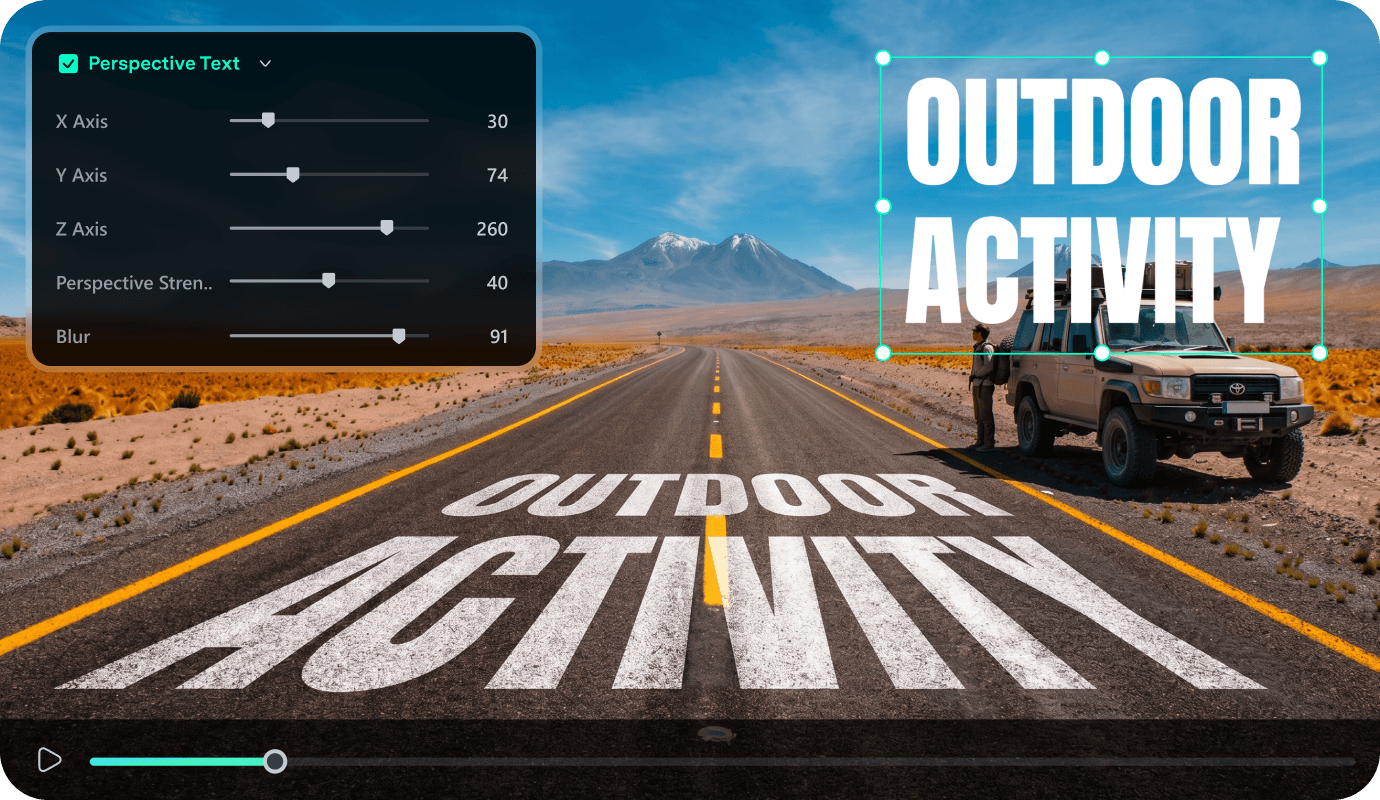
Immersive 3D Perspective Text Presets
Avoid the hassle of manual keyframing when crafting a text perspective effect from scratch. Filmora equips you with advanced timeline features and ready-to-use motion graphic presets tailored for 3D perspective text. You can easily adjust angles, rotation, and vanishing points to ensure your perspective typography perfectly aligns with the depth of your footage.
- Drag and drop pre-animated perspective text templates directly onto your timeline for instant visual impact.
- Adjust axes effortlessly to create a flawless 3D perspective text effect that matches your specific scene.
- Blend your spatial typography seamlessly with background clips to elevate your visual storytelling capabilities.
Advanced AI Generators for Custom Typography Backgrounds
Advanced AI Generators for Custom Typography Backgrounds
Take your perspective text animation further by combining it with stunning AI-generated visuals. Filmora features powerful integrated models like GPT Image 2, Nano Banana 2, and Nano Banana Pro, allowing you to generate breathtaking backdrops for your titles.
- Generate highly detailed custom backgrounds using advanced internal models to complement your titles.
- Layer your custom perspective typography over unique AI artwork to achieve an unforgettable aesthetic.
- Refine the color grading of your text and backgrounds simultaneously for a perfectly unified visual composition.
Seamless Integration With Video Effects and Transitions
Seamless Integration With Video Effects and Transitions
Filmora acts as your ultimate all-in-one studio for AI video editing, offering endless ways to enhance your titles. Once your perspective text effect is perfectly angled, apply professional video effects like glowing neon, cinematic grain, or chromatic aberration. You can also connect your title sequences flawlessly using high-quality video transitions.
- Apply stunning glowing neon and cinematic grain effects directly to your 3D perspective text layers.
- Connect your dynamic title sequences flawlessly using the built-in library of cinematic video transitions.
- Utilize advanced masking and blending modes to weave your perspective typography into the actual environment.
Frequently Asked Questions About Perspective Text
How to Apply Perspective Text in Filmora
Open Filmora, select a text template, adjust the 3D rotation settings, and export a dynamic perspective text sequence.
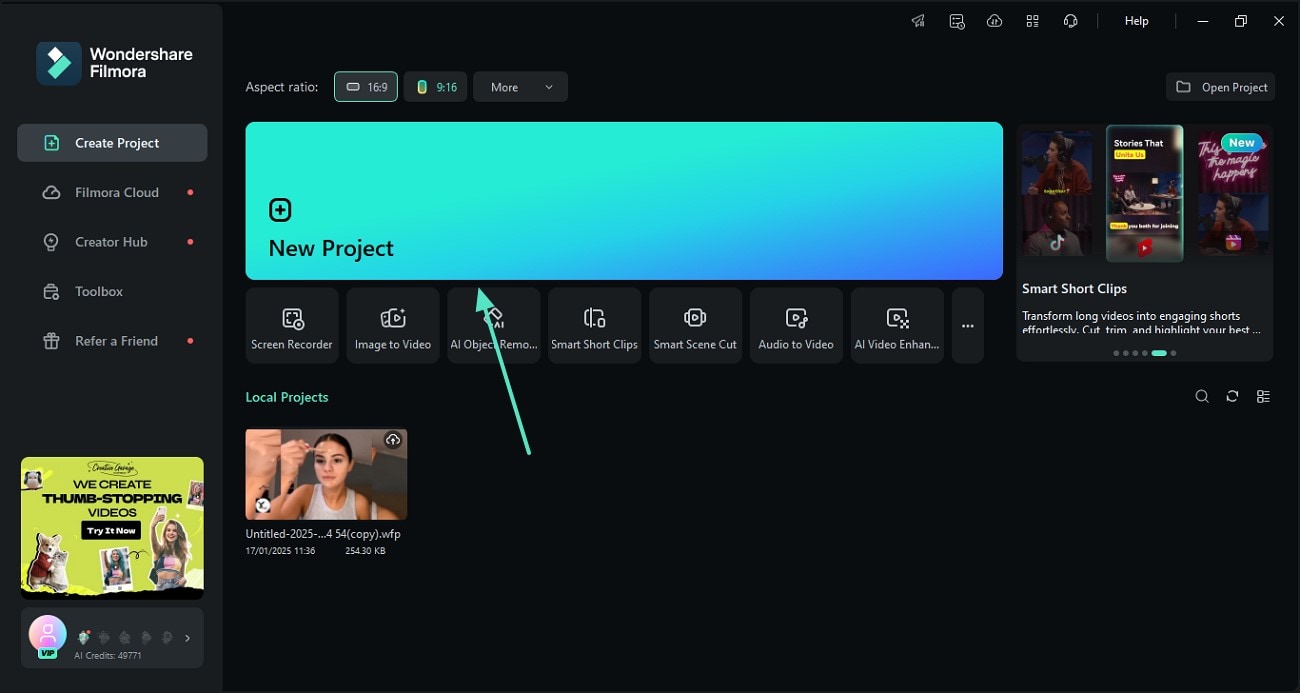
Step 1 Open Filmora and Start a New Project
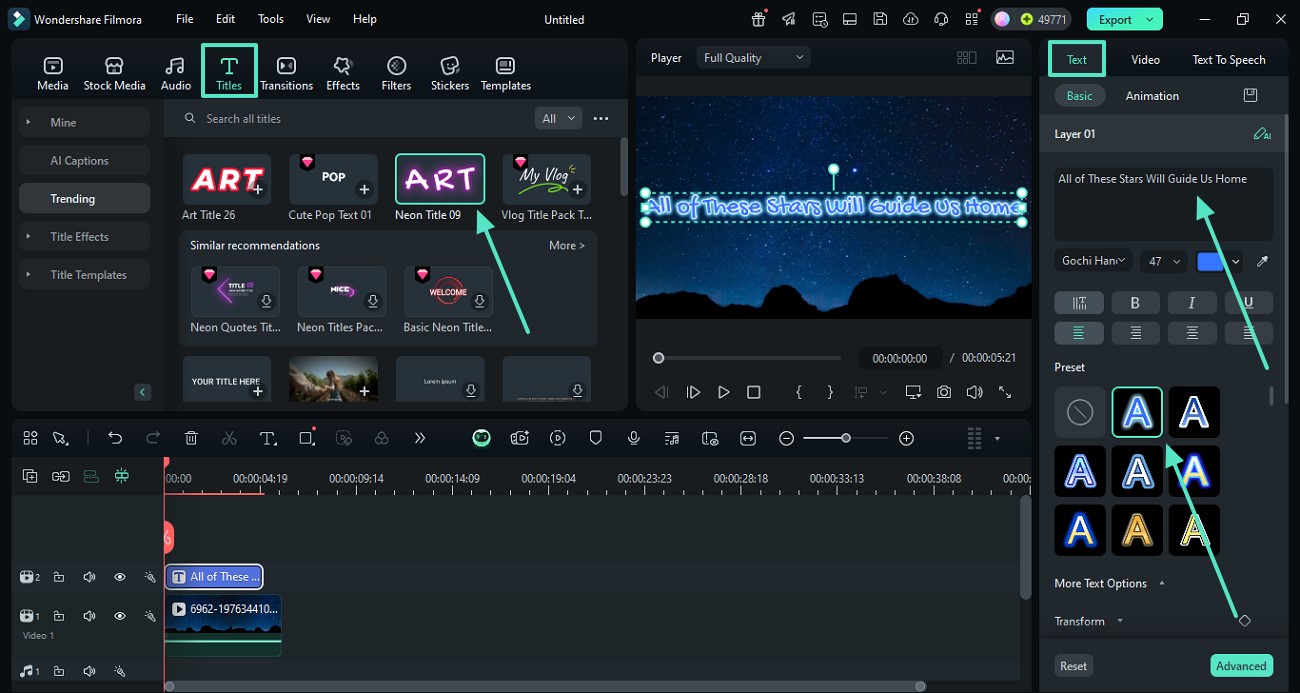
Step 2 Choose and Position Your Text Templates
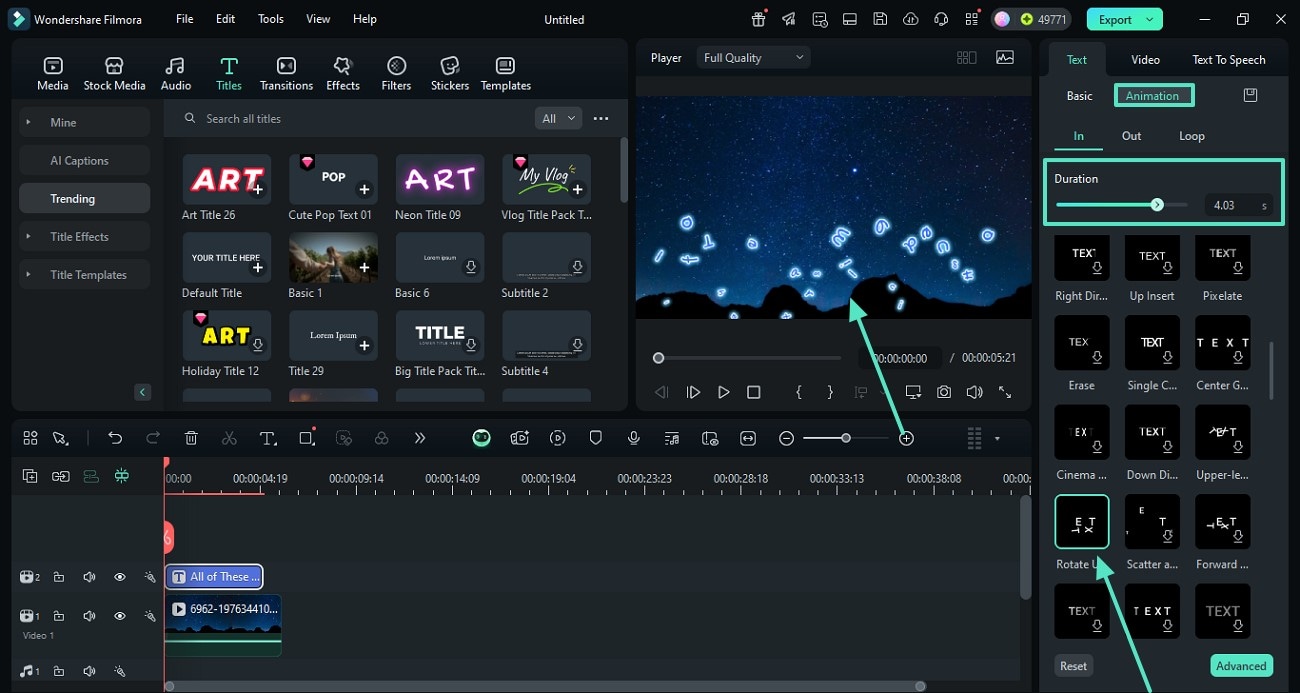
Step 3 Customize the 3D Perspective Text Effect and Export
-
1: Open Filmora and Start a New Project
Launch Filmora, create a new project, and import your footage. Then open the titles panel to begin crafting your perspective text. -
2: Choose and Position Your Text Templates
Browse the library and drag a text layer to the timeline. Type your desired words to prepare for the text perspective effect. -
3: Customize the 3D Perspective Text Effect and Export
Fine-tune the rotation settings to angle your perspective typography perfectly, apply animations, and export your masterpiece.
