

 TL;DR:
Selecting the right AI B-roll generator depends on your workflow: choose Wondershare Filmora, VEED, or Kapwing for an all-in-one editing workspace, Pika or Magic Hour to generate custom clips from text prompts, and OpusClip, Submagic, or Vmaker AI to automatically insert context-based visuals into existing footage.
● VEED's automated B-roll feature is strictly limited to inserting images, requiring users to manually search the platform's media library if they need actual video footage.
● OpusClip lacks individual clip editing capabilities, meaning you cannot replace a single mismatched B-roll clip and must regenerate the entire video if the AI suggestions are inaccurate.
● Free versions across these platforms generally include watermarks, requiring a paid subscription (starting between $10 and $24 monthly) to export clean videos and secure rights for commercial usage.
Ask AI for a summary
 ChatGPT
 Perplexity
 Gemini
 Claude
 Grok
Grok
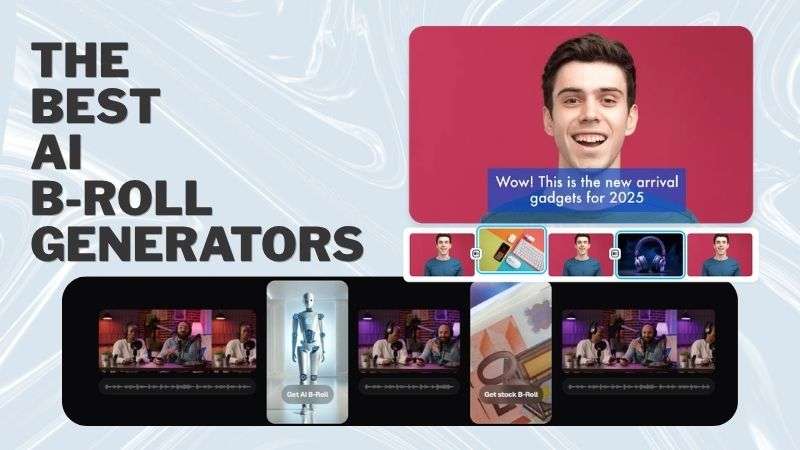
AI has become a common part of the video editing process. In fact, Wyzowl reports that 63% of video marketers use AI to create or edit marketing videos. This includes using auto B-roll generators to generate footage on the spot.
With these tools, you can create visuals that match your narration, so you don’t need to record extra footage or search through stock libraries. And to help you find the right tool, we've compared the best AI B-roll generators available today. We'll look at their key features, what each tool does well, and where it falls short.
How We Tested The Best B-Roll Generators
When you search for an AI B-roll generator, you'll quickly find dozens of options. So, how do you know which one is actually worth using? To make the decision easier, we compared each tool using the criteria that matter most. Here's what we looked at during our review.
- AI Video Generation Quality: After all, the footage should look natural and blend well with your original video. We also considered the available AI models to see how much flexibility each AI B-roll generator offers.
- Ease of Use: A good auto B-roll generator should be easy to learn, even for beginners. We considered whether the interface feels intuitive and whether users can quickly find the tools they need with no problems.
- Editing Workflow: A smooth workflow can save you a lot of time. We looked at how easy it is to generate auto B-roll and add it to your project, and whether you can continue editing smoothly without switching between multiple apps.
- Customization & Creative Control: We compared how much control each auto B-roll generator offers. Some only let you regenerate clips, while others include editing tools for refining the results.
- Export Options & Pricing: Different AI B-roll generators offer different export options and pricing. We compared the available resolutions, file formats, and whether you can try the tool for free before upgrading to a paid plan.
Part 1. Best AI B-Roll Generators at a Glance
Before we dive deeper into each tool, let’s start with a quick overview of the best AI B-roll generators. This will help you get a better idea of the available options before choosing the right one.
| Tool | Best For | Platform | B-Roll Type | Free Plan |
| Filmora | Social media content to professional videos | iOS, Android, macOS, Windows | Image, GIF, Video | Available with watermark |
| Pika | Social media videos with aesthetic style and creative effects | Online, iOS, Android | GIF and Video | Available with watermark |
| Magic Hour | Creative and experimental videos | Online | Image and Video | Available with watermark |
| VEED | Talking-head and business videos | Online | AI-generated images with different visual styles | One-time free trial |
| Kapwing | Educational and explainer videos | Online | Image | Available |
| Opus | Podcast and interview highlights | Online, iOS | Image and Video | Available with watermark |
| Submagic | Talking-head videos | Online | Image and Video | Available with watermark |
| Vmaker AI | Social media content | Online | Image, GIF, Video | Available with watermark |
|
Show More
Show Less
|
||||
Part 2. Top AI B-Roll Software Solutions
Ready to narrow down your options? Let's take a closer look at each AI B-roll generator and see what it does best. Even if the tools seem similar, the overall experience can be quite different.
1. Wondershare Filmora
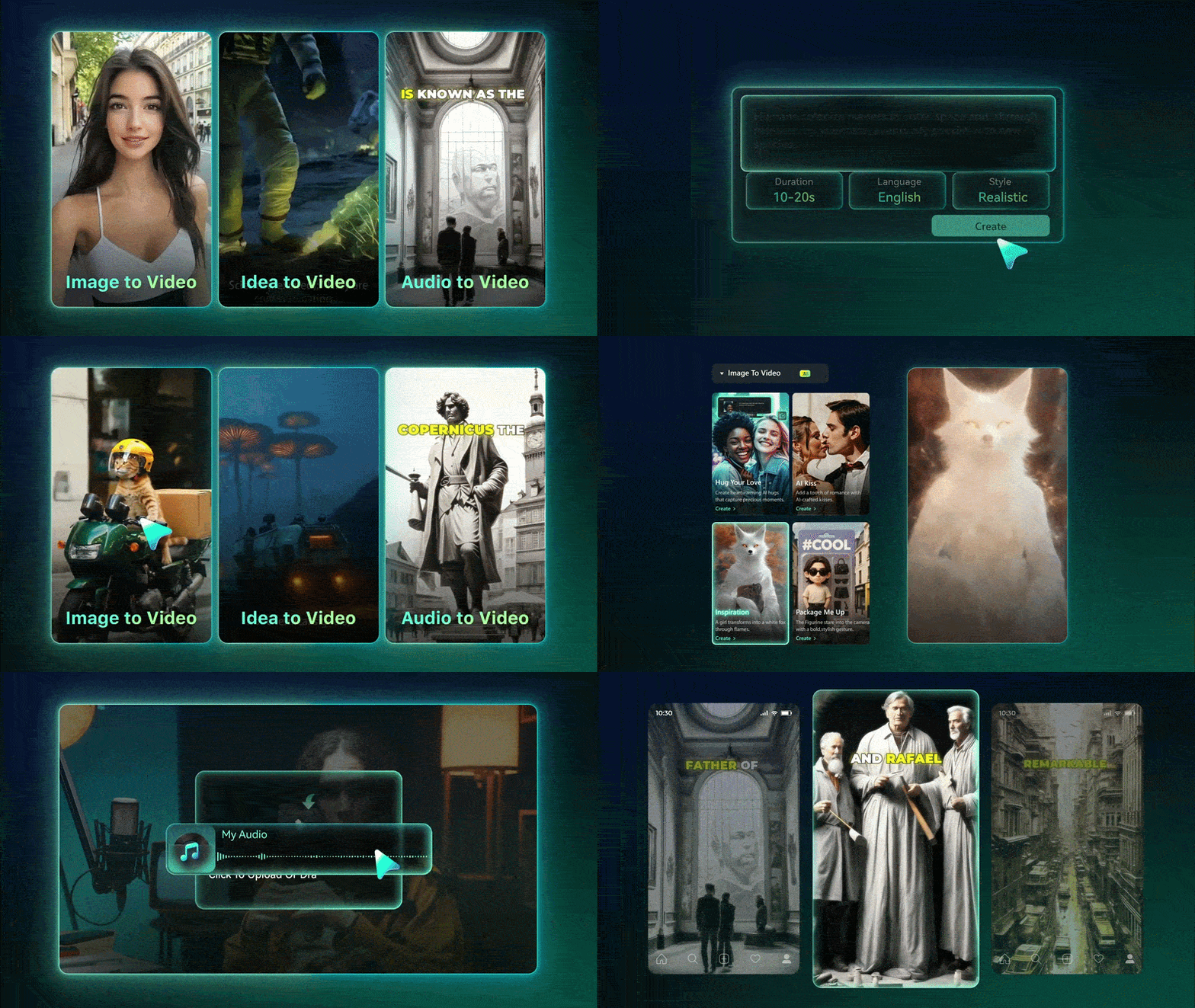
Let's start with Wondershare Filmora, one of the most complete AI B-roll generators on this list. You can turn ideas, text prompts, or images into original B-roll clips. Whether you need realistic footage or more imaginative scenes, the AI can generate visuals in just a few clicks. It's a practical way to create footage that may be difficult or expensive to film yourself.
 Secure Download
- Turn ideas, text prompts, or images into original B-roll clips in realistic or imaginative visual styles.
- Multiple AI models and massive stock library integrated into a full-featured video editor.
Vlogs, tutorials, educational videos, podcasts, interviews, and short-form social media content.
Easy to learn and navigate. Beginners can get started quickly, while professionals still have access to more advanced editing features.
- Supports multiple AI models, allowing you to generate B-roll in different visual styles depending on your project.
- Comes with a massive collection of stock footage that you can use as B-roll footage.
- Provides multiple aspect ratios and export quality options, making it easy to publish videos across different platforms.
- Includes a complete set of AI and video editing tools, allowing you to finish your project without switching to another application.
- You'll need to upgrade to a paid plan to export videos without a watermark.
A free version is available to get started. If you need watermark-free exports and additional features, you can upgrade to one of Filmora's paid plans.

2. Pika
Next up is Pika. If you're looking for an AI B-roll generator with a more creative and artistic touch, this tool is worth checking out. Pika is better suited for aesthetic scenes, AI transformations, and imaginative effects. You can generate clips from text prompts or upload an image as a reference, then add the results to your video manually.
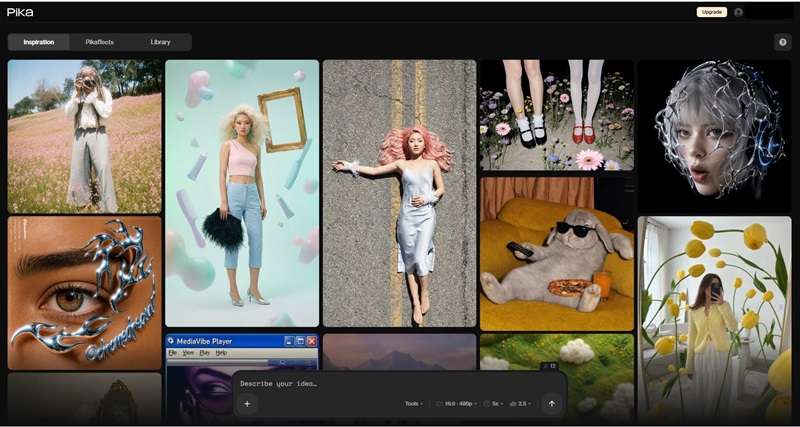
- Generate clips from text prompts or reference images with specialized visual effects and AI transformations.
- Wide selection of aesthetic templates and HD video exports for social media.
Vlogs, lifestyle content, fashion videos, aesthetic social media clips, and creative short-form videos.
The interface is straightforward, so new users can start creating videos without much learning.
- Provides plenty of templates that make it easier to explore various visual styles and effects.
- Allows you to export videos in HD quality with different aspect ratios for social media.
- The AI does a good job of understanding prompts, helping generate visuals that are closer to your original idea.
- The generation process can take some time, especially when creating more complex B-roll clips.
- Pika uses a credit-based system. If the generated result doesn't match your expectation, you need to spend more credits to create a new version.
- Pika does not include a built-in video editor. You will need another platform to combine the generated B-roll with your main footage.
A free plan is available with limited credits and watermarked exports. Paid plans start at $10 per month for additional features.
3. Magic Hour
Another AI B-roll generator worth checking out is Magic Hour. Instead of relying on existing footage, you can create custom images and videos based on your own ideas. This gives you more freedom to create different types of visuals, from realistic scenes and product shots to stylized content and creative concepts.
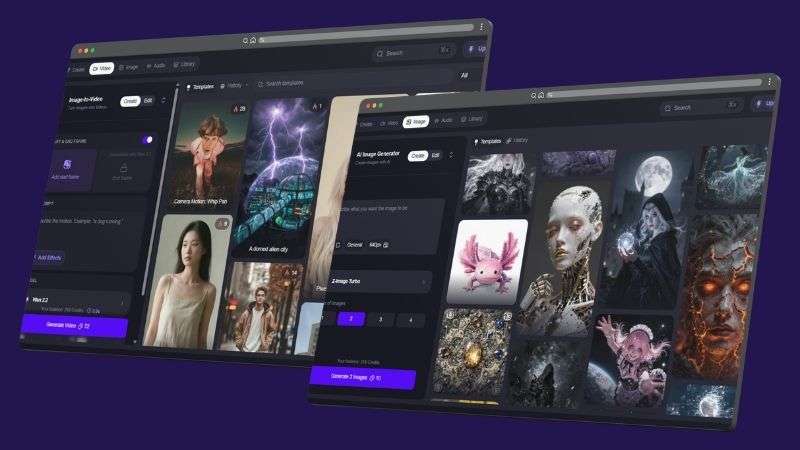
- Create custom images and videos up to 4K resolution directly from your ideas and concepts.
- Multiple AI models to match varied visual styles and overall video look.
Social media content, lifestyle videos, product visuals, and creative short-form videos.
Easy to navigate with a simple workflow that helps new users create AI videos without much setup.
- Offers a wide range of short video templates, from realistic styles to more creative options like animated and imaginative visuals.
- Provides various AI models, giving you more flexibility to match the visual style and overall look of your video.
- Supports video generation up to 4K resolution, with a maximum duration of 30 seconds per clip.
- You may need to wait before your clips are ready, especially during busy periods or with slower internet speeds.
- Magic Hour offers limited control after generation. If the result is not what you expected, you’ll need to adjust the prompt and generate a new version, which uses additional credits.
- You cannot directly place the generated clips into your existing video. Another editing tool is needed to combine everything.
A free trial is available. Paid plans start at $15 per month, although pricing may vary depending on your region.
4. VEED
If you’re looking for a simple AI B-roll generator, VEED is worth a look. Just upload your video, enable the AI B-roll feature, and let the platform enhance your content with supporting visuals. Once you're done, you can make additional edits without leaving the editor.
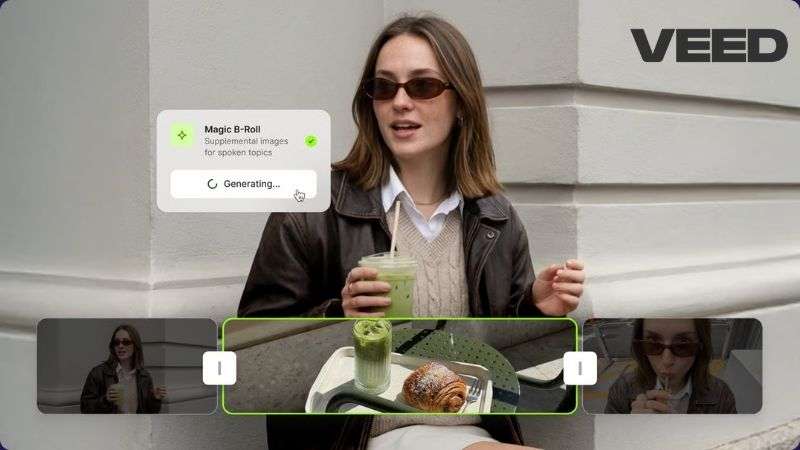
- Automatic B-roll image placement directly on uploaded video tracks.
- Built-in AI tools for subtitle generation, background audio addition, and online video editing.
Talking-head videos, tutorials, educational, and marketing content.
Beginners may need some time to learn the interface and editing workflow before using it comfortably.
- Supports multiple resolutions and aspect ratios, making it easier to prepare videos for different social media platforms.
- The generated visuals can be adjusted to better suit your video's style.
- Offers AI features that help you generate subtitles, add background audio, and polish your video.
- The automatic B-roll feature only inserts images. If you want video footage instead, you'll need to search in VEED’s media library and add it manually.
- The Auto B-roll feature doesn't always work on the first attempt. You may need to run it again before the visuals are generated.
- The AI doesn't always fill every suitable section with B-roll, so some parts may still need to be completed manually.
Offers a one-time free trial. Paid plans are available from $20 to $70 per month.
5. Kapwing
Kapwing is a good AI B-roll generator if you want a faster editing workflow. The platform automatically finds suitable B-roll for your videos, reducing the time spent searching for extra footage. Once the B-roll is added, you can continue making edits in the same workspace before exporting your project.
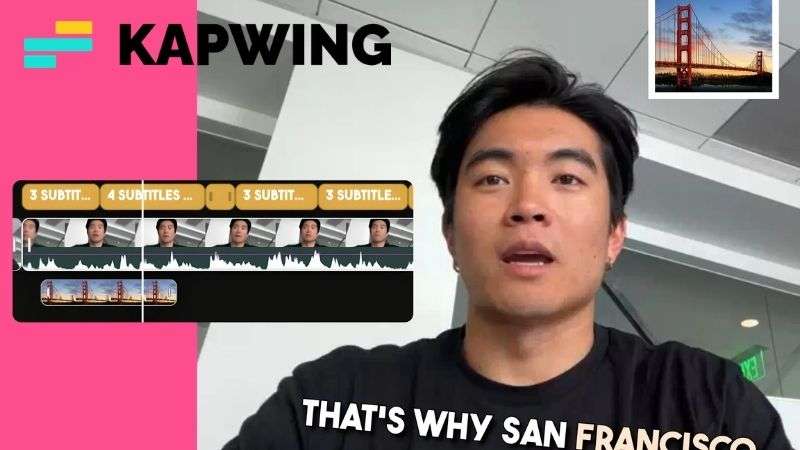
- Automated search and placement of supporting visuals based on video content.
- Full timeline control to trim, resize, reposition, or publish directly to social networks.
Educational videos, product reviews, and explainer content.
The platform is well organized, but its extensive editing features can feel overwhelming for first-time users.
- Offers broad language support.
- You can trim, resize, or reposition B-roll clips directly on the editing timeline.
- Lets you upload finished videos directly to several social media platforms.
- The B-roll generation process can take a while, depending on the length of your video.
- The platform relies on an internet connection, so slower networks may affect both editing and AI processing.
- The AI doesn't always place every suggested B-roll automatically, so you may need to insert some clips yourself.
A free plan is available. Paid plans start at $24 per month.
6. OpusClip
OpusClip is another simple auto B-roll generator worth trying. It offers two ways to add B-roll to your videos. You can either create custom clips with a prompt or let the AI find suitable footage and place it based on your video content.
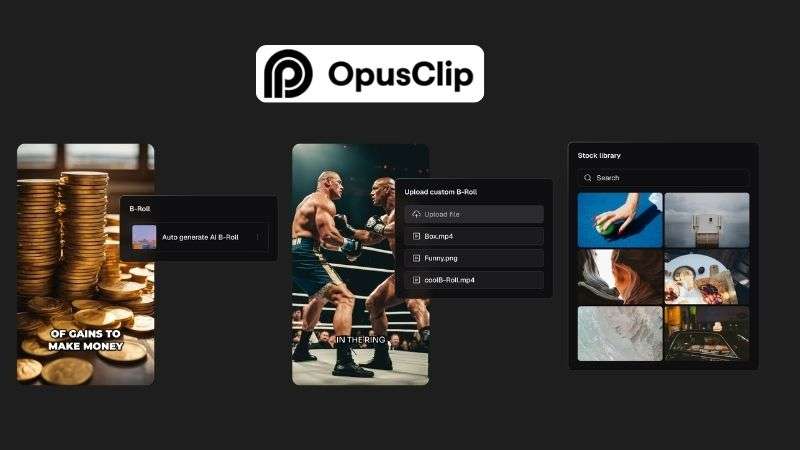
- Dual B-roll mode: prompt-based custom clips or context-based automatic placement.
- Multilingual analysis for up to 20 languages with estimated processing time displays.
Talking-head, podcast, and educational videos.
Designed with a simple workflow that makes it accessible even for users with little to no editing experience.
- Offers multilingual support with up to 20 available languages.
- Shows an estimated processing time, so you know how long the generation process may take.
- After generating B-roll, you can choose to continue editing, download the video, or publish it directly to social media platforms.
- You can't edit or replace a specific B-roll clip after it's generated. Instead, you'll have to regenerate the entire result.
- Offers fewer aspect ratio options.
- The auto B-roll suggestions are not always relevant to the video's context.
A free trial is available. Paid plans start at $15 per month.
7. Submagic
Another auto B-roll generator worth considering is Submagic. The platform analyzes your video and adds supporting visuals based on the context of your content. It also includes built-in editing tools, making it easier to refine your video without switching to another platform.
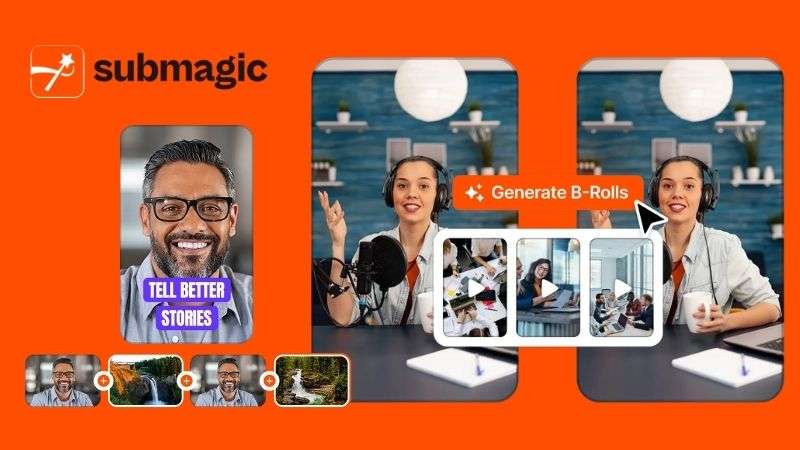
- Automatic insertion of multiple B-roll clips based on spoken context.
- Built-in sound effects, transition elements, and support for over 120 languages.
Talking-head videos, interviews, and tutorials.
The platform offers a straightforward workflow, making it accessible even for first-time users.
- Includes creative elements such as effects and audio options to help polish the final video.
- Supports up to 120 languages, making it suitable for creating content for different audiences worldwide.
- Automatically adds multiple B-roll clips within a single video, helping fill empty sections and keep the visuals engaging.
- The auto B-roll feature may not work properly with certain types of videos.
- Some B-roll suggestions still need manual checking to ensure they fit the content.
- The available aspect ratio options are limited, which may make it less flexible for different social media platforms.
A free trial is available. Paid plans start at $19 per month.
8. Vmaker AI
The last auto B-roll generator on our list is Vmaker AI. It made the list because of its simple workflow and easy setup. Just upload your video or audio, choose the aspect ratio, and let the AI create B-roll clips to support your content.
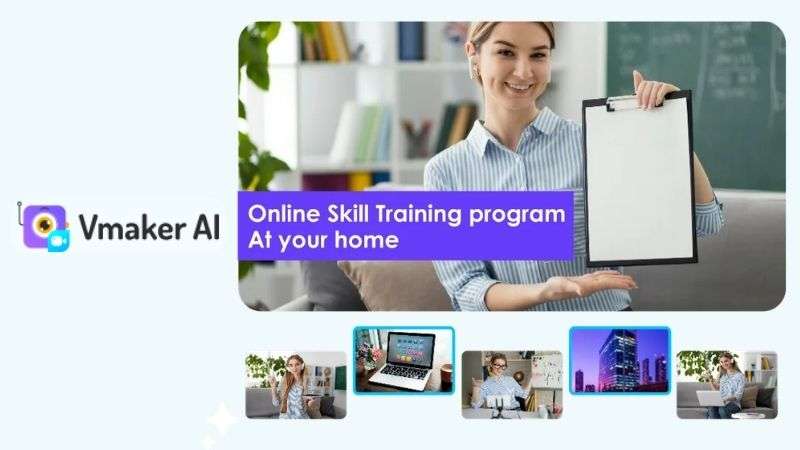
- Generate supporting visuals from either video or standalone audio files.
- Complete with transitions, background music, AI subtitles, and file export options.
Talking-head, tutorials, and presentation videos.
Features a simple interface that is easy to understand, even for users with little to no editing experience.
- Includes a built-in editor for basic adjustments, allowing you to refine your video or replace B-roll clips when needed.
- Offers additional editing elements such as transitions, background music, and subtitles to enhance your final video.
- Supports different file formats and export options, making it easier to prepare videos for different platforms.
- The aspect ratio selection is limited.
- The suggested B-roll clips are not always perfectly matched with your content. You may need to replace some footage manually to get the right visuals.
- The processing time can vary depending on your internet connection and the complexity of the project.
A free trial is available. Paid plans range from $24 to $39 per month.
Which AI B-Roll Generator is Best For You?
By now, you've seen what each AI B-roll generator has to offer. To make the decision easier, here's a simple breakdown based on different content creation workflows.
| If You Want To... | Recommended Tools |
| Generate Custom B-roll from Scratch | Pika, Magic Hour |
| Automatically Add B-roll to Existing Videos | OpusClip, Submagic, Vmaker AI |
| Generate, Edit, and Finish in One Place | Wondershare Filmora, VEED, Kapwing |
Conclusion
AI B-roll generators are making video creation faster and more flexible. You can now create new footage from scratch, automatically add relevant B-roll, or edit everything in one place. The right tool depends on whether you prefer automation, customization, or a complete editing workflow.
For an all-in-one solution, Wondershare Filmora is worth checking out. It offers AI B-roll generation, video editing tools, and creative assets in one platform. You can create footage, refine your edits, and prepare your final video without switching between multiple platforms.
FAQs
-
1. How can I make AI-generated B-roll match my original video?
Try refining your prompt and adding more details about the style you want. Include details such as the mood, style, colors, and visual elements from your original video. AI B-roll generators like Wondershare Filmora, Pika, and Magic Hour also allow you to use reference images or existing visuals to create a more consistent look.
-
2. Can I create a complete video by uploading only audio and letting AI add B-roll?
Auto B-roll generators like VEED and Kapwing allow you to upload an audio file. The AI will analyze, generate B-roll clips, and arrange them into a video. However, the level of automation and editing control depends on the tool.
-
3. Can I use AI-generated B-roll for commercial purposes?
Yes, but the rules vary between platforms. Free versi
