


 TL;DR:
Wondershare Filmora is the most reliable tool for removing emojis from videos because its AI accurately tracks moving objects and rebuilds backgrounds directly within a cross-platform editor, though users must accept a watermark on free exports.
● For browser-based solutions without software installation, Fotor and ClipFly provide clean removals, but Fotor requires 20 credits to export a video and ClipFly strictly limits processing to clips under 60 seconds.
● Mobile users making quick social media edits can use Picsart or CutVibe, but Picsart restricts the object removal feature to iOS users with a Pro subscription, while CutVibe supports Android and iOS but struggles with moving objects.
● To erase an emoji using Filmora, access the AI Object Remover from the toolbox, choose between the brush or box selection modes to mark the target, and process the automatic background replacement before exporting.
Ask AI for a summary
 ChatGPT
 Perplexity
 Gemini
 Claude
 Grok
Grok
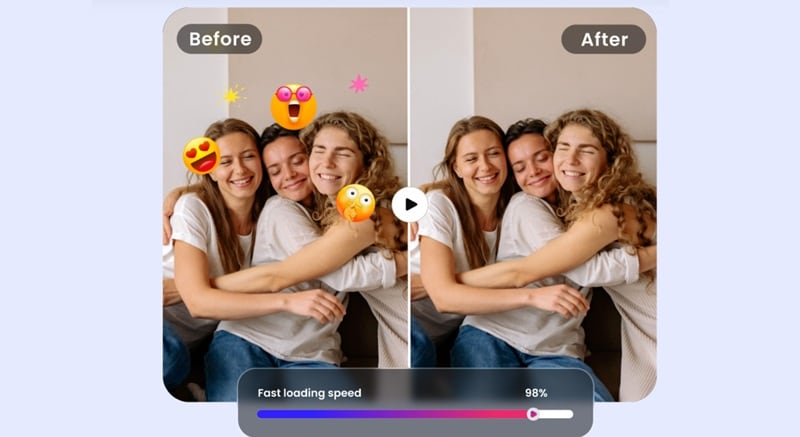
You press play on your video, and it’s looking good… until an emoji suddenly steals the spotlight. It might cover a face, a product, or a detail you really want people to see. You try to remove the emoji from the video, but blurring or covering it just makes things look worse.
Luckily, an AI emoji remover from the video can now fix the problem cleanly. And to save you time and frustration, we tested and filtered the best emoji remover from video tools you can actually rely on.

We made this list because most people looking for a video emoji remover want one thing: clean results without wrecking the video. So, our criteria try to reflect on that. And to keep it fair, we tested each tool the same way. Here are some aspects that we pay more attention to:
- Emoji Removal Accuracy: The tool should erase emojis cleanly. So, we focused on tools that remove emojis without leaving blur marks or ugly patches.
- AI Intelligence Quality: An AI emoji remover from a video should rebuild the background, not just hide the emoji. We picked tools that make the scene look normal again.
- Easy to Use: Removing emojis should feel simple. So, we looked for tools that let you remove video emoji without learning complicated editing steps.
- Platform Flexibility: People edit in different ways. We included desktop tools, mobile apps, APK options, and an online emoji remover from video solutions.
- Fair Pricing: A solid emoji remover tool should work even on a free plan. Paid upgrades should feel reasonable and worth it.
Our Top 3 AI Emoji Remover Picks (Quick Wins)
As we mentioned earlier, this list covers a mix of video emoji remover app options for different needs. And if you just want the safest choices without overthinking it, these three are the easiest places to start:



A Side-by-Side Look at the Best Emoji Remover Tools
Now it’s time to meet the rest of the tools we recommend, but not in full detail just yet. Putting these remove emoji video tools next to each other makes it easier to see how each tool compares at a glance.
So, check out the table below for a quick snapshot before we break everything down.
| Tool Name | Platforms | Free / Paid | AI Fill Quality | Best Use Case |
| Filmora | Windows, macOS, Android, iOS | Free & Paid | High | Removing emojis from videos and finishing the full edit |
| Fotor | Online, Windows, macOS, Android, iOS | Free & Paid | Medium | Quick emoji removal from short videos online |
| Picsart | iOS | Free & Paid | Medium | Removing emojis from videos on iPhone |
| AVCLabs | Online, Windows, macOS | Free & Paid | High | Cleaning emojis from TikTok videos |
| AniEraser | Online, Windows, macOS, Android, iOS | Free & Paid | Medium | Removing emojis across different devices |
| 0161 | Android | Free & Paid | Low to Medium | Basic emoji removal on Android |
| ClipFly | Online | Free & Paid | Medium | Removing emojis from very short clips |
| CutVibe | Android, iOS | Free & Paid | Low to Medium | Simple emoji removal on mobile |
| MarkGo | Windows, macOS | Free & Paid | Medium | Removing emojis from many videos at once |
| HitPaw | Online, Windows, macOS | Free & Paid | Medium | General emoji removal online or on desktop |
|
Show More
Show Less
|
||||
 Secure Download
Top 10 AI Emoji Remover From Video Tools (Full Breakdown)
After checking the table above, a few emoji remover from video tools probably caught your eye. That quick comparison is just a starting point though. To really know which tool fits your workflow, it helps to slow down and look at each option more closely.
So, let’s go through these tools one by one and see what they are actually like to use.
1. Wondershare Filmora
Let’s get the best emoji remover video option out of the way first: Filmora. This AI video editor comes with a built-in AI Video Object Removal tool that lets you mark an emoji once and let the AI handle the rest. It tracks the emoji across the whole clip and removes it cleanly, so you do not have to fix things frame by frame.
Secure Download- The AI handles moving emojis accurately without touching overlapping objects.
- You can use brush painting or box selection to mark unwanted elements.
- You can mark one or multiple emojis at the same time.
- The background fills in smoothly using nearby pixels.
- It can also erase moving objects like people, pets, and cars.
- Windows, macOS, Android, and iOS.
- Free version available, with optional affordable paid plans listed on the Filmora pricing page.
- You can switch between brush and box tools for better control.
- The results stay clean while preserving video quality.
- It works across desktop and mobile platforms, which makes editing flexible.
- The free version exports videos with a watermark.
Secure Download2. Fotor
If you want an emoji remover from videos online, Fotor easily sits near the top of the list. It is a multi-platform tool that focuses on quick cleanups without hurting video quality. You upload your clip, mark the emoji, and let the AI handle the rest. It works well for restoring original footage and is also handy when you want to reuse clips for new content.

- The AI is designed to remove emojis from video smoothly without obvious artifacts.
- You can eliminate multiple emojis that appear across a clip with one action.
- It also removes stickers, text, and image overlays in the same workflow.
- The free version does not add a watermark.
- Online, Windows, macOS, Android, and iOS.
- Free version available, with subscription-based and credit-based options starting at $8.99 per month or $11.99 per credit.
- You can remove multiple emojis from faces, objects, and backgrounds with very little effort.
- There are no distracting ads while you work.
- Even though the tool is free to use, you need to spend 20 credits to export the edited video.
- Longer videos can use up credits quickly.
3. Picsart
If you prefer using a mobile app to remove emoji from video, Picsart is a solid pick. Its Object Remover tool is built for quick cleanups, especially when you are editing straight from your phone. You just need to upload the video, brush over the emoji, and the app removes it for you.
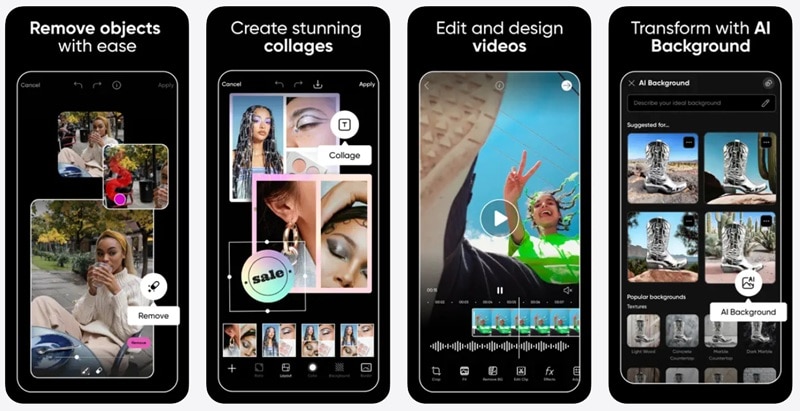
- Processing is fast and saves a lot of time.
- You can brush over emojis or other unwanted objects to remove them.
- Videos export cleanly without losing quality.
- iOS.
- Free version available, with paid plans starting at $13 per month.
- It works well even if you are new to video editing.
- It fits well into the workflow of influencers and digital creators who edit on mobile.
- The object remover tool is currently only available on iOS.
- You need a Pro subscription to access the feature.
4. AVCLabs
If your goal is to remove emoji from TikTok video and reuse that clip elsewhere, AVCLabs is worth a look. It focuses on clean emoji removal and gives you the option to replace emojis with custom text or graphics, which is useful when repurposing content for different platforms. The AI does a solid job keeping the background intact, so the video still looks natural after the edit.

- You can remove emojis with a single click.
- The desktop version uses your local GPU, which speeds up processing.
- You can download watermark-free results in 1080p.
- Online, Windows, and macOS.
- Free version available, with a credits-based system starting at $19.95 for 50 credits.
- Auto detection helps select multiple emojis at once, which saves time.
- AVCLabs often gives out free credits through promotions or small tasks.
- You need to create an account and sign in before using the tool.
- Some advanced options take a bit of time to get used to.
5. AniEraser
Another great shout if you want an emoji remover from a video app is AniEraser. It is part of Media.io and works well for removing unwanted emojis from both videos and photos. The process feels straightforward. Since it runs online and across devices, it is easy to jump in and fix a video whenever you need to.
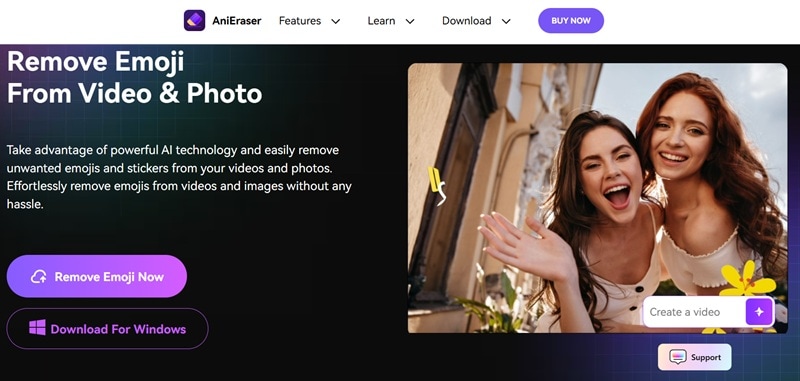
- It supports common formats like MP4 and MOV.
- You can paint directly over the emojis using a brush tool.
- You can remove objects from videos using simple text prompts.
- The interface stays clean and simple.
- Online, Windows, macOS, Android, and iOS.
- Free trial available, with paid plans starting at $17.99 per month.
- You can adjust the brush size for more detailed edits.
- The same feature works across all supported platforms.
- The free version adds a watermark to exported videos.
- Video length is limited to 15 minutes.
6. 0161 Apps Remove Objects
For Android users, this is a handy app to remove emoji from video without jumping onto a computer. The Remove Objects app from 0161 Apps focuses on simple object erasing and does the job well for quick fixes. You open the video, mark the emoji, and let the tool clean it up, which makes it a comfortable choice for casual edits on your phone.
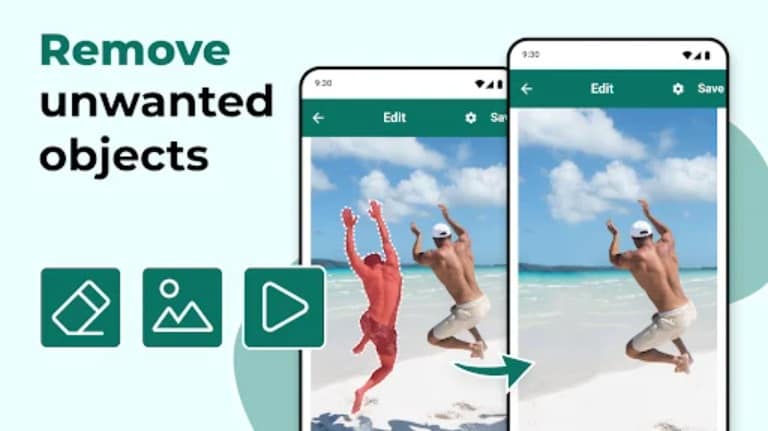
- The app is designed to stay simple for both casual users and creators.
- You can use the rectangle or lasso tools to select exactly what you want to remove.
- Zoom controls help with precise selection when emojis are small.
- Android.
- Free version available, with optional in-app purchases.
- You can choose the exact time range where the emoji appears in the video.
- Zooming in makes selecting the emoji much easier.
- Some users report slower processing on longer videos.
- There is no built-in guide for first-time users, which can feel confusing at the start.
7. ClipFly
Next on the list is ClipFly, a handy remove emoji from video online free option when you just want a fast fix without installing anything. It runs in the browser and handles emoji removal without much effort. You upload your clip, brush over the emoji, and let the AI clean it up while keeping the video clear and watchable.
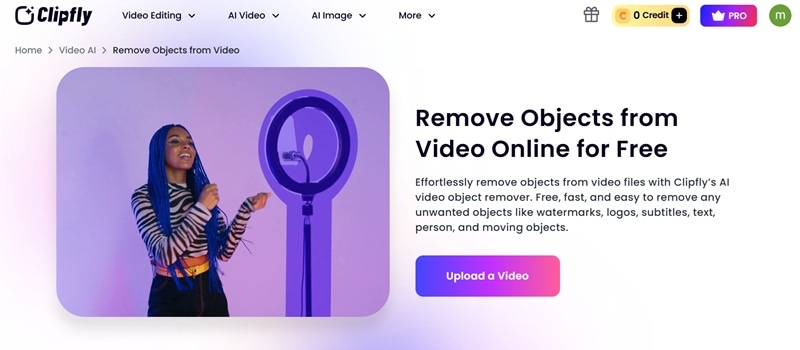
- You can upload MP4 or MOV files without extra conversion.
- The tool tracks the emoji movement across the video automatically.
- You brush over the area once and the AI removes it right away.
- The filled area stays clean and reduces visible mistakes.
- Online.
- Free version available, with paid plans starting at $10.99 per month.
- You can erase multiple emojis or objects in one go.
- The free version allows 1080p exports without a watermark.
- Videos are limited to 60 seconds.
- Longer processing can feel slow during busy hours.
8. CutVibe
CutVibe is another emoji remover from a video app that keeps things simple, especially on mobile. The app is mainly built around object removal, so erasing emojis feels like its main job, not an extra feature. It works best for quick edits when you want to fix a clip and move on without overthinking the process.
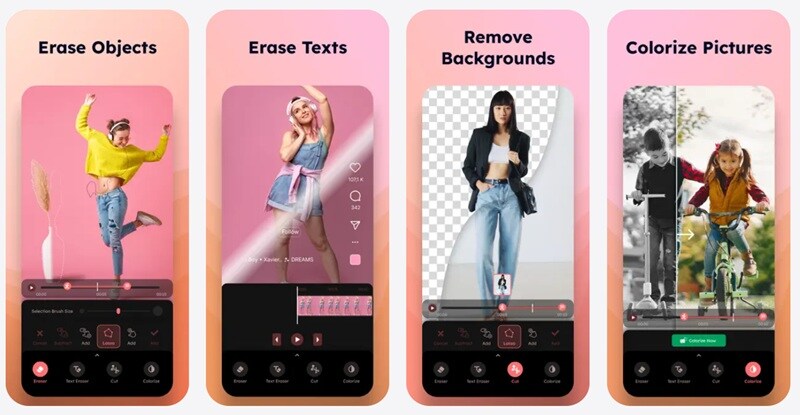
- The interface feels clean and easy to navigate.
- You can adjust the brush size for more control while removing emojis.
- It can also remove text, people, backgrounds, and other objects.
- Android and iOS.
- Free version available, with in-app purchases starting at $1.99.
- The lasso tool makes selection more precise.
- It is easy to pick up even for first-time users.
- Some users report occasional glitches in the app.
- It does not handle moving objects very well.
9. iMyFone MarkGo
One tool that always comes up when people talk about removing emoji from video is iMyFone MarkGo. It started as a watermark remover, but it works just as well as a video emoji remover when you want clean results. The interface feels calm and straightforward, so you can jump in, mark the emoji, and see changes right away without getting lost in settings.

- You can remove emojis from videos and photos without obvious blur.
- It offers multiple removal styles, including color filling, matte filling, and soft blur, depending on the scene.
- It supports many common formats like JPG, PNG, MP4, MOV, WMV, and AVI.
- Windows and macOS.
- Free version available, with paid plans starting at $7.95 per month.
- You can preview edits in real-time while working on the clip.
- You can batch remove emojis from a video with one click.
- There is no mobile app option for quick edits on phones.
- Advanced features require a paid plan.
10. HitPaw
For the last pick, HitPaw is a solid video emoji remover when you want something quick and simple. Its AI object remover can erase emojis in just a few steps, which makes it easy to use even if you are new to this.
There is also an online option available under its AI watermark tool, and it works in a very similar way. That makes it a handy choice if you need a video emoji remover online without installing anything.
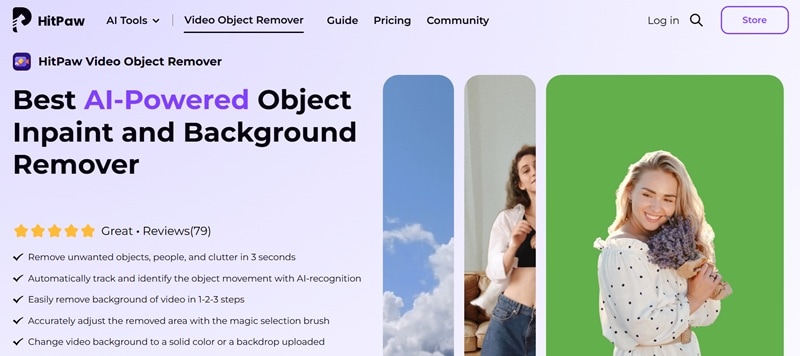
- The AI tracks emoji movement automatically across the video.
- The selection brush lets you fine tune the area you want to remove.
- It supports common formats like MP4, MKV, MOV, AVI, WEBM, and GIF.
- You can replace the background with a solid color or an uploaded image.
- Online, Windows, and macOS.
- Free version available, with paid plans starting at $14.99 per week.
- It works for both short clips and longer videos.
- The interface stays clean and easy to follow.
- The online version is less precise than the desktop software.
- Processing can fail at times, especially on busy servers.
How to Choose the Right Emoji Remover for Your Video
Now that you’ve seen all the emoji removers from video options, a few probably stand out more than the rest. That is normal, since not everyone edits videos the same way. To help you decide, use this quick guide to pick the emoji remover that fits how you edit and where your video will be used.
For TikTok and Social Clips
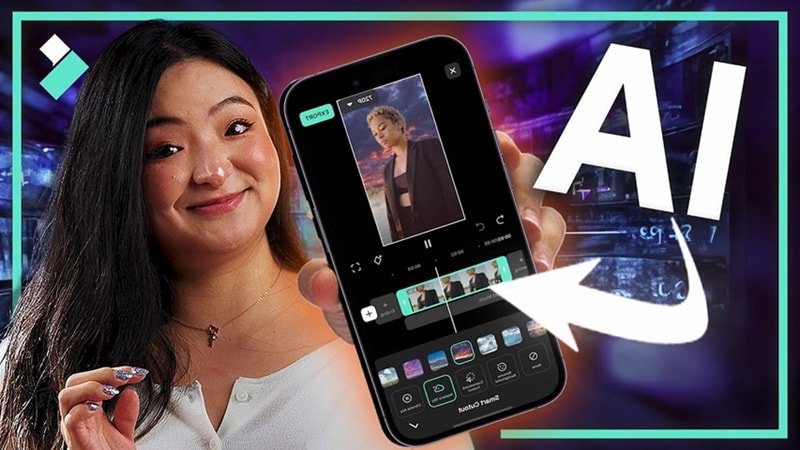
If you are editing short content for TikTok or Instagram, a mobile emoji remover from video keeps things quick and ready to share. Apps like Picsart and CutVibe work well for fast cleanups, and Filmora Mobile is a great option when you want more control on your phone without switching devices.
For Content Creators and Editors
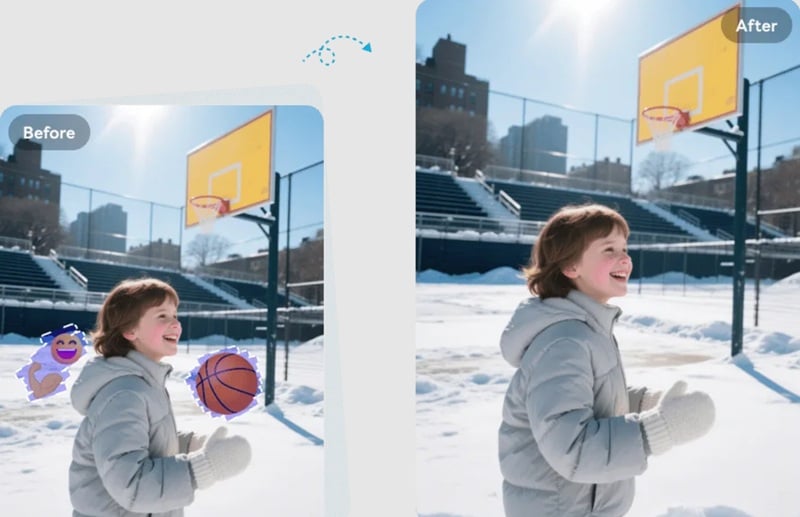
For creators who edit often, desktop tools with strong AI emoji removers from video features give much cleaner results. Filmora and AVCLabs handle moving emojis better and give you room to refine the edit instead of settling for quick fixes.
For Quick Fixes
When you just need to remove emojis from a video without installing software, an online emoji remover from video saves time. Tools like Fotor, ClipFly, and HitPaw let you upload a clip, clean it up, and export without slowing your workflow.
Best Choice For Professional Results

If quality matters most, full editors with AI object removal are the safest route. Filmora stands out here because it removes emojis cleanly and lets you finish the entire edit in one place, which keeps your video consistent from start to finish.
Author Verdict
After going through all the options, Filmora feels like the most reliable choice overall. Its AI emoji remover from video is accurate and handles both static and moving emojis really well. The selection tools feel flexible too, since you can switch between box mode and brush mode depending on the clip.

How to Remove Emoji From Video using Filmora
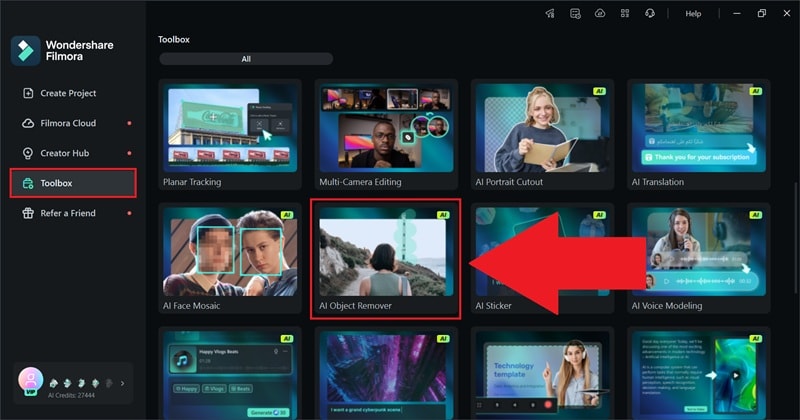
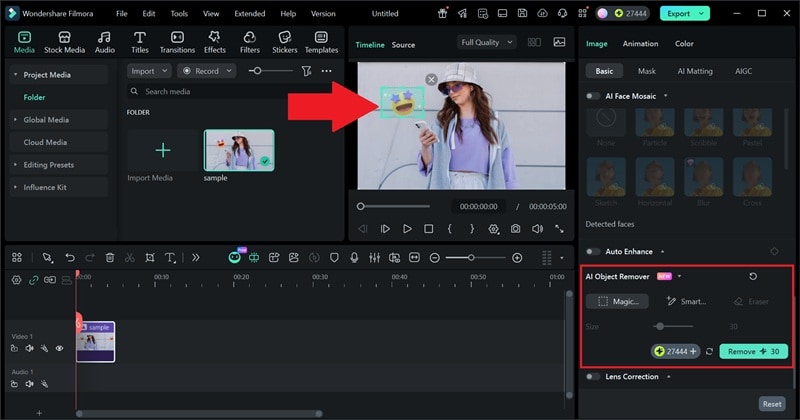
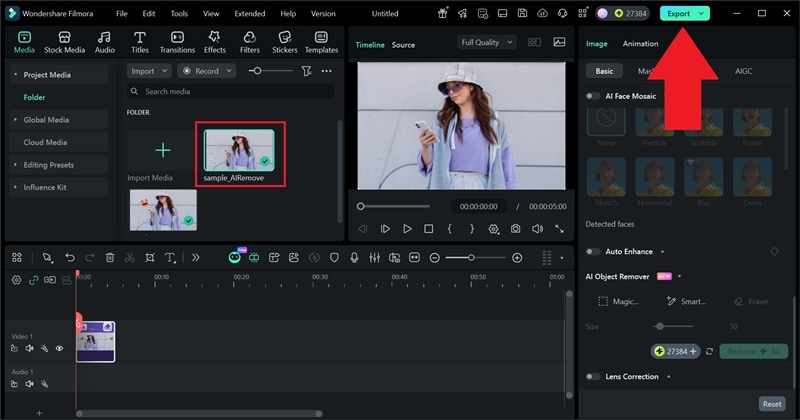 Secure Download
With these 3 simple steps, you can already remove emoji from video using Filmora without much effort. That said, this is only a quick look at what Filmora can do. If you want a deeper breakdown of how Filmora handles emoji removal from video, including more methods and tips, you can check out our other article: How to Remove Emoji in Video by 3 Methods.
Conclusion
Removing emojis is no longer limited to photos. With today’s advanced tools, you can now remove emojis from video just as easily. That’s why we rounded up the top 10 AI emoji removers from video options across different platforms.
All of the tools on this list do a solid job, but Filmora stands out because its AI emoji remover is more accurate and handles moving emojis better than most. It also feels easier to use without cutting corners on quality.
What really makes Filmora stand out is that emoji removal is only one part of the workflow, since you also get a wide range of AI tools and a solid media library, making it easy to clean up the video and finish everything in one place without jumping between apps.
