


 TL;DR:
A video aspect ratio calculator prevents distortion by generating exact dimensions for platform-specific resizing, with CalculatorSoup acting as the best overall tool for multi-unit math, Digital Rebellion for professional editing presets, and Wondershare Filmora for automatically resizing footage without manual calculations.
● Digital Rebellion and Mononodes cater specifically to video production and technical users by offering NTSC/HDV format presets and a divisible-by-8 encoding option that maintains consistent color sampling, while Elementor provides a completely ad-free interface for web creators.
● Note specific tool limitations before use: Digital Rebellion, Imagy.App, Hedges.Name, and Mononodes strictly calculate in pixel units, CalculatorSoup lacks visual display previews, and Omni Calculator restricts users from calculating missing width or height values directly.
● Because standalone web calculators only provide the mathematical dimensions without physically altering the media file, creators must use AI editing software like Wondershare Filmora to automatically reframe aspect ratios, preview vertical or square formats, and export the final platform-ready file.
Ask AI for a summary
 ChatGPT
 Perplexity
 Gemini
 Claude
 Grok
Grok
Finding the right aspect ratio of a video is one of those small steps that can make or break your content. And if you’re resizing content for YouTube, TikTok, Instagram, or a custom screen, a good video aspect ratio calculator can save time and avoid awkward cropping or black bars.
Thankfully, there are plenty of easy tools that do the math for you. And in this article, we’ll break down only the best aspect ratio calculator tools worth using. Let's explore them!
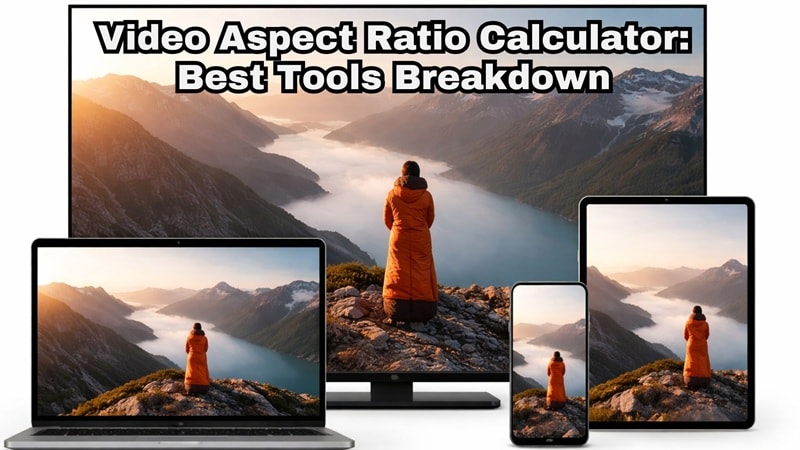
Part 1. Why Video Sizes Go Wrong (and How an Aspect Ratio Calculator Fixes It)
Video sizes often go wrong because every platform uses different dimensions. That’s why a video aspect ratio calculator is mainly used to resize videos correctly without distortion. It helps you keep the right width and height so your video stays natural and properly shaped.
For example, if you have a 1920×1080 video and want a vertical version, the video ratio calculator shows you the correct 9:16 size instantly. You do not need to test different settings or deal with trial and error. It simply gives you the right proportions so your video looks clean and professional everywhere.
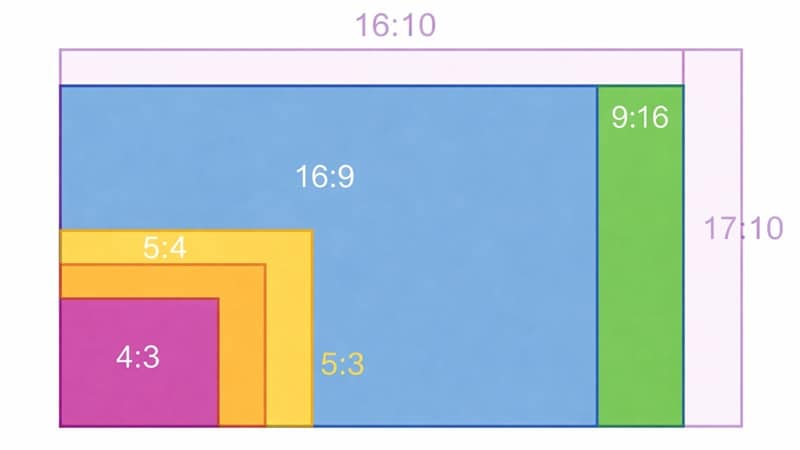
Benefits of Using a Video Aspect Ratio Calculator
Because of that, many creators rely on a video size ratio calculator, especially if they upload content to different platforms regularly. Here are some of the main benefits.
- Prevents Video Distortion: It keeps people, objects, and text from looking stretched or squashed. Your video stays natural and properly proportioned.
- Saves Time: You do not need to export the same video again and again or do manual calculations. The tool gives you the right size instantly.
- Platform-Ready Results: Easily prepare videos for YouTube, TikTok, Instagram, or custom displays.
- Reduces Cropping Mistakes: Helps you understand how much of the frame will be lost before cropping.
Part 2. How We Picked the Best Video Aspect Ratio Calculators
Actually, not every aspect ratio finder is helpful in real editing situations. So, instead of just checking the math, we tested each tool based on real video editing needs and everyday use.
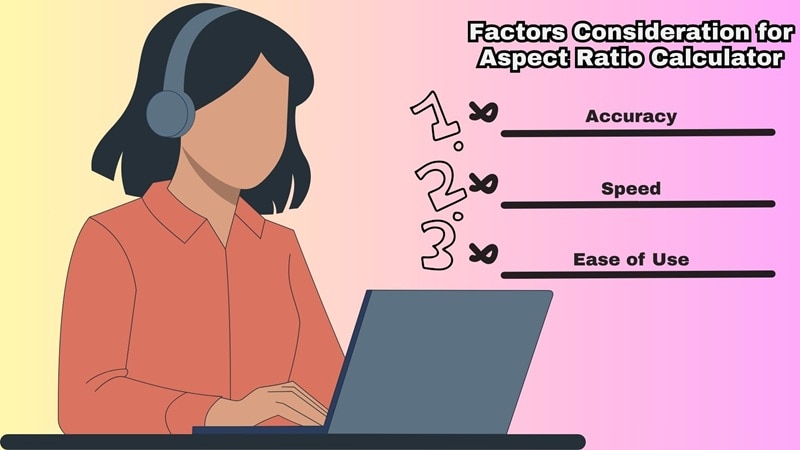
Here’s what we focused on when picking the size ratio calculator for this list.
- Accuracy: The tool should give correct ratios and resolutions every time, so your video keeps the right proportions.
- Ease of Use: We looked for simple inputs and clear results without confusing settings or extra steps.
- Flexibility: The aspect calculator should work for videos, screens, and different aspect ratios, not just one specific format.
- Speed: Results should appear instantly without making you go through unnecessary steps.
- Real World Usefulness: We chose tools that actually help creators, editors, and beginners who need to resize videos regularly.
Part 3. Our Top 3 Video Aspect Ratio Calculator Picks
To help you find the right aspect ratio for your video, we’ll recommend seven tools in this guide. But if you just want the best options, you can start with these three. They stood out because they are reliable, easy to use, and give accurate results.



Part 4. Video Aspect Ratio Calculator Comparison Chart
So, we're about to walk through seven aspect ratio resolution calculator tools and show what each one does best. But before jumping into the details, it helps to see the full picture first. This quick comparison gives you a simple overview of all the tools, so you can easily spot which one feels right for your workflow.
| Tool | Ease of Use | Accuracy | Best For | Extra Features |
| CalculatorSoup | Very simple | High | Quick ratio checks, beginners, social media resizing | Ratio simplifier, unit conversion, standard ratio tables |
| Digital Rebellion | Moderate | Very high | Video editors, freelancers, production teams | Video format presets, shareable results, pro tool suite |
| Omni Calculator | Beginner-friendly | High | Students, beginners | Visual preview, auto updates, guides |
| Elementor | Very easy | High | Web creators | Clean ad-free interface, common ratio guide |
| Imagy.App | Easy | High | Designers, photographers, video projects | Presets like 4K UHD, visual display preview |
| Hedges.Name | Moderate | Very high | Technical users, precise resizing | Formula display, rounding options, device presets |
| Mononodes | Easy | High | Video encoding, precise export sizing | Divisible-by-8 option, ratio slider control |
|
Show More
Show Less
|
||||
Part 5. Best Video Aspect Ratio Calculators (Free & Online)
Alright, now comes the part you’ve been waiting for. Below, we'll walk through each screen size ratio calculator one by one and see what they actually offer. Every tool is explained in a simple format, so you can quickly understand how it works, what it’s good at, and whether it fits your workflow.
Take your time, explore the options, and see which one feels right for you!
1. CalculatorSoup
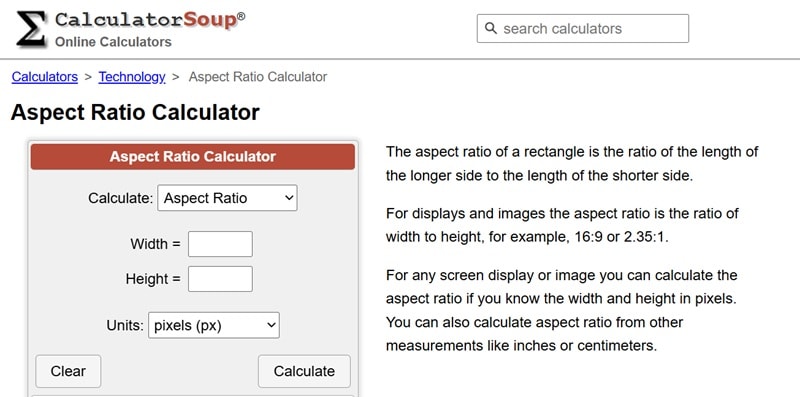
Let’s start with one of the most reliable tools out there, CalculatorSoup. This video aspect ratio calculator keeps things very simple. As soon as you open the page, you can type in the numbers you want and get the result right away. The site also includes clear explanations on how to use the tool, which makes it beginner-friendly.
- Choose to calculate aspect ratio, width, height, or both width and height.
- Supports units like pixels, centimeters, millimeters, and inches.
- Provides tables of standard aspect ratios used for displays, images, and video.
- The site is very lightweight and delivers fast and accurate results.
- You can embed the calculator on your own website.
- Contains ads on the page.
- No visual preview to show how the video will look after resizing.
2. Digital Rebellion
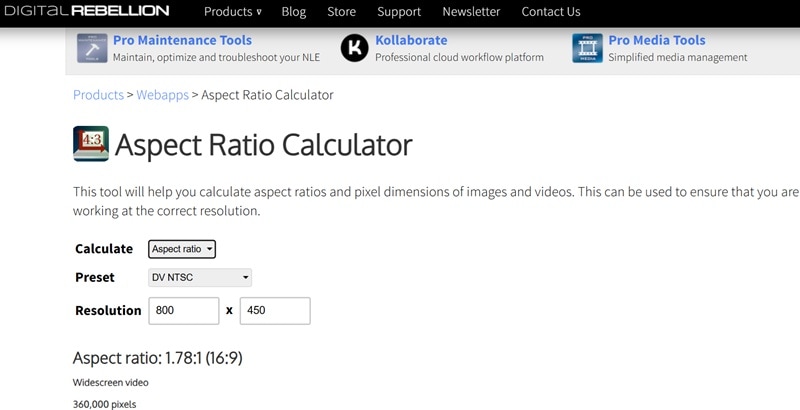
Another solid video aspect ratio detector worth checking out is Digital Rebellion. The company offers a full suite of tools for video professionals across desktop, mobile, and cloud platforms, but their web app is what most people use for quick calculations. They’ve been around since 2007, so the tool feels reliable and well-built.
- Includes a wide range of presets like NTSC, DV NTSC, HDV 1080, and other video formats.
- Lets you calculate aspect ratio, width, and height quickly.
- Clean and ad-free interface that is easy to navigate.
- Delivers results very quickly.
- The suite supports plenty of tools that can be helpful like Film Rate Calculator, Pixel Aspect Ratio Calculator, Aspect Ratio Matte Generator, and more.
- Only supports pixel units for calculations.
- No visual preview for resizing results.
3. Omni Calculator
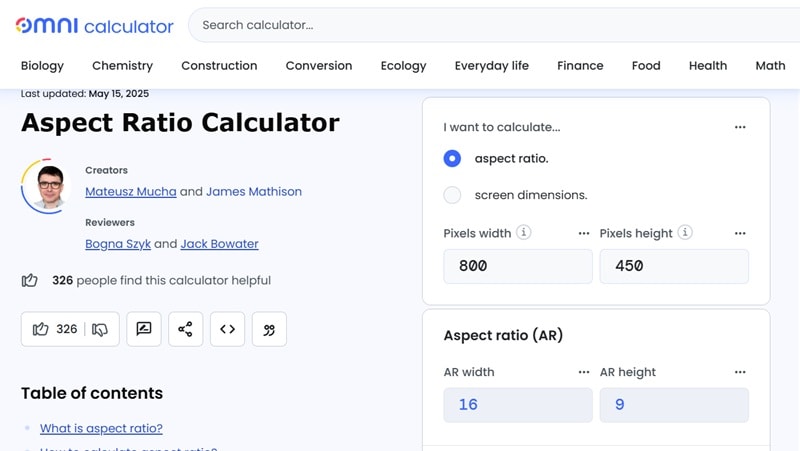
Omni Calculator is a website that offers many different calculators for everyday needs, and one of them is an aspect ratio calculator. The tool is very simple to use. You just enter the width and height, and it instantly helps you find the aspect ratio you need. It also includes helpful explanations about how aspect ratios work, which makes it easier to understand if you are still learning.
- Calculates aspect ratio and screen dimensions for videos, images, and displays.
- Save your input values during the session for easy comparison.
- Includes helpful guides and explanations about aspect ratio and how to use the tool.
- Provides a visual preview of screen dimensions so you can better understand the result.
- Automatically updates results as you enter width and height values.
- The page contains many ads that can feel distracting.
- Cannot calculate missing width or height values directly.
4. Elementor Aspect Ratio Calculator
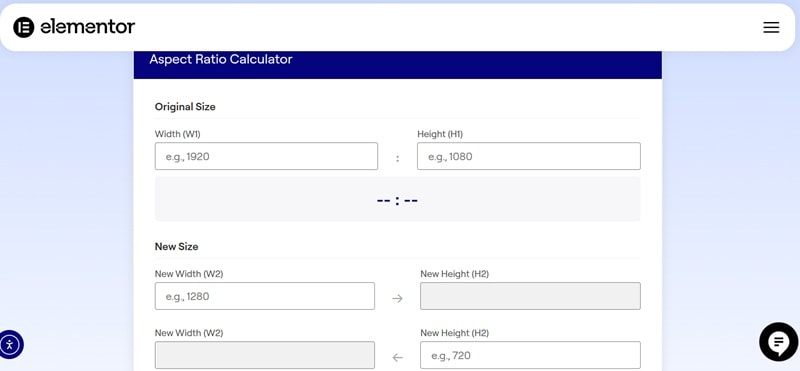
There’s also Elementor, a well-known WordPress website builder that offers its own video aspect ratio finder. The tool is simple, clean, and very easy to use. You just enter the width and height, and it instantly shows the aspect ratio. Plus, since the page doesn't have any advertisements, the experience feels smoother.
- Find aspect ratio by entering width and height values.
- Includes a guide explaining common aspect ratios and how to use the tool.
- Calculate the correct width and height based on your chosen aspect ratio.
- Ad-free interface with a lightweight and clean design.
- Makes it easy to find new width and height values for resizing.
- No visual preview for screen or video output.
- Custom options are limited compared to advanced tools.
5. Imagy.App
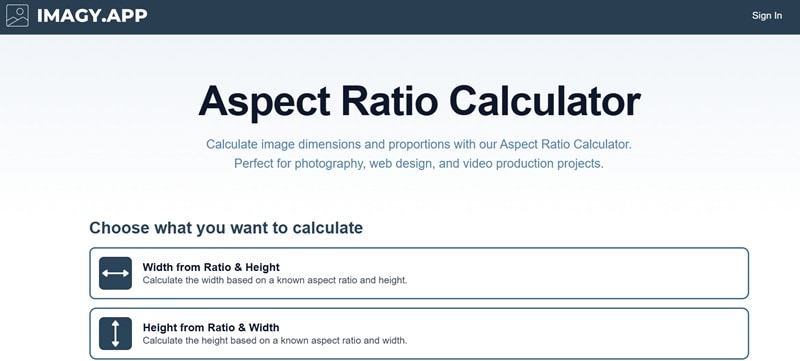
Next on the list is Imagy.App. This platform offers a collection of image tools for different creative needs, and one of them is a handy display ratio calculator. The tool gives you several ways to calculate dimensions, so you can choose how you want to find the result. Because of the flexible options and built-in presets, it works well for checking video sizes, screen dimensions, or image ratios in one place.
- Choose what you want to calculate, such as width from ratio and height, height from ratio and width, or ratio from dimensions.
- Includes many presets like Full HD, SXGA, SVGA, 4K UHD, and more.
- Provides an FAQ section to explain common questions and usage.
- Supports visual representation for video and screen dimensions.
- Fast calculation with automatic results without reloading the page.
- Contains a small number of ads on the page.
- Only supports pixel units for calculations.
6. Hedges.Name
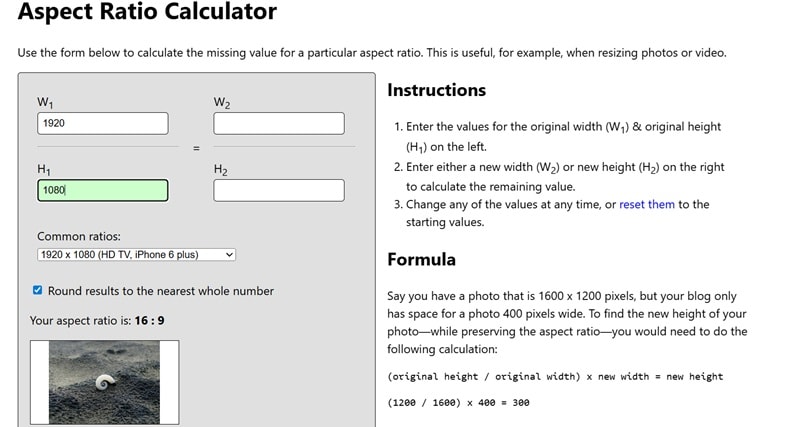
Hedges.Name is another tool that deserves a spot on any list of top aspect ratio checker tools. The site looks very simple, but it actually gives you a lot of helpful details. You get clear instructions on how to use the calculator, the formula behind the calculation, and even a visual example to help you understand the result.
- Find new height and width values based on your original dimensions.
- Includes presets for common aspect ratios like HD TV, iPhone 6, Facebook, Twitter, and more.
- Ad-free interface with a clean and simple layout.
- Lets you round results to the nearest whole number.
- Provides visual examples with sample images for easier understanding.
- No advanced customization settings for complex workflows.
- Only supports pixel-based calculations.
7. Mononodes
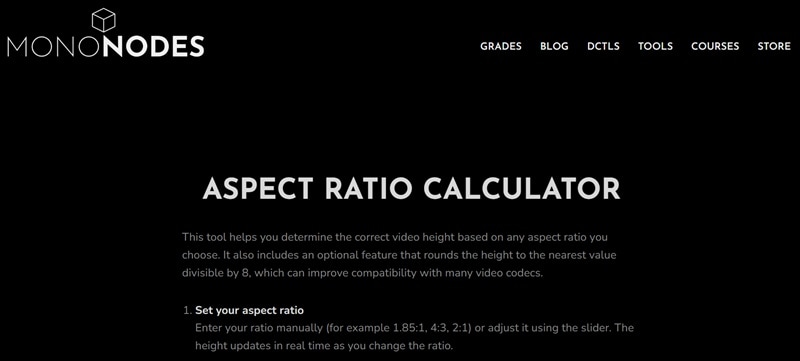
Last but not least, we have Mononodes. This aspect ratio calculator focuses on helping you find the correct video height based on any ratio you choose. What makes it different is the “divisible-by-8” option, which comes from older video codec standards that use fixed block structures.
- Supports custom aspect ratios with slider controls for quick adjustments.
- Simple and ad-free interface that is easy to navigate.
- Provides visual presentation to help you understand video dimensions.
- The divisible-by-8 option helps avoid edge issues and keeps color sampling more consistent.
- Only supports pixel units for calculations.
- No preset ratios for common devices or platforms.
Part 6. How to Choose the Right Video Aspect Ratio Calculator for You
So, now we’ve gone through some of the best video aspect ratio calculator tools you can try. But here’s the thing, different users need different tools depending on what they’re trying to do. In the end, the right choice really depends on your workflow.

To help you sort things out, here's an easier way to pick the right tool based on your needs.
- Beginners: If you’re new to aspect ratios, Omni Calculator and CalculatorSoup keep everything simple. The layout is easy to follow, results show up instantly, and they explain how the calculations work so you can learn while using them.
- Video Editors: Digital Rebellion feels more built for real editing workflows. It includes video format presets and precise calculations, which helps when you’re working with different footage sizes or export settings.
- Quick Checks: Mononodes and Imagy.App are great when you just want to check a ratio quickly without going through many settings. Both tools are straightforward and give answers right away.
- Visual Learners: Omni Calculator, Imagy.App, and Mononodes show visual previews or screen representations, so you can actually see how the dimensions will look. This makes it easier to understand the result instead of relying on numbers alone.
Part 7. Resize and Upload Videos the Easy Way with Wondershare Filmora
Using a video aspect ratio calculator is helpful when you want to figure out the right dimensions. But after getting the numbers, you still need to resize the video yourself. That extra step can slow things down, especially if you create content for multiple platforms.
Instead of jumping between a video aspect ratio finder and an editing tool, you can actually handle everything in one place with Wondershare Filmora. This AI video editor lets you adjust your aspect ratio video automatically while editing, so your content fits platforms like TikTok, YouTube, or Instagram without the extra work.

 Secure Download
Why We Recommend Filmora
- Match Video Size for Each Platform: Just choose where you want to upload your video, and Filmora adjusts the size to fit automatically. You don’t need to figure out the dimensions yourself.
- Resize Videos without Doing the Math: No need to enter numbers or check ratios manually. Filmora handles the resizing while you focus on editing your video.
- Preview Before Exporting: You can preview your video in vertical, square, or widescreen formats right away. This helps you avoid awkward cropping or important details getting cut off.
- Ready to Upload: Once everything looks good, you can export your video with the right size for your platform. Your video is ready to upload without extra adjustments.

With these capabilities, Filmora helps you move from planning to publishing faster, without dealing with separate tools or extra steps. And if you create videos often, keeping resizing and editing in the same workflow simply feels more natural.
Secure DownloadConclusion
Having a video aspect ratio calculator can make your workflow much easier, especially when you need to resize content for different platforms and screen sizes. So, we shared some of the best aspect ratio calculator online tools, including CalculatorSoup, Digital Rebellion, Omni Calculator, Elementor, Imagy.App, Hedges.Name, and Mononodes.
However, while these aspect ratio resolution calculator tools are great for finding the correct video size, they do not actually resize your footage. Instead of switching between a video editor and a separate tool, you can use Wondershare Filmora to handle everything in one place. This AI editor lets you adjust aspect ratios automatically, preview different formats, and export videos ready for any platform, which makes the whole editing process faster and more convenient.
