


 TL;DR:
There is no official VLLO desktop version for PC or Mac, and running the app through Android emulators is officially unsupported due to critical risks like black screens, project extraction failures, and unrecognized in-app purchases.
● Wondershare Filmora provides the closest beginner-friendly interface to VLLO with added AI tools and cross-device syncing across Windows, macOS, Android, and iOS, though the free version leaves a visible watermark on exports.
● For creators requiring completely free software without watermarks, Kdenlive supports unlimited tracks and 4K exports on Windows, macOS, and Linux, while OpenShot serves as the optimal lightweight alternative for low-end laptops.
● Windows 11 users can avoid software installations by utilizing the built-in Clipchamp editor for quick social media or work videos, but free tier users are restricted to a maximum export resolution of 1080p.
Ask AI for a summary
 ChatGPT
 Perplexity
 Gemini
 Claude
 Grok
Grok
There's no shortage of mobile video editors out there, but very few come close to what VLLO pulls off. So, it makes total sense that people start searching for VLLO download for PC, hoping to get that same smooth experience on a bigger screen.
Unfortunately, there's no official VLLO PC version in sight. The good news is you’re not stuck. In this guide, we’ll break down the best VLLO alternatives for PC and Mac that offer a similar editing experience.
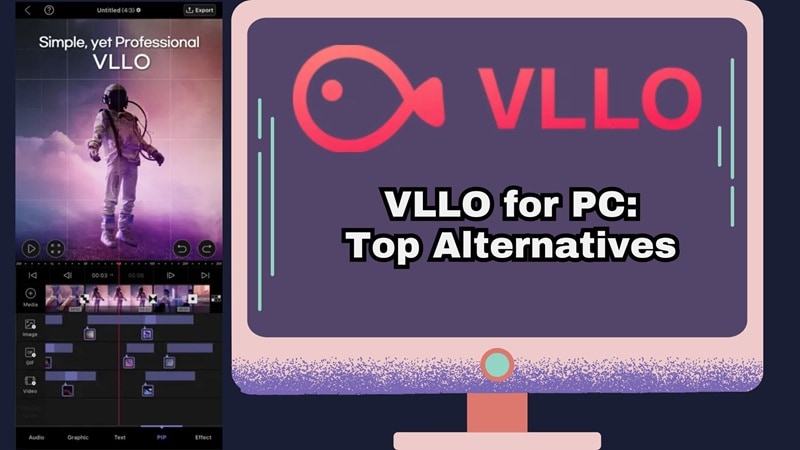
Part 1. Can You Actually Run VLLO on PC?
So, is it possible to download VLLO on PC? Unfortunately, no. VLLO is strictly a mobile app, available only on Android and iOS. Meaning, there is no official VLLO desktop or VLLO Windows version.
The Emulator Workaround
Now, if you go down the Google rabbit hole, you’ll see people suggesting you download VLLO for PC using Android emulators like BlueStacks, LDPlayer, or Nox. While that technically works, it comes with a massive "Proceed with Caution" sign.

According to the official VLLO FAQ page, running the app through intermediary devices or unofficial installation methods may cause problems such as:
- Black screen after extracting a project.
- Unable to extract or restore projects.
- Purchases not recognized.
- In-app purchases are failing.
- App freezing or crashing.
Because of these compatibility problems, the VLLO team says they cannot identify or fix these errors when the app runs on emulators or unknown APK sources.
A Better Solution
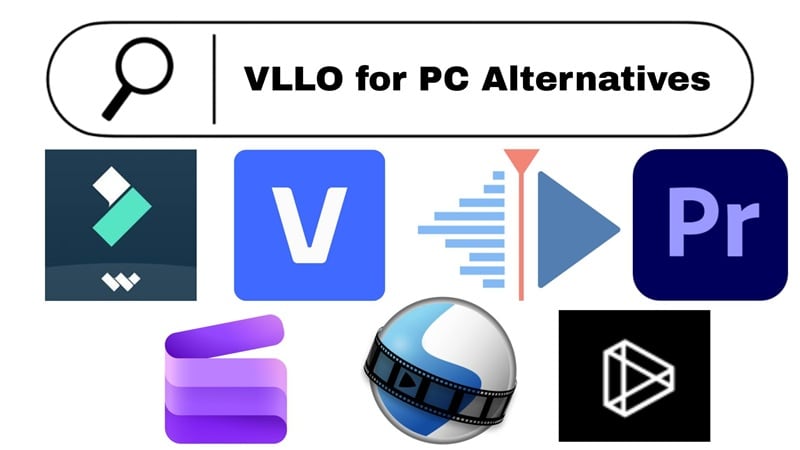
Instead of forcing a mobile editor to run on a desktop, it usually makes more sense to switch to a video editor designed specifically for computers.
The good news is that many desktop editors offer similar workflows to VLLO, with drag-and-drop editing, transitions, templates, and even AI features. And so, we’ll recommend to you some of the best VLLO for PC alternatives!
Part 2. How We Picked the Best VLLO PC Alternatives
We didn't just toss random video editors into this list and call it a day. Every tool here was carefully evaluated to make sure it actually holds up as a genuine VLLO for laptop or desktop replacement.
Here are the main criteria we used.
- Ease of Use: VLLO is popular because it’s easy to learn. So, we prioritized PC editors that are simple and beginner-friendly.
- Editing Features: We focused on tools that include the core VLLO features like trimming, splitting, transitions, text, filters, and speed control.
- Asset Library: VLLO comes with built-in music, stickers, and templates. So, we looked for PC editors that offer their own built-in assets.
- Platform Compatibility: We checked which tools work on Windows, Mac, and Linux, so you know exactly what runs on your computer.
- Performance and Stability: A video editor should run smoothly. We picked tools that are stable and work well even on lower spec computers.
Part 3. Our Top 3 VLLO Alternative Picks for Desktop
Our list consists of seven tools, and they have a strong reason to be recommended. But if you're short on time and just want to know the best options right now, here are the three tools that rose to the top for anyone searching for VLLO PC download alternatives.


Part 4. VLLO Alternatives Comparison Chart
So, you’ve seen our top picks for a VLLO desktop experience, but as we mentioned, there are actually seven fantastic tools that can fill that void. But before we dive deep into each one, here's a quick side-by-side look at all of them.
The comparison chart below gives you a quick overview of the most important details, like which platforms they support, and what type of creators they’re best suited for. If you came here hoping to find a solid VLLO in PC alternative, this section can save you time and help narrow down your options quickly.
| Tool | Platforms | Free / Paid | Difficulty | Best For |
| Filmora | Windows, macOS, Android, iOS | Free + Paid | Easy | Social media creators wanting AI power and speed |
| Lightworks | Windows, macOS, Linux | Free + Paid | Medium | Indie filmmakers looking for a cinematic movie look |
| Premiere Pro | Windows, macOS | Paid | Advanced | Professional editors and production teams |
| Vegas Pro | Windows | Free + Paid | Advanced | Solo creators who want fast cutting and great audio |
| Kdenlive | Windows, macOS, Linux | Free | Medium | Budget creators who want pro features with no watermarks |
| Clipchamp | Windows, iOS, Online | Free + Paid | Easy | Windows users making quick, clean social or work clips |
| OpenShot | Windows, macOS, Linux | Free | Easy - Medium | Beginners looking for a simple, drag-and-drop editor |
|
Show More
Show Less
|
||||
 Secure Download
Part 5. The Deep Dive: Best VLLO Alternatives for Your Desktop
Okay, so we gave you the highlights, but a quick glance only tells you so much. If you actually want to pick the right one and not regret it later, you need the full picture.
Below is the full breakdown of the editors we mentioned earlier. Once you see what each one offers, you might realize you do not need to worry about running VLLO on a PC through an emulator at all.
1. Wondershare Filmora
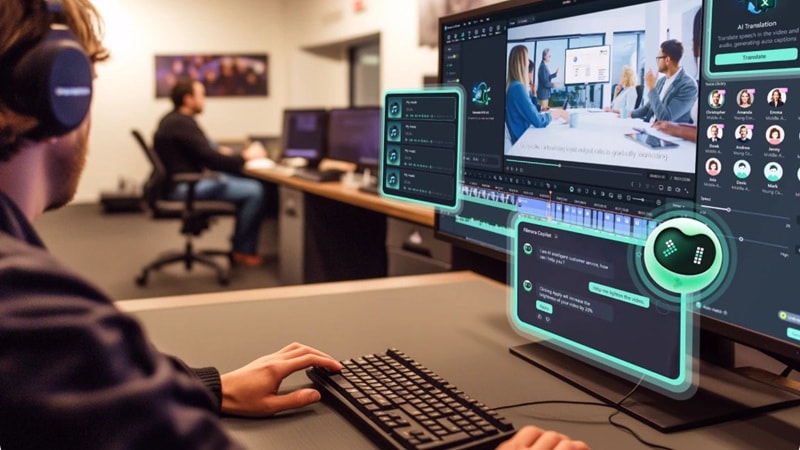
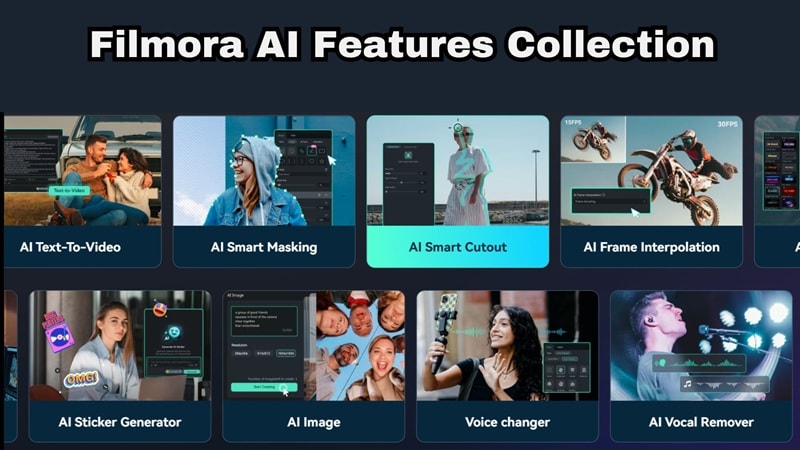
Let's start with the best one. If you've been hunting for a VLLO PC version that actually feels familiar, Filmora is probably the closest you're going to get on a desktop. It's got that social media-friendly, easy to pick up feel that VLLO users love, but underneath that, it's quietly packing some seriously advanced AI features you'd normally only find in pro-level tools. That combo is honestly what puts it at the top of this list.
Secure Download- AI video creation tools including AI Text to Video, AI Image to Video, and AI Audio to Video.
- Creative generators like AI Music Generator, AI Sound Effect Generator, and AI Sticker Generator.
- There is a huge range of pre-made templates for everything from gaming highlights to travel vlogs.
- Large built-in media library with stock footage, music, and visual effects.
- Advanced AI editing tools, including AI Object Remover, AI Caption, AI Audio Denoise, and more.
- Lets you schedule and share social media clips without leaving the editor using and tools.
- Strong AI features that genuinely help speed up editing tasks.
- helps beginners learn the editing process step-by-step.
- Huge creator community with lots of tutorials and guides online.
- The free version exports videos with a visible watermark.
Windows, macOS, Android, iOS.
Free version available, with affordable paid plans listed on the Filmora pricing page.
Content creators, vloggers, YouTubers, social media editors, and anyone who wants fast results with a clean interface and no learning curve.
Secure Download2. Lightworks
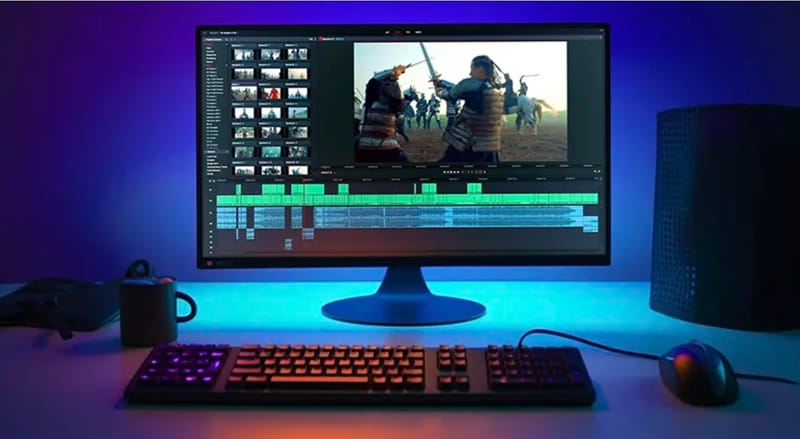
Another solid option if you are searching for VLLO for PC download is Lightworks. This editor has been around for a long time and has even been used in the editing process of several Hollywood films. That alone says a lot about what it can do. You get strong VFX tools, detailed color adjustments, and advanced audio editing that goes far beyond what most mobile editors offer.
- More than 700 customizable titles and motion graphics to enhance your videos.
- Detailed audio editing that lets you trim, split, and layer tracks with precision.
- Support for many professional video formats including RED, RAW, AVC Intra, and 4K footage.
- Proxy editing allows you to work smoothly even with high resolution footage.
- A universal timeline that can handle footage of different frame rates and formats without extra setup.
- The free version limits export resolution to 720p.
- There is no mobile version available, so you cannot continue editing projects on your phone.
Windows, macOS, Linux.
Free version available. Paid plans start from $13.99 per month.
Works well for YouTubers, indie filmmakers, and creators who want professional editing tools but do not want to jump straight into complex software like Premiere Pro.
3. Adobe Premiere Pro
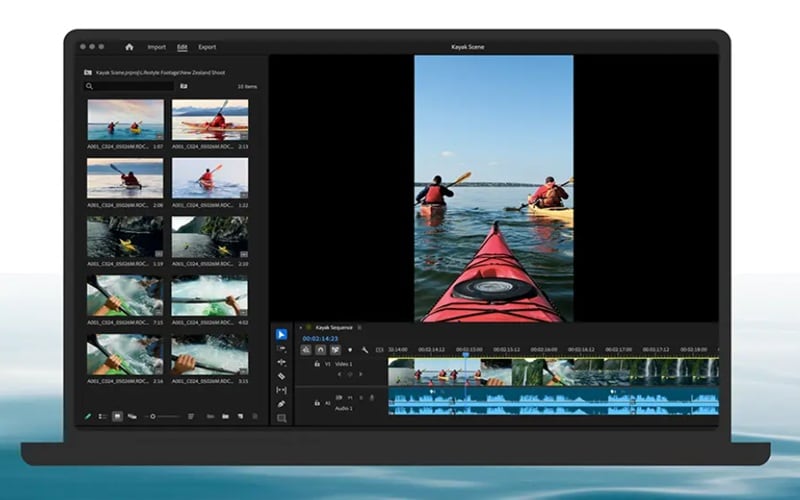
If you are looking for a serious VLLO for Mac or Windows alternative, Adobe Premiere Pro is one of the most well known choices out there. This editor is widely used across the film, YouTube, and broadcast industry. It is considered the industry standard for a reason. The toolset is incredibly powerful. flexible, and can handle everything from simple social media edits to full cinematic productions.
- Media Intelligence lets you search your footage just by describing sounds.
- Multicam support lets you group and play clips from different cameras at the same time.
- Lumetri Color for advanced color grading.
- Works seamlessly with After Effects, Photoshop, and Adobe Audition.
- Large ecosystem of third-party plugins and extensions.
- There is no free version available to test before subscribing.
- Complete beginners may find the interface and feature set overwhelming at first.
Windows, macOS.
Starts at $22.99/month as a standalone app, or as part of the Adobe Creative Cloud plan (billed yearly).
Works best for YouTubers, professional editors, video production teams, and creators who want full control over their editing workflow.
4. Sony Vegas Pro
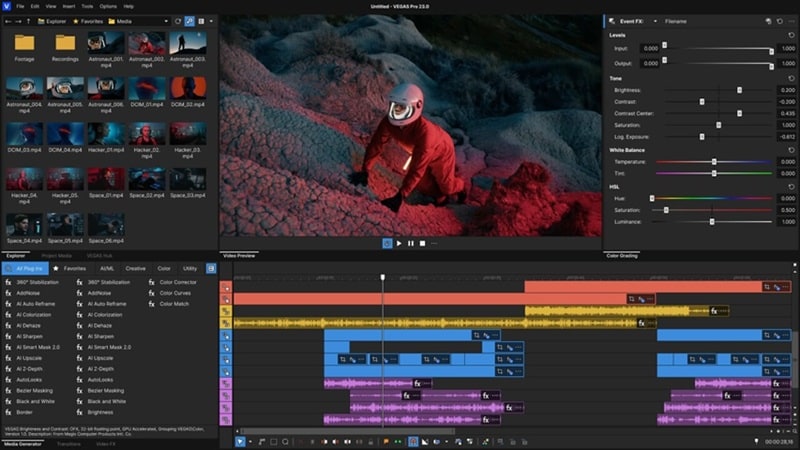
Next up is Sony Vegas Pro, a reliable VLLO for Windows alternative that many creators still swear by. Vegas Pro actually started life as an audio editing tool. Over time, it grew into a full video editing suite that balances speed with powerful editing features.
- Fully customizable interface that lets you organize panels and tools however you prefer.
- Advanced color adjustments using RGB and HSL color curves.
- Built-in media library with music, sound effects, and B-roll footage.
- Strong audio editing suite built directly into the editor.
- Handles high-resolution formats including 4K and 8K footage.
- Hardware requirements can be demanding on older computers.
- Some advanced features are locked behind higher-tier versions.
Windows.
Free version available. Subscription starts at $19.99 per month. One-time purchase options range from $219.99 for the Standard version to about $269.99 for the Pro Suite.
Windows-only creators, solo editors who prioritize speed, and anyone coming from a music or audio editing background.
5. Kdenlive
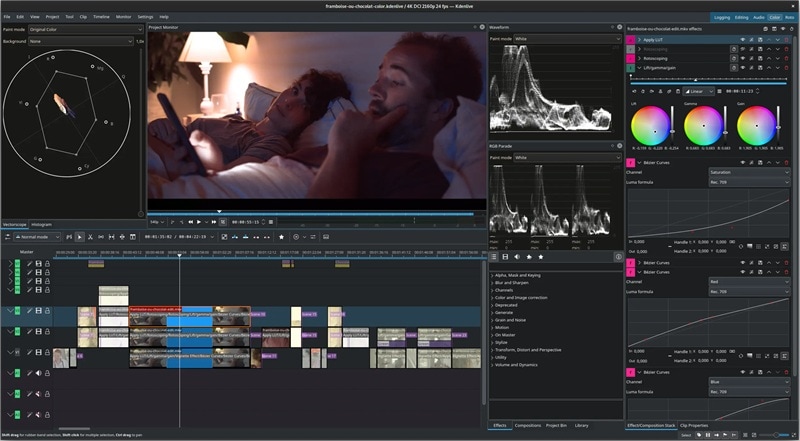
Kdenlive deserves a spot near the top if you want a VLLO download PC option that costs absolutely nothing. This editor is completely free and released under the GPLv2 license. You can download it, use it, and export videos without any watermark at all. That alone makes it feel very similar to VLLO’s philosophy.
- Unlimited video and audio tracks that can be hidden, muted, resized, or collapsed.
- Integration with Glaxnimate for vector graphics animation.
- Large collection of video and audio effects with adjustable filters.
- Completely free to use with no watermarks and no subscription required.
- Surprisingly powerful features for an open-source editor.
- Some users report stability issues when working with large or complex projects.
- Learning the workflow can take time for beginners coming from mobile apps like VLLO.
Windows, macOS, Linux.
Free. You can optionally support the project by donating on the official website.
Budget-conscious editors, Linux users, open-source enthusiasts, and intermediate creators who want 4K export for free.
6. ClipChamp
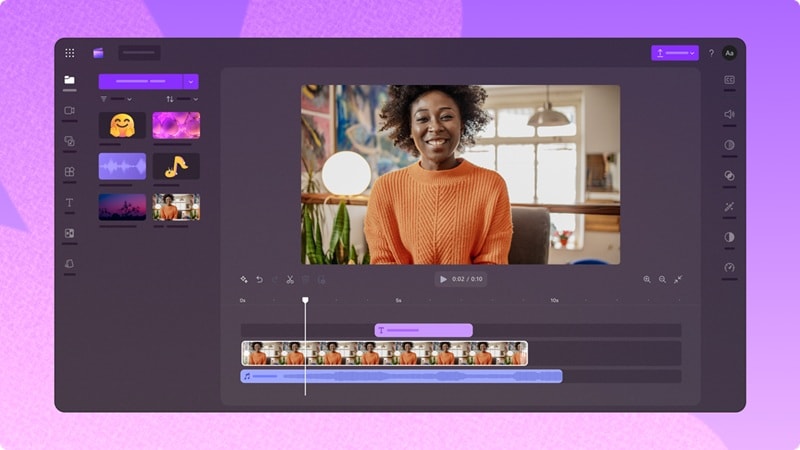
There is also Clipchamp, which is the built-in video editor for Windows 11 and a really convenient VLLO for Windows alternative. It started out as the Microsoft replacement for the old Windows Movie Maker, but it grew rapidly and now stands tall as a legit tool for creators. The features are great too, especially if you want to get things done without a huge learning curve.
- Large collection of royalty-free assets across different categories for work videos, school projects, or social media content.
- AI voiceover generator that can create narration for your video.
- AI captions that support more than 80 languages.
- Many AI features are available even in the free version.
- Also available on iPhone, which helps keep the editing style familiar for mobile users.
- The free version limits export resolution to 1080p.
- Advanced editing tools are limited compared to professional editors.
Windows, iOS, Online.
Free version available. Paid plans start at $11.99 per month.
Windows users who need to whip up clean, professional looking social media videos or work presentations quickly.
7. OpenShot
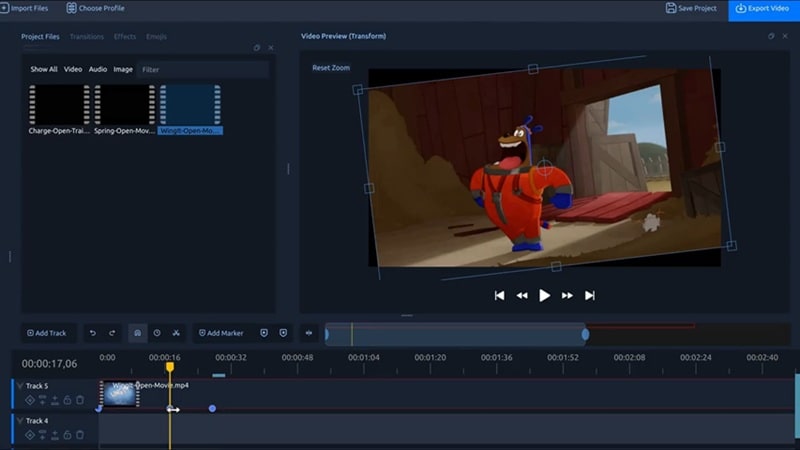
For our last pick, we have OpenShot. This is a multi-platform open-source editor that works on pretty much anything, which makes it an ideal VLLO Mac, Windows, or even Linux version. It is totally community driven, and really focuses on the basics. So, it makes sure you can get a video together without needing a degree in film editing.
- A powerful animation framework that lets you animate elements inside your video.
- A built-in effects engine that can adjust brightness, invert colors, remove backgrounds, and apply other visual effects.
- Support for creating and rendering 3D animated titles and effects for intros or presentations.
- You can add as many layers to the timeline as you need for video, audio, or graphics.
- Completely free to use with no watermark on exports.
- Editing large or complex projects can sometimes feel slow.
- The interface looks a bit outdated compared to newer editors.
Windows, macOS, Linux.
Free, with the option to donate on their site if you want to support the project.
Complete beginners and casual editors who just need a simple free tool to trim clips, add some music, and export clean videos.
Part 6. Picking Your Match: Which Editor Should You Download?
So, you've seen all our recommendations for VLLO PC alternatives! But with several options on the table, picking one can feel a bit overwhelming at first. So, let’s make it easier and break it down based on who you are and what you actually need for your setup.
If You Want Something Similar to VLLO
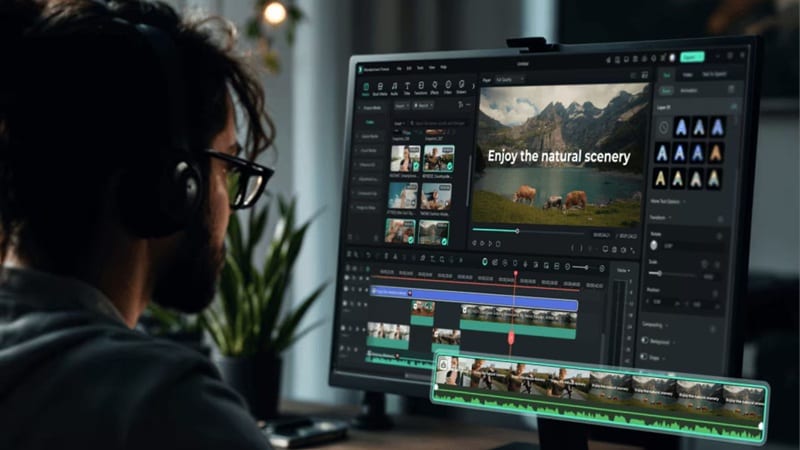
Go with Filmora. It keeps the editing process simple and beginner-friendly, which is exactly what makes VLLO popular in the first place. The layout is clean, the timeline is easy to understand, and you still get powerful tools like templates, effects, and AI features.
If You Want Professional Editing Tools
Premiere Pro is the strongest choice if you want full control over every detail of your video. It is widely used in professional production and offers deep editing tools for color, audio, and effects. That said, Filmora can still be a smart pick here if you want strong features without the complexity that usually comes with professional software.
If You Want a Free Option
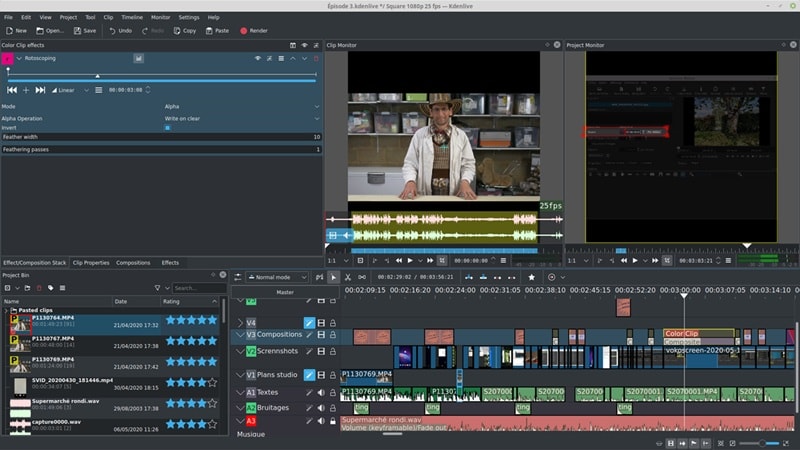
Take a look at Kdenlive or OpenShot. Both editors are completely free and export videos without watermarks. Kdenlive offers more advanced tools, while OpenShot focuses on simplicity. Either one works well if you want a free VLLO PC alternative without paying for software.
If You Use a Low-End Laptop
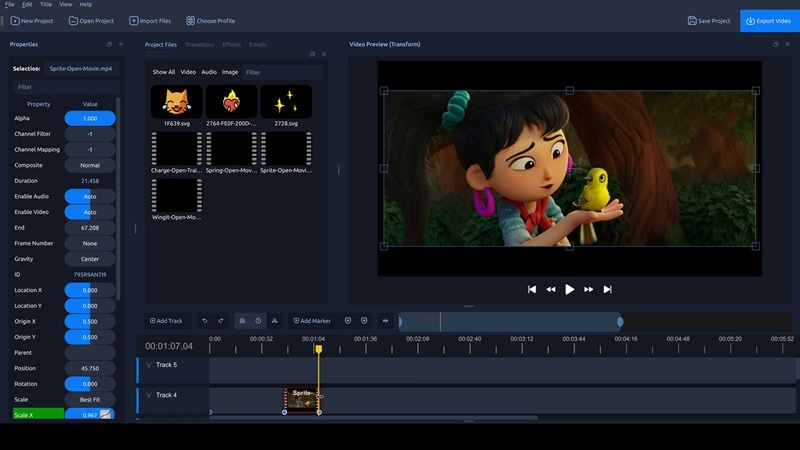
If your computer isn't exactly a powerhouse, OpenShot is your best friend. It is incredibly lightweight and won't make your fans sound like a jet engine while you are trying to work. Clipchamp is also a good shout since a lot of the heavy lifting happens in your browser, which can be easier on your system than installing a massive VLLO for Windows alternative.
Conclusion
Unfortunately, there’s currently no official VLLO desktop or VLLO for Windows version available. However, you don’t have to settle for a buggy emulator just to get a VLLO download for PC. The world of desktop editing has caught up, and there are so many native apps that give you that same creative freedom without the lag.
All the VLLO PC alternatives we covered are solid choices, and the right one really depends on what kind of editing you want to do. If you want the closest experience to VLLO while still getting more power, Filmora stands out as the best overall option. It keeps the editing process simple and beginner-friendly while adding useful AI tools, templates, and a large media library that help you create polished videos much faster.
Secure DownloadFAQs About VLLO for PC
-
Is there any chance VLLO will release a PC or desktop version in the future?
VLLO has consistently been a mobile-first product, and the developers haven't indicated plans for a VLLO Desktop or VLLO laptop release. The best move is to follow VLLO's official channels for any updates, but for now, desktop users are better served by the alternatives covered in this guide. -
Can I sync my VLLO projects from my phone to my PC?
VLLO doesn't currently offer a native cloud sync feature that would let you continue editing your projects on a PC. If cross-device continuity is important to your workflow, tools like Filmora (which has both mobile and desktop versions) might serve you better. -
Does VLLO offer a browser-based version?
No. There is no VLLO online PC or web-based version available. VLLO is exclusively distributed through the Google Play Store (Android) and the Apple App Store (iOS). Any website claiming to offer an online version of VLLO should be approached with caution, as these are not official products and could pose security risks.
