


 TL;DR:
Selecting the most effective watermark creator requires matching your specific workflow volume and platform to tools that support batch processing, transparent PNGs, and custom opacity controls.
● Adobe Photoshop ($19.99/mo) and GIMP (100% free, open-source) provide the highest precision for custom, layer-based design on Windows and macOS, but GIMP lacks a built-in, one-click watermarking tool, and Lightroom ($11.99/mo) restricts users strictly to text-based overlays applied during export.
● Browser-based options streamline workflows without software installation, but they enforce strict limitations on free or basic tiers; Fotor caps batch watermarking at 50 photos simultaneously, while Watermarkly forces its own branded logo onto all exports unless you purchase a paid plan starting at $19.95 per year.
● Mobile users requiring advanced copyright protection can use iWatermark+ on iOS or Android to batch-apply seven distinct watermark formats, including invisible Steganographic marks and QR codes, though the free version adds a compulsory "Created with iWatermark" tag to the final image.
Ask AI for a summary
 ChatGPT
 Perplexity
 Gemini
 Claude
 Grok
Grok
Photos are shared, reposted, and circulated through social media and online platforms within seconds in today's digital world. Although this gives more exposure to the content, it also raises the chances of impromptu and unauthorized usage, image theft, and loss of ownership. Image protection has become the most essential thing for photographers who want to attract clients by showcasing their work, the creators who post visual content, and the businesses that promote products.
Watermark creators solve the problem. These instruments let you put some words, a logo, or your brand's custom mark on your photographs, thus giving the required credit and keeping your brand safe. There are watermark creators to fit every user's needs, ranging from a basic online editor, an advanced desktop software, a mobile app, and a variety of different features. We present to you a list of the best free and paid watermarking tools for online, desktop, and mobile platforms in this guide. You can thus pick up the right method to watermark your photos, secure your visual content at ease, and with certainty.
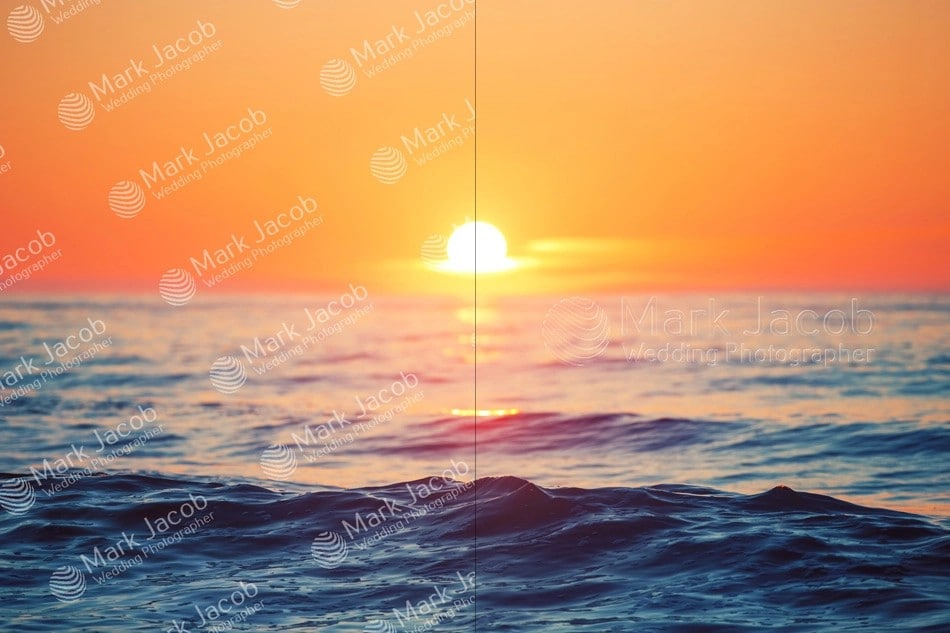
What to Look for in a Good Watermark Creator
Choosing the appropriate watermark instrument can make a significant difference in both protecting and streamlining the workflow. Those are the critical features to think about while selecting the best watermark creator for your images:
- 1. Supports text and logo PNG watermarks: The right-to-use ought to be equipped with the capabilities of adding both text-based watermarks and high-quality CSS- transparent logos. This allows branding, copyright, or simple attribution to be done in any way.
- 2. Opacity, size, and rotation controls: It is extremely necessary to change the visibility of your watermark. If you want your branding to show up less, select the equipment that permits you to vary the opacity, change the size of the watermark if you use pictures of different sizes, and alter the angle of the watermark if you want a different place.
- 3. Custom watermark maker features: If you desire an exclusive style, then a tool that provides the option of crafting your own watermarks is your best choice. This may be an implementation of font choice, color, icons upload, pattern tiling, and style that resembles your brand identity.
- 4. Batch processing for multiple images: To photographers and content creators who deal with many photos, the ability to watermark photos in batch is a must. It speeds up your workflow by allowing the same watermark to be applied to the vast majority— or even the whole—of the images at one time.
- 5. High export quality: After you watermark a picture, your instrument ought to be capable of the same or better quality of the images in clarity and resolution. Lossless or high-quality exports are what keep the photos sharp and professional.
- 6. Speed and ease of use: The workflow would be enhanced with an intuitive interface and rapid operations. Whether in an online or desktop environment, a good watermark creator should be time-saving and not further complicate the issue.
Top Watermark Makers: Our Top 3 Picks
| Tool Name | Platform | Key features | Best for | Price model |
| Wondershare Filmora | Windows, macOS, Android, iOS | Add text/logo watermarks, full control over size/opacity, AI editing, 4K export | Content creators needing watermark + full video editing | Free (with Filmora watermark), Paid from $9.99/month |
| Canva | Web, iOS, Android | Drag-and-drop watermarking, mobile & web access | Designers, photographers, small businesses | Pro: $12.99/month or $119.99/year |
| Fotor | Web, Windows, Mac, iOS, Android | Text/logo/signature watermarks, batch watermarking | Bloggers, social media users, photographers | Free (basic), Pro: $3.33/month, Pro+: $7.49/month |
 Secure Download
Best Free Online Watermark Creators (No Download Required)
Let's explore a few options for free online watermark creators:
1. Watermarkly
Watermarkly is a free online platform enabling users to add watermarks to their photos, PDFs, and videos in a matter of minutes. It allows batch processing to perform the same task on several files simultaneously. If you are using a free version, a "Watermarkly" logo will be added to your file, but if you upgrade to a paid plan, you will be able to get rid of it.
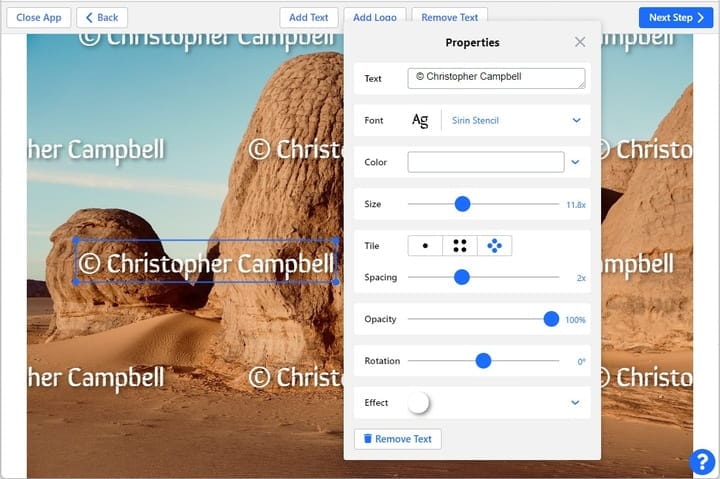
- Batch watermarking and resizing for images, PDFs, and videos
- Crop, compress, and convert images to various formats
- Add text or blur faces/license plates
- Mobile and desktop apps for cross-platform use
- Convenient and easy-to-use interface
- Supports multiple file types as well as batch processing
- Free version with core features available
- The free edition has a "Watermarkly" logo
- Some advanced features are available only after a paid upgrade
- Web browser (no download required), Windows and Mac desktop apps, iOS and Android mobile apps
Free version: Limited features, watermark added
1-Year Access: US$19.95 (up to 10 devices, no logo)
Permanent Access: US$39.95 (one-time fee, lifetime access)
Photographers, bloggers, and small business owners who want to efficiently watermark multiple files.
Watermarkly is a fast, flexible, and safe method to watermark and organize your digital files across various devices, which is the main reason why users who value both convenience and quality would choose it.
2. Canva
Canva is an all-in-one online design platform that gives users the ability to make visuals and watermark a picture, design artworks, and prepare marketing materials.
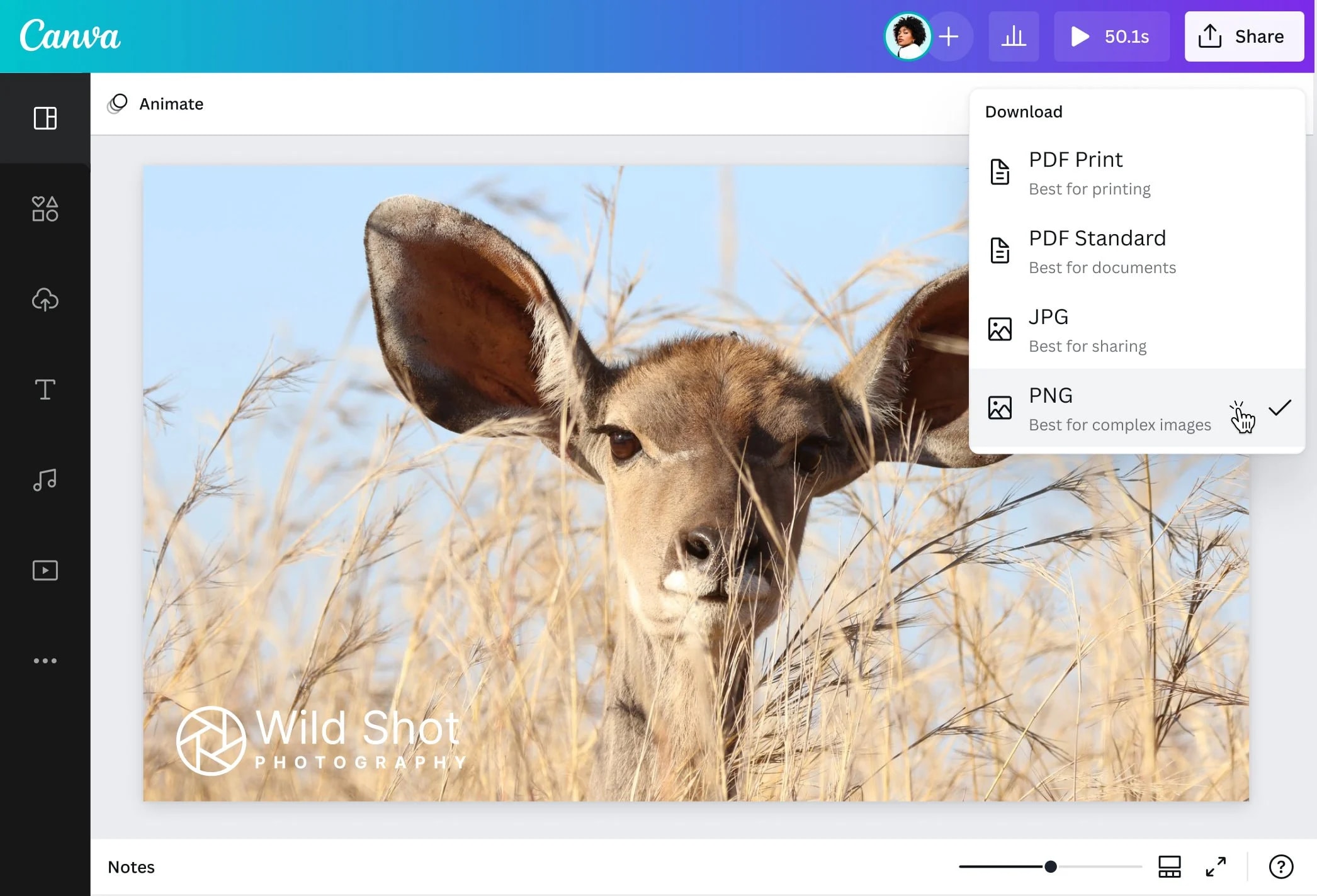
- Watermark your pictures and make them unique by adding logos, texts, or signatures
- Watermark placement by drag-and-drop with the option to change size, opacity, and rotation
- Watermarks can be saved and used again in as many projects as you like and from any device
- Mobile and web access to watermark wherever you want
- The interface is user-friendly and thus a good fit for both newbies and professionals
- Excellent font choices and design options are available for creating custom watermarks
- Saving in the cloud makes access and reuse easy
- A few of the advanced design features come with a Pro subscription only
- There are a few free templates for watermark designs
- Works with any Web browser (no need to download), Mobile apps available for iOS and Android
Canva Pro for individual users ($12.99/month or $119.99/year)
Photographers, designers, and small businesses who want to watermark images and maintain brand consistency across projects.
Canva is a good match for users who wish to combine creativity with the need to protect their work. Via easy methods of adding watermarks to pictures, which is just one of the features, users are free to go on and produce professional-looking content without resorting to complicated software.
3. Fotor
Fotor is a web-based watermark making tool which is very user-friendly and it allows users to add one or more of the following types of watermarks on pictures: text, logo, or signature. With the help of features such as an easy-to-understand interface, batch watermarking, and customizable settings, Fotor users can not only ensure the security of their digital content but also stylize it in their own way.
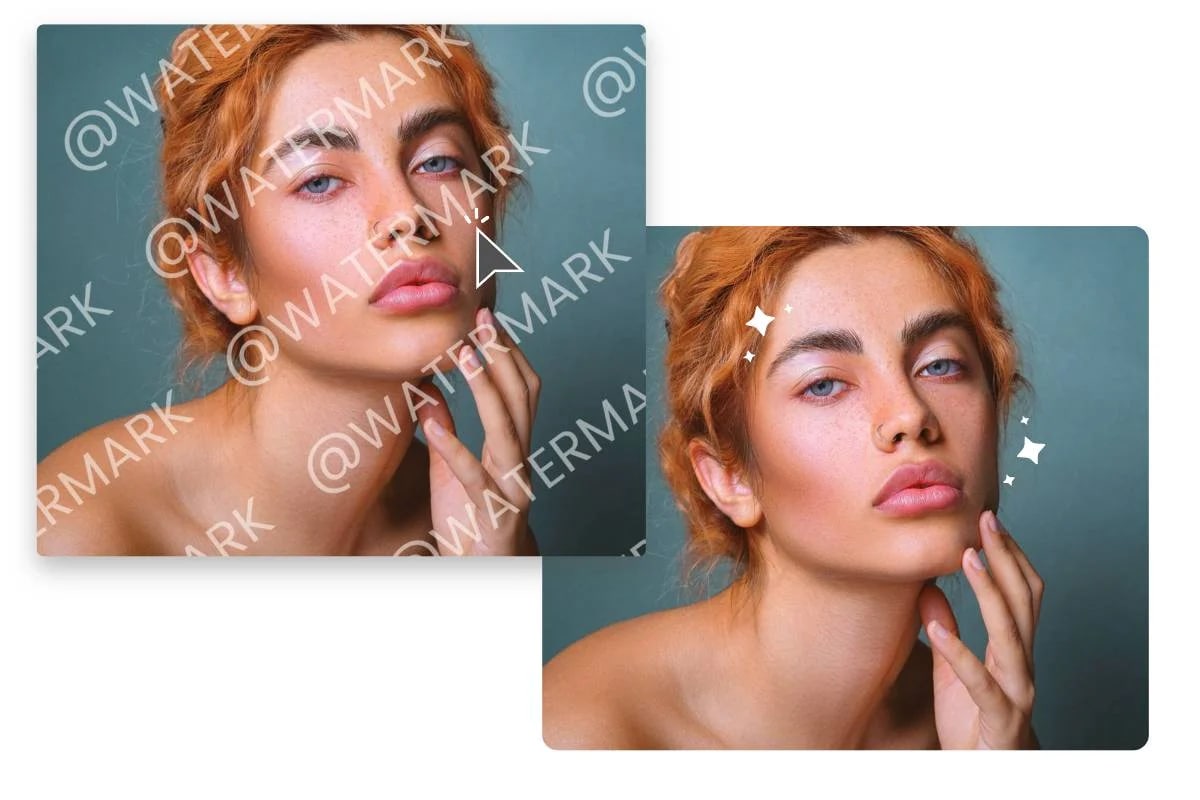
- Generate text, logo, or signature watermarks with your own customizable size, opacity, and color of the illustrations
- Batch watermarking for a maximum of 50 photos at the same time
- Saving watermark templates in the cloud for projects you want to do later
- Mobile and web versions for watermarking when you want and where you want
- User-friendly interface, no need for editing skills
- Different watermark types (text, logo, date, tag, holiday, marketing)
- There is an option to use the software free of charge with essential watermarking functions
- Some downloads and watermarking may be limited in the free version
- Fotor Pro subscription is required for accessing advanced tools
- Working through a web browser (no need to download)
- Windows and Mac desktop applications
- iOS and Android mobile applications
Fotor Basic: Free, with watermarked downloads
Fotor Pro: US$3.33/month billed annually, removes watermarks, and unlocks advanced tools.
Fotor Pro +: US$7.49/month billed annually
Photographers, bloggers, and social media users are looking for a quick and efficient way to add watermarks to their photos and keep their digital content safe.
Why we recommend it
Along with customizable templates and batch processing, Fotor features a simple watermarking workflow that is great for users who want to protect their images and keep a consistent visual identity online.
4. PicMonkey
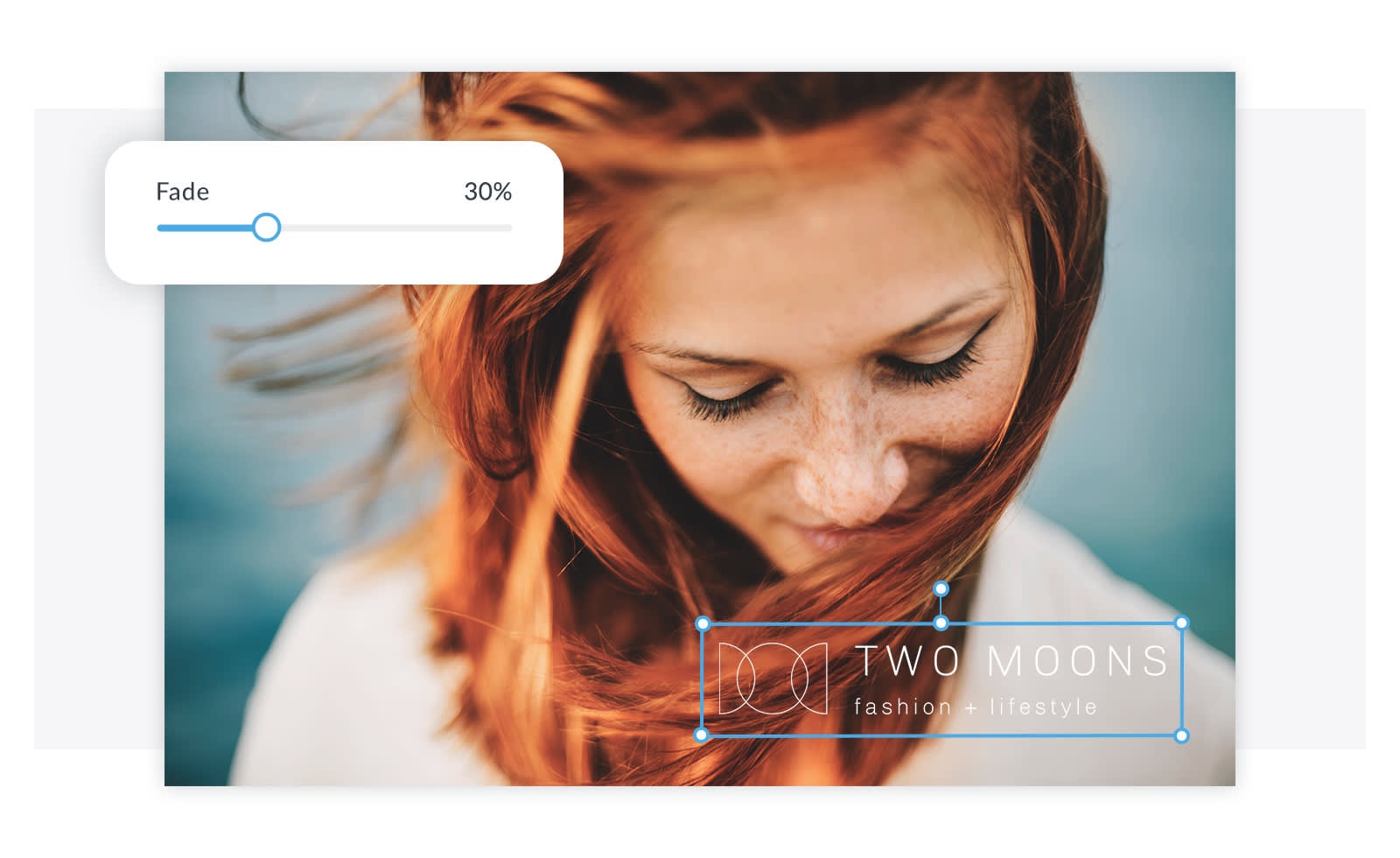
PicMonkey's watermark creator allows you to make and add watermarks that are of top quality to your pictures in just a few clicks. In case you decide to brand your images, keep your works safe from being copied without your consent, or think of a unique logo, PicMonkey offers a simple-to-use workspace.
- Make watermarks that are either text, logo, or graphic-based by using customizable templates
- A transparent background creator for watermark PNGs is included in the built-in
- Thousands of graphics and logo templates to create a watermark by yourself
- Place watermarks on photos in 9 different ways or cover the entire image with tiles
- Easy-to-use interface with step-by-step watermark creation
- Huge selection of templates, graphics, and branding tools
- Transparent background maker built in
- Pro and Business plans allow custom watermark upload and direct application
- Advanced features only available with Pro/Business subscription
- Web browser (online editor), Mobile apps available for iOS and Android
$72/month
Businesses, creators, and photographers looking for a full branding toolkit- logo creation, watermark design, social content templates, and professional editing all in one place.
Users can do branding, design, and copyright their visuals with the help of thousands of graphics, logo templates, transparent background tools, and advanced watermark placement options.
Best Desktop Watermark Software (Windows & Mac)
While high-resolution images can be shared on different platforms in a matter of seconds, a desktop watermark program still allows you to protect your files in batches with accuracy and without the need for a web browser.
5. Wondershare Filmora
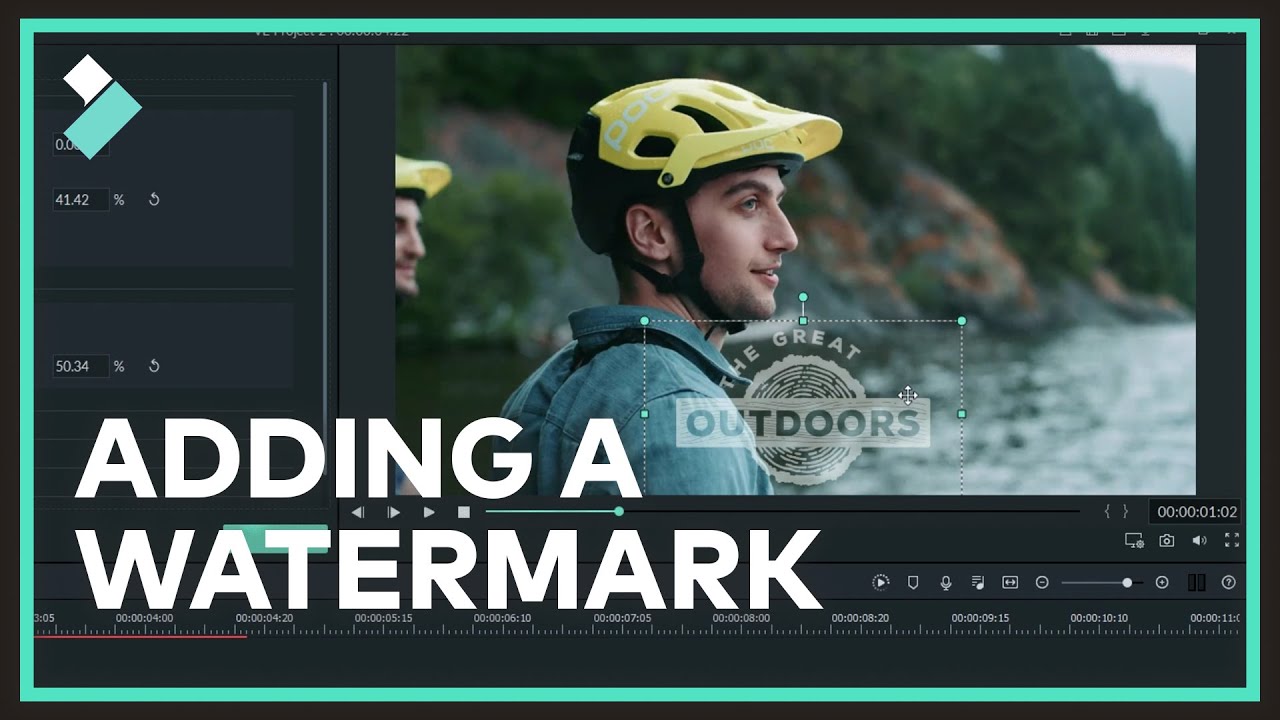
Wondershare Filmora is a widely used cross-platform video editor that supports Windows, macOS, Android, and iOS. Even though it mostly gets credit for its strong editing and AI-powered features, Filmora still brings a small utility - a built-in watermark creator that allows you to put text or logo overlays on your videos with complete customization. This tool fits perfectly with the creators who want to brand their content stylishly while editing in the same place.
 Secure Download
- Add text, logo PNGs, or branded signature marks
- Full control over opacity, blending, size, and rotation
- AI-powered editing tools for enhanced video quality
- Batch editing options using timelines and templates
- Supports 4K export with watermark applied
- Available on Windows, Mac, iPhone, and Android
- Huge asset library: stickers, overlays, LUTs, templates
- Beginner-friendly with drag-and-drop editing
- Professional visual effects and templates
- Precise watermark placement on multiple clips
- Smooth dual-timeline editing and keyframe support
- Free version adds Filmora's own watermark on export
- Windows, macOS, Android, iOS
Free version available (with export watermark).
Different prices for different plans.
Content creators who need a complete video editing tool that has watermarking, mobile-to-desktop syncing, and AI-powered features.
Filmora is different from other tools in that it is not just a device for watermarks but a full creative suite. In a single efficient workflow, you can create a watermark, spread it along your timeline, upgrade your video with AI, and output professionally branded videos.
Secure Download6. Adobe Photoshop
Adobe Photoshop is the must-have tool in the creative industry for image editing and professional branding, and along with that, it's also one of the most powerful tools for producing precise, top-notch watermarks. This is mainly because of its advanced layer management, font styling, blending modes, and the feature of complete transparency editing.
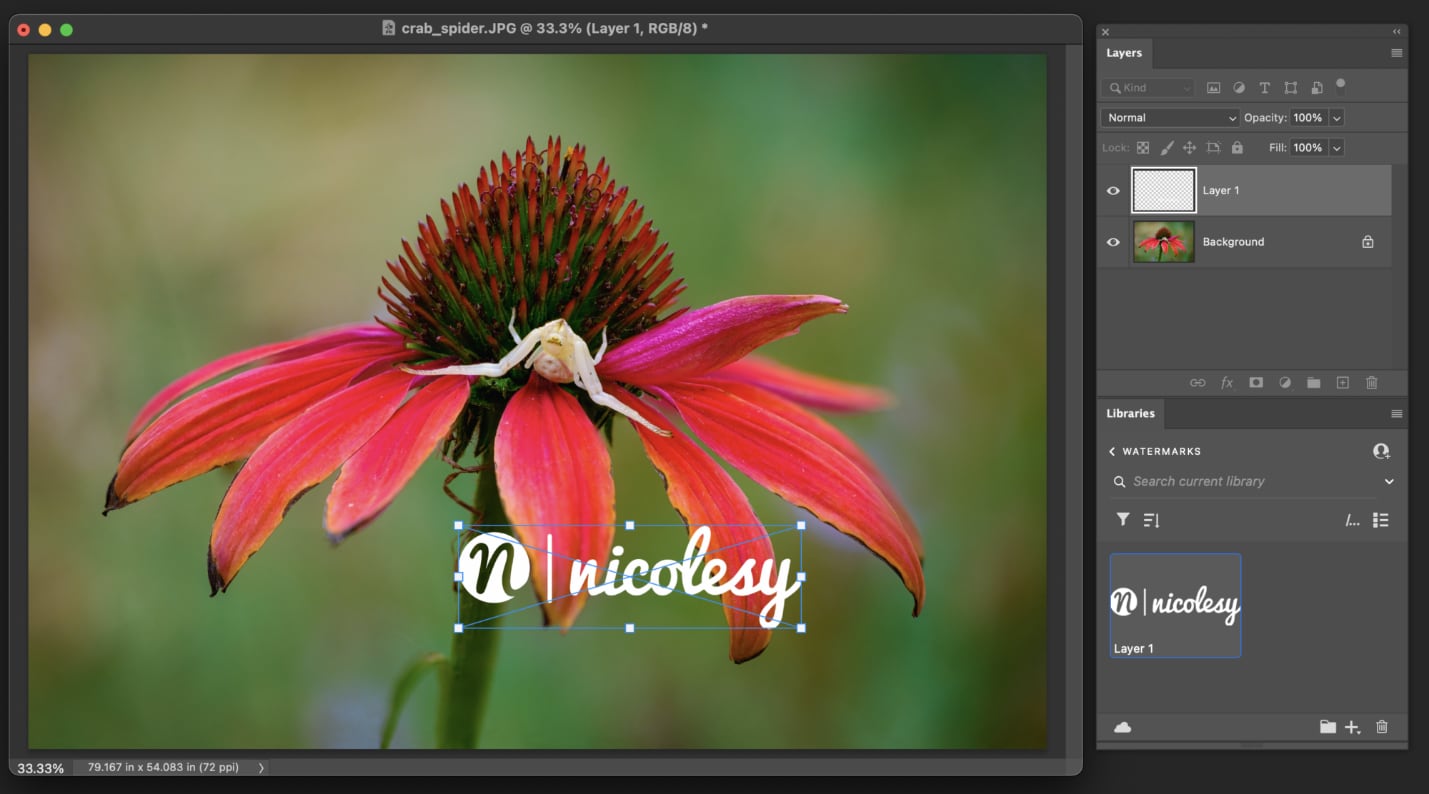
- Create fully customizable watermark text, logos, signatures, and graphic marks
- Layer-based editing for perfect placement, opacity, blending, and effects
- Export transparent PNG watermarks for long-term reuse
- AI-powered tools (Generative Fill, Remove Tool, Harmonize) for professional cleanup
- Advanced typography and vector tools for branded watermark design
- Industry-leading control and precision
- Best tool for advanced custom watermark creation
- Supports professional file formats (PSD, TIFF, PNG, etc.)
- No free version (only a limited 7-day trial)
- Subscription-based, can be expensive for casual users
- Windows, macOS, Web (Beta), iOS, Android
Photoshop Plan: US$22.99/month
Photography Plan (Photoshop + Lightroom): US$19.99/month
Creative Cloud Pro (Photoshop + 20+ apps): ~US$34.97/month for first year (promo), then US$69.99/month
7-day free trial available
Professional photographers, designers, branding specialists, and creators who require maximum control of custom watermarks, along with advanced editing features.
In no other way can Photoshop be surpassed in the creation of watermarks that are not only professional but also reflect the brand's identity. No matter if you are making a simple small signature, a stylish text overlay, or a complicated logo-based watermark, Photoshop's accuracy tools are the ones that guarantee perfection every time.
7. GIMP
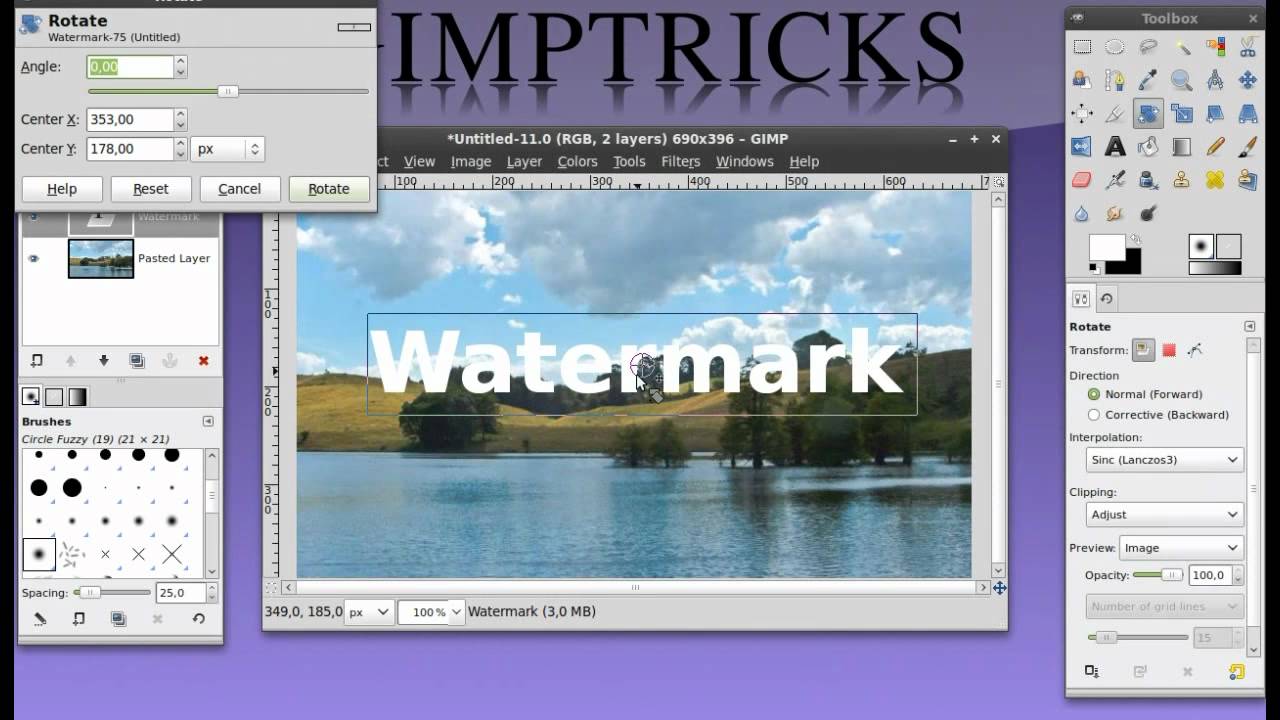
GIMP (GNU Image Manipulation Program) is a capable, cost-free, and open-source cross-platform image editor that works on Windows, macOS, GNU/Linux, and other platforms. The software has professional tools for photo manipulation, graphic design, drawing, color management, and user scripting. Being fully customizable and having a wide range of plugins, GIMP is a viable substitute for expensive editors; thus, it is an excellent tool for making intricate personalized watermarks for free.
- High-quality photo manipulation tools for retouching, restoring, and compositing
- Advanced color management for accurate digital and print results
- Create custom text, logo, or graphic watermarks using layers
- Support for scripting in Python, Scheme, Perl, C, C++, and more
- Large plugin ecosystem for added effects, filters, and watermark automation
- Completely free and open source
- Strong feature set rivaling paid photo editors
- Excellent for detailed, professional watermark creation
- Learning curve for beginners
- Watermarking is manual—no built-in one-click tool
- Windows, macOS, GNU/Linux, and other operating systems
100% free (open-source, no subscription, no premium version)
Photographers, designers, illustrators, developers, and any person that needs a professional tool for free which is suitable for editing images and creating watermarks in detail.
GIMP is a great tool with a lot of control, customization, and plugin support, which is hardly ever free software.
8. Lightroom
Adobe Lightroom is the pro photo editing software that can be used on desktop, mobile, or web. It provides a variety of tools for detailed retouching, AI-driven improvements, and workflows that can be synchronized via the cloud. Although Lightroom excels in advanced color grading and photo organizing, users can also take advantage of its text and graphic overlay features to create simple and uniform watermarks that can be accessed from any device.

- Cloud-connected editing across mobile, desktop, and browser
- Apply text-based watermarks during export for consistent branding
- AI-powered presets to enhance images instantly
- Healing tools to remove distractions before watermarking
- Powerful masking tools for selective edits
- Professional grade editing with an easy-to-use interface
- Cloud syncing allows watermarking and editing anywhere
- High-quality export options ideal for photographers
- Built-in learning tools for beginners
- Works seamlessly with Photoshop for advanced projects
- No fully custom graphic watermark tool (mainly text-based export watermarking)
- Windows and macOS (desktop)
- Web browser (online editor)
- iOS and Android mobile apps
Lightroom (1TB): US$11.99/month (annual, billed monthly)
Professional photographers, creators, and editors who require cloud-based photo editing along with dependable and consistent watermark exports.
Lightroom offers top-notch editing, smooth usage across multiple devices, and accurate export watermarking. In case you desire a workflow that not only involves editing but also organizing and protecting your photos within a single ecosystem, Lightroom is one of the most powerful choices.
Best Watermark Apps for iPhone & Android (Mobile Tools)
In the smartphone age - which is also the era of on-the-go photo snapping and sharing, mobile watermark apps are the tools that you can use to immediately protect your photos if, at all, you intend to post them online.
9. iWatermark+
iWatermark+ is a multifunctional watermarking application for pictures and video clips, which can be used on Android, iOS, Mac, and Windows. Both professionals and amateur photographers can use it to secure their work by applying some visible or even invisible watermarks, like text, graphics, signatures, and QR codes. As opposed to just a text watermark which is a tool, iWatermark+ gives away a lot of customization options and batch processing.
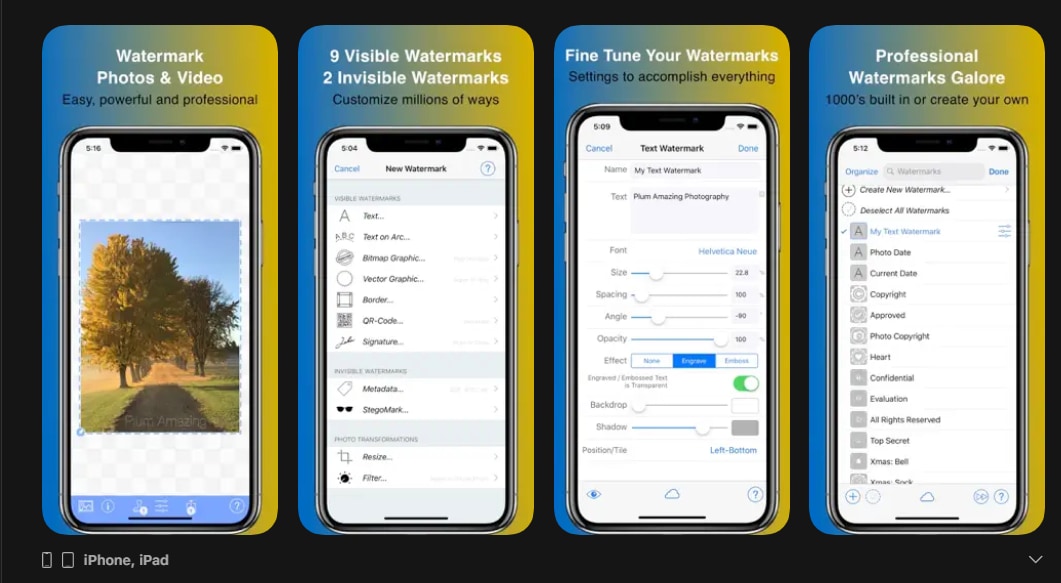
- Make 7 different watermark types: Text, Arc Text, Bitmap Graphics, Signature Scan, QR Code, Metadata, and Steganographic
- Watermark pictures and videos, either single or in batches
- On the spot preview and editing: changing font, color, scale, opacity, size, position, and angle
- It supports 292 fonts and allows custom fonts; text embossing, and engraving are available
- A signature scanner to bring in your handwritten signature as a watermark
- Full control over watermark style and placement
- Batch processing for multiple files saves time
- Cross-platform support: Android, iOS, Mac, and Windows
- Supports both visible and invisible watermarks for maximum protection
- User-friendly touch interface for easy editing
- Free version adds a small "Created with iWatermark" watermark
- Android and iOS devices
Free version with a small watermark
Paid version available via in-app upgrade
Photographers, artists, and content creators require professional watermarking solutions for both images and videos along with full customization as well as batch-processing support.
iWatermark+ offers the most flexible way of creating watermarks on any platform. The facility to use both visible and invisible watermarks, live previews, as well as batch processing, is what makes this product a perfect choice.
10. Add Watermark on Photos (Android)
Add Watermark on Photos is a mobile watermarking app for Android that lets users design their watermarks in any way right on their device. The app, which is a perfect fit for photographers, content creators, and businesses, can use text, logo, and handwritten signature as watermarks, and features batch processing and exact positioning for several images at the same time.

- Create and save watermark templates for repeated use
- Batch processing to watermark hundreds of images simultaneously
- Preview photos before applying watermarks with position and style adjustments
- Custom text watermarks: adjust font, color, size, rotation, background, and transparency
- Use pre-built watermark patterns or import your own logo
- Include copyright, trademark, or registered symbols in watermarks
- Powerful batch processing saves time for large projects
- Flexible customization for text, logos, and patterns
- Pixel-perfect positioning ensures consistency across images
- Contains ads and optional in-app purchases
- Android 7.0 and up
Free to try with ads
Photographers, social media creators, and businesses that need a mobile-first watermarking solution for individual and batch photo processing.
Add Watermark on Photos provides a set of complete watermarking tools in a simple Android app. The main reason for its great performance is the combination of batch processing, template saving, and pixel-perfect positioning. It is, therefore, perfect for those who require both fast and accurate methods of image protection/branding on their mobile devices.
11. Snapseed
Snapseed is a robust and professional-grade mobile photo editor created by Google. It is full of advanced tools, film-style filters, and face-enhancement features — and at the same time, it is very easy for beginners to use. If you are working on portraits, landscapes, or social media visuals, Snapseed is the tool that allows you to stay in total creative control.

- RAW Develop – Open and adjust native camera RAW files; save non-destructively or export as JPG.
- Tune Image – Fine-tune exposure and color manually or automatically with precise controls.
- Details – Bring out surface structures and textures in your images.
- Crop – Trim to standard ratios or freeform.
- Rotate – Rotate by 90° or straighten a crooked horizon.
- Perspective – Fix skewed lines and correct building/horizon geometry.
- White Balance – Correct color tones for a more natural look.
- Completely free with no subscription or hidden charges.
- Professional-grade tools like Curves, RAW Develop, Selective Adjust, and Brush.
- Precise selective editing using Control Points (unique compared to most mobile editors).
- High-quality retouching with Healing, Face Enhance, and Face Pose.
- Non-destructive workflow allows you to revert or re-edit any adjustment.
- Wide range of creative filters such as Vintage, Grunge, Drama, Noir, and Grainy Film.
- Supports RAW photos, ideal for DSLR or mirrorless shooters.
- Not beginner-simple - advanced tools like Curves and Perspective require some learning.
- Android and iOS
Free to download
Photographers, creators, and anyone who wants powerful, free, mobile photo editing on the go — from quick fixes to artistic edits.
Snapseed is a free app that offers you a professional grade editing suite with a range of features from RAW editing, curves & color correction, to texture, filters, and healing.
How to Choose the Right Watermark Creator: A Quick Guide
Choosing the right watermarking tool will depend on your workflow, the number of images you work with, and whether you need to have more control or be more comfortable.
- For speed and batch processing: Utilize the watermarking technology that enables bulk uploading, automatic presets, and quick exporting so you can apply the same pattern to hundreds of images in a matter of seconds.
- For absolute beginners: Consider a tool with a straightforward, understandable interface, drag-and-drop functionality, and ready-made watermark templates that facilitate the process without requiring any effort.
- For document and image watermarking: Invest in a creator that supports different file formats (such as PDFs, JPGs, PNGs) and grants the use of both text and logo-based watermarks for flexible application.
- For mobile-only workflows: Select an application that provides the full creation of watermarks on iOS or Android, with the addition of quick editing functions and the possibility of saving directly to your phone gallery without any hassle.
- For photographers: Get a watermark device that can handle high-resolution images, RAW files, and non-destructive editing, thus maintaining quality and uniformity throughout your portfolio.
- For brands: Use a creator that provides you with the ability to keep brand assets such as logos, fonts, and color palettes in one place and use them again for a consistent visual identity of all your content.
- For social media creators: Find the tools that have resizing presets, give you quick editing options, and allow you to export the content in an optimized way for platforms like TikTok, Instagram, and YouTube.
- Free online alternatives: In case you are not willing to install software, opt for a browser-based watermark creator that allows you to upload images, apply basic watermarks, and download them instantly without charging you anything.
Why You Should Watermark Your Photos
Watermarking is not only a way to protect your work but also a nice tool of your power to your unique self and a guarantee that your work will be recognized everywhere.
- Protect your copyright: A watermark that can be easily identified is a deterrent to the use of the work without authorization; thus, it makes it difficult for others to take your photos and claim them as their own, while at the same time, it shows that you are definitely the owner.
- Promote your brand: The use of a logo, signature, or name as one of the elements of the brand is helpful in the recognition of the brand and ensures that the users can trace the images back to you, even when they are being shared on different platforms.
- Look professional: The presence of a neat, less noticeable watermark is one of the ways that your photos get more trust from the viewers because they become convinced that the photos are of high quality and have been professionally presented.
Conclusion
One of the most impactful methods of safeguarding your intellectual property is by watermarking your photos, which apart from that, also facilitates your brand to be recognized and show off the professionalism of your brand in a visual way to any audience or platform. There are numerous tools available to you—whether that be a quick online editor or a powerful mobile app—that make it possible for you to secure your content before releasing it.
While finding the best watermarking method there is, you should also consider which workflow will give you the best results, in case you require speedy batch processing, intricate customization, or an editing method that is suitable for the use of a mobile phone. Moreover, if you happen to be searching for a single solution that will allow you not only to watermark your pictures but also to enhance, edit, and elevate your visual content, then Filmora is a perfect choice. Its easy-to-use interface, incorporated text, as well as logo overlays, and tools that are simple to use by a beginner make it the right choice for creators who are after great results without having to go through a complex process.
Secure DownloadFrequently Asked Questions
-
Q1. Why Watermark My Photos?
Watermarking is a protective measure that keeps your photos safe by showing your brand name, logo, or signature, thereby making it difficult for others to use your pictures without getting permission from you. Besides, when pictures are shared online, it gives your brand more exposure. Adding watermarks that look professional can be done in no time by means of handy tools like Filmora.
-
Q2. Is it Possible to Watermark Several Photos Together?
It is possible that quite a few watermarking programs offer batch watermarking, allowing one to put a logo or text on the same number of photos, be it dozens or even hundreds, at a time. Filmora is a great tool that can help you do batch editing and, thus, easily handle large image libraries if you are a creator.
-
Q3. Are There Any Free Watermark Tools?
There are options for both free and paid ones. Free tools are typically limited to providing only basic features for watermarking, while paid software such as Filmora is equipped with advanced features like customized placement, animated watermarks, and output with higher quality - just what professional creators need.
