


 TL;DR:
Wondershare Filmora offers the most comprehensive solution for generating and refining World Cup AI videos with a full multi-track editing timeline, while browser-based alternatives like Media.io or Pippit AI are better suited for quickly turning single photos into formatted social media clips.
● Pippit AI is ideal for frequent TikTok or Reels creators because it auto-formats outputs to 9:16 and provides 150 free credits that refresh weekly, whereas Media.io delivers the fastest photo-to-video workflow using pre-made football effects but restricts free users to 3 daily credits and watermarked exports.
● Despite offering free sign-up credits, neither Dzine AI nor Alici AI allow free video generation; their free tiers are restricted entirely to image creation and prompt building, meaning a paid subscription is strictly required to output actual video clips.
● Generating realistic videos of actual football players is highly discouraged due to likeness rights and copyright risks, and this practice is explicitly prohibited by the terms of service of integrated AI models like Seedance 2.0.
Ask AI for a summary
 ChatGPT
 Perplexity
 Gemini
 Claude
 Grok
Grok
If you're going to show up for your team during this World Cup season, you might as well do it with a hype video worth sharing. No need to fly to the stadium, spend a fortune on accommodation, or know a thing about video editing.
All you need is to work with these World Cup AI video generators to bring the matchday atmosphere straight to your screen without leaving your couch. Be the first among your friends to post, and give your content a shot at going viral!
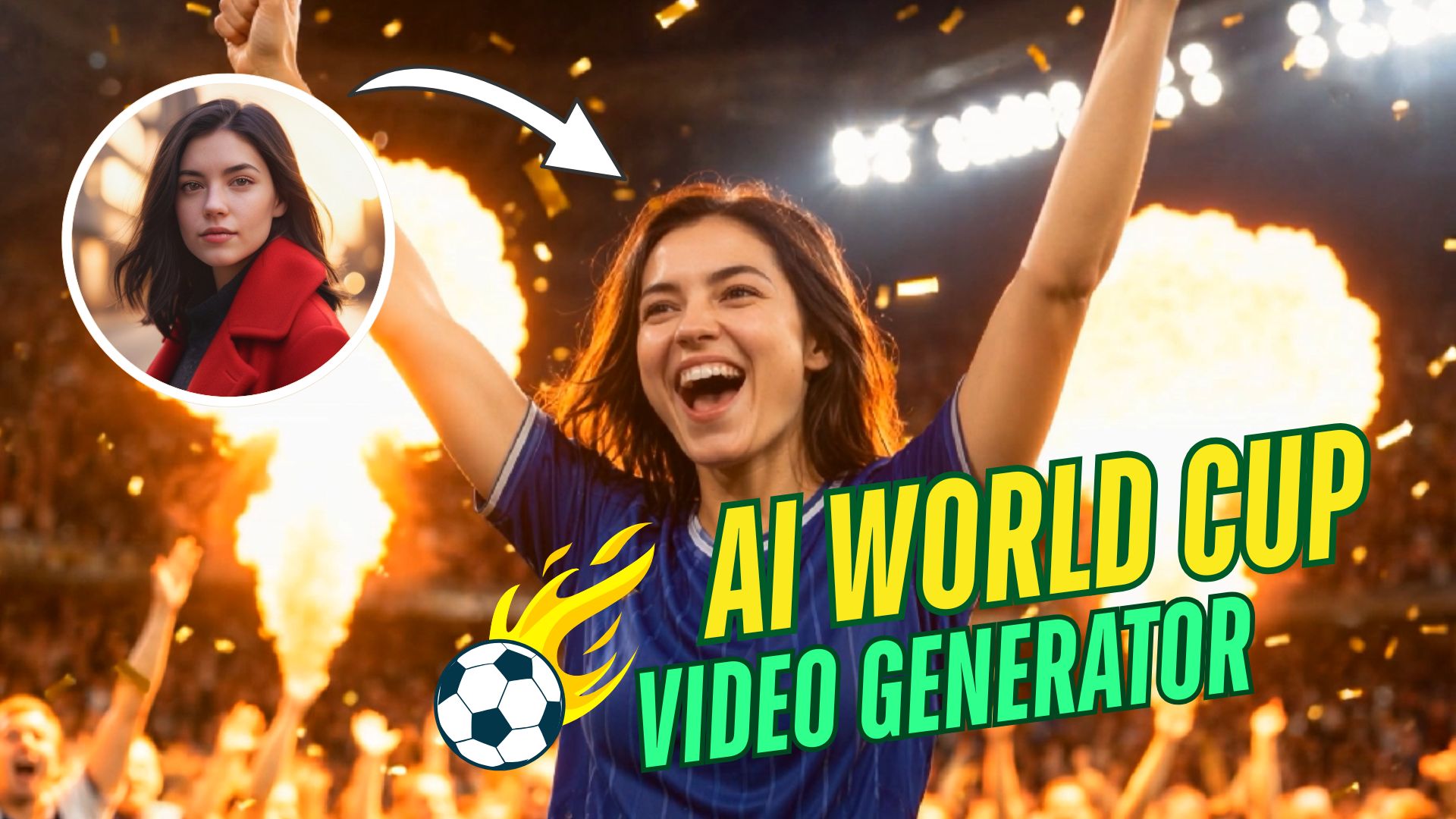
Part 1. Trending World Cup AI Videos You Can Create
When you open TikTok, Reels, or YouTube Shorts, a few video styles are already getting the attention this World Cup season. Try these formats while they’re hot if you need something to ride the wave while the tournament is still running:
1. Football Hype Videos
2. Cartoon World Cup Stars
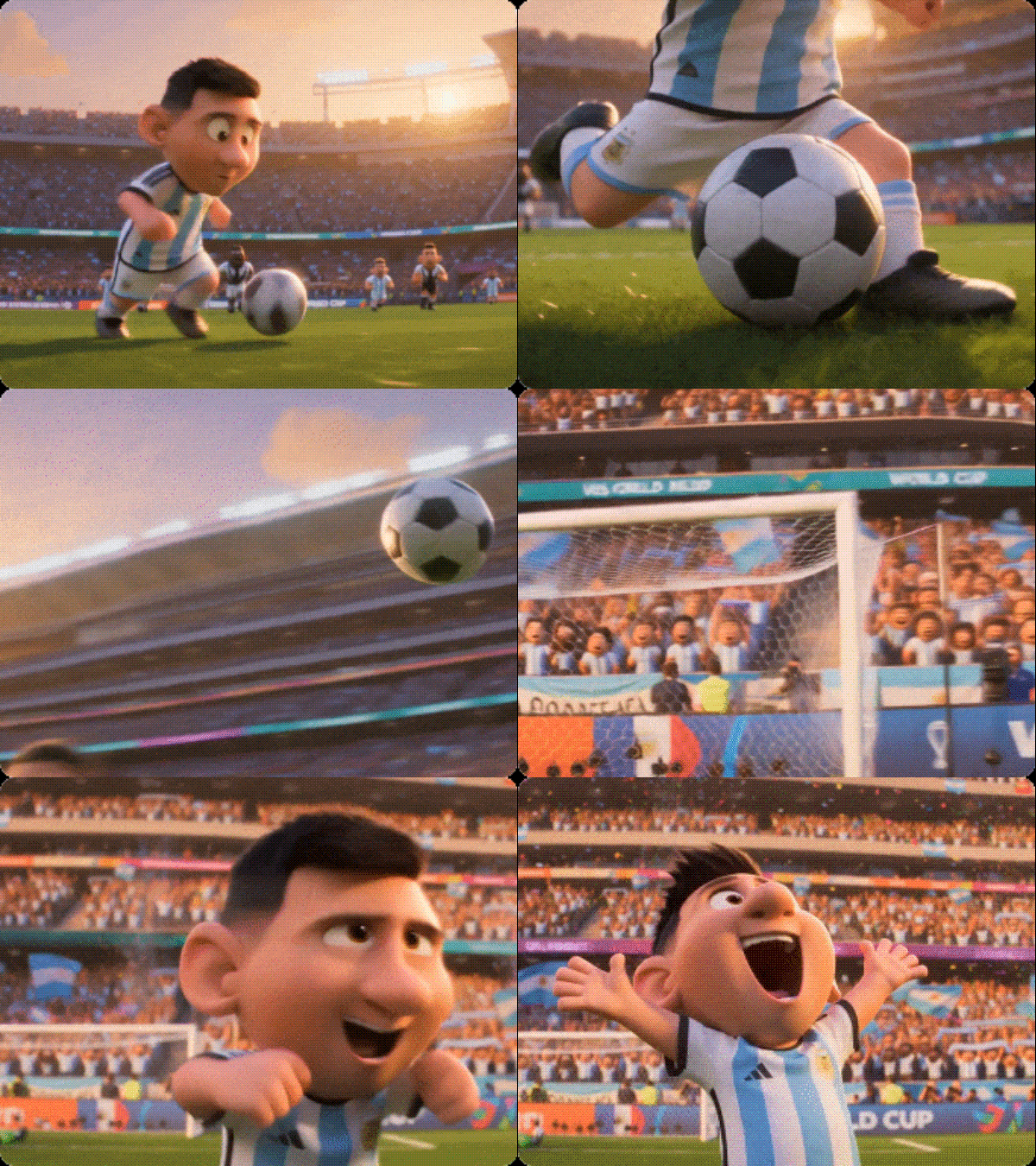
3. Player Entrance / Walkout Videos
Every one of them is possible with the World Cup AI video generators we will cover later.
To find the best World Cup AI video generators, we evaluated each tool based on these criteria:
- Ease of use: how quickly a first-timer can get a usable result without reading a tutorial.
- Output quality: how good the final video looks straight out of generation.
- Football-specific features: whether the tool has sports-themed effects or ready-made football prompts built in.
- Free tier value: how much you can actually create before hitting a credit limit or a paywall.
- Export options: resolution, aspect ratio choices, and whether the free plan slaps a watermark on your video.
- Speed: how long it takes to go from a photo or prompt to a finished clip.
Our Top 3 Picks at a Glance



Part 2. Top 5 World Cup AI Video Generators (2026)
For the full list of our recommendations, you can read through to find the one that fits what you actually want to create. We'll also show you how to create AI football hype videos for the World Cup using each tool.
1. Wondershare Filmora – Best AI Editor with Full Control Over Your Clip
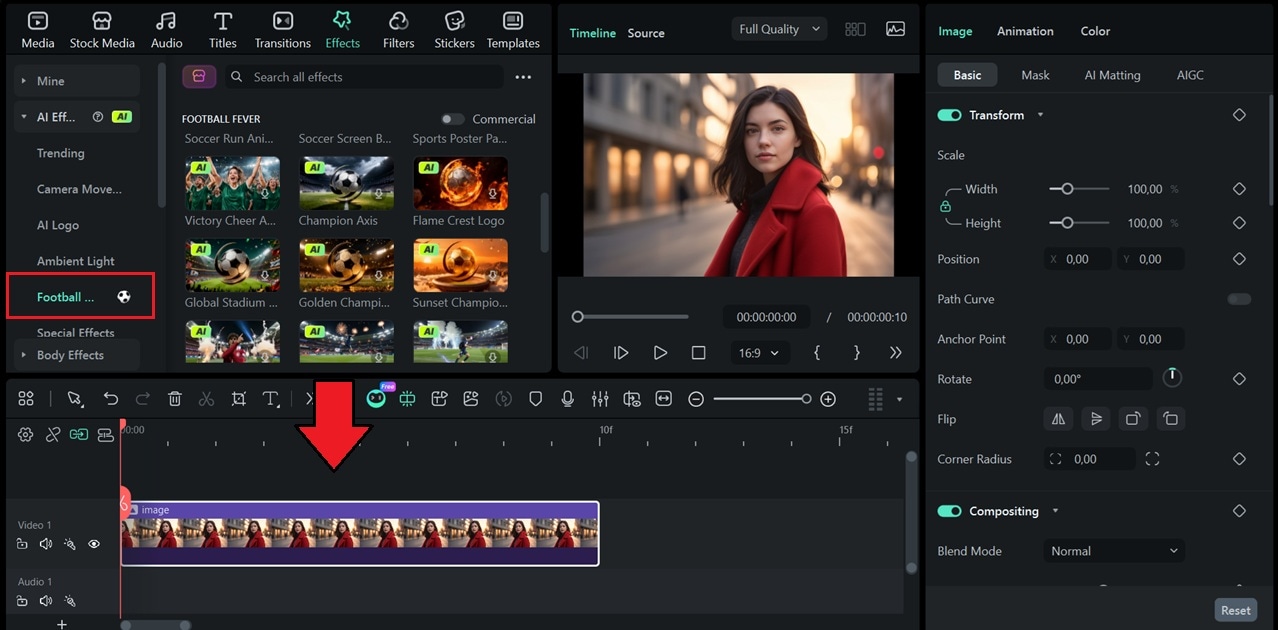
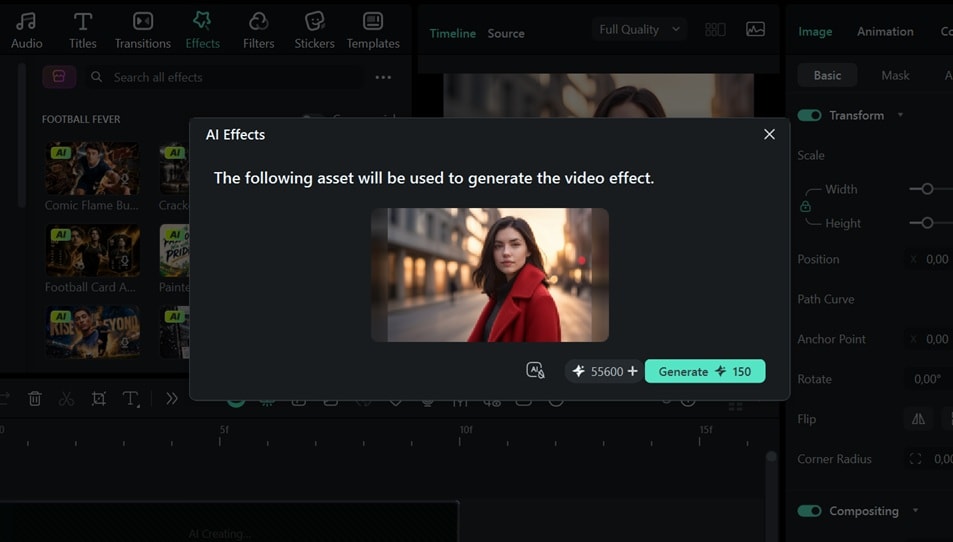
For creating World Cup AI videos specifically, Filmora now adds World Cup AI effects that turn your photos into something worth posting, like putting yourself as a football player, generating a player card, making a fan hype video of yourself from the grandstands, and more.
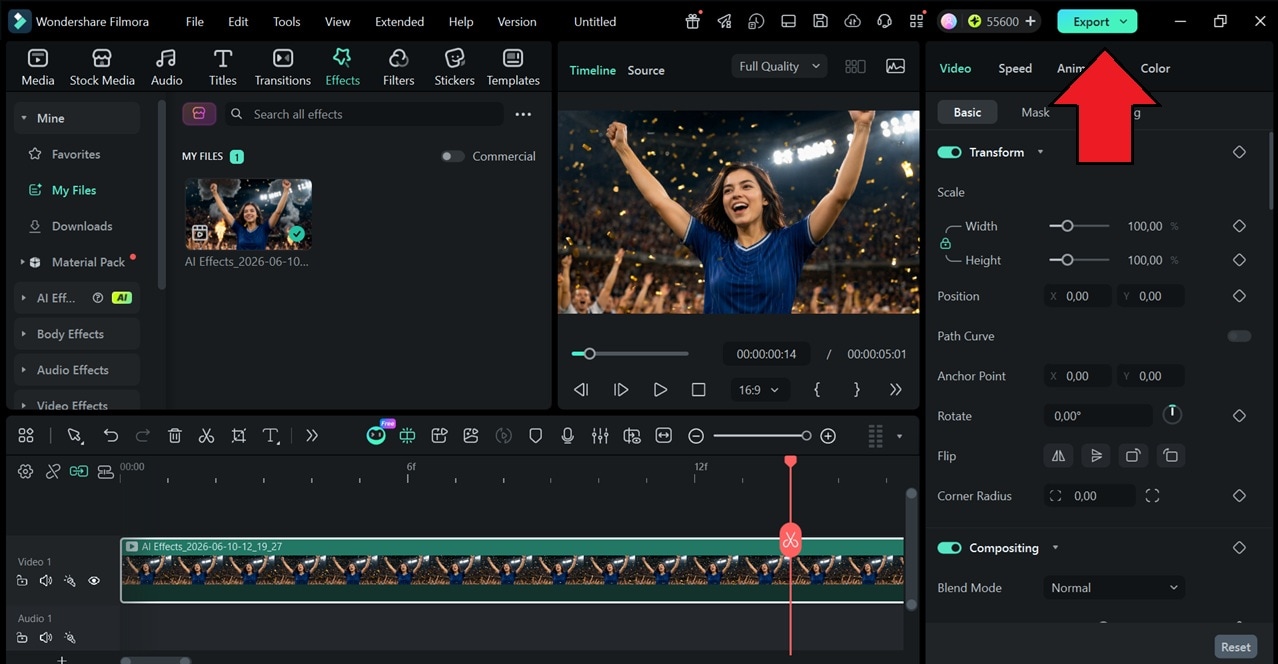
And since everything lives inside a full video editor, you're not limited to one output. Using Filmora as a World Cup AI video generator means you can generate a clip, cut it, layer effects, add music, and edit it to your heart’s content.

- World Cup AI Effects: Apply themed AI effects, including World Cup and football-style effects, to turn your photos into player edits, fan clips, stadium moments, and more.
- AI Text to Video: Generate video clips directly from a text prompt using advanced models, without leaving the Filmora timeline.
- AI Image to Video: Turn a still image into an animated video clip with AI-generated motion effects.
- AI Image Generator: Create or edit an image using a text description to use as a starting point, video thumbnails, or overlays inside your project.
- Stock Media Library: Access built-in music, sound effects, videos, templates, and photos to build your video faster.
- Multi-track Editing Timeline: Arrange video, audio, text, effects, and overlays across multiple tracks for more flexible editing.
- Creative Assets: Add filters, transitions, titles, effects, and motion elements to make your World Cup videos look more energetic.
Mac, Windows, iOS, Android
Filmora offers a free version and a free trial, so you can familiarize yourself with the app first. Subscription and perpetual plans are available on Filmora’s pricing page.
- Covers the full workflow from AI generation to final export in one app
- Access to frontier video and image models (Veo 3.1, Seedance 2, Nano Banana Pro) at a fraction of the standalone cost
- Works across devices (Windows, Mac, Android, iOS)
- Supports a wide range of video formats, up to 8K resolution
- AI features run on credits
- Free plan exports include a watermark
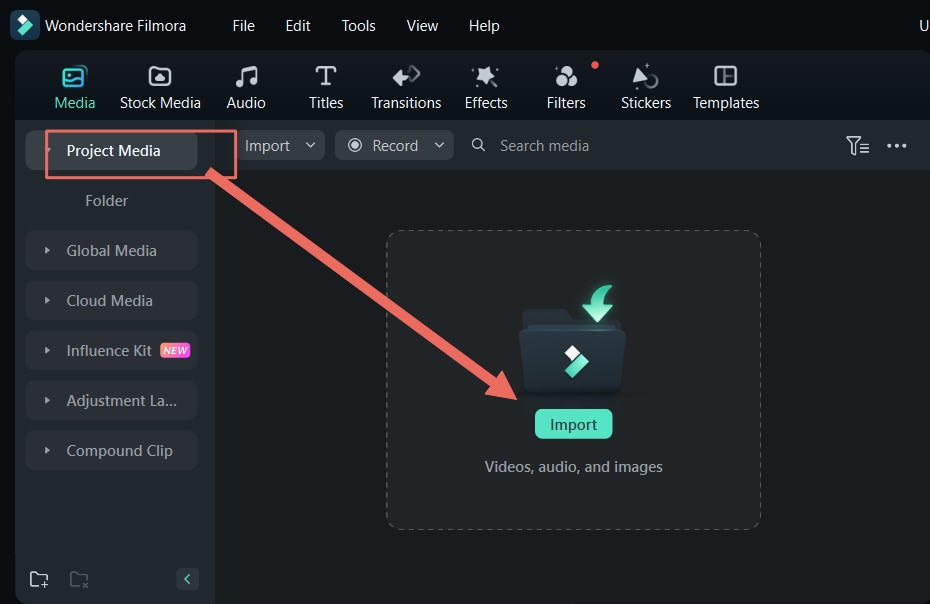
How to Create World Cup AI Videos with Filmora
 Secure Download
2. Media.io – Best for Quick Fan Clips from Just One Image
Media.io features an Image to Video tool that lets you create a World Cup hype video from your own photo, powered by advanced models like Kling 3.0, Seedance 2.0, ToMoviee, HappyHorse, and more. You can make use of the football-themed prompt Media.io already prepared on its page, or skip the prompt entirely and pick from one of the AI effects to get a result even faster.
- World Cup Poster Generator: Make a World Cup-themed poster fast and easy from text and/or image with Media.io’s AI image generator, powered by Nano Banana, GPT Image, Seedream, and more.
- AI Effects: One-click football-themed effects that transform your selfie into a clip in seconds.
- AI Video Generator: Generate short football videos from a photo, video, or text prompt using top models, complete with audio.
Web.
Free plan and free trial available. Paid plans start at $9.99/month or $83.88/year. You can also purchase AI credits separately, starting at $7.99 for 100 credits. Check out the full pricing details.
- Claim 3 free AI credits for logging in daily
- No software to install
- Multiple top AI video models accessible from one platform
- No manual tweaking after the generation
- Free plan exports include a watermark
How to Create World Cup AI Videos with Media.io
3. Pippit AI – Best for TikTok and Reels Content
Pippit AI is a content creation platform from CapCut, mainly designed for social media and marketing videos. For World Cup content, its AI Video Generator can turn your photo or footage into a short AI clip based on the prompt you write. There are barely any football-themed AI effects or ready-made prompts to work from, so you'll need to put more thought into the prompt.
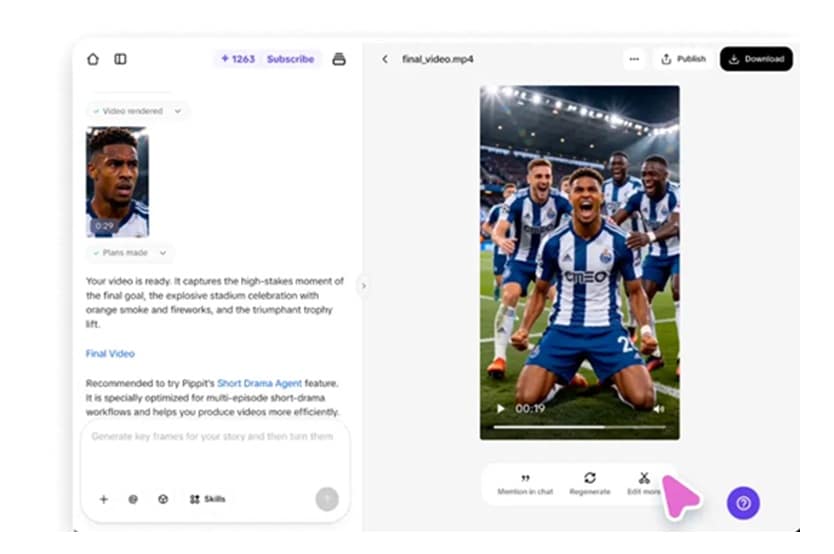
- Video Generator: Make an AI World Cup short video from a photo, footage, or text prompt.
- Auto Format: Output is sized for TikTok (9:16), Reels, and YouTube Shorts by default, though you can change it to other aspect ratios.
- Multi-platform Publishing: Schedule and post directly to TikTok, Instagram, and Facebook from within the platform.
Web.
Free version available. Standard Plan starts at $36.25/month or $289.99/year.
- Get free credits (150 for about 2 minutes of video) on the free plan that refreshes every week
- 7-day free trial with 400 credits
- All content is cleared for commercial use on all plans
- Supports an omni-reference system
- No ready-made football prompts, templates, or one-click AI effects
- You need to write your own prompt from scratch
- The paid plan is pretty expensive compared to others
How to Create World Cup AI Videos with Pippit AI
4. Dzine AI – Best for Image and Video Generation in One Platform
Dzine AI is an AI platform for both image and video generation with prompt-based editing tools. For videos, you can work with first and last frame references or upload a photo as a reference for motion control. There are no pre-made football templates or one-click AI effects, so you'll need to write your own prompt.
- AI Video: Generate video from a text prompt or photo with first and last frame control and motion reference support, powered by Kling and Wan 2.2.
- AI Image: Generate images from text or existing photos using multiple top models.
- Lip Sync: Synchronize mouth movements to audio for multiple characters in a single video frame.
- Video Editor: Modify existing clips, paint out unwanted elements with the video inpainter, or extend the length of a generated video.
Web.
Despite marketing itself as a free World Cup AI video generator, the free credits (50 on sign-up) are only enough to generate a handful of images, not videos. Paid plans start at $8.99/month for image generation only or $24.99/month for 3,000 video credits.
- Gives you more say over how a scene opens and ends
- Character saving feature keeps your subject consistent and lets you reuse it across multiple video generations
- Supports multiple top AI models, both for image and video generation
- Watermark on the free plan
- The free credits only cover image generation
- No pre-made AI templates or effects you can use right away
- Purchased credits have a rollover limit
How to Create World Cup AI Videos with Dzine AI
5. Alici AI – Best AI Video Generator with a Prompt Brainstorming Tool
Alici AI comes with a ready-made World Cup video prompt you can copy and use right away. But before jumping straight into generation, you can use its Video Super Agent to help you build and refine the prompt first. And when you're ready, move to its AI video generator to pick your preferred model, paste the prompt, and start generating.
- Video Super Agent: Guided prompt builder that walks you through team, jersey number, stadium mood, and platform before generating.
- AI Image Generator: Generate football-themed images and posters alongside video content within the same platform.
- AI Gallery: Browse existing generations for inspiration and remix them directly as a starting point for your own video.
Web.
The free plan includes 6 credits for generating images and testing the Video Super Agent. Paid plans start at $12/month, or $8.40/month billed annually (Basic) for 150 credits per month.
- The Video Super Agent feature can help refine your prompts
- Saves time compared to subscribing to multiple AI video platforms separately
- You get free credits to test out its Video Super Agent and AI Image tool
- Generating AI videos requires credits, which means a paid plan is needed beyond the free limit
- No timeline editor, where you can trim or adjust the generated clip
- The number of World Cup-specific prompt templates and video gallery examples is still limited
How to Create World Cup AI Videos with Alici AI
Part 3. Which World Cup AI Video Generator Is Right for You?
To make your decision easier, take a look at this comparison and see which tool matches what you actually need.
| Tool | Platform | Free Tier | Input Model | Customization | Best for |
| Filmora | Windows, Mac, iOS, Android | Yes (watermarked) | Photo, video, or text prompt | High, with full editing timeline | Generating and editing World Cup clips in one app |
| Media.io | Web | Yes (3 daily credits, watermarked) | Photo or text prompt | Moderate | Quick fan hype clips from a single photo |
| Pippit | Web | Yes (150 credits/week) | Photo, video, or text prompt | Moderate | Fast, formatted content for TikTok and Reels |
| Dzine AI | Web | Yes (50 credits for images only) | Photo or text prompt | Moderate | Image and video generation with character consistency |
| Alici AI | Web | Yes (6 credits) | Photo or text prompt | Moderate | Cinematic player entrance and walkout videos, refining prompts |
From the comparison above, you can ask yourself these questions:
- What's Your Budget? Pippit AI gives you the most room to experiment for free, since it refreshes the free credits every week to get you started. But if you have a little budget to spare, choosing a versatile option like Filmora can be better value in the long run.
- What's Your Skill Level? If you've never edited a video before, go with a tool that does the heavy lifting, like Media.io, Pippit AI, Dzine, and Alici AI, which are designed to get the job done quickly.
- How Much Control Do You Want Over the Output? If the first result needs to be close to perfect, pick a tool with editing options built in, like Filmora. You can tweak effects, swap music, and fine-tune the look before you export. The other tools require you to regenerate with a text prompt.
- What Kind of Video Do You Want to Make? A photo-to-hype clip, a player entrance walkout, a match commentary video, and a highlight reel from real footage all call for different tools. Match your use case to the right pick before you start.
Secure DownloadConclusion
That wraps up our World Cup AI video generator recommendations to keep your feed stocked with content all tournament long. A photo, a prompt, or even just a rough idea is all you need to get something to post before the next match kicks off.
If you just need something quick, Media.io and Alici AI get you there in a few clicks. If you want to post something without spending much, Pippit AI's weekly free credits keep you going. And if you want the most creative room to work with, Filmora covers AI generation plus the tools to refine, edit, and finish every clip the way you want.
FAQs
-
Can I add music to my AI-generated World Cup video?
Yes. You can use Filmora to add music to your AI-generated World Cup video. It has a built-in royalty-free music library and an AI music generator, so you can add or swap tracks directly inside the editor before exporting.
-
Can I generate a video of a real football player with these World Cup AI video generators?
Technically possible, but not recommended. Generating realistic videos of real players without their consent raises copyright and likeness rights issues, especially for commercial use. Some AI models, like Seedance 2.0, also prohibit this in their terms of service.
-
Can I add real match footage to AI-generated World Cup videos?
Yes, you can add real match footage and combine it with your AI-generated clips in a video editor like Filmora. However, make sure to check the copyright terms first and only use it for personal or educational purposes. Commercial use of official match footage without a license may result in a copyright claim or takedown.
-
How to remove the watermark from my AI-generated World Cup video?
If your AI-generated World Cup video has a watermark, the easiest way to remove it is to upgrade to a paid plan on whichever tool you're using.
