


 TL;DR:
Choose DeepSeek for completely free, complex reasoning and coding tasks with local installation support, or opt for ChatGPT if your workflow requires creative writing, general productivity, and built-in image generation.
● DeepSeek processes up to a 1 million token memory using its V3 and R1 models without a chat paywall, whereas ChatGPT restricts its 128,000-word context limit and advanced ChatGPT 5 and o3 models behind Go, Plus, and Pro paid tiers.
● DeepSeek permits local installation to keep data securely on your device but lacks visual generation, while ChatGPT operates strictly via cloud servers but includes the GPT image 2 tool for generating visual content directly from prompts.
● Neither AI platform can generate video files directly within their chat interfaces, requiring users to export their generated text scripts or images to third-party tools like Wondershare Filmora to build final videos.
Ask AI for a summary
 ChatGPT
 Perplexity
 Gemini
 Claude
 Grok
Grok
AI has become a huge help in many tasks, including video creation. From social media edits to school projects and work presentations, AI tools can speed up the process and make it simpler.
ChatGPT and DeepSeek are AI tools millions rely on. Business of Apps reported DeepSeek had 38 million monthly active users in April 2025, while TechCrunch noted ChatGPT reached 900 million weekly active users in February 2026. But when you put them side by side, which one actually performs better?
In this article, we break down DeepSeek vs ChatGPT in detail and compare their strengths. We also introduce Filmora as a tool that helps turn your AI ideas into real videos.
Part 1. Get to Know DeepSeek and Its Core Features
Before we jump into the comparison of DeepSeek vs ChatGPT in 2026, let's look at each AI tool on its own. To begin with, let’s explore DeepSeek first.
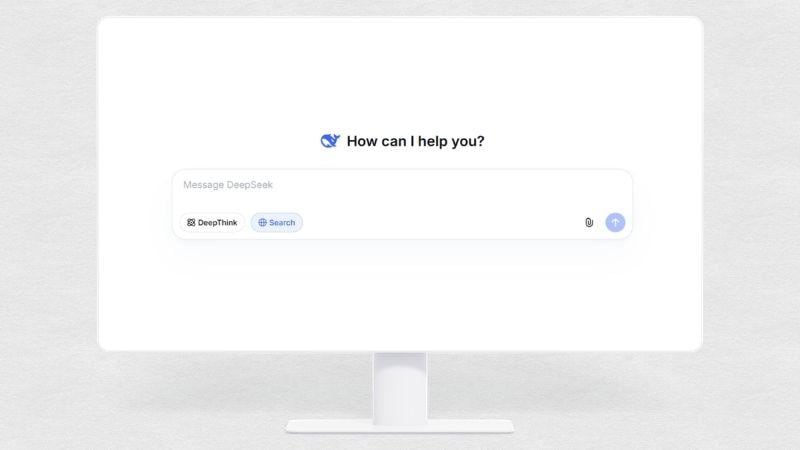
DeepSeek is an AI assistant platform built by Liang Wenfeng back in 2023. It’s a tool that helps you write scripts, summarize long documents, brainstorm ideas, or even debug code. Since its launch, DeepSeek has gained instant popularity for offering powerful AI features completely free, with no subscription required.
The Main Features of DeepSeek
- AI Text Generation: You can ask DeepSeek to generate ideas and scripts the way you want, answer your questions, and write social media captions. Basically, it handles any text-based tasks.
- Code Assistant: For developers and coders, DeepSeek can help write, debug, and explain code in various programming languages.
- 1 Million Token Memory: DeepSeek can read and analyze up to 1 million words in one go. That is equal to about 3 novels or a 500-page book.
- Local Installation Support: You can download certain DeepSeek models so they run directly on your device without relying on cloud servers.
DeepSeek AI Models: V3 vs R1
DeepSeek offers two AI models: V3 and R1. V3 answers fast with no waiting. R1 is the DeepThink mode that takes a moment to reason first.
Here is how they compare:
| Category | V3 | R1 |
| Speed | Fast | Slower |
| Thinking Style | Direct, instant answer | Step by step, more careful |
| Best For | Everyday tasks, writing, scripts | Hard math, logic puzzles, complex problems |
| How to Use | Default | Click "DeepThink" button |
DeepSeek Pricing: Free or Paid?

You may wonder about the cost of DeepSeek vs ChatGPT. The good news is, you can use DeepSeek completely for free. There is no paywall or limit when using the chat interface. However, if you are a developer and need API access, you pay based on usage.
How To Get DeepSeek?
Thankfully, DeepSeek is available on many platforms. The easiest way is through their official website. For mobile devices, you can download DeepSeek from the Google Play Store (Android) or App Store (iOS). Developers can also get DeepSeek models from Hugging Face to run locally.
Part 2. Understanding ChatGPT and Its Key Features
Next on DeepSeek vs ChatGPT, we'll take a closer look at ChatGPT.
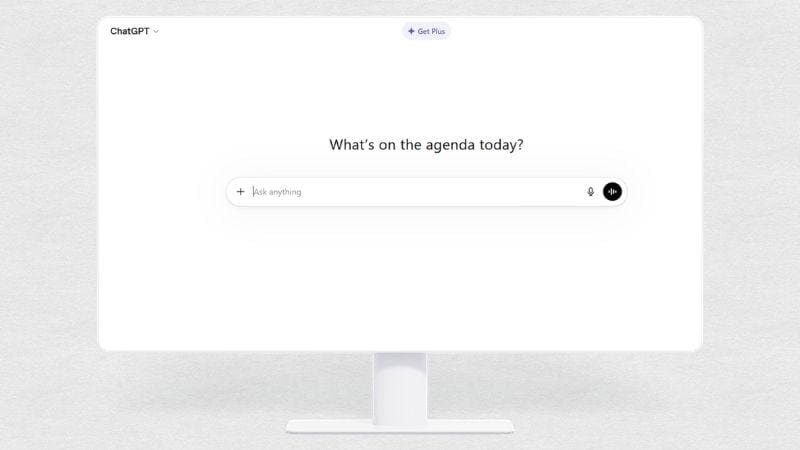
ChatGPT is built by OpenAI, a company based in the United States. It launched in late 2022 and became the tool that made AI chatbots popular worldwide. ChatGPT is known for being versatile, easy to use, and packed with features like image generation and voice mode.
The Main Features of ChatGPT
- AI Text Generation: With ChatGPT, you can create scripts, captions, explanations, and essays. It is especially strong at conversational writing and adapting its tone to fit your needs.
- Image Generator (GPT image 2): You can turn your imagination into text prompts, and ChatGPT will convert them into images, illustrations, or thumbnails in any style you want.
- Coding Assistance: ChatGPT can write and explain code, fix bugs, and even generate simple apps. For quick prototyping, it delivers working code on the first try with minimal back-and-forth.
- Analyze Web and File Uploads: Use ChatGPT to find and summarize information to support your projects. It processes up to 128,000 words in one conversation, or about 300 pages.
Understanding ChatGPT's AI Models
The different model names in ChatGPT all sound similar. That’s why, when people search for DeepSeek vs ChatGPT 5, DeepSeek vs ChatGPT 4, or DeepSeek vs ChatGPT o3, it can get confusing. But while the names all sound similar, each model serves a different purpose.
Here is the simple breakdown:
| Model | Type | Status | Key Notes | Best Use Cases |
| ChatGPT 5 | Main Version | Active | The newest main model used on ChatGPT. Faster, more accurate, and more creative than older versions | Writing, editing, creative work, content production |
| ChatGPT 4 | Older Version | Retired | Officially retired in 2025 | Previously general tasks, now replaced by ChatGPT 5-1 |
| ChatGPT o3 | Reasoning Model | Active | Not a “version”, but a dedicated reasoning model designed for deeper thinking and analysis | Logic, math, coding, problem-solving, structured analysis |
How Much Does ChatGPT Cost?
So, when comparing DeepSeek vs ChatGPT cost, you probably know that ChatGPT isn't fully free. Technically, ChatGPT gives you a free version where you can use the chat for basic tasks, generate up to 3 images, and access basic features. But the memory and context are limited, and you'll hit usage caps pretty quickly.
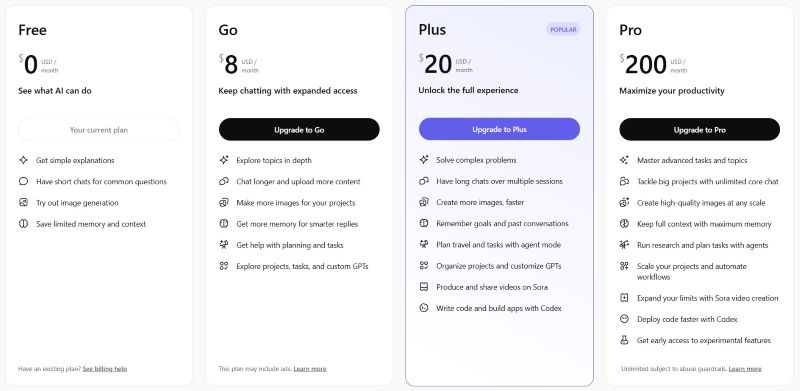
However, when your projects demand more, you can upgrade. ChatGPT offers three pricing plans: Go, Plus, and Pro. The higher the tier, the more complex tasks you can handle, the more images you can generate, and the larger the memory and context you get.
How To Get ChatGPT?
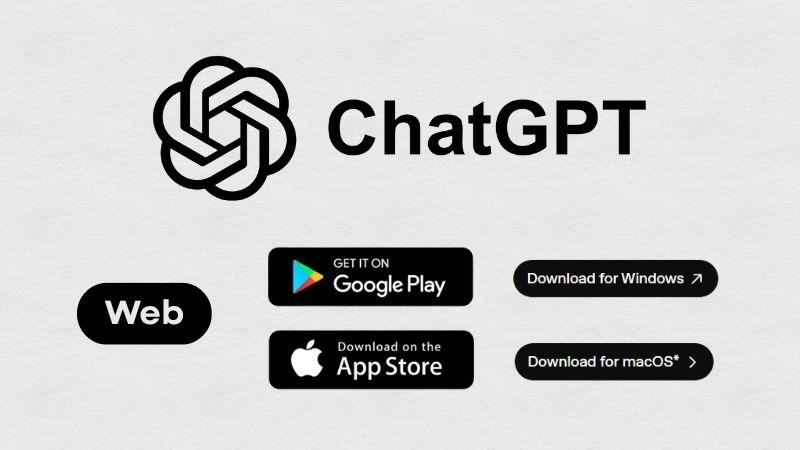
While DeepSeek focuses on local installation, ChatGPT is designed for cloud access. You can use it directly from your browser, or install the official ChatGPT app on Android and iOS. There are also desktop versions for Windows and macOS.
Part 3. DeepSeek vs ChatGPT: What’s the Difference?
We looked at each AI tool separately, from features to models to pricing. Even though their core features are similar since they are both text-based AI assistants, there are still clear differences between them. Now for the DeepSeek vs ChatGPT comparison you've been waiting for.
| Aspect | DeepSeek | ChatGPT |
| Platforms | Web, iOS, Android, Linux | Web, iOS, Android, macOS, Windows |
| Price | Free | Free with paid plans |
| AI Models | V3 and R1 | GPT-5.1, GPT-5, GPT-5.2, GPT-5.3, o3-mini, o3 |
| Performance Strength | Excellent reasoning and complex analysis | Strong writing, creativity, and general usage |
| Image Generation | No | Yes |
| Video Generation | No | No |
| File Upload Formats | Images, PDF, Word, Excel, PPT, TXT | Images, PDF, Word, Excel, PPT, TXT |
| File Upload Size Limit | Up to 100 MB per file | Up to 100 MB per file |
| API Access | Yes | Yes |
| Best Use | Coding, research, reasoning-heavy tasks | Content creation, writing, productivity, creative tasks |
Testing DeepSeek vs ChatGPT
Before we review DeepSeek vs ChatGPT performance, let's put them to the test. We used DeepSeek V3 and ChatGPT-5.1, which are the default free versions available to all users. Let’s dig in.
Test 1: Create a Video Script
For the first test, we gave both ChatGPT and DeepSeek the same task: create a cat video script. We wanted a fun, relatable 10-second script that works well for TikTok, Instagram Reels, or YouTube Shorts.
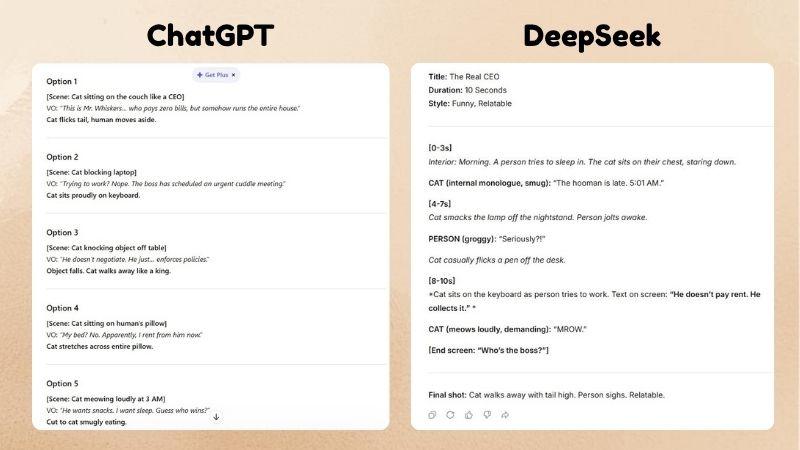
From the results, we can see that ChatGPT and DeepSeek respond differently. ChatGPT gives several scene options along with the voiceover lines. Meanwhile, DeepSeek generates a single full script, divided by seconds, complete with clear notes on audio and text placement.
Test 2: Generate an Image
For this DeepSeek vs ChatGPT test, we could only use ChatGPT because DeepSeek doesn’t support image generation. We asked ChatGPT to create a hamster driving a tiny car on the kitchen floor in three styles: realistic, fantasy, and Ghibli.
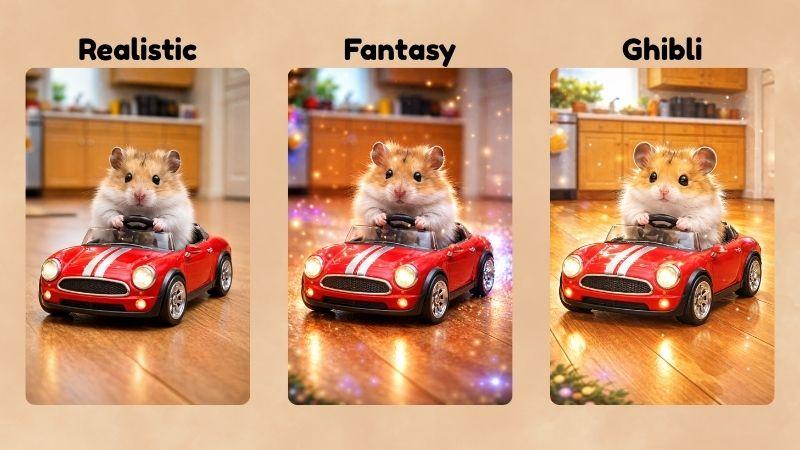
You can see that ChatGPT understood the prompt well. The realistic version looks good and fits the description. But for the fantasy and Ghibli styles, the results were still lacking. They looked almost the same as the realistic version, just with some extra glow effects around the hamster.
DeepSeek or ChatGPT: Which One Fits You?
If you ask, between DeepSeek vs ChatGPT, which is better? Well, each AI has its own strengths. The right choice depends on what you need. Here is the breakdown.
School or Work Projects

AI helps speed up our work or school projects. So, if you are still unsure whether to use ChatGPT vs DeepSeek for studying, both tools serve different purposes. When you need a deep analysis of a heavy topic, use DeepSeek. But if you want a quick review or a simple summary, try ChatGPT.
Coding or Technical Tasks
When you are confused whether to use DeepSeek vs ChatGPT for coding, it depends on your needs. Pick DeepSeek if you need deeper thinking and analysis for complex code. Pick ChatGPT if you need clearer explanations that are easier to understand.
Daily Creative Needs
For creators, you can use both ChatGPT and DeepSeek to generate content, especially for developing ideas, creating video scripts, or crafting conversational dialogue for voiceovers. For detailed work, DeepSeek works very well. But when you need to generate an image, use ChatGPT.
Bonus: The Best Editor to Pair With DeepSeek and ChatGPT
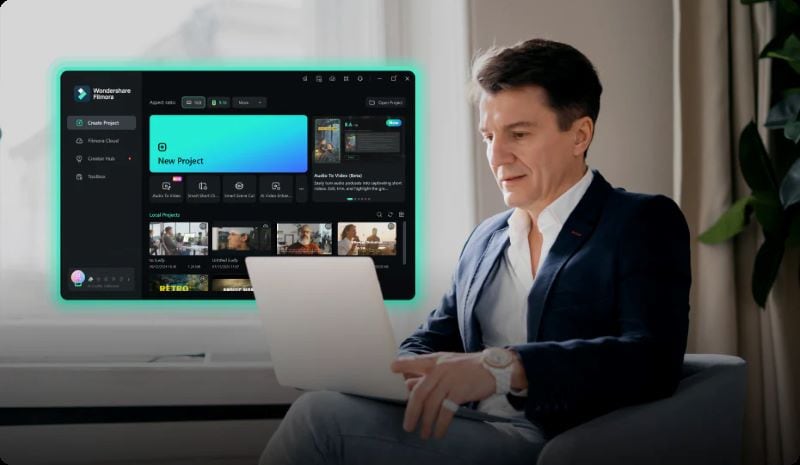
While ChatGPT and DeepSeek can help you brainstorm ideas and write scripts, they still can’t generate videos directly inside their platforms. For this case, you can pair it with Wondershare Filmora.
Filmora is an all-in-one video editor that can work almost like a full production studio. You get advanced tools that support your entire workflow and turn your ideas into actual videos. It feels like having a complete production setup but with a much smaller budget, no team needed, and everything done with just a few clicks.
 Secure Download
What Filmora Can Do for Your Workflow
1. Create Videos from ChatGPT or DeepSeek Scripts

If you need fresh ideas or want your thoughts to be more organized, ChatGPT and DeepSeek can help you build a clearer outline or narrative. Then you can turn that text into a video through Filmora’s AI Text to Video. You even get multiple AI models to choose from, depending on the vibe you are going for.
2. Add Movement to Your Generated Images
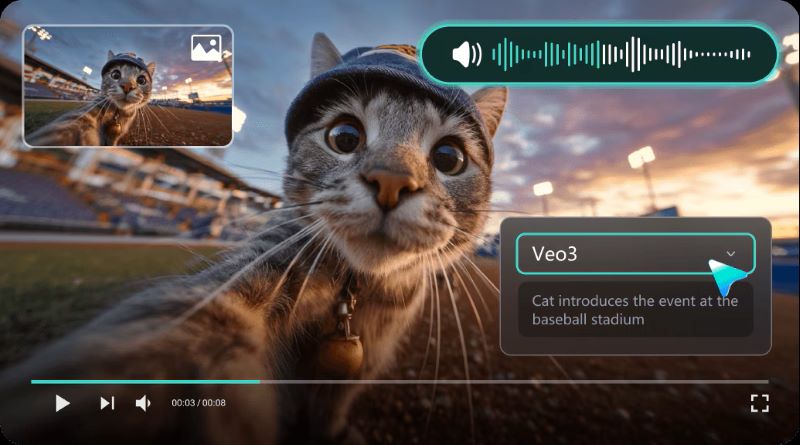
We have all been there. You want to make a video, but have zero footage to start with. Here is a workaround. Generate some images from ChatGPT, then use Filmora's AI Image to Video to build a story and bring those images to life. The feature turns boring still images into moving, lively scenes.
3. Produce Voice-Over without Recording
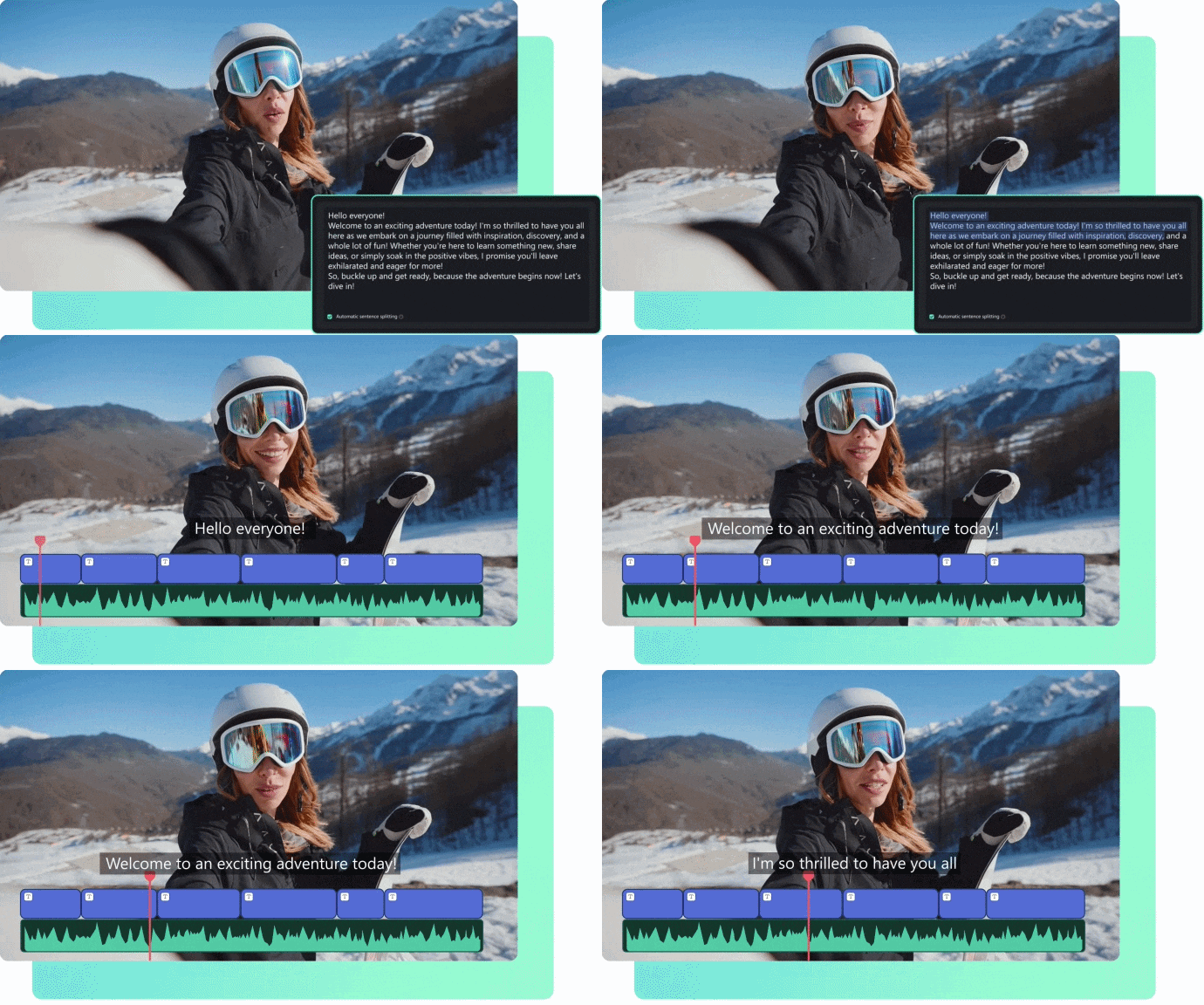
AI Text to Speech makes it easy to create captions or voiceovers without recording anything. You can ask ChatGPT or DeepSeek to write the script, paste it into Filmora, then choose from 48 voices. You can even translate the voice-over into 33 languages.
4. Clean and Easy Timeline Workflow
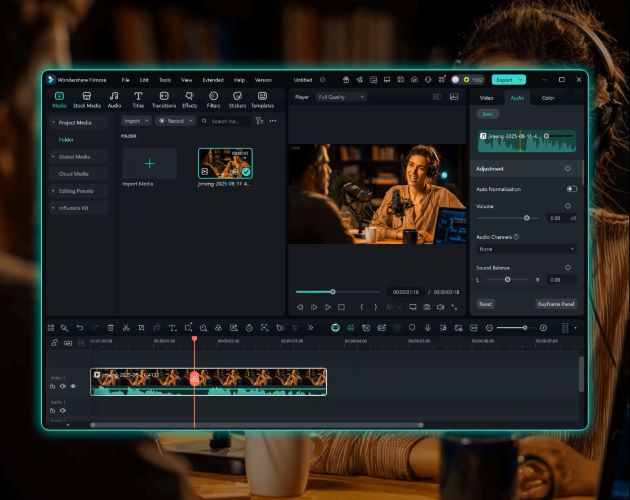
Filmora keeps the editing workflow smooth from start to finish. The timeline is responsive and easy to understand, so you can trim, cut, and arrange clips without hassle. Everything you need is clearly displayed, so you don’t get lost in the interface.
5. A Library Packed with Creative Assets
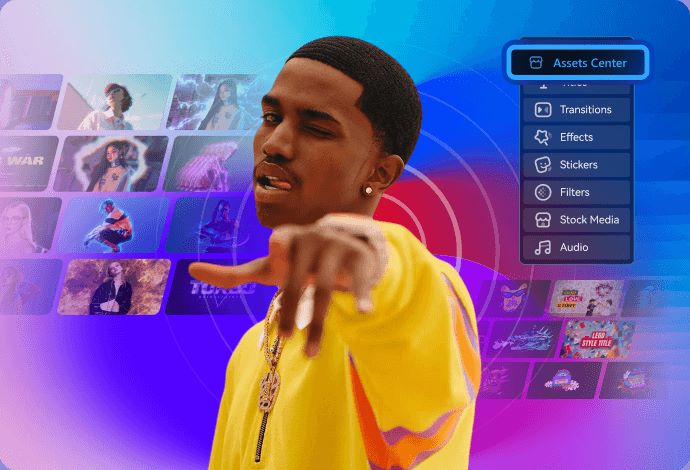
With Filmora, you will never run out of ways to make your videos look good. You can decorate or polish your video using thousands of filters, transitions, and stickers in Filmora’s library. There are also plenty of stock B-rolls, sound effects, and music to complete your video.
Secure DownloadConclusion
ChatGPT and DeepSeek are both capable AI tools that can support your projects in different ways. DeepSeek shines when you need detailed analysis or help with complex subjects, and it remains fully free to use. ChatGPT is stronger in creative work, offers more diverse outputs, and can generate images directly when you need visual ideas.
If you want to take the results from ChatGPT or DeepSeek further, Wondershare Filmora makes the next step easy. It offers helpful AI features, smooth editing tools, and supports you from the early draft stage to a fully finished video.
FAQs
-
1. Are DeepSeek and ChatGPT free to use?
Yes, you can use ChatGPT and DeepSeek for free. DeepSeek is fully free with no paywall. ChatGPT also has a free version that is very usable, but some advanced features are locked behind paid plans. -
2. Can ChatGPT and DeepSeek generate videos directly?
No. Neither ChatGPT nor DeepSeek can generate video files directly inside the chat interface. -
3. Can I use DeepSeek and ChatGPT for commercial purposes?
Generally yes. ChatGPT offers commercial rights on paid plans, and DeepSeek’s license also supports commercial use. Just make sure to read the latest terms if you plan to develop your own tools with it. -
4. Is it safe to use DeepSeek and ChatGPT?
Both ChatGPT and DeepSeek are safe for everyday use, but they handle privacy differently. ChatGPT keeps your data on the cloud, and your conversations can be used for training unless you disable that option. DeepSeek lets you install the model locally, keeping everything on your device without sending data to the cloud.
