


 TL;DR:
Picsman AI is a streamlined automation platform tailored for beginners and e-commerce sellers needing rapid watermark removal, digital outfit swaps, and short video generation, whereas Wondershare Filmora is the necessary environment for creators requiring multi-track timelines, custom audio generation, and long-form video assembly.
● Users must purchase a subscription starting at $9.99 monthly or non-expiring pay-as-you-go credit packs before evaluating the tool, as it strictly provides zero free signup credits and limits all video outputs to 15-30 second clips.
● The suite integrates leading AI models like Sora, Veo, and FLUX into a single interface, but features like the Magic Eraser and object inpainting require simple, flat backgrounds to prevent visible visual artifacts.
● Mobile users must exclusively download the app via the Apple App Store or Google Play to avoid malware associated with third-party mod APKs, and will still need to export visual assets to an external editor for lip-syncing, color grading, or multi-layer audio construction.
Ask AI for a summary
 ChatGPT
 Perplexity
 Gemini
 Claude
 Grok
Grok
There are so many editing tools right now that just picking one can feel like a task on its own. Among many, there's Picsman AI, offering an all-in-one solution that finally solves your headaches.
Despite its bold claims, the app currently holds a 4.1/5 rating on the Apple App Store based on 11 reviews, suggesting it’s a rising star with some room to grow. That’s why we'll try to break everything down, from features to pricing, so you can decide if Picsman is worth using.
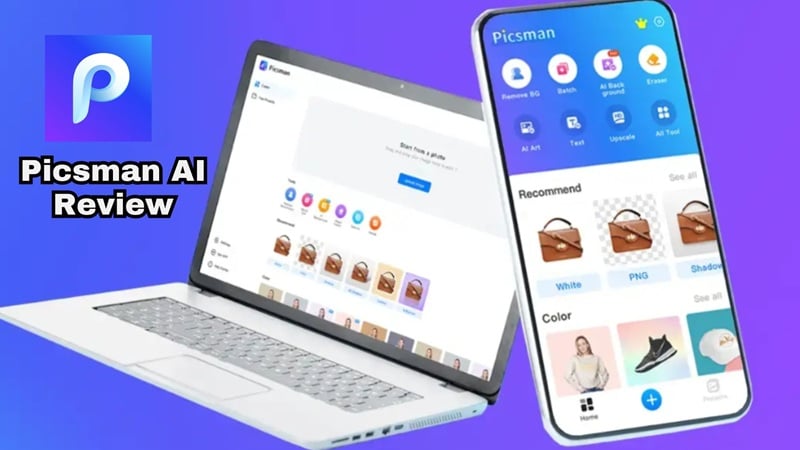
Part 1. First Impressions: What Exactly Is Picsman AI?
Picsman is a US-based company and a relatively new entrant to the market, with its toolset spanning both still images and video. Picsman AI isn't trying to be the next Photoshop or Premiere Pro. It's not built for deep, multi-layer creative control. The platform is built around AI-powered automation, where you just need to upload > let it process > download. The goal is to replace multiple clunky tools with one streamlined workflow that just works.
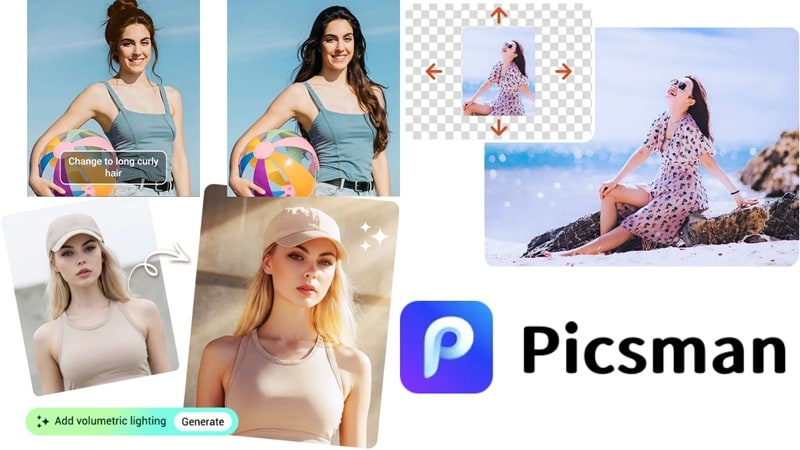
How You Actually Access Picsman
Most users use Picsman directly through its website, where all processing happens in the cloud. That’s where the heavy lifting happens. However, if you’re a mobile-first creator, the Picsman AI photo editor is available on both iOS and Android stores.
🛑 Stop Before You Download That APK:
You might find links offering a 'Picsman AI mod APK' or 'Picsman mod APK' claiming free Pro Max access. Beware that these third-party sites are not affiliated with Picsman in any way. These files frequently carry malware, harvest your data, or push you into broken outdated builds. The only safe download is from the official App Store or Google Play. Full stop.
Part 2. Picsman Capabilities: A Deep Dive into Features
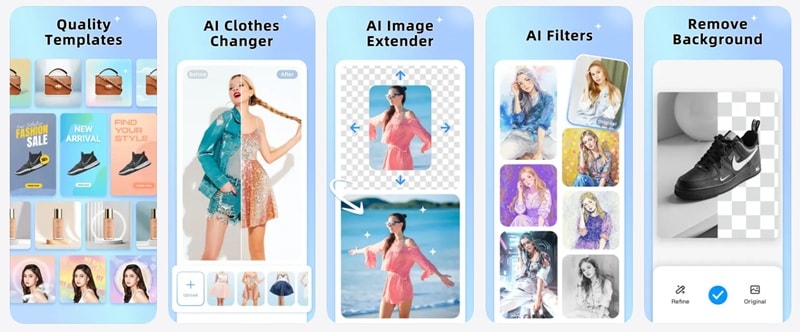
Picsman's feature set is broader than most people expect from a relatively new tool. Rather than doing one thing exceptionally well, it covers a wide range of common creator tasks with solid AI-powered results.
Below, let's go through each capability:
AI Video Generator
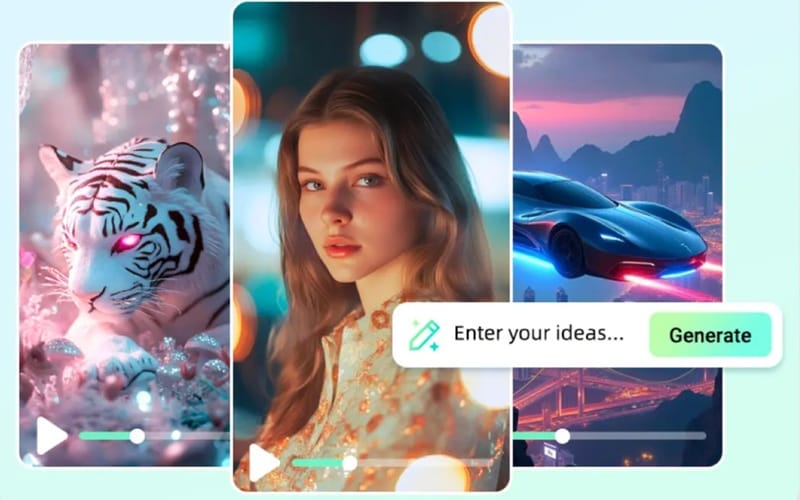
This is where Picsman surprises people the most: the video generation suite is genuinely capable. You can turn a text prompt into a cinematic clip or animate a static image into motion, with access to some of the most powerful video models available today.
Available Models:
- Kling: Smooth motion, great for character and lifestyle content.
- Veo: Google's model that excels at photorealistic natural scenes.
- Sora: OpenAI's model, cinematic quality with complex prompts.
- Wan: Strong on stylized and artistic video aesthetics.
- Seedance: Fast generation, good for social-ready short clips.
- Hailuo: Consistent motion, reliable for product and e-commerce video.
AI Image Generator
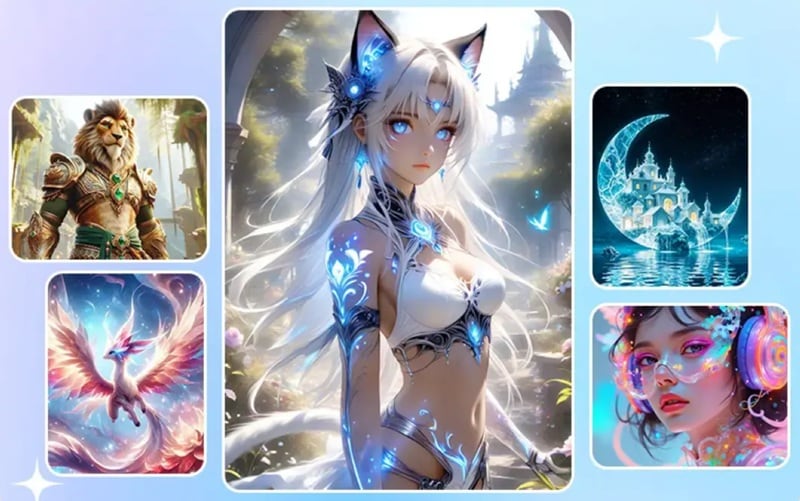
The Picsman AI image generation feature is built for high-fidelity output from day one. You can generate up to 4K resolution, which is solid for a blog header, a social media visual, or a product image concept. Plus, it uses an industry-standard level using multiple leading models.
Available Models:
- Nano Banana 2: Ultra-realistic photographic output.
- GPT Image: Strong prompt adherence, nuanced detail.
- FLUX: Fast, stylistically flexible, excellent for creative concepts.
Photo & Video Enhancer
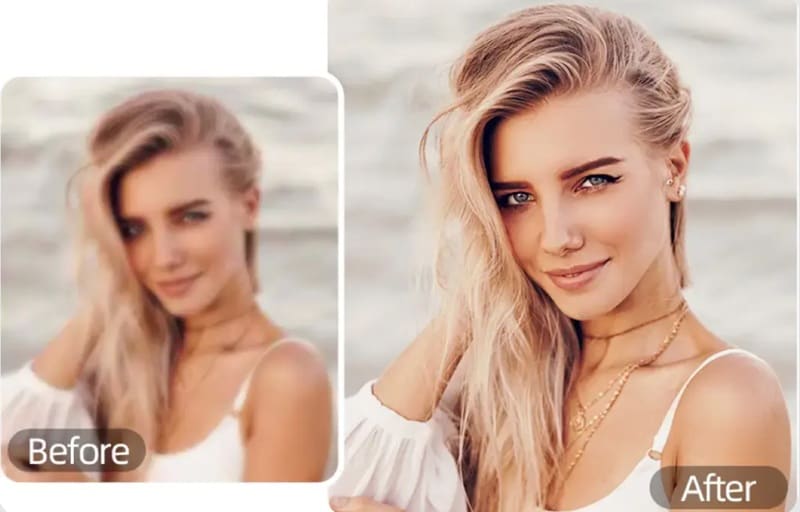
If your footage looks like it was filmed on a potato, these tools are a lifesaver. Both Picsman photo enhancer and Picsman video enhancer use "Super Resolution" tech to de-noise, sharpen, and upscale low-quality media into crisp, high-definition assets. However, the tool is best for quick improvements, not full restoration.
Key Features:
- De-noises grainy or poorly-lit footage automatically.
- Sharpens soft edges without introducing artificial artifacts.
- Upscales low-resolution images and video to HD quality.
- Works on both still photos and video files, same pipeline.
Watermark Remover: Clean Up Images and Videos
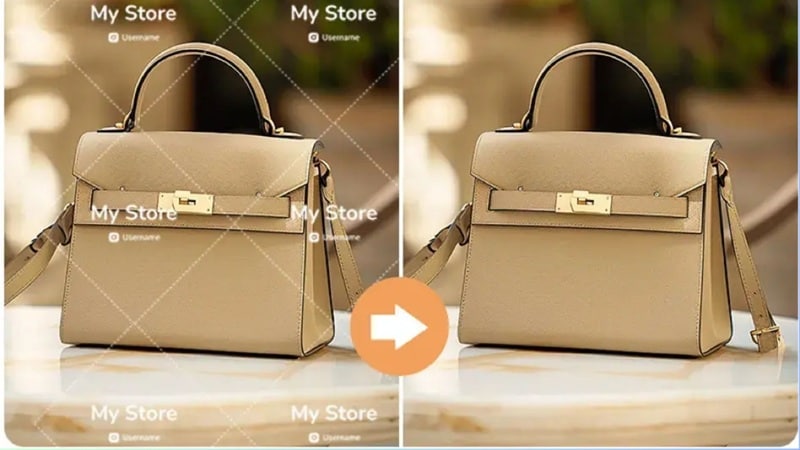
The Picsman AI watermark remover is a fan favorite. However, you won't find the tool directly on their site; it is called the 'Magic Eraser' instead. Picsman watermark remover doesn't just delete the watermark; it also wipes out logos and unwanted text in seconds.
Key Features:
- Also includes Picsman video watermark remover.
- Inpaints the removed area intelligently based on surrounding content.
- Results depend on background complexity.
Passport Photo Maker
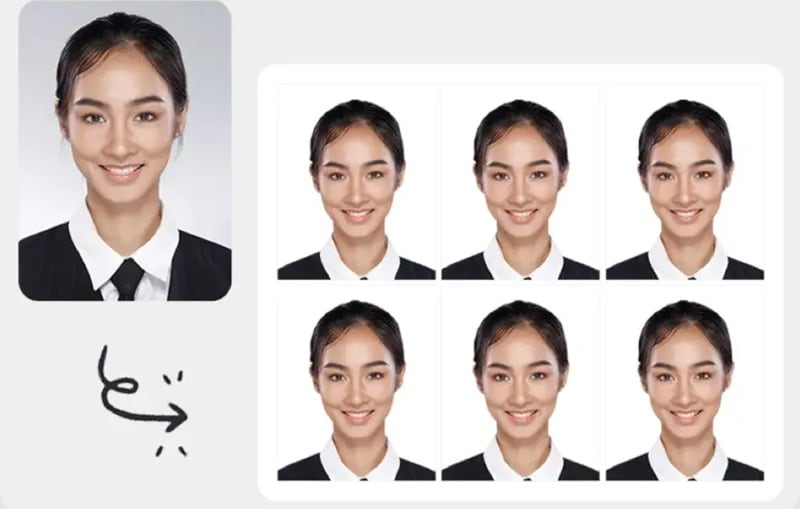
This is a niche but incredibly useful feature. The Picsman AI passport photo maker automates the entire process: it crops your selfie to official dimensions, adjusts the lighting for compliance standards, and replaces the background with the required white or off-white drop. Outputs are formatted for multiple country requirements.
Key Features:
- Auto-crops to passport, visa, and ID photo dimensions.
- Replaces backgrounds with compliant white or neutral tones.
- Adjusts lighting and exposure for official photo standards.
- Supports multiple country-specific format presets.
AI Clothes Changer
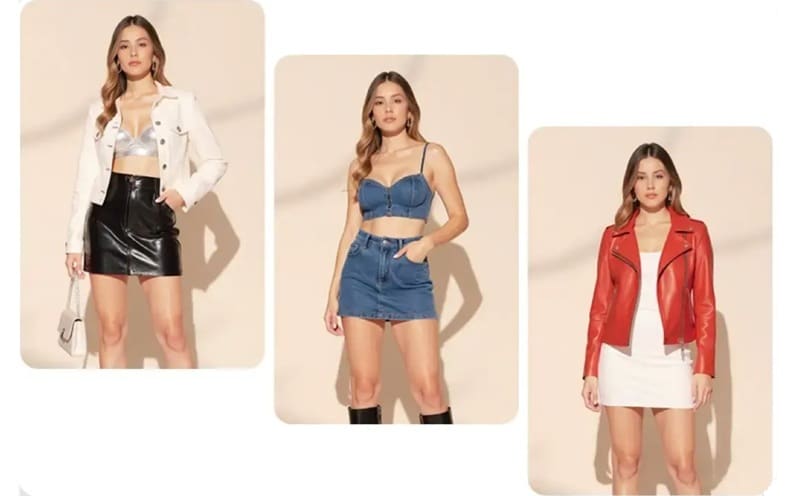
The Picsman AI clothes changer is a standout feature for e-commerce sellers and fashion content creators. You can upload a photo of a person and swap their outfit for a completely different look. It's excellent for testing product catalog looks or generating multiple style variations from a single image.
Key Features:
- Upload any photo and swap the visible outfit digitally.
- Useful for e-commerce product testing and catalog updates.
- Fashion bloggers use it to visualize outfit combinations quickly.
- Works best on clearly visible clothing on a well-lit subject.
Part 3. Counting the Cost: Picsman Pricing Breakdown
Understanding their pricing system before you dive in will save you from surprise bills and a lot of frustration. Picsman runs on a credit-based system. Meaning, every AI action you perform (generating an image, removing a watermark, enhancing a video clip) draws from your credit balance.
Currently, Picsman AI does not offer free credits upon signing up. As for the paid plans, there are three main tiers:
| Feature | Pro | Pro+ | Pro Max |
| Monthly Price | $9.99 | $29.99 | $59.99 |
| Monthly Credits | 300 | 1500 | 5000 |
| Image Limits | 150 | 750 | 2500 |
| Video Limits | 30 | 150 | 500 |
| Queue Priority | Standard | High | Highest |
| Best For | Light users | Regular creators | Heavy users |
|
Show More
Show Less
|
|||
The "Pay As You Go" Route
If a subscription doesn't make sense for your usage pattern, Picsman also sells credit packs as standalone purchases. These are ideal for one-off projects where you need a burst of AI processing without committing to a recurring charge.
| Credits | Price |
| 1000 | $29.99 |
| 3000 | $90 |
| 6000 | $180 |
| 20,000 | $600 |
| 60,000 | $1200 |
|
Show More
Show Less
|
|
💡 Note: Credits from pay-as-you-go packs are valid forever and don't expire. This is a meaningful advantage over tools where unused subscription credits reset at the end of the billing cycle.
However, pay-as-you-go users don't get access to PRO-only features and premium design assets, which require an active subscription.
Part 4. The Verdict: Is Picsman Right for You?
Picsman's 'all-in-one' positioning sounds appealing to everyone, but in practice, the tool has a very clear sweet spot. Knowing whether you're inside or outside that sweet spot before you pay will save you a lot of time and frustration.
Here’s the honest breakdown!
✅ Picsman Is Great For:
- Beginners who want AI results without learning complex software.
- Social media creators need fast, polished visuals at volume.
- E-commerce sellers cleaning up product photos and testing outfit variants.
- Anyone who needs quick, clean watermark removal across images and video.
- Freelancers offering passport photo or ID photo services to clients.
- Content creators who want one dashboard instead of five specialized apps.
❌ You'll Hit Picsman Limits If You're:
- A professional editor who needs multi-layer timeline control.
- A filmmaker requiring cinematic color grading and compositing depth.
- A creator producing long-form video (the platform is optimized for short clips).
- Anyone expecting pixel-perfect AI consistency on every generation.
- A user who needs offline editing capability.
- Someone on a tight budget expecting meaningful free access before paying.
Pros & Cons
- Multi-Model Access: Having access to Kling, Veo, Sora, Wan, Seedance, and Hailuo from a single interface is genuinely impressive.
- The AI Clothes Changer is Not a Gimmick: It produces believable outfit swaps on well-lit subjects. For e-commerce sellers testing product catalog looks without booking a reshoot, this feature alone can justify the subscription cost.
- Credits That Actually Stick Around: Pay-as-you-go credits on Picsman never expire. That's meaningfully better than subscription models where unused credits vanish at the end of your billing cycle.
- All-in-One Setup: For creators who were juggling multiple subscriptions for watermark removal, clothes swapping, passport photo generation and video enhancement, consolidating into Picsman is a genuine time and money saver.
- No Free Credits: You're paying before you know if the tool's output quality matches your specific needs. For a relatively new platform without a massive established reputation, that's a real barrier for cautious users.
- Not Built for Long-Form Video: Picsman's video tools are designed for short clips. For anything beyond a 15-30 second clip, you'll need a separate editor.
- Inconsistency on Complex Backgrounds: The watermark remover and object removal tools perform best on simple, flat backgrounds. On complex textured scenes, the inpainting can leave visible artifacts.
- Limited Reviews: When you search for 'Picsman AI review' online, there are not many sources you can dive into. Even on their official iOS app, there are only 11 reviews so far.
Part 5. The Ultimate Creative Sandbox: Wondershare Filmora
Picsman does what it does well: fast AI edits, multi-feature convenience, and a dashboard that doesn't require a tutorial to navigate. But it's fundamentally a utility tool. The moment you want to build something: a structured video, a scored narrative, a long-form piece with layered audio, Picsman doesn't have the infrastructure for it.
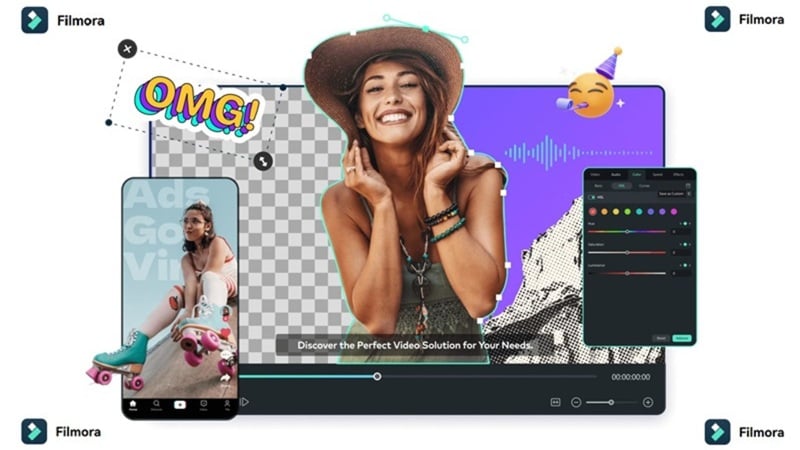
That's not a criticism; it's just the shape of what it is. And for everything Picsman AI can't do, Wondershare Filmora steps in as the complete creative environment it was never trying to be.
 Secure Download
Why Filmora Feels Like an Upgrade
1. 🎶 Create From Audio Too

Picsman AI generates video from text prompts, which is useful for concept visualization. Filmora goes further: The AI Audio-to-Video feature can generate video content that's keyed to an audio file, perfectly syncing visuals to a beat, a voiceover, or a piece of music. For creators whose content is built around sound first (musicians, podcast video creators, ASMR editors), this is a workflow that Picsman simply can't replicate.
2. 🎹 Generate Custom Sounds
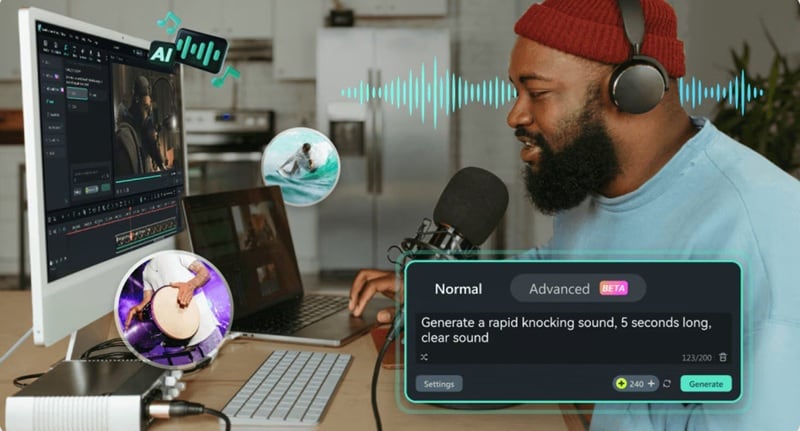
Picsman is a visual tool, it produces images and clips but has no native audio creation capability. Meanwhile, Filmora ships with a built-in AI Music Generator that composes original, royalty-free tracks matched to the mood and pacing of your video, and an AI Sound Effect Generator for custom environmental audio. It's the difference between editing a visual and producing a complete audiovisual piece.
3. 📚 Endless Assets

Need background footage, creative video templates, a sticker pack, or a royalty-free music track? Filmora's native asset library contains millions of options directly inside the editor. Compared to Picsman's workflow which requires you to source assets externally and bring them into the platform, Filmora eliminates that need entirely.
4. 🎬 Professional Timeline for Real Videos
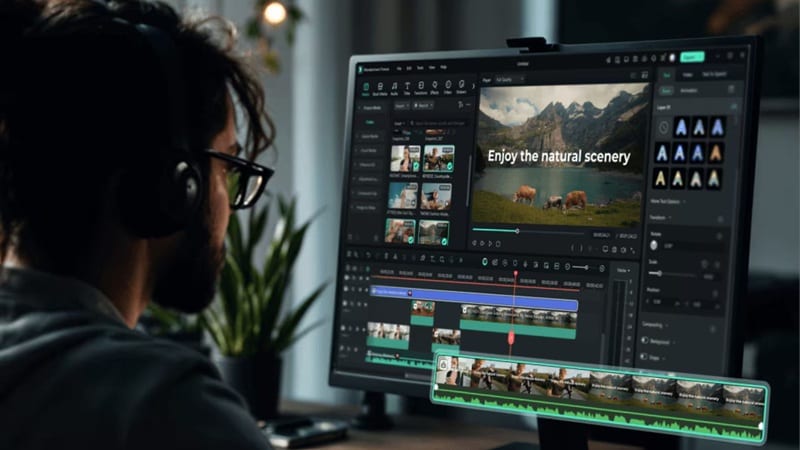
The single biggest gap in Picsman's offering is the absence of a multi-track editing timeline. You can generate clips, but you can't assemble them into a structured video with proper scene transitions, audio layers, and timing control. Filmora's professional timeline handles exactly that. It's where short AI-generated clips from any source (including Picsman) get combined, scored, and shaped into finished content.
5. 🧠 An AI Toolkit That Goes Several Layers Deeper
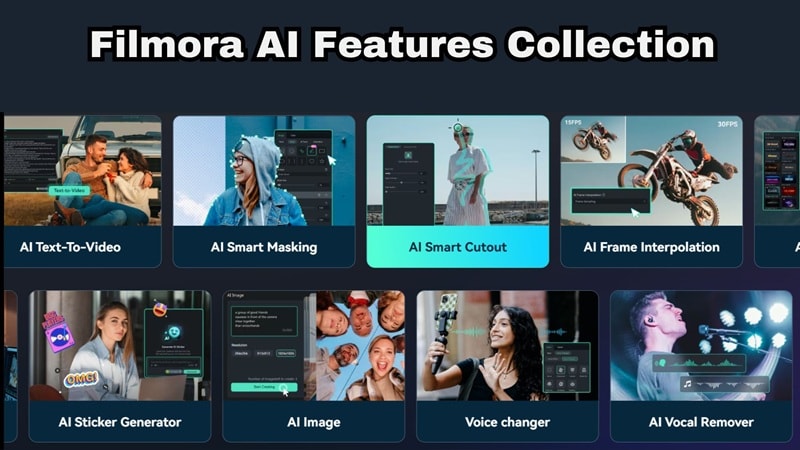
Picsman's AI is strong on specific tasks. Filmora's AI toolkit covers the entire production pipeline:
- AI Video Translation converts speech into another language with synced lip movements.
- AI Color Palette lets you apply the exact color grade from any reference film to your footage.
- AI Smart Cutout tracks and removes objects through complex motion, not just on static frames.
- AI Text-to-Speech provides over 10 natural-sounding voices for narration without recording a word.
They're production tools that remove entire specialist skill requirements from the workflow.
Secure DownloadConclusion
Picsman AI delivers on its core promise: one dashboard for the editing tasks that used to require multiple subscriptions. The Picsman AI clothes changer is genuinely useful for e-commerce and fashion creators. The Picsman AI watermark remover handles both images and video. The Picsman AI passport photo maker saves real trips to the pharmacy.
The ceiling becomes obvious the moment you need to build something more structured. That's where Filmora takes over, bringing a full multi-track timeline, AI audio tools, a massive built-in asset library, and production depth that Picsman isn't trying to match.
The smartest workflow is often both: use Picsman for rapid AI processing and quick-turn edits, then bring those assets into Filmora to build the actual finished video.
FAQs About Picsman AI
-
Is Picsman AI safe to use?
Yes, the official Picsman platform at and its apps on the Apple App Store and Google Play are legitimate, safe products from a US-based company. The safety concern arises specifically with third-party sources like Picsman AI mod APK found on unofficial download sites. -
Does the clothes changer work on all body types?
The Picsman AI clothes changer performs best on clearly visible subjects with good lighting and unobstructed clothing. It handles a range of body types in standard poses, but like all AI virtual try-on tools, performance can vary based on image quality, clothing complexity, and pose. -
Can Picsman remove tattoos?
Technically, the Magic Eraser tool can be applied to tattoos, but results depend heavily on the complexity of the tattoo and the skin texture beneath it. Simple, small tattoos on lighter skin in good lighting can be cleanly removed with the AI inpainting technology.
