


 TL;DR:
While proDAD offers highly specialized video plugins like Mercalli V6 for stabilization and Adorage for effects, its fragmented per-tool licensing and separate interfaces make all-in-one platforms like Filmora a more efficient choice for modern workflows.
● Mercalli V6 excels at fixing handheld rolling shutter distortion, while VitaScene V5 PRO and Heroglyph V4 handle advanced color effects and route animations but require more setup time outside your main timeline.
● The proDAD ecosystem is heavily Windows-focused, lacks consistent native support for Apple Silicon (M1/M2/M3) Macs, requires a host editor for tools like Adorage, and restricts licenses to a single computer.
● Filmora is best suited for users who want a single cross-platform application (Windows, Mac, Android, iOS) featuring built-in AI captions, auto-reframing for short-form social content, and cloud syncing without purchasing separate plugins.
Ask AI for a summary
 ChatGPT
 Perplexity
 Gemini
 Claude
 Grok
Grok
When searching for video effects plugins, especially for stabilization, transitions, and titles, you’ve probably come across proDAD GmbH software a few times. The tools themselves can be useful, but you’re probably unsure which one you actually need.
This article will break it down for you the proDAD tools one by one. You’ll see what each product does, where it works best, and where proDAD starts to feel limiting compared to more current editing setups.
Part 1. Meet the Family: Everything proDAD Makes and What They Do
Before getting into each tool, you need to understand how the proDAD software is set up. A lot of confusion comes from the fact that this isn’t one single program you install and use for everything.
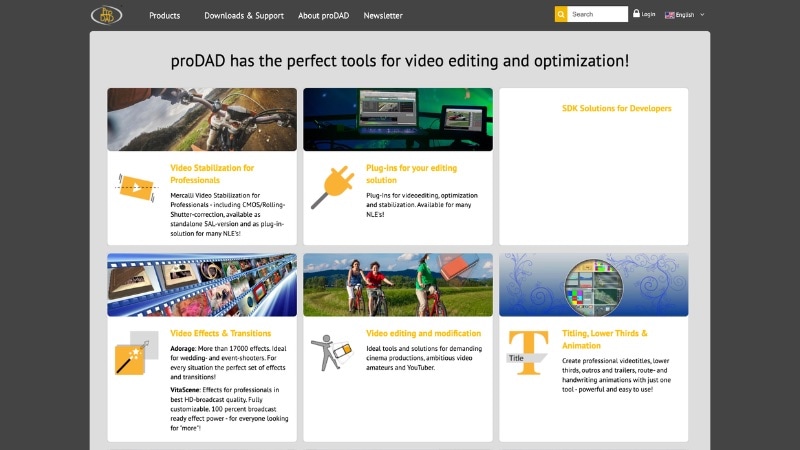
proDAD GmbH is a Germany-based company that builds specialized video plugins, not a full video editor. Each tool handles a specific job inside your editor. You pick the ones you need, like stabilization, effects, or titles, and use them alongside your main editing software.
The proDAD Product Family — At a Glance
To make things easier to follow, here’s a quick overview of the main proDAD tools and what they’re used for.
| Product | Category | Best For |
| Mercalli | Video Stabilization | Fixing shaky footage, action shots, handheld clips, and camera movement. |
| Adorage | Transitions & Effects | Adding stylized transitions, light effects, and quick visual overlays. |
| VitaScene | Visual Effects Plugin | Color effects, film looks, light leaks, and cinematic overlays. |
| Heroglyph V4 | Titling & Motion Graphics | Creating animated titles, lower thirds, and simple motion graphics. |
| ReSpeedr V2 | Speed & Slow Motion Tool | Correcting rolling shutter and creating smooth slow-motion footage. |
| HIDE V2 / DISGUISE V2 | Object Removal / Masking | Removing objects, blurring faces, or hiding unwanted elements in footage. |
|
Show More
Show Less
|
||
Part 2. Mercalli and Adorage: Where proDAD Feels the Most Practical
proDAD Mercalli and Adorage are the tools people actually use the most. They deal with common editing problems right away, fixing shaky footage and adding basic visual effects without much setup. They’re also easier to pick up compared to the rest of the lineup.
proDAD Mercalli: Fixing Shaky Footage the Smart Way
Mercalli proDAD is a stabilization plugin and standalone app designed to smooth camera movement and reduce distortion. Mercalli scans the movement in your footage and stabilizes it while trying to keep the motion looking natural.
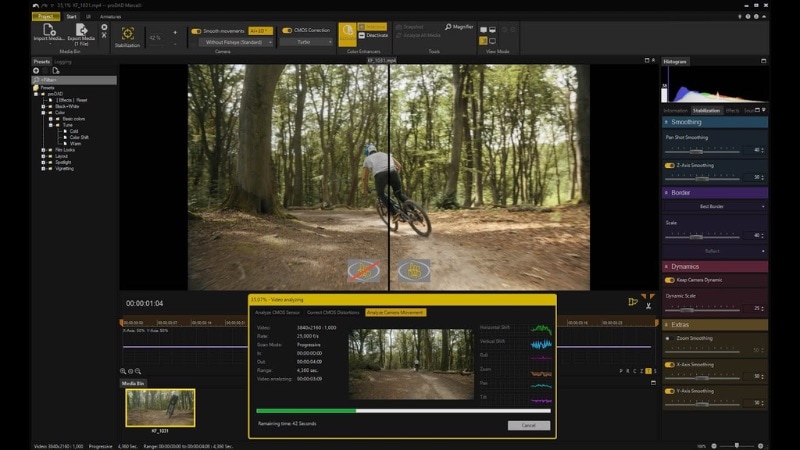
Standout feature: Rolling shutter correction. It helps reduce the “jello” effect you often see from action cams or quick handheld shots.
Versions available:
- Mercalli V6 SAL (standalone for Windows)
- Mercalli V6 Plug-ins (for Adobe, MAGIX, and OFX hosts)
- Mercalli V5 Suite (older version, still used in some workflows)
Where it works well:
- Action cam footage and travel clips
- Handheld shooting without a gimbal
- Fixing rolling shutter distortion (the “jello” effect)
proDAD Adorage: Effects Library That Goes Deep
Adorage takes a very different approach. Instead of solving one problem, it gives you a huge library of ready-made effects and transitions with 17,000+ assets across 13 volumes. You can apply the effects quickly, and there’s some room to tweak them, but most people use it as is.
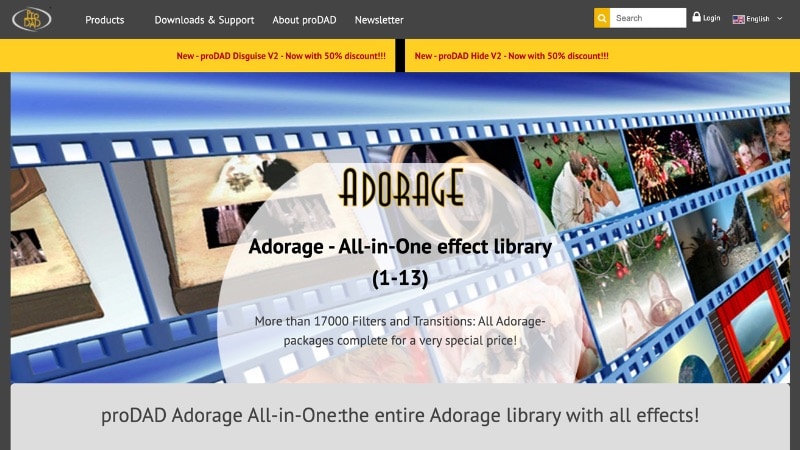
Packages available:
- Volumes 1-9 (older SD packs)
- Volumes 10-13 (HD-focused packs)
- All-in-One bundle (Adorage full package collection)
Effect types include:
- Transitions (light wipes, particle effects, stylized cuts)
- Visual overlays (fire, smoke, light leaks)
- Themed packs (weddings, holidays, nature, flags, and more)
Part 3. VitaScene and Heroglyph: More Creative Power, More Complexity
Beyond Mercalli and Adorage, you’ll find proDAD VitaScene and Heroglyph. These are separate plugins built for different tasks, but both lean more toward visual styling and motion graphics. They offer more control than the earlier tools, but also take more time to learn and use.
proDAD VitaScene V5 PRO: When Adorage Isn't Enough
proDAD VitaScene is a video effects plugin designed for more controlled and adjustable results. It covers a similar area to Adorage, but the approach is different.
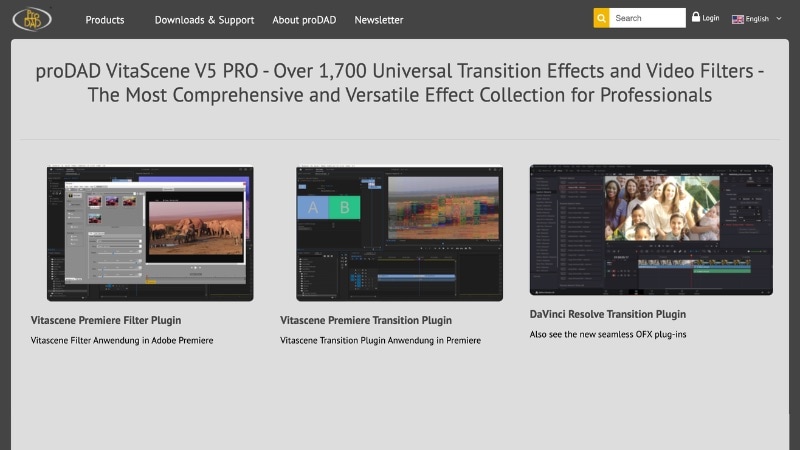
With Adorage, you usually browse a library and apply a preset. The proDAD VitaScene works differently. You still start with an effect, but instead of picking something and moving on, you spend time tweaking settings.
Where it fits:
- Corporate and commercial videos
- Projects that need a consistent visual style across scenes
- Edits where preset effects feel too repetitive or limited
Limitations:
- More setup compared to proDAD Adorage
- Takes longer to reach a final result
- Not suited for fast edits or quick turnaround work
proDAD Heroglyph V4: Titles That Actually Tell a Story
proDAD Heroglyph is a plugin designed to create titles, lower thirds, and animated text elements inside your editing workflow. Instead of effects or stabilization, it focuses on on-screen text and simple motion graphics.
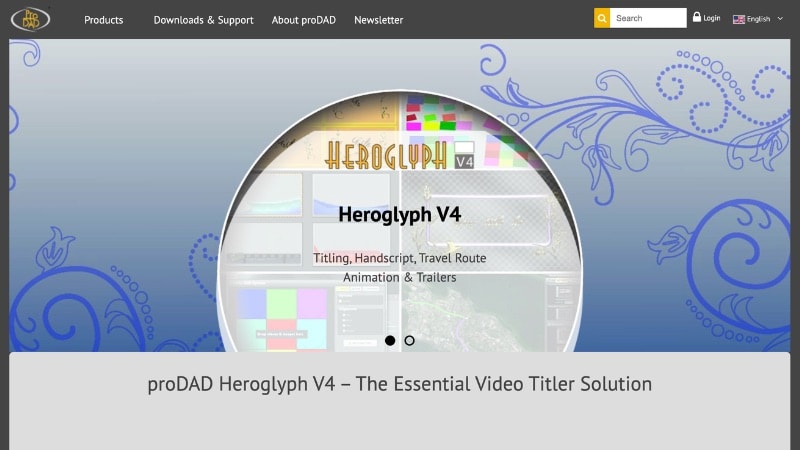
What it includes:
- Title templates and animation presets
- Lower thirds and caption tools
- Route animations, often used in travel content
- Handwriting-style text animations
Unlike basic title tools built into most editors, proDAD Heroglyph uses its own interface. You open the plugin, build your title there, then bring it back into your timeline.
This setup gives you more options, especially for specific use cases like route animations or stylized text. At the same time, it adds extra steps compared to working directly inside your editor.
What you can create with this plugin:
- Travel videos with map or route animations
- Event videos that need structured titles
- Corporate content with consistent on-screen text elements
Part 4. How proDAD Pricing Actually Works
proDAD GmbH doesn’t sell one complete product. Each tool comes as a separate purchase, and that’s where things start to feel unclear.

How the Pricing System Works
Here’s how proDAD handles pricing across its lineup:
- Each tool is sold separately. Mercalli, Adorage, VitaScene, and Heroglyph all require their own license.
- Most products use a one-time purchase model. You pay once per version, not monthly.
- Paid upgrades apply to newer versions. Moving from V5 to V6, for example, usually costs extra.
- Free trials are available. You can test most tools before buying through the official site.
Pricing Overview
Prices of proDAD plugins vary depending on sales and bundles, but here’s a general idea of what to expect:
| Product | Price Range | Notes |
| Mercalli V6 SAL | ~$99 - $149 | Standalone stabilization tool (Windows) |
| VitaScene V5 PRO | ~$149 - $199 | Effects plugin with more control than Adorage |
| Heroglyph V4 | ~$99 - $149 | Title and motion graphics plugin |
| Adorage All-in-One (Vol. 1-13) | ~$149 - $249 | Full effects library bundle |
| HIDE V2 / DISGUISE V2 | ~$59 - $99 | Object removal and masking tools |
|
Show More
Show Less
|
||
If you only need one proDAD tool, the pricing makes sense. But if you want a full editing setup with effects, titles, and cleanup tools, the cost stacks up fast. That’s usually where people start to question the value.
Part 5. Are proDAD's Limitations Pushing You Toward Something Better?
proDAD GmbH has been around for a long time, and the tools still do their job well. Mercalli stabilizes footage, Adorage adds effects, and the rest fills specific gaps. But when you look at how editing works today, some parts of the workflow start to feel dated.

Most of the friction comes from how everything is split. You install multiple plugins, switch between interfaces, and manage separate updates. It works, but it slows things down compared to newer tools that keep everything in one place.
 Secure Download
What Makes Filmora a More Practical Choice Today
1. All-in-One Editing Workflow
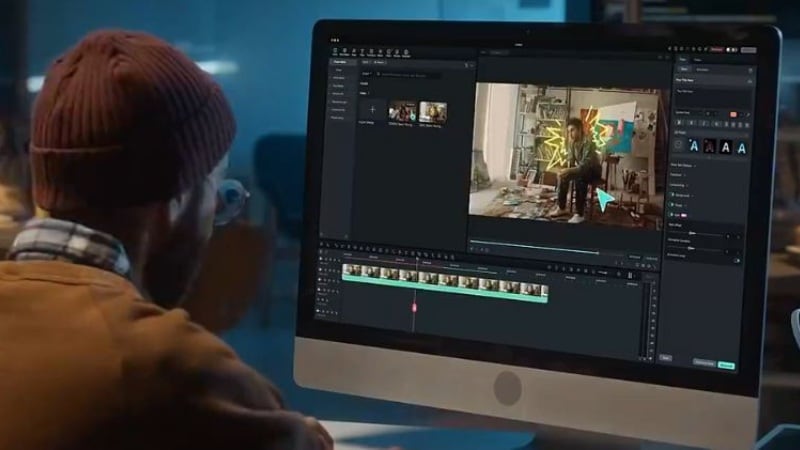
You don’t need separate plugins for stabilization, effects, titles, or object removal. Everything sits in one workspace, so you spend less time switching between plugins.
2. AI-Powered Editing Tools
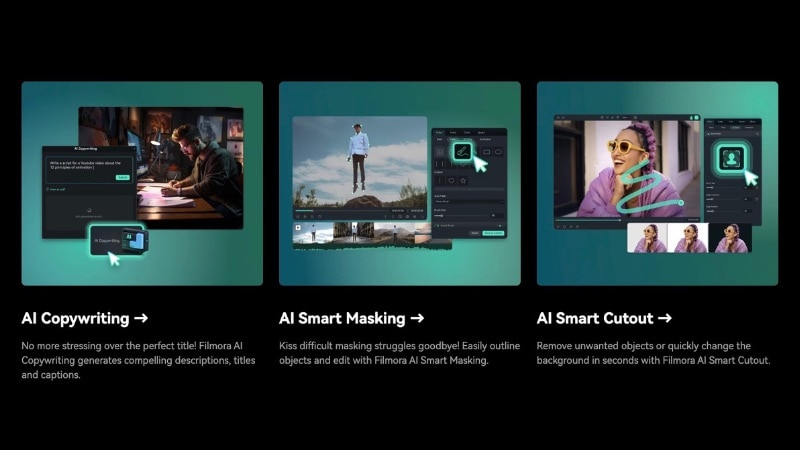
Filmora also has many AI features built into the editor. Thus, you don’t need to install external plugins for common tasks like cutting clips, generating captions, or cleaning up audio. It has tools like AI text-based editing, auto captions, and an AI video generator to help reduce manual work.
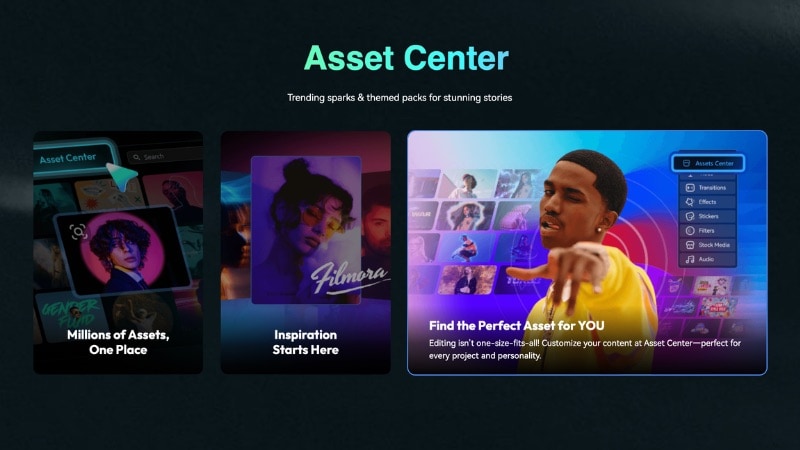
3. Built-In Titles, Effects, and Motion Graphics
Filmora already includes built-in creative assets and effects inside the editor. So you don’t need separate plugins like Heroglyph or Adorage. You can apply templates or effects, adjust them, and preview everything directly on the timeline.
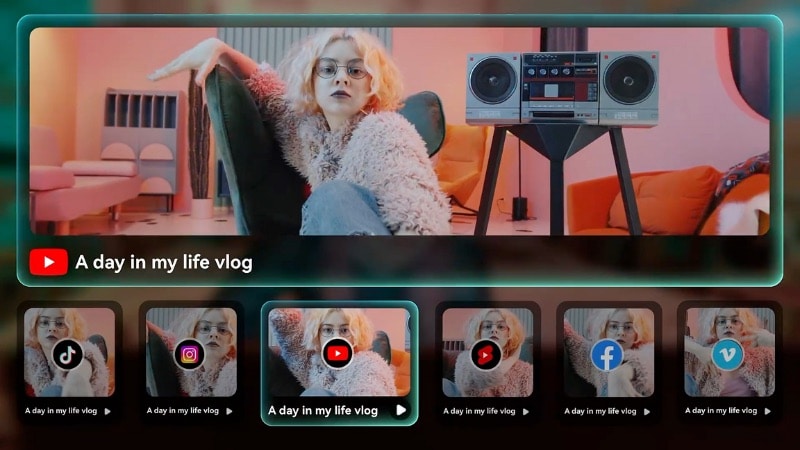
4. Faster Editing for Social Content
You can use Filmora to do quick edits for social content without extra setup. You can trim clips, add captions, and export in vertical formats in a few steps. Tools like Auto Reframe and Smart Short Clips help you turn long footage into short-form content with ease.
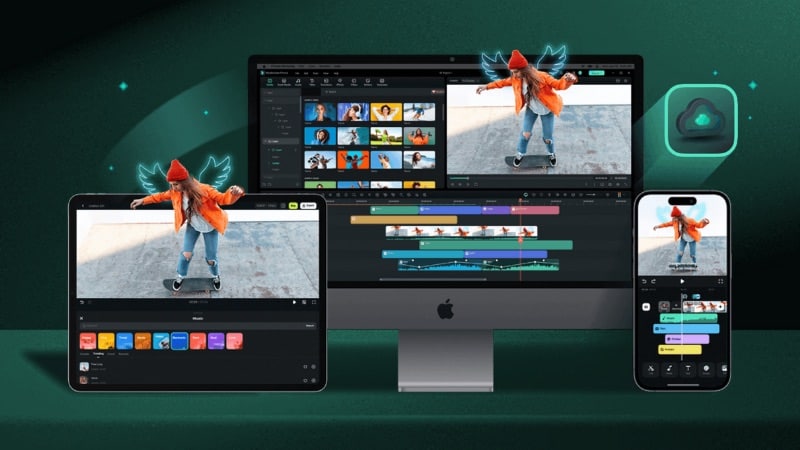
5. Cross-Platform Workflow
Filmora is available on Windows, Mac, Android, and iOS devices. It lets you start editing on mobile and finish on desktop. You can upload your project to Filmora Cloud, then open and continue editing on another device.
6. Simple Pricing Structure
Filmora offers both subscription and one-time license options. Subscriptions include ongoing updates, while one-time licenses cover the current version, with paid upgrades for major releases. All features stay in one place, so you don’t need separate purchases for different tools.
 Secure Download
Conclusion
proDAD GmbH builds tools that still hold up for specific tasks. If you need stabilization, proDAD Mercalli works well. If you want quick effects, proDAD Adorage still covers that space.
But once you combine multiple tools, the workflow starts to feel fragmented. You install separate proDAD plugins, switch between interfaces, and manage different updates. That setup slows down the editing process over time.
If you want a more direct workflow, it may be worth trying an all-in-one editor like Filmora. It’s a worthwhile tool that keeps everything in one place.
FAQs About proDAD Software
-
Can I use proDAD Adorage without a host editor?
In most cases, no. proDAD Adorage is designed to run as a plugin inside a video editor like Premiere Pro, VEGAS, or similar. Some versions exist with limited standalone behavior, but they are tied to specific licenses or setups. -
Is proDAD software compatible with Apple Silicon (M1/M2/M3) Macs?
Compatibility is limited. Many proDAD tools are still Windows-focused, and some plugins only work on Windows systems. Newer versions may work on macOS through supported hosts, but native Apple Silicon support is not consistent across all tools. -
Can proDAD plugins be used across multiple computers with one license?
In most cases, no. Licenses are usually tied to one device or require activation per system. Using the same plugin on multiple computers may require additional licenses or reactivation.
