

 TL;DR:
While Subtitle Cat provides fast, automated subtitle generation in over 100 languages, its intrusive redirect ads and limited editing capabilities make the $6/month subscription or dedicated alternatives essential for professional creators.
● Subtitle Cat operates entirely in the cloud and relies on Google Translate, meaning users must maintain a stable internet connection and manually refine SRT or VTT exports to correct timing errors or nuanced slang.
● Wondershare Filmora serves as the optimal all-in-one alternative for social video creators, offering an ad-free environment to generate, style, and directly embed subtitles within a standard editing timeline, though removing the watermark requires a paid plan.
● For specific usage conditions, Subtitle Edit offers free offline manual precision for advanced translators, Kapwing enables real-time cloud collaboration for remote teams, and Descript provides transcript-driven video editing for dialogue-heavy podcasts.
Ask AI for a summary
 ChatGPT
 Perplexity
 Gemini
 Claude
 Grok
Grok
Subtitles are our door to understanding the context of the film or video content we are watching, especially when it is in a language we don't understand. And Subtitle Cat is one of the tools that offers subtitles for popular movies in different languages, along with the option to generate subtitles from videos you upload.
Before you try using Subtitle Cat yourself, we have tested it for you and shared what actually works, what feels limited, and recommended a few Subtitle Cat alternatives you may like better in our review below.
Part 1. What is Subtitle Cat? Key Features and AI Technology
Subtitles are essential for understanding global film and video content. Subtitle Cat has become a popular online tool for finding and translating subtitles. But is it the best choice for creators in 2026? In this comprehensive Subtitle Cat review, we'll explore its AI-powered features, pricing, and potential limitations to help you decide if it's right for your workflow.
How Subtitle Cat Works
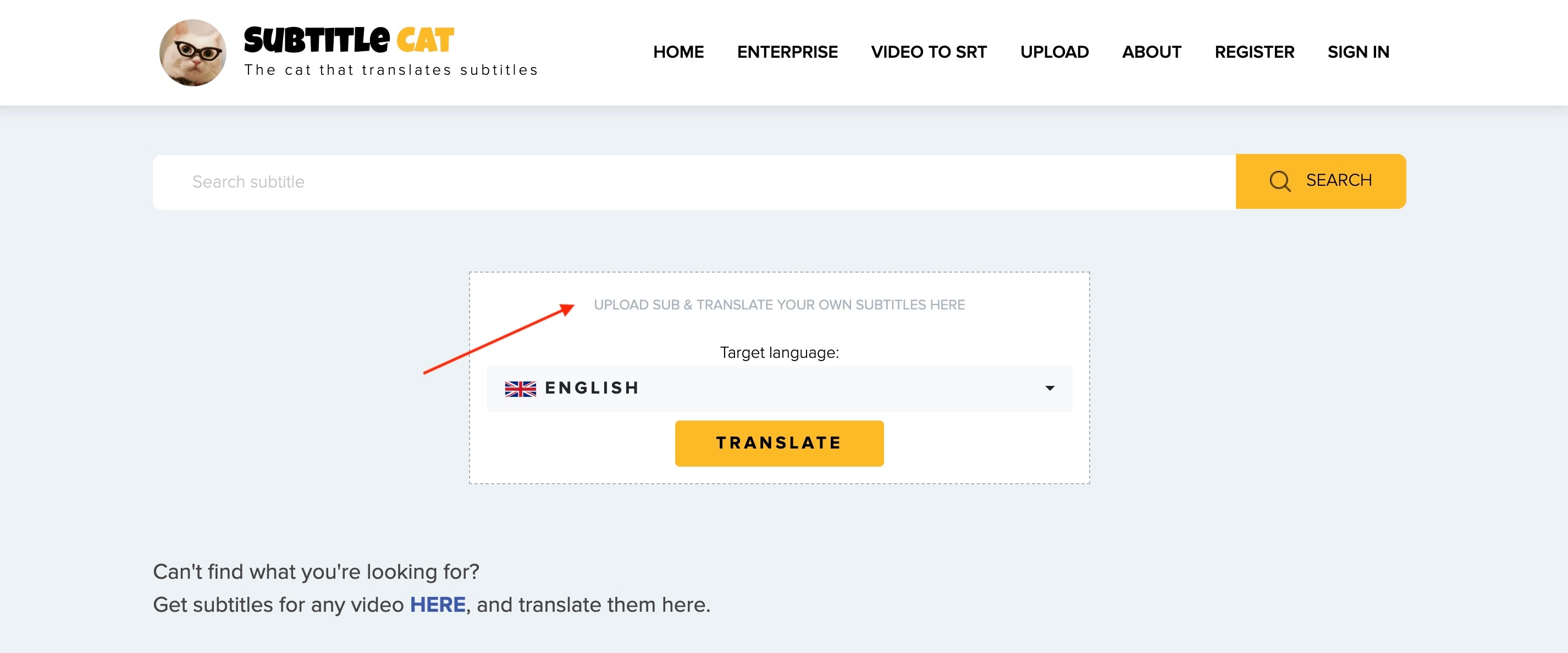
When you visit the Subtitle Cat website, you'll be welcomed with the latest subtitles generated by Subtitle Cat. You can use the search bar to find the subtitle file you need. Or, if you want to upload and translate your own video that doesn't already have subtitles, you can select the Upload menu at the top.
The system detects the spoken audio and converts it into text, then automatically translates it into your chosen language. You can preview, edit, and export the final translated subtitles in just a few minutes.
Core Technology Behind Subtitle Cat
- Powered by Google Translate for multilingual translation
- Uses AIGC (Artificial Intelligence Generated Content) to improve subtitle flow and timing
- A fully automated workflow that handles speech recognition, translation, and synchronization
- Designed for speed and consistency, especially for short content and social media
Supported Formats and Language Coverage
- Supports popular subtitle formats such as SRT and VTT
- Compatible with major video platforms and editing software
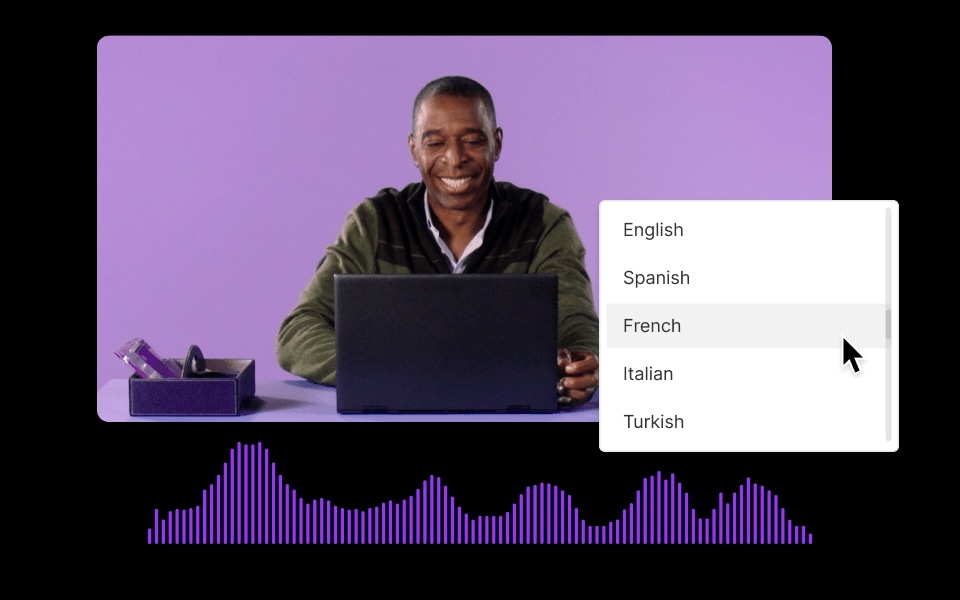
- Supports over 100 languages, facilitating global content distribution
- Ideal for creators who want to reuse a single video for multiple regions
Part 2. How to Use Subtitle Cat to Translate Subtitles (Step-by-Step)
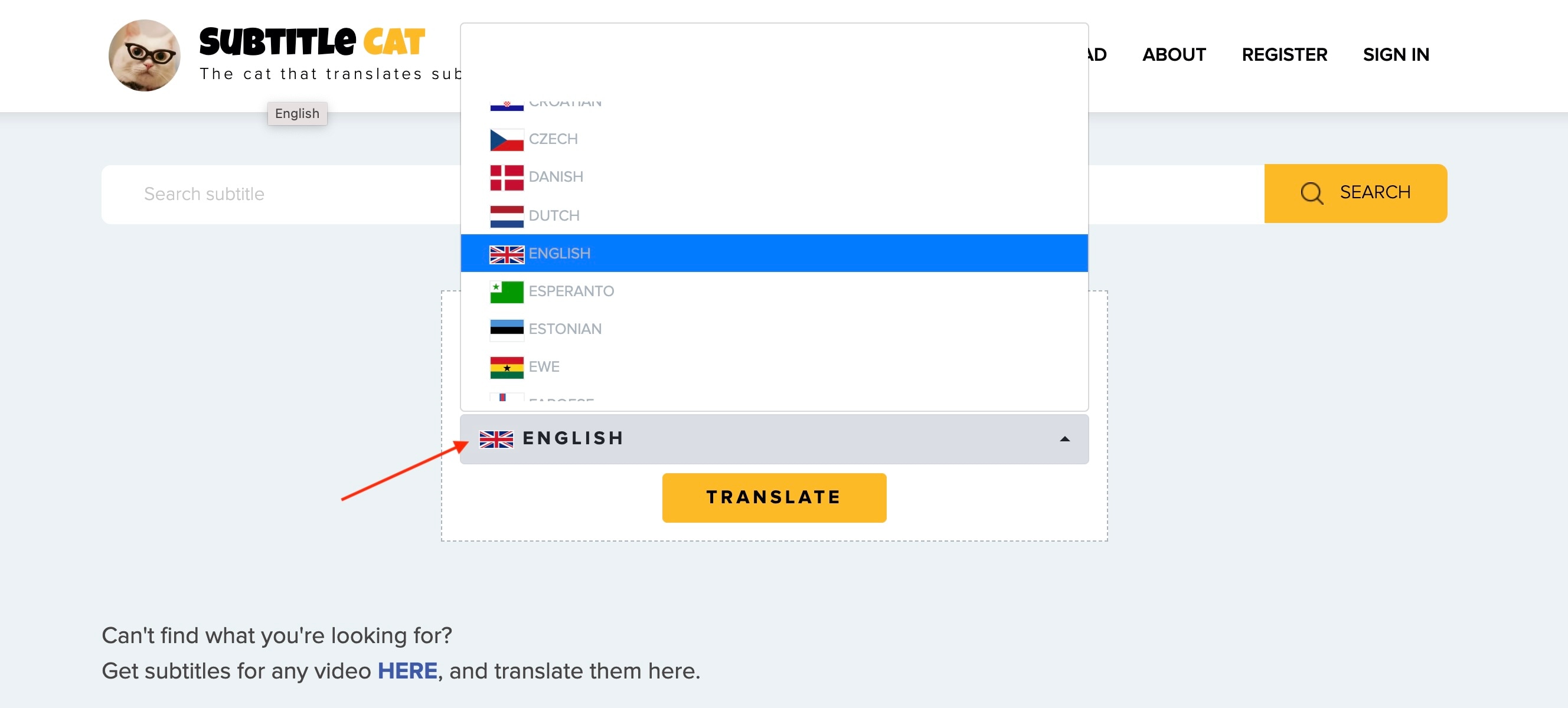
Using Subtitle Cat to translate subtitles is straightforward, even if you are new to subtitle translation tools. The platform is designed to guide you through each step without overwhelming you with complex technical options.
Part 3. Subtitle Cat Review: Performance & User Experience
After using Subtitle Cat for various videos and languages, its performance and user experience stand out in several ways. The platform delivers fast results and maintains simplicity without requiring technical expertise. However, like any other tool, Subtitle Cat also has some limitations that creators should consider before committing to it long-term.
- Easy to Use: Subtitle Cat's clean interface makes it easy to use for beginners. Uploading, generating, and exporting subtitles feels intuitive without the need for tutorials.
- Fast Subtitle Creation: The automated system processes videos quickly, especially short clips, saving creators a significant amount of time.
- Multilingual Support: With over 100 languages available, creators can easily tailor content for a global audience.
- Flexible Export Options: Support for formats like SRT and VTT ensures subtitles are compatible with most video platforms and editing tools.
- Ads everywhere: Every time you click, you will be redirected to another website if you are a free user. To remove ads, you need to subscribe for $6/month.
- Translation Limits: Although reasonably strong, automated translation may sometimes lack nuance, especially with slang or local phrases.
- Editing Depth: Subtitle Cat allows basic edits, but advanced subtitle customization (like styling or precise timing tweaks) may require an external editing tool.
- Accuracy Varies by Languages: Performance can differ between widely spoken languages and less common ones, so some translations may need manual refinement.
- Dependence on the Internet: Since Subtitle Cat is cloud-based, a stable connection is required for uploading and processing.
Part 4. 5 Best Subtitle Cat Alternatives in 2026 (Free & Paid)
Although Subtitle Cat works well for quick subtitle translations, some creators may want more control, editing features, or an all-in-one workflow. Check out some of the best alternatives to Subtitle Cat, each suited to different creative needs.

1. Wondershare Filmora (Best All-in-One AI Editor)
 Secure Download
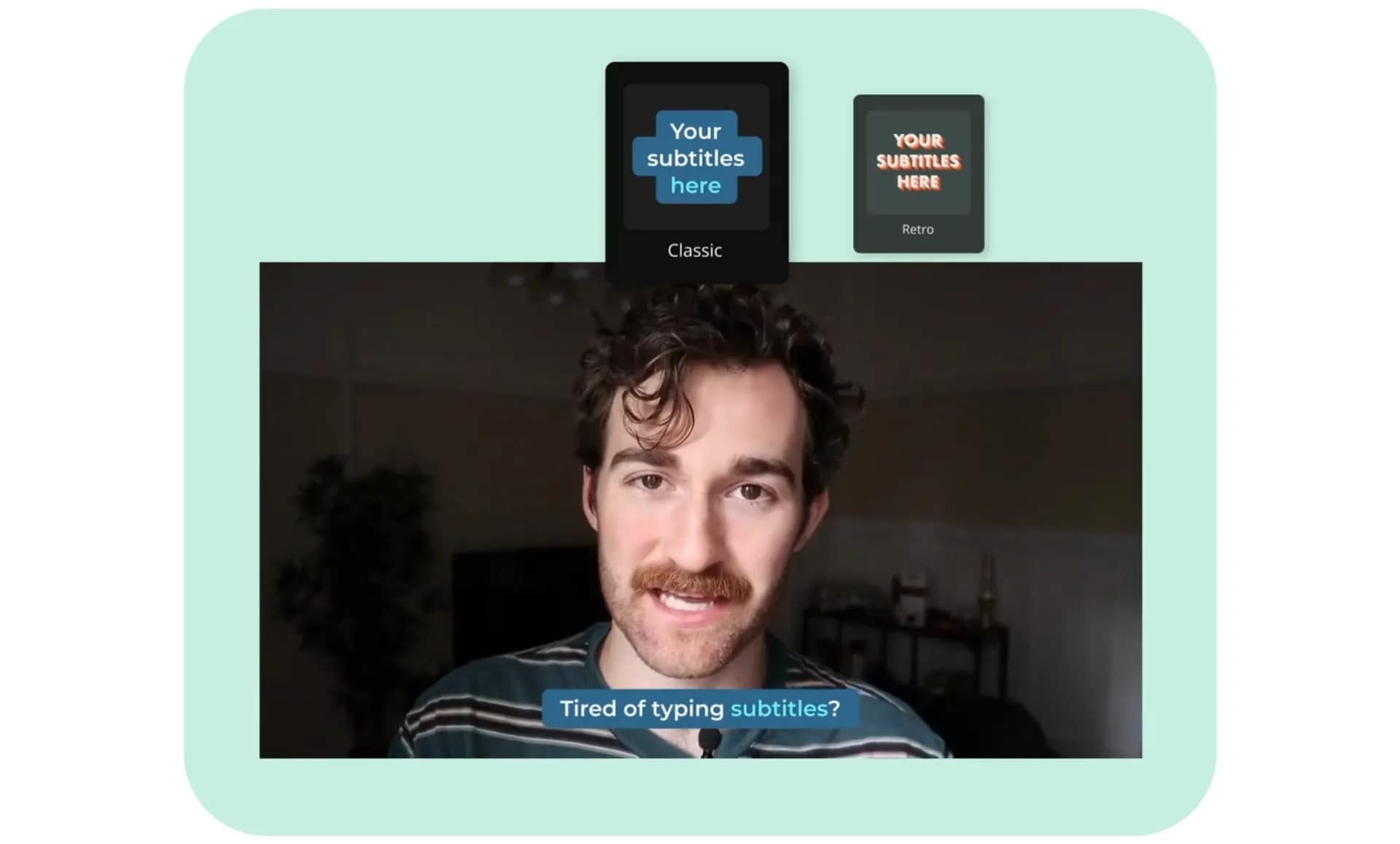
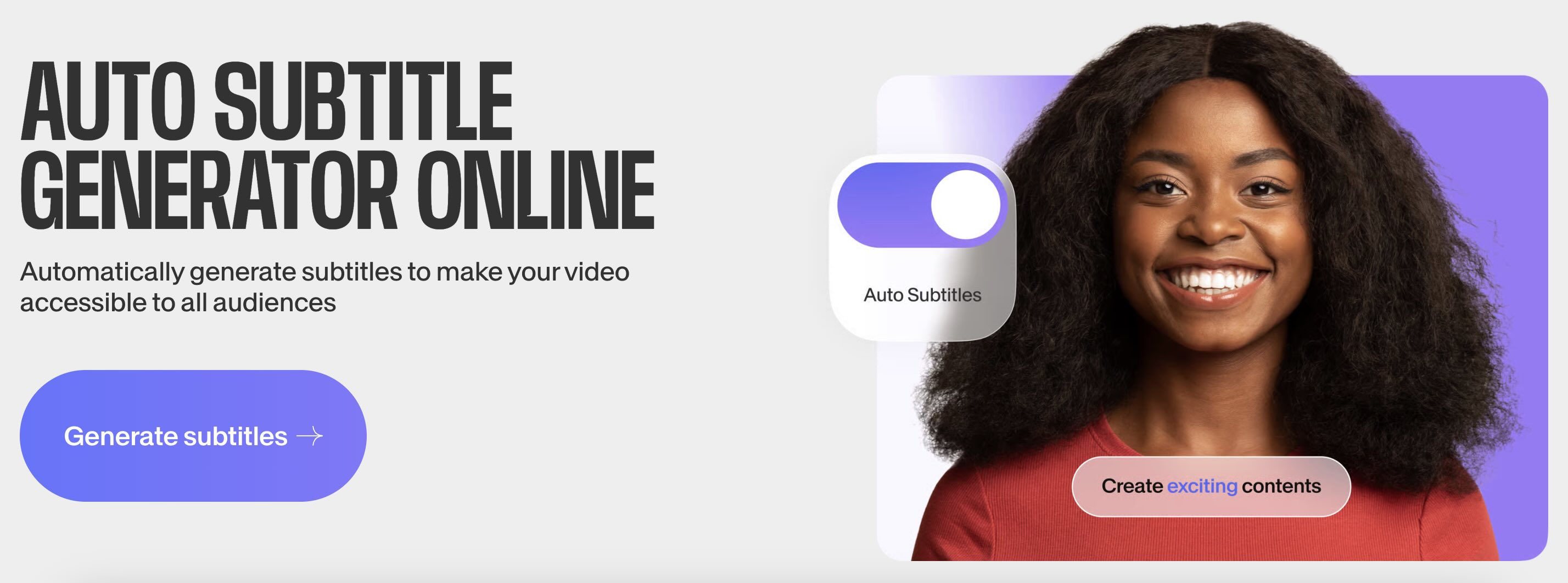
Wondershare Filmora is the best all-in-one AI video editor for creators who need more than just simple text files. Unlike Subtitle Cat, which often redirects users to third-party ads, Filmora provides a clean, professional environment for auto-subtitle generation and AI speech-to-text.
Filmora is a full video editing platform that also serves as a powerful alternative to Subtitle Cat for subtitle creation and AI video translation. Unlike Subtitle Cat, Filmora allows you to create, edit, translate, and customize subtitle styles directly in the editing timeline without having to switch applications.
Why Filmora Stands Out:
Filmora combines AI speech-to-text technology and automatic subtitle translation with a complete set of editing tools, so you don't need a separate subtitle converter.
- It supports SRT file editing and direct burn-in, making it a superior alternative to Subtitle Cat.
- AI speech-to-text subtitle creation
- Automatic subtitle translation into multiple languages
- Customizable subtitle style and font settings
- Timeline-based subtitle editing
- Export SRT, VTT, or embedded subtitles
- All-in-one editing and subtitling workflow
- Free from annoying ads
- Easy visual control of subtitles with the timeline
- Support for multiple languages
- Suitable for both long and short videos
- Full features require a paid subscription
- Watermark on the free version
Content creators who want to integrate editing and subtitles into one platform. It's suitable for YouTube, social videos, and educational content.
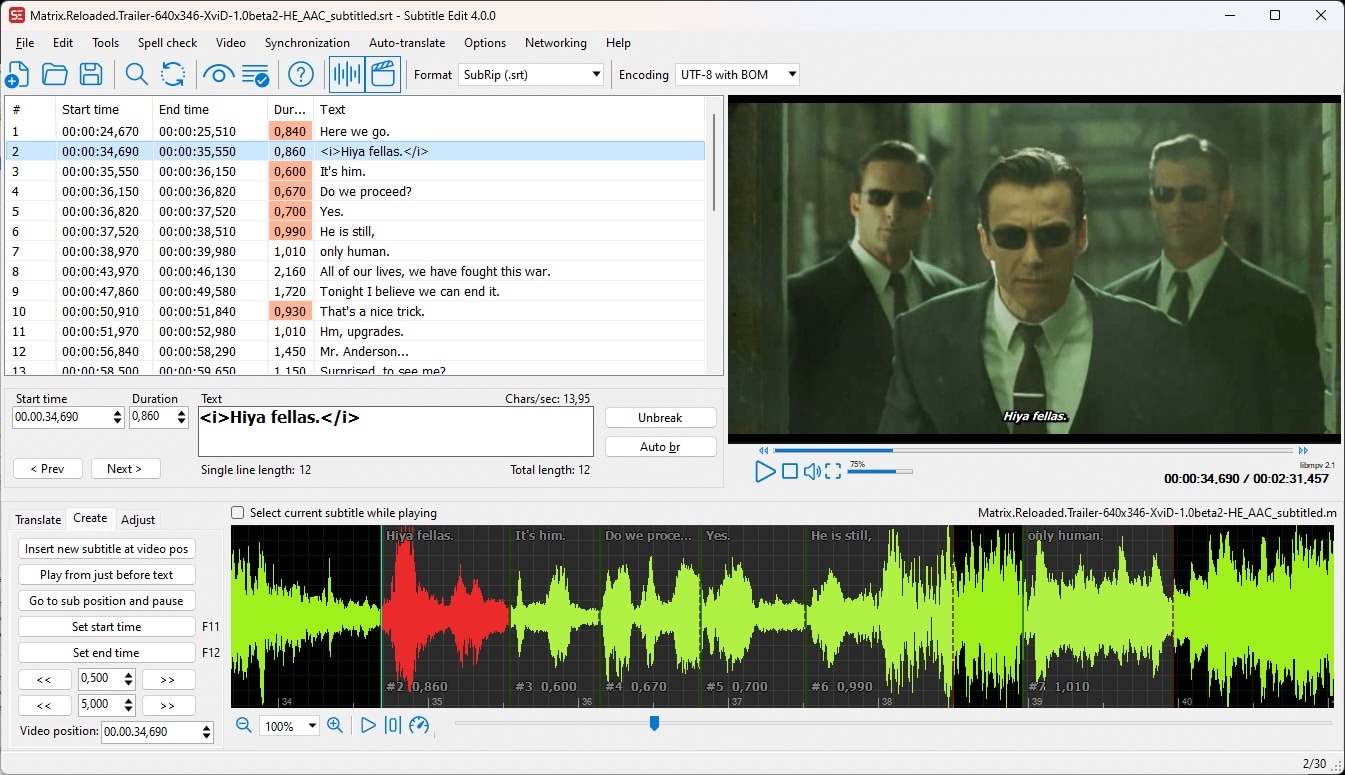
2. Subtitle Edit
Subtitle Edit is a free, open-source tool for editing subtitles. It's a great alternative to Subtitle Cat for users who prefer manual precision over automatic workflows.
Why It Stands Out:
It allows for precise subtitle timing adjustments and details that are often overlooked by automated systems, which makes it ideal for accuracy over speed.
- Precise subtitle timing adjustments with waveform and spectrogram displays
- Multiple subtitle format conversion and support
- Offline mode (works without an internet connection)
- Spell check and automatic translation support
- Highly accurate and customizable
- Free to use for life
- Compatible with almost all subtitle formats
- Ideal for advanced correction and editing
- The user interface can feel confusing
- Not designed for casual users or collaboration
Professionals, subtitle editors, and translators who want full manual control and precision.
3. Kapwing
Kapwing is an online video editor that creates and translates subtitles, offering a collaborative cloud platform unlike the single-user workflow of Subtitle Can. You can create and share projects with others in real time.
Why It Stands Out:
Its collaboration features make it ideal for creative teams working together on subtitles and content.
- Automatic subtitling and translation tools
- Cloud-based editor with real-time collaboration
- Social media templates and formats
- Comments and team project sharing
- No software installation required
- Easy team collaboration
- Simple social media editing workflow
- Supports multiple languages
- Limited advanced subtitle customization
- Performance depends on the internet connection
Creators and teams who want to collaborate online and quickly produce social media captions.
4. VEED
VEED offers simple online subtitle generation and translation that works as a lightweight alternative to Subtitle Cat. Its focus on simplicity and speed makes it ideal for short-form content that requires quick subtitle addition.
Why It Stands Out:
Its clean interface and fast subtitle tools make VEED.io another favorite for creators who want quick edits without complications.
- Automatic subtitle creation and translation
- Simple video editing tools
- Export subtitles as SRT or embedded
- Browser-based workflow
- Super beginner-friendly
- Fast online subtitle creation
- Works without installation
- Clean and intuitive user interface
- Not ideal for advanced editing
- Free version limits features and output quality
Creators who want quick and simple online subtitles without complicated editing.
5. Descript
Descript is a transcript-based video editor that generates subtitles and lets you edit video by editing text. It works as a powerful alternative to Subtitle Cat, especially for creators who care about transcripts, editing story flow, and subtitle accuracy.
Why It Stands Out:
Its text-based editing approach makes subtitles part of the video editing process, which can be more intuitive than Subtitle Cat's standalone subtitle generation.
- Transcript-based editing
- Auto subtitles and speaker labels
- AI overdub and audio cleanup
- Export captions and translations
- Easy text-driven editing
- Excellent for dialogue-heavy videos
- Built-in AI audio tools
- Great accuracy and workflow
- It can be too excessive if you only need subtitles
- Requires a paid subscription for full features
Creators who want transcript-based editing, especially podcasters, interviewers, and Talking Head videos.
Part 5. Advanced Tips: Optimizing Subtitles for Better Engagement
Creating subtitles is only the first step. To fully engage your audience, subtitles must be clear, easy to read, and optimized for how people actually watch videos. Using Subtitle Cat or not, these tips will help your subtitles perform better across platforms.
- Create Translation Text for Reading, Not for Speaking: Spoken language is often longer than necessary on screen. Cut out filler words and keep the translation text short so that viewers can read it quickly, especially on mobile devices.
- Perfect the Display Timing Before Formatting: Even the most compelling translation text will fail if it appears too early or too late. Ensure that the translation text follows the natural rhythm of the speech. Tools such as Subtitle Edit or timeline-based editors help with precise synchronization.
- Use Translation Text Style to Direct Attention: Emphasize important words with subtle font changes, color accents, or emphasis. This keeps viewers focused and improves retention, especially on short videos and social media.
- Adjust Translation Text for Each Platform: What works on YouTube may not work on Reels or TikTok. Place subtitles higher on vertical videos and avoid interface elements like buttons and subtitles.
- Always Check AI Translations for Tone: AI tools like Subtitle Cat are fast, but tone and context remain important. A quick manual check helps ensure subtitles sound natural and culturally appropriate.
Conclusion
Subtitle Cat is a good platform to find and download subtitles, and it also works well for generating subtitles from your own videos. But the annoying ads that keep redirecting you to other websites you don't want to visit can be an instant turn off.
If you are looking for a Subtitle Cat alternative instead, we have also shared several good options for you. For a smoother, ad free experience with better accuracy and full control over how your subtitles look and sync, Filmora is a much more reliable choice for creating, editing, and styling subtitles in one place.

FAQs
-
Is Subtitle Cat free to use?
Subtitle Cat offers limited free use with ads, but most features, such as exporting subtitles or translating longer videos, usually require a paid subscription. -
Can I use Subtitle Cat for YouTube videos?
Yes. Subtitle Cat lets you export subtitles in SRT or VTT format, which can be uploaded directly to YouTube. -
Which is the best Subtitle Cat alternative for batch processing?
Subtitle Edit is the best option for batch processing as it supports bulk subtitle editing and conversions. For an all-in-one editing workflow, Wondershare Filmora is also a good alternative.
