


 TL;DR:
Typito is an exclusively web-based video editor tailored for marketers producing fast, caption-driven social media content, but creators requiring complex multi-track editing or generative AI tools should opt for Wondershare Filmora.
● Access is restricted entirely to typito.com, meaning any third-party sites offering a Typito APK or mobile download are unofficial and carry significant malware and data privacy risks.
● The free tier imposes a permanent watermark, a 30-minute monthly export limit, a 5-minute project maximum, and 250 MB of storage, making the $18 per month Solo plan the minimum viable option for individual creators.
● Typito focuses strictly on text-on-video applications like its Lit Caption tool and brand kits, lacking the advanced capabilities found in Wondershare Filmora such as AI text-to-video generation, AI vocal removal, multi-track audio layering, and color grading.
Ask AI for a summary
 ChatGPT
 Perplexity
 Gemini
 Claude
 Grok
Grok
According to multiple publisher reports, as much as 74% of Facebook video views happen with the sound off, which explains why captions and on-screen text matter more than ever. This is exactly where the Typito video editor steps in, acting as a specialized design suite to make your content pop even when the speakers are off.
But is that all Typito can do? In an industry where competitors are offering everything from AI avatars to full cinematic suites, can a text-focused editor really compete? Today, we’re putting it to the test to see if it’s a must-have or just a one-trick pony!
Part 1. Getting to know Typito AI
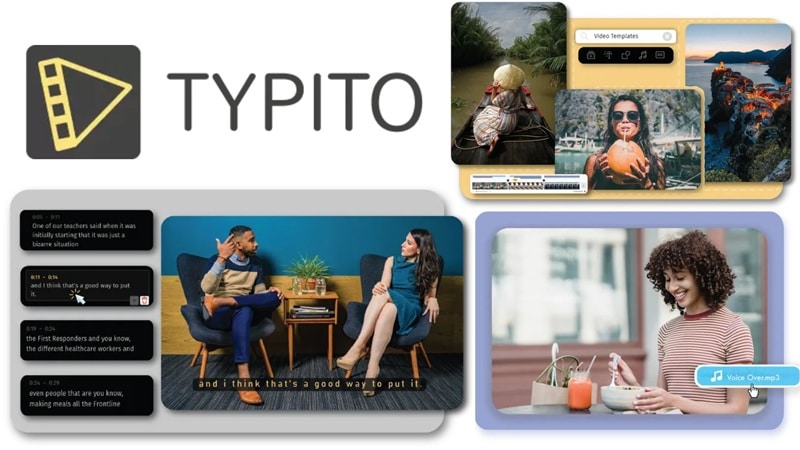
First off, let's try to understand what Typito is actually trying to be. Typito AI isn’t chasing professional editors like Adobe Premiere. It's a lightweight, web-based video editor built with a very specific audience in mind:
- Marketers who need to turn around social content fast.
- Content creators building a consistent brand identity online.
- Small business owners who don't have time (or budget) for complex editing software.
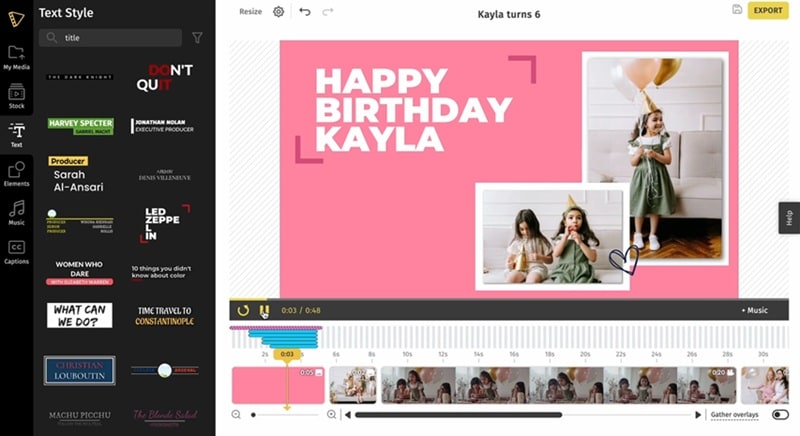
Rather than overwhelming you with a complex, multi-track timeline, Typito leans hard into what works for quick content creation:
- Drag-and-drop editing that feels intuitive within minutes.
- Ready-made templates that look polished right out of the box.
- Text animations that bring your titles and captions to life.
Because of that, Typito is often compared to Canva, but for video. The goal is clear: help you turn raw clips into clean, branded videos fast, especially for social media.
Part 2. Virtual Workspace: Accessing Typito
Now let’s talk about access, because this is where a lot of confusion happens. Let's save you that headache and make the access situation crystal clear from the start.
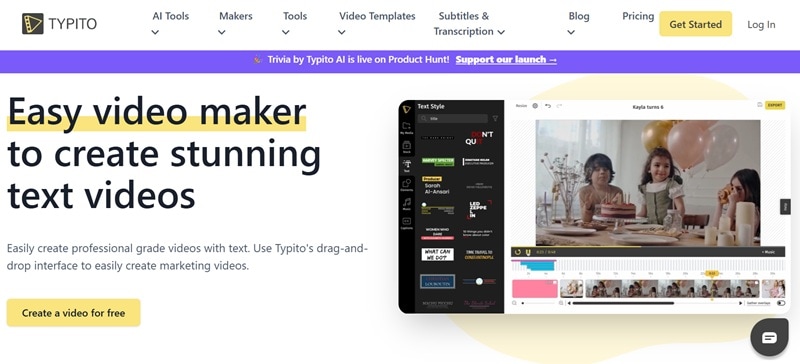
Typito AI is exclusively available as a web-based tool through typito.com. Everything you do, editing, exporting, browsing through the Typito template, happens right inside your browser.
There is:
- ❌ No official Typito app.
- ❌ No desktop software.
- ❌ No mobile version.
⚠️ Watch Out for “Typito APK Download” Claims
If you search for a "Typito app download" or "Typito APK download," you'll likely stumble across third-party sites offering download files. Do NOT trust these. Since there is no official Typito app, these files are almost certainly malicious.
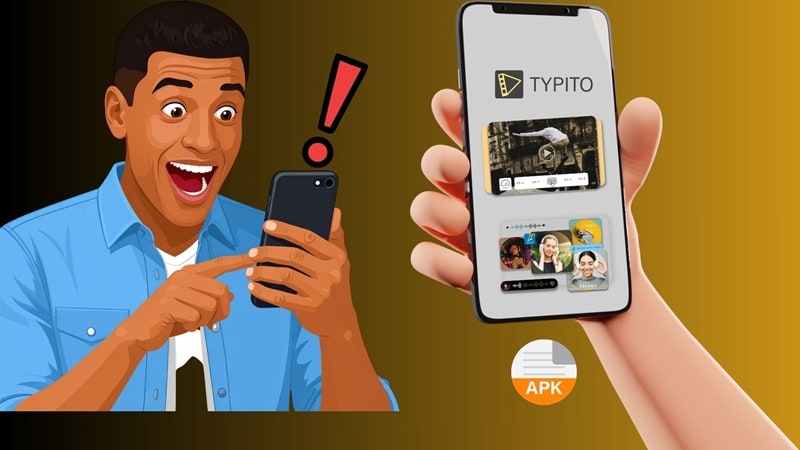
Here's what's at stake:
- Data Privacy Risks: Stealing your login credentials or personal info.
- Malware/Viruses: Slowing down your phone or corrupting your files.
- Lack of Updates: You’ll miss out on the actual AI features that keep the web version running smoothly.
Part 3. Typito Pricing: What You Actually Pay For
Before committing to any tool, you need to know what you're getting into financially. Typito pricing uses a freemium model that's fairly transparent, but the limits on the free plan might surprise you.
Here's the full breakdown:
| Feature | Free | Solo | Pro |
| Price | $0 / month | $18 / month | $35 / month |
| Monthly Export | 30 min / month | 60 min / month | Unlimited |
| Watermark | Yes | No watermark | No watermark |
| Storage | 250 MB | 5 GB | 25 GB per seat |
| Project Duration | 5 mins | 10 mins | Unlimited |
| Storage Duration | 3 Months | Forever | Forever |
| Brand Kit | ❌ | ||
| Team Collaboration | ❌ | ❌ | |
| Best For | Beginners | Individual creators | Teams & frequent users |
Key Takeaways:
- The free plan is genuinely useful for testing the platform.
- The 30-minute monthly export cap and Typito watermark make it impractical for professional use.
- The Solo plan at $18/month hits the sweet spot for individual creators.
- The Pro plan is designed for teams and agencies.
- Visit typito.com/pricing for the most current rates.
Part 4. Typito AI Features: What It Does Best
When it comes to features, Typito doesn't try to do everything, and that focus is both its greatest strength and biggest limitation.
Here's a feature-by-feature breakdown of what it genuinely excels at.
AI Captions (The Main Selling Point)
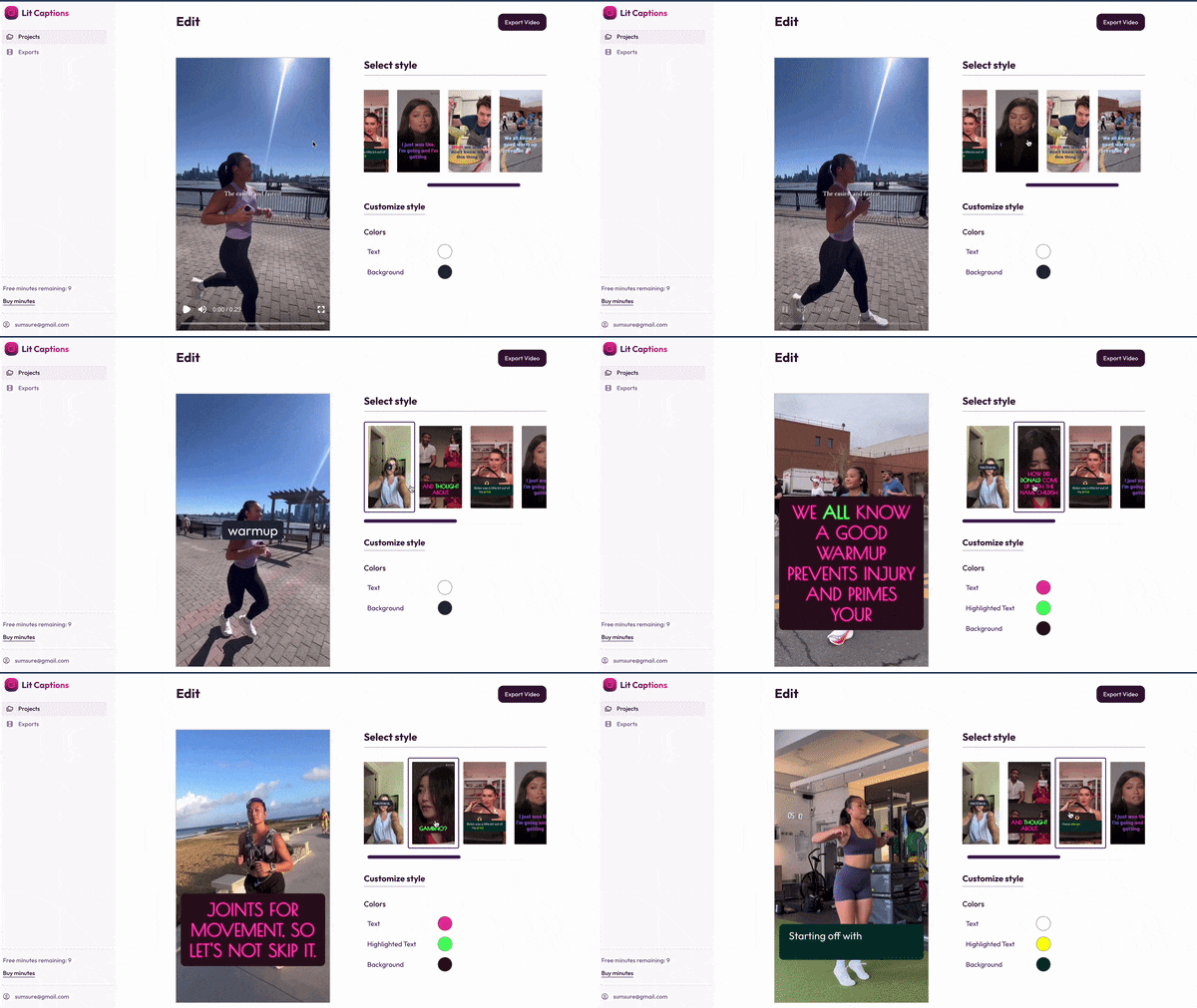
Typito's AI caption is called Lit Caption. It automatically generates captions and syncs them to your video's audio in a matter of minutes. No manual timestamping, no tedious editing. For social media content, this is a genuine game-changer. That said, be aware that the pricing is separated compared to other tools on Typito.
Why This Matters:
- Dramatically improves video engagement on silent-scroll platforms like Instagram and LinkedIn.
- Makes your content accessible to deaf and hard-of-hearing viewers.
- Boosts watch time since viewers can follow along without earphones.
- Supports multiple languages, making localization easier.
500+ Motion Graphic Templates
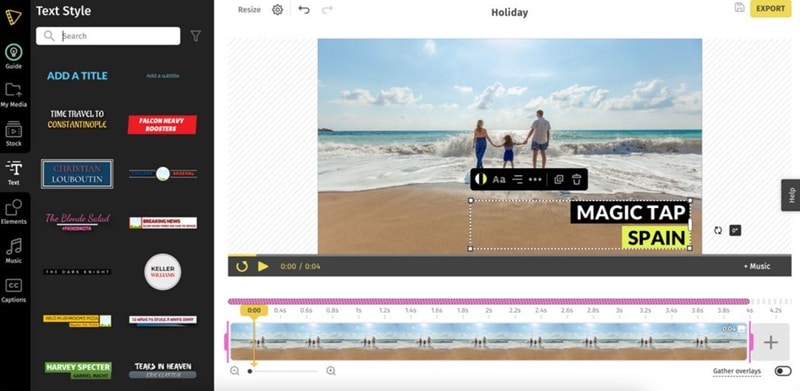
If you visit https://typito.com/templates, you'll find Typito's template library that is genuinely impressive in volume. You'll find templates organized for:
- Social media ads (Facebook, Instagram, YouTube, LinkedIn, TikTok).
- Explainer and tutorial videos.
- Event promos, news tickers, and lower thirds.
- E-commerce, real estate, and education content.
Templates include pre-animated text effects, intro animations, and caption styles. They look clean and modern, though customization depth is limited compared to professional editors.
20+ Formats Instantly
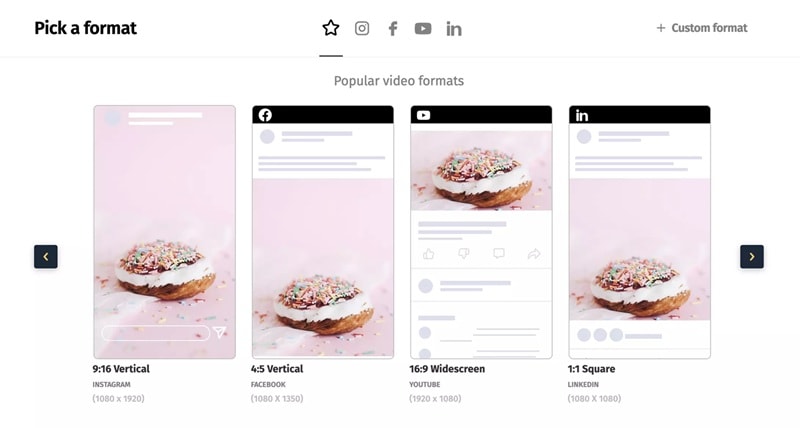
One of Typito's genuinely time-saving features is instant video resizing. You can take a single project and export it in multiple formats without re-editing. Supported formats include:
- 16:9 Widescreen (YouTube, LinkedIn).
- 1:1 Square (Instagram feed, Facebook).
- 9:16 Vertical (Stories, Reels, TikTok, YouTube Shorts).
- Custom aspect ratios for specific campaigns.
Branding Tools (Simple but Useful)
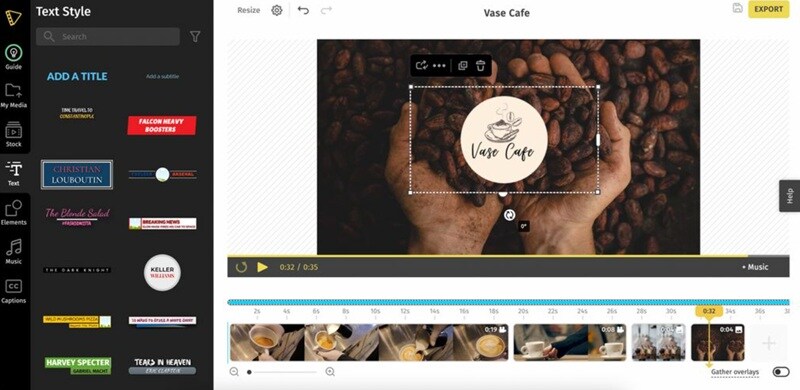
For small businesses or solo creators managing a brand, Typito's Brand Kit keeps things consistent without extra effort. This ensures that every video looks like it came from the same professional kitchen.
Key Features:
- Upload your logo and apply it across all projects.
- Set your brand colors and fonts for one-click application.
- Save branded lower thirds and title templates for reuse.
- Maintain visual consistency across multiple video campaigns.
Additional Useful Tools
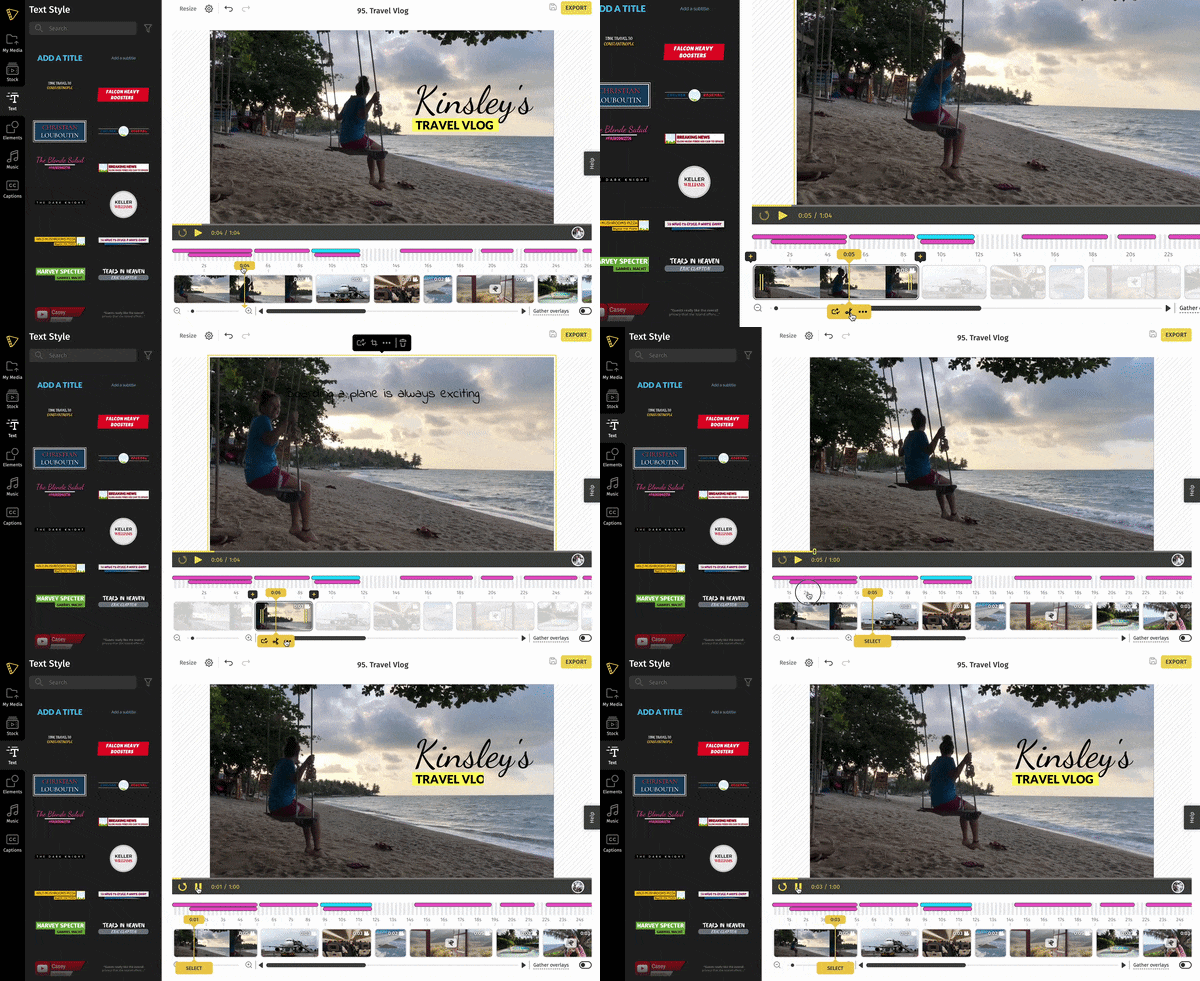
Beyond the core features, Typito also includes a suite of handy utilities:
- YouTube Cutter: Trim YouTube videos directly within the platform
- MP4 Splitter: Split long-form videos into smaller clips
- Video Speed Controller: Adjust playback speed easily
- Built-in Timer: Great for workout, cooking, or tutorial videos
- Direct Social Sharing: Publish straight to Facebook and YouTube.
Part 5. Real Testing: Is Typito Enough?
Features on paper are one thing. Actual performance is another. Now, let's walk through what using the Typito video editor really feels like. And then, we'll give you the honest pros and cons that most reviews skim over.
How to Use Typito (Step-by-Step)
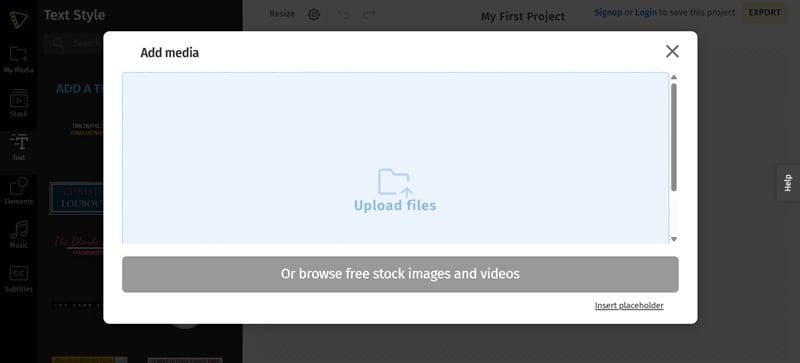
Go to typito.com and click Get Started. Select Upload Files to import your video. If you don’t have your own footage, you can also pick clips from Typito’s built-in library.
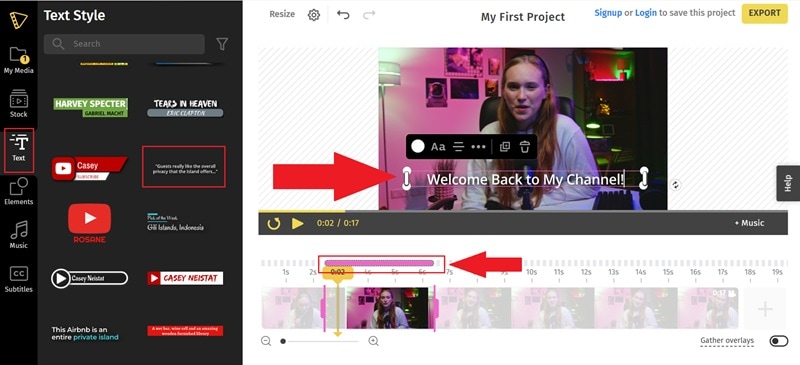
Open the Text tab and choose a style you like. It will appear directly on your timeline. Double-click the text box to edit it, then type your captions manually. You can drag the edges of the text layer to adjust how long it stays on screen.
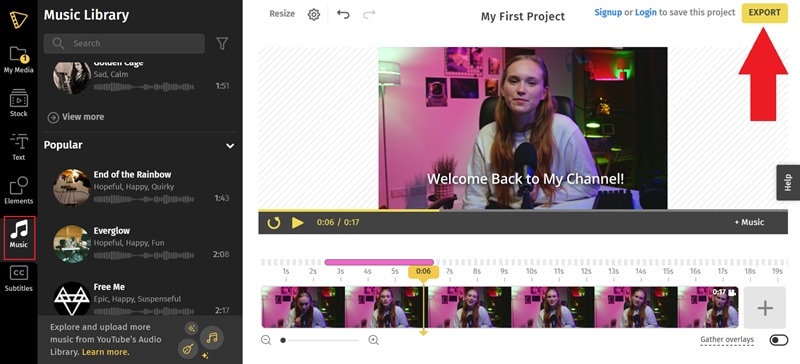
Head to the Music tab and pick a track from Typito’s library. Once you’re happy with your video, click Export in the top-right corner. You’ll need to sign in before downloading your final file.
Pros and Cons (Honest Breakdown)
- Fast and Beginner-Friendly: The learning curve is nearly flat. Even first-time video editors can produce polished results in under an hour.
- Fast Branding: The Typito timer and text overlays are best-in-class for speed. It also ensures visual consistency across all projects without repetitive setup.
- Basic Timeline: You can't do complex layering or advanced color grading. And for sound, you can't layer audio or do complex sound design.
- Customization Is Basic: Templates can feel repetitive over time. You can change text and colors, but advanced design tweaks are very limited.
- Web Only: You’re tied to the browser experience. If your Wi-Fi dies, your editing session dies with it.
- Export & Storage Limits: Monthly caps can slow heavy users. Plus, storage limits (especially on free/lower plans) mean you'll need to delete old projects frequently.
Part 6. Get More of Your Edits: Wondershare Filmora
After testing everything, one thing becomes clear: Typito video editor is great at adding text, but that’s where it stops. If you want more flexibility, you’ll quickly feel limited. That’s why many users look for a Typito alternative.
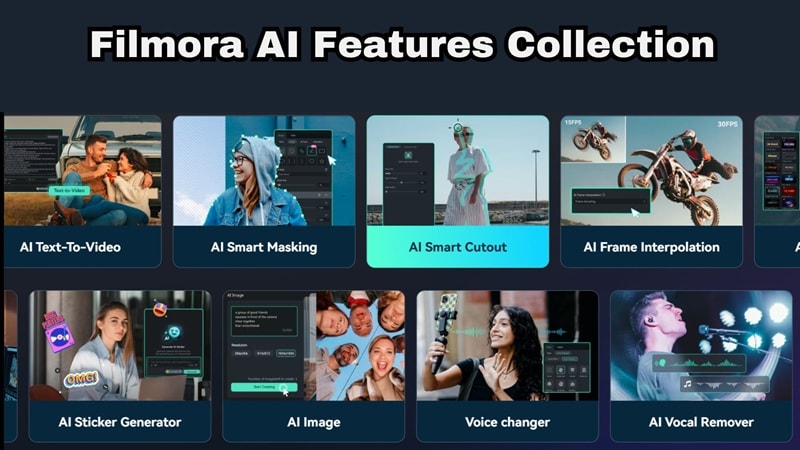
If you need an editor that offers the same AI captioning but adds a whole universe of creative power, Wondershare Filmora is the answer. Filmora doesn't just add text to your videos, it helps you build the entire creative vision from scratch, with a suite of AI tools that Typito simply can't match.
 Secure Download
Filmora AI Features That Go Beyond Typito
AI Smart Short Clips
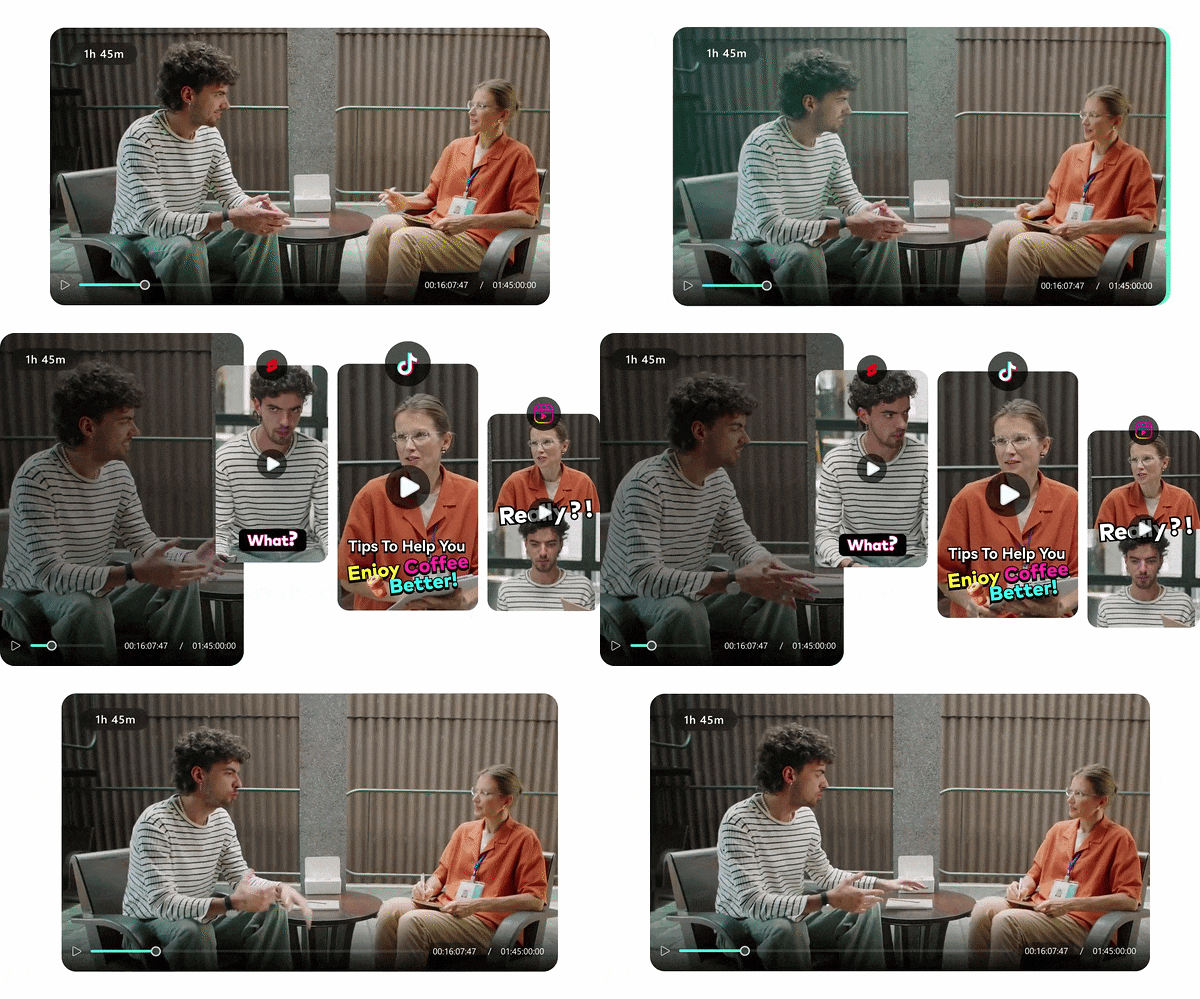
Got a long podcast, webinar, or YouTube video? Use this feature to automatically scan your footage, identify the most engaging, share-worthy moments, and convert them into perfectly formatted vertical short clips. It's ideal for creators repurposing long-form content into Reels, Shorts, or TikToks.
AI Video Translation
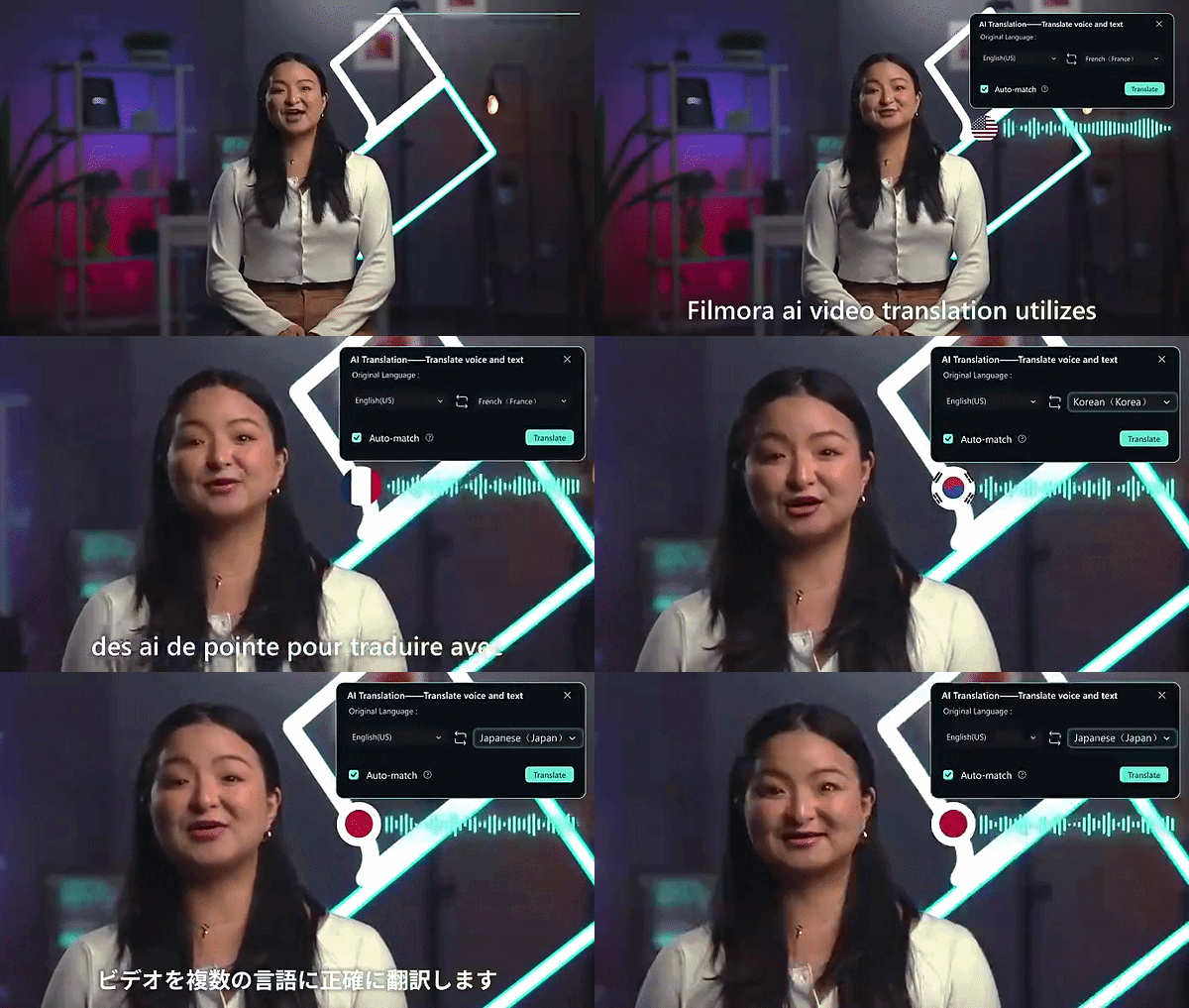
Like its name suggests, this feature can translate your spoken content into multiple languages while maintaining lip-sync accuracy. This means you can reach global audiences without hiring translators or voice actors, making international content production genuinely accessible for solo creators.
Instant AI Video Creation
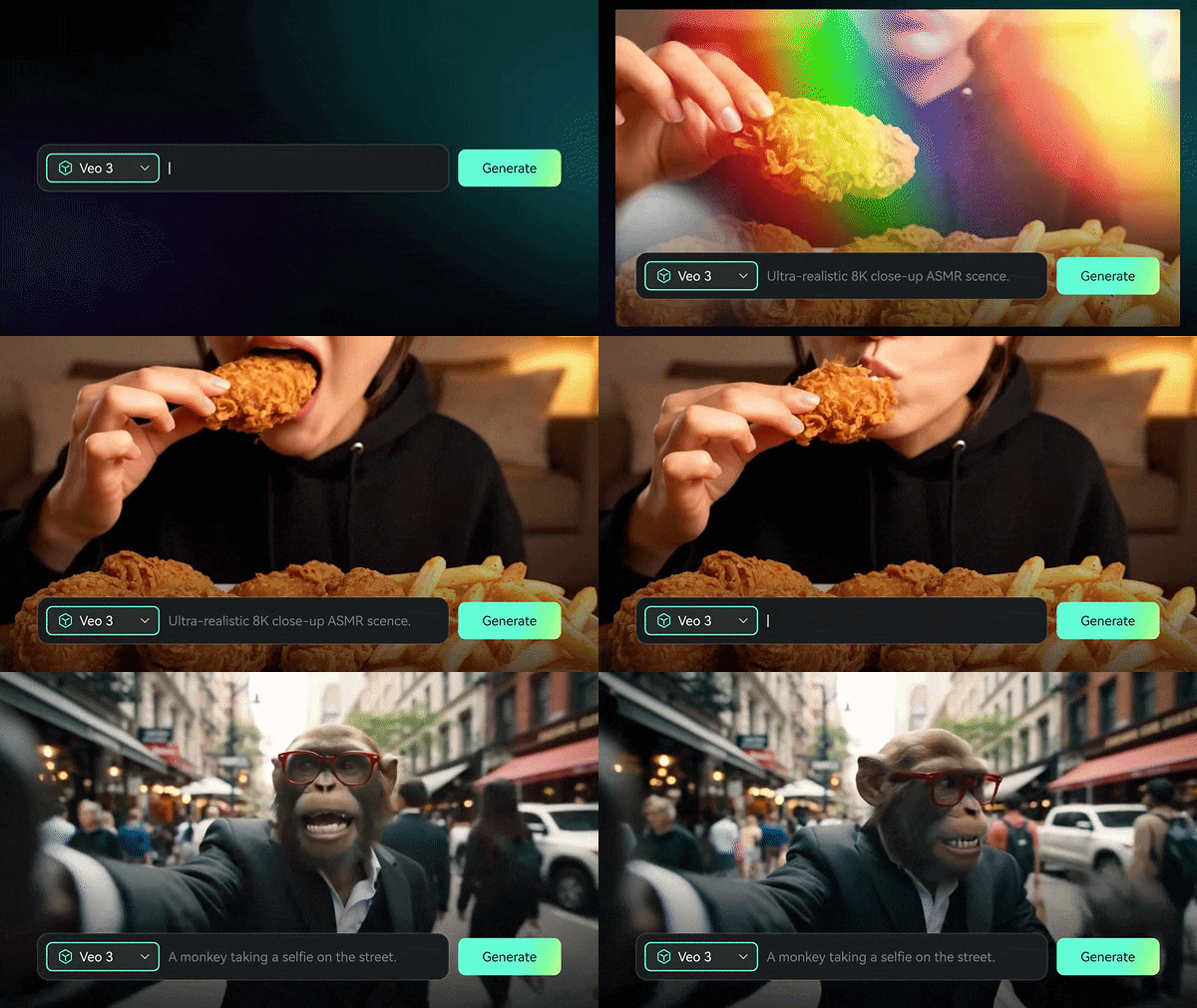
Filmora lets you generate entire video scenes from a written script using AI Text-to-Video. And with AI Image-to-Video, you can bring static photos to life with smooth motion effects. These features open up entirely new creative workflows that Typito doesn't offer at all.
AI Color Palette

Want your travel vlog to look like a Wes Anderson film or your brand video to match a cinematic blockbuster? Filmora's AI Color Palette can analyze and replicate the color grading of your favorite movies and apply it to your footage with a single click, no color theory knowledge required!
AI Vocal Remover
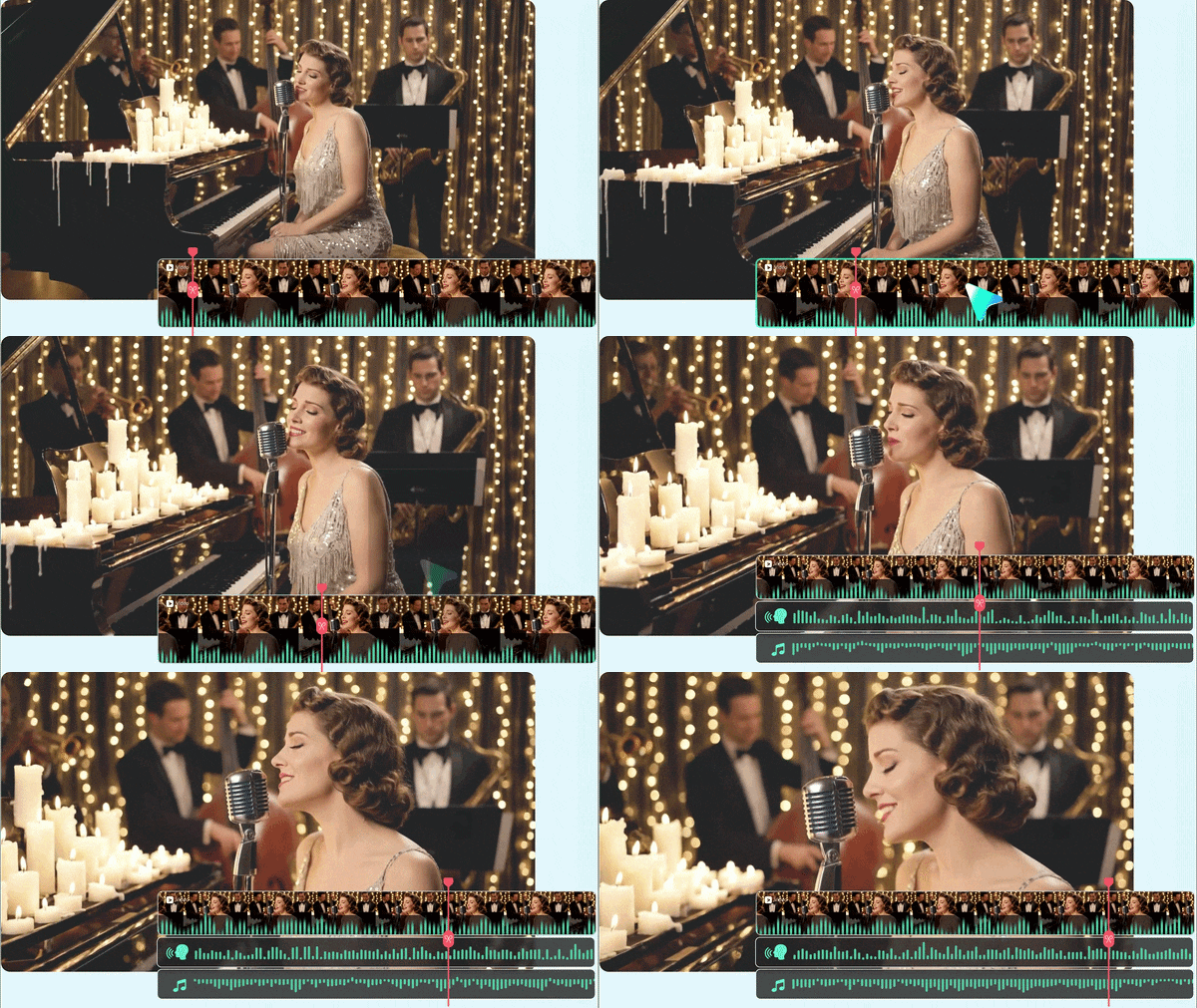
Need to strip background music from a clip or isolate a voice track? Filmora's AI Vocal Remover cleanly separates audio layers in seconds. This is great for remixing content, adding new music, or cleaning up interviews with messy background audio.
AI Smart Cutout
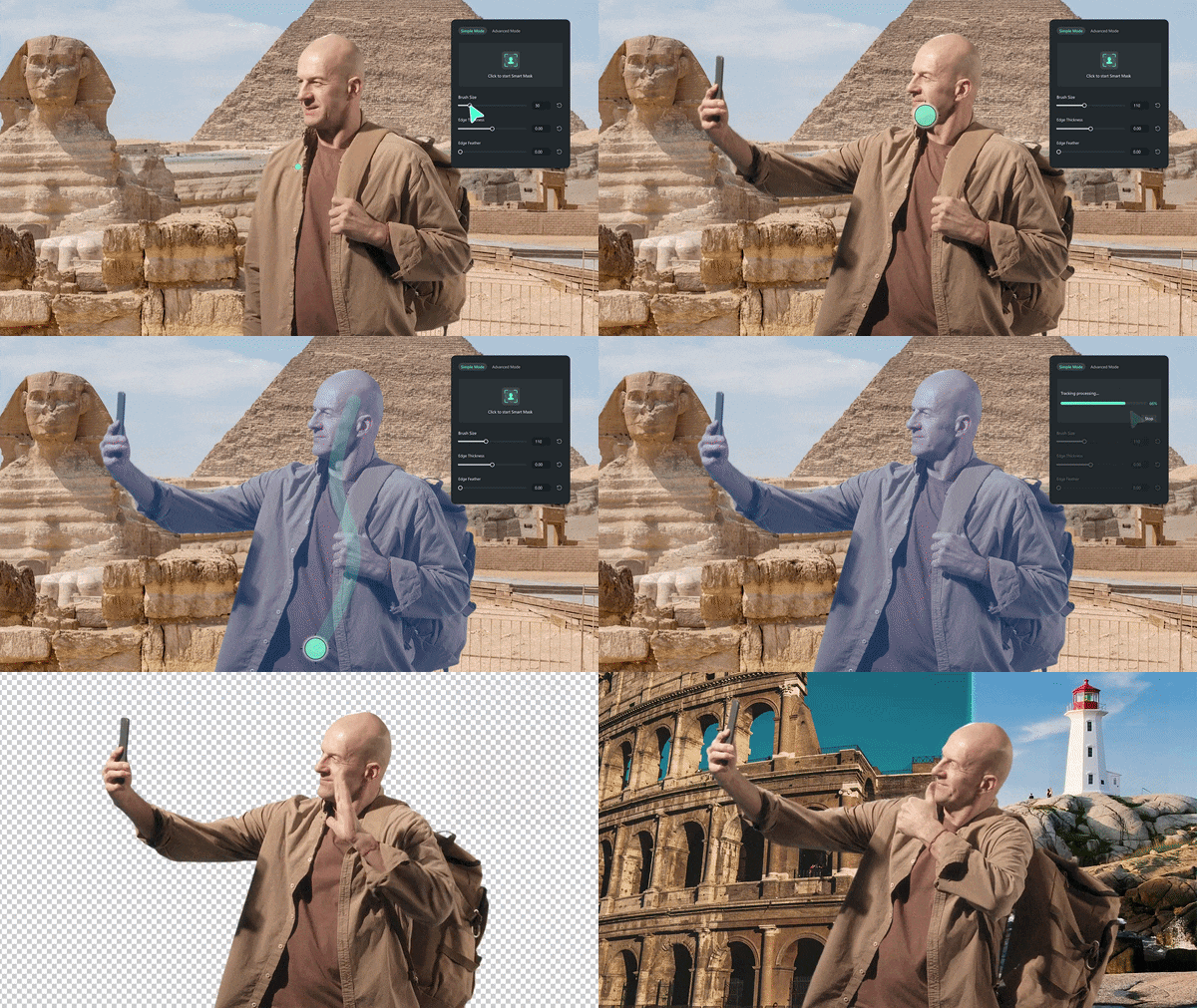
Manually rotoscoping objects or people is one of the most tedious tasks in video editing. Filmora's AI Smart Masking makes it almost effortless. You just need to select the subject and the AI handles the frame-by-frame precision work automatically.
AI Music Generator
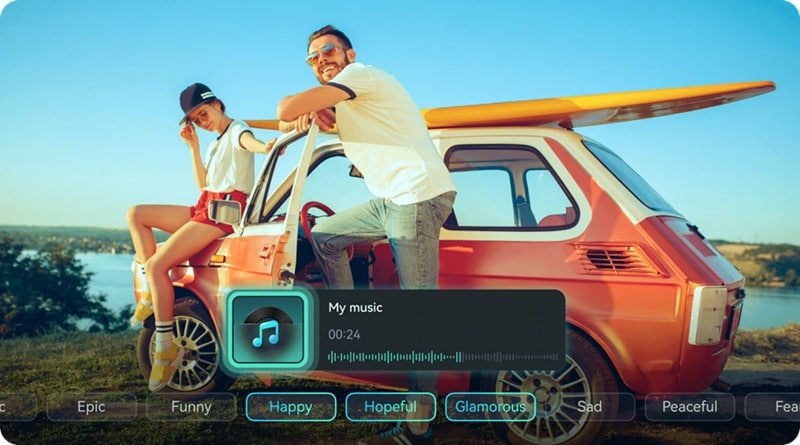
Never worry about royalty issues again. Filmora can generate original, mood-matched background music for your video using AI. Tell it the tone, uplifting, cinematic, corporate, chill, and it composes a unique track tailored to your project.
Secure DownloadConclusion
Typito video editor is a focused tool that does one job really well. It helps you create clean, caption-driven videos quickly, which is exactly what many social media creators need. But once your needs grow, the limitations become obvious.
If you want your videos to stand out in a crowded feed, you need more than just text. Thankfully, Filmora offers everything Typito does, including fast AI captions, plus a full creative suite with AI video translation, text-to-video generation, smart short clip creation, AI color grading, and much more. For creators who want one tool to handle every stage of the video production process, Filmora delivers the creative freedom that Typito simply wasn't built for.
FAQs About Typito
-
Is Typito good for YouTube videos?
It depends on what you need. Typito's YouTube Cutter tool lets you trim YouTube videos directly, and you can easily resize projects to the standard 16:9 widescreen format. For adding intros, lower thirds, captions, and end screens, it works well. However, for complex YouTube productions involving multi-track audio, color grading, or advanced transitions, you'll quickly hit Typito's limitations. -
Does Typito support text-to-video features?
Typito text-to-video feature simply does not exist. What it offers is text-on-video. Meaning, you can add animated captions, title cards, and motion graphic text overlays to existing footage. -
Can I collaborate with my team on a video?
Yes, team collaboration is available, but primarily on the paid plans. Typito's cloud-based platform allows you to invite team members, assign roles (editor, reviewer), and share projects for feedback. -
Is my data safe on a cloud-based editor like Typito?
Typito states GDPR compliance on its website, which means it follows data protection regulations for users in the EU and beyond. All video projects are stored in the cloud under your account, and Typito specifies that your videos are yours to keep, they won't be deleted unless you choose to do so.
