

 TL;DR:
For video creators, Wondershare Filmora integrated with Google Veo 3.1 is the most capable thunderstorm generator because it creates perfectly synchronized audio-visual storm scenes, whereas traditional tools like myNoise and BetterSleep remain strictly suited for audio-only sleep and focus needs.
● Traditional web platforms like myNoise and mobile apps like BetterSleep for iOS or Thunderstorm sounds for sleep for Android are limited to audio-only outputs without automatic visuals, making them unnatural for video content due to the lack of thunder and lightning synchronization.
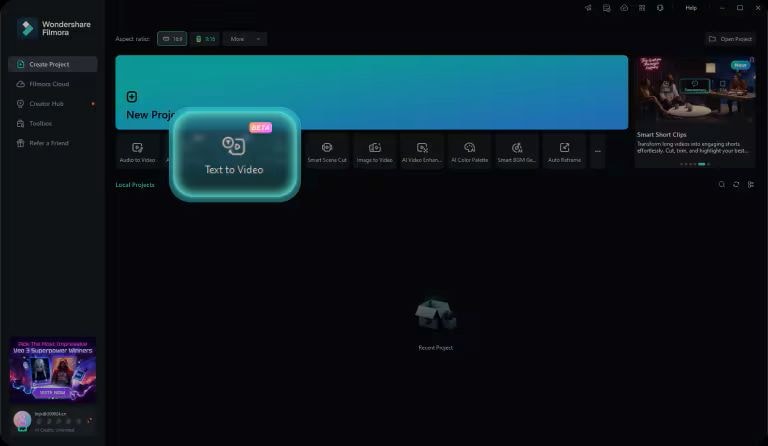
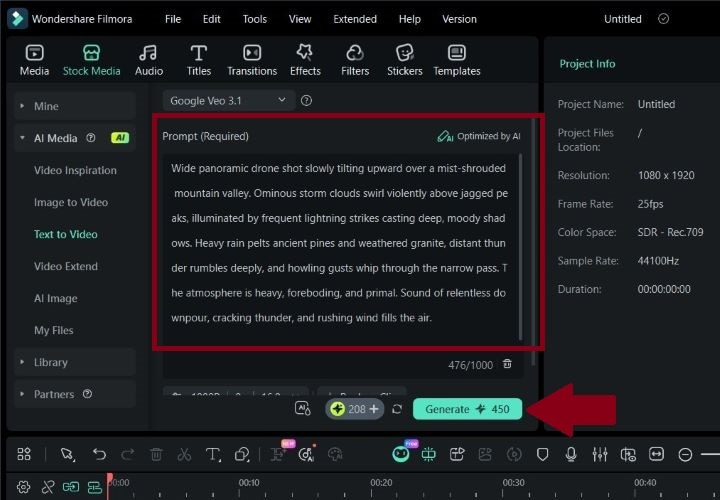
● Generating a complete AI storm video requires installing Filmora on Windows or macOS, selecting the specific Google Veo 3.1 model within the Text-To-Video workspace, and entering a text prompt to output automatically synced visuals and sound effects.
● For custom video adjustments, Filmora provides a built-in AI Audio Denoise tool that specifically detects and eliminates outdoor wind interference, device hums, static hiss, and echo while preserving natural voice tones.
Ask AI for a summary
 ChatGPT
 Perplexity
 Gemini
 Claude
 Grok
Grok
Many people use white and natural noises to help them fall asleep, create a calming ambience, or stay focused during meditation. One of the most popular choices is anything with thunder. Plus, they are widely used for TikTok content backgrounds. Lots of content creators pair thunder sounds with study videos, sleep loops, and aesthetic edits.
These days, thunderstorm noise generators are no longer limited to audio. You can now find them on ambient video sites, allowing you to mix and match sounds. Some platforms have AI tools that create full storm visuals.
In this article, we've gathered the best thunderstorm generators available online and offline. We also provide complete guidance on how to make a complete video featuring thunderstorm sound.

Part 1. What Is a Thunderstorm Generator?
A thunderstorm generator is a tool that recreates the sound of rain, thunder, and soft rumbling storms. Instead of waiting for real weather, you can bring the rainy, stormy vibes anytime you want.
Most thunder generator tools let you mix different elements like light rain, heavy rain, distant thunder, or loud cracks, and some even come with soft background wind or nighttime ambience. You can adjust the volume, blend sounds, or loop them for hours. This type of sound is naturally soothing because it creates a consistent background that helps your brain settle and reduces sensory stress.
Part 2. Best Online Thunderstorm Sound Generators (For Sleep & Focus)
When searching for a thunderstorm sound generator online, you'll find a long list of websites to choose from. Checking each one can be a hassle, especially when you only want something simple that sounds good and fits your needs. Don't worry! We've made it easier. We've rounded up six of the best thunder noise generators that deliver great ambience without making you dig through complicated settings.
1. myNoise Thunderstorm: Highly Customizable Thunderstorm Sound Generator
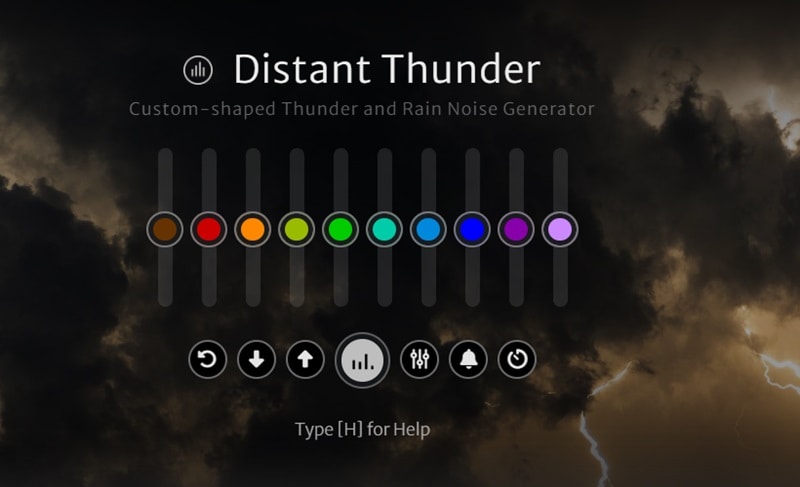
Our first pick for an online thunderstorm generator is myNoise Thunderstorm. The platform generates thunder and rain sounds that you can select from the ready-made templates or customize on your own. A perfect soothing white noise while you are working or studying.
Features:
- Play the sound directly on the website. No login needed.
- Frequency sliders to control the level of rumble, thunder, and rain sound.
- Adjust the speed, stereo width, animation, and parameters of thunder noise.
- Keyboard shortcuts to switch settings quickly.
- Load and save the current slider setting to access it next time via URL or browser.
- The Open Mini Player opens a small floating window for easier access and quicker control while you work on other tasks.
2. Noisli
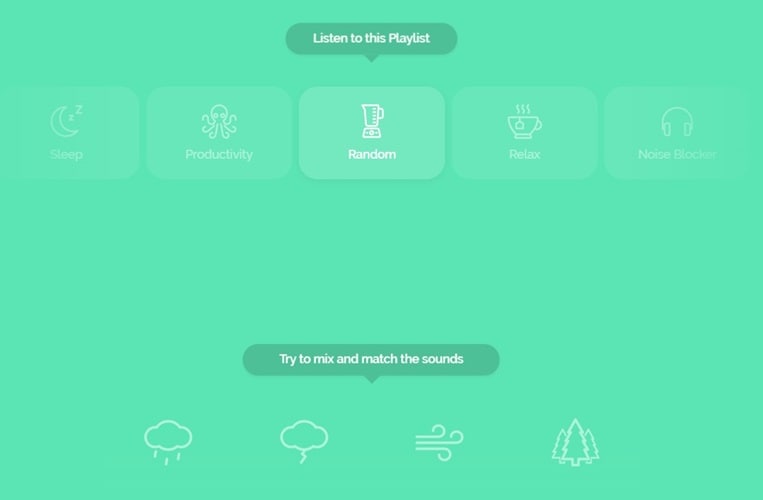
Next on our thunder sound generator list is Noisli. This tool crafts your combo by blending different ambient noises, including rain, thunder, wind, and other natural sounds. Or, you can simply pick a Playlist for different moods, like sleep, study, focus, etc. Convenient for people who prefer effortless ambiance.
Features:
- Shuffle your soundscape within Combo, Favorites, and Playlist.
- Provide 28 rich background sounds you're free to layer and mix your own way.
- Built-in timer for Pomodoro sessions.
- A distraction-free Text Editor to help you focus on writing.
3. ASoft Murmur
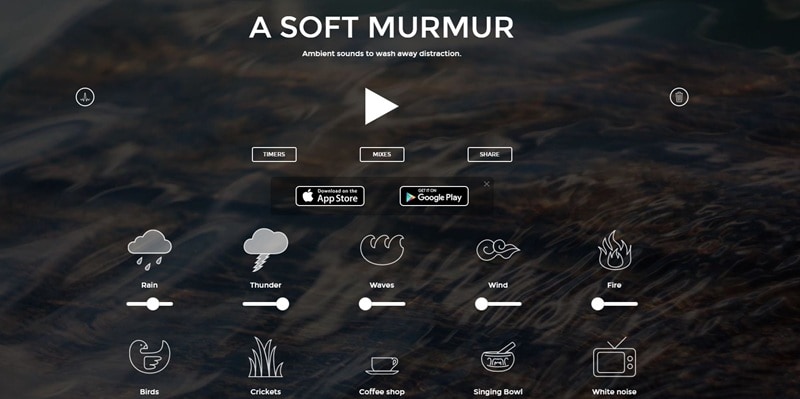
ASoft Murmur is another thunder noise generator that we recommend. With its simple interface, you can easily play the noises. Set the balance and intensity of every sound, from thunder and rain to waves, wind, and more. Suitable for anyone who wants a fully customizable storm ambiance without complicated control.
Features:
- Volume sliders to adjust each sound individually.
- Simple timer to control start, stop, and fade of the sound the way you want.
- Create and save your noise mix for later.
- Share your mixes on other platforms, with autoplay included.
4. Ambient-Mixer
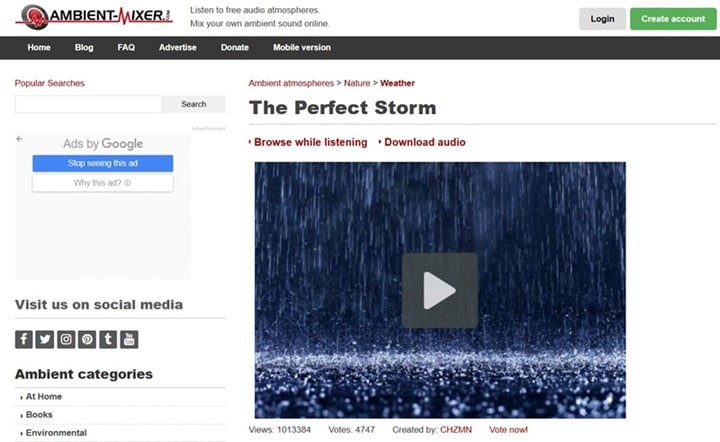
The next thunder sound generator platform is Ambient-Mixer. This is a community-powered platform where you can explore, listen, and create ambient soundscapes. Just click a theme to start listening, or mix your track directly on the website for free.
Features:
- A large collection of ambient mixes across different themes.
- Continuous looping audio for background noise.
- Save and share your custom mixer on the website.
- Paid options available for MP3 downloads.
5. RainyMood Thunder
As one of the most straightforward online thunder noise generators, RainyMood Thunder deserves a mention. The moment you open the site, calming rain starts playing, with gentle thunder rolling in the background. It's ideal for studying, working, unwinding, or just adding a little calm to your day.

Features:
- The site includes a realistic rainy-window background that enhances the overall mood.
- Control the volume with sliders.
- Seamless looping playback for long listening sessions.
6. Noises Online
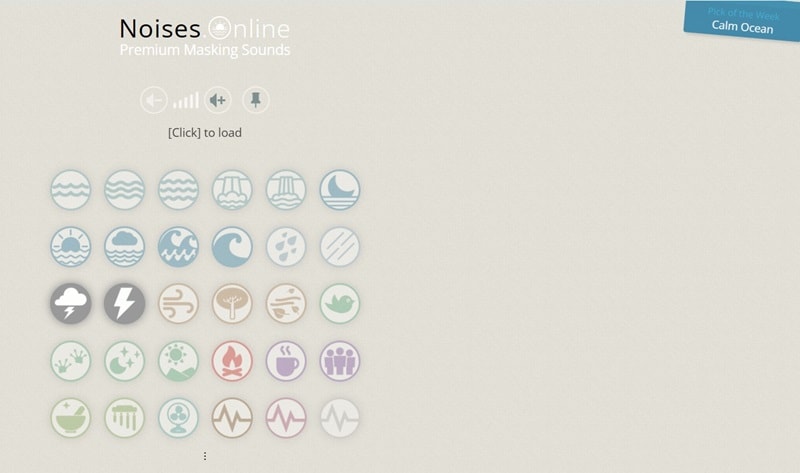
To wrap up our online thunder sound generator list, Noises Online is a solid final pick. The interface is minimal and easy to navigate. You can listen to one noise or more, just click on the icons to layer them effortlessly. If you like tools that just work the moment you open them, this one is for you.
Features:
- Offers a collection of 30 nature and ambience sounds you can mix and match.
- Save your current mix and share it instantly through a generated URL.
- Includes a fun “Pick of the Week” recommendation for inspiration.
Part 3. Best Thunderstorm Sound Apps for Mobile
If you'd rather keep things light and practical, mobile thunder noise generators are perfect for you. Just a click away on your phone, and use these thunder sound generators wherever and whenever you want. Here are our top picks for your convenience:
1. Thunderstorm sounds for sleep
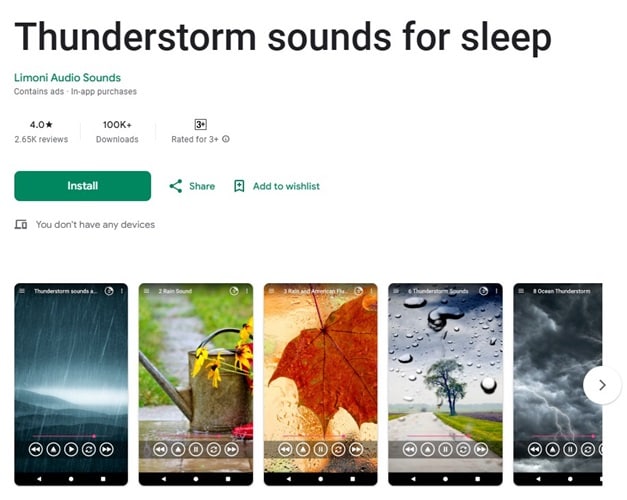
For Android users, Thunderstorm sounds for sleep is the most popular pick of thunder noise generators. This app offers a wide variety of thunder sounds to help you wind down and fall asleep. Make your own rainy soundscapes by controlling each thunder and lightning.
Features:
- Sleep timer to automatically turn off the sounds.
- Control playback from the lock screen or notifications menu.
- Works offline. No internet connection is needed once the sounds are downloaded.
- Options to download sounds as MP3 files for free.
2. BetterSleep
Next on the mobile thunder sound generators list is BetterSleep. This app is available on iOS. Inside, they have a massive library of sounds, including thunderstorm noises and healing music. A great choice for anyone who wants deeper and more consistent rest.

Features:
- Combine multiple sounds to make your customized mixes.
- A wide range of guided meditations and stories.
- Equipped with a sleep tracker and a sleep recorder to track your sleep quality.
- Bedtime reminders for more consistent sleep.
- Save and make a playlist for your favorite sounds, stories, and meditations.
3. Noizio
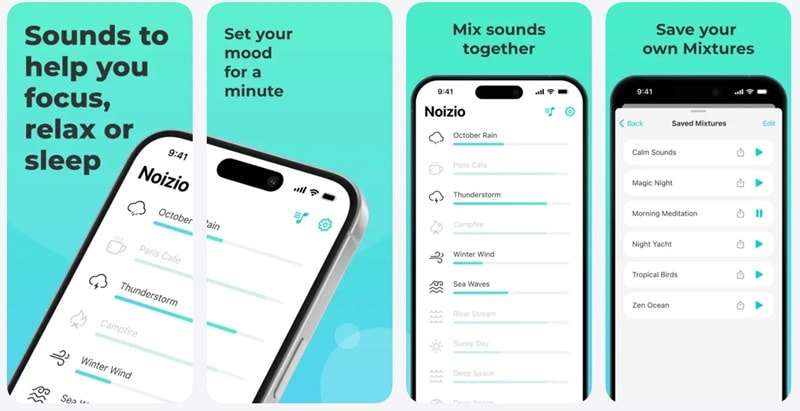
Noizio is a simple thunder noise generator available for iOS users. Mix and match over 40 ambient noises based on your needs. It's simple to use, works even when you're offline, and keeps the sound playing while you use other apps.
Features:
- Easily adjust the volume of each noise with the sliders.
- Includes an auto-pause timer to shut the sound off once you are asleep or finished with your study/work sessions.
- You can save your custom mix and sync it with the macOS app.
- A dark theme is available if you prefer a calmer look while listening.
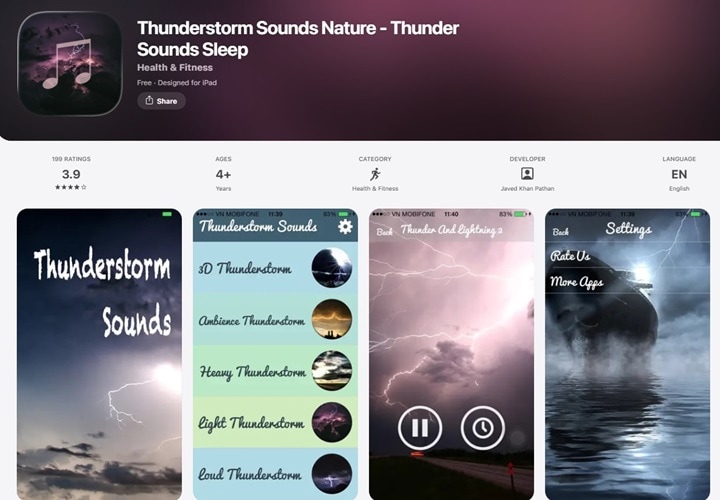
4. Thunderstorm Sounds Nature
The last pick of the thunder sound generator is Thunderstorm Sounds Nature. Accessible through the Apple Store on iOS, it provides 16 relaxing sounds of rain, wind, and thunder. From soft rain to deep thunder, these natural sounds are designed to ease your mind and help you find a quiet moment.
Features:
- Create mixes of different sounds to suit your preferences.
- Equipped with a built-in timer to turn off sounds automatically.
- Background scenes to match the mood.
Part 4. Why Traditional Thunderstorm Sound Generators Fail for Video Content (The Need for AI)
Classic thunder sound generators may work well to help you sleep or create a calming ambience, but they're not designed for creating polished video content. When you try using them for TikTok edits, aesthetic loops, or long ambience videos, limitations start to show. Most generators don't support visuals or synchronized timing.
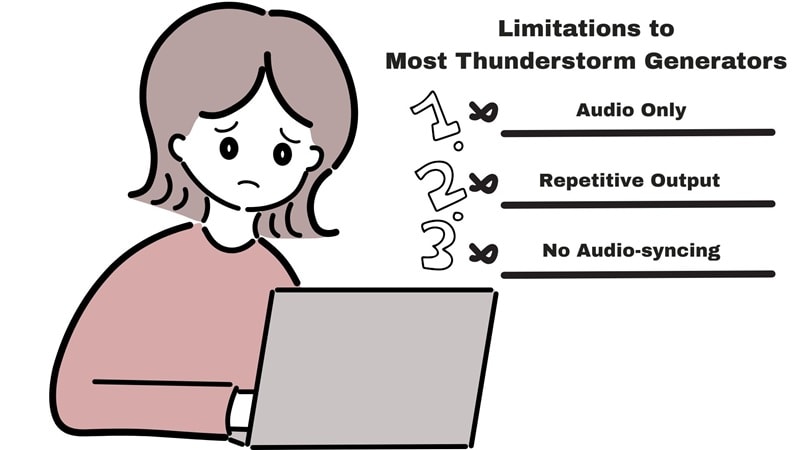
These are limitations of traditional thunder generators:
- Audio only: Most generators only produce sounds, no storm visuals to pair with your audio.
- No automatic visuals: They can't generate rain, clouds, lightning, or storm scenes on their own.
- No sync between thunder and lightning: If you add your own footage, the thunder timing rarely matches the audio, making it look unnatural.
- Repetitive output: Output is monotonous and lacks dynamic variation.
Because of these limits, creators need an all-in-one platform to produce high-quality storm videos. That's exactly what we'll explore in the next section.
Part 5. Filmora + Veo 3.1: The Ultimate AI Thunderstorm Video Generator (Text-to-Video Guide)
Wondershare Filmora stands out as the ultimate thunderstorm video generator for creators. Integrating Filmora's powerful editor with Veo 3.1, you can easily generate high-quality thunderstorm videos on every device. This full-featured AI thunderstorm video generator lets you turn simple text or images into a complete scene with more depth, and produces motion that feels far more natural than earlier models.
Key Features: Why Filmora's Veo 3.1 is the Ultimate AI Video Generator for Storm Aesthetics

 Secure Download
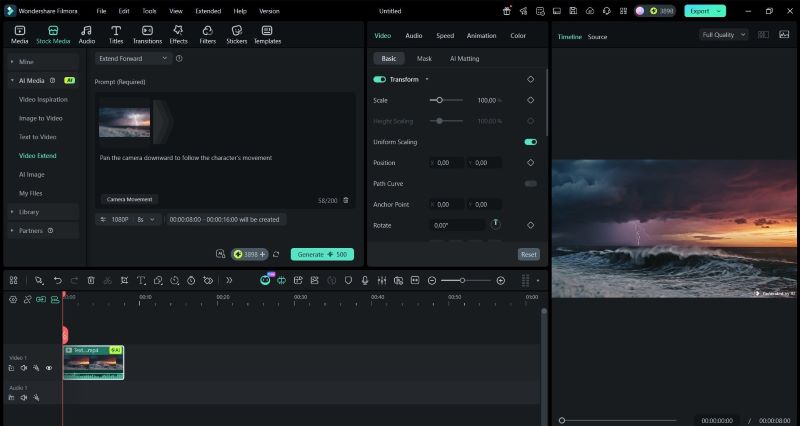
1. Built-In AI Video Generator
Filmora is a one-stop solution if you need to generate thunder videos. Type your prompt or upload images, and voila! The AI-generated video is ready. After that, you can make adjustments and refinements directly in the editor, with its range of creative features.
2. Create Videos With Integrated Sound Effects
A standout update in Veo 3.1. You do not have to worry about uploading voiceovers or synchronizing visuals with audio. Filmora will handle it. Its advanced AI guarantees perfect audio-visual synchronization, matching every thunder, wave, or musical cue to the scenes.

3. AI Audio Denoise For Enhanced Audio
Produced high-quality audio with AI Audio Denoise feature in Filmora. This powerful tool automatically detects and removes unwanted background noises while maintaining natural voice tones. Eliminate noises with these options:
- Wind Removal: Remove wind noises from outdoor recordings.
- DeReverb: Reduce echo and enhance voice clarity.
- Hum Removal: Eliminate electrical hums from devices or wiring.
- Hiss Removal: Remove static and background interference.
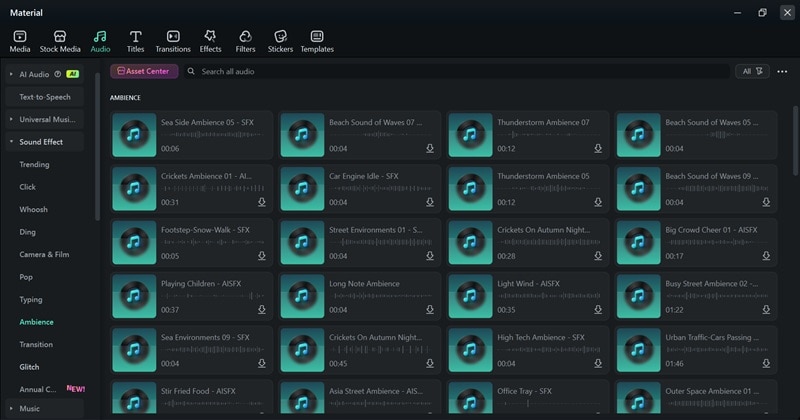
4. Library Of Sound Effects
Access 300,000+ royalty-free tracks and sound effects to enhance your videos. From YouTube to TikTok, Filmora gives you pre-cleared tracks, including premium selections from Universal Music for Creators and Soundraw.
How to Create a Thunderstorm Video Complete with Sound Effects
Filmora packs powerful features but remains easy for anyone to get started. Make sure it's installed on your Windows or macOS. In this guide, we'll walk you through generating thunderstorm videos using Veo 3.1's text-to-video. Here's how:
 Secure Download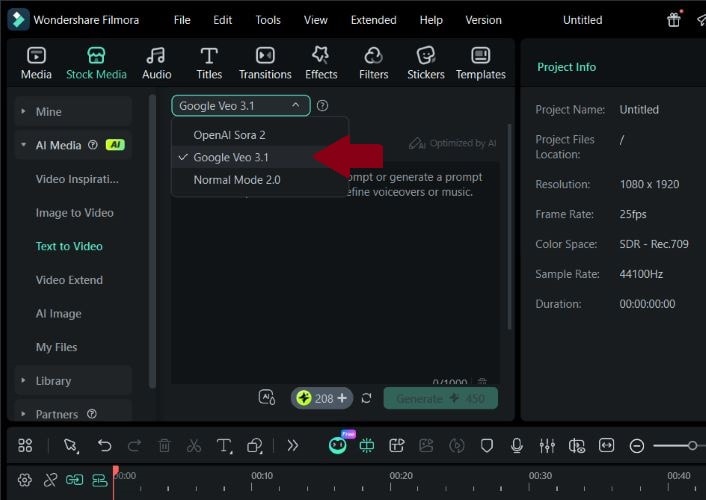
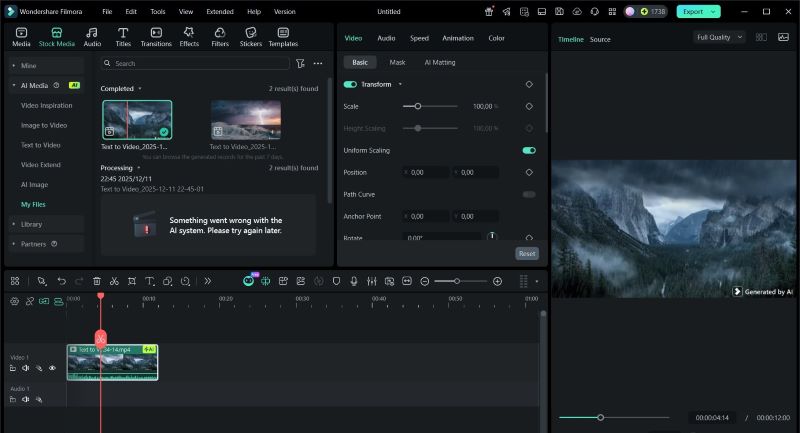
And that's pretty much it! With just a few easy steps, you get your own realistic thunderstorm audio along with matching visuals that make the whole scene feel alive, and the thunder noise syncs perfectly with the video. Now let's see what you made!
Image Name: thunderstorm-generator-22.mp4
Image Alt: thunderstorm audio and visual by filmora
Conclusion
Thunderstorm generators are everywhere, making it easy to relax, sleep, or simply enjoy the ambience. Most traditional thunder sound generators let you play and combine different thunder and rain effects to create a unique sound. However, they do not include visuals, which can limit the full immersive experience.
Wondershare Filmora stands out as the best AI thunderstorm video generator for modern creators. Powered by Veo 3.1, it lets you generate full thunderstorm videos effortlessly, including synchronized lightning and thunder sounds, solving the core problem of traditional thunderstorm sound generators.

