

 TL;DR:
The core difference in film effects is that SFX utilizes practical, physical methods captured live on set, whereas VFX applies digital modifications during post-production to alter scenes or integrate impossible elements.
● CGI functions strictly as a localized tool within the broader VFX post-production workflow to build entirely computer-generated 3D images and objects, distinguishing it from general digital compositing or scene enhancements.
● Directors prioritize practical SFX setups to ensure close-up visual authenticity and provide actors with tangible props, resorting to VFX primarily to eliminate physical on-set hazards and construct large-scale digital environments.
● To integrate digital effects using Wondershare Filmora without requiring complex studio software, editors must place footage on the Video 2 track, activate the AI Portrait Cutout under AI Matting to isolate the subject, and layer replacement environments on the Video 1 track before applying built-in Body Effects or premium Boris FX and NewBlue FX assets.
Ask AI for a summary
 ChatGPT
 Perplexity
 Gemini
 Claude
 Grok
Grok
Ever wondered about the difference between VFX and SFX while watching a Hollywood blockbuster? While these terms are often used interchangeably, understanding the SFX and VFX meaning is crucial for any film enthusiast or creator. In this ultimate guide, we'll break down SFX vs VFX vs CGI, explore real-world movie examples, and show you how to master these effects using a powerful video editor.
Part 1. What Is SFX? Understanding Practical Special Effects
To understand both SFX and VFX, it'd be ideal to dissect them one by one, starting with SFX first. So, SFX (Special Effects) are physical effects created live while filming.
These are real things happening right on set, captured directly by the camera. That's because before heavy computer editing became common, filmmakers depended on practical tricks to make scenes look dramatic or believable.

Key Examples of SFX in Film
You'll often hear SFX called practical effects since they involve real materials, props, or mechanical setups instead of digital editing.
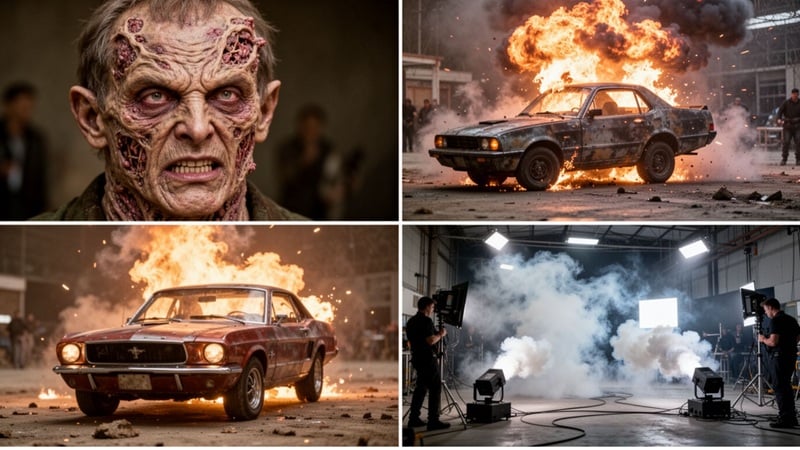
- Prosthetic Makeup: Artists use detailed makeup and prosthetics to create injuries, creatures, or character transformations.
- Car Crashes and Stunts: Real vehicles and stunt performers are used to film action scenes safely.
- Real Explosions and Fire: Controlled blasts and fire effects create intense moments on screen.
- Weather Effects: Smoke machines, wind machines, or rain rigs help create atmosphere during filming.
- Breakaway Props and Set Destruction: Objects and set pieces are designed to break safely for dramatic scenes.
Why Filmmakers Still Use SFX
Even now, plenty of well-known directors like Guillermo del Toro, Tim Burton, and Wes Anderson still lean toward SFX. The main reason is simple. Real effects usually feel more natural on screen and help scenes look more believable.

Plus, here are other reasons why SFX is still used in filmmaking:
- Real Elements for Actors: Instead of imagining everything, actors can interact with real props, environments, or effects, which often improves their performance.
- Works Well for Close-up Shots: Physical details like makeup, materials, and practical effects hold up better when the camera gets close.
- Adds Authenticity to Scenes: Real-world effects add weight and presence, which helps the whole scene feel more grounded and immersive.
Part 2. What Is VFX? Defining Visual Effects in Post-Production
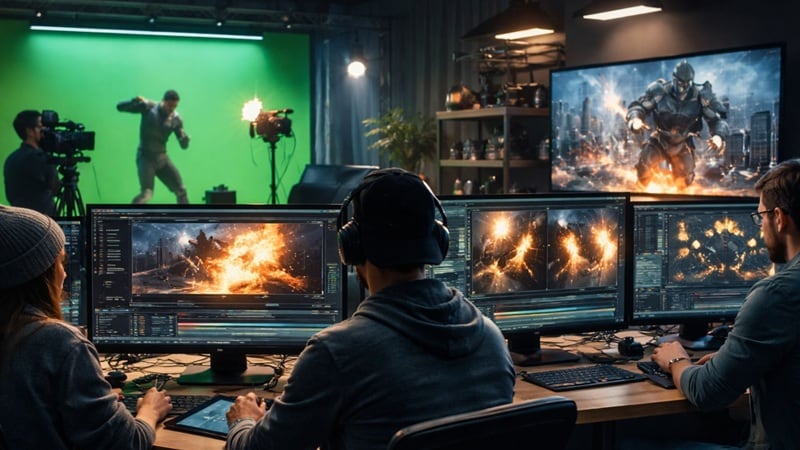
On the other side, there's VFX, and this is where the whole special effects vs VFX discussion gets interesting. That's because VFX (Visual Effects) are effects created later in post-production using computer software after filming.
After all, modern movies often need things that simply can't exist in real life. This could mean building entire worlds, adding explosions, or changing parts of a scene that would be too difficult, expensive, or impossible to create physically.
Key Examples of VFX
VFX usually works by blending real footage with digital elements to create something you couldn't capture with a camera alone.
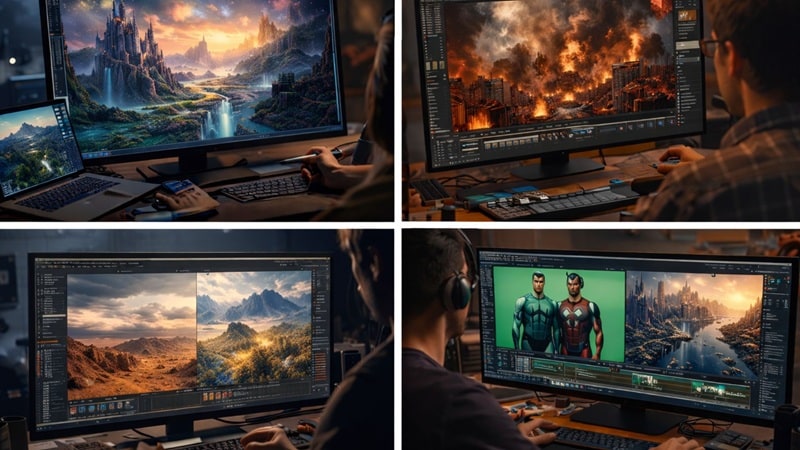
Here are some common examples you'll see in movies:
- Green Screen: Actors film in front of a green backdrop, then the background gets swapped with a different location like a city, space, or fantasy world.
- Digital Cities or Fantasy Worlds: Entire environments can be built on a computer, from futuristic skylines to magical kingdoms.
- Motion Capture Characters: Actors wear special suits to record their movements, which are later turned into digital characters.
- Digital Explosions or Disasters: Large-scale destruction, fire, or weather effects are often created digitally for more control and safety.
- Scene Enhancement: Editors can remove unwanted objects, fix mistakes, or improve details to make the scene look cleaner and more polished.
Why VFX Is So Popular Today
In modern filmmaking, VFX is often the go-to choice because it gives creators way more freedom. That's why many filmmakers like David Fincher, Matt Reves, and James Cameron fully embrace VFX in their work.

Here are a few reasons why VFX is so widely used today:
- Creates Impossible Environments: Filmmakers can build entire worlds that don't exist in real life, from outer space to fantasy cities.
- Reduces Physical Risks: Dangerous scenes like large explosions or disasters can be created digitally instead of putting people at risk.
- Offers Full Creative Control: Directors and editors can adjust details, fix mistakes, or change scenes even after filming.
Part 3. SFX vs VFX: The Real Difference Explained Clearly
Alright, now that we've gone through the SFX and VFX meaning, you probably noticed that both can appear in the same movie, sometimes even in the same scene. They often work side-by-side, but the way they're created and used is completely different.
And since the terms sound similar, it's easy to mix them up, and honestly that happens all the time. So, to make things clearer, let's look at the real difference between VFX and SFX using the table below.
| Aspect | SFX (Special Effects) | VFX (Visual Effects) |
| When created | During filming | After filming |
| Method | Physical effects | Digital effects |
| Process | On-set production | Post-production editing |
| Materials | Real objects and mechanics | Computer-generated elements |
| Risk level | Can involve stunts or hazards | Safer digital approach |
| Flexibility | Limited once filmed | Highly editable |
|
Show More
Show Less
|
||
In short, the core difference between SFX and VFX lies in when and how they are created.
- SFX (Special Effects): These are on-set practical effects captured in-camera (e.g., controlled explosions or animatronics).
- VFX (Visual Effects): These are digital enhancements added during post-production (e.g., removing a green screen or adding a CGI dragon). Understanding this distinction is key for creators using tools like Wondershare Filmora to elevate their storytelling.
Part 4. Beyond the Basics: SFX vs VFX vs CGI
Now that you already understand SFX vs VFX, there's one more term you'll hear a lot in filmmaking: CGI. It gets mentioned a lot in movies and online discussions, and while most people have a rough idea of what it means, not everyone really understands how it connects to the bigger picture.
What Is CGI?
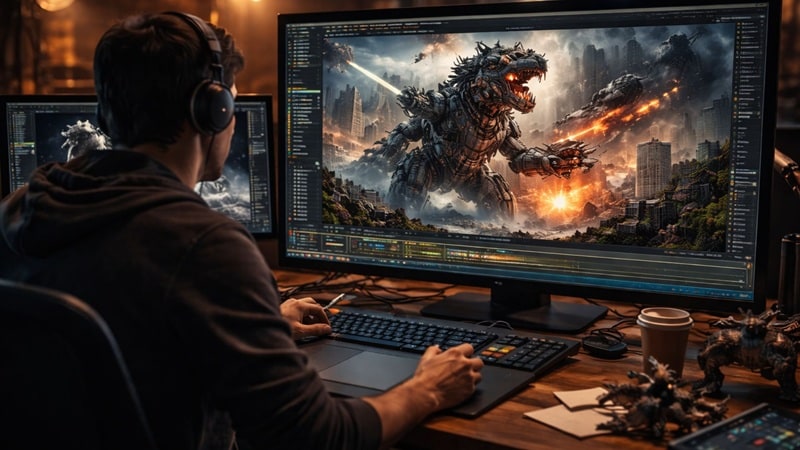
Basically, CGI (Computer Generated Imagery) refers to visuals created entirely using a computer, like 3D characters, creatures, or digital environments. And when people talk about SFX and VFX, CGI often gets mentioned too, which is why it can feel a bit confusing.
People often confuse them because:
- Similar Visual Results: CGI can look very realistic, so it's easy to assume it's the same as other effects.
- Overlapping Production Workflows: CGI is often used together with VFX, so the lines between them can feel blurry.
- Heavy Use in Modern Films: Many movies rely heavily on CGI today, which makes the term show up everywhere.
How CGI Fits Into VFX
But here's the thing many people miss: CGI is actually just one part of VFX, not the same as all VFX. Visual effects cover a wider range of work, including compositing, background replacement, and scene editing, while CGI focuses specifically on creating digital images or objects. Just take a look at the table below:
| Aspect | SFX | VFX | CGI |
| Basic Meaning | Physical effects created during filming | Digital effects added after filming | Digital images or objects created using a computer |
| How It's Created | Real props, makeup, stunts, mechanical setups | Computer editing and compositing | 3D modeling and computer graphics |
| When It Happens | On set during production | Post production stage | Created during VFX production |
| Examples | Explosions, prosthetic makeup, practical stunts | Green screen replacement, scene editing, digital effects | 3D creatures, digital cities, animated characters |
| Relationship | Separate from digital work | Broad category of digital effects | A specific part of VFX |
|
Show More
Show Less
|
|||
So, when talking about SFX vs VFX vs CGI, you can think of it simply like this:
- SFX is physical effects on set.
- VFX is digital work added later.
- CGI is one of the tools used inside VFX.
Part 5. Real Movie Examples: How Hollywood Uses SFX and VFX
Sometimes, the easiest way to understand something is to see how it works in real movies. And like we mentioned earlier, modern films usually combine SFX and VFX to create scenes that feel real, exciting, and immersive.
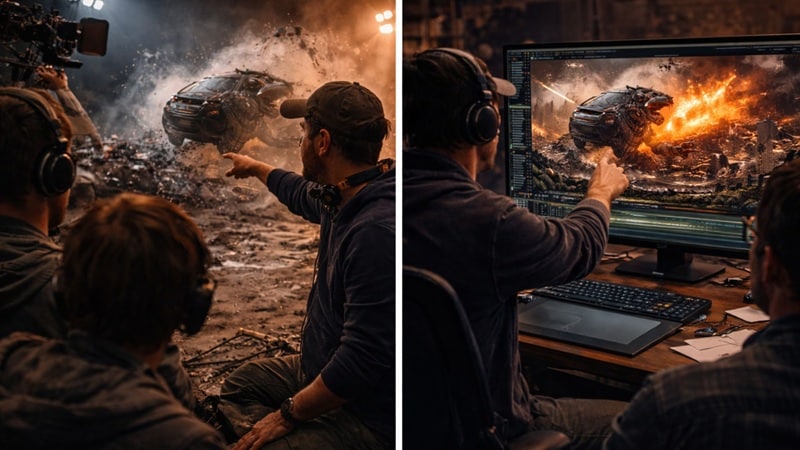
So, let's look at some well-known movie examples and see how both techniques are used:
Example 1: Christopher Nolan's Practical Effects Approach
Christopher Nolan is one name that is known as a best friend to practical effects. In his sci-fi film Interstellar, for example, Nolan avoided using green screens on set. Instead, he built a real spaceship interior and even created a 60 ton rotating set to simulate gravity. The structure used a 30 ton steel wheel powered by a 100-horsepower motor, so the movement and environment felt real during filming.
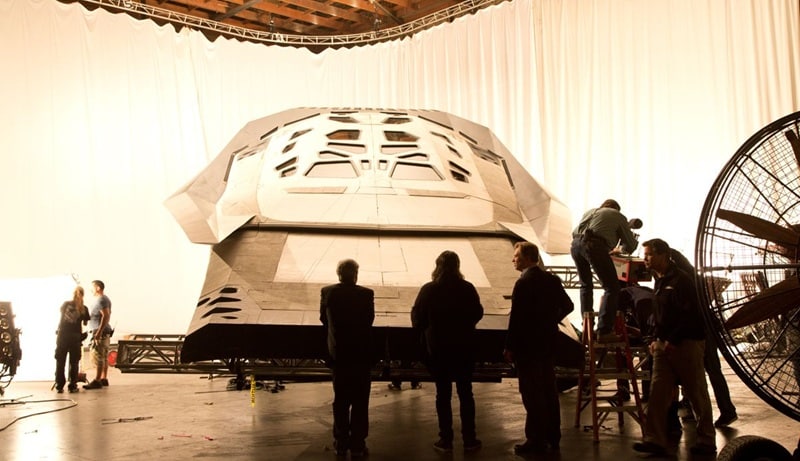
He chose this approach for a few reasons:
- So actors could actually feel the environment.
- To make scenes look more believable.
- To create stronger immersion for the audience.
Example 2: VFX-Heavy Productions
On the VFX side, one of the biggest names is James Cameron with his Avatar series. In the latest installment, Avatar: Fire and Ash, Cameron relies heavily on advanced motion capture and fully digital environments to build the world you see on screen.
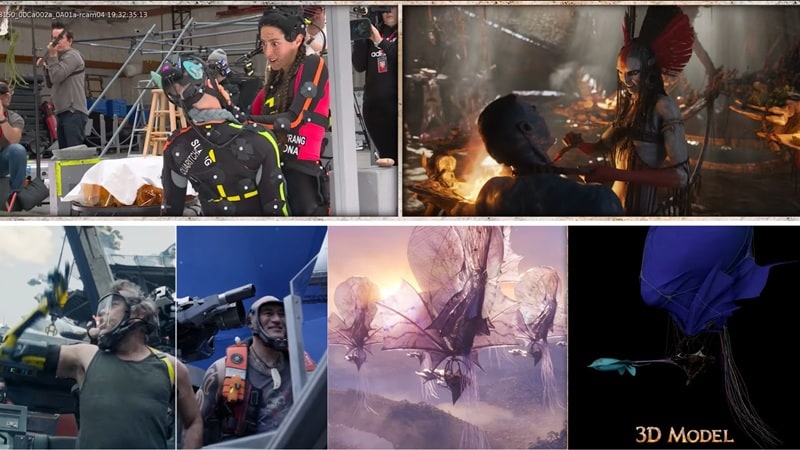
And this kind of approach is not just for big action moments like you often see in Marvel films. In Avatar, VFX is used in almost every part of the movie, including:
- Motion capture characters to create realistic performances.
- 3D models to build massive digital worlds.
- Blue screen filming to replace backgrounds.
How Most Films Combine Both
In most cases, movies don't pick just SFX or VFX. They use both together because the results usually look better. Filmmakers can use SFX to capture real action and natural details, then use VFX to expand the scene or polish the final look.
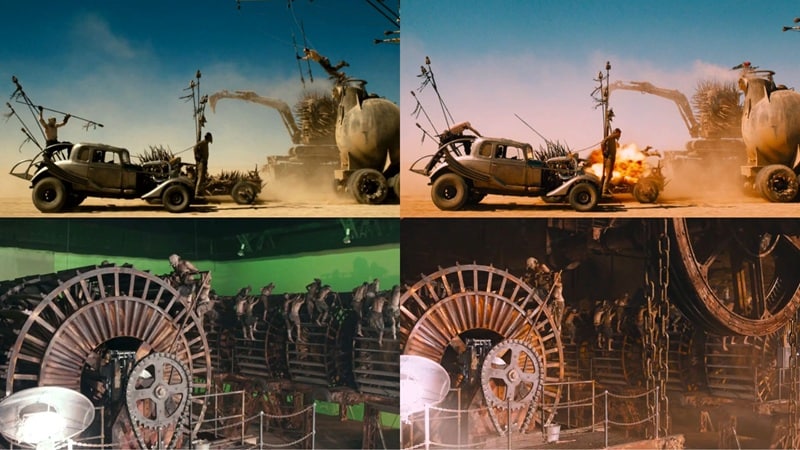
A good example is Mad Max: Fury Road. The film used real vehicles, real stunts, and built actual sets for many scenes. At the same time, the team added digital effects and color editing to enhance the visuals. This mix of SFX and VFX makes the final result feel more real, exciting, and polished.
Part 6. Try It Yourself: Create Your Own VFX with Wondershare Filmora
After learning all about SFX vs VFX vs CGI, you might think movie effects require a Hollywood studio. But many modern video editors actually offer tools that let everyday creators experiment with VFX at a much lower cost. One accessible option is Wondershare Filmora, which provides an easy workflow for beginners.
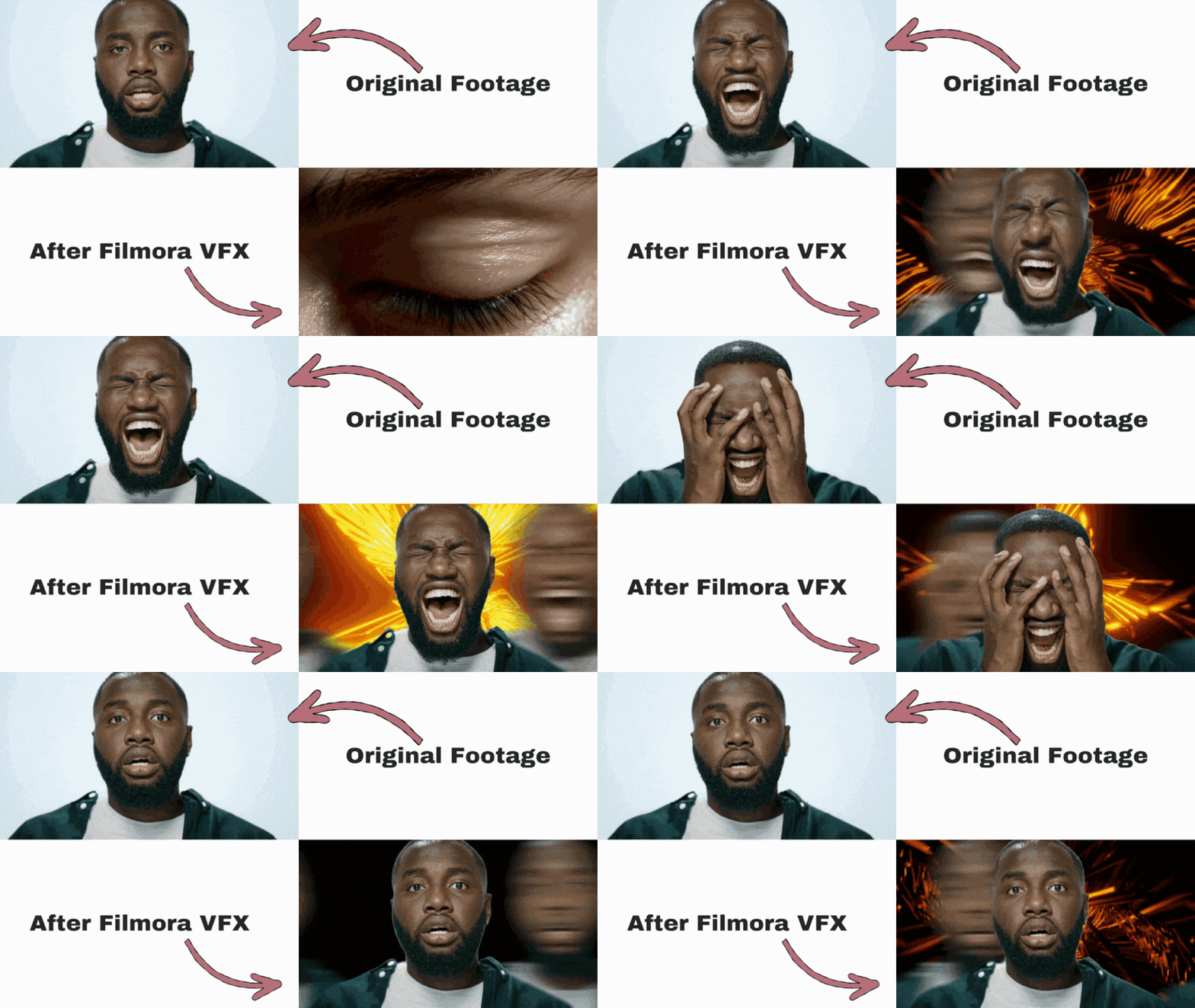
With this AI-powered editor, you can use built-in VFX templates to improve your video quality and make your visuals more engaging, even without a big budget.
Why Filmora Is a Good Choice
 Secure Download
- Beginner-Friendly Interface: Filmora keeps things simple and easy to navigate, so you don't need much editing experience to start creating VFX.
- Built-in Visual Effects Templates: You can apply ready-made effects to your footage in just a few clicks instead of building everything from scratch.
- Premium Third-Party Effects: Filmora also supports professional effects from Boris FX and NewBlue FX, which gives you more creative options and higher quality results.
- Fast Rendering and Workflow: In Filmora, videos process quickly, so editing feels more efficient and you can finish your project without long waiting times.
Key Filmora Tools for VFX
1. AI Smart Cutout
Filmora's AI Smart Cutout automatically detects people or objects and removes the background in seconds, which makes creating VFX scenes much easier. It's especially useful when you want to place your subject into a new environment or experiment with different visual effects without spending hours editing.
2. Chroma Key
Filmora's Chroma Key tool lets you create classic green screen effects with just a few adjustments. You can remove the background, replace it with another scene, and blend everything smoothly.
3. Cinematic Effects Library
Filmora comes with a large effects library that helps your videos look more dramatic and polished. You can add lighting effects, filters, transitions, and visual styles that give your footage a cinematic feel.
4. Smart Motion Tracking Power
Motion Tracking helps you attach text, graphics, or effects to moving objects in your video. Meaning, the software follows the movement automatically, so your added elements stay in place while the scene moves. This makes your VFX edits look more natural and professional, even if you're just starting out.
Ready to experiment with movie magic? Download Wondershare Filmora today and explore hundreds of built-in VFX, from cinematic overlays to advanced AI smart cutouts.
How to Apply VFX in Filmora (Step-by-Step)
All those features sound great, but what really makes Filmora stand out is how simple the whole process feels. Everything is pretty straightforward, so you can focus more on being creative instead of figuring things out.
To see how it works, just follow these simple steps:
- Download and install the latest version of Filmora on your device.
- Open the app and click New Project to start.
- In the main interface, click Import to upload your footage.
- Drag your clip from the media library to the timeline to begin editing.
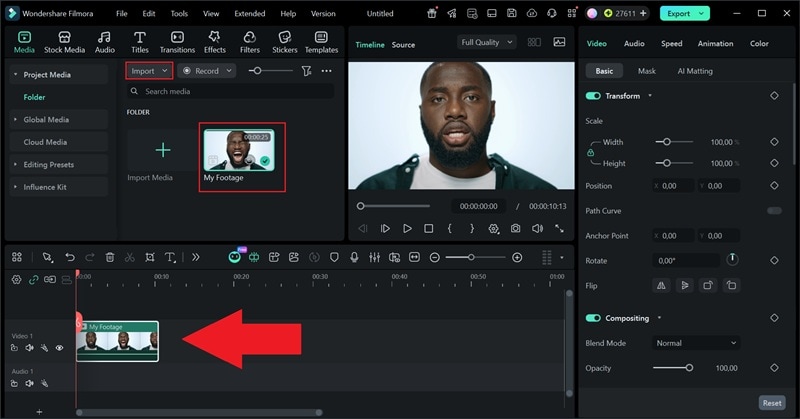
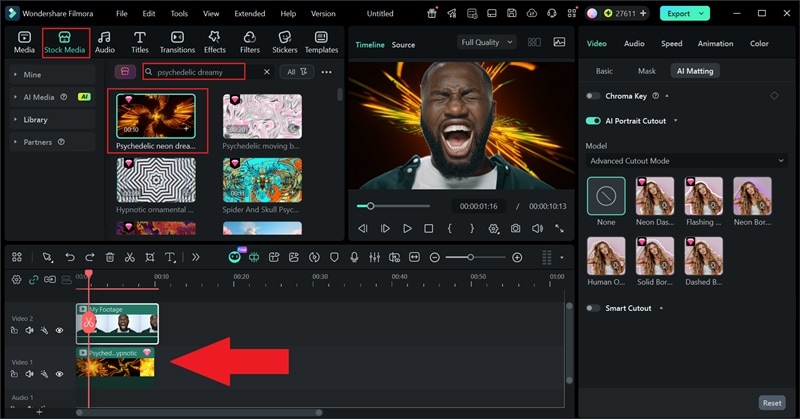
- Move your clip to the Video 2 track on the timeline.
- Click the clip, then go to the property panel on the right side.
- Select AI Matting and turn on the AI Portrait Cutout toggle to remove the background.
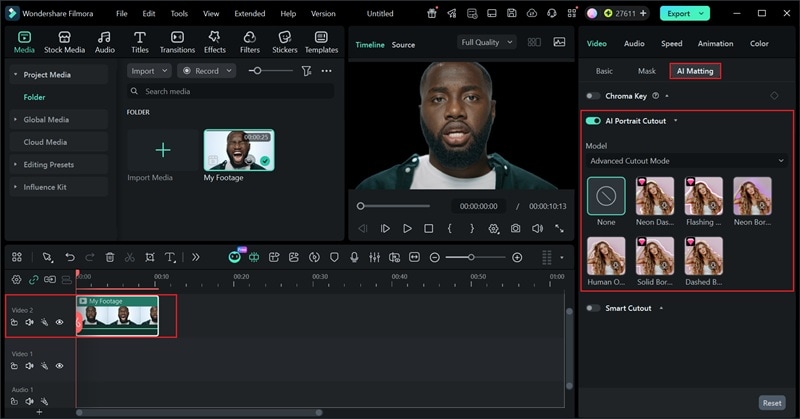
- Go to the Stock Media menu, search for "Psychedelic", then choose a background that fits your scene.
- Place it on the Video 1 track.
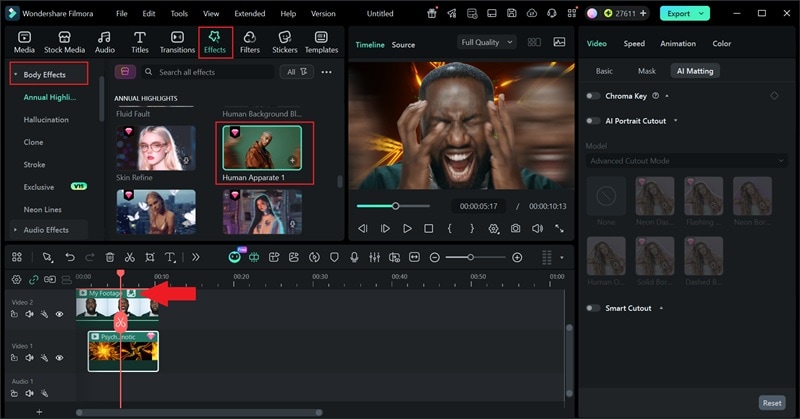
- Go to the Effects menu and select Body Effects.
- Browse the available categories and choose the effect that fits your scene.
- Drag and place the effect onto your clip on the Video 2 track.
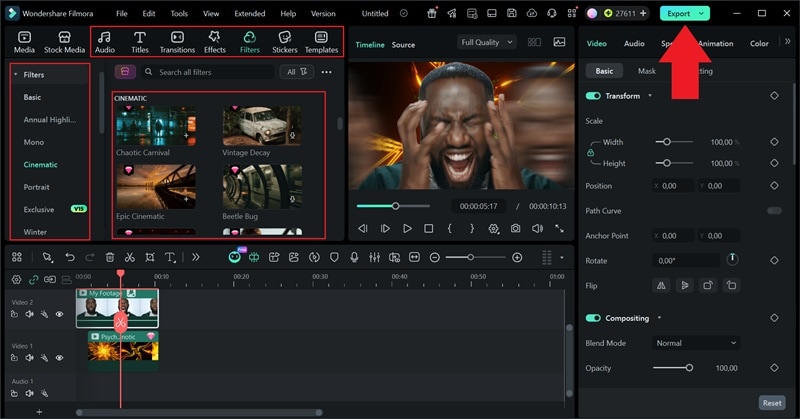
- Add music, sound effects, or filters to make your video feel more complete.
- Click Play to preview your edit and check if everything looks right.
- Once you're happy with the result, click the Export button in the top right corner to save your video.
Conclusion
SFX and FVX are often misunderstood in filmmaking, which is why this guide breaks down the real difference between VFX and SFX in a simple way. Once you understand the true SFX and VFX meaning, it becomes easier to see how movies create those intense scenes and immersive worlds that make modern film and television so exciting.
The best part is, you do not need a big studio to try these techniques yourself. With editors like Wondershare Filmora, everyday creators can experiment with visual effects using its rich effects library and advanced AI features like AI Smart Cutout and Chroma Key. The workflow is simple, the tools are powerful, and it gives you the freedom to bring your creative ideas to life with professional-looking results.

