


 TL;DR:
Wondershare Filmora is the best overall montage maker across desktop and mobile platforms due to its AI-powered auto montage capabilities, while Adobe Premiere Pro delivers the highest precision for professionals requiring advanced multi-layered timeline control.
● For creators needing quick edits without software installation, Canva and Animoto excel in slideshow-style, photo-heavy layouts, whereas Clideo handles fast browser-based media merging but places a watermark on free exports.
● InShot and Filmora Mobile are the optimal applications for vertical 9:16 social media content like TikTok and Instagram Reels, though KineMaster provides multi-layer mobile editing for intermediate users willing to navigate a steeper learning curve.
● Apple ecosystem users can utilize the completely free iMovie on macOS and iOS for simple drag-and-drop projects, while Windows, macOS, and Linux users seeking professional tools without a subscription can use Lightworks, which restricts some export formats on its free tier.
Ask AI for a summary
 ChatGPT
 Perplexity
 Gemini
 Claude
 Grok
Grok
Transform your photo and video collections into high-energy highlights with the right montage creator. This guide identifies the top 12 montage makers for 2026 across desktop, mobile, and web platforms to simplify your creative process.
Imagine gathering your best photos and clips, then transforming them into a short montage that captures the energy of a birthday, a long trip, or a year filled with memories. A good montage feels personal and emotional, which is why so many people use it for celebrations, events, and social media highlights.
But the challenge starts when you try to pick the right tool. Many montage creator apps work differently across desktop, mobile, and online editors. With so many choices, it becomes hard to decide which video montage maker is actually worth your time.
What is a Video Montage Maker?
A video montage maker is a creative software tool designed to compile multiple photos or video clips into a single, cohesive video. It typically uses transitions, effects, and background music to tell a story or highlight key moments from an event or timeframe.
This guide filters out the noise and showcases the best tools for every skill level, budget, and device, allowing you to create a montage without stress.
To evaluate each montage maker fairly, we use the same testing method across all platforms:
- We create the same montage using a mix of photos, video clips, and background music to compare results side by side.
- We review key editing features, including templates, transitions, text options, filters, effects, and audio tools.
- We test auto montage performance, such as AI-based arrangement, beat matching, and smart clipping.
- We measure ease of use, focusing on how quickly a beginner can complete a polished montage.
- We check export quality and speed to see which tools handle longer videos or higher resolutions better.
- We test separately on desktop, online, and mobile, giving a balanced view of how each device affects the editing experience.
- We look at pricing and limitations to understand how much value users get from free plans or paid upgrades.
Key Takeaways:
- Wondershare Filmora is the best overall choice for AI-powered auto montage creation across desktop and mobile.
- Adobe Premiere Pro offers the highest precision for professional, multi-layered cinematic projects.
- Canva and FlexClip are ideal for users needing quick, browser-based montage tools without installation.
- InShot and Filmora Mobile lead for short-form vertical video content like TikTok and Reels.
Our Top 3 Picks

Montage Maker Comparison Chart
| Tools | Platforms | Key Features | Difficulty Level | Pricing | Best For |
| Wondershare Filmora | Windows, macOS, Android, iOS | AI Auto Montage, templates, transitions, multi-track editing | Easy | Free plan, Paid options | Beginners, social media creators, YouTubers |
| Canva Video Editor | Online, Windows, macOS, iOS, Android | Slideshow layouts, photo templates, drag and drop | Easy | Free plan, Pro available | Photo montages, events, social media |
| Adobe Premiere Pro | Windows, macOS | Advanced timeline editing, pro transitions, color grading | Hard | Subscription | Professionals, long videos |
| Lightworks | Windows, macOS, Linux | Multi-track editing, pro tools | Medium | Free plan, Pro upgrade | Film-style montages, experienced editors |
| iMovie (Mac) | macOS | Templates, transitions, simple timeline | Easy | Free | Mac beginners |
| FlexClip | Online | AI templates, stock library, auto montage | Easy | Free plan, Paid tiers | Social media, simple online editing |
| Clideo Montage Maker | Online | Quick merge and montage creation | Very Easy | Free | One-time quick edits |
| Animoto | Online | Slideshow templates, music sync | Easy | Free plan, Paid options | Events, photo-heavy videos |
| Filmora Mobile | Android, iOS | Speed ramps, transitions, templates, filters | Easy | Free plan, Paid extras | Travel, TikTok, Instagram |
| InShot | Android, iOS | Fast editing, transitions, filters | Easy | Free with ads | Vertical videos, social media |
| KineMaster | Android, iOS | Multi-layer editing, precision tools | Medium | Free with watermark | Intermediate creators |
| iMovie Mobile | iOS | Simple templates, easy montage creation | Easy | Free | iPhone users creating quick montages |
|
Show More
Show Less
|
|||||
Top 12 Montage Makers (Categorized for User Needs)
With so many montage creator tools available, the best way to choose is by matching your needs to the right platform. Desktop software usually offers the strongest editing control, online editors are perfect for quick access without installation, and mobile apps help you create montages on the go.
Below are the top montage makers across each category, along with their platforms, prices, strengths, and the type of user they suit best.
Desktop Montage Software (For Higher Control & Quality)
1. Wondershare Filmora
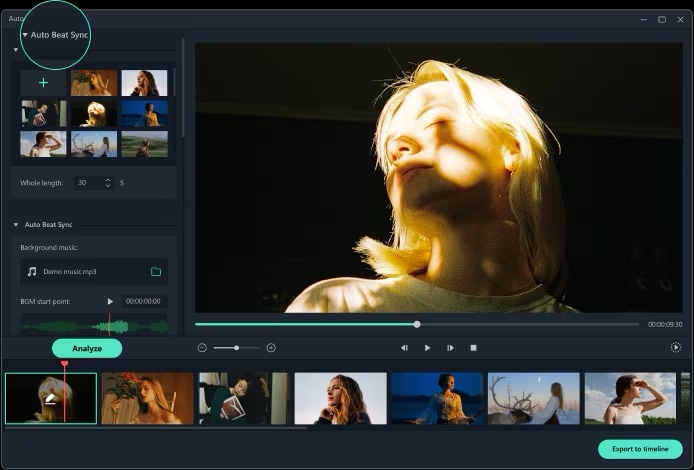
Wondershare Filmora is one of the most complete video montage makers available. It includes a dedicated Auto Montage feature that instantly builds a montage from selected media, complete with music sync, transitions, and preset pacing.
Filmora is compatible with various platforms, allowing users to start a montage on one device and continue it on another without losing progress. It is designed to help anyone create high-quality photo and video montages quickly.
- Auto Montage Maker that instantly arranges photos, videos, transitions, and music
- Beat Sync automatically aligns cuts and transitions to the rhythm of the soundtrack
- 10,000+ creative templates, transitions, filters, and preset montage styles
- AI Smart Cutout, AI Music, and AI Audio Denoise for smoother montage production
- Multi-track timeline for detailed editing, pacing adjustments, and fine-tuning
- Supports MP4, MOV, MKV, and more with export quality up to 4K
- Windows, macOS, iOS, Android
Free version available, with subscription or one-time license options
Users who want an easy, creative, and fast montage maker for events, travel, celebrations, and social media content
- Strong focus on creating clean, emotional montages quickly
- Large library of montage templates and transitions
- Easy for beginners, yet flexible enough for advanced creators
- Cross-device continuity between desktop and mobile
- Needs installation, not available fully online
- Some montage effects require a paid plan
- Heavy 4K montages depend on system performance
Filmora delivers fast, polished montage results that look professional without requiring technical editing skills. It combines automation and creative control. So, it is ideal for anyone who wants to create beautiful photo and video montages without complexity.
2. Adobe Premiere Pro
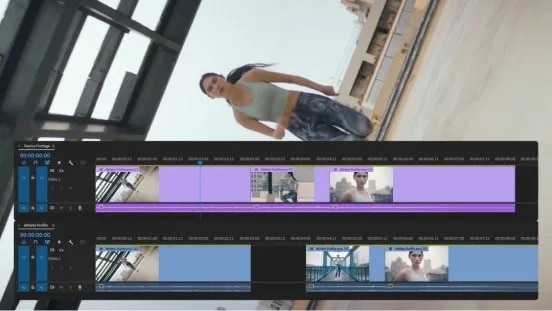
Adobe Premiere Pro is a professional-level montage editing software. It is designed for creators who need full control over every detail. It offers advanced timeline management and editing tools that are useful for building high-quality photo and video montages. Although it takes time to learn, it remains one of the best video editing software for montages thanks to its stability, creative depth, and industry-standard features.
- Multi-layer timeline for building detailed montage sequences
- Advanced transitions, speed ramping, and motion tools
- Professional color grading for consistent, cinematic montage looks
- Auto Reframe for multiple aspect ratios, including vertical formats
- Excellent audio tools for syncing music and dialogue
- Supports high-resolution workflows, including 4K and higher
- Windows, macOS
Subscription-based
Professionals, advanced editors, filmmakers, and users who need full precision for montage creation
- Most powerful montage creator for professional workflows
- Excellent control over pacing, cuts, and visual style
- Large library of transitions, effects, and color presets
- Great for long and complex photo and video montage projects
- Steeper learning curve than beginner-friendly tools
- Requires a subscription
- Higher performance needs for smooth editing
Premiere Pro is great for users who want precision and professional quality in their montage videos. It offers unmatched control, making it ideal for creators producing cinematic montages, event highlights, and storytelling-based projects.
3. Lightworks
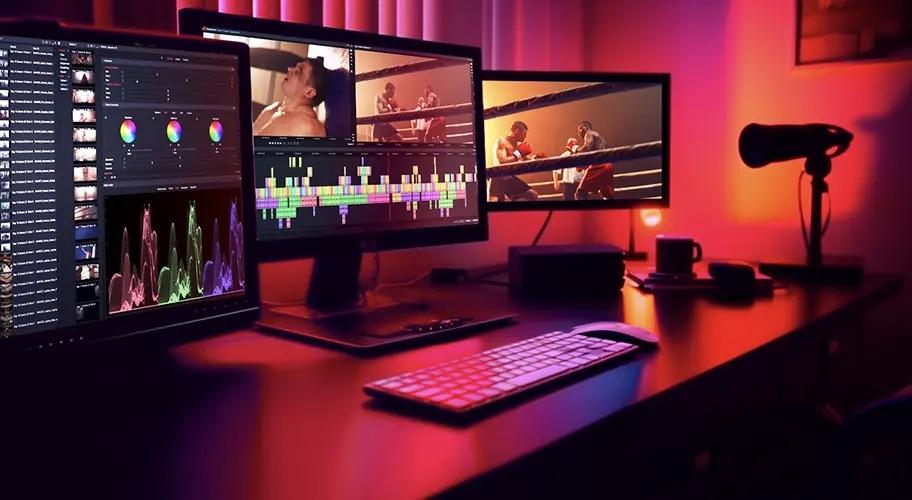
Lightworks is a desktop video montage maker built for users who prefer a more technical editing approach without the high cost of premium software. It offers precise tools in professional-level controls that make it suitable for crafting dynamic photo and video montages. The interface is structured for editors who like detailed adjustments. While it is not as template-driven as beginner-friendly apps, it delivers strong creative flexibility for editors who want more control.
- Multi-track editing for complex montage sequences
- Precision trimming and ripple tools for smooth pacing
- Real-time effects and color adjustments
- Proxy workflow for editing large or high-resolution clips
- Export support up to 4K in the Pro version
- Wide format compatibility for mixed footage montages
- Windows, macOS, Linux
Free version available, Pro version unlocks advanced export formats
Intermediate and advanced users who want a free montage maker with professional editing capabilities
- The free version offers strong professional tools for montage editing
- Excellent trimming precision for refining montage pacing
- Proxy mode makes large photo and video collections easy to edit
- Stable performance with long or high-resolution montage projects
- Interface feels technical and may overwhelm beginners
- The free version restricts some export formats
- Limited ready-made templates compared to beginner-oriented montage creators
Lightworks is a great choice when you want free but powerful montage editing software. It provides deep control over timing, transitions, and structure, making it ideal for users who prefer hands-on editing instead of template-based creation.
4. iMovie (Mac)
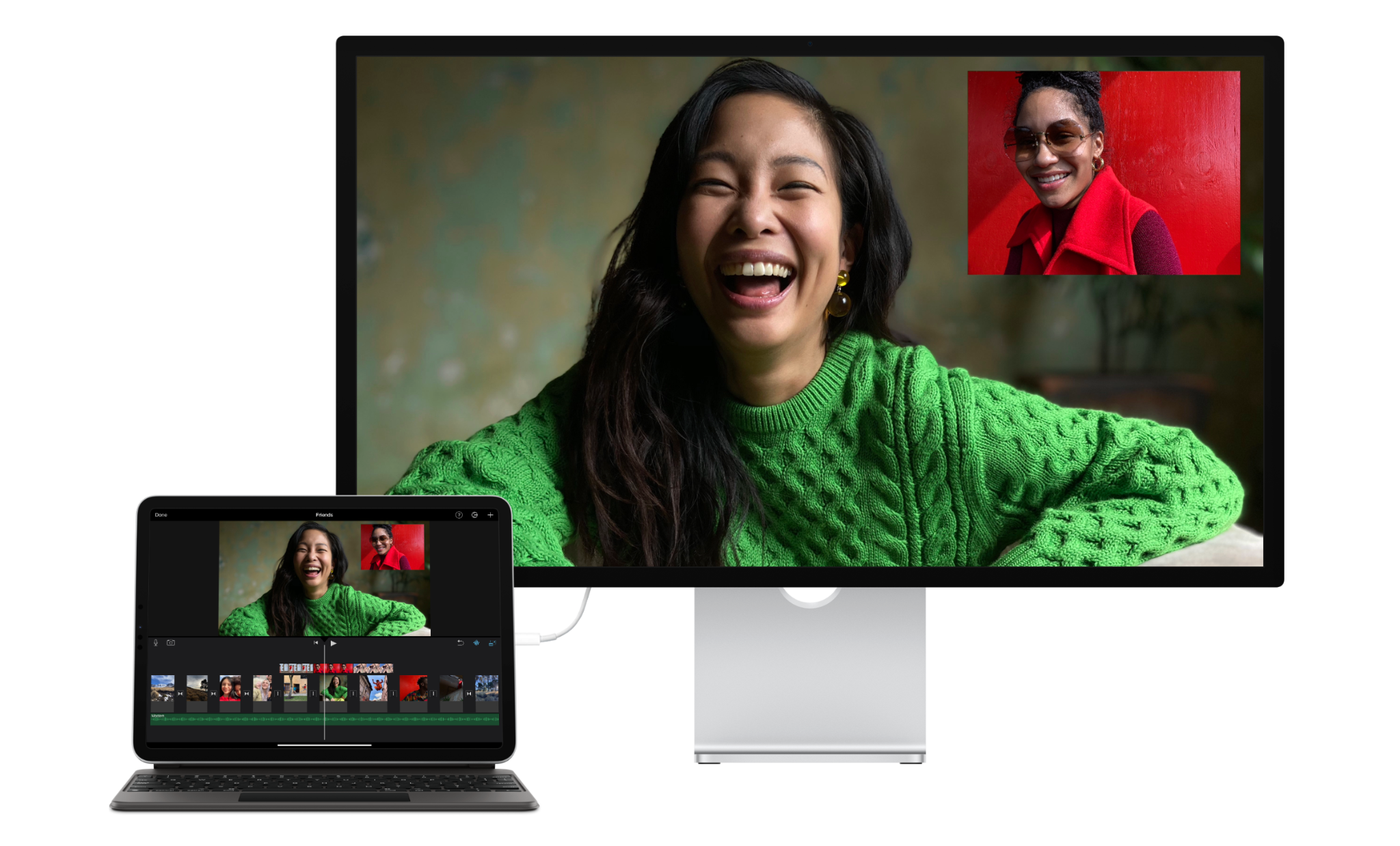
iMovie is a simple and reliable photo and video montage maker for Mac users who want clean results without dealing with complex editing tools. It offers polished built-in templates, smooth transitions, and an intuitive timeline that makes arranging clips and photos easy, even for beginners. Although it does not include advanced professional features, iMovie provides everything needed to create montages in a straightforward workflow. Its strong integration with the Apple ecosystem also makes importing media, syncing audio, and exporting final montage videos fast and seamless.
- Clean timeline with easy drag and drop editing
- Built in montage themes, transitions, and title styles
- One-click color correction and video stabilization
- Background music and sound effects library
- Seamless integration with Photos and iCloud
- Exports optimized for YouTube, email, and social platforms
- macOS
Free
Mac beginners, students, casual creators, and users who want a simple free montage maker
- Very easy to use for creating quick montage videos
- Clean templates and transitions produce polished results
- Works smoothly within the Apple ecosystem
- Free and already included on every Mac
- Limited advanced editing options for detailed montage work
- Fewer creative templates compared to specialized montage apps
- Only available on Apple devices
iMovie is ideal for users who want a free and easy montage maker that produces clean videos with minimal effort. It provides all the essential tools for creating simple montages without overwhelming the editor.
Online Montage Makers (Use Directly in Browser)
5. Canva Video Editor
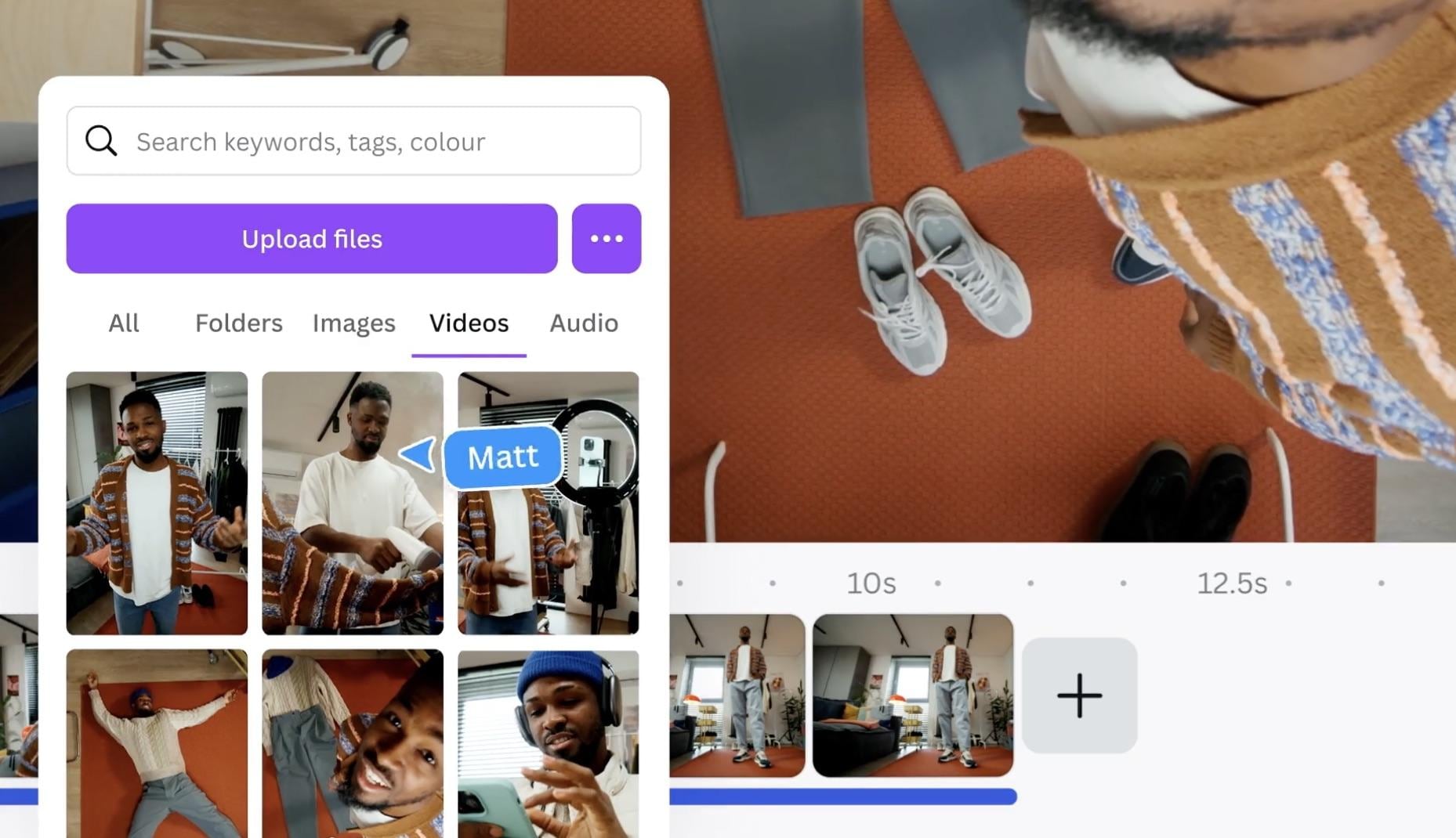
Canva Video Editor is one of the easiest online montage makers for creating clean, aesthetic photo and video montages. It offers thousands of ready-made layouts, stylish transitions, and a simple drag-and-drop editor that works directly in the browser. Canva works directly in the browser, so there is no installation needed, and projects sync instantly across devices. While it lacks the advanced timeline editing found in desktop tools, its design-focused approach helps users create polished montages quickly.
- Thousands of montage templates for photos, videos, and social media
- Drag and drop editing with built-in transitions and animations
- Auto-resizing for TikTok, Instagram, YouTube, and vertical formats
- Large library of stock photos, videos, music, and fonts
- Brand Kit support for consistent text and color styling
- Cloud-based workflow for seamless editing across devices
- Online, Windows, macOS, iOS, Android
Free plan available, Canva Pro adds premium elements
Users who want fast, aesthetic photo and video montages for events, presentations, invitations, and social content
- Huge template library perfect for quick montage creation
- Very easy learning curve, great for beginners and non-editors
- Online access, no installation required
- Strong design tools for titles, collages, and aesthetic layouts
- Limited precision editing compared to desktop tools
- Some templates and assets require Canva Pro
- Browser performance may slow down with heavy projects
Canva is the best online montage maker for users who want beautiful, ready-to-use designs that make photo and video montages look polished with almost no effort.
6. FlexClip
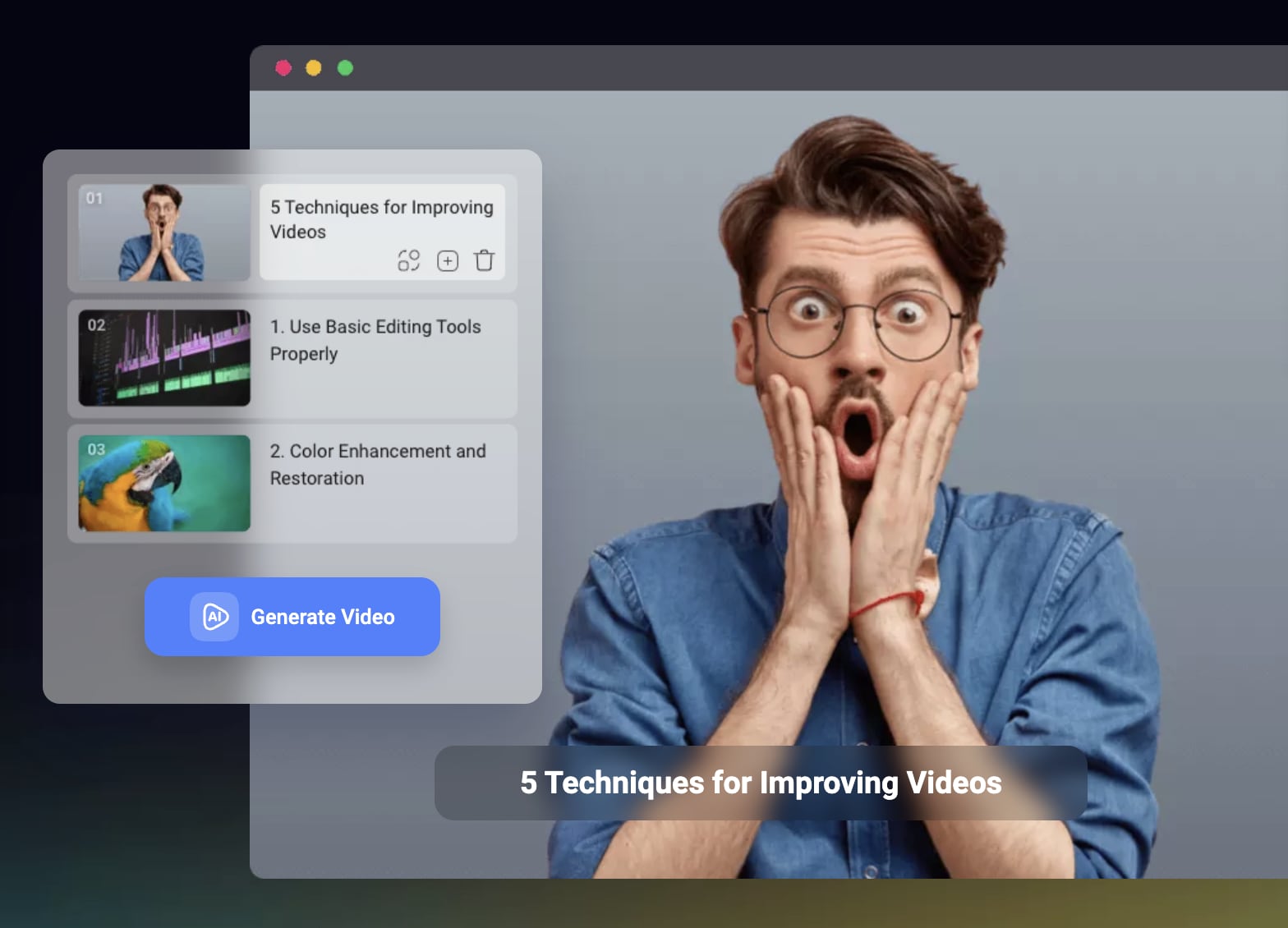
FlexClip is a beginner-friendly online montage maker that helps users create quick photo and video montages with minimal effort. It offers a large selection of templates, built-in transitions, AI-assisted tools, and a straightforward drag-and-drop interface that works directly in the browser. FlexClip is great for users who want fast results for birthday montages, promotional videos, travel highlights, and social media content without installing desktop software.
- Slideshow and video montage templates for quick creation
- AI tools for script generation, subtitle creation, and smart editing
- Stock library with photos, videos, and audio tracks
- Easy timeline controls for trimming, splitting, and arranging clips
- Supports multiple aspect ratios, including 1:1, 9:16, 16:9
- Exports in HD or Full HD, depending on the plan
- Online
Free plan available, paid tiers unlock higher resolution and premium assets
Users who want a simple, fast, and free montage maker for personal, school, or social media projects
- Very easy to use for quick montage creation
- Offers helpful AI features for faster editing
- Large library of stock materials for filling gaps in visuals
- Ideal for users who want an online montage maker without installation
- Free plan has export limitations
- Not suitable for advanced or multi-layer editing
- Some templates and assets are locked behind paid plans
FlexClip is great for users who want a simple and efficient way to make video montages online. Its templates and AI tools make montage creation fast, even for complete beginners.
7. Clideo Montage Maker
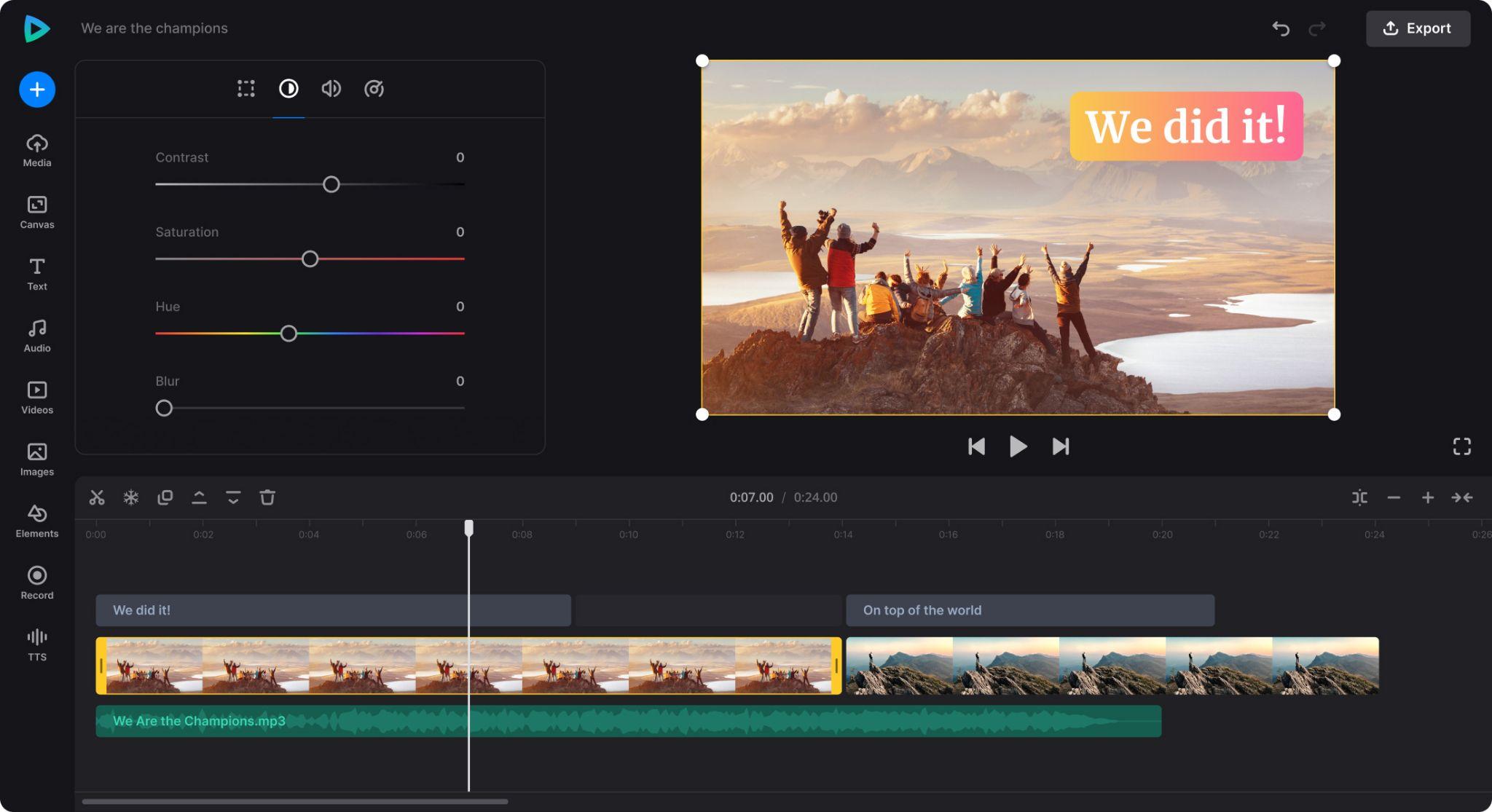
Clideo Montage Maker is a quick option for creating simple photo and video montages directly in your browser. Clideo is perfect for anyone who wants a free video montage maker for a fast social post or a one-time montage without opening a full editor.
- Drag and drop interface for effortless clip arrangement
- Supports photos, video files, and mixed media
- Basic text, transitions, and background music options
- A browser-based tool that works without installation
- Server-side processing keeps the workflow fast
- Multiple export formats available
- Online
Free version with watermark, paid plan removes restrictions
Users who need a straightforward montage creator for quick edits
- Very quick to learn, ideal for simple montage tasks
- Accessible from any device with a browser
- Fast rendering thanks to cloud processing
- Great tool for users who only need essential features
- Watermark on the free plan
- Limited creative tools compared to full editors
- Not designed for detailed or complex montage projects
Clideo is a convenient pick when you need a quick montage and do not want to dive into complex editing. It is simple, fast, and efficient, which makes it a great option for lightweight montage projects.
8. Animoto
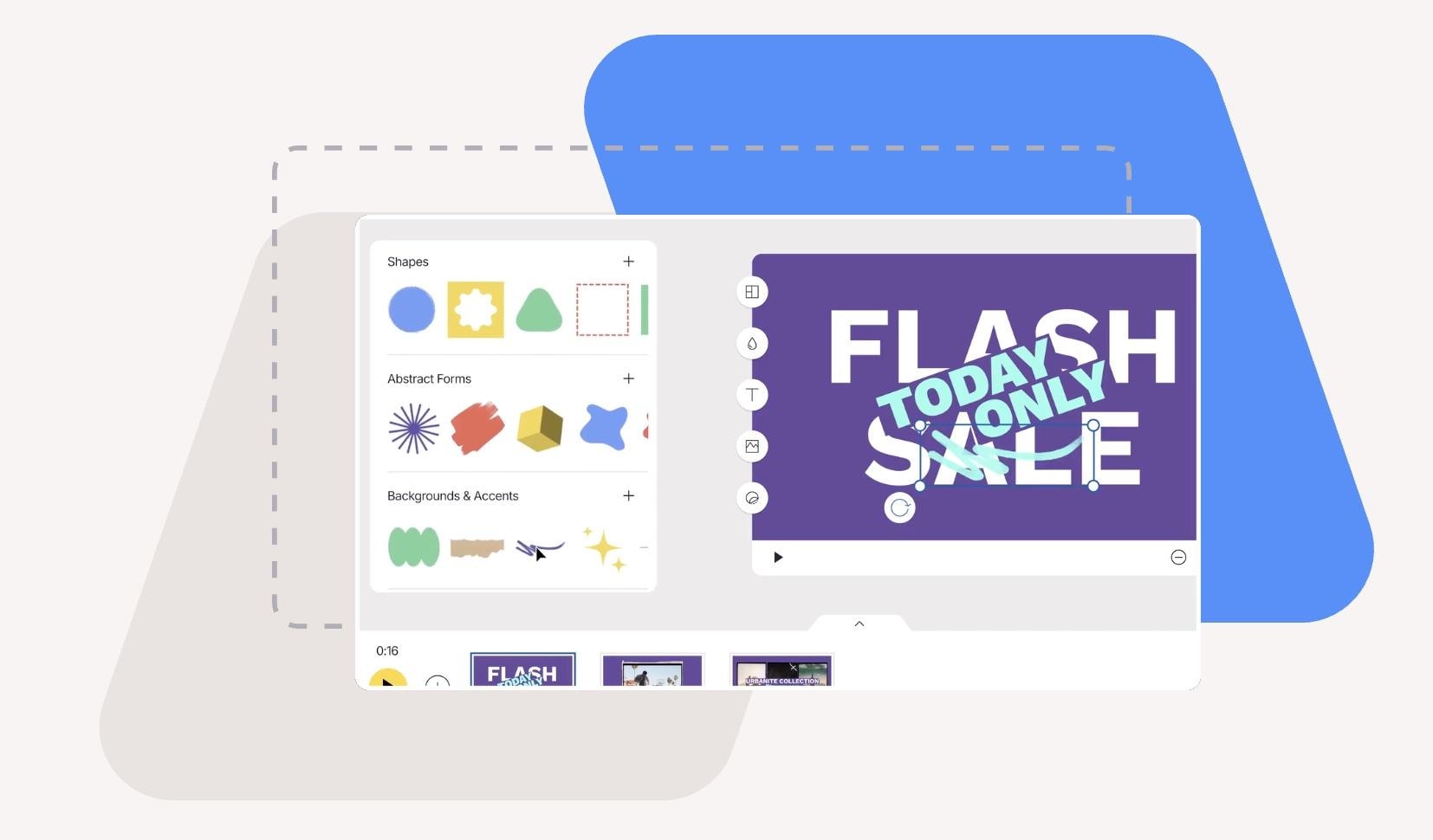
Animoto is an online video montage maker built around slideshow-style storytelling. Its unique strength lies in its block-based editor, which lets users build montages slide by slide with clean layouts and professional typography. Instead of focusing on complex video editing, Animoto prioritizes presentation quality.
- Block-based montage builder for structured storytelling
- Professionally designed layouts focused on photos and text
- Large library of fonts, colors, and branding presets
- Built-in music library with commercial use options
- A browser-based interface that works on any device
- Exports in multiple resolutions for social media or presentations
- Online
Free plan available, paid plans unlock more styles and branding controls
Users who want polished, slideshow-driven montage videos without advanced editing
- Excellent slideshow aesthetics for photo montage videos
- Strong text and layout control compared to other online montage makers
- Ideal for business promos, invitations, school projects, and event recaps
- Simple structure helps beginners create clean results quickly
- Not ideal for detailed video editing
- Premium branding tools require an upgrade
- Limited timeline flexibility for advanced creators
Animoto stands out as a free video montage maker for users who value clean layouts and presentation quality. It is ideal when you want a structured, slideshow-style montage without dealing with complex editing tools.
Mobile Montage Apps (For Quick Edits on the Go)
9. Filmora Mobile
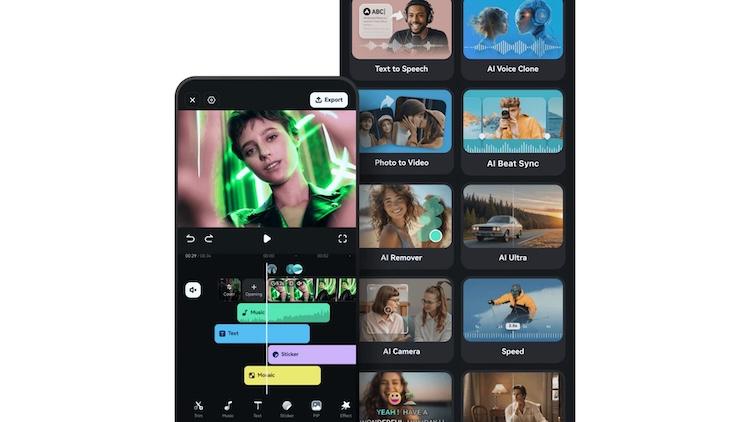
Filmora Mobile is a powerful montage maker app designed for quick edits on the go. It offers a strong mix of templates, transitions, speed controls, and AI-powered enhancements. So, unlike many mobile editors that feel limited, Filmora Mobile tools make photo and video montage creation feel effortless. Also, what sets it apart is its ability to deliver desktop-level polish inside a mobile interface.
- Ready-made montage templates for quick creation
- Speed ramping and motion presets for dynamic montage videos
- AI tools such as Smart Cutout and Audio Denoise
- Built-in filters, transitions, and overlay effects
- Supports vertical, square, and widescreen formats
- Syncs easily with Filmora desktop for cross-device editing
- Android, iOS
Free plan available, premium effects offered through subscription
Users who want a creative montage app with strong mobile editing flexibility
- Offers desktop-style editing tools in a mobile-friendly layout
- Strong montage templates suitable for short social videos
- AI features save time during trimming and cleanup
- Great for creators who edit mostly on their phone
- Some advanced effects require a subscription
- Heavy projects may slow down on older devices
- Fewer fine-tuning controls than the desktop version
Filmora Mobile is a great photo and video montage maker for creators who rely on their phones. It provides the perfect balance between quick templates and powerful editing tools. So, it is easy to build polished montages anywhere.
10. InShot
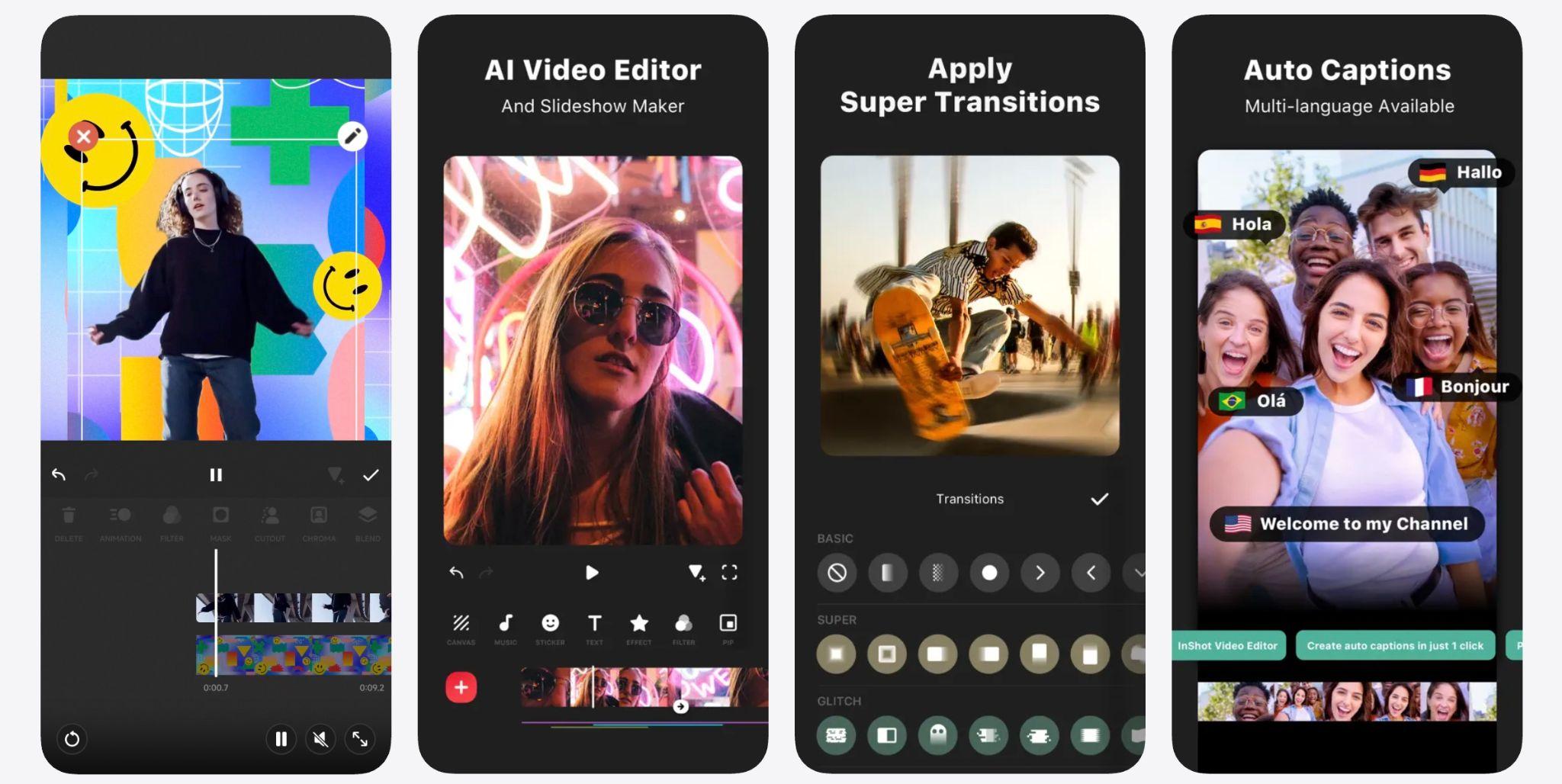
InShot is one of the most popular mobile apps for creating quick montage videos. InShot is especially good for photo and video montages intended for TikTok, Instagram Reels, and YouTube Shorts because it focuses heavily on vertical editing and trend-friendly styles.
- Vertical first editing with 9:16 optimized tools
- Large collection of transitions, filters, stickers, and text presets
- Fast trimming and clip splitting for quick montage pacing
- Music and sound effects library suited for social trends
- Easy canvas controls for resizing or reframing clips
- Photo and video mixing for simple slideshow-style montages
- Android, iOS
Free with ads, optional subscription for premium effects
Users who want a fast, lightweight montage maker for social media
- Perfect for fast, social-ready montage videos
- Quick editing workflow ideal for beginners
- Trendy transitions and effects tailored for Instagram and TikTok
- Strong photo & video mixing capabilities
- Free version includes ads and watermarks
- Not suitable for long or detailed montage projects
- Limited multi-layer editing
InShot is a top choice for users who want a simple montage creator that delivers fun, trendy, and fast results. It is ideal for social media montage videos where speed and creativity matter most.
11. KineMaster
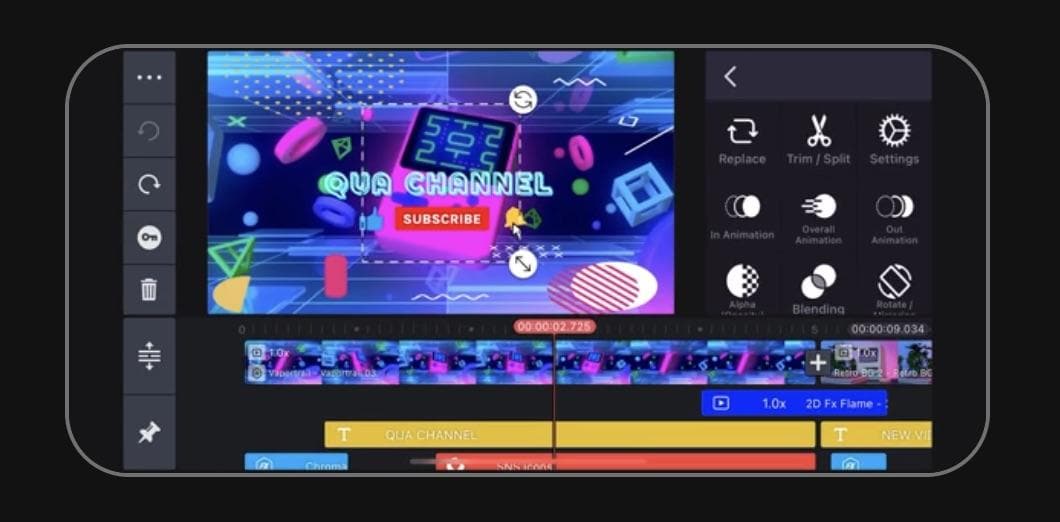
KineMaster is a feature-rich mobile video editor that appeals to users who want more control than typical montage maker apps provide. It offers multi-layer editing, detailed keyframe adjustments, chroma key tools, and precision trimming. These tools are useful for more complex photo and video montage projects.
- Multi-layer timeline for arranging photos, clips, overlays, and text
- Keyframe controls for custom motion and animation
- Chroma key support for green screen montage effects
- Precise trimming tools for accurate montage pacing
- Large asset store with transitions, filters, and music
- Supports high-resolution exports depending on the device
- Android, iOS
Free version with watermark, subscription removes limits
Intermediate creators who want advanced montage editing on mobile
- More advanced editing tools than most mobile montage apps
- A multi-layer timeline offers greater creative flexibility
- Ideal for cinematic, complex, or mixed media montage videos
- Asset store expands creative possibilities
- Watermark on the free version
- Steeper learning curve compared to simple montage apps
- Performance varies by device capabilities
KineMaster is great for creators who want a powerful mobile montage editor that goes beyond basic templates. Its advanced tools make it suitable for detailed, creative montage videos built entirely on a phone or tablet.
12. iMovie Mobile (iOS)
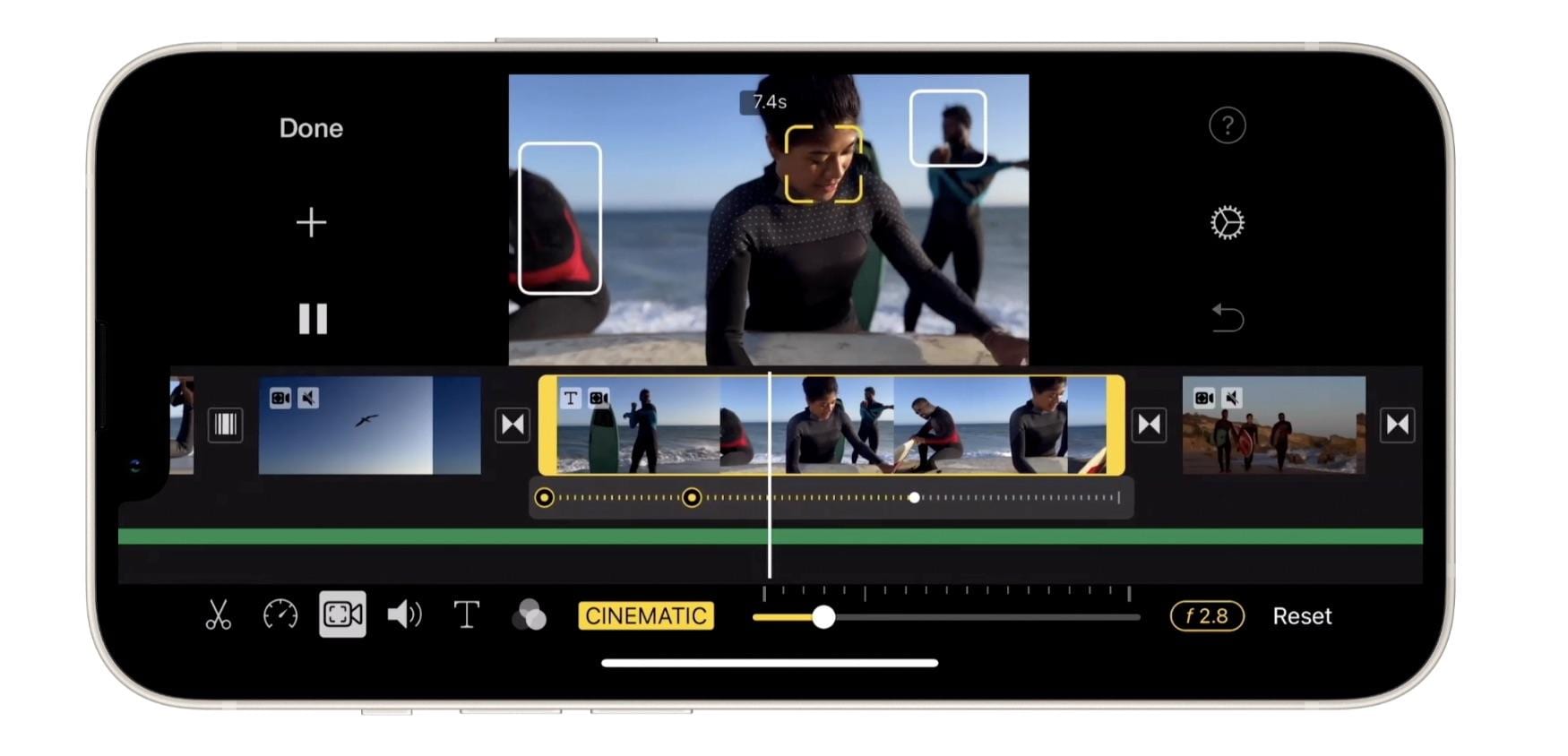
iMovie Mobile is a clean and beginner-friendly montage maker app designed specifically for iPhone and iPad users. Its strength lies in how well it is integrated with the Apple ecosystem. It allows effortless access to your Photos library and quick exporting to social platforms or Messages.
- Built-in montage themes with matching transitions and music
- Clean drag and drop editing timeline
- Easy access to photos, Live Photos, and video clips from the Apple Photos app
- Basic color correction and stabilization
- 4K export support on compatible devices
- Simple title styles for birthday montages, travel videos, and event recaps
- iOS, iPadOS
Free
iPhone users who want a simple, reliable montage creator for everyday projects
- Very easy for beginners to create photo and video montages
- Seamless integration with Photos, iCloud, and AirDrop
- No ads, watermarks, or hidden fees
- Smooth performance on iPhone and iPad
- Limited customization options
- Fewer effects and transitions than other montage maker apps
- Only available on Apple devices
iMovie Mobile is a dependable montage maker for iPhone users who want quick, clean results without extra complexity. It delivers all the essential tools needed for simple montage videos in a familiar Apple style.
How to Choose the Best Montage Maker
Choosing the right photo and video montage maker depends on the type of project you want to create and the device you use most. Each platform offers different strengths, from AI-powered automation to detailed manual control. Below are clear recommendations to help you pick the best montage editing software based on your goals and experience level.
- For Beginners: Simple tools with ready-made templates and guided editing work best. A free montage creator like Canva, FlexClip, or Animoto makes it easy to build a clean montage without learning advanced features. Filmora is another great choice if you want a balance between templates and manual control.
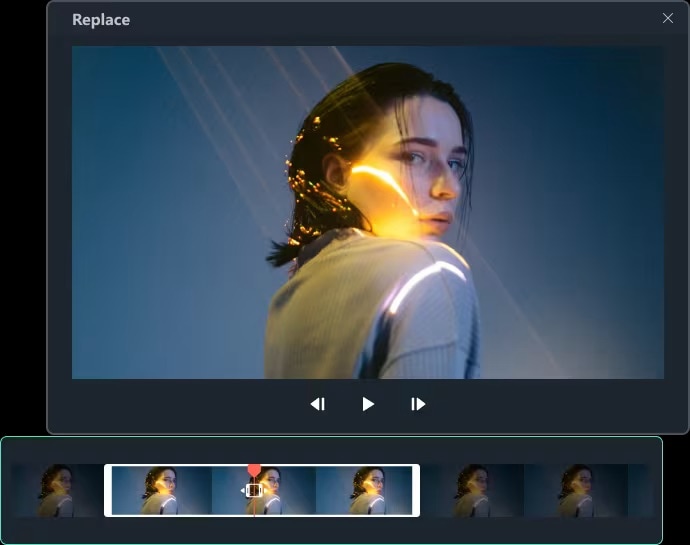
- For Professionals: Editors who need full precision should look for advanced montage editing software. Adobe Premiere Pro and Lightworks offer detailed timelines, multi-layer editing, and strong color tools. They are ideal for cinematic montage videos or long-form storytelling.
- For Free Users: If budget is your main concern, look for a free video montage maker with solid essential tools. iMovie, InShot, Clideo, and FlexClip provide enough features for simple montage videos, with no required subscription.
- For AI Automation: AI tools can speed up the editing process, especially when creating montage videos from large sets of photos and clips. Filmora’s Auto Montage, Smart Cutout, and AI Music tools offer an easy workflow, while FlexClip also provides AI-assisted templates and subtitles.
- For Social Media Creators: If your montage will be posted to TikTok, Instagram Reels, or YouTube Shorts, choose an app designed for vertical video formats. InShot, KineMaster, and Filmora Mobile offer fast transitions, music sync, and 9:16 templates perfect for short social content.
- For Photo-Heavy Montages: When your montage relies mostly on photos rather than video clips, design-focused editors make a big difference. Canva, Animoto, and FlexClip offer strong template libraries and polished slideshow layouts that keep photos looking clean and balanced.
- For High Quality or Longer Videos: Longer montage projects with many clips require stable performance and more editing flexibility. Filmora, Adobe Premiere Pro, and Lightworks are excellent choices for multi-track editing, 4K exports, and consistent rendering quality.
- For Quick One-Time Projects: If you only need to create a fast montage video online for free, browser-based tools like Clideo, Canva, or FlexClip save time due to their simple workflows and no installation requirements.
Conclusion
Creating a photo or video montage is an easy way to bring memories, events, and travel moments together in a meaningful story. With so many montage makers available on desktop, mobile, and online platforms, the best choice depends on how you prefer to edit and the style you want to achieve. This list offers reliable options for every skill level, from simple free tools to advanced montage editing software.
