


 TL;DR:
HappyHorse 1.0 is an enterprise-level AI video generation model by Alibaba that excels at producing cinematic clips with simultaneous audio and 7-language lip-sync, but it currently trails behind its main competitor, Seedance 2.0, in object physics accuracy and multi-shot narrative control.
● HappyHorse 1.0 is not open-source; as of April 2026, it is strictly accessible via official APIs like Alibaba Cloud Bailian and fal.ai, meaning any GitHub repositories or APKs claiming to offer local model weight downloads are unofficial.
● When choosing between models, HappyHorse 1.0 is best suited for generating stylized visuals with fluid human motion, while Seedance 2.0 performs better for projects requiring strict reference character consistency and structured multi-shot scenes.
● The tool generates raw clips limited to 15 seconds at a maximum 1080p resolution, with occasional physics glitches appearing in outputs longer than 10 seconds, requiring users to export footage into multi-track editing software like Wondershare Filmora to construct full videos.
Ask AI for a summary
 ChatGPT
 Perplexity
 Gemini
 Claude
 Grok
Grok
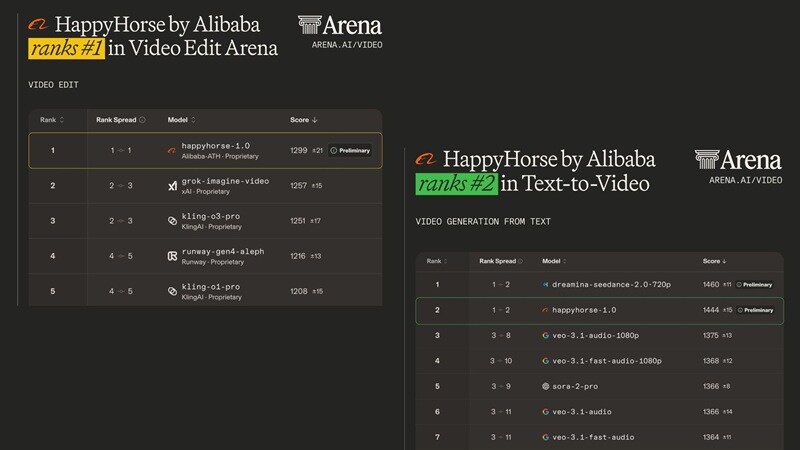
HappyHorse has recently emerged as a powerhouse in the AI video space, famously claiming the #1 spot on the Artificial Analysis Video Arena leaderboard in April 2026 for video editing, and ranking #2 for both Text-to-Video and Image-to-Video. This has sparked a massive debate because it’s currently beating heavyweights like Google’s Veo and Elon’s Grok, with only Seedance 2.0 standing in its way.
Naturally, comparisons like HappyHorse 1.0 vs Seedance 2.0 started popping up everywhere. But is this just benchmark hype, or does it actually hold up? Let’s break it all down so you can decide if it’s worth your time.
Part 1. Meet the New Contender: What Is HappyHorse AI Really?
HappyHorse 1.0 is Alibaba's AI video-generation model, developed by the ATH AI Innovation Unit (specifically the Future Life Lab team at Taotian Group). Alibaba officially confirmed authorship on April 9, 2026. Unlike earlier tools, it’s designed to generate video + audio together, which is a big step toward more complete AI storytelling.
HappyHorse AI first gained attention by debuting at #1 in the Video Edit category on the Artificial Analysis leaderboard and #2 in Text-to-Video. And at the time of writing, it ranks #2 across text-to-video, image-to-video, and video editing.
Access, GitHub & “Open-Source” Confusion Explained
Since it’s a newly released AI model with a sudden rise, there’s a lot of mixed information about how to access it. Many mention open-source claims like HappyHorse Github or HappyHorse HuggingFace. But is it true? Well, here’s the most accurate picture as of late April 2026:
| Topic | The Accurate Reality |
| GitHub / HuggingFace | Organization pages and wrapper repos exist, but NO official model weights are publicly downloadable. |
| Open Access vs Open-Source | Open Access = Yes, use it via API. Open-Source = No. You cannot run it locally with public weights. |
| HappyHorse 1.0 API | Enterprise beta launched April 27, 2026 on Alibaba Cloud Bailian. Also available through fal.ai as an official launch partner. |
| HappyHorse 1.0 Release Date | Appeared on Artificial Analysis leaderboard April 7, 2026. Alibaba confirmed April 9, 2026. Enterprise API beta: April 27, 2026. |
| Mobile App | No official mobile app yet. The web interface is mobile-browser responsive, but no dedicated app exists. |
⚠️ Red Flag Warning: Any site offering a 'HappyHorse 1.0 GitHub or APK' download or claiming to have the full model weights for local deployment is NOT official. Stick to official, legitimate access.
Part 2. The Toolkit: Breaking Down HappyHorse Features
Benchmarks are great for bragging rights, but they don't pay the bills; your content does. So, let's talk about what HappyHorse 1.0 actually produces and what kinds of projects it's best suited for.
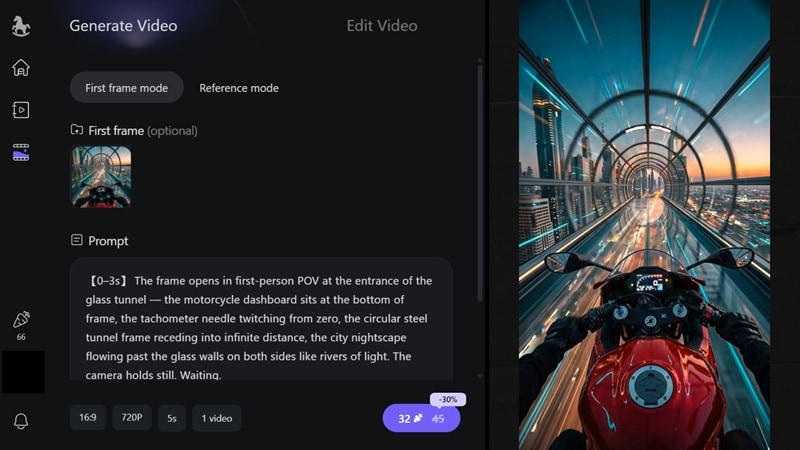
At its core, it focuses on four main capabilities:
- Text-to-Video: Describe any scene in plain language, and HappyHorse renders it into a cinematic clip. It excels at complex lighting setups and follows detailed camera movement instructions.
- Image-to-Video: Upload any static image for the first frame, and HappyHorse AI animates it into a short video clip. The result? Faces don't drift or morph, colors remain true to the original, and the motion feels organic rather than artificially grafted on.
- Reference-to-Video: Upload a reference character image or visual style example, and HappyHorse ensures your generated video follows that specific look and identity. This is powerful for brand content and character-driven storytelling.
- Video Edit: Instead of frame-by-frame editing, you can upload your clip and describe the change you want, and let the AI handle it. You can swap a character's outfit, or even change the weather from sunny to stormy.
Supported Specs (Quick Overview)
| Feature | Capability |
| Resolution | 720P (Standard) & 1080P (High-Def) |
| Duration | 3 to 15 Seconds per clip |
| Aspect Ratios | 16:9, 9:16, 1:1, 4:3, 3:4 |
| Batch Output | 1 to 4 variations at once |
Part 3. HappyHorse Pricing: Free vs Paid
We all love free tools, but high-end AI video requires serious computing power. So, before you jump in, it’s worth knowing how far you can actually use HappyHorse without paying.
🎁 Free Plan (Starter Access)
When you sign in, you typically get:
- ~66 free credits & Daily login bonuses.
- Up to 2 parallel generations.
Limitations: 720p only, watermarks included, and no batch generation.
Paid Plans: Standard vs Pro
If you're looking to go professional, here is how the tiers break down:
| Feature | Standard Plan | Pro Plan |
| Monthly Price | $12.50 | $50 |
| Annual Price | $150 | $600 |
| Monthly Credits | 875 | 3500 |
| Resolution | Up to 1080p | Up to 1080p |
| Watermark | Removed | Removed |
| Speed | Fast | Fastest |
| Batch Output | Available | Available |
| Parallel Generations | 10 | Unlimited |
Developer API Pricing (WaveSpeedAI / Alibaba Cloud Bailian)
For developers integrating HappyHorse directly into their own apps or workflows, API pricing is charged per second of video generated, scaled by resolution:
| Resolution | Cost / 5 Seconds | 3s Clip | 5s Clip | 10s Clip | 15s Clip |
| 720P | $0.70 per 5s | $0.42 | $0.70 | $1.40 | $2.10 |
| 1080P | $1.40 per 5s | $0.84 | $1.40 | $2.80 | $4.20 |
On Alibaba Cloud Bailian (the official Chinese enterprise platform), API pricing is ¥0.9/second for 720p and ¥1.6/second for 1080p, using a straightforward quantity × seconds × unit price formula. Image-to-video API pricing is expected to be announced during the full commercial phase in May 2026.
Part 4. HappyHorse 1.0 vs Seedance 2.0: Who Actually Wins?
This is the question that's lighting up every AI video community right now. Across happyhorse 1.0 Reddit discussions (like r/HappyHorse_AI), users constantly compare it to Seedance 2.0 since both dominate the leaderboard.
For example, an X user named Genel made a direct Happy Horse 1.0 vs Seedance 2.0 comparison using the same prompt, showing the results side-by-side.
Meanwhile, a Reddit user, zeroludesigner, noted that at this stage, Seedance 2.0 still appears more accurate in details like the movement of a dog’s mouth while eating and the physical behavior of objects like a toaster.
📊 Head-to-Head Benchmark Data
Meanwhile, on the Artificial Analysis Video Arena leaderboard, here's how the two compared side-by-side across three categories.
| Category | HappyHorse 1.0 Score | Seedance 2.0 Score | HappyHorse 1.0 Votes | Seedance 2.0 Votes |
| Text-to-Video | 1444 | 1460 | 1,843 | 6,836 |
| Image-to-Video | 1444 | 1454 | 4,216 | 18,176 |
| Video Edit | 1302 | 1362 | 761 | 506 |
💬 Our Takeaways
Reddit user zeroludesigner posted a side-by-side comparison of Seedance 2.0 and Happy Horse 1.0 using the exact same prompt, and the differences are pretty clear.
Here’s how we interpret those results:
| Scenario | Winner | Why |
| Cinematic short clip | HappyHorse 1.0 | Better motion + lighting |
| Character consistency | Seedance 2.0 | Stronger reference handling |
| Multi-shot scenes | Seedance 2.0 | More structured output |
| Stylized visuals | HappyHorse 1.0 | More creative results |
Pros and Cons of HappyHorse
- Best-in-Class Cinematic Motion: Human movement, fluid dynamics, and object interactions maintain physical plausibility throughout clips.
- Audio + Video Together: Dialogue, ambient sound, and Foley effects are generated in a single forward pass.
- Multilingual Lip Sync: Lip movements are generated to match target-language phoneme sequences in 7 languages (Mandarin, Cantonese, English, Japanese, Korean, German, French).
- Physics Can Break: Complex motion isn’t always accurate. Occasional "physics glitches" in clips longer than 10 seconds.
- API Still Maturing: API and platform are still evolving. It lacks the stability and developer ecosystem depth that Seedance 2.0 has built up over multiple versions.
- No Explicit Multi-Shot Director Controls: HappyHorse infers camera moves from your prompt description, which is less reliable for complex narrative sequences that demand precise directorial control.
Part 5. Want to Compare Yourself? Try Seedance 2.0 Inside Filmora
All of the comparisons above between HappyHorse 1.0 and Seedance 2.0 are grounded in benchmark data, community feedback, and hands-on testing. But at the end of the day, the only comparison that truly matters is the one you run yourself with your own creative vision.
The best way to do that right now, without juggling multiple platforms and accounts, is through Wondershare Filmora, which already has Seedance 2.0 baked directly into a full video production workflow.
 Secure Download
How to Use Seedance 2.0 in Filmora
Step 1. Get Started in Filmora
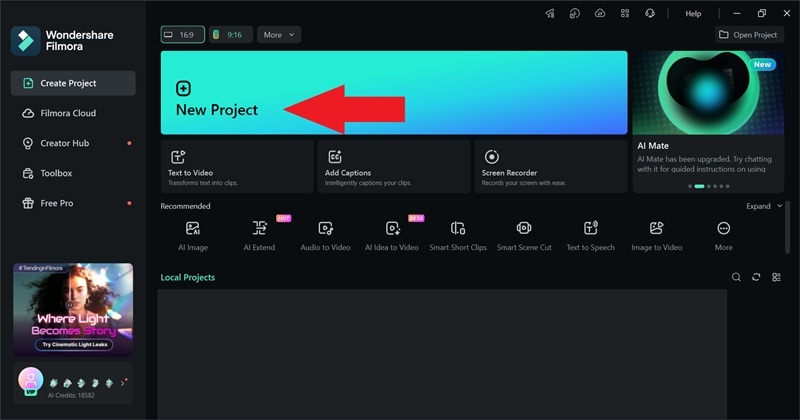
Download and install Filmora on your device. Once it’s installed, open the app and click “New Project” to get started.
Step 2. Generate with Seedance 2.0
Go to Stock Media, then choose either Text-to-Video or Image-to-Video. From there, select Seedance 2.0 as your model.
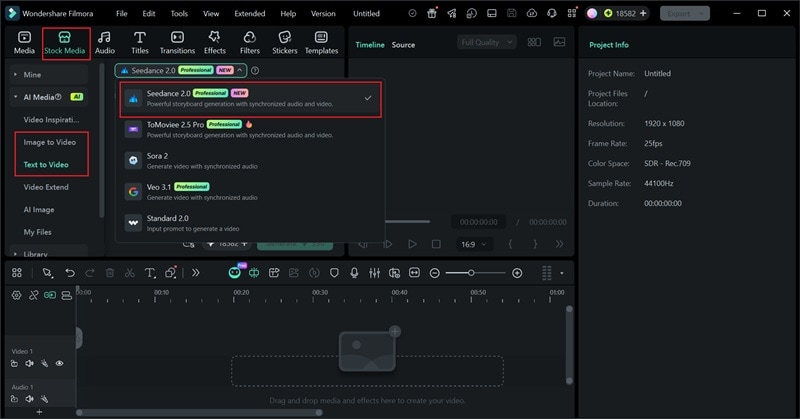
Enter your prompt and click generate. If you want a more detailed walkthrough, check out the video below.
What Filmora Adds That AI Generators Don’t
1. Smart Clip Creation Made Easy
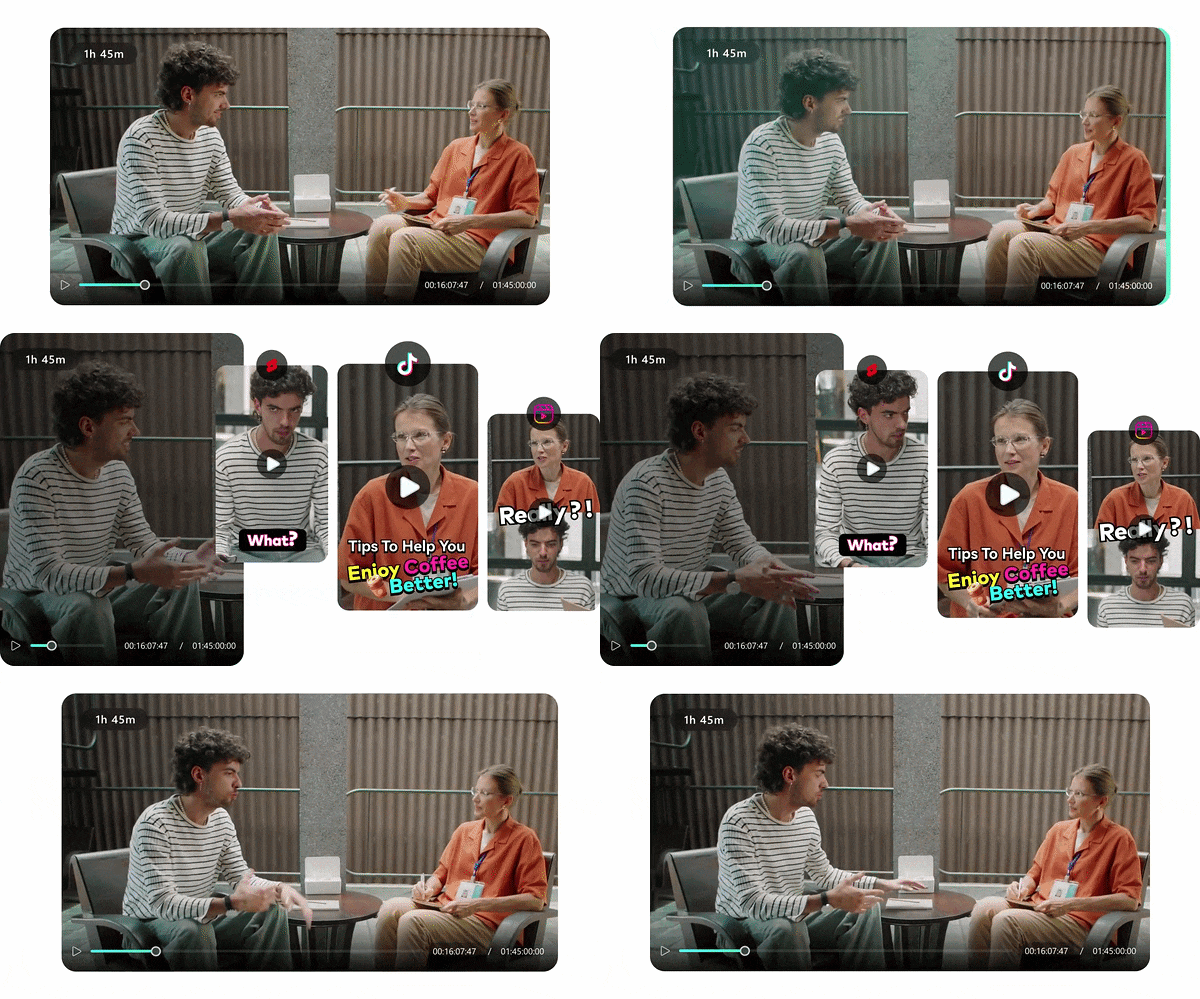
Filmora's AI Smart Short Clips analyzes your long-form recordings: interviews, vlogs, podcasts, tutorials, and automatically cuts them into engaging, platform-optimized short clips. Instead of spending hours scrubbing timelines for highlights, the AI identifies energy peaks, key talking points, and dynamic moments in seconds. Combine this with Seedance-generated B-roll and you have a complete short-form content engine without ever leaving Filmora.
2. Real Editing Timeline (This Matters)
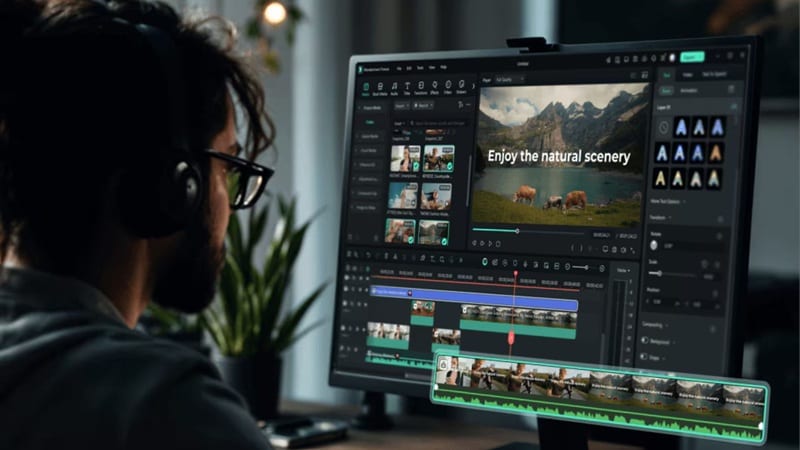
AI-generated clips top out at 15 seconds. That's a teaser, not a finished video. Filmora's multi-track timeline changes everything. You can stack multiple AI-generated clips into a coherent narrative, mix them with real recorded footage, add smooth transitions between scenes, layer music and sound design, and dial in timing down to the frame.
3. AI Tools That Actually Finish the Job
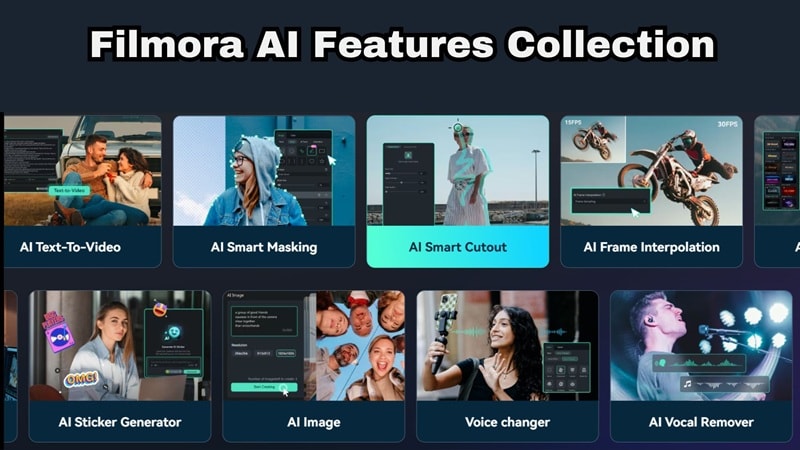
Beyond clip generation, Filmora's built-in AI suite handles every production step through to the finish line. You get:
- AI Captions: Transcribes and syncs subtitles automatically, removing manual captioning entirely.
- AI Video Translation: Converts your content into multiple languages for global distribution.
- AI Music Generator: Creates original, mood-matched background tracks that feel composed for your specific video.
- AI Video Enhancer: Sharpens and upscales footage for broadcast-quality output.
- AI Video Extender: Intelligently adds frames to extend clip duration without visible seams or artifacts.
4. Built for Social Media

Filmora isn't just an editor, it's a publishing toolkit. You can rely on these features for your social media game:
- Social Content Planner: Lets you schedule posts across YouTube, TikTok, Instagram, and more from a single dashboard, so you're not toggling between five different scheduling apps.
- AI Thumbnail Maker: Automatically surfaces your video's most visually striking frames and generates click-optimized preview images.
- Auto Reframe: Converts your video into every major aspect ratio in seconds, one project, every platform, zero manual resizing.
5. Cross-Platform Workflow
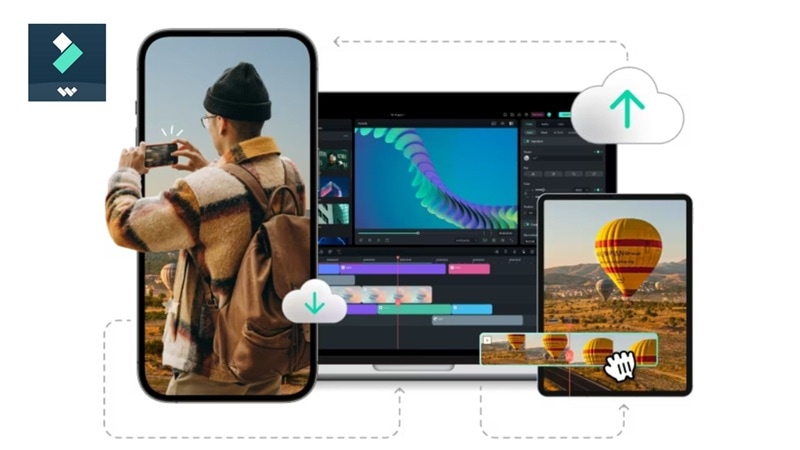
Filmora is very flexible when it comes to compatibility. You can start your project on Windows or macOS with full desktop editing power. Continue refining on your iPhone or Android tablet while traveling. Projects sync via cloud so you're never stuck waiting to get back to your main machine.
6. Plugin Ecosystem Support
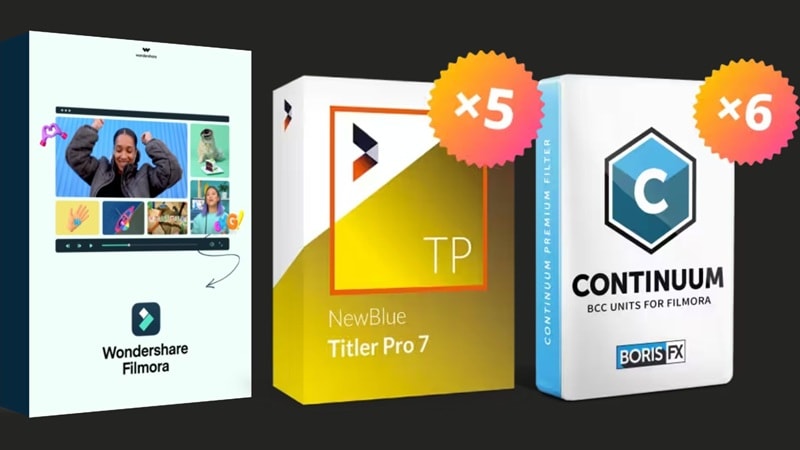
When your creative vision exceeds what standard tools can achieve, Filmora's plugin ecosystem has you covered.BorisFX integration brings industry-standard visual effects, motion graphics, and compositing tools used in professional film and broadcast production. NewBlueFX adds advanced color grading workflows, premium titling, and dynamic transitions that elevate AI-generated content to a commercial-grade finish.
Secure DownloadConclusion
HappyHorse 1.0 is easily one of the most exciting AI video models right now. And the leaderboard performance backs it up with real user votes, not self-reported benchmarks. If your priority is stunning cinematic visuals, smooth, physically coherent motion, or multilingual lip-sync across 7 languages, HappyHorse is currently the strongest option available.
However, a great clip is nothing without a great edit. That’s why pairing it with a tool like Filmora makes sense. You can generate clips with HappyHorse AI, then refine, extend, and polish them into something actually usable. If you treat HappyHorse as a powerful clip generator, not a complete solution, you’ll get the most value out of it.
FAQs
-
Can I download HappyHorse 1.0 from GitHub?
Not through any official or safe channel. While GitHub repositories and HuggingFace organization pages exist under the HappyHorse name, no official model weights have been publicly released for local download or self-hosting as of April 2026. -
Can I use HappyHorse 1.0 for commercial projects?
It depends on the platform you access it through. API-based access may allow commercial use, but terms vary. -
How does the lip-sync work if I don't upload audio?
HappyHorse infers appropriate speech delivery, emotional inflection, and acoustic environment from your text prompt and the visual scene it generates.
