


Want to try different AI video generators without paying for several subscriptions? Lanta AI gives you access to multiple models and creative effects in one place, with free credits available to test its tools.
To get a better idea of what Lanta AI has to offer, we put together a breakdown of its models, effects, pricing, and test results. Read our Lanta AI review and see how it performs before you spend any credits.
Lanta AI at a Glance
| Feature | Details |
| Platform | Web-based |
| Video Input | Text-to-Video, Image-to-Video, Video-to-Video (on selected models) |
| Image Input | Text-to-Image, Image-to-Image |
| Video Models | Lanta, Wan, Grok, Seedance, Happy Horse, Kling, Veo 3 |
| Image Models | Seedream, Qwen, GPT Image, Nano Banana, Wan, Flux |
| Extra AI Tools | AI Lip Sync, Video Effects, Image Effects, Image Styler, AI Dance, AI Makeup, AI Age Progression |
| Free Access | 40 credits after login |
| Pricing | Starts at $10/mo - $80/mo (yearly plans save 20%) |
| Best for | Short AI videos, image animation, social clips, ad drafts |
|
Show More
Show Less
|
|
Part 1. What is Lanta AI?
Lanta AI is a browser-based AI image and video creation platform developed by U.S. company Visar AI LLC. One of its main selling points is access to multiple AI models from a single platform. In Lanta AI, you can choose from available options and compare their results.
Its model collection includes its own Lanta models alongside third-party options, such as Kling, Wan, Seedance, and Grok Imagine. Lanta AI’s mainly designed for creating short visual content to share on social media or use for personal projects. You can make different types of content, like animated portraits, dance clips, and funny visual effects.
Part 2. Lanta AI Main Features and Models
Lanta AI features include AI video generation, image creation, preset effects, and AI lip-sync.
AI Video Generator
Lanta AI video generator supports two input modes:
- Text-to-Video: Creates a clip from a written prompt
- Image-to-Video: Animates a still image
Although there is no separate Video-to-Video tab, you can also upload a video as a reference with selected models that support this feature. Video duration and quality options vary by model. For Text to Video, you can also choose different aspect ratios to suit your intended platform.
Available AI Video Models
| AI Models | Versions |
| Lanta | Lanta 2.1 |
| Wan | Wan 2.2 Spicy, Wan 2.5, Wan 2.6, Wan 2.7, Wan 2.7 Spicy, Wan 3.0, Wan 3.0 Pro |
| Grok | Grok Imagine, Grok Imagine Video 1.5 |
| Seedance | Seedance 2.0 Fast, Seedance 2.0 |
| Happy Horse | Happy Horse 1.0 |
| Kling | Kling 2.5 Turbo, Kling 2.6, Kling 3.0 |
| Veo 3 | Veo 3.1 Fast, Veo 3.1 |
|
Show More
Show Less
|
|
AI Image Generator
Lanta AI image generator also has two input modes:
- Text to Image: Creates a new image based on your prompt
- Image to Image: Uses an uploaded picture as a reference for generating a modified version
You can choose from several aspect ratio presets to fit your needs. On supported models, image resolution can go up to 4K, though the available quality options vary by model.
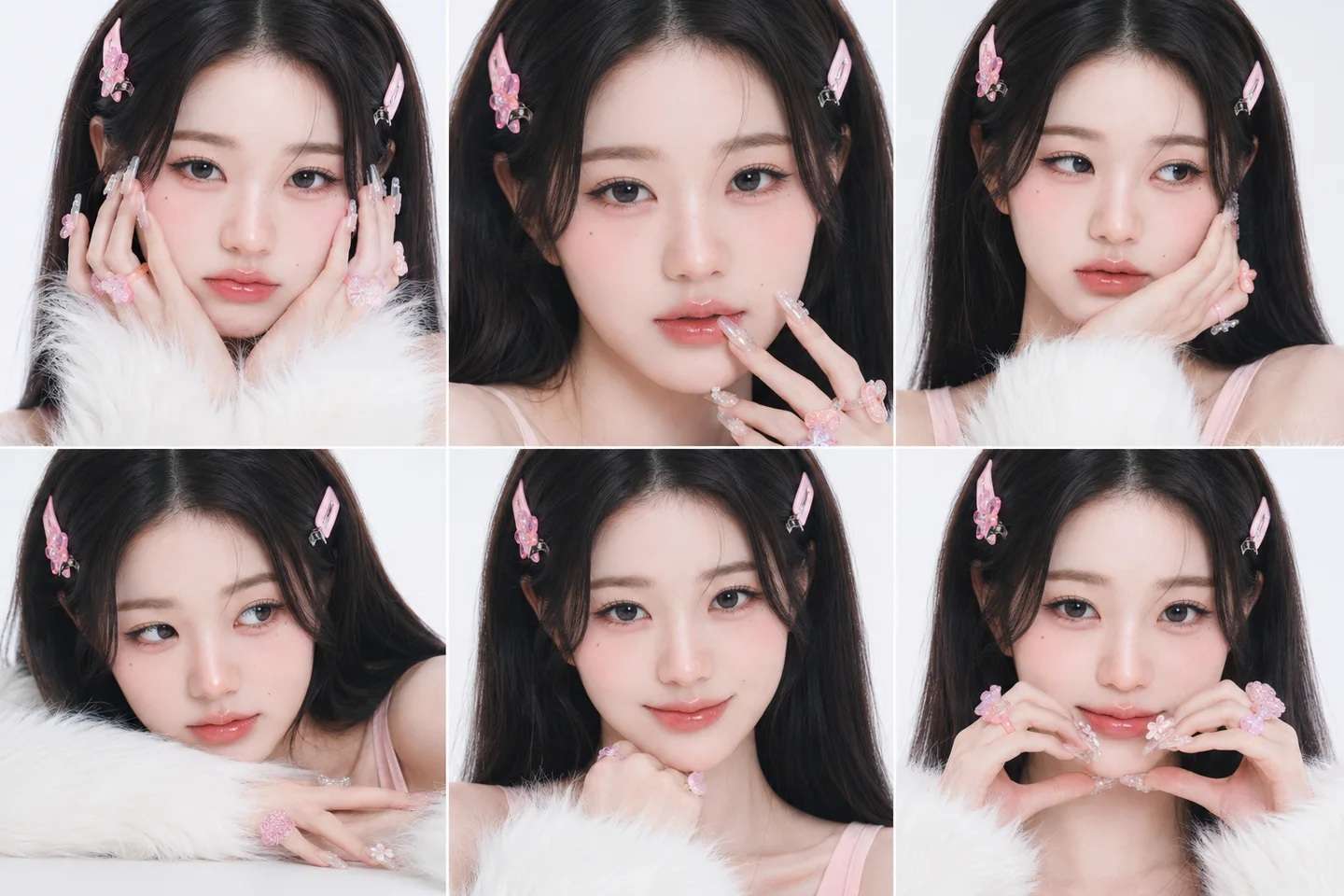
Available AI Image Models
| AI Models | Version |
| Seedream | Seedream 5.0 Lite, Seedream 5.0 Pro |
| Qwen | Qwen Image Edit Spicy, Qwen Image Edit Max |
| GPT Image | GPT Image 2, GPT Image 2.5 Flare, GPT Image 2.5 Sunburst |
| Nano Banana | Nano Banana Pro |
| Wan | Wan 2.5, Wan 2.7 Image Pro |
| Flux | Flux 2 Pro, Flux 2 Flex |
|
Show More
Show Less
|
|
Image/Video Effects
Unlike prompt-based generation, Lanta AI’s image and video effects let you select a specific transformation and apply it to an uploaded image or video without writing a detailed prompt. Some of the available effects include:
- Lanta AI Kiss Generator: Creates an AI-generated kissing scene using an image.
- Lanta AI French Kiss Video Generator: Creates a more intimate kissing animation.
- Lanta AI Bikini: Applies a bikini-themed transformation to a subject in an image.
- Lanta AI Hug Video Generator: Animates a scene in which people appear to hug.
- Lanta AI Muscle Video: Applies a muscular-body transformation effect.
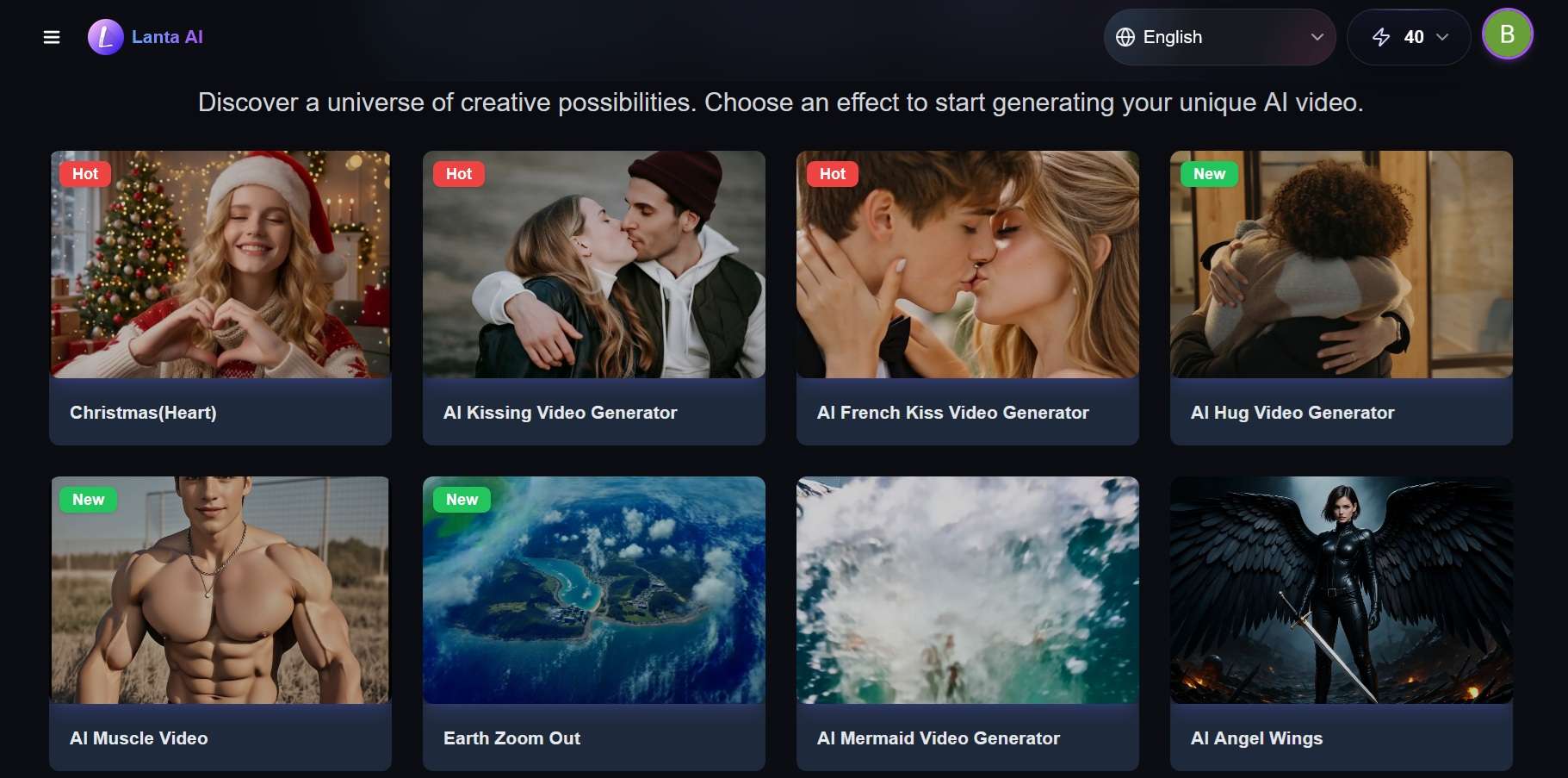
Some Lanta AI video effects are available for a free trial. The platform also offers tools such as AI Dance, AI Makeup, and AI Age Progression. These effects include additional settings, such as dance styles, makeup looks, or the target age for an age-progression result.
AI Lipsync
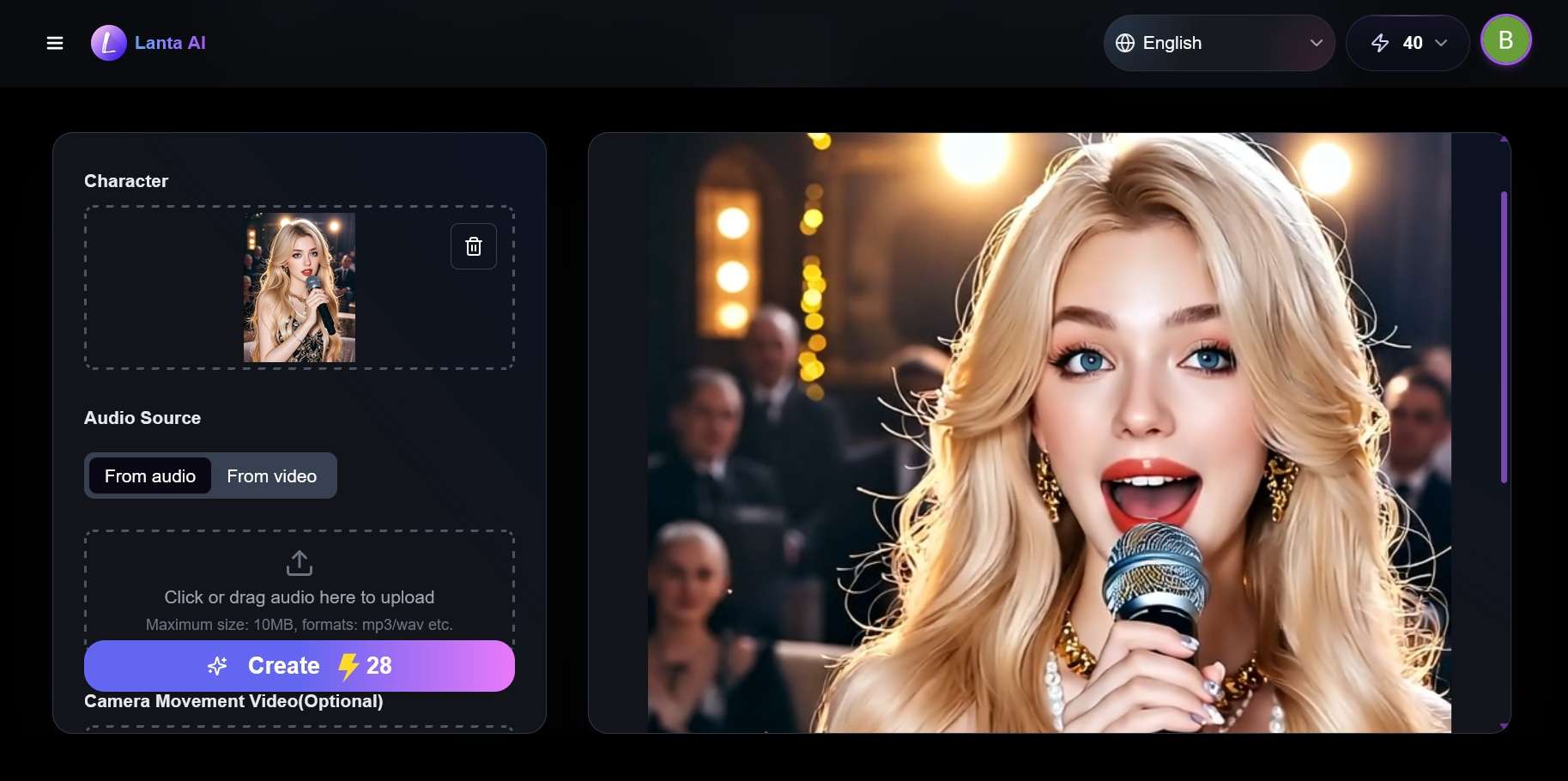
The lip sync tool matches a character’s mouth movement to an audio track. You can start from an audio file or from an existing video. Free users can generate up to 7 seconds, and longer durations require a paid tier.
Part 3. Lanta AI Free Credits and Pricing Plans
Lanta AI uses a credit-based system for all of its AI tools, but you can use Lanta AI for free. New users receive 40 Lanta AI free credits, which gives you a chance to test its generation features. You can also earn additional free credits through daily check-ins.
To upgrade your account and get more credits, Lanta AI offers four subscription plans:
| Standard | Pro | Premium | Mega | |
| Price | $10/mo or $8/mo (billed yearly) | $20/mo or $16/mo (billed yearly) | $40/mo or 32/mo (billed yearly) | $80/mo or $64/mo (billed yearly) |
| Monthly Credits | 600 | 1,600 | 3,500 | 8,000 |
| Concurrent Jobs | 2 | 3 | 5 | 8 |
| Commercial License | ||||
| Unlimited Relaxed Generation | Video-to-Video | Video-to-Video, Lanta 2.1 | Video-to-Video, Lanta 2.1 | |
| Priority Processing | ||||
|
Show More
Show Less
|
||||
Every paid plan includes no watermark and storage for 60 days. Pro, Premium, and Mega also give a bonus on credit purchases (5%, 10%, and 15%).
Part 4. How Does Lanta AI Perform? Lanta AI Review Test Results
Platforms that bundle multiple AI models are now common, and Lanta AI is one of them. Since it acts as a gateway to other companies’ models, the output quality still depends on the models and prompts you choose. The more advanced the model, the better the results are likely to be. But they also tend to cost more.
The Lanta AI free credits you receive may run out quickly. They are only enough to generate a few seconds of video, since longer clips and more advanced models require a paid plan or additional credits.
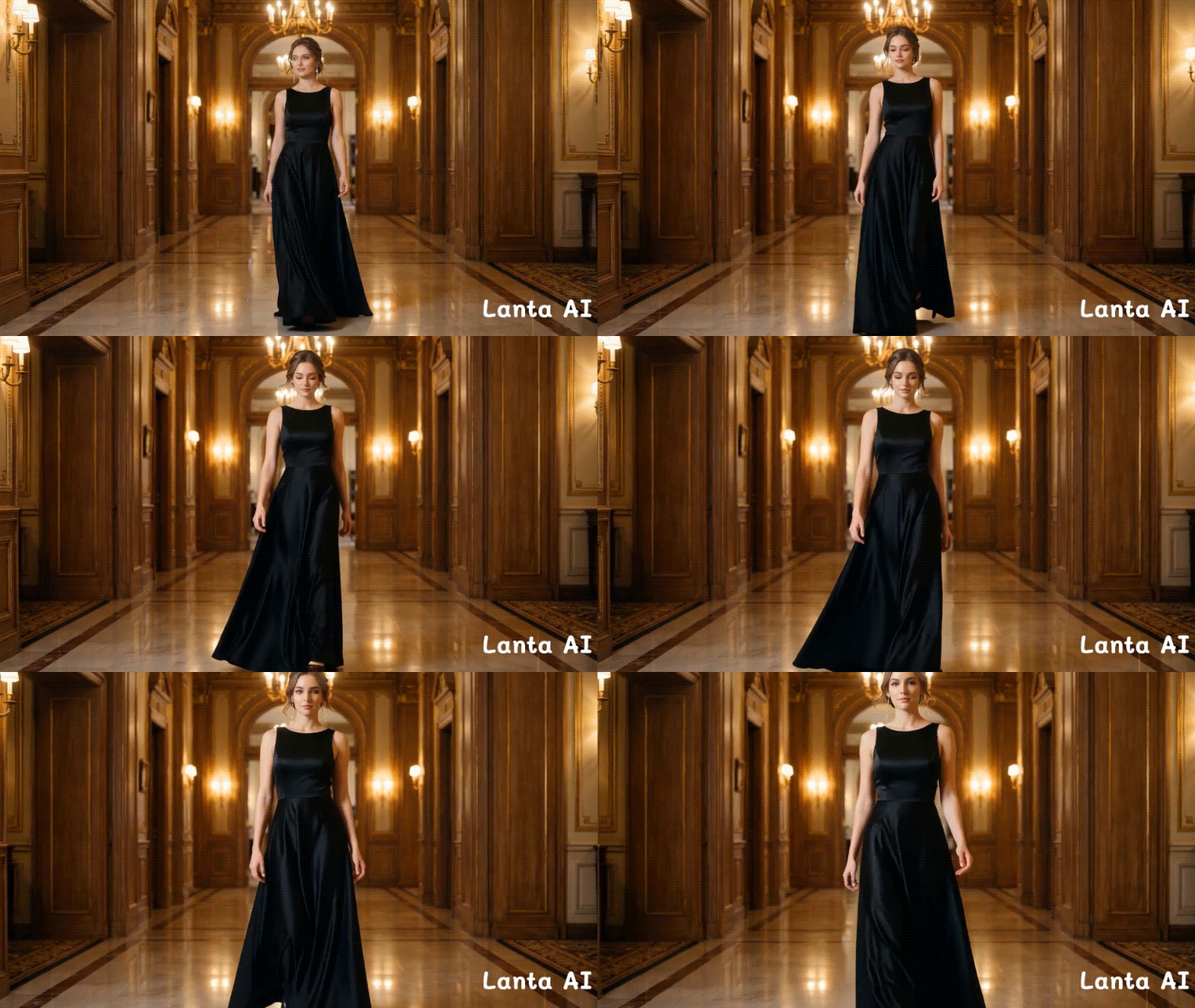
Generated with Lanta 2.1.
What Can You Generate With Lanta AI Free Credits
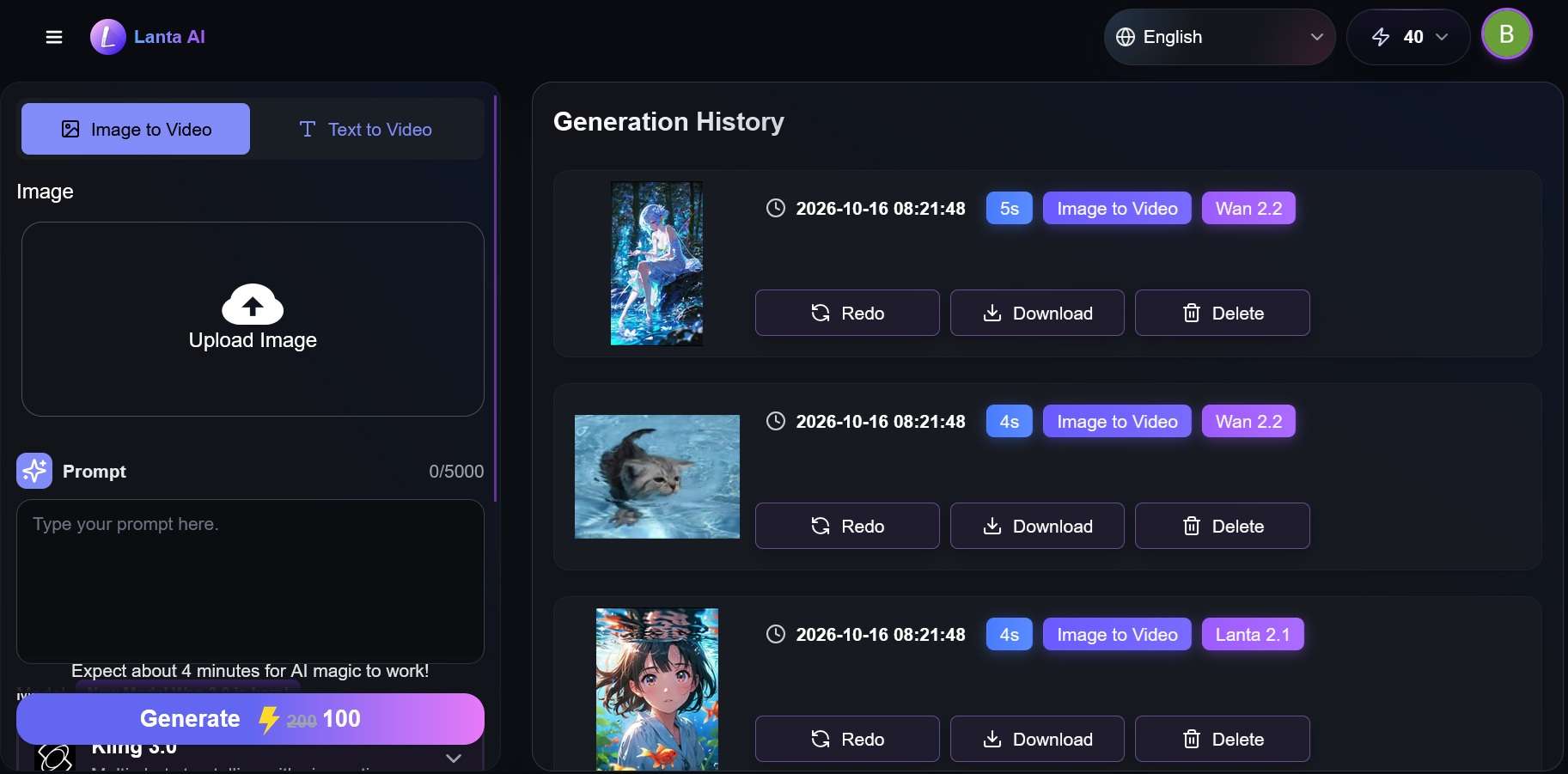
- Image generation: Lanta AI’s image generation usually costs around 5-15 credits per image. If a model costs 15 credits per image, you can generate two images for free, and more if you use lower-cost models that cost less.
- Video generation: Free credits run out faster when generating videos. The lowest option is Lanta 2.1 in image-to-video, which costs around 12 credits for a 4-second video. Meanwhile, advanced video models like Kling 3.0 in Lanta AI can cost 100 credits or more per generation.
Another problem with a generation-focused platform like Lanta AI is that it only stops at generation. After the clip is ready, there’s no built-in timeline if you want to make longer content or join several clips together. Adding music, captions, or transitions also means downloading each clip and moving to a separate editor.
Privacy and Safety
According to Lanta AI, the generated images and videos are private by default unless you choose to publish or share them. Still, you need to be careful before uploading personal photos or sensitive material, especially for tools like Lanta AI kissing video.
Pros and Cons
- Multiple video and image models in one browser-based tool
- Its own Lanta 2.1 model is the cheapest to run, with unlimited relaxed generation on Premium and Mega
- Includes preset effects for Lanta AI kiss, hugging, dancing, makeup, and more.
- 40 free credits with no credit card needed
- Generations are private by default
- The free credits cover only a handful of tests
- A 5-second clip can take around 4 to 5 minutes to generate
- Clips are short, with no built-in editor to extend or assemble them
- A commercial license is available only with the Pro plan or higher
- Free exports include a watermark
- No dedicated Lanta AI app on mobile
Part 5. A More Complete Solution for Creating and Editing AI Content
If you want more control after generating AI content, Wondershare Filmora is a good Lanta AI alternative you can turn to. It can generate new clips and images, and handle the editing work Lanta AI doesn’t cover, such as trimming, adding audio, and putting clips together on a timeline.
Filmora is a video editor with its AI tools built into the multi-track timeline. Its AI video generator is supported by models like Seedance 2.0, HappyHorse 1.1, ToMoviee, and Veo 3.1, while the AI image generator is powered by Nano Banana Pro, Nano Banana 2, and GPT Image 2.
On top of the generators, Filmora includes other tools for creating and finishing your clips, such as:
- AI Effects: Apply creative effects to your footage and experiment with different visual styles.
- AI Lip Sync: Match a character’s lip movements to audio to create talking clips, while …
- AI Extend: Lengthen a short clip so it runs a few seconds longer.
- Dynamic Captions: Generate animated captions to highlight key words and make dialogue easier to follow.
- Creative Assets: Find effects, transitions, titles, stickers, music, and sound effects to add to your project, so you don’t rely on generation alone.
The biggest advantage is that you can continue editing your AI-generated content in the same application. You can combine generated clips with existing footage, trim unwanted sections, add transitions, adjust audio, and insert captions or titles without moving between separate tools for generation and editing.
 Secure Download
Conclusion
If you mainly want to generate quick AI clips, you can try Lanta AI. One account gives you access to several video and image models, and the 40 free credits cover a few tests before you pay.
However, if you plan to turn those clips into longer videos, social media posts, or promotional content, you may be better off with a tool like Filmora, as it provides a more complete workflow. Lanta AI stops once the clip is generated, and Filmora covers the editing that comes after.
FAQs
-
Do I need a credit card for the Lanta AI free credits?
No. After signing up and logging in, you receive 40 free credits automatically, with no credit card needed. You only enter payment details if you decide to buy a plan or a credit pack. -
Do Lanta AI free credits expire?
No. The 40 free trial credits you receive when signing up for Lanta AI don’t expire. They are a one-time trial balance you can use to test the platform's AI tools. -
Does Lanta AI add a watermark to generated videos?
Yes, free exports include a watermark. To remove it, you need to subscribe to one of Lanta AI’s paid plans (Standard, Pro, Premium, or Mega). -
Can I generate AI kiss video with Filmora?
Yes. Filmora has an AI Kiss template inside its Image to Video feature. You can upload one photo or two, choose the template, and generate the clip.
