


 TL;DR:
MuseCraft.AI is a web-based hub best suited for creators who want to test and generate content across 15+ AI models—including Veo 3.1, Kling 2.6, and Seedance 2.0—under a single consolidated subscription starting at $9/month.
● Heavy single-model users will get better cost efficiency and access to native features like Kling's Motion Control by subscribing directly to specific providers, as MuseCraft trades full platform experiences for multi-model convenience.
● The platform uses a credit system where the 12 free signup credits are only sufficient to test image models costing around 6 credits, while testing any video generator requires a paid plan since video outputs start at 22 credits.
● Third-party model availability is subject to unpredictable API or licensing changes, and because the platform lacks a timeline editor, users must rely on external software like Filmora to sequence, trim, and polish the generated clips.
Ask AI for a summary
 ChatGPT
 Perplexity
 Gemini
 Claude
 Grok
Grok
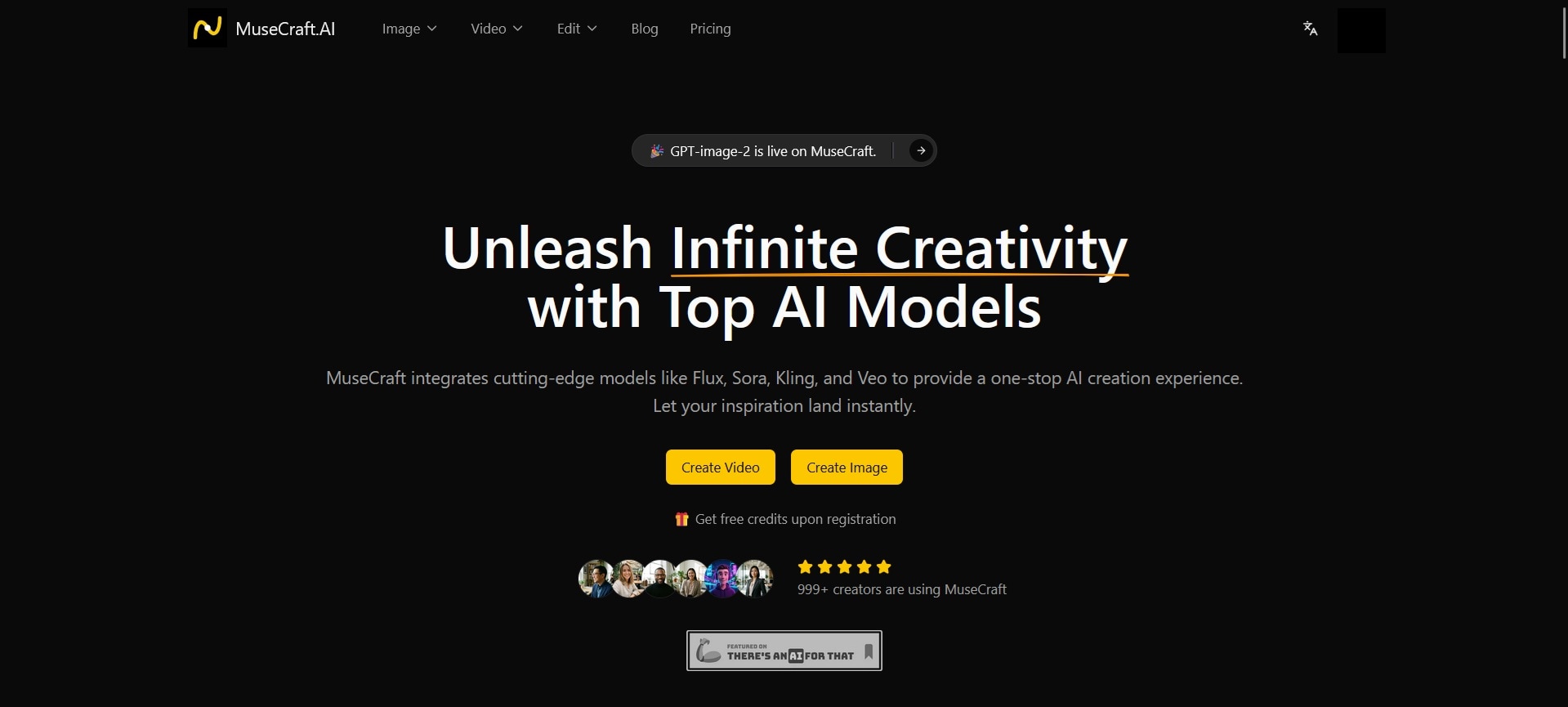
There are now more than a dozen AI models for image and video generation, and subscribing to each one individually is unrealistic — enough to make your bank account start sweating. So, instead of draining your budget on separate subscriptions, MuseCraft.AI offers a practical solution.
MuseCraft.AI brings together not just two, but more than 15 models, including Veo 3.1, Kling, Runway, Flux, Hailuo, and Seedance, within a single credit system. Starting at $9/month, you can already access different AI models for both image and video generation. If you’ve been thinking of giving it a try, this review covers everything you need to make that call.
Part 1. What is MuseCraft.AI? A Multi-Model Hub for AI Creators
MuseCraft.AI is an AI creation platform built to give creators access to the best available AI models without forcing them to manage a stack of separate subscriptions and create an account every time. It covers image generation, video generation, and a couple of quick AI-powered editing tools.
The whole workflow is pretty different from subscribing directly to each original model provider. You're accessing the models through MuseCraft's infrastructure. The upside is that everything lives in one tab, under one login, billed through one plan.

For creators who want to compare results across models, test different styles without opening multiple accounts, or simply keep costs more predictable, MuseCraft.AI may be worth a look at.
What Models Does MuseCraft.AI Support?
| Supported Models | |
| Image Generator | GPT-Image 2, Nano Banana Pro, Seedream 4.5, Z Image, Flux 2 Pro, Flux 2 Flex |
| Video Generator | Seedance 2.0, Seedance 2.0 Fast, Seedance V1, Lite, Seedance V1 Pro, Kling 2.6, Veo 3.1, Wan 2.6, Wan 2.5, Hailuo 2.3, Sora 2, Sora 2 Pro |
Part 2. MuseCraft.AI Features Breakdown
MuseCraft.AI organizes its features into three areas: image generation, video generation, and a pair of quick editing tools. All of them can be accessed from the menu at the top of the website, but you need to sign up or log in before using them.
MuseCraft.AI Image Generator
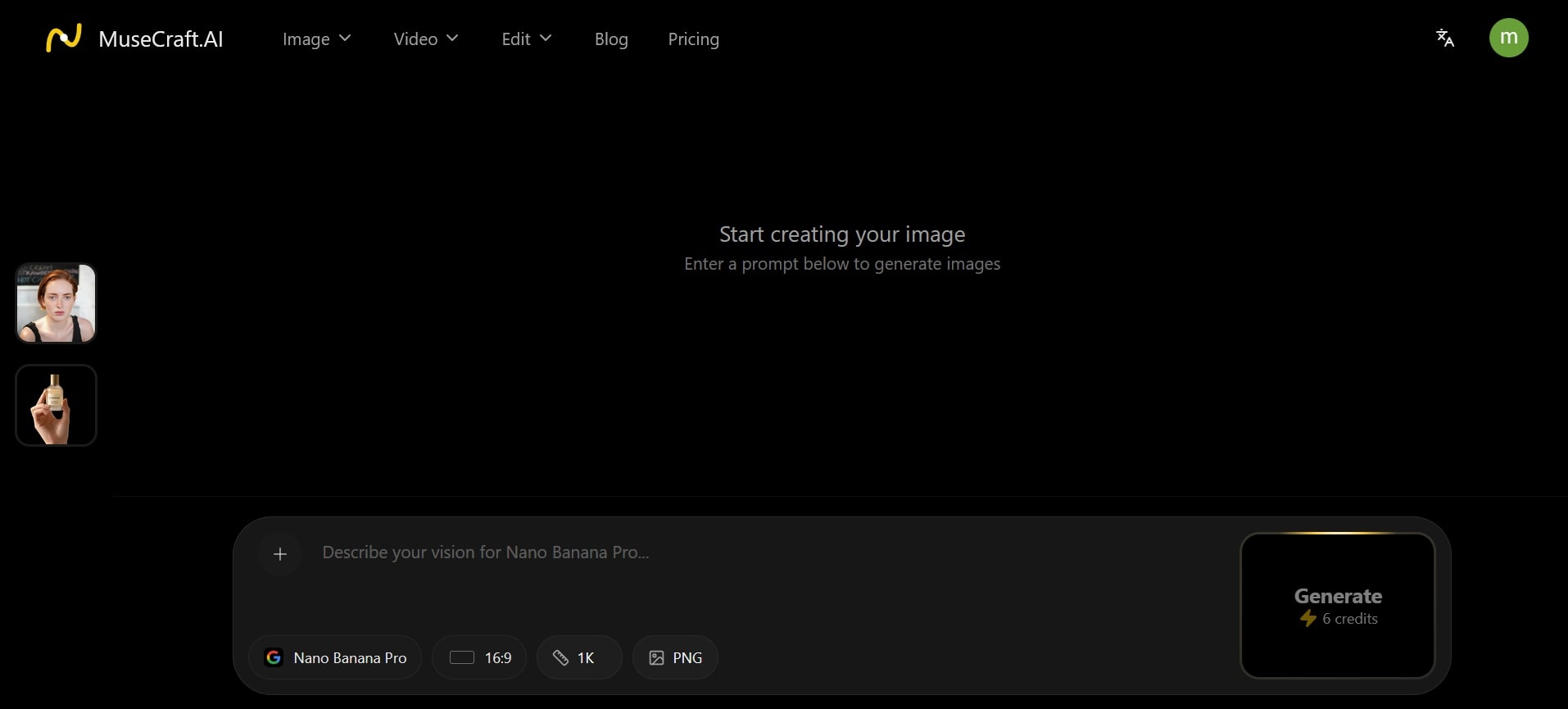
MuseCraft.AI’s image generator supports two input modes: text to image and image to image.
- Text to Image works the way you'd expect. You write a prompt, choose a model, and the platform generates the output.
- Image to Image takes a reference image you upload and uses it as a style anchor or structural guide for the output. You can use it for quick edits, style transfer, redrawing a scene with a different aesthetic, or generating variations from your photo.
MuseCraft.AI Video Generator
The video generator also supports two input modes: text to video and image to video.
- Text to Video lets you write a scene description or prompt and have a model render it as a short video clip.
- Image to Video animates a still photo into a video clip. You upload an image, and the model adds motion to it.
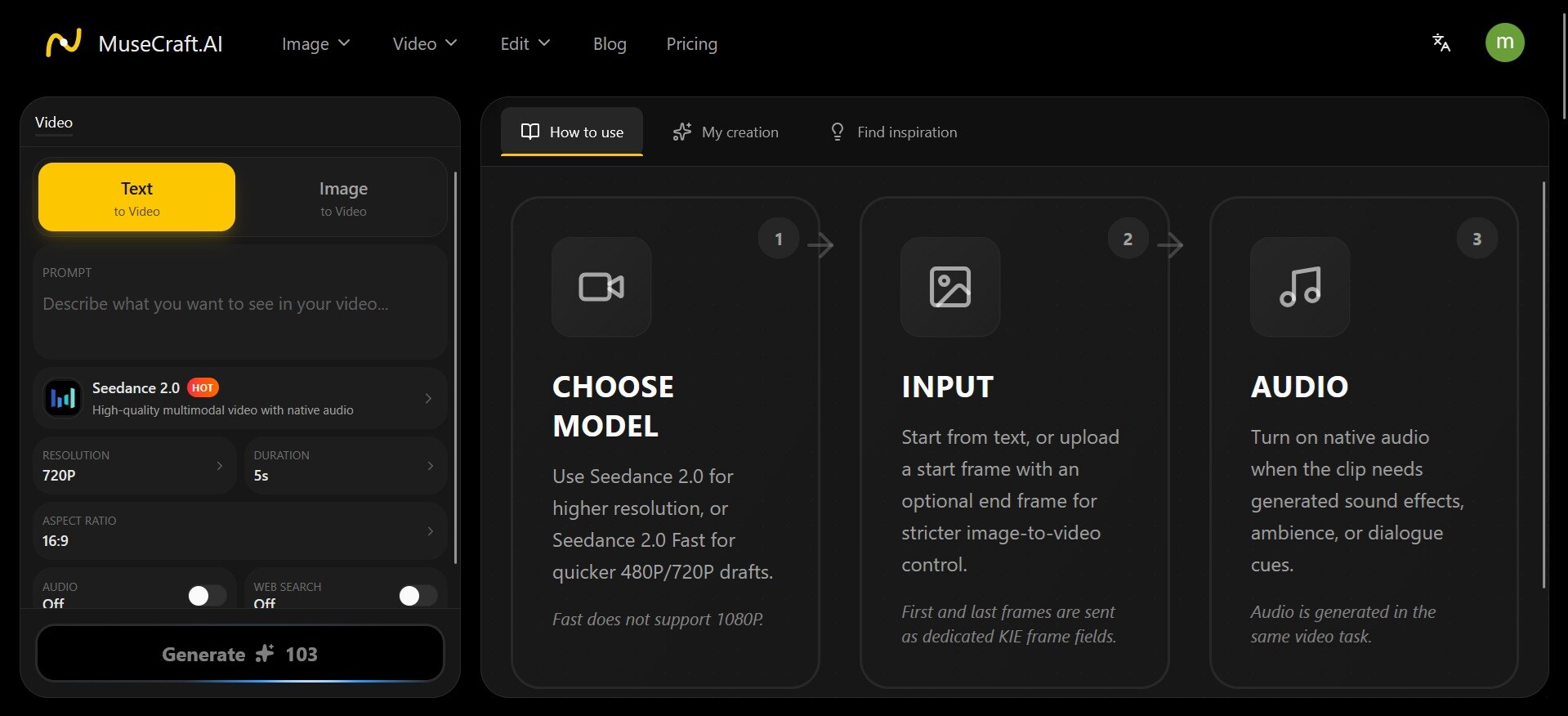
The quality of MuseCraft.AI Video Generator output depends heavily on the model you pick and the complexity of the motion you're asking for. Currently, Seedance 2.0 is one of the strongest options on the Arena leaderboard.
AI-Powered Editor
Beyond generation, MuseCraft includes two quick editing tools.
- Skin Enhancer is an AI-powered portrait retouching tool. It adjusts skin texture to the photo you upload and makes it look more natural and polished. Each edit costs 7 credits.
- Background Remover automatically isolates the subject in an image and removes the background, outputting a transparent PNG. Each edit costs 1 credit.
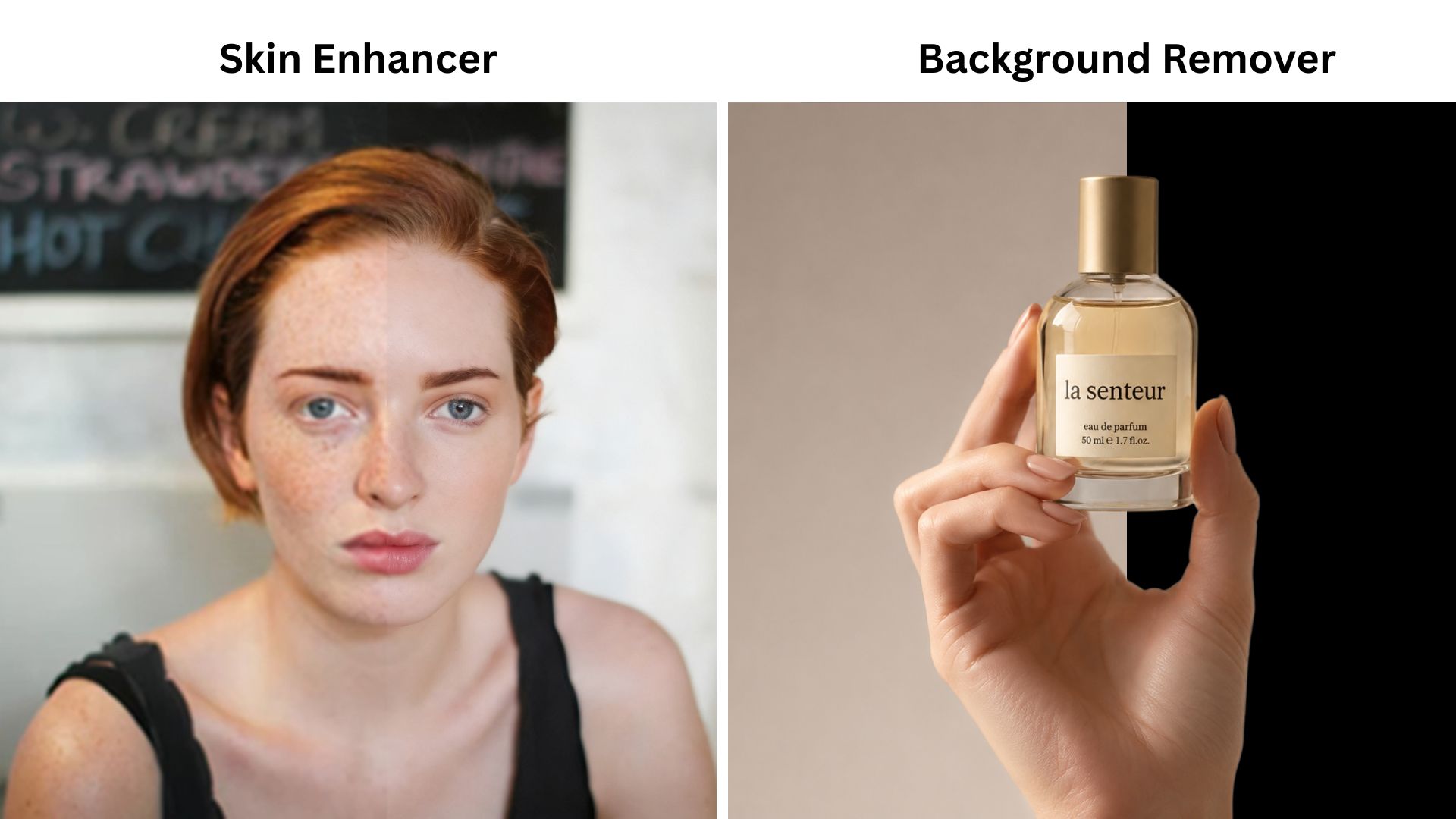
Note that neither editing tool is a full photo editor. They're single-task utilities built to handle specific jobs quickly.
Part 3. MuseCraft.AI Pricing: Subscription Plans and Credits
MuseCraft.AI pricing uses a credit-based system. Every generation on the platform costs credits, and your plan determines how many credits you get per month. The primary difference between tiers is the credit volume.
MuseCraft AI Pricing (2026)
| Basic | Pro | Ultimate | Creator | |
| Pricing | $9/mo or $7.5/mo (annual) | $29/mo or $23/mo (annual) | $49/mo or $30/mo (annual) | $249/mo or $99/mo (annual) |
| Monthly Credits | 300 | 1,200 | 2,400 | 12,000 |
| Unlimited Access (Annual Plans)* | - | Z-image, Background Remover | Z-image, Background Remover, Nano Banana, FLUX.2 Pro, Seedream 4.5 | Z-image, Background Remover, Nano Banana, FLUX.2 Pro, FLUX.2 Flex, Seedream 4.5, Nano Banana Pro |
*) Annual plans unlock unlimited access to certain tools and models.
Can you use MuseCraft.AI for free?
For new accounts, you receive 12 free credits after signing in. That's enough to try image generation or the lighter editing tools, but not enough for video generation. Lower-tier video models start at around 22 credits per generation.
Part 4. MuseCraft.AI vs. Subscribing to Individual Tools
The one thing that has always mattered most when choosing between AI tools is price. And one of MuseCraft.AI's main attractions is that it gives you access to over 15 AI models at a price that's hard to argue with. But is it actually worth it?
If you compare to what the top individual platforms charge right now, we can break it down like this:
| Kling | Runway | Google AI Pro (Veo 3.1) | Dreamina (Seedance 2.0) | MuseCraft Ultimate | |
| Starting price | $6.99/mo | $12/mo | $19.99/mo | $18/mo | $9/mo |
| Highest price | $180/mo | $95/mo | $249.99/mo | ~$84/month | $249/mo |
Subscribing to all four individually can run around $62/month. It’s more than double MuseCraft's annual rate, which covers all of those models plus 11 more. But things like Runway's native editing suite and Kling's Motion Control don't carry over to MuseCraft. You're getting model access, not the full platform experience — something worth considering as well.
For image generation, it actually depends on which platform you use and how you access it. Nano Banana Pro, for example, is available for free on its own platform, but is limited to around 2 to 3 images per day at low resolution. On MuseCraft, it costs 6 credits per generation. The free credits don't go far on either side.

So the real reason to use MuseCraft.AI is not always lower cost. It’s the convenience of not having to manage separate logins, credits, and billing across five or more AI platforms. Everything runs through one account and one payment system.
Part 5. Limitations and Things to Know
Before you commit to a plan, here are a few things worth knowing about MuseCraft.AI.
1. Model Access Can Change
Third-party model integrations depend on API availability and licensing agreements. A model that's accessible today could be removed, restricted, or repriced at any point, which is outside MuseCraft's control.
2. Not Ideal for Heavy Users of One Model
If you generate a high volume of content with one model specifically, subscribing directly to that provider will almost always give you more output per dollar. The more models you use, the better the value proposition.
You also have to consider that some direct subscriptions already cover multiple tools. For example, if you only need Nano Banana and Veo 3.1, subscribing to the original platform (Google AI Pro) that offers both may make more sense than paying for MuseCraft.AI.
3. No Built-In Editing After Generation
The Skin Enhancer and Background Remover are useful but narrow. There's no timeline editor, no layer-based compositing, and no way to cut or sequence your generated clips inside MuseCraft. Anything beyond those two tools requires a separate editor.
MuseCraft.AI Pros and Cons
- Access to 15+ models under one subscription
- Can be cheaper than subscribing to three or more individual platforms, especially on an annual plan
- Free credits on signup to test before buying
- Annual plans unlock unlimited access to select models
- 12 free credits aren't enough to test MuseCraft.AI video generation
- Doesn't replicate the full native experience of each individual platform
- Heavy single-model users will get more value by subscribing directly
Bonus: Create with AI Models, and Polish Everything in Filmora
MuseCraft.AI is useful for generating images and videos with multiple models. But after generating, you often still need to trim clips, add captions, add music and sound effects, combine multiple clips, among others, before you can fully share it.
Wondershare Filmora is a video editor that covers all of that. It also features built-in AI generation tools, so you can generate and edit without switching between platforms. You can generate in MuseCraft.AI and then edit and polish the clip in Filmora, or skip MuseCraft.AI altogether and do everything in one place.
Filmora: Generate and Edit in One Place
Filmora may not have 15 models like MuseCraft.AI, but it has enough to cover what most creators need, and everything lives inside a full editing workspace. What’s included are:
- AI Image Generator, powered by Nano Banana 2 and Nano Banana Pro
- AI Video Generator, both for text to video, image to video, and AI video templates, powered by Seedance 2.0, Veo 3.1, ToMoviee, and more.
- AI Music Generator, where you can generate royalty-free background music based on the mood and genre you pick. No more worries about licensing issues.
- Multi-track Timeline Editing to arrange your AI-generated clips across multiple video and audio tracks, add transitions, adjust pacing, and fine-tune the edit the way you would in any proper video editor.
- AI Extend automatically extends a video clip to fill a gap in your timeline without having to regenerate the whole clip.
More than that, Filmora also includes several other AI tools, such as Auto Caption for word-by-word subtitle generation, AI Enhancer for upscaling and sharpening footage, Smart Cutout for removing backgrounds from video clips, AI Denoise for cleaning up audio, and more tools to save your editing time.
 Secure Download
Conclusion
For users who regularly work with multiple AI models, MuseCraft.AI may give better access to compare them. But if you mainly use one or two models and generate content in high volume, subscribing directly to those providers may still offer better value.
Either way, generated content rarely comes out ready to post. If you need to trim clips, add captions, adjust audio, and sequence everything together, it's better to use Filmora than to regenerate and burn your credits. It has built-in AI generation powered by some of the same models as MuseCraft, plus a full editing workspace.
FAQs
-
How many credits does MuseCraft.AI use per generation?
It depends on the model, output type, quality, and duration (for videos). Image generation starts at around 6 credits per generation. Video generation starts at around 22 credits for lower-tier models like Seedance V1 Lite and costs more for premium models like Kling 2.5 or Seedance 2.0. -
Can I use MuseCraft.AI for commercial projects?
According to the MuseCraft.AI website, you have usage rights for the content they create on the platform. However, for commercial projects, you should still check the terms of the specific model used, such as Flux or Kling, since each provider may have its own rules. -
Does MuseCraft.AI have an app?
No, MuseCraft.AI is web-based only. You access it through a browser, with no desktop or mobile app available. -
Why do different models in MuseCraft.AI use different credits?
Each model has different computational costs. More advanced models like Seedance 2.0 require significantly more processing power to run than lighter models, so they cost more credits per generation. -
Are MuseCraft.AI outputs watermarked?
No, MuseCraft.AI does not watermark your outputs, even if you’re on a free plan.
