

 TL;DR:
PixVerse AI V5.6 is a fast, prompt-based video generator best suited for creators needing rapid multi-shot sequences with built-in synchronized audio, though it struggles with complex physical logic and requires external software for advanced editing.
● For comparison, PixVerse offers the fastest generation speeds, but Runway Gen-4 remains the top choice for professional timeline control and strict character consistency, while Kling 3.0 is best for achieving realistic motion physics.
● The free basic plan restricts output to 540p quality, and while standard native generations use 15 to 20 credits, applying external models like Sora 2 or Veo 3.1 increases the cost to between 60 and 320 credits per video.
● To finalize multi-shot narratives, creators must export uncompressed files into a dedicated editor such as Wondershare Filmora to apply necessary color correction, fix flat visuals, and add motion transitions that PixVerse cannot perform natively.
Ask AI for a summary
 ChatGPT
 Perplexity
 Gemini
 Claude
 Grok
Grok
In 2026, PixVerse AI has emerged as a powerhouse in the generative AI landscape. With the groundbreaking PixVerse V5.6 update, the platform has redefined video generation quality, speed, and cinematic control. Whether you're a filmmaker or a social media creator, this comprehensive PixVerse AI review covers its core features, pros and cons, and the best PixVerse AI alternatives to elevate your workflow.
Part I. Best Features of PixVerse AI V5.6: What’s New?
AI video tools have grown up fast. In 2023, most platforms could only generate short, experimental clips. Now in 2026, creators expect full multi-shot scenes, smoother motion, stable characters, and even high quality output from a simple text prompt.
PixVerse AI V5.6 is designed to meet those expectations and stay competitive in the AI video market. In the recent YouTube video they posted, Pixverse brings update that focuses on improving everything, such as:
- Cinematic visuals with more realistic lighting, textures, and scene composition.
- More natural voice output with near-native fluency across multiple languages.
- Smoother motion with less warping and more stable character and object animation.
Beyond that, you can check out PixVerse’s core features that people find most useful for creating AI videos.
AI Templates
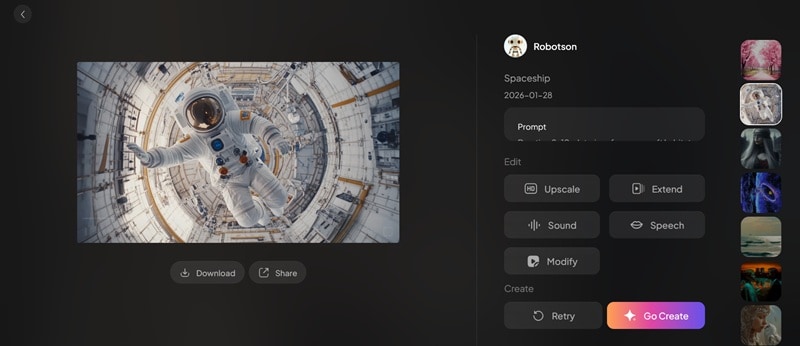
When you don’t feel like writing detailed prompts from scratch, you can browse trending templates and start creating right away. Simply choose the style you like and generate similar content in seconds, which speeds up the whole creation process and helps you produce results faster.
Multi-Shot Storytelling
Instead of generating a single isolated clip, V5.6 allows users to create a sequence of connected shots from one structured prompt. The system maintains scene logic, camera transitions, and subject continuity, making it easier to build short films or narrative ads with less manual editing.
Character Consistency

A common challenge in AI video is maintaining face consistency across multiple angles and movements. PixVerse AI improves this with its face-to-video capability, which helps preserve recognizable facial features, hairstyle, and overall identity throughout a sequence.
Built-in AI Audio & Sound Effects
PixVerse also integrates AI-generated audio and sound effects that sync with visual actions. This built-in synchronization reduces the need for external editing tools and is often overlooked in many PixVerse AI reviews, even though it adds significant production value.
Part II. PixVerse AI vs. Runway vs. Kling: 2026 Performance Benchmarks
Although PixVerse launched only in 2024, it has grown a lot as an AI video generation platform. According to its official website, it has generated over 2.1 billion videos, reduced production costs by 68%, and improved generation speed by 57%.
But how does it actually perform in real use? At first glance, the visuals look okay. But the characters still often carry that typical AI-generated look. If you examine the details more closely, there are some inconsistencies that AI video tools often struggle to fix.
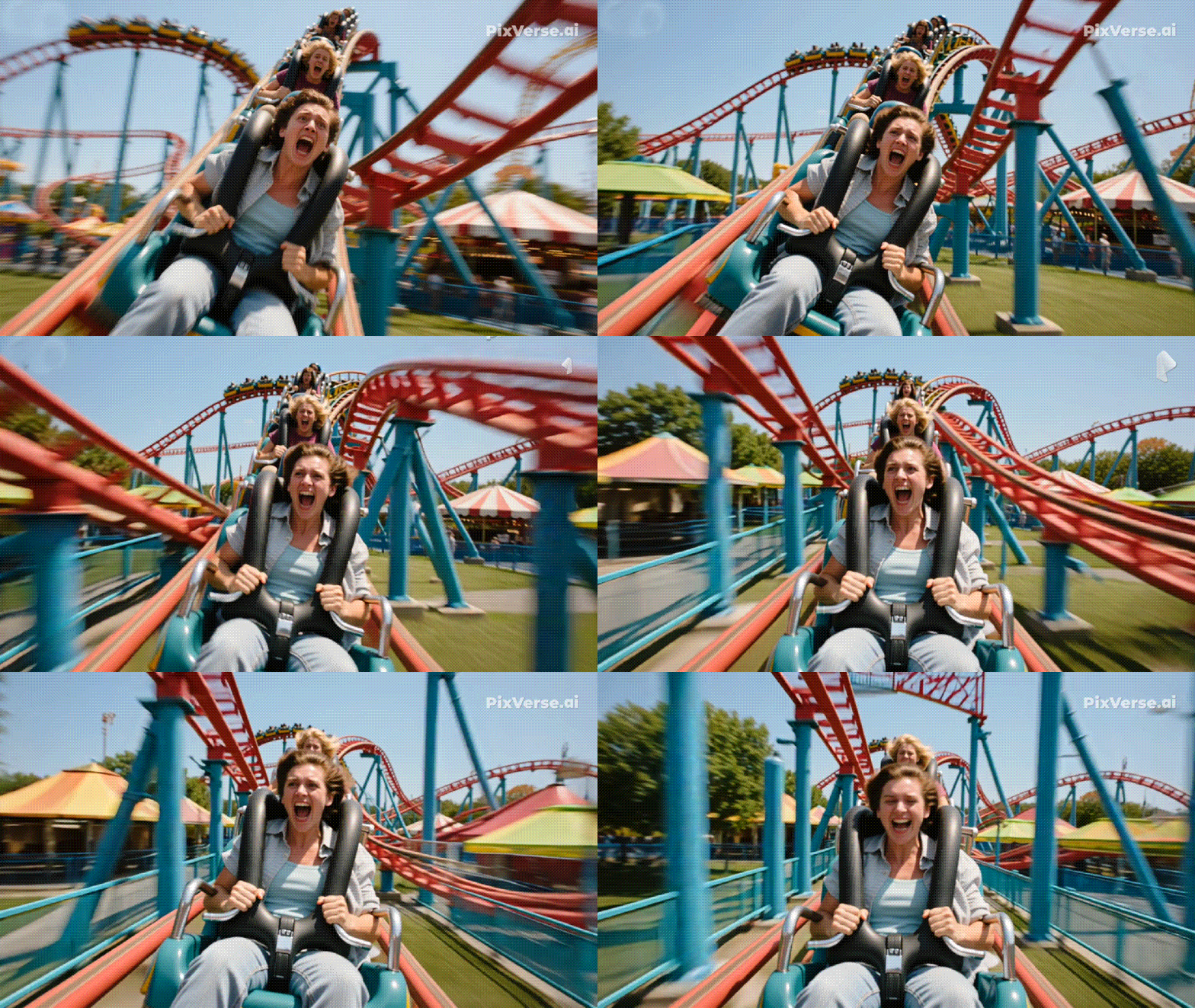
In the rollercoaster sample video above, you can see that the other coaster at the back doesn't move at all. Several rails also overlap in ways that don’t make physical sense. In terms of speed, PixVerse does show clear progress. Generating videos usually only takes a few minutes.
If you compare PixVerse AI V5.6 with two leading AI tools, such as Runway Gen-4 and Kling 3.0, it often delivers faster generation speed, and its visual quality can compete in many cases. Below is a simple comparison of key features if you want to see how PixVerse AI V5.6 stacks up against them.
| Feature | PixVerse AI V5.6 | Runway Gen-4 | Kling 3.0 |
| Storytelling / Multi-Shot | Strong text-to-sequence focus | Excellent continuity + editing tools | Good, limited long narrative |
| Character Consistency | Good, especially within shots | Best in class (Gen-4 references) | Moderate |
| Speed | Fast | Moderate | Slow |
| Audio Integration | |||
| Creative Control | Prompt-based | Deep camera & editing controls | Motion-focused tools |
|
Show More
Show Less
|
|||
Runway Gen-4 remains a professional choice with strong character consistency. Kling 3.0, on the other hand, stands out for its realistic motion.
PixVerse AI Alternative Reddit
Reddit communities offer honest user perspectives on these tools. Many creators discuss experiences, strengths, and frustrations that don’t always show up in official specifications.
Why Reddit Users Sometimes Prefer PixVerse:
- Ease of use & quick results: Some threads highlight that tools like Runway require a learning curve and credit spend that may not match expectations, pushing users toward simpler, prompt-based generation like PixVerse.
- Side-by-side comparisons: Users in some subreddits have noted that Runway can struggle with prompt follow-through and output quality, prompting some to try alternatives like Kling and PixVerse instead.
- Tool fatigue: A recurring theme in Reddit is frustration with opaque pricing or unpredictable quality. This opens opportunities for newcomers like PixVerse to gain traction as users seek more consistent or affordable options.
According to recent PixVerse AI alternative Reddit discussions, creators are increasingly looking for tools that balance cost and control. While PixVerse AI V5.6 excels in rapid multi-shot creation, users often compare it with Runway Gen-4 for professional editing or Kling 3.0 for motion physics.
Part III. PixVerse AI Pricing & Free Plan (2026 Update)
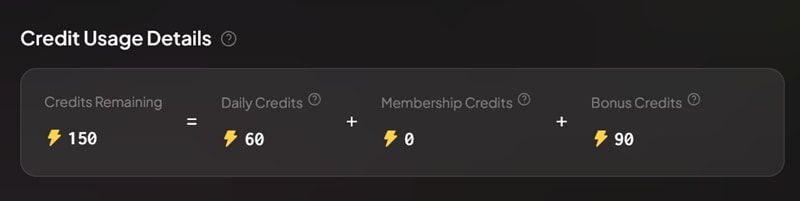
PixVerse AI uses a credit-based system, where each video generated requires a certain number of credits. But if you want to test the platform first, you can start with the Free (Basic) plan, which includes about 150 free credits to begin with.
The free 150 AI credits for new users include 90 initial one-time credits and 60 daily credits for regular use.
What You Get in PixVerse AI Free Plan
The free tier allows basic access to PixVerse AI’s core functions, including:
- Limited monthly credits for text-to-video generation
- Three free trials for premium video generation
- Two free template trials per day
- Video generation up to 540p quality
It’s not that common for AI tools to offer this many free credits upfront. While the free plan is fairly basic, it’s still useful for testing how the platform works and seeing if the results match your expectations before spending any money.
Credits Usage Explained
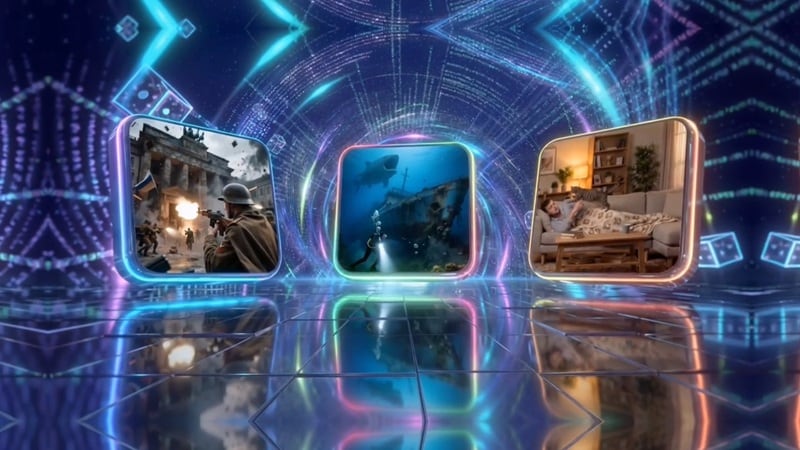
Each video generated with PixVerse’s built-in AI models typically uses around 15–20 credits per generation. However, using external or advanced models (such as Grok Imagine, Sora 2, or Veo 3.1) requires significantly more, ranging from 60 to 320 credits per video.
Should You Go for the Pro Plan?
After you test the free version and feel satisfied with the results, you may consider upgrading to the paid plans. Pricing starts at $10/month (Standard) and goes up to $199/month (Ultra), unlocking access to:
- More monthly credits for higher video generation limits
- No ads and no watermark in your outputs
- Quicker video processing and rendering
- Full access to all templates without restrictions
- Support for HD export (720p to 1080p resolution)
For regular creators or small teams, the Pro plan often delivers good value, especially if you consistently produce multi-shot content. When compared to other AI tools’ paid tiers, PixVerse AI’s Pro pricing is in the mid-range: more affordable than top professional plans, but higher than basic subscription options with limited features.
Part IV. Recommended Workflow: Using PixVerse AI with Filmora
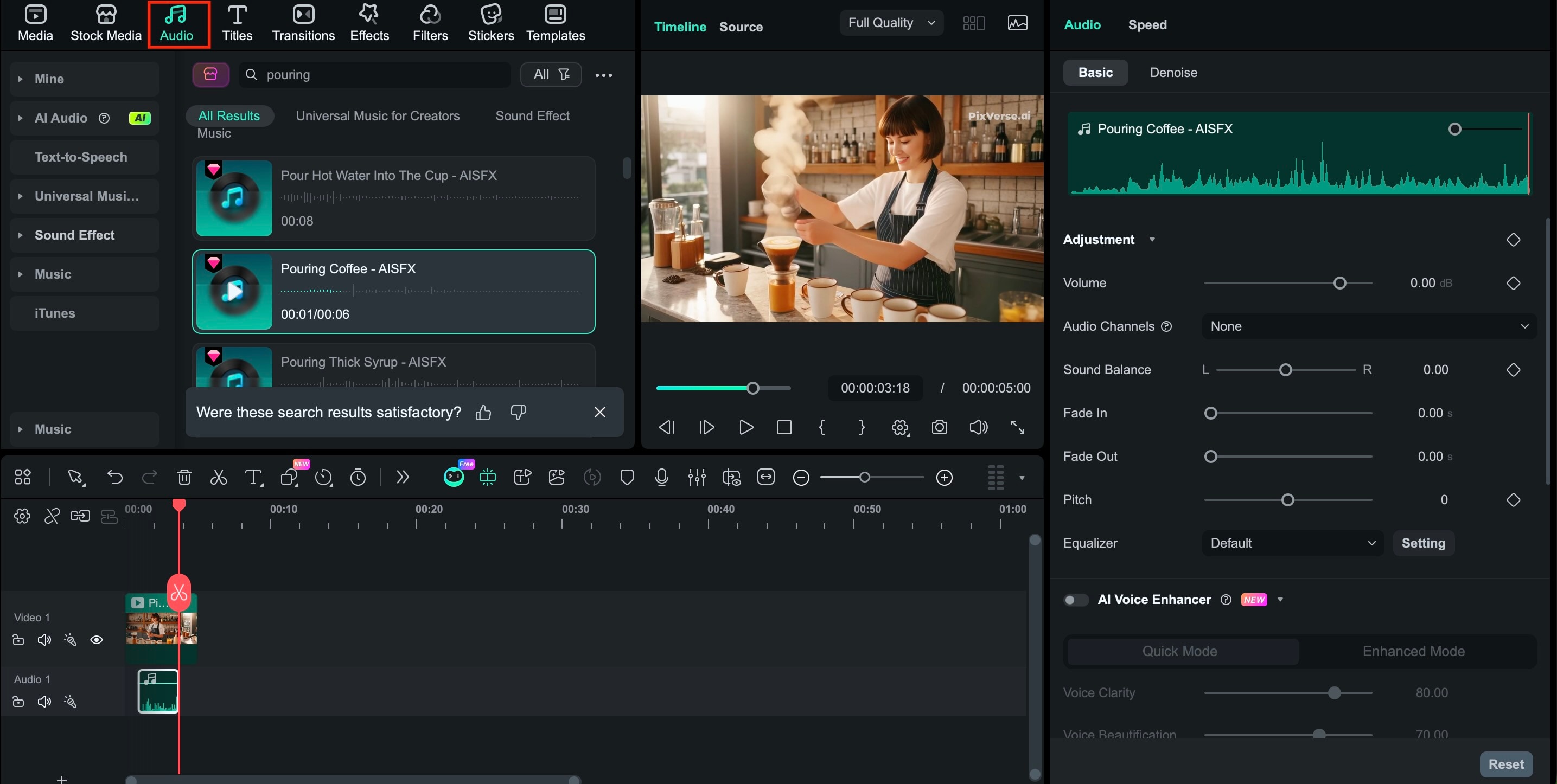
As exciting as PixVerse AI can be, generating AI videos is only half the process. Oftentimes, the clips you create still need extra polishing in the post production stage. When that happens, you can bring them to Wondershare Filmora.
 Secure Download
As an AI video editor, Filmora combines smart automation with full manual control. You can refine your footage with the same easy workflow you are already used to. There are plenty of built in tools that help you upgrade your AI clips. Some of them include:
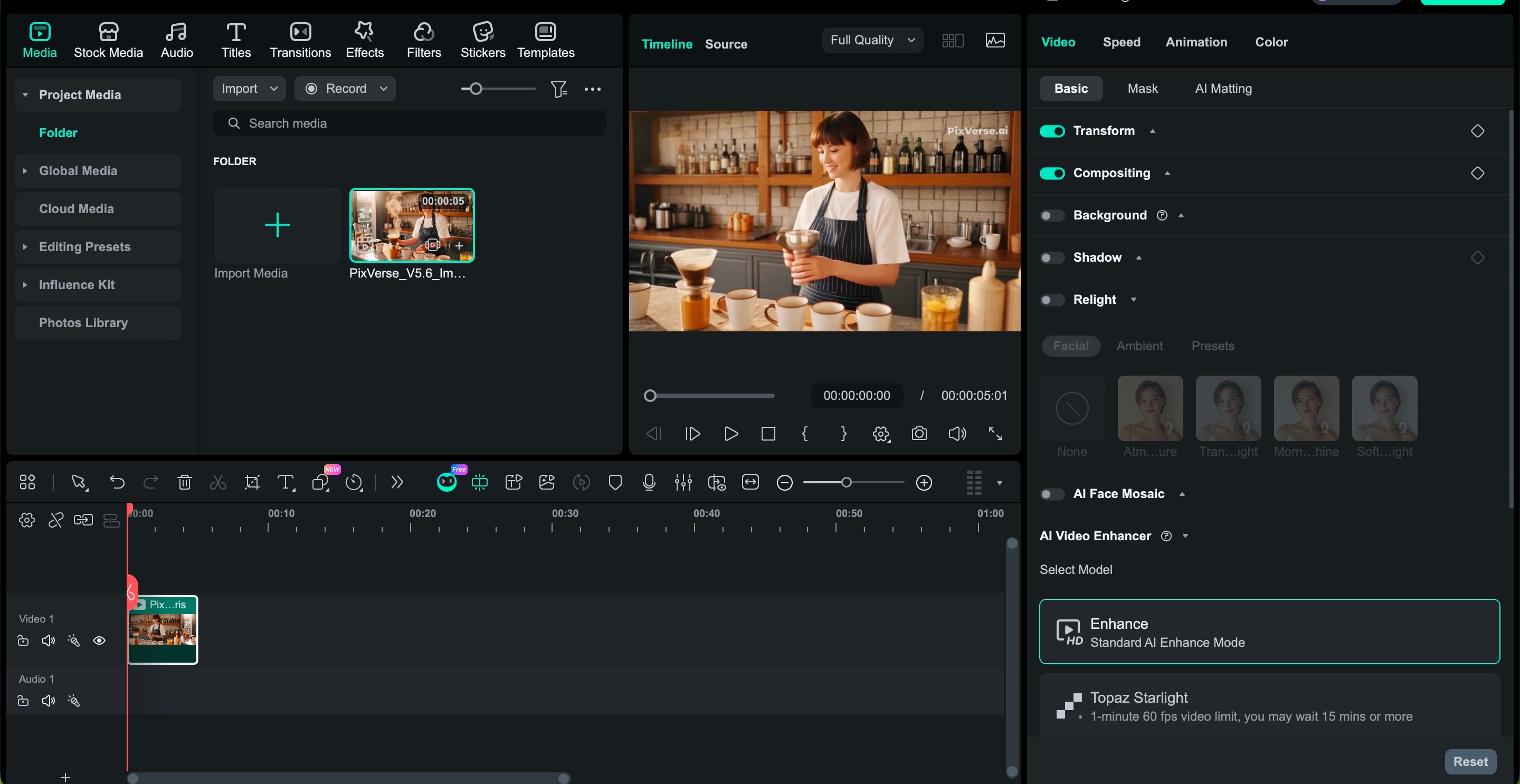
- Enhance videos up to 8K with advanced AI Video Enhancer
- Generate music with AI or add background tracks from the library
- Refine audio with AI Audio Denoise and vocal enhancer
- Adjust colors quickly using filters or manual color grading
- Improve framing with Auto Reframe for different aspect ratios
- Add captions automatically with AI Speech to Text
On top of that, Filmora also features built-in AI generation tools directly inside the editor. Both Text to Video and Image to Video are powered by advanced models like Sora 2 and Veo 3.1.
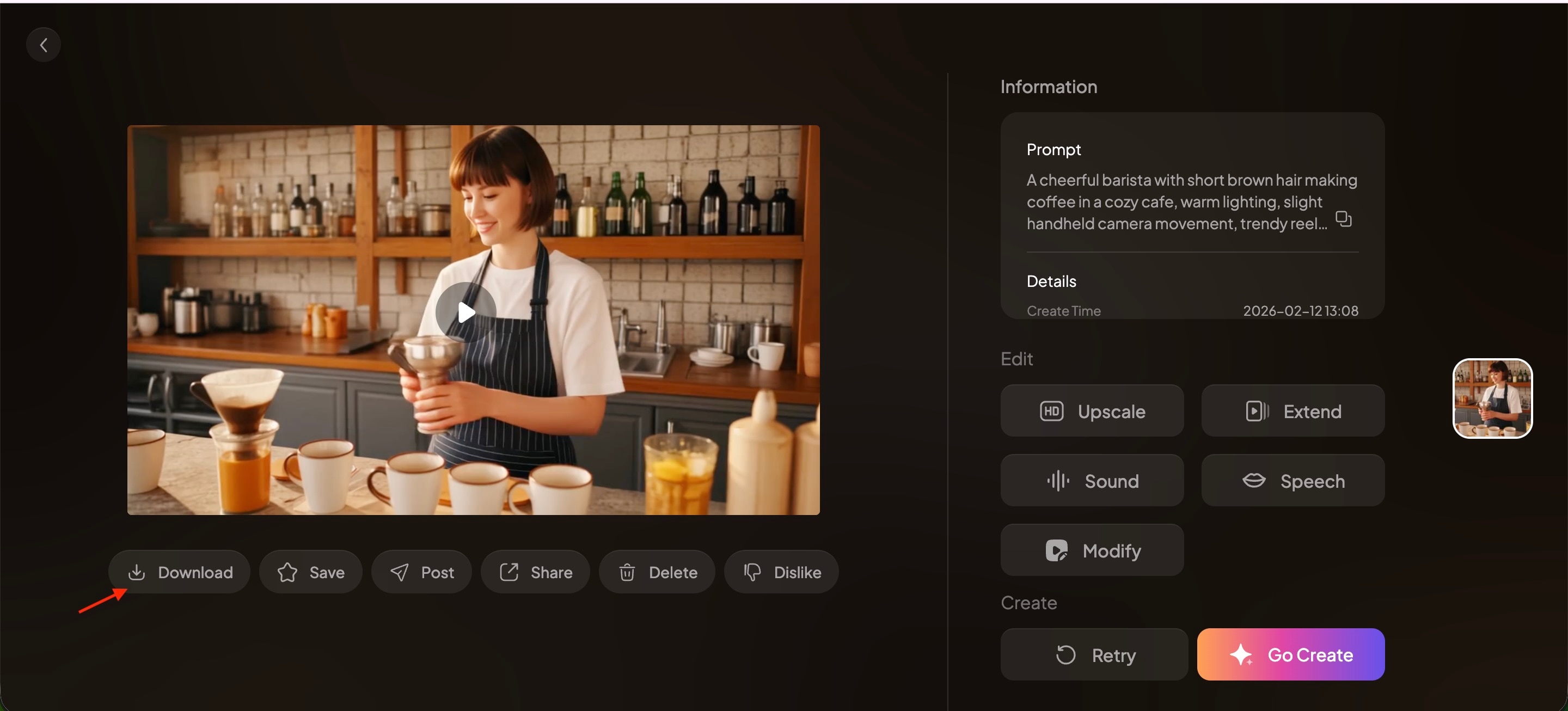
How to Edit PixVerse AI Clip with Filmora
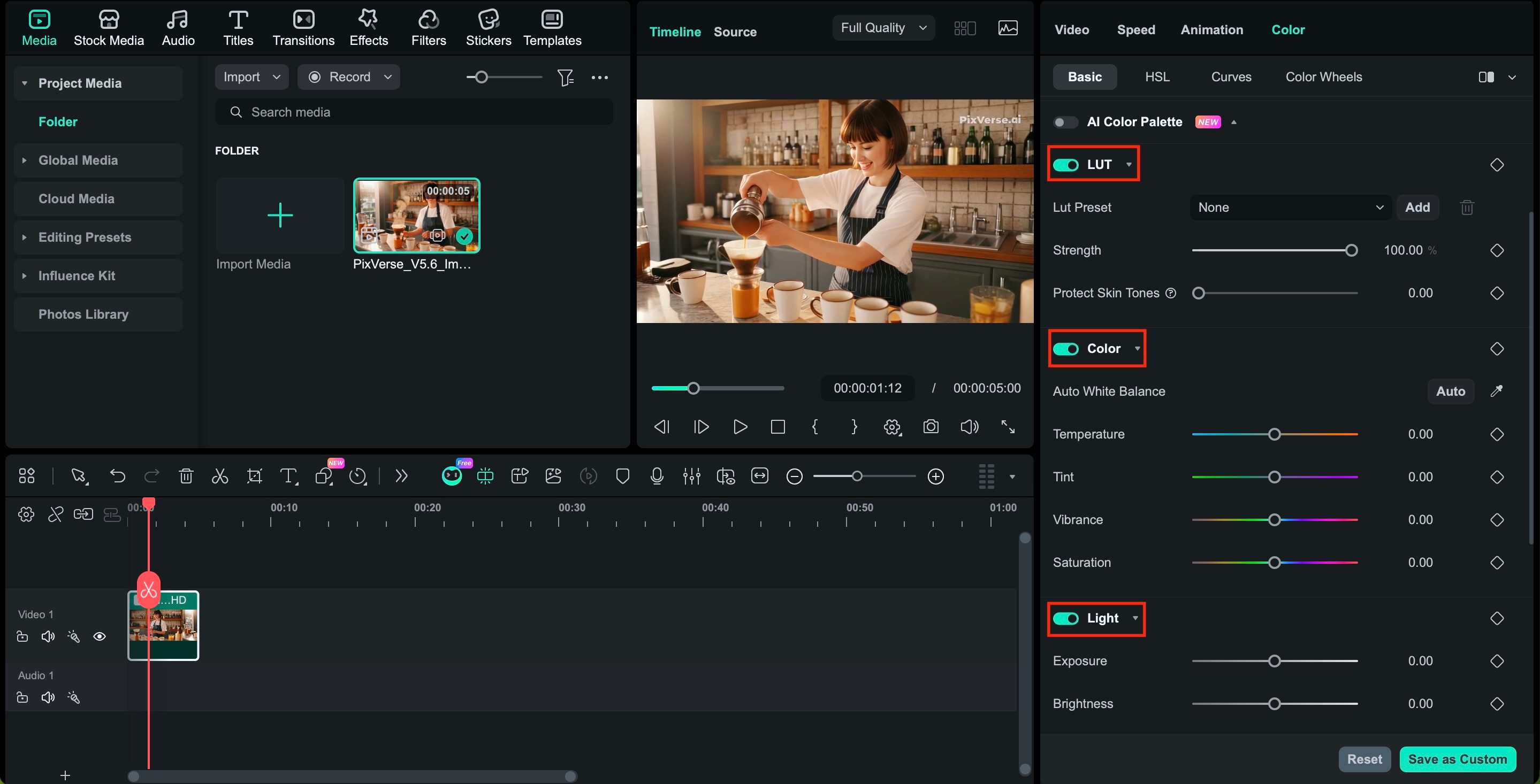
- Adjust brightness, contrast, and saturation
- Fine-tune white balance
- Apply LUTs for a cinematic look
- Add fade or motion transitions between AI shots
- Insert sound effects or background music
- Trim pacing for better storytelling rhythm
Why This Workflow Matters
Many creators focus only on generation quality, but professional results depend on how easily AI footage integrates into a full editing workflow. PixVerse handles generation, while Filmora enhances storytelling, pacing, and polish.
Combining the two creates a practical and efficient workflow for YouTube videos, advertisements, or social media content in 2026.
Part V. The Verdict: Pros and Cons
After testing PixVerse AI V5.6 and comparing it with competitors and real-world workflows, here’s a clear overview of its strengths and weaknesses to help you decide if it fits your creative needs.
- Multi-Shot Storytelling – The ability to link shots into a cohesive sequence straight from prompts saves time and reduces the need for heavy manual editing.
- Improved Character Consistency – Faces and features stay recognizable across multiple angles and scenes, which helps maintain continuity in narrative work.
- Built-In Audio & Sound Effects – Unlike some tools that leave you to add audio in another app, PixVerse includes synchronized sound generation, enhancing production value out of the box.
- Friendly Free Plan for Testing – Recurring monthly credits in the free tier let casual users experiment before spending, which is more flexible than one-time trials.
- High Credit Usage for Complex Projects – High-resolution and longer multi-shot videos consume credits quickly, which can make costs rise fast for frequent use.
- Learning Curve for Best Results – Prompt design and credit optimization require some trial and error, which may feel overwhelming for complete beginners.
- Limited Deep Editing Tools – While PixVerse creates great raw material, it doesn’t replace a full editor. Tools like Filmora or Runway are still needed for advanced color grading, fine cuts, and motion transitions.
- Workflow Efficiency Not Always Smooth – Exporting and organizing multiple high-resolution shots can feel too complex if your library or disk space isn’t optimized.
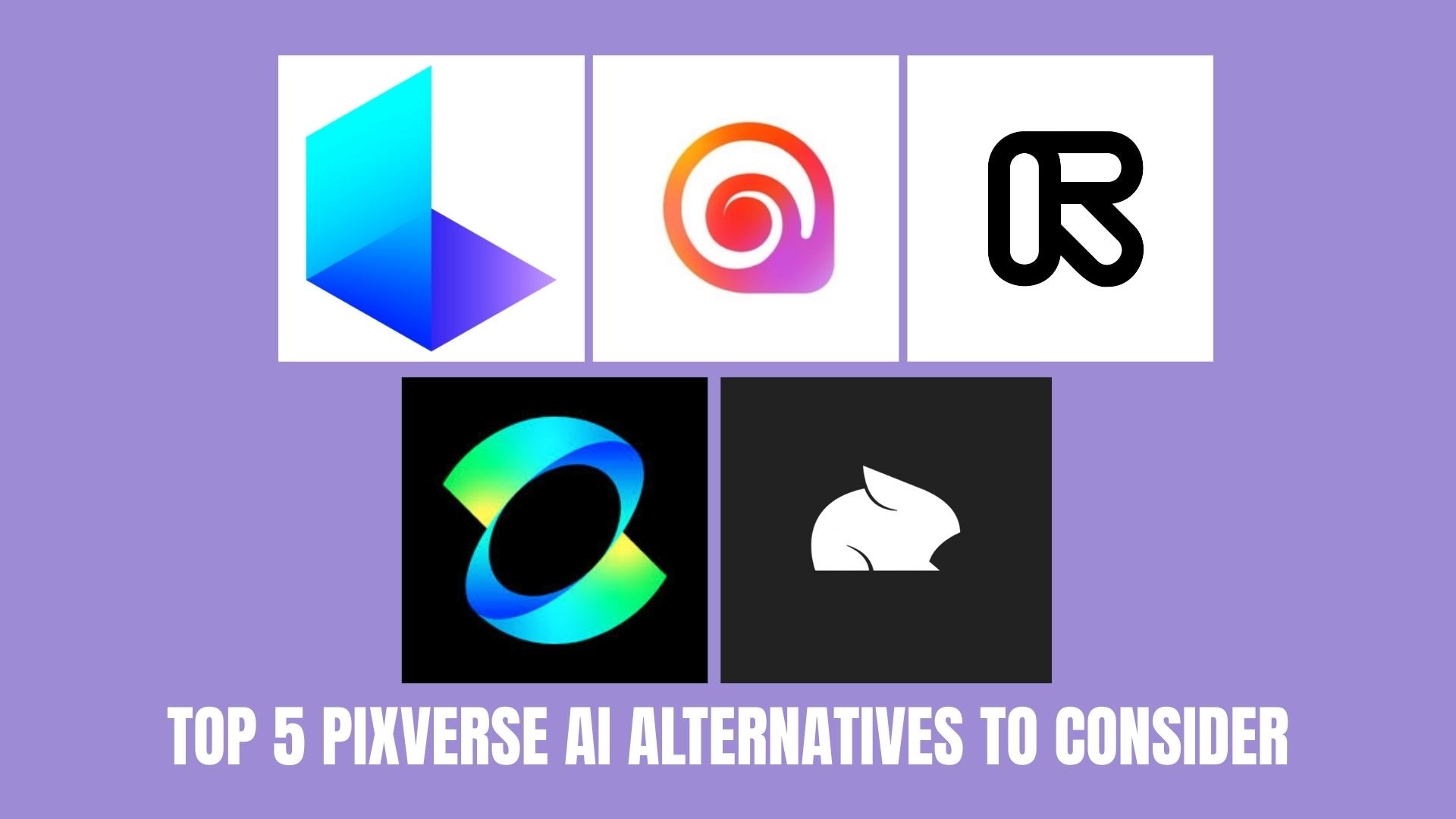
Part VI. Top 5 PixVerse AI Alternatives to Consider
If you are looking for a PixVerse AI alternative, the best option depends on what you value most. Some tools focus on cinematic realism, others on speed, editing control, or long-form storytelling. Below are five strong alternatives in 2026, each suited for different creative needs.
Conclusion
PixVerse AI V5.6 proves that AI video tools are no longer just for quick experiments. With native multi-shot storytelling and improved character consistency, it offers features that feel practical for real projects in 2026. The credit system requires smart usage, especially for longer or high-resolution videos, but the overall output quality is impressive.
When combined with editing software like Filmora, PixVerse becomes even more effective for polishing and refining your content. Still, it may not be the perfect fit for everyone. Tools like Kling, Runway, or Luma might be better suited to specific needs. The best tool ultimately depends on your workflow and goals.

