


 TL;DR:
Storykit AI effectively automates text-to-video generation for enterprise marketing teams, but users requiring granular timeline editing and social media scheduling are better suited for Wondershare Filmora.
● Accessing Storykit's 14-day free trial requires a company email, as the platform is strictly designed for businesses and organizations with custom pricing based on user count and production volume.
● Despite having no strict video length limit, Storykit's workflow is constrained by rigid template positioning, slow rendering speeds, and the inability to preview single slides without generating the entire video first.
● Wondershare Filmora provides a more flexible alternative with a timeline editor, a Social Content Planner unavailable in Storykit, and specific AI generation models including Seedance 2.0, Sora 2, and Veo 3.1.
Ask AI for a summary
 ChatGPT
 Perplexity
 Gemini
 Claude
 Grok
Grok
Companies need to stay active across multiple platforms to stay visible, and video content has become a big part of that. That’s why tools like Storykit AI are getting attention. It promises to turn simple text or prompts into ready-to-publish marketing videos without the usual production work.
Storykit has also gained backing from investors, including a $10 million investment from Expedition Capital, showing growing confidence in its approach. But does Storykit actually deliver on that promise, or is it just another AI tool that sounds better than it performs? This review breaks down what you can really expect.
Part 1. Storykit At a Glance
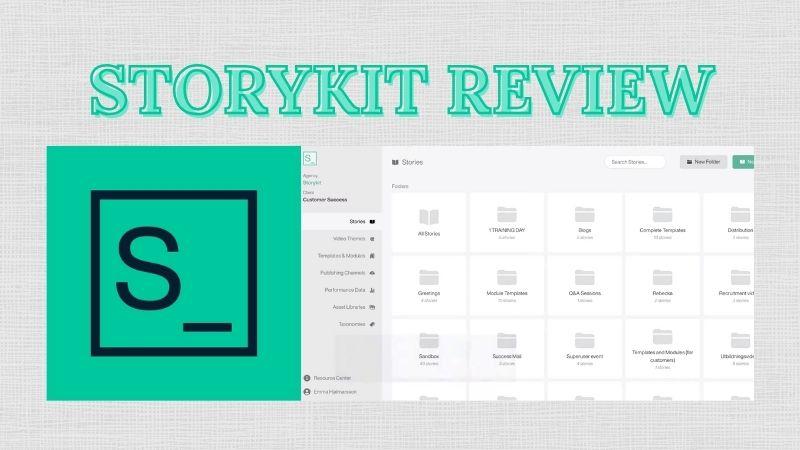
Storykit is a platform that turns text into videos in just a few steps. You can use scripts or blog content as the source. It is commonly used by enterprises, institutions, and organizations to quickly convert existing written content into videos at scale, helping save time and production costs.
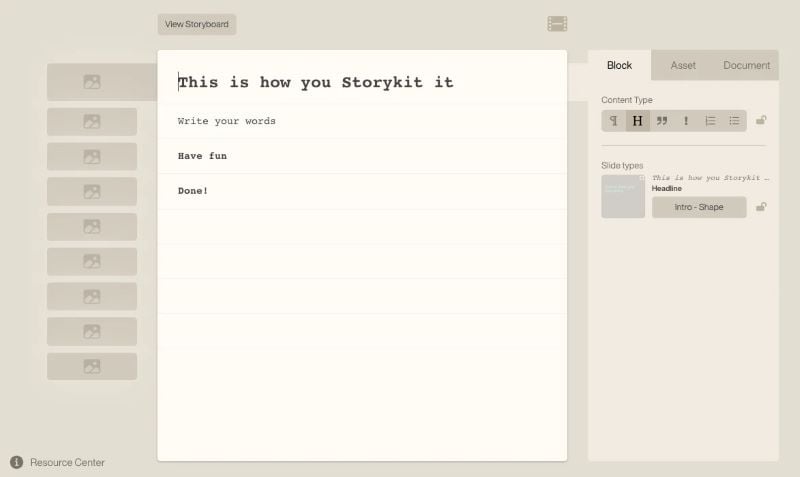
With the way Storykit works, it reduces the need for a full production team or advanced editing skills. Anyone on the team can use it with minimal learning. That’s why it works well for:
- Marketers: Create product videos and campaigns with engaging hooks to attract attention.
- HR Teams: Produce recruitment, onboarding, and training videos more efficiently.
- Internal Teams: Turn reports or internal articles into videos to make them more engaging and easier to present and discuss.
- Event Teams: Create teaser videos, sneak peeks, or behind-the-scenes content to promote events.
- PR Teams: Convert press releases into videos for better reach.
Storykit Pricing: What You Need To Know
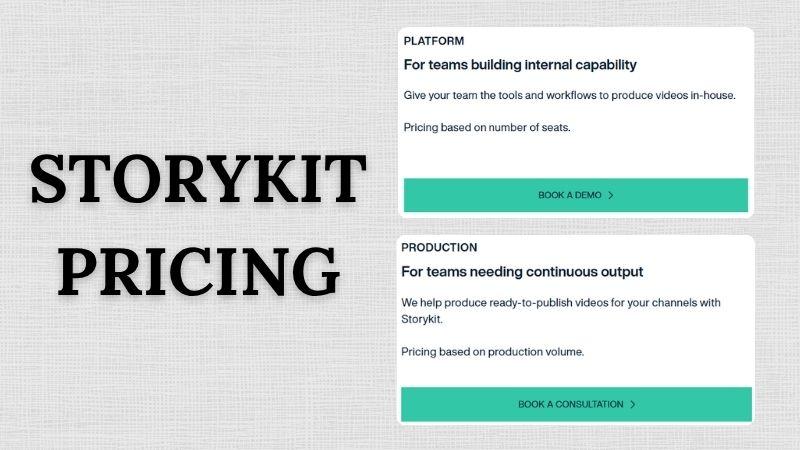
Because Storykit is built for companies and organizations, the pricing is not openly available. To get exact pricing, you need to book a demo or contact the Storykit team.
The cost depends on a few things, including:
- How many users will be using the platform?
- How much content do you plan to produce on a regular basis?
If your company wants to test how Storykit works, you can start with a free trial. Simply log in to Storykit with your company email and complete a few details. After that, you’ll automatically get a 14-day free trial, so you can explore the platform at your own pace.
Part 2. Storykit Features Explained
Now, let’s take a closer look at Storykit’s features to understand what it can actually do. It mainly focuses on turning text into videos quickly and with minimal effort. Here are the main features.
AI Script Tools (Rewrite, Summarize, Re-Structure)
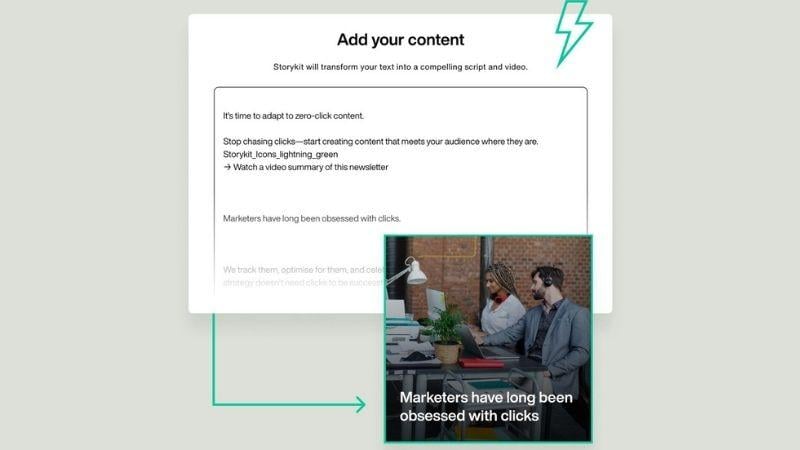
Since Storykit relies on text input, it comes with AI Script Tools that help you refine your content, shorten long text, and turn rough ideas into a clear video script. The AI doesn’t change your message. It simply picks the important parts and arranges them into a storyline that feels more engaging and easier to follow.
Text to Video
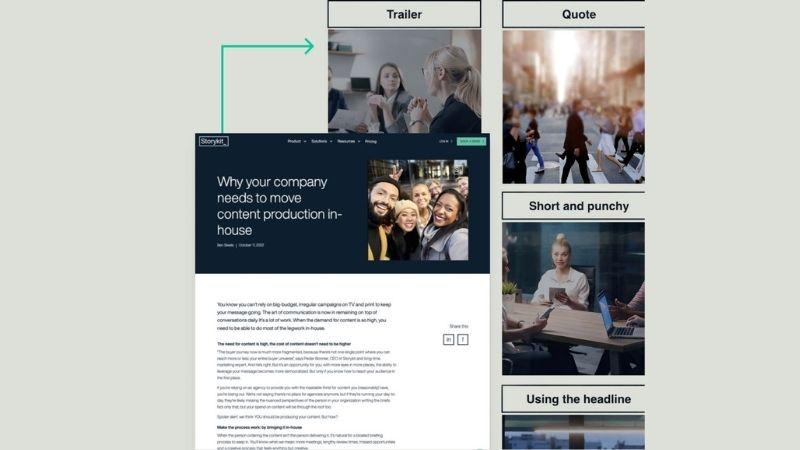
With Storykit, you can turn scripts, articles, or even simple ideas into videos in just a few steps. The AI will automatically select images, video clips, and music that match your text. Once the video is generated, you can simply adjust the text and media without needing a full video editor.
Automated Subtitles & Transcription
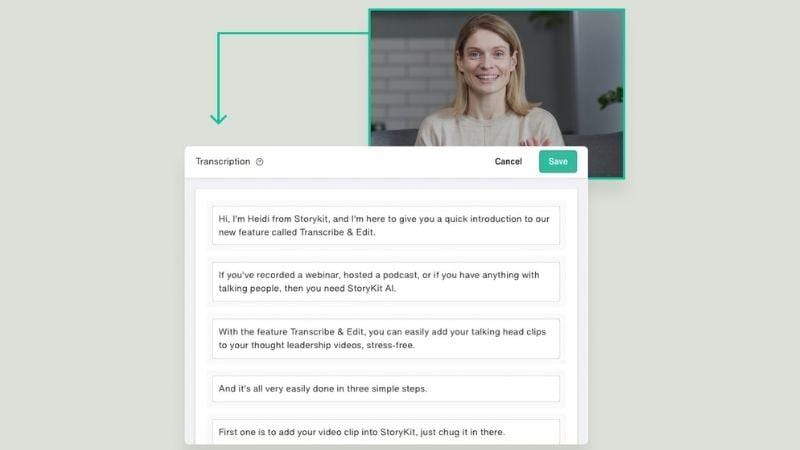
Storykit AI can automatically generate subtitles and translations, so you don’t need to translate everything manually. It also includes an audio transcription feature. You can upload audio from interviews, podcasts, or voice notes, and the AI will convert it into text. Use it to make your content easier to understand and help you reach more people.
Brand Consistency Tools
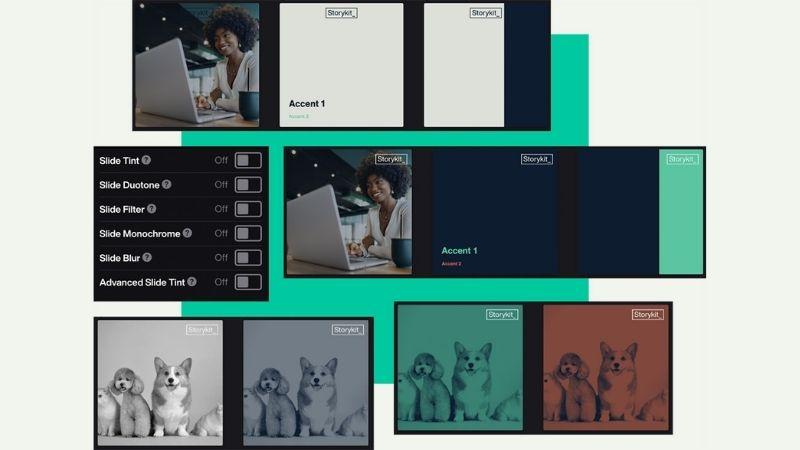
Storykit makes it easier to maintain consistent branding across every video. You can upload logos, fonts, layouts, and brand colors. It also lets you store and organize brand assets like images, videos, and audio in one place, so you can reuse them anytime.
Part 3. How Storykit Works
After seeing the features, you might be thinking, how does Storykit actually work? Is it really possible to create a video just from text?
Here, we’ll break down the basic workflow, so you can see how everything comes together.
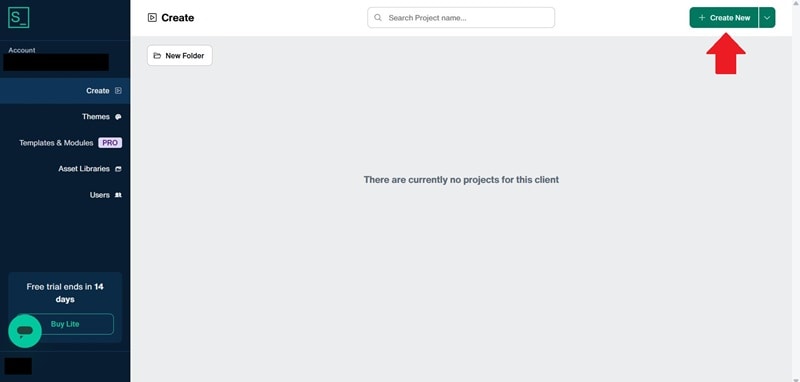
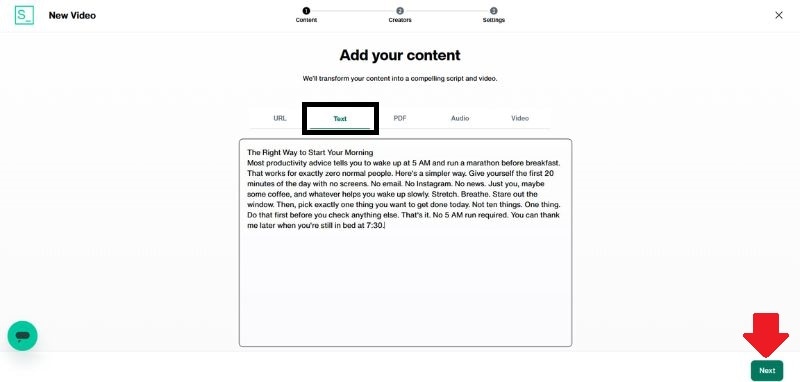
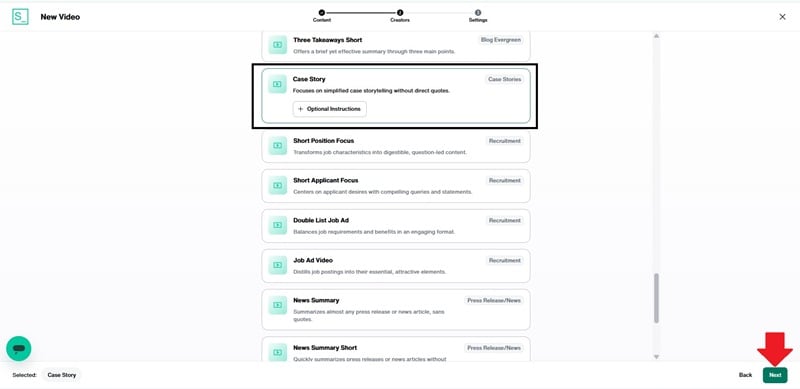
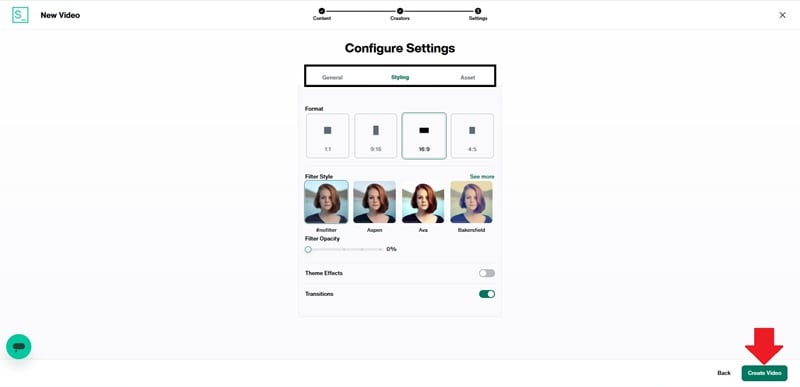
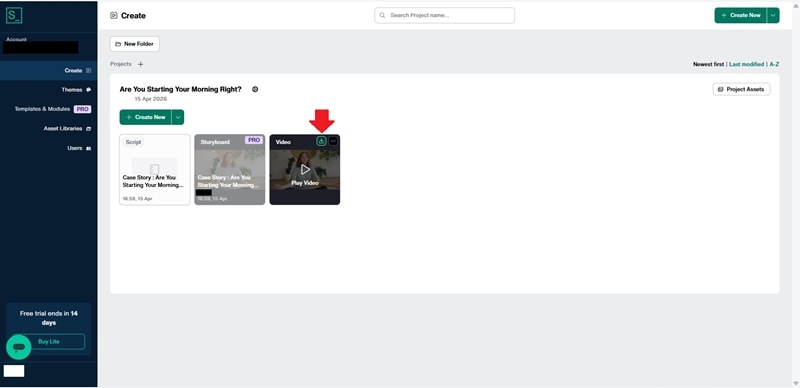
Here is the result:
Storykit turned it into a 54-second case-study-style video that tells the story of a client who feels overwhelmed in the morning and struggles to stay focused. The video then introduces a simple solution, which is avoiding screen time after waking up. This storytelling style makes the video more engaging and encourages viewers to keep watching.
Part 4. Storykit Reviews: What People Say
Now let’s see what people say about Storykit. Based on our test, it works well for creating fast and professional-looking videos.
We also reviewed user feedback and grouped the main points. On G2 and Capterra, Storykit holds ratings of 4.8 and 4.7 out of 5, respectively, showing strong overall satisfaction. Let’s break it down further.
Interface and Ease of Use
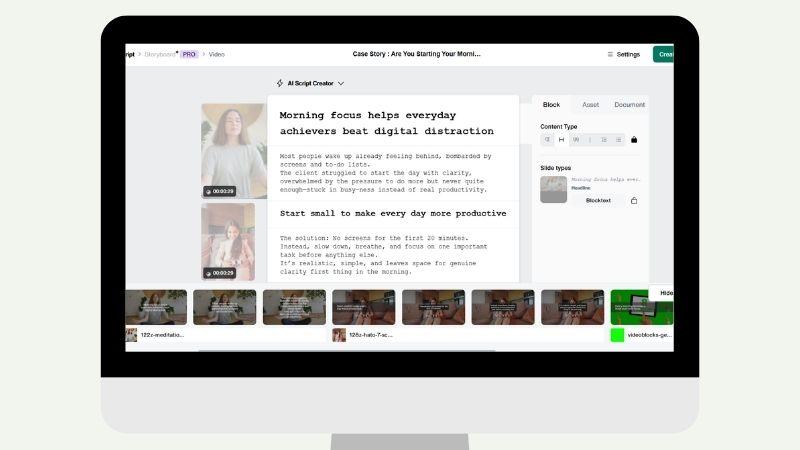
The interface is simple and easy to navigate. Even beginners can use it without needing advanced editing skills. However, some users mention that it takes a bit of time to fully understand all the features and handle more advanced tasks.
Creative Asset Library
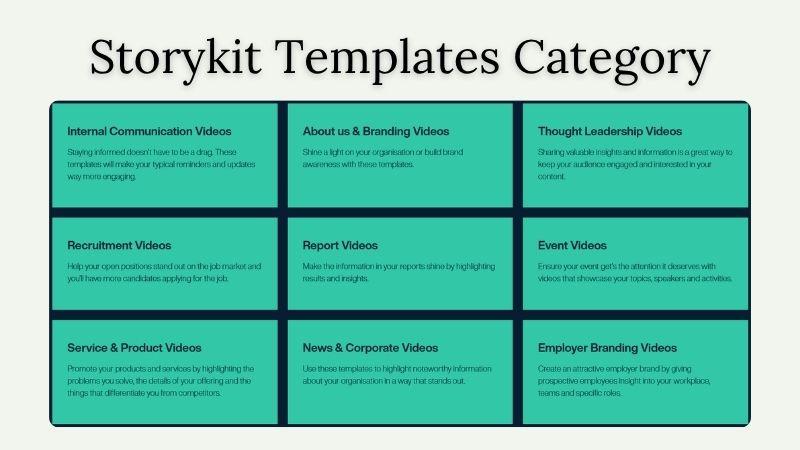
Users appreciate the variety of images, videos, and music available in Storykit. There are also many slide templates to choose from, so you can adjust the style to fit your content.
Performance and Video Output
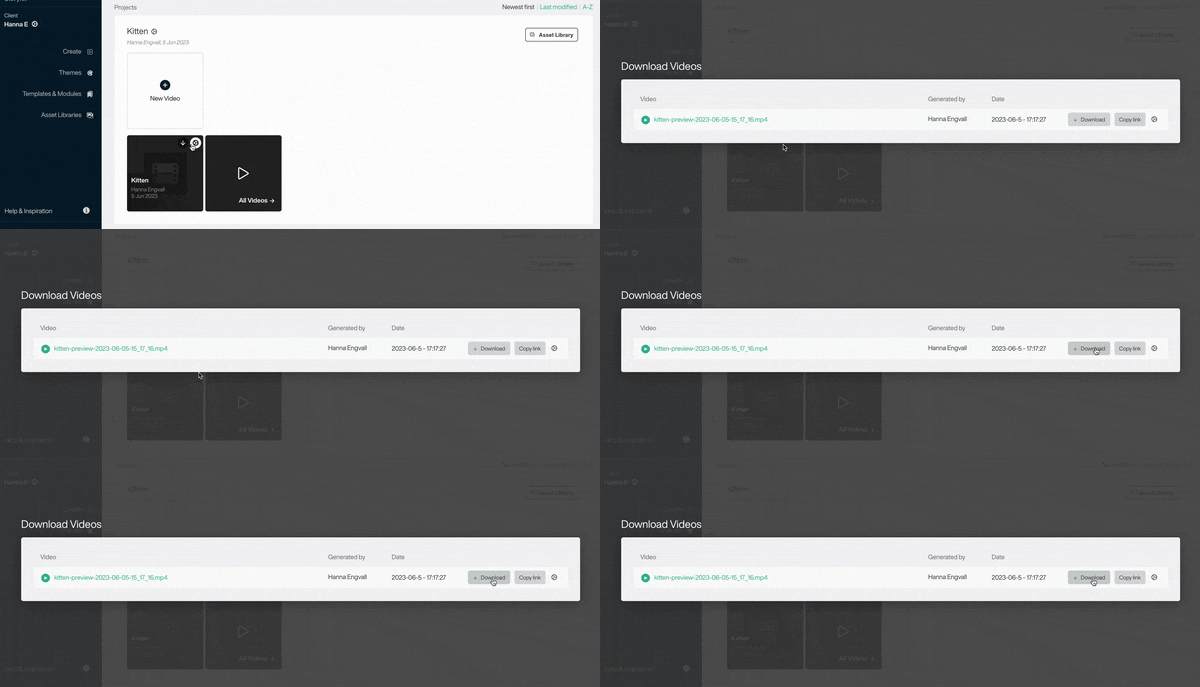
Overall, the platform performs well during video creation and runs smoothly. Many users mention that the final videos look proper and professional. It also helps make the production process more efficient and time-saving.
Customer Service and Support
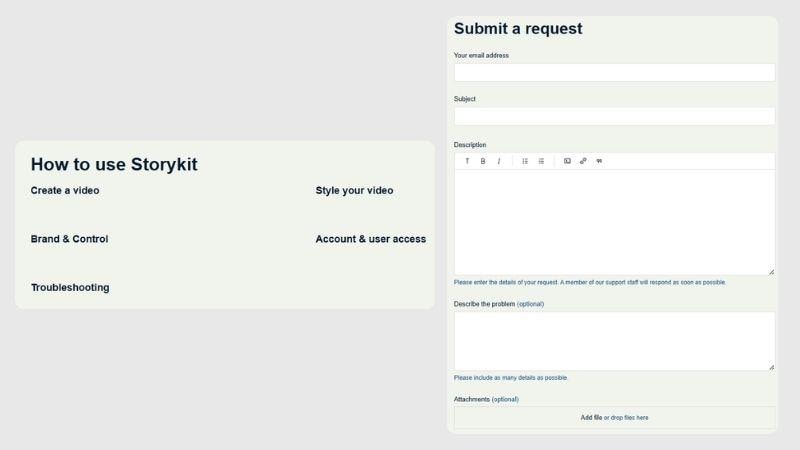
One of the most appreciated aspects is the customer support. Many users say the team is responsive and helpful, which makes it easier to solve issues quickly when needed.
Storykit Limitations: What to Expect
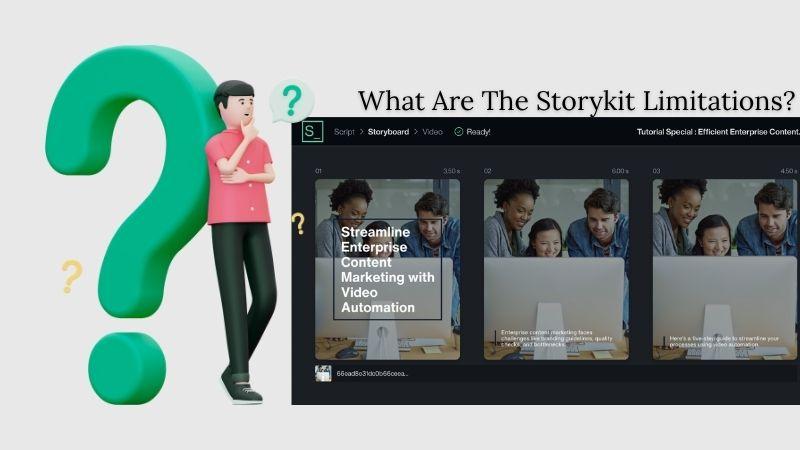
Despite its strong features, Storykit still has some limitations mentioned by users:
- Unorganized Asset Library: There are a lot of assets available, but sometimes the search results don’t match what you’re looking for. It can also be difficult to browse and choose assets because there are limited filtering or sorting options, especially for music.
- No Quick Preview per Slide: You can’t preview a single slide at a time. You need to generate the whole video first, which can slow things down.
- Rigid Templates: Templates don’t offer much flexibility in element positioning, so customization can feel restricted.
- Slow Rendering Time: Rendering previews and videos can take a long time, which can slow down the workflow, especially when working on tight deadlines.
Part 5. A More Flexible Tool: Wondershare Filmora
When you’re ready to move beyond automated tools like Storykit and want more control over your videos, Wondershare Filmora is a great option.
With Filmora, you can manage each scene more precisely and edit your footage in detail using its timeline-based editor. You can trim clips, adjust audio, add effects, and arrange everything exactly how you want. Filmora is also available on both desktop and mobile, so you can edit more flexibly across devices.

You don’t have to worry about doing everything from scratch. Filmora offers features that feel familiar if you’ve used Storykit:
- Text to Video: Turn ideas or scripts into videos, just like in Storykit AI. You can also choose from different AI models such as Seedance 2.0, Sora 2, and Veo 3.1.
- Text to Speech: Generate natural-sounding voiceovers from your script or prompt. There are up to 48 voice options, so you can match your content style.
- AI Text-Based Editing: If you’re working with voiceovers and want to fix certain words, you can simply edit the text. The video will automatically adjust.
- Auto Caption: Automatically generate subtitles in 20+ languages with high accuracy, similar to Storykit.
- Brand Kit: Save your brand colors, fonts, and templates to keep your videos consistent.
 Secure Download
More Filmora Features Worth Trying
1. AI Generative Tools for Faster Creation
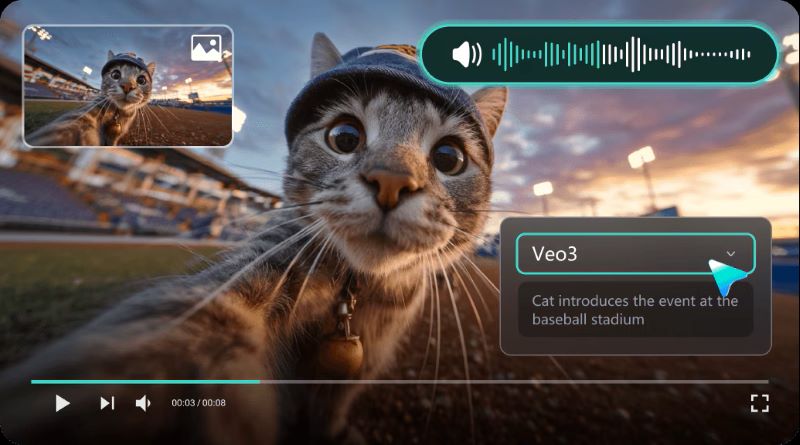
Besides turning prompts into videos, Filmora can also generate videos from images and audio. You can choose a template and upload your images, or build your own story by combining prompts and visuals. You can also upload an audio file, and Filmora will automatically detect the most interesting parts and turn them into video clips that match the rhythm and content.
2. A Large Library of Creative Assets
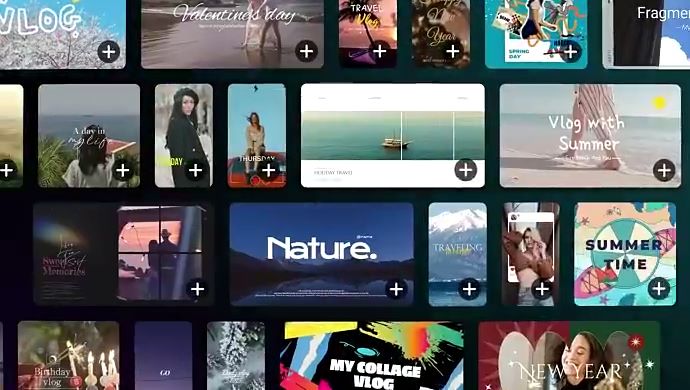
You’ll find plenty of templates that work for both business and social media. You can also add stock videos to make your scenes more relevant. To finish your video, Filmora provides filters, transitions, and animations that make everything look more polished.
3. Create Short Clips for Social Media
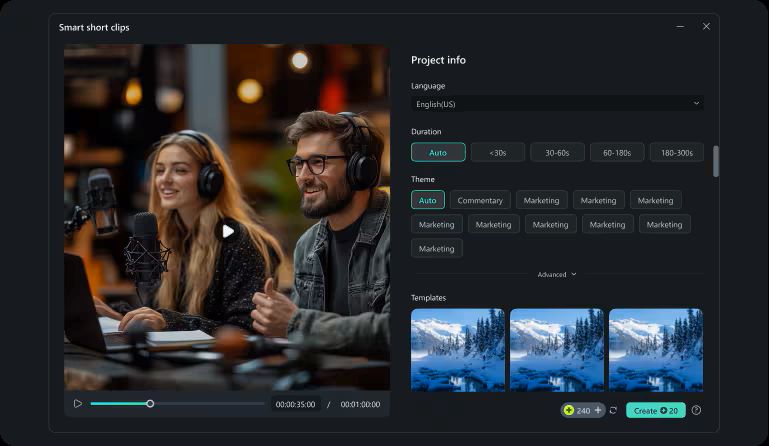
If you have a long video and want to turn it into shorter clips for social media, you can use Smart Short Clips in Filmora. It automatically detects the most engaging parts of your video. You can also use Auto Reframe to resize your video for different platforms without manually resizing it.
4. Manage and Schedule Your Content
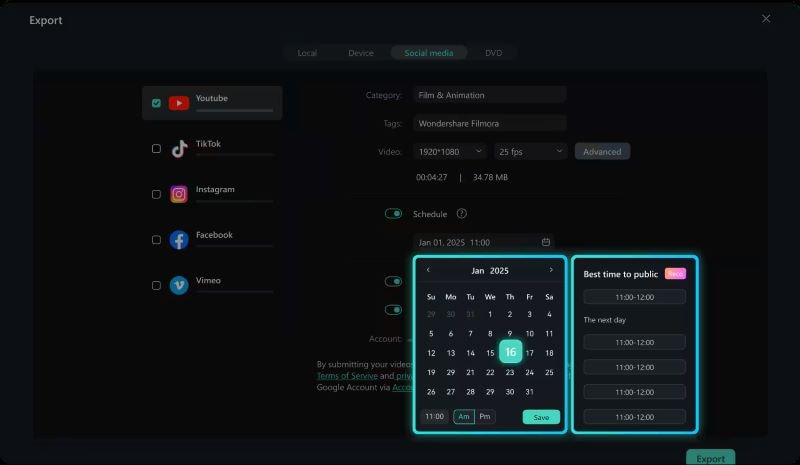
This is a feature you won’t find in Storykit. With Social Content Planner, you can schedule your video uploads across multiple platforms. It also helps you track performance through views, likes, shares, and comments, so you can stay consistent and improve your content over time.
Secure DownloadConclusion
Storykit is a reliable platform for creating professional-looking videos quickly from a prompt. It’s widely used by companies because it saves time and allows anyone to create videos without needing a full creative team.
That said, if you want more flexibility and control over your videos, Filmora is a great option to explore. It offers similar functionality while giving you more freedom to customize your videos. You also get access to a wide range of AI features and creative assets that help you refine your content and make it more engaging for a wider audience.
FAQs
-
1. Does Storykit have a video length limit?
No. You can create videos in Storykit without a strict duration limit. However, shorter videos tend to perform better and are more engaging for viewers.
-
2. Can individuals use Storykit for personal projects?
Storykit is mainly designed for businesses and organizations rather than individual users.
-
3. Does Storykit offer a free trial?
Yes. When you first log in, Storykit offers a free trial that is valid for 14 days.
