


 TL;DR:
TapNow AI functions as a browser-based, node-driven creative canvas that centralizes storyboarding and multi-model AI generation for visual storytelling, though it lacks the timeline tools required for detailed post-production editing.
● Users construct visual pipelines within the Tapflow Canvas by connecting text, image, and video nodes to generate content through integrated models like Kling, Runway, Luma, and Midjourney without switching applications.
● The platform relies on a credit system called Tapies, offering 200 free credits alongside paid tiers from $15 to ~$360 monthly, which deplete rapidly during complex video generation and are subject to render failures during peak server demand.
● Creators needing precise multi-track timeline editing, audio synchronization, and manual video adjustments should opt for Wondershare Filmora, an alternative that pairs traditional editing controls with AI generators like Seedance 2.0 and Nano Banana Pro.
Ask AI for a summary
 ChatGPT
 Perplexity
 Gemini
 Claude
 Grok
Grok
AI creative tools are evolving beyond simple text-to-video generators to meet what most creators want: platforms that handle brainstorming, visual planning, video generation, and editing in one place, so they don't have to switch between apps. That’s the direction TapNow AI is trying to take.
Relying on more than just generating clips from prompts, TapNow offers an AI-powered creative canvas where you can create storyboards, generate cinematic visuals, experiment with various AI models, and manage projects within a collaborative workspace. In this review, we’ll take a closer look at TapNow AI’s features, pricing, workflows, output quality, pros and cons, and who stands to benefit the most from it.
Part 1. What Is TapNow AI?
TapNow AI is a browser-based AI creative workspace focused on visual storytelling and content creation. The platform combines AI video generation, image creation, storyboarding, and project organization inside a canvas-style interface, where you can arrange prompts, scenes, references, and manage your ideas and assets in one place.
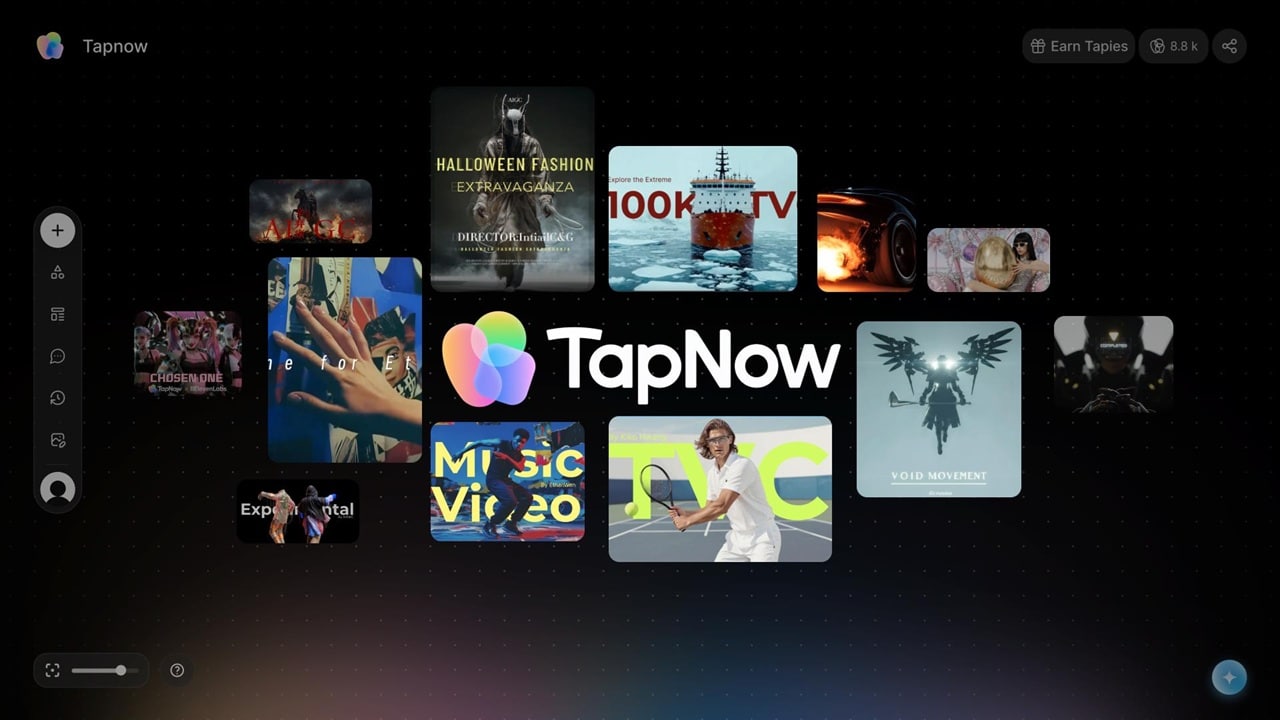
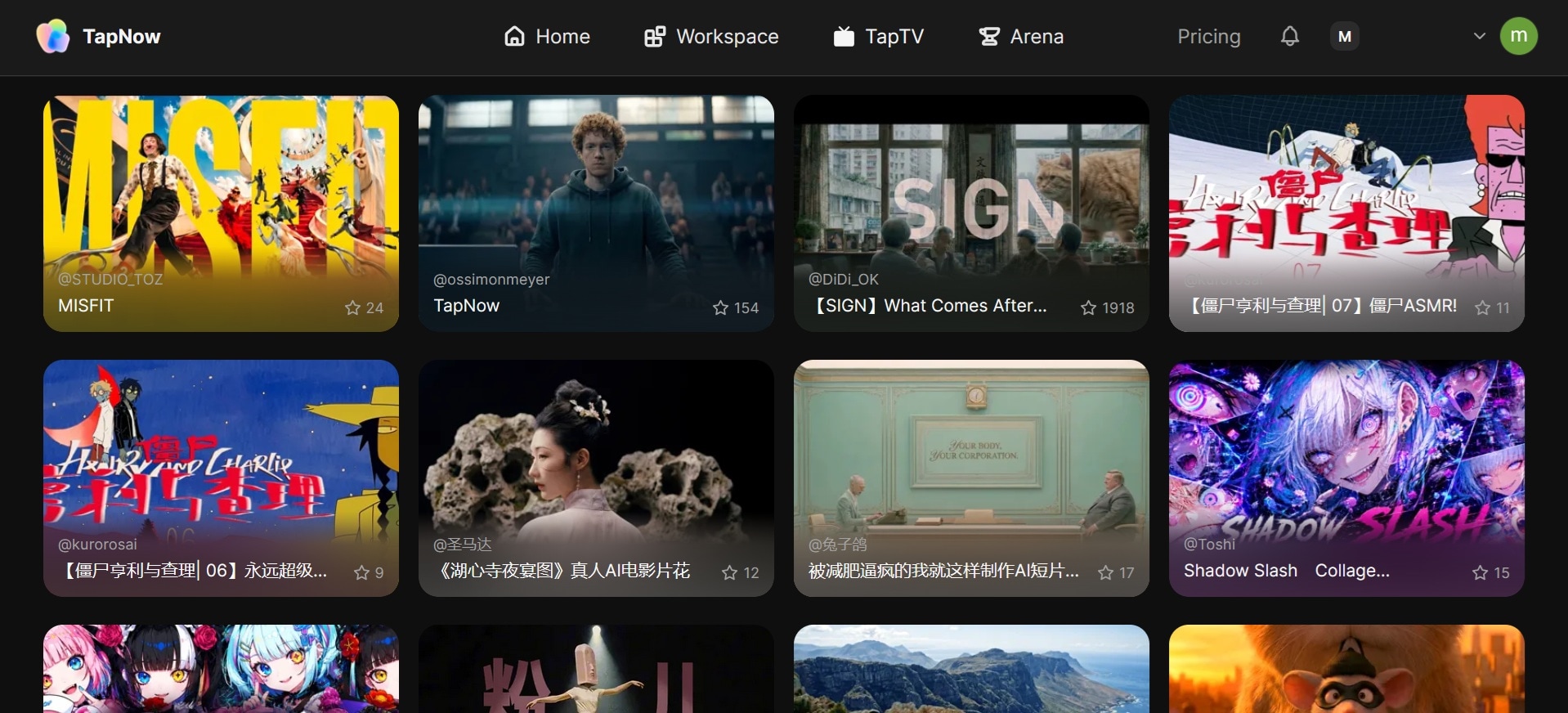
TapNow AI also includes TapTV, a built-in creator community where users can explore public projects, share workflows, and discover inspiration from other AI creators.
Who Is TapNow AI Designed For?
TapNow AI is mainly designed for creators working with visual storytelling and fast-paced content production. The platform can be useful for:
- Content creators making TikTok videos, Reels, or YouTube Shorts
- AI filmmakers experimenting with cinematic scenes
- Marketing teams creating ads and branded visuals
- Social media managers handling campaign content
- Creative teams exploring collaborative AI workflows
It may also appeal to beginners who want to experiment with AI-generated visuals without investing significant time in learning advanced editing software.
Why Is TapNow AI Getting Attention?
TapNow AI has been gaining attention among creators as it feels more visual and workflow-focused than many other AI-powered content creation tools. Some reasons why users are interested in TapNow AI include:
- Multi-model workflow in one place. Users can access different AI generation tools inside the same workspace, depending on availability and subscription access.
- Faster concept-to-video process. Ideas, references, prompts, and generated scenes can be organized together without constantly switching between apps.
- Popular among AI creator communities. TapNow AI has been getting traction among creators experimenting with cinematic AI videos, ads, and short-form storytelling projects.
Part 2. TapNow AI Features
TapNow AI packs multiple AI-creation tools into a single workspace, so the process feels more cohesive from start to finish. You can brainstorm ideas, generate visuals, organize scenes, and experiment with different styles without constantly moving between separate platforms.
The Tapflow Canvas
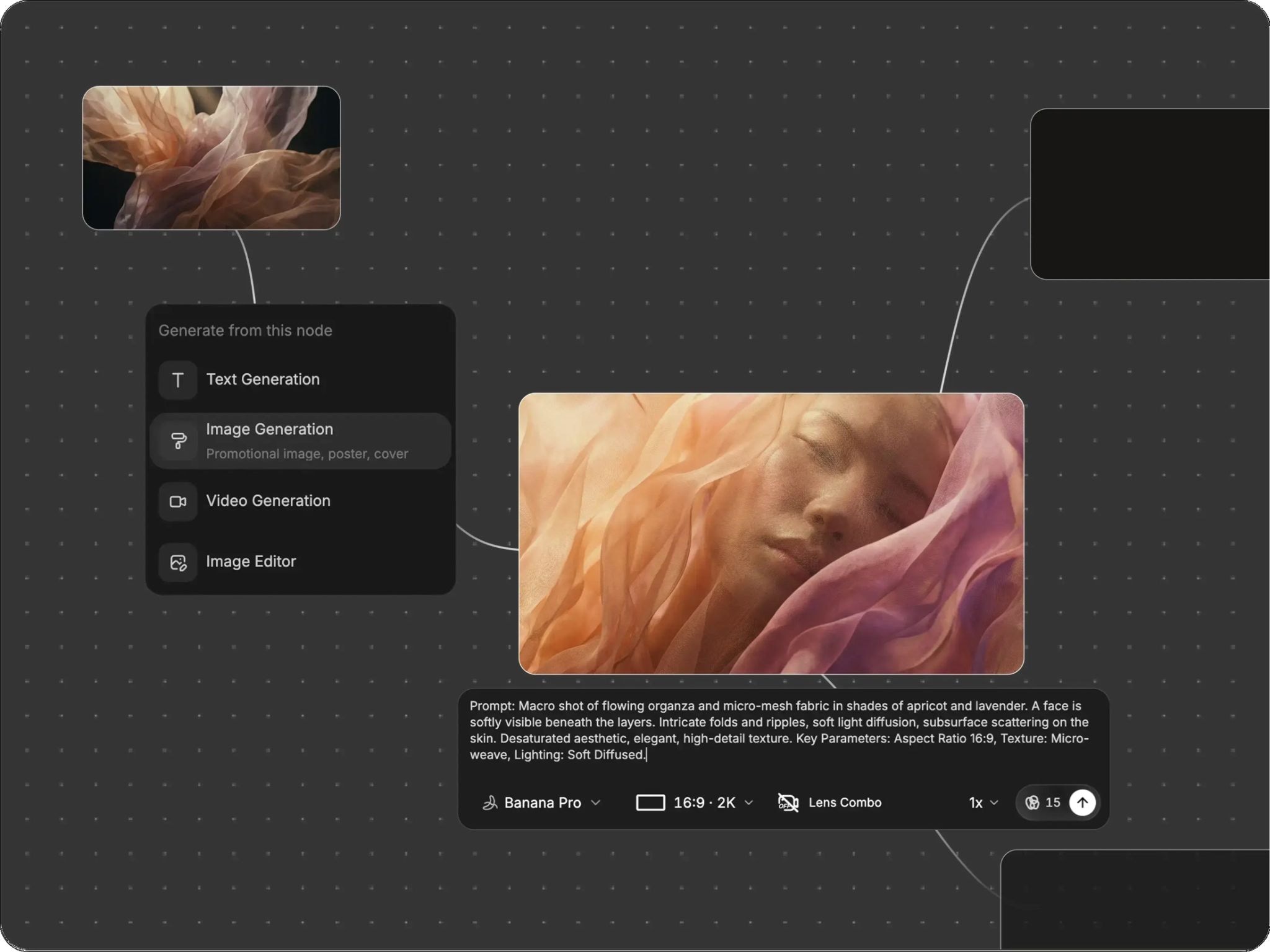
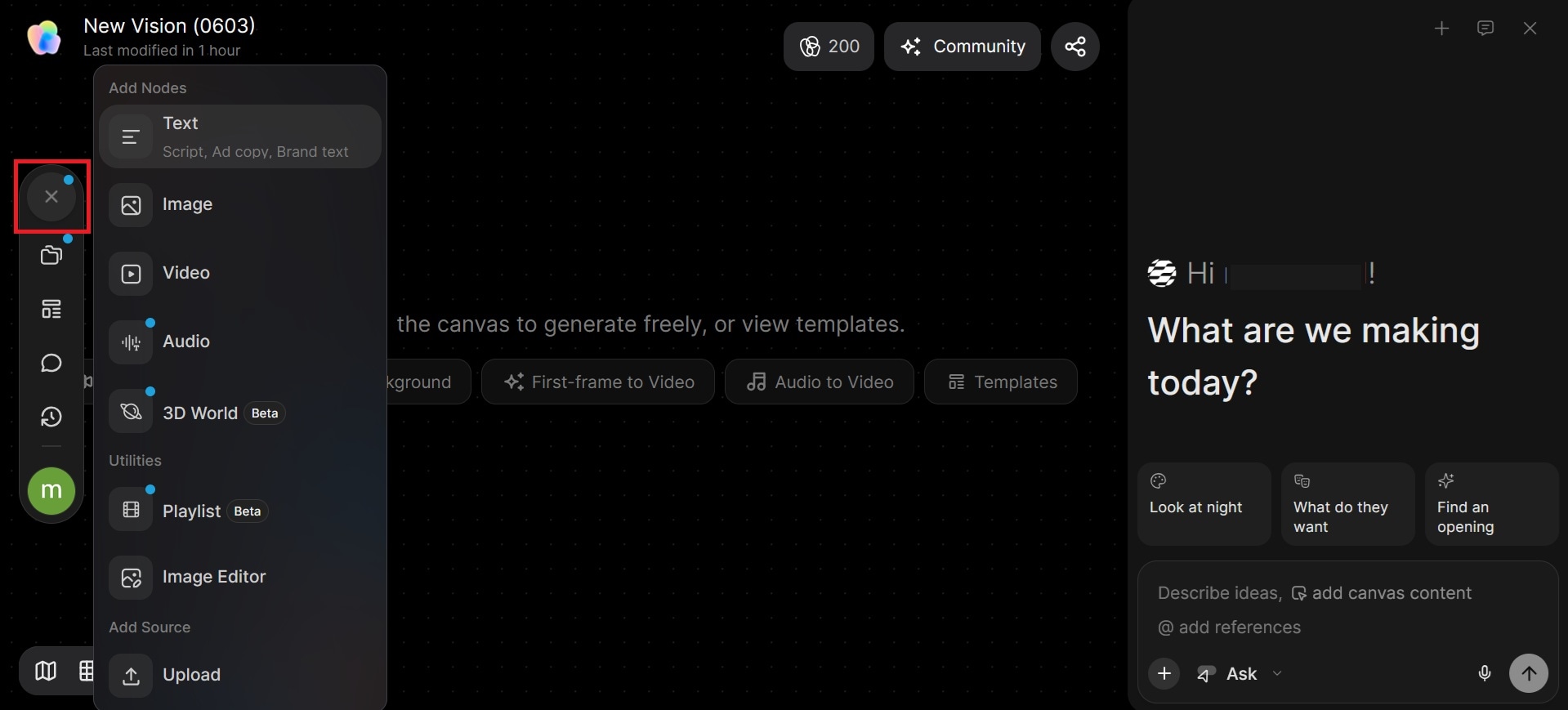
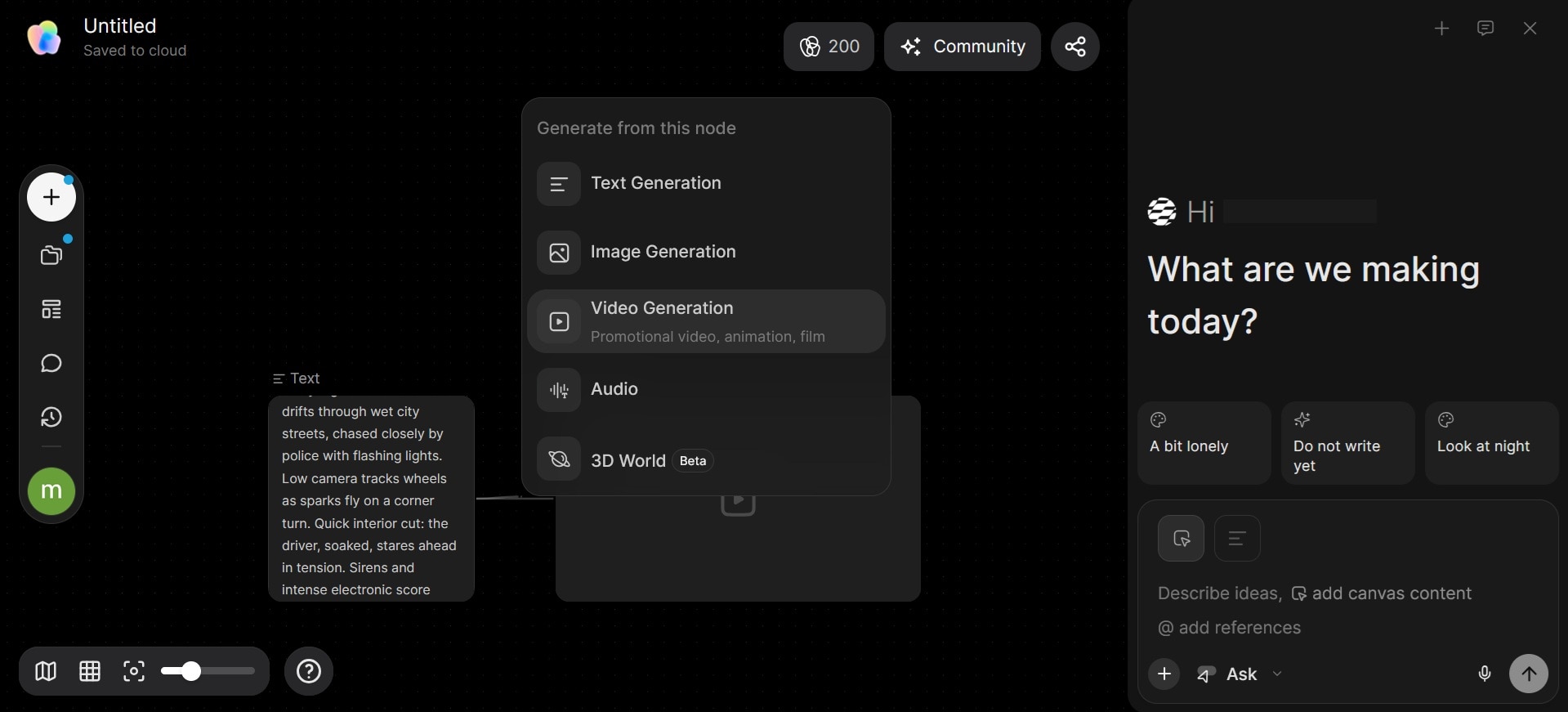
The Tapflow Canvas in the TapNow app is an infinite, non-linear, node-based workspace where visuals, prompts, and assets are mapped out as interconnected building blocks. The multiple generating nodes can be connected with wires. Each node can hold a text prompt, an image, an audio clip, a video clip, or a 3D World (still in Beta). You build pipelines by connecting them, so your entire project structure stays visible in one place.
AI Storyboard Generation
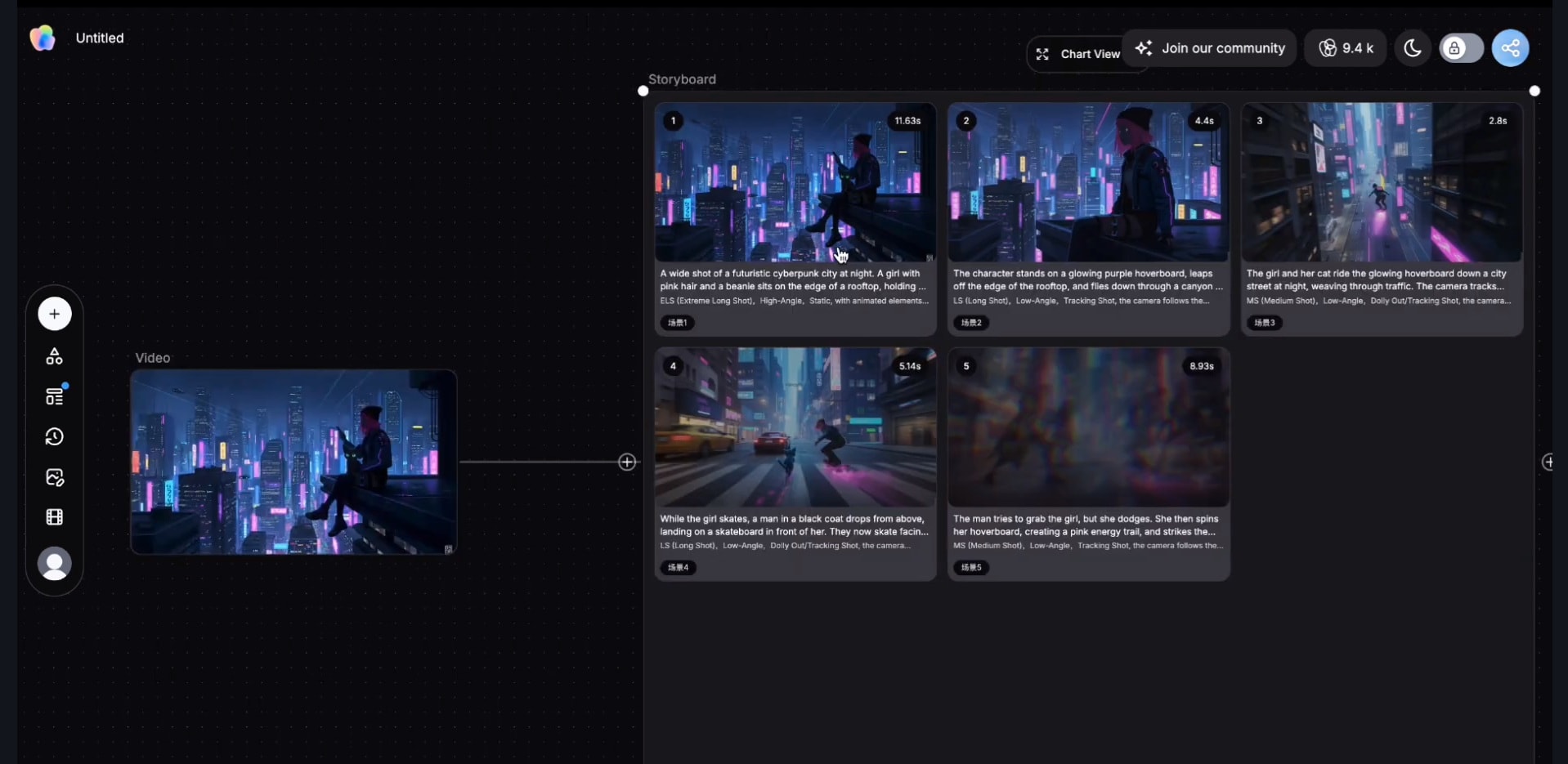
TapNow offers storyboard planning where you can generate an instant storyboard from the video you upload. After uploading it to the Tapflow Canvas, the AI chat agent breaks down your footage into structured scenes to help you visualize story flow, compare options, and refine the narrative.
Multi-Model Engine
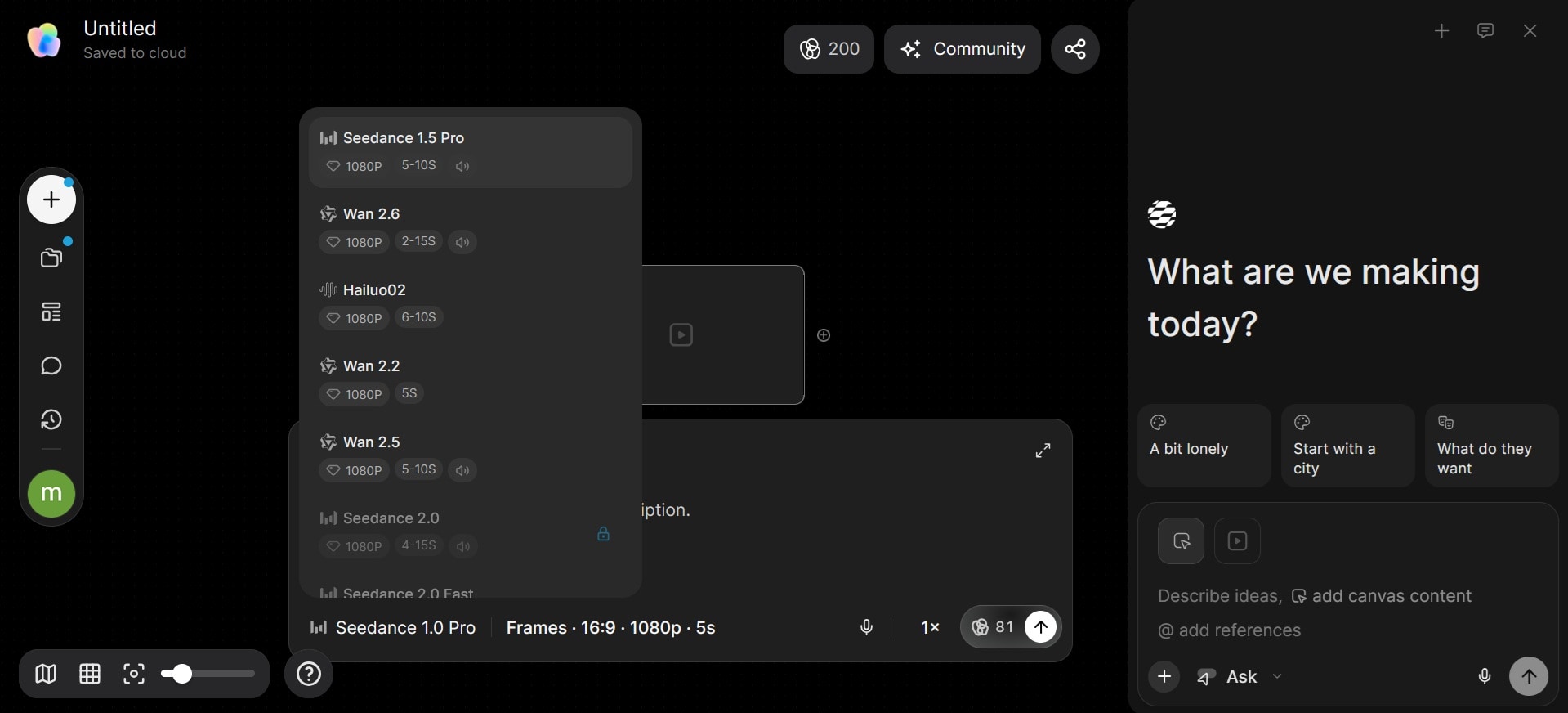
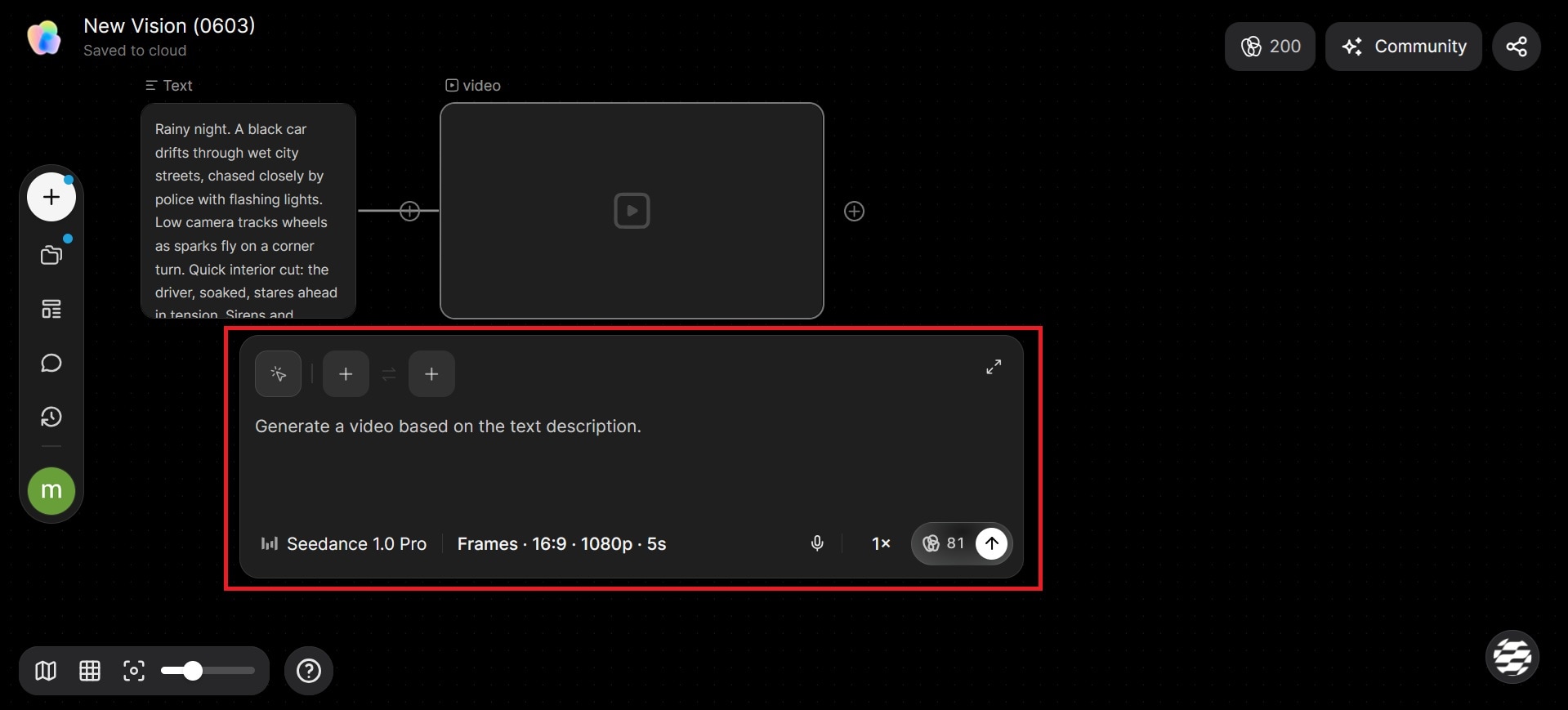
TapNow gives you access to multiple frontier AI models on one platform, including Kling, Runway, Luma, Midjourney, Flux, Wan, Veo, Hailuo, Pixverse, Grok, and Gemini, for diverse image and video generation styles. You can switch between them without leaving the canvas.
TapNow Agent
TapNow Agent is an AI executive director built into the Agentic Canvas. It understands every node and connection, collaborates in real-time to execute ideas step-by-step from a single thought, and allows instant feedback, adjustments, and refinements.
TapTV Community
TapTV is a social ecosystem where you can share your full “node recipes.” Other creators can clone, remix, and study the logic behind successful workflows. It's less of a finished-work gallery and more of an open-source-style creative library.
Part 3. How to Use TapNow AI
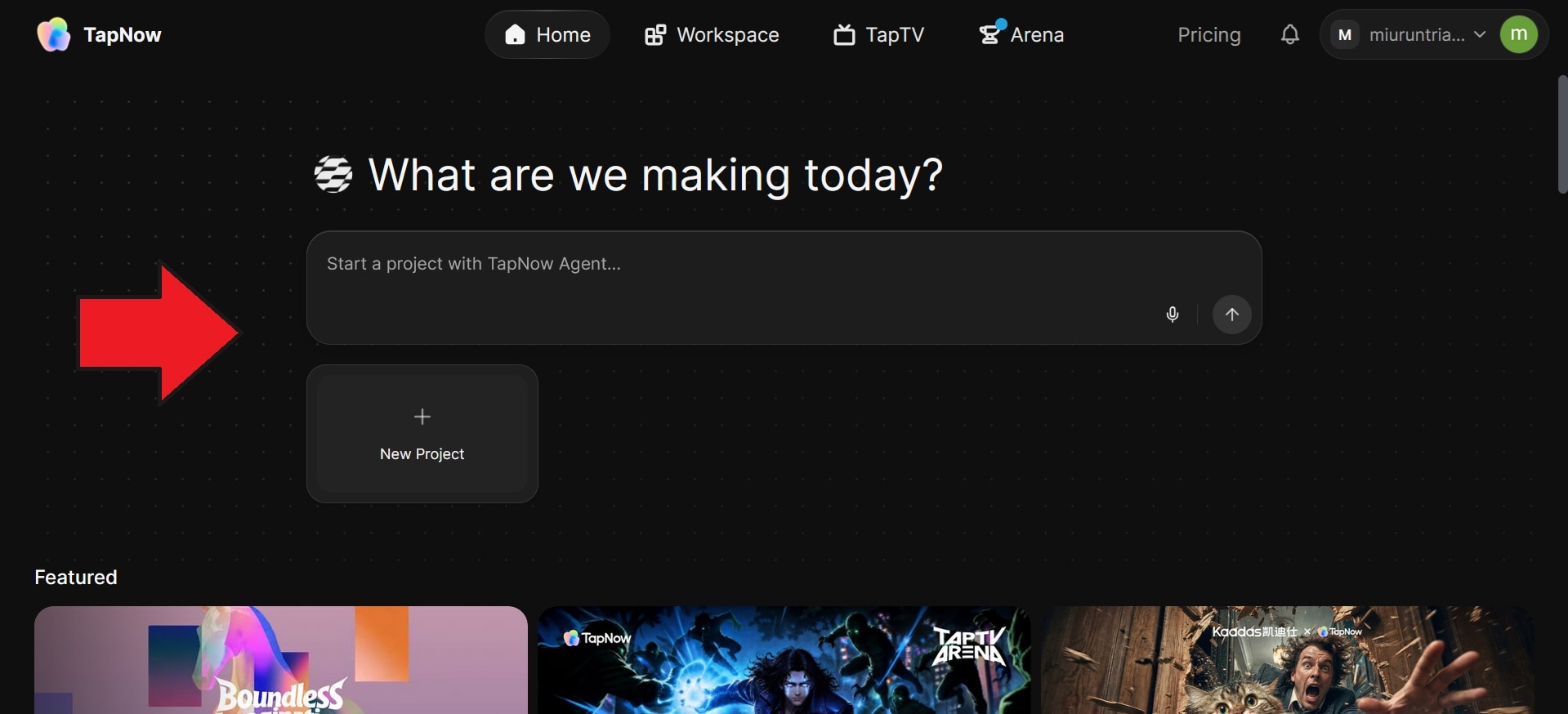
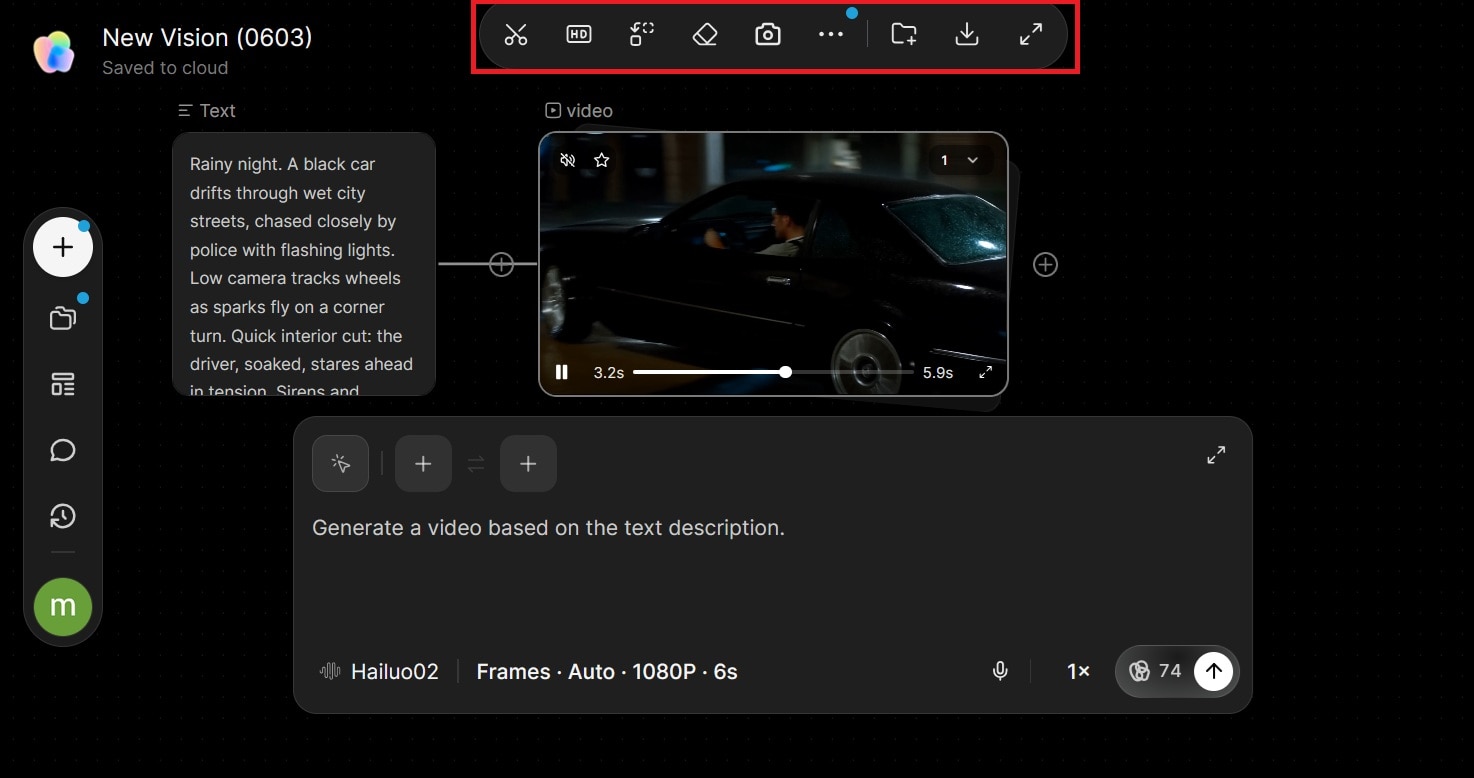
TapNow AI uses a visual canvas workflow, where projects are built by arranging prompts, images, videos, and references within a single workspace. Here’s a simple step-by-step guide to getting started.
Part 4. TapNow AI Pricing and Tapies Credits
TapNow AI pricing uses a credit-based system called Tapies. Each generation consumes Tapies depending on the model, workflow, and output type you use. More advanced video models and higher-quality generations usually cost more credits, which can quickly increase costs for larger projects.
Note: Pricing and model availability may also change over time, especially as new AI models are added to the platform.
TapNow AI Price (2026)
| Plan | Price | AI Models | Monthly Tapies | Concurrent Generations | Best For |
| Free | $0 | Limited | 200 free Tapies + weekly bonus Tapies | 1 | Beginners testing the platform and casual experimentation |
| Basic | $15/month | All | 1,500 Tapies | 4 | Individual creators making short-form videos, storyboards, and social content regularly |
| Professional | $56/month | All | 6,000 Tapies | 8 | Heavy AI creators, freelancers, and small creative teams handling larger video workflows |
| Ultimate | $258/month | All | 30,000 Tapies | Unlimited | Agencies, production teams, and businesses managing high-volume AI content generation |
| Max | ~$360/month* | All | 90,000 Tapies | Unlimited | Large studios, advanced AI filmmakers, enterprise teams, and creators running massive multi-model workflows |
*The Max plan pricing currently appears on some third-party reviews and may vary depending on region or enterprise access.
Can You Use TapNow for Free?
Yes. After signing up, TapNow AI gives you 200 free Tappies that you can use to generate content. The free plan is enough for:
- Exploring the canvas workflow
- Testing AI image generation
- Creating simple storyboard projects
- Experimenting with short video generations
- Browsing TapTV community projects
Part 5. Real Testing: How Good Is TapNow AI?
Based on public creator testing, workflow demonstrations, community feedback, and TapNow AI’s current feature set, the platform performs best as a cinematic AI creation workspace for visual experimentation and storyboard-driven projects. The canvas workflow stands out for creators handling multi-scene ideas and fast creative iteration.
Testing AI Video Generation

TapNow AI produces visually strong cinematic clips, especially for short-form storytelling, mood-based scenes, and stylized content. Prompt results generally align with the desired atmosphere, though output consistency may still vary depending on the selected model and creation settings. On the free plan, access to AI models is more limited, so many generated clips may not include audio.
- Prompt accuracy: ★4.3/5.0
- Motion quality: ★4.2/5.0
- Scene consistency: ★4.0/5.0
- Value for money: ★3.8/5.0
Testing Cinematic Outputs
Cinematic visuals are one of TapNow AI’s key strengths. Creator demos and community projects show strong lighting, dramatic compositions, and polished aesthetics, especially for AI filmmaking concepts and ad-style visuals. Some scenes still show occasional AI artifacts or inconsistent motion during complex shots.
- Camera movement realism: ★4.1/5.0
- Lighting quality: ★4.5/5.0
- Visual polish: ★4.3/5.0
Testing Workflow Usability
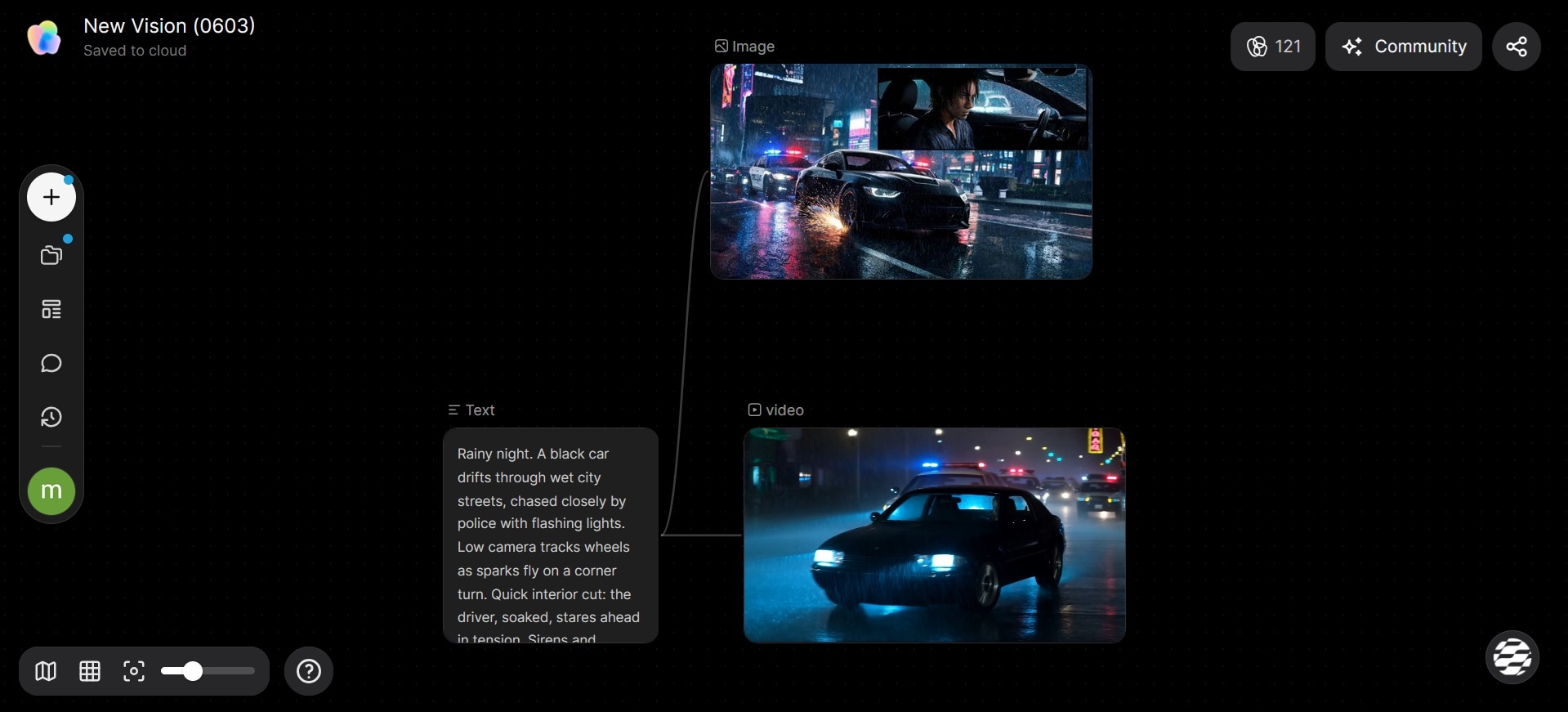
The visual canvas system gives TapNow AI a more organized, creative, and intuitive experience compared to many prompt-based AI generators. Keeping prompts, references, and generated scenes in one workspace makes it easier to experiment with ideas, especially during storyboarding and scene planning.
However, for users who are not very familiar with node-based workflows, the canvas may feel slightly overwhelming at first.
- Learning curve: ★3.9/5.0
- Canvas organization: ★4.6/5.0
- Ease of experimentation: ★4.5/5.0
Rendering Speed and Stability
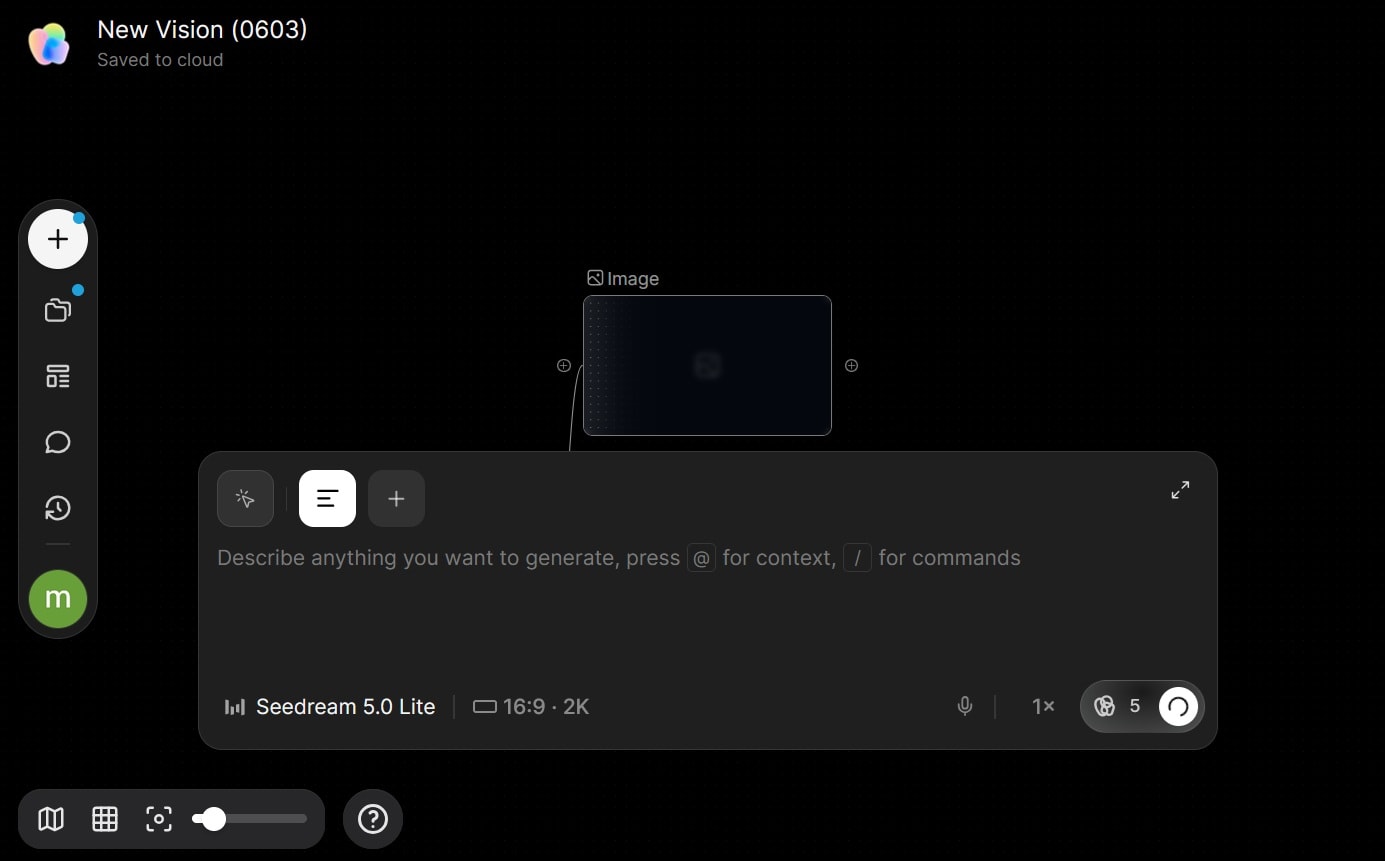
Generation speed depends heavily on the selected model and current server demand. Image generation typically feels quite fast, while cinematic video workflows can take longer during busy periods. Community feedback also mentions occasional render failures and faster-than-expected Tapies usage during repeated video generations.
- Generation time: ★4.0/5.0
- Failed renders: ★4.0/5.0
- Credit consumption experience: ★3.5/5.0
Part 6. TapNow AI Pros and Cons
Like most AI creative platforms, TapNow AI has clear strengths and a few areas that still feel unpolished. The platform shines most during visual planning, cinematic experimentation, and multi-scene workflows, but some users still report issues with credit consumption, workflow stability, and rendering consistency during heavier projects.
- The visual canvas workflow makes projects feel more organized
- Supports multi-model AI workflows inside one workspace
- Strong cinematic-style visuals and storytelling potential
- Useful for storyboard creation and scene planning
- The TapTV community helps users discover workflows and inspiration
- Faster workflow for creators handling multi-scene projects
- Good variety of AI generation tools for image and video creation
- The collaborative workflow system feels more creator-focused than many basic AI generators
- Public creator workflows help beginners learn faster
- The learning curve can feel intimidating for beginners
- Video generations quickly consume Tapies credits
- Some premium models require higher-tier subscriptions
- Rendering speed may slow down during busy periods
- Users report occasional rendering failures and inconsistent results
- Workflow stability still needs improvement in some complex projects
- Certain aspect ratios or upscale requests may not always generate correctly based on community feedback
- Not ideal for detailed manual editing like traditional video editors
- Pricing may feel expensive for heavy cinematic video generation
Part 7. Best TapNow AI Alternative for Full Video Editing
TapNow AI is great for visual ideation, cinematic experiments, and storyboard-style workflows. However, many creators still need a full-featured editor after generating AI clips for tasks such as trimming scenes, syncing audio, adding subtitles, adjusting pacing, and polishing the final video.
For creators seeking both AI generation and full editing tools in a seamless workflow, Wondershare Filmora is one of the most practical options available right now.
 Secure Download
Filmora combines AI-powered creation tools with a professional multi-track timeline editor, making the workflow feel much more complete for everyday content production. You can generate AI assets and immediately continue editing inside the same project without switching between different platforms.
Some of Filmora’s AI features include:
- AI Video Generator: Create videos from text prompts or animate still images using text-to-video and image-to-video tools (powered by Seedance 2.0, ToMoviee, Veo 3.1, and more).
- AI Image: Generate visuals powered by Nano Banana 2 and Nano Banana Pro for concept art, stylized graphics, thumbnails, and creative assets.
- AI Music and Sound Effects: Generate royalty-free background music and sound effects directly inside the editor.
- Dynamic Captions and AI Translation: Automatically create subtitles, translate captions into multiple languages, and improve accessibility for YouTube or social media content.
- AI Smart Short Clips: Turn long videos into shorter clips optimized for TikTok, Reels, and YouTube Shorts.
One of Filmora’s biggest strengths is the balance between AI assistance and manual editing control. Creators still have full access to timeline editing, transitions, layers, audio adjustments, effects, and export settings, which makes the platform more flexible for polished content production.
Secure DownloadConclusion
TapNow AI stands out for making AI creation feel more visual and collaborative. Building projects on a canvas, testing cinematic ideas, organizing scenes, and exploring workflows from other creators via TapTV give the experience a more creative studio feel than many prompt-focused AI tools.
Although the platform still has a few rough edges, especially around credit usage and occasional rendering inconsistencies, it already offers a solid space for experimenting with AI-generated videos and visual storytelling. For creators who also need deeper timeline editing and post-production tools, Filmora can serve as a more comprehensive workflow companion.
FAQs
-
What is TapTV in TapNow AI?
TapTV is TapNow AI’s built-in creator community. Users can explore public projects, discover workflows, and view AI-generated videos shared by other creators for inspiration. -
Does TapNow AI support cinematic video generation?
Yes. TapNow AI supports cinematic-style AI video generation for short films, ads, storytelling projects, and social media content. It also supports text-to-video and image-to-video workflows. -
Does TapNow AI replace video editing software?
Not fully. TapNow AI is mainly designed for AI generation, storyboarding, and creative workflows. Creators who need full timeline editing, transitions, audio editing, and post-production tools may still prefer editors like Filmora. -
Which AI models are available in TapNow AI?
TapNow AI supports multiple AI generation models on a single platform. Available models may change over time, but the platform currently lists tools like Kling, Runway, Flux, Veo, GPT, and Nano Banana.
